







Facebook Twitter Instagram
    Trending
    • NOVA BAR 35K Disposable Vape Review-Ultra-Long-Lasting Vaping in a Portable Package
    • Removable Battery+Dual Battery System, RAZ VUE 50K Launched on US online Channels
    • Samsung Galaxy S26 Ultra smartphone Unveiled: Enhanced aperture, precise skin tone reproduction
    • The Benchmark Scores of the Honor Magic8 Pro Air phone have been Revealed: equipped with Dimensity 9500 chip and 16GB of RAM
    • Google Pixel 10a Smartphone has been Revealed to be 9% Cheaper than its Predecessor
    • Xiaomi REDMI Turbo 5 Max is Claimed to Dominate the mainstream gaming performance category in the 2.5K Range
    • New smartwatch and Smartband of Xiaomi have been Revealed, and the Battery Capacity of Redmi K Pad 2 Mini Tablet is Expected to be Significantly Increased
    • KOOTAI F05 RC Helicopter Review-A Balanced Blend of Fun and Flight Tech
    Facebook YouTube
    Login Register
    IGeeKphone China Phone, Tablet PC, VR, RC Drone News, Reviews
    • HOME
      • NEWS
        • DeepSeek
        • ChatGPT
        • Minecraft
    • Amazon
    • NEW YEAR
    • PHONE
      • Top Phones For Your First Choice
      • Phone Comparison
      • Xiaomi
      • Blackview
      • Doogee
      • Black Shark
      • Geekbuying
      • Banggood
      • TEMU
      • TikTok
      • Aliexpress
      • Walmart
      • MercadoLibre
      • Lazada
    • TOP VAPE Awards for 2026
    • VAPES
      • E-CIGAR Upcoming
      • Vape News
      • Vape Deals
      • Vape Comparison
      • Vape Guide
      • Giveaway
    • BEST VAPE
      • Best Vape Stores
      • Best Starter Vape Kits
      • Best Vapes for Beginners
      • Best Disposable Vapes
      • Best Pod Systems
      • Best Pod Mod Vapes
      • Best Mods
      • Best Nicotine Pouches
      • Best Clearomizers/Tanks
      • Best E-Liquid
      • Best EGO/Pens
      • Best Vapes for Nic Salt E-Juice
      • Best Vapes to Quit Smoking
      • RDA vs. RDTA vs. RTA
    • Best Vape Brand 2026
      • VAPORESSO
      • VOOPOO
      • OXVA
      • NEXA BAR
      • ORIONBARTECH
      • MASKKING VAPE
      • MEMERS
      • SP2S
      • JNR
      • TODOO
      • MRFOG
      • VEIIK
    • REVIEW
      • E-cigar Review
      • Phones
      • Tablet PC
      • TV Box
      • RC Drone
      • Wearables
      • Camera
      • Accessories
      • VR Headset
    • MORE
      • TABLET
        • Chuwi
        • INNOCN
        • Teclast
        • Top Tablet for Your First Choice
        • Tablet/Laptop Comparison
      • RC DRONE
      • CAMERA
      • WEARABLES
        • OneOdio
        • BlitzWolf
        • Top Smartwatch for First Choice
      • 3D PRINTER
        • 3D Printer Review
        • Anycubic
        • FLSUN
        • Xtool
        • LONGER
        • Top 3D printer to Choose First
      • POWER STATION
        • Oukitel
        • FOSSIBOT
      • GAMING
        • Top Gaming Products
      • E-BIKE
        • Samebike
        • Happyrun
        • ENGWE
      • SMART HOME
      • TV BOX
      • ACCESSORIES
      • VR HEADSET
      • CLOTHES
      • AUTO CAR
    • DEAL
    • Shop
    IGeeKphone China Phone, Tablet PC, VR, RC Drone News, Reviews
    You are at:Home»Apple»How to Restore the Original System of iPhone 17 Pro Max?
    Apple

    How to Restore the Original System of iPhone 17 Pro Max?

    Brady CottonBy Brady CottonJanuary 8, 2026
    Facebook Twitter Pinterest LinkedIn Tumblr Email

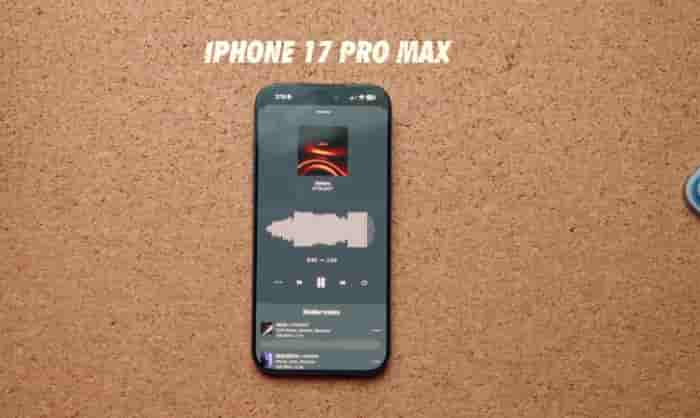
    When the iPhone 17 Pro Max experiences system lag, application crashes, or a poor upgrade experience, reverting to the original system version is a common solution. Depending on the device’s condition and requirements, system restoration can be achieved through the following three methods. Before proceeding, make sure to back up important data to avoid data loss.

    1. Normal Recovery: Reset the device via the one-click reset function in the settings.

    If the device can start normally and the touch is sensitive, you can directly complete the restoration through the built-in functions of the system. First, enter “Settings” → click on the top “Apple ID” → select “iCloud” → turn on “iCloud Backup” and click “Immediately Backup”, or use a data cable to connect the computer, in iTunes (for Windows) or Finder (for Mac), select “Back Up This Mac” and encrypt to save health data. Then, in “Settings”, click sequentially on “General” → “Transfer or Restore iPhone” → “Erase All Contents and Settings”, enter the lock screen password and Apple ID password, and the device will automatically restart and clear the data. After restarting, follow the prompts to select the language, connect Wi-Fi, and you can choose to manually configure as a new device or restore data from the backup. This method is suitable for solving daily system problems or data cleanup before transferring the device.
    II. Deep Recovery: Perform a forced reinstallation via iTunes/Finder

    When the device displays a white apple, black screen or fails to enter the system, recovery needs to be completed using a computer. First, enter the recovery mode: quickly press the volume up button and release it → quickly press the volume down button and release it → hold the side button for 10 seconds until the screen shows the “Data Cable Points to Computer” icon. After connecting the computer, iTunes or Finder will automatically recognize and pop up a repair prompt. On the software interface, hold down the Shift (Windows) or Option (Mac) key, click “Restore iPhone”, select the official firmware package (IPSW file), and wait for the system to automatically install, which takes approximately 15-30 minutes. This method can solve serious system failures, but it is necessary to ensure that the device battery is ≥ 50% and the computer network is stable.

    III. Version Rollback: Downgrade to the designated old system

    If you need to downgrade from the new version to the old one, you need to check the verification status of the target version on the ipsw.me website. Versions with a green label can be downgraded, while those with a red label have their downgrade channels closed. After downloading the corresponding firmware, follow the restore mode operation to enter the iTunes/Finder interface, select the firmware package to complete the downgrade. After the downgrade, some applications may not be able to run due to compatibility issues. You need to manually adjust the application settings or download historical versions from the App Store. This method is suitable for solving problems such as reduced battery life and abnormal overheating in the new system, but be aware that Apple usually closes the signature verification for old versions within 1-2 weeks after the new system is released. Please act promptly.

    Notes and Risk Warnings

    Before restoring the system, make sure to disable the “Find My iPhone” function to avoid interrupting the activation lock; restoring the factory settings on a jailbroken device may cause system abnormalities. It is recommended to upgrade to the official version first before proceeding with the operation; for non-official disassembled or jailbroken devices, restoring may affect the warranty; it is necessary to confirm the device status in advance. If the operation is interrupted and the device fails to start, you can try entering DFU mode (after connecting to the computer, quickly press the volume up button → quickly press the volume down button → hold the side button for 15 seconds), and then use iTunes or third-party tools for flashing.

    Share. Facebook Twitter Pinterest LinkedIn Tumblr Email

    Related Posts

    What Is a Backlink Analysis and How it does?

    A Step-by-Step Guide to Recovering Data from a Corrupted SxS Card

    Revolutionizing Healthcare with E-Faxing

    Leave A Reply Cancel Reply

    You must be logged in to post a comment.

    voopoo drag s3
    oxva xlim 3 ultra
    sp2s sen x disposable vape
    jnr 100k
    • Popular
    • 3D Printer REVIEW
    • XIAOMI
    January 1, 2026

    VOOPOO ARGUS P3: The Touchscreen Pod That Feels Like a Mini Mod (Review)

    December 26, 2025

    Vaporesso XROS 5 Nano: Touchscreen Control Meets True Nano Portability (Review)

    December 9, 2025

    OXVA Xlim Go vs. OXVA Xlim Go 2: Hands-On Review

    December 9, 2025

    OXVA XLIM PRO 3 VS XLIM PRO 2 Review: Hands-on Comparison

    December 26, 2025

    ACMER ASCARVA 4S: Precision CNC Power for Makers, DIYers & Small Workshops

    June 23, 2024

    ACMER P2 20W Laser Engraver Fixed Focus Engraving: Hands on Review

    May 30, 2024

    xTool F1 Ultra Review: World’s First 20W Fiber & 20W Diode Laser Engraver

    May 30, 2024

    Anycubic Kobra 3 Combo Review: The Multicolor Masterpiece?

    January 16, 2026

    Xiaomi REDMI Turbo 5 Max is Claimed to Dominate the mainstream gaming performance category in the 2.5K Range

    January 16, 2026

    New smartwatch and Smartband of Xiaomi have been Revealed, and the Battery Capacity of Redmi K Pad 2 Mini Tablet is Expected to be Significantly Increased

    January 15, 2026

    Xiaomi Sound 2 Pro Speaker is Available for Purchase: made of plastic shell material, two-way frequency division architecture, priced at 1399 yuan.

    January 13, 2026

    Xiaomi 17 Max is the First Model to be Equipped with 8000mAh Battery Capacity

    fc 26 coins
    New Arrivals
    • NOVA BAR 35K DISPOSABLE NOVA BAR 35K DISPOSABLE
    • FIFTY BAR X HUMBLE 20K DISPOSABLE FIFTY BAR X HUMBLE 20K DISPOSABLE
    • FASTA ALIEN 51K DISPOSABLE FASTA ALIEN 51K DISPOSABLE
    • Vivo V70 FE SmartPhone Vivo V70 FE SmartPhone
    • Uwell Nunchaku 10000 Pod System Kit Uwell Nunchaku 10000 Pod System Kit
    • OnePlus Turbo 6V OnePlus Turbo 6V
    • Uwell Caliburn G5 KOKO Pod System Kit Uwell Caliburn G5 KOKO Pod System Kit
    • Oppo Reno15 Pro Mini Oppo Reno15 Pro Mini
    • Xiaomi Poco M8 Xiaomi Poco M8
    About
  • Igeekphone.com provides the first global tech news and reviews about smartphone, vapes, e-cigar, smart home, 3D printers, e-bike,tablets, RC drones, VR headset, and other accessories. It's the best platform to improve your brand and product.
  • Contact us: info@igeekphone.com
  • Check Our Privacy Policy Here.
  • Note: *Right now we have US editor and EU editors for review, especially for Amazon US and EU.
  • *Shop and Compare Price Here*
  • Facebook
  • Youtube
  • OUR BEST VAPE PARTNERS
  • VAPE ONLINE STORE
  • HAYATI PRO MAX PLUS
  • VAPORESSO
  • VOOPOO
  • OXVA
  • NEXA
  • MASKKING
  • LOSTVAPE ORIONBAR
  • MEMERS
  • TODOO
  • SP2S
  • JNR
  • VEIIK
  • OTHER BEST PARTNERS
  • SVBONY
  • Chuwi
  • Blackview
  • Fossibot
  • Unihertz
  • Flsun
  • Anycubic
  • Xtool
  • Oukitel
  • Mukkpet Ebike
  • Ugreen
  • Copyright © 2026 igeekphone

    Type above and press Enter to search. Press Esc to cancel.