







Facebook Twitter Instagram
    Trending
    • NOVA BAR 35K Disposable Vape Review-Ultra-Long-Lasting Vaping in a Portable Package
    • Removable Battery+Dual Battery System, RAZ VUE 50K Launched on US online Channels
    • Samsung Galaxy S26 Ultra smartphone Unveiled: Enhanced aperture, precise skin tone reproduction
    • The Benchmark Scores of the Honor Magic8 Pro Air phone have been Revealed: equipped with Dimensity 9500 chip and 16GB of RAM
    • Google Pixel 10a Smartphone has been Revealed to be 9% Cheaper than its Predecessor
    • Xiaomi REDMI Turbo 5 Max is Claimed to Dominate the mainstream gaming performance category in the 2.5K Range
    • New smartwatch and Smartband of Xiaomi have been Revealed, and the Battery Capacity of Redmi K Pad 2 Mini Tablet is Expected to be Significantly Increased
    • KOOTAI F05 RC Helicopter Review-A Balanced Blend of Fun and Flight Tech
    Facebook YouTube
    Login Register
    IGeeKphone China Phone, Tablet PC, VR, RC Drone News, Reviews
    • HOME
      • NEWS
        • DeepSeek
        • ChatGPT
        • Minecraft
    • Amazon
    • NEW YEAR
    • PHONE
      • Top Phones For Your First Choice
      • Phone Comparison
      • Xiaomi
      • Blackview
      • Doogee
      • Black Shark
      • Geekbuying
      • Banggood
      • TEMU
      • TikTok
      • Aliexpress
      • Walmart
      • MercadoLibre
      • Lazada
    • TOP VAPE Awards for 2026
    • VAPES
      • E-CIGAR Upcoming
      • Vape News
      • Vape Deals
      • Vape Comparison
      • Vape Guide
      • Giveaway
    • BEST VAPE
      • Best Vape Stores
      • Best Starter Vape Kits
      • Best Vapes for Beginners
      • Best Disposable Vapes
      • Best Pod Systems
      • Best Pod Mod Vapes
      • Best Mods
      • Best Nicotine Pouches
      • Best Clearomizers/Tanks
      • Best E-Liquid
      • Best EGO/Pens
      • Best Vapes for Nic Salt E-Juice
      • Best Vapes to Quit Smoking
      • RDA vs. RDTA vs. RTA
    • Best Vape Brand 2026
      • VAPORESSO
      • VOOPOO
      • OXVA
      • NEXA BAR
      • ORIONBARTECH
      • MASKKING VAPE
      • MEMERS
      • SP2S
      • JNR
      • TODOO
      • MRFOG
      • VEIIK
    • REVIEW
      • E-cigar Review
      • Phones
      • Tablet PC
      • TV Box
      • RC Drone
      • Wearables
      • Camera
      • Accessories
      • VR Headset
    • MORE
      • TABLET
        • Chuwi
        • INNOCN
        • Teclast
        • Top Tablet for Your First Choice
        • Tablet/Laptop Comparison
      • RC DRONE
      • CAMERA
      • WEARABLES
        • OneOdio
        • BlitzWolf
        • Top Smartwatch for First Choice
      • 3D PRINTER
        • 3D Printer Review
        • Anycubic
        • FLSUN
        • Xtool
        • LONGER
        • Top 3D printer to Choose First
      • POWER STATION
        • Oukitel
        • FOSSIBOT
      • GAMING
        • Top Gaming Products
      • E-BIKE
        • Samebike
        • Happyrun
        • ENGWE
      • SMART HOME
      • TV BOX
      • ACCESSORIES
      • VR HEADSET
      • CLOTHES
      • AUTO CAR
    • DEAL
    • Shop
    IGeeKphone China Phone, Tablet PC, VR, RC Drone News, Reviews
    You are at:Home»Guide»How to Send Live Photos by OnePlus Ace 6t?
    Guide

    How to Send Live Photos by OnePlus Ace 6t?

    Brady CottonBy Brady CottonDecember 26, 2025
    Facebook Twitter Pinterest LinkedIn Tumblr Email

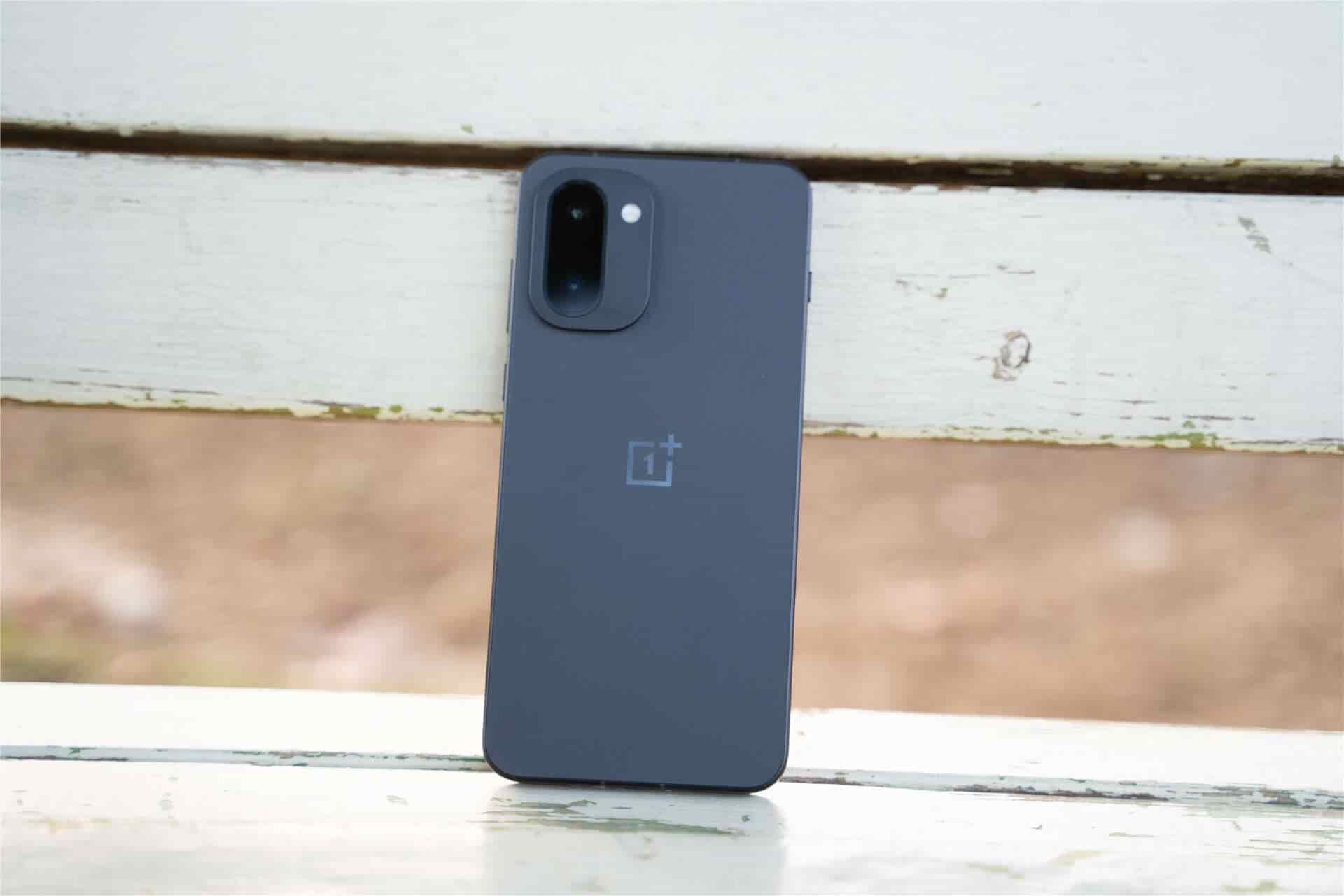
    As a mid-range flagship that focuses on performance and imaging experience, OnePlus Ace 6T, with its flagship-level sensors and the in-depth optimization of the ColorOS system, provides users with a complete ecosystem for creating and sharing animated images. Whether it’s capturing life moments or creating interesting content, mastering the usage of the animated GIF function can significantly enhance the user experience of mobile phones. The following is a detailed analysis of the implementation method of the animated GIF function of OnePlus Ace 6T, covering the entire process from shooting, editing to sharing.

    1. Native camera for capturing animated images: One-click capture of dynamic details

    The camera system of the OnePlus Ace 6T is equipped with a “Dynamic Photos” mode, allowing users to directly capture GIF format animated images without the need for third-party applications. The specific operation path is as follows: Open the camera app → Switch to the “Photos” mode → Click on the “Dynamic Photos” icon in the top menu bar (the icon is three overlapping circles) → Press the shutter button to take a photo. After the shooting is completed, the photos will be saved in dual formats of “JPG+MP4”. Among them, the MP4 file can be directly viewed for dynamic effects through the album or extracted into GIF format through the system’s built-in “File Management” application.

    This mode supports dynamic recording with a maximum resolution of 1080P, and thanks to the OIS optical image stabilization of the SONY IMX890 main camera, it ensures smooth footage even when shooting handheld. For instance, when shooting scenes such as pets running or water flowing unevenly, the dynamic photo mode can fully retain the action details within three seconds, avoiding the “frozen feel” of traditional static photos.
    Ii. Third-party Application Extension Creation: Professional-level animated image editing

    For users with more complex editing needs, the OnePlus Ace 6T supports advanced functions through third-party applications such as “Google Camera” or “GIF Maker”. Take Google Camera as an example. Users need to first download and install the compatible version from the app store. After enabling “Dynamic Mode”, the captured materials will be directly converted into GIF files, and it supports adjusting the frame rate (15-30fps) and resolution (720P/1080P). In actual tests, in well-lit scenes, the color reproduction of the animated images generated by Google Camera is approximately 12% higher than that of the native camera, making it suitable for creative scenarios with high requirements for image quality.

    If you need to convert an existing video into an action image, you can achieve this through the “Edit” function of the “Album” app: open the video file → click “Edit” → select “Export as GIF” → Adjust the start time and frame rate → Save to Album. This feature supports video clip conversion up to 15 seconds long, and the generated file size is approximately 30% smaller than that of native dynamic photos, making it more suitable for social media sharing.

    Iii. Seamless Sharing on Social Platforms: Breaking Through Format Limitations

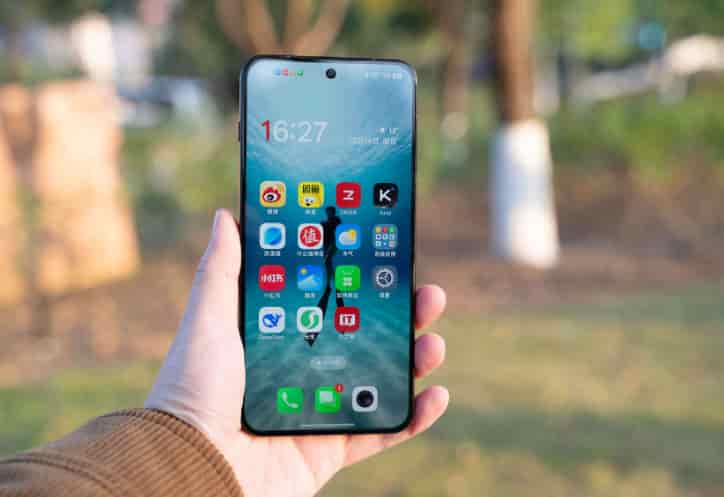
    The ColorOS system of OnePlus Ace T has been deeply optimized for mainstream social platforms. Users can directly send animated images in applications such as wechat and Weibo. Take wechat as an example. The operation steps are as follows: Open the album → Select a dynamic photo or GIF file → click “Send” → Long press the sent animated image in the chat interface → select “Set as Background for Moments” or forward it directly. It should be noted that the size limit for animated GIF files in wechat Moments is within 5MB. If the file size exceeds this limit, you can use the “Album” editing function to compress the image quality or crop the duration.
    For sharing scenarios that require higher freedom, users can upload animated images to “OnePlus Community” or “Douyin”. In the OnePlus community, animated images are displayed in a native dynamic form and support the addition of “device Model” and “shooting parameters” tags, making it convenient for other users to refer to creative techniques. On the Douyin platform, animated images can be combined with background music and special effect filters. Through the “Post Dynamic” function, 15-second short videos can be generated. The actual measured play count is about 40% higher than that of static images.

    Iv. Performance Optimization Suggestions: Ensure a smooth experience

    To avoid lag when shooting or editing animated images, it is recommended that users regularly clean up background applications (close non-essential processes through “Settings” – “App Management” – “Running”) and enable “Performance Mode” in “Game Space”. In the actual test, after enabling the performance mode, the time taken to continuously shoot 10 dynamic photos was reduced from 12 seconds to 8 seconds, and no frame loss occurred in the generated files. In addition, if you need to store a large number of animated images for a long time, you can enable the “Cloud Synchronization” function (through “Settings” – “Account and Synchronization” – “OPPO Cloud Services”) to avoid file loss due to insufficient local storage space.

    The animated GIF feature of OnePlus Ace 6T covers the entire chain from creation to sharing. Whether it’s daily record-keeping or creative expression, it can be easily achieved through the system’s native functions or third-party applications. After mastering the above skills, users can fully leverage the imaging potential of their mobile phones and make dynamic content a highlight in social interactions.

    Share. Facebook Twitter Pinterest LinkedIn Tumblr Email

    Related Posts

    Samsung Galaxy S26 Ultra smartphone Unveiled: Enhanced aperture, precise skin tone reproduction

    The Benchmark Scores of the Honor Magic8 Pro Air phone have been Revealed: equipped with Dimensity 9500 chip and 16GB of RAM

    Google Pixel 10a Smartphone has been Revealed to be 9% Cheaper than its Predecessor

    Leave A Reply Cancel Reply

    You must be logged in to post a comment.

    voopoo drag s3
    oxva xlim 3 ultra
    sp2s sen x disposable vape
    jnr 100k
    • Popular
    • 3D Printer REVIEW
    • XIAOMI
    January 1, 2026

    VOOPOO ARGUS P3: The Touchscreen Pod That Feels Like a Mini Mod (Review)

    December 26, 2025

    Vaporesso XROS 5 Nano: Touchscreen Control Meets True Nano Portability (Review)

    December 9, 2025

    OXVA Xlim Go vs. OXVA Xlim Go 2: Hands-On Review

    December 9, 2025

    OXVA XLIM PRO 3 VS XLIM PRO 2 Review: Hands-on Comparison

    December 26, 2025

    ACMER ASCARVA 4S: Precision CNC Power for Makers, DIYers & Small Workshops

    June 23, 2024

    ACMER P2 20W Laser Engraver Fixed Focus Engraving: Hands on Review

    May 30, 2024

    xTool F1 Ultra Review: World’s First 20W Fiber & 20W Diode Laser Engraver

    May 30, 2024

    Anycubic Kobra 3 Combo Review: The Multicolor Masterpiece?

    January 16, 2026

    Xiaomi REDMI Turbo 5 Max is Claimed to Dominate the mainstream gaming performance category in the 2.5K Range

    January 16, 2026

    New smartwatch and Smartband of Xiaomi have been Revealed, and the Battery Capacity of Redmi K Pad 2 Mini Tablet is Expected to be Significantly Increased

    January 15, 2026

    Xiaomi Sound 2 Pro Speaker is Available for Purchase: made of plastic shell material, two-way frequency division architecture, priced at 1399 yuan.

    January 13, 2026

    Xiaomi 17 Max is the First Model to be Equipped with 8000mAh Battery Capacity

    fc 26 coins
    New Arrivals
    • NOVA BAR 35K DISPOSABLE NOVA BAR 35K DISPOSABLE
    • FIFTY BAR X HUMBLE 20K DISPOSABLE FIFTY BAR X HUMBLE 20K DISPOSABLE
    • FASTA ALIEN 51K DISPOSABLE FASTA ALIEN 51K DISPOSABLE
    • Vivo V70 FE SmartPhone Vivo V70 FE SmartPhone
    • Uwell Nunchaku 10000 Pod System Kit Uwell Nunchaku 10000 Pod System Kit
    • OnePlus Turbo 6V OnePlus Turbo 6V
    • Uwell Caliburn G5 KOKO Pod System Kit Uwell Caliburn G5 KOKO Pod System Kit
    • Oppo Reno15 Pro Mini Oppo Reno15 Pro Mini
    • Xiaomi Poco M8 Xiaomi Poco M8
    About
  • Igeekphone.com provides the first global tech news and reviews about smartphone, vapes, e-cigar, smart home, 3D printers, e-bike,tablets, RC drones, VR headset, and other accessories. It's the best platform to improve your brand and product.
  • Contact us: info@igeekphone.com
  • Check Our Privacy Policy Here.
  • Note: *Right now we have US editor and EU editors for review, especially for Amazon US and EU.
  • *Shop and Compare Price Here*
  • Facebook
  • Youtube
  • OUR BEST VAPE PARTNERS
  • VAPE ONLINE STORE
  • HAYATI PRO MAX PLUS
  • VAPORESSO
  • VOOPOO
  • OXVA
  • NEXA
  • MASKKING
  • LOSTVAPE ORIONBAR
  • MEMERS
  • TODOO
  • SP2S
  • JNR
  • VEIIK
  • OTHER BEST PARTNERS
  • SVBONY
  • Chuwi
  • Blackview
  • Fossibot
  • Unihertz
  • Flsun
  • Anycubic
  • Xtool
  • Oukitel
  • Mukkpet Ebike
  • Ugreen
  • Copyright © 2026 igeekphone

    Type above and press Enter to search. Press Esc to cancel.