




Facebook Twitter Instagram
    Trending
    • VOOPOO DRAG X2 vs DRAG X3: A Head-to-Head Comparison
    • Vaporesso ECO NANO PLUS vs Vaporesso iMate OS: Comparison Review
    • Potensic ATOM 2 RC Drone Review: A 10KM FPV Powerhouse That Fits in Your Palm
    • SKE BAR 15K Disposable Vape-More Puffs, Same Iconic SKE Flavour
    • AIRITON AI-T3 Thin Walkie Talkie: Redefining Portability with an Ultra-Thin, Feature-Packed Walkie-Talkie
    • Diatone SNT PK118 PokeGT RC Car Review at 26.99usd: Your Pocket-Sized Portal to RC Drifting Fun
    • JNR Sellarc 100K Review: The Ultra-Endurance Refillable Experience
    • DWi H10 RC Helicopter Review at $22.99: Elevating the Beginner Experience with Smart Tech
    Facebook YouTube
    Login Register
    IGeeKphone China Phone, Tablet PC, VR, RC Drone News, Reviews
    • HOME
      • NEWS
        • DeepSeek
        • ChatGPT
        • Minecraft
    • Amazon
    • CHRISTMAS
    • PHONE
      • Top Phones For Your First Choice
      • Phone Comparison
      • Xiaomi
      • Blackview
      • Unihertz
      • Doogee
      • Black Shark
      • Geekbuying
      • Banggood
      • TEMU
      • TikTok
      • Aliexpress
      • Walmart
      • Newegg
      • MercadoLibre
      • Lazada
    • TOP VAPE Awards for 2025
    • VAPES
      • E-CIGAR Upcoming
      • Vape News
      • Vape Market Trend
      • Vape Deals
      • Expo News
      • Vape Comparison
      • Vape Guide
        • Guide For Beginners
        • Guide for Best Users
      • Giveaway
    • BEST VAPE
      • Best Vape Stores
      • Best Starter Vape Kits
      • Best Vapes for Beginners
      • Best Disposable Vapes
      • Best Pod Systems
      • Best Pod Mod Vapes
      • Best Mods
      • Best Nicotine Pouches
      • Best Clearomizers/Tanks
      • Best E-Liquid
      • Best EGO/Pens
      • Best Vapes for Nic Salt E-Juice
      • Best Vapes to Quit Smoking
      • RDA vs. RDTA vs. RTA
    • Best Vape Brand 2025
      • VAPORESSO
      • VOOPOO
      • OXVA
      • NEXA BAR
      • ORIONBARTECH
      • MASKKING VAPE
      • VEIIK
      • MEMERS
      • SP2S
      • JNR
      • TODOO
      • MRFOG
    • REVIEW
      • E-cigar Review
      • Phones
      • Tablet PC
      • TV Box
      • RC Drone
      • Wearables
      • Camera
      • Accessories
      • VR Headset
    • MORE
      • 3D PRINTER
        • 3D Printer Review
        • Anycubic
        • FLSUN
        • Xtool
        • LONGER
        • Top 3D printer to Choose First
      • TREND
      • CLOTHES
      • AUTO CAR
      • POWER STATION
        • Oukitel
        • FOSSIBOT
      • GAMING
        • Top Gaming Products
      • E-BIKE
        • Samebike
        • Happyrun
        • ENGWE
      • TABLET
        • Chuwi
        • INNOCN
        • Teclast
        • Top Tablet for Your First Choice
        • Tablet/Laptop Comparison
      • WEARABLES
        • OneOdio
        • BlitzWolf
        • Top Smartwatch for First Choice
      • SMART HOME
      • TV BOX
        • Chuwi mini pc
        • Beelink
        • GMKTEC
        • MOREFINE
      • RC DRONE
        • DJI
        • MJX
        • JJRC
        • Hubsan
        • Top RC Drone
      • CAMERA
        • Gopro
        • Insta360
        • Andoer
      • ACCESSORIES
      • VR HEADSET
      • ROM
        • SAMSUNG
        • XIAOMI
        • ASUS
        • MEIZU
        • LENOVO
        • HUAWEI
        • ONEPLUS
        • ZTE
        • UMIDIGI
        • DOOGEE
        • HOMTOM
        • ELEPHONE
        • ULEFONE
        • BLACKVIEW
        • VERNEE
        • LEAGOO
        • CHUWI
        • TECLAST
        • PIPO
        • TV BOX ROM
    • DEAL
    • Shop
    IGeeKphone China Phone, Tablet PC, VR, RC Drone News, Reviews
    You are at:Home»Guide»Is your computer’s C drive red? 4 Tips to Slim Down your System Disk in Minutes
    Guide

    Is your computer’s C drive red? 4 Tips to Slim Down your System Disk in Minutes

    Brady CottonBy Brady CottonMay 29, 2023
    Facebook Twitter Pinterest LinkedIn Tumblr Email

    Is your computer’s C drive red? 4 Tips to Slim Down your System Disk in Minutes.

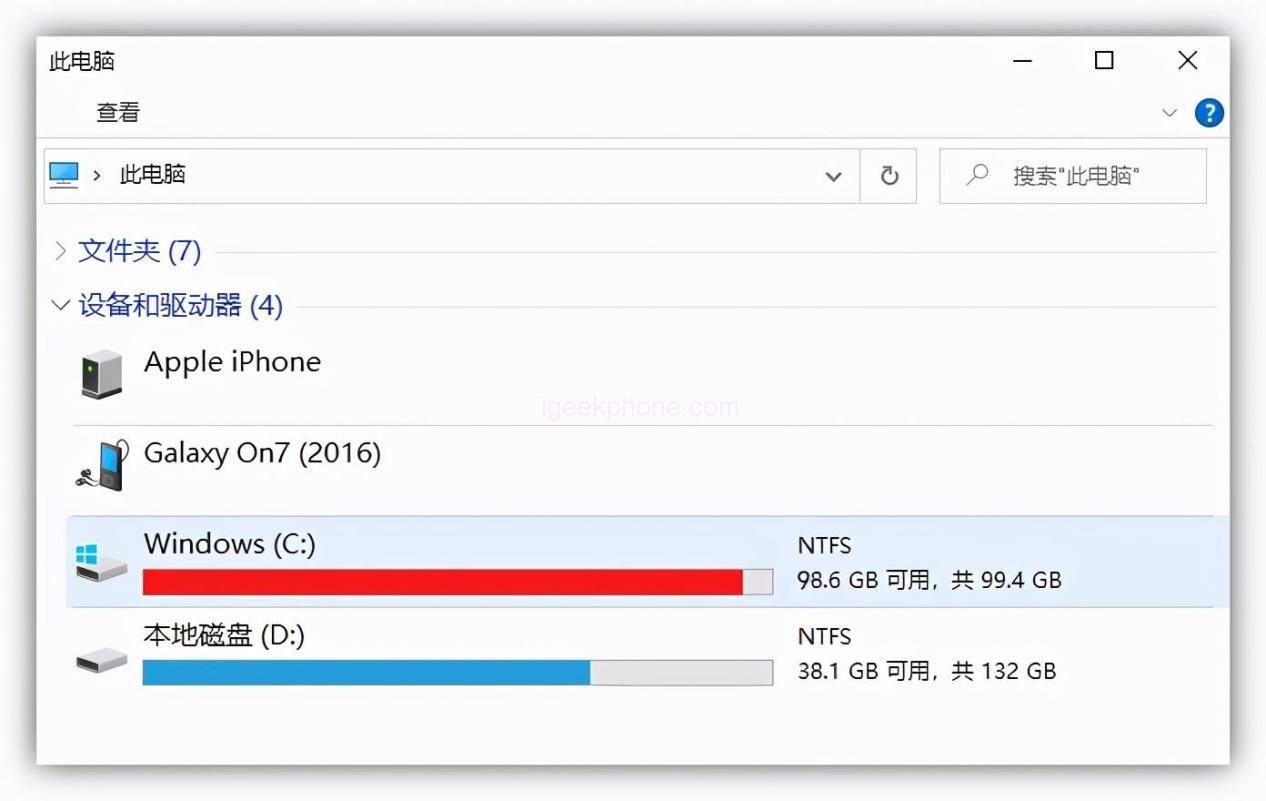
    Often use the computer friends basically most have encountered C disk “red” situation, the key is, obviously most of the software in the installation will choose the location in the other hard disk, but C disk is still inexplicably full.
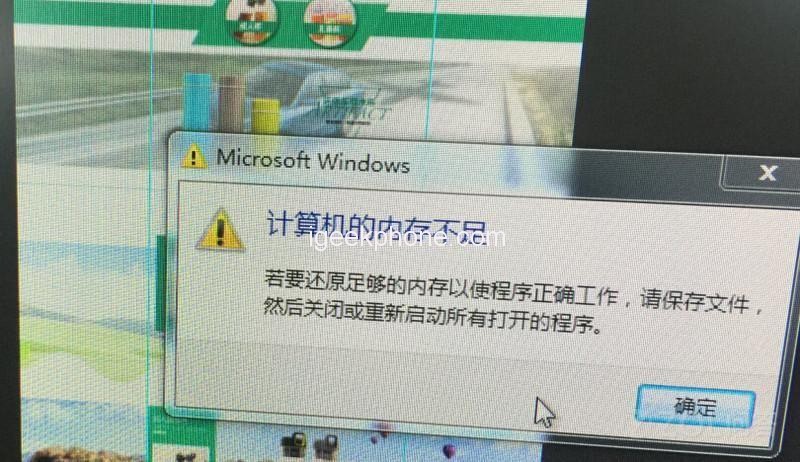
    The C disk content “burst red”, the most obvious is that the computer running speed slowed down, began to appear some lag, flash back, even the Blue screen of death is not impossible.

    So the question comes, as our system disk, clearly reserved hundreds of G memory, why will still use “burst red”?
    And when we encounter this situation, how to deal with quickly, to release the C disk memory?

    The following will teach you 4 tips, usually use more attention, can make the system disk effective slimming, and for a long time not “burst red”.
    1. Clear the recycle bin regularly

    Many people usually delete files by right clicking or delete. Although the files can be deleted in this way, they will be transferred to the recycle bin, and the recycle bin uses exactly the C disk memory.

    So, usually to develop a regular right to clean up the recycle bin habit.

    In addition, when you delete a file, if you are sure that it is useless, you can use shift+delete to delete it, so that the file will disappear completely.
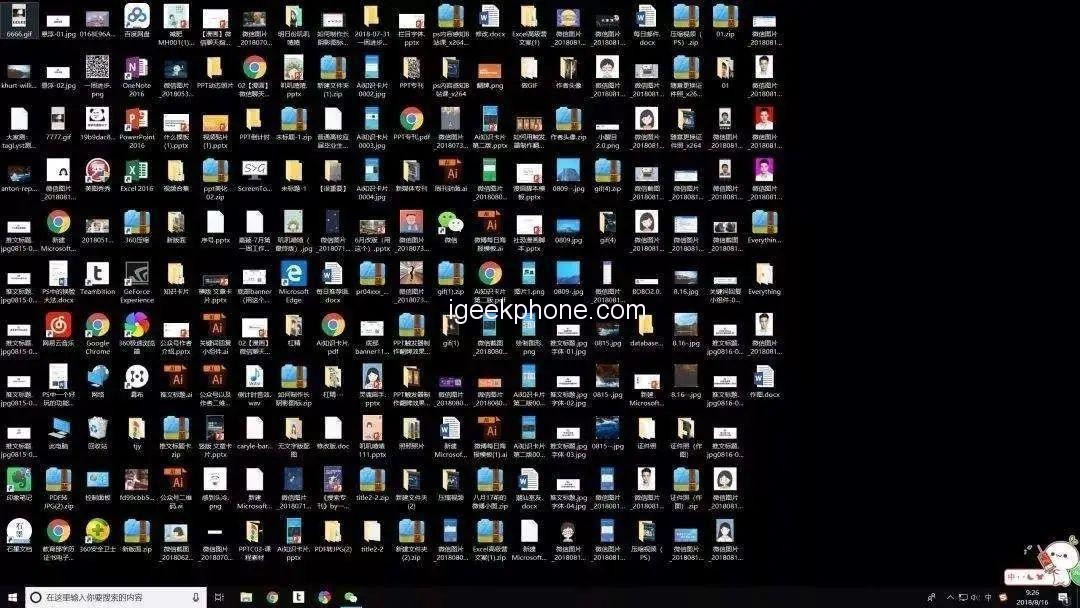
    2. Don’t put too much content on your desktop

    Many workers prefer to store files on the desktop for convenience. However, the default storage location on the desktop is the C disk, so over time, the C disk memory will become full and slow down the computer running speed.

    Therefore, it is recommended that you usually use the computer, as far as possible to put the file into the other hard disk, and the desktop file after use as soon as possible delete.

    In addition, it is very practical to change the default location of desktop files to a different disk so that it does not take up space on the system disk.

    3. Clear cached files regularly

    For example, run %temp% to open the folder where the cached files are stored, and then delete all the files to clear the space. The second is through the three software, such as tinder and so on to clean the disk (it should be noted that the installation of three software to be careful, a lot of software in the name of security than a rogue, when the hard disk did not clean up, but installed a bunch of rogue software on the computer).

    4. Add more memory to your computer

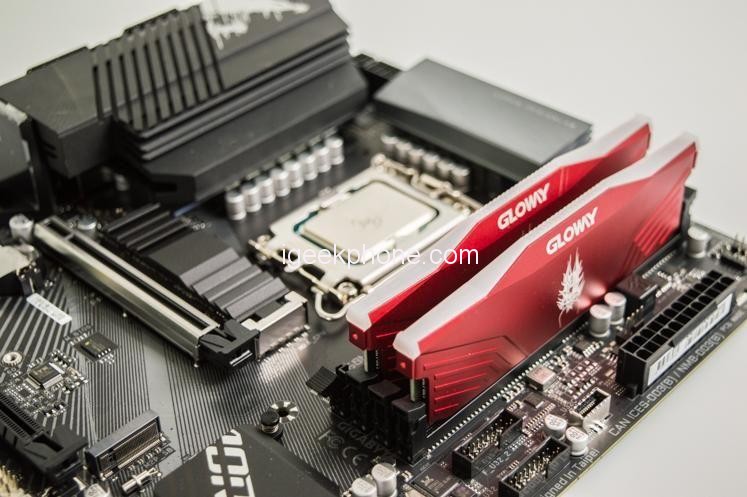
    In the past two years, the price of electronic accessories has gradually declined, including the price of solid state hard disk including mechanical hard disk has dropped sharply, early six or seven hundred to buy hard disk is now almost half price, so if your computer memory is not much, it is very inconvenient to use, may wish to directly add a little memory to the computer, later use can also be more worry.

    Share. Facebook Twitter Pinterest LinkedIn Tumblr Email

    Related Posts

    Exploring the profitability of bitcoin trading ideas

    What Types of Student Loans Are Available? Exploring Your Options

    The reason that People Are Using The Text To Give Church App More Often

    Leave A Reply Cancel Reply

    You must be logged in to post a comment.

    voopoo drag s3
    oxva xlim go 2
    sp2s sen x disposable vape
    jnr 100k
    • Popular
    • 3D Printer REVIEW
    • XIAOMI
    December 9, 2025

    OXVA Xlim Go vs. OXVA Xlim Go 2: Hands-On Review

    December 9, 2025

    OXVA XLIM PRO 3 VS XLIM PRO 2 Review: Hands-on Comparison

    December 9, 2025

    OXVA XLIM 3 Ultra vs. XLIM Pro 2 DNA Review: Hands-on Comparison

    December 8, 2025

    OXVA XLIM SQ PRO 2 vs XLIM SQ PRO Hands on Comparison Review

    June 23, 2024

    ACMER P2 20W Laser Engraver Fixed Focus Engraving: Hands on Review

    May 30, 2024

    xTool F1 Ultra Review: World’s First 20W Fiber & 20W Diode Laser Engraver

    May 30, 2024

    Anycubic Kobra 3 Combo Review: The Multicolor Masterpiece?

    May 15, 2024

    SCULPFUN SF-A9 40W Laser Engraver Cutting Machine: Hands On Review

    December 11, 2025

    Xiaomi 17 Ultra will officially announce next week: it will be the first to feature a brand-new Leica 1-inch main camera

    December 10, 2025

    The official version of Xiaomi Hyper OS 3 covers more models. MIX Fold 3 and others will start to be rolled out in gray scale and gradually from today

    December 9, 2025

    The Appearance Renderings of Xiaomi 17 Ultra are here: The classic large round lens returns without a back screen

    December 8, 2025

    Comeback: Xiaomi triple foldable screen was once aborted due to the overheating of the Snapdragon 8 Gen1

    fc 26 coins
    New Arrivals
    • Arc Hypertine 35K Zero Nicotine Disposable Vape Arc Hypertine 35K Zero Nicotine Disposable Vape
    • Oppo Reno 15c Oppo Reno 15c
    • lost vape le bar 40k lost vape le bar 40k
    • RAZ RX 50K DISPOSABLE RAZ RX 50K DISPOSABLE
    • Xiaomi Poco C85 Xiaomi Poco C85
    • Innokin Foretex Pod System Kit Innokin Foretex Pod System Kit
    • Geekvape Aegis Mini 5 Vape Mod Kit Geekvape Aegis Mini 5 Vape Mod Kit
    • Freemax Albar MX 20K Disposable Vape Freemax Albar MX 20K Disposable Vape
    • Innokin EZ Leva Pod System Kit with PCC 2400mAh Innokin EZ Leva Pod System Kit with PCC 2400mAh
    About
  • Igeekphone.com provides the first global tech news and reviews about smartphone, vapes, e-cigar, smart home, 3D printers, e-bike,tablets, RC drones, VR headset, and other accessories. It's the best platform to improve your brand and product.
  • Contact us: info@igeekphone.com
  • Check Our Privacy Policy Here.
  • Note: *Right now we have US editor and EU editors for review, especially for Amazon US and EU.
  • *Shop and Compare Price Here*
  • Facebook
  • Youtube
  • OUR BEST VAPE PARTNERS
  • VAPE ONLINE STORE
  • HAYATI PRO MAX PLUS
  • VAPORESSO
  • VOOPOO
  • OXVA
  • NEXA
  • MASKKING
  • LOSTVAPE ORIONBAR
  • VEIIK
  • MEMERS
  • TODOO
  • SP2S
  • JNR
  • OTHER BEST PARTNERS
  • SVBONY
  • Chuwi
  • Blackview
  • Fossibot
  • Unihertz
  • Flsun
  • Anycubic
  • Xtool
  • Oukitel
  • Mukkpet Ebike
  • Ugreen
  • Copyright © 2025 igeekphone

    Type above and press Enter to search. Press Esc to cancel.