









When LEOBOG sent me the Hi75 keyboard for review, I was both curious and skeptical. The buzz around this 81-key, 75% mechanical keyboard is undeniable—praised for its premium build and thoughtful design, it has been steadily gaining traction among keyboard enthusiasts. However, I approached this review with an open mind and my usual dose of skepticism. After all, it’s easy to get caught up in the hype, and I wanted to see if the Leobog Hi75 truly lived up to its reputation.
But let’s not get ahead of ourselves. In this detailed review, I’ll walk you through my experience using the Hi75 over the past week, covering everything from its build quality and features to its real-world performance. Whether you’re a keyboard enthusiast or someone who simply appreciates a high-quality typing experience, this review will help you decide if the LEOBOG Hi75 deserves a spot on your desk. Let’s dive in!
Inside the Box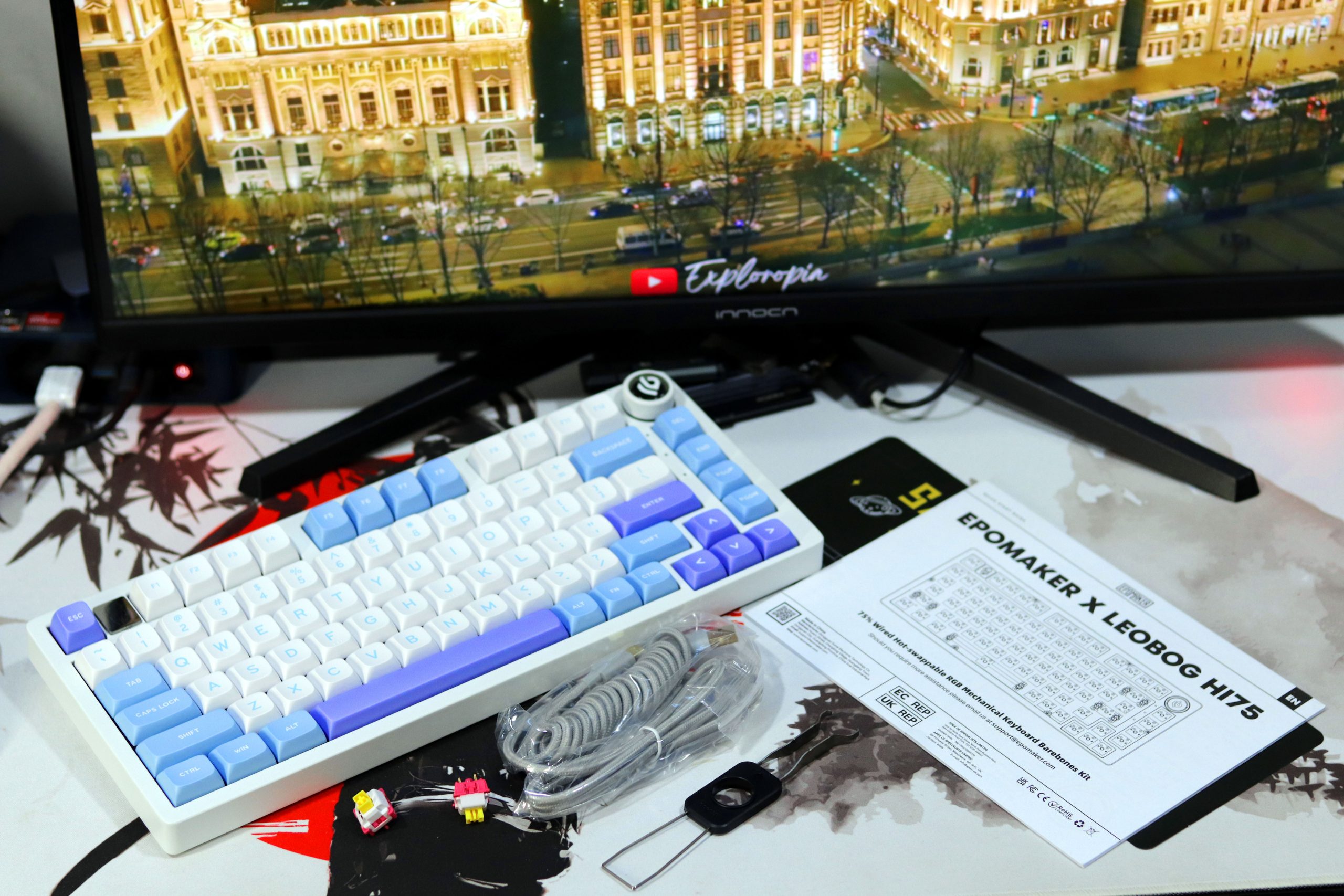
Unboxing the Leobog Hi75 was an interesting experience. The box itself wasn’t sealed, which caught me off guard, but everything inside seemed well-organized and intact. Here’s what you get:
- Leobog Hi75 Keyboard
- USB-C Cable: Thick
- Magnetic Emblem
- Key & Switch Pullers
- Spare Switches
- Instruction Manua
The unboxing experience felt premium and functional. While there wasn’t a lot of unnecessary fluff or extras, what was included was thoughtfully chosen to complement the keyboard’s high-end feel.
Design and Build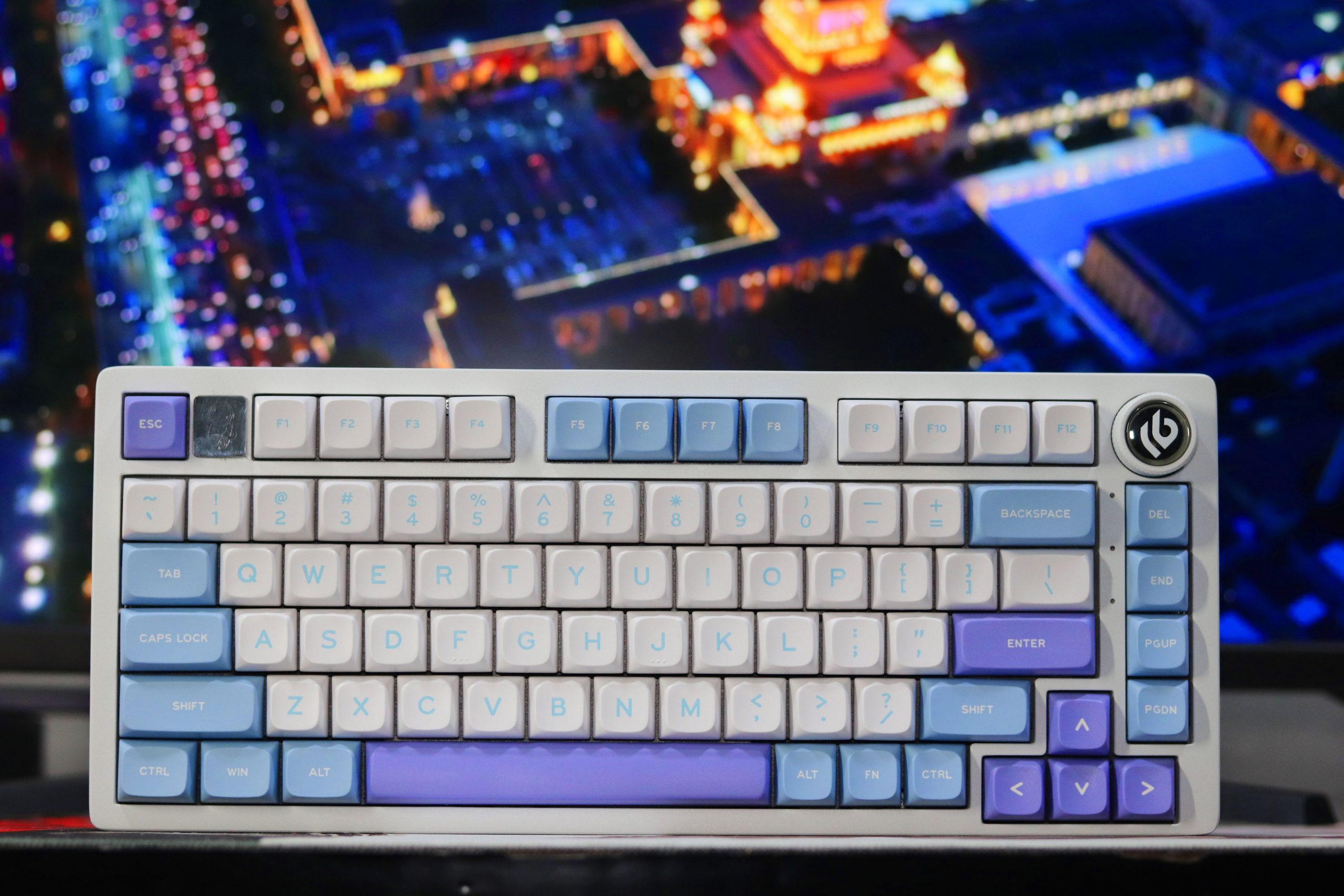
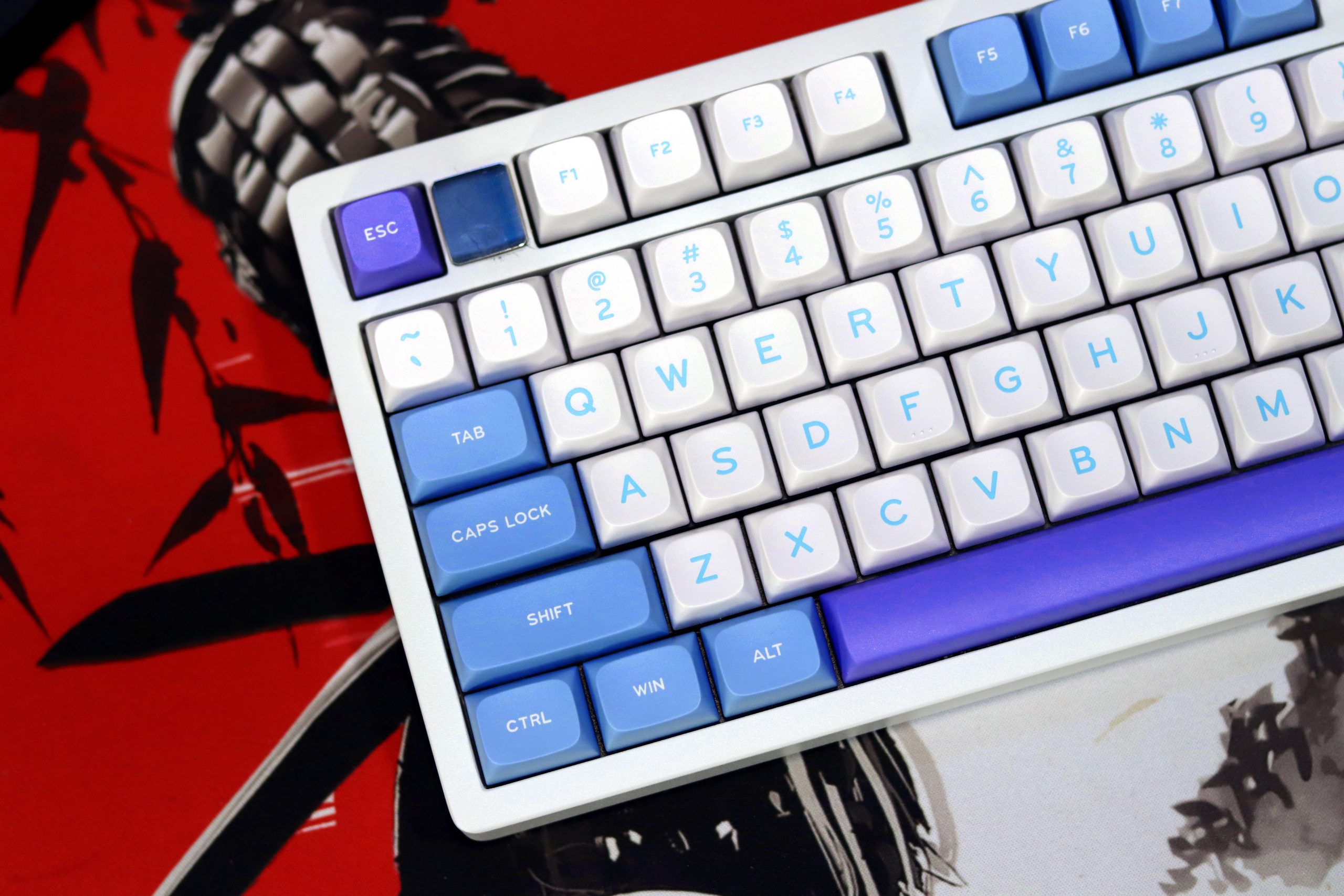
Unboxing the Leobog Hi75 immediately gave me a sense of anticipation—no sealed box, just straight to the experience. The first thing that struck me was its weight. At 3.25 pounds, this keyboard feels more like a premium tool than a mere peripheral. It’s crafted entirely from aluminum, giving it a luxurious, solid feel that I’ve rarely encountered in this price range. Honestly, it feels like a brick—but in the best way possible.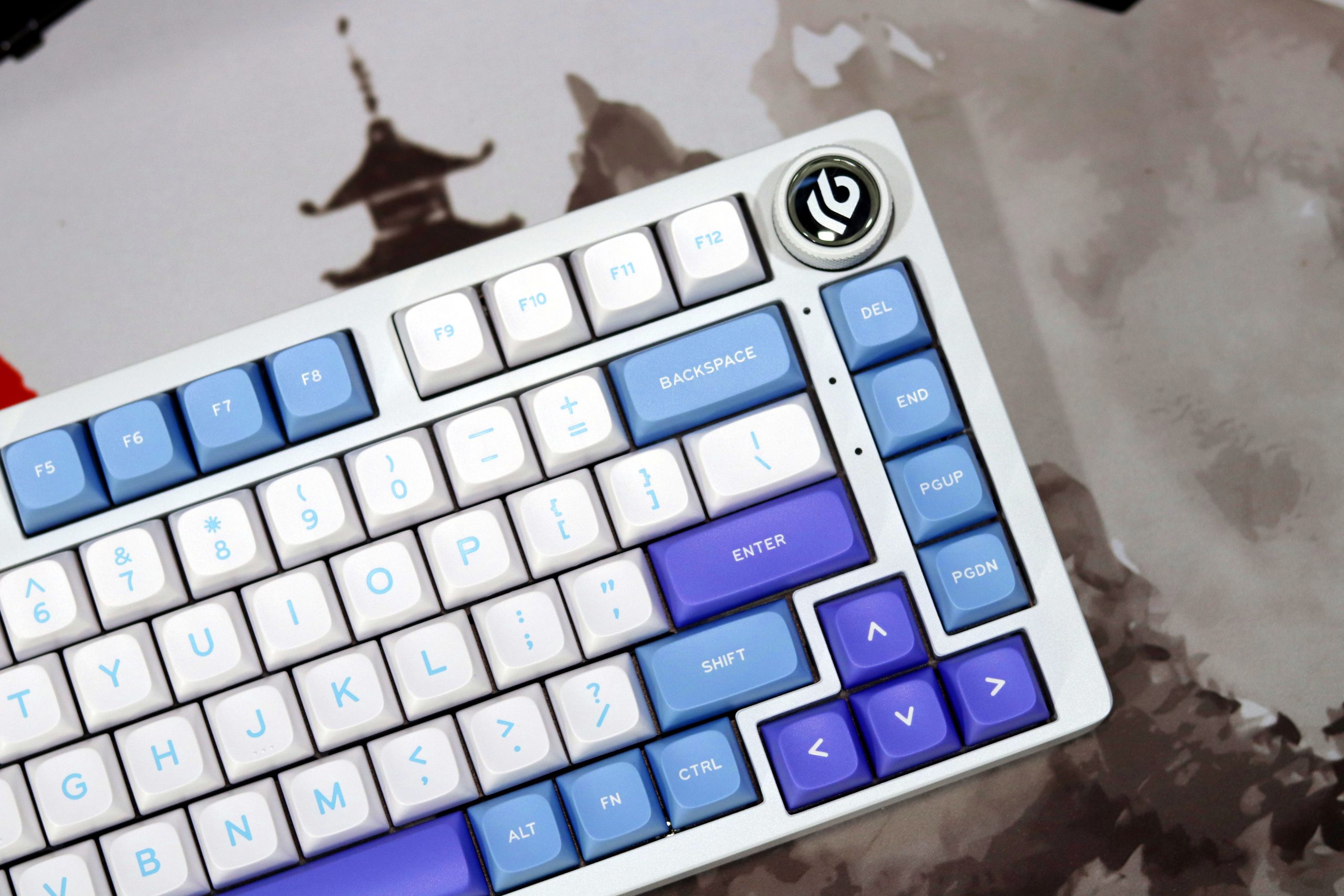
The 75% layout with 81 keys strikes a perfect balance between minimalism and functionality. Despite its compact footprint, it doesn’t sacrifice essential keys. The overall design is sleek, and the aluminum body adds a touch of sophistication to any desk setup. There’s no height adjustment prop, but the rubber feet keep it firmly in place, even during intense typing or gaming sessions.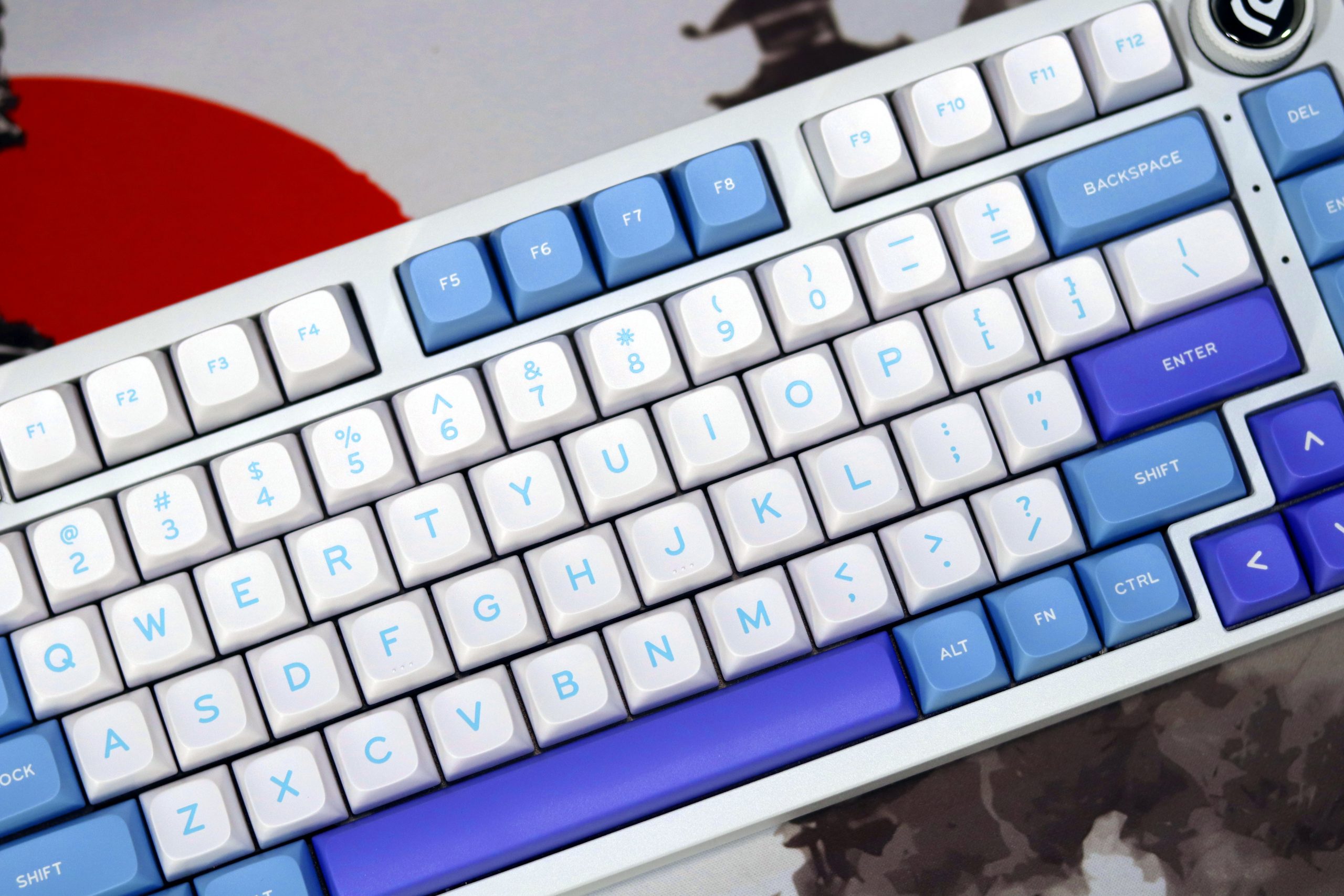
The build quality is exceptional. The aluminum case is not just durable but feels premium to the touch. Every detail screams quality, from the magnetic astronaut emblem (a cool touch of branding) to the smooth, linear switches. The keycaps are buttery smooth, and the typing experience is whisper-quiet, thanks to multiple layers of sound dampening. This is a far cry from the hollow, rattly keyboards I’ve used in the past.
The volume knob is another highlight—it’s not just functional but also satisfying to use. Every turn has smooth tactile feedback, and pressing it mutes and unmutes with a satisfying click. It’s these little details that elevate the overall experience.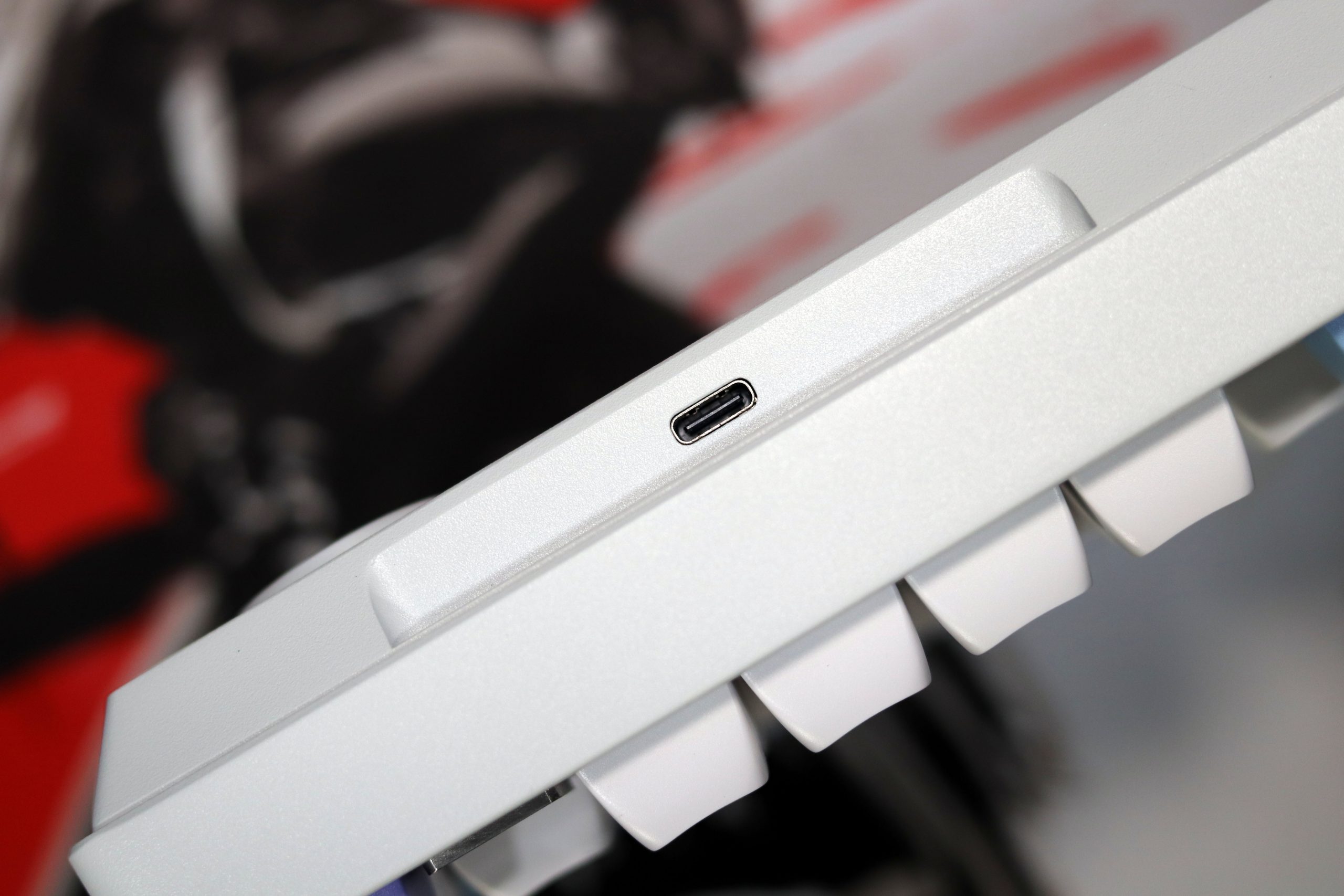
The included USB-C cable is thick, braided, and possibly gold-plated, though it’s hard to tell under certain lighting. It’s compatible with nearly every device, ensuring hassle-free connectivity. The keyboard also supports both MacOS and Windows, which is a thoughtful touch.
Nimbus Switches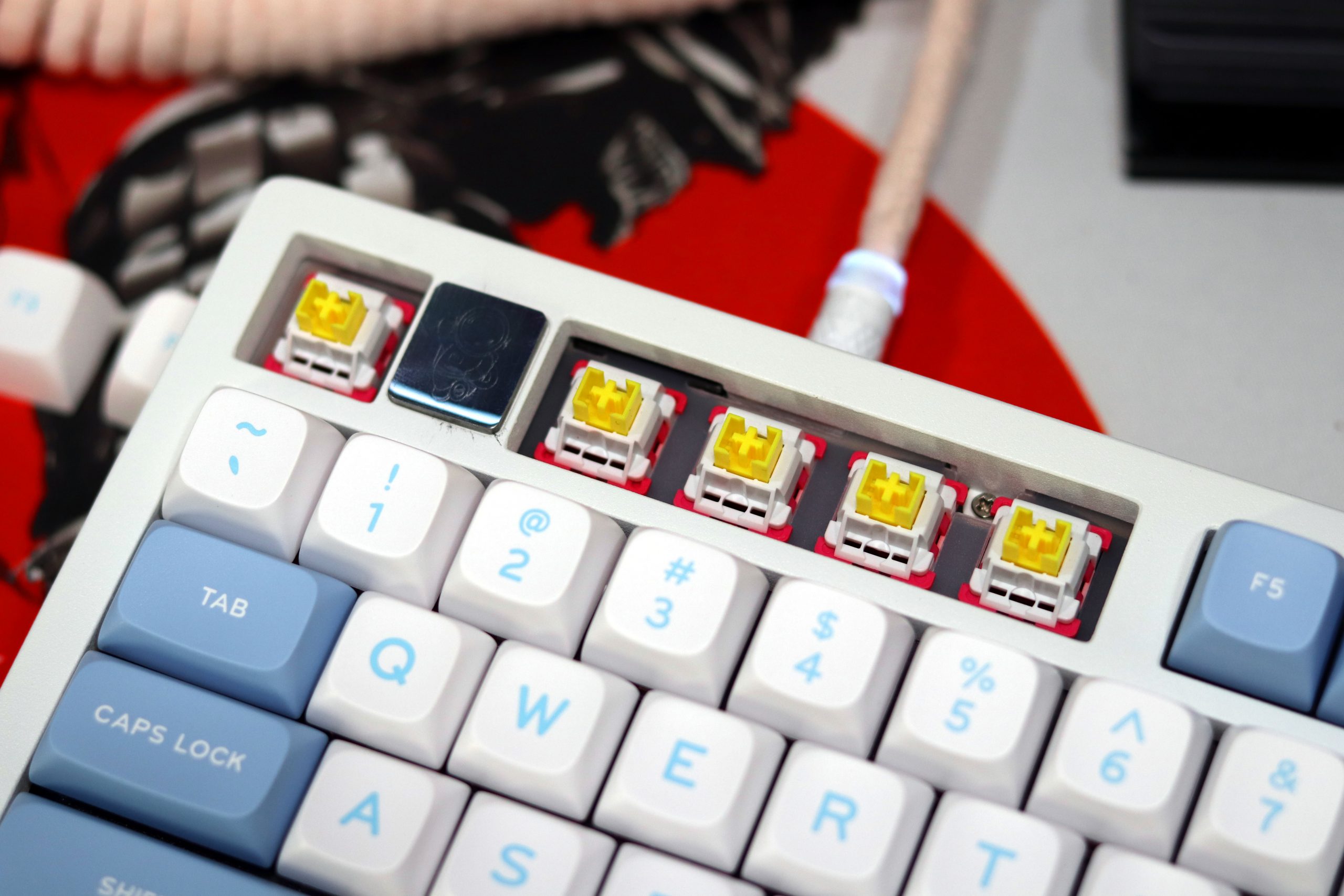
The Nimbus switches on the Leobog Hi75 are linear, and honestly, they were a highlight for me during the test. As someone who’s used a fair share of budget keyboards, I didn’t expect these switches to feel this refined. Right out of the box, they were impressively smooth, with no noticeable scratchiness. The keystrokes had a clean, consistent feel, and there was no wobble or uneven resistance as I pressed down.
One thing that stood out was the sound profile. Thanks to the thoughtful sound-dampening layers within the Hi75, the Nimbus switches delivered a muted, pleasant thock with each press. It’s the kind of sound and feel that’s satisfying whether you’re typing out long reviews like this or getting lost in a fast-paced gaming session.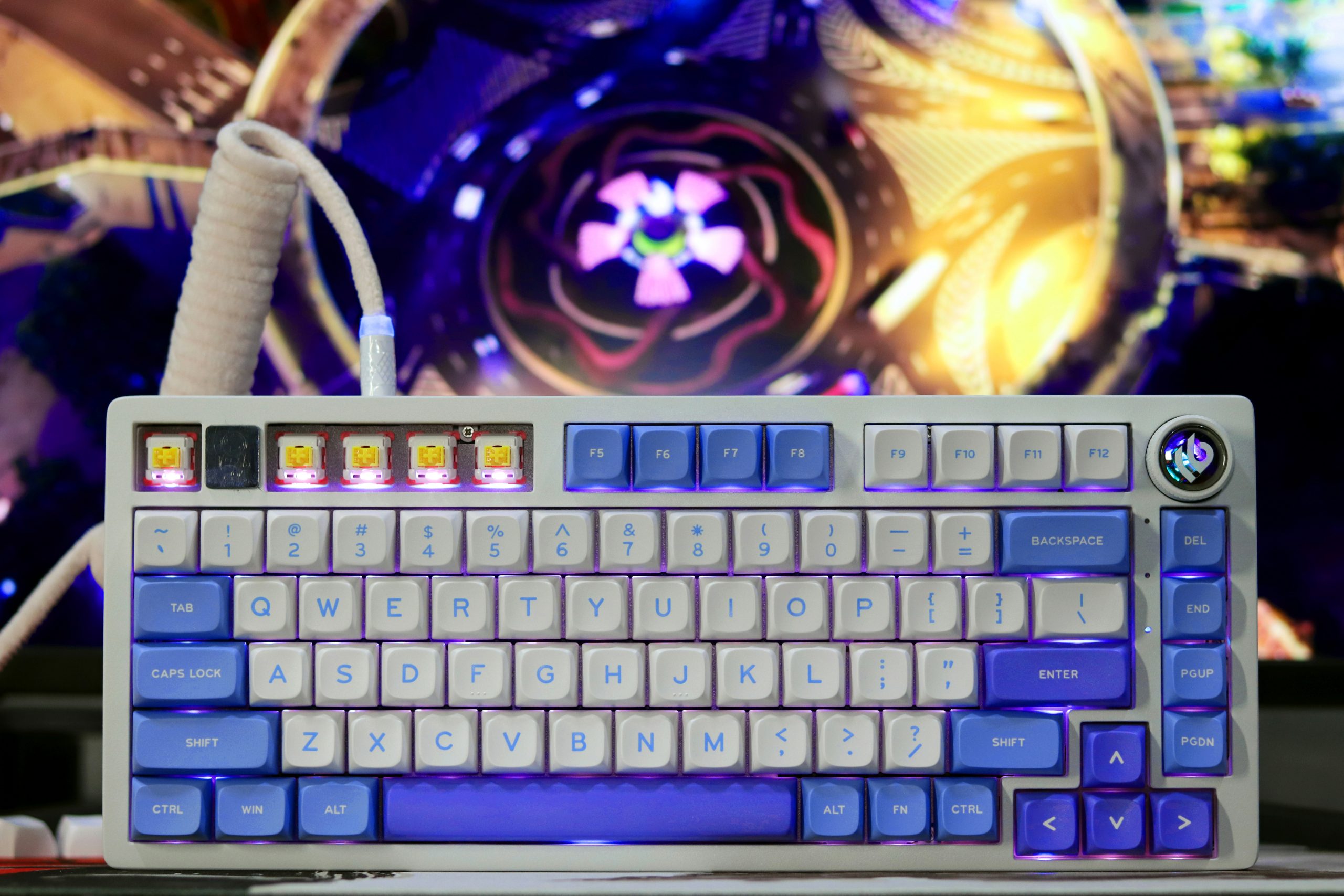
For someone like me, who usually sticks to more entry-level mechanical keyboards, the Nimbus switches felt premium. They might not rival the custom-lubed enthusiast setups, but at this price point, they’re very close. I didn’t notice any fatigue even after extended typing sessions, which speaks to their smooth actuation and consistent performance.
While I haven’t tried swapping the switches yet, the Hi75’s hot-swap feature makes it tempting to experiment with other switches down the line. But honestly, the Nimbus switches might just make you stick with them—they’re that good.
VIA Software Review for Leobog Hi75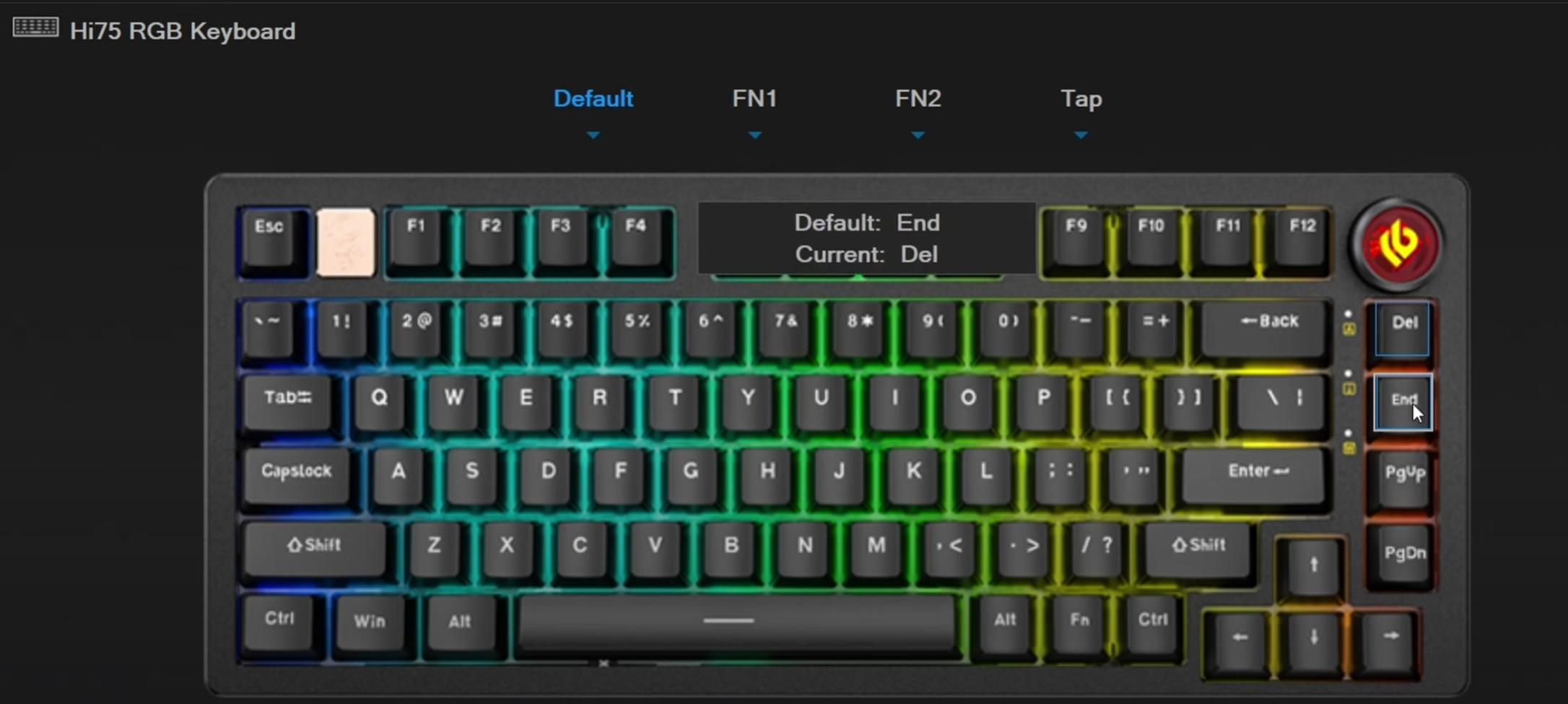
After spending some time with the Leobog Hi75, I can confidently say that the VIA software experience was smooth, intuitive, and a great complement to the physical features of the keyboard. As someone who’s not extremely deep into the world of custom key configurations, I found the software to be accessible while still offering robust functionality for more advanced users.
Installation and Setup
The VIA software installation was hassle-free. I plugged in the Hi75, opened the software, and immediately recognized the keyboard. No complicated driver installation or fiddling with settings, which is a relief for users who want a straightforward experience. I’m used to some software taking a while to sync or having compatibility issues, but that wasn’t the case here.
Key Mapping and Customization
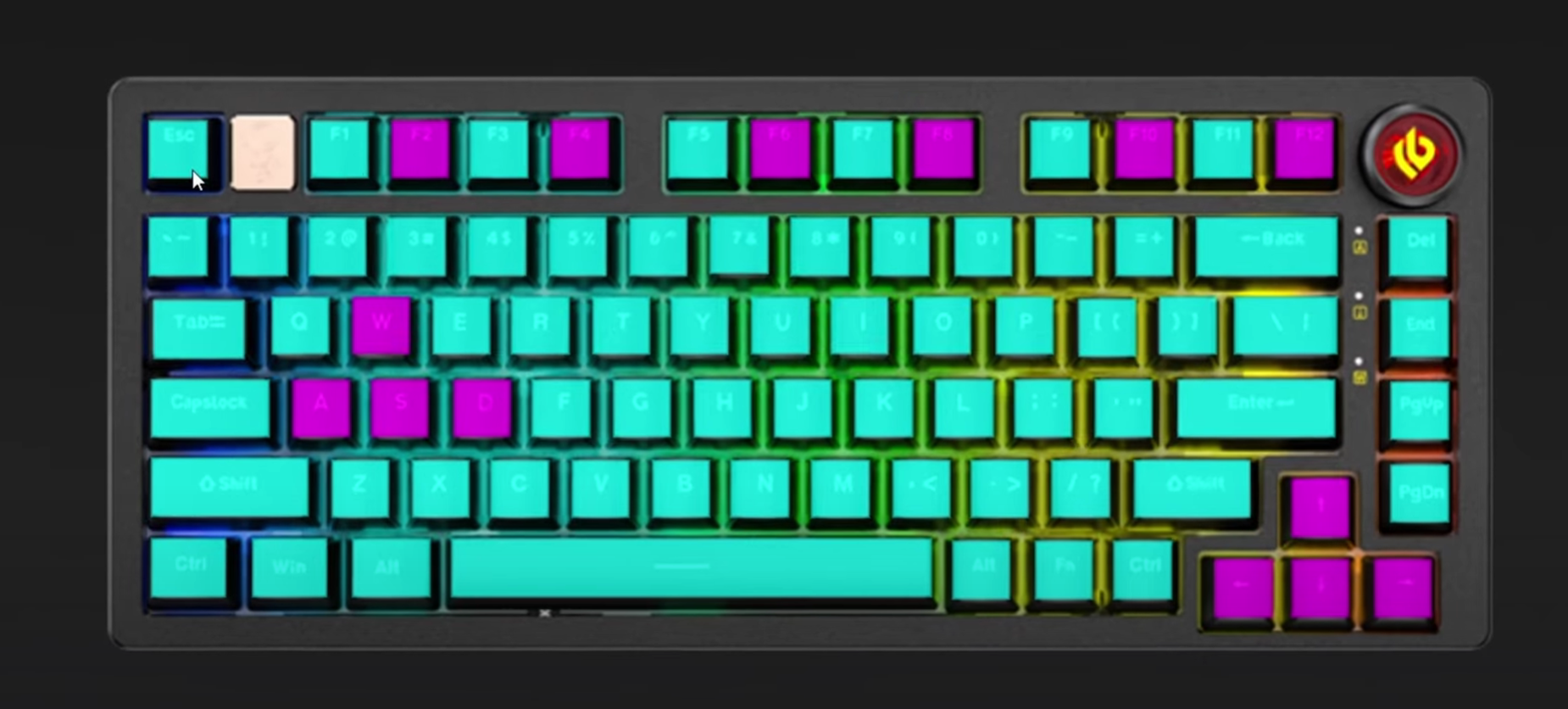
One of the standout features of VIA is the ease of customization. The Leobog Hi75 offers full key remapping capabilities, and VIA allows you to reassign keys with just a few clicks. I could change the layout to suit both my gaming and productivity needs, even switch between different profiles. This is great if you’re using the keyboard for multiple tasks. The ability to assign macros or specific functions to keys was also an excellent feature.
RGB Lighting Control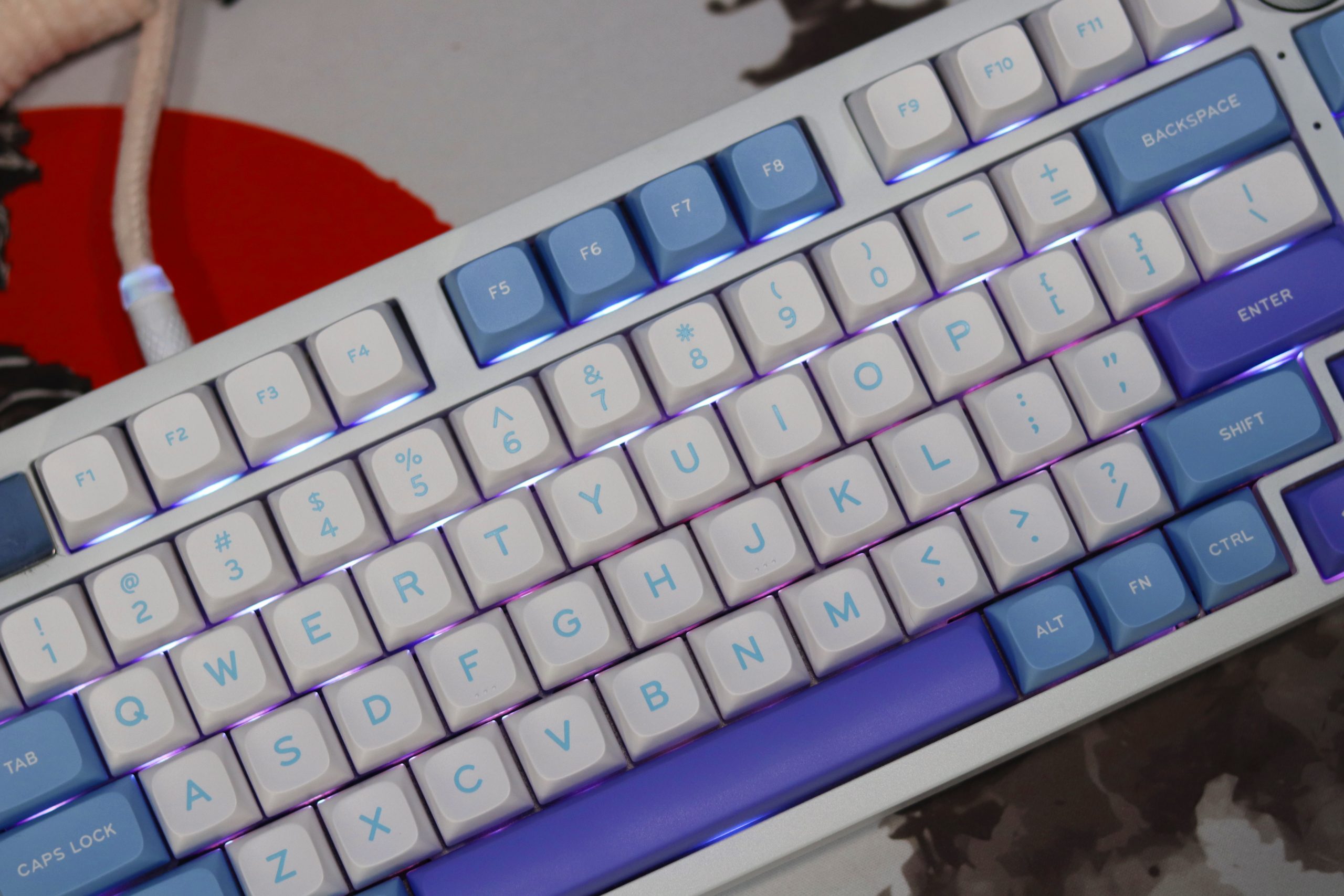
VIA makes RGB customization incredibly flexible. The Leobog Hi75 has dynamic lighting that works well out of the box, but VIA takes it to the next level. You can fully customize the lighting effects—whether it’s static, breathing, or reactive to your keystrokes. I particularly enjoyed the color cycling effect, which added a cool vibe to my desk setup. The software allows you to control the brightness and effects speed with ease. The RGB lighting transitions are smooth and responsive, which adds to the overall immersive experience.
Profiles and Modes
A cool feature that VIA offers with the Leobog Hi75 is the ability to save multiple profiles. This is handy if you need specific setups for gaming, work, or just typing. I loved how seamlessly I could switch between these profiles using the software without the need for manual adjustments. It’s an excellent option for users who are constantly changing their workflow or gaming setups.
Connectivity
Setting up the Leobog Hi75 was a breeze, thanks to its USB Type-C wired connectivity. The included cable is a nice, thick, braided design that feels durable and has a high-quality finish. It’s about 2 meters long, giving you flexibility in terms of desk setup without being too restrictive. Plugging it in was simple—no need for additional drivers or complex setups. The keyboard immediately powered up, lighting up with a smooth, RGB glow that’s customizable, which I found pretty exciting.
The Type-C interface is great for compatibility, and it works perfectly with my PC setup without issues. This wired connection ensures that there’s no delay or interference, which is important for both work and gaming. I didn’t notice any lag while typing or gaming and the connection remained stable throughout. Overall, the connectivity is hassle-free, ensuring you can jump straight into use without fiddling with settings or worrying about signal strength. It’s a seamless experience, and for a keyboard at this price point, it’s something I appreciate.
No Battery
The Leobog Hi75 is a wired mechanical keyboard, so there’s no battery to discuss in terms of longevity or performance. However, it’s important to mention the overall efficiency and reliability of its wired connection. Since there’s no reliance on battery power, you can expect consistent performance without worrying about charging or power-related issues.
Final Thoughts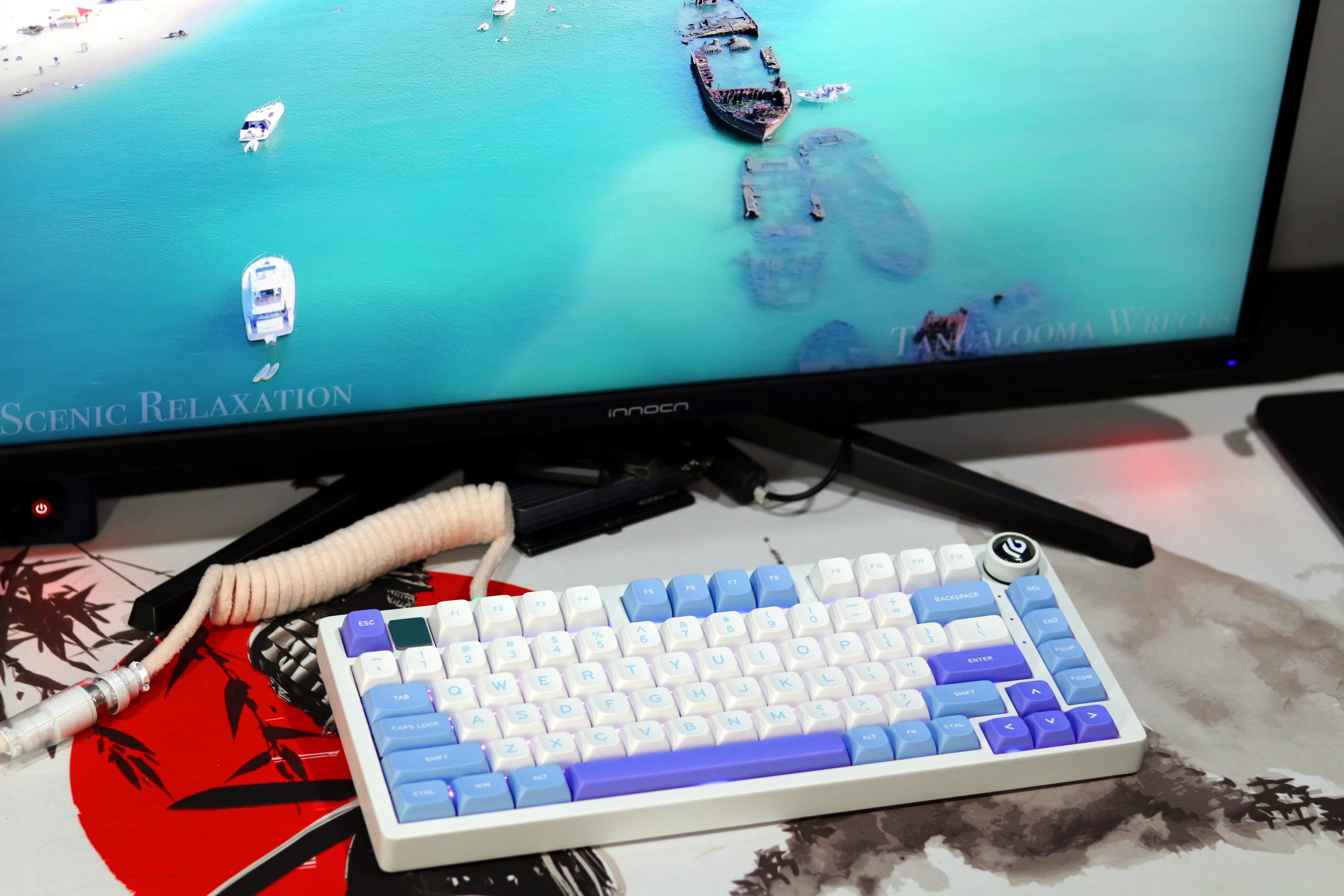
I’ve used a lot of mechanical keyboards over the years, but the Leobog Hi75 stands out as one of the best in its price range. It’s perfect for both work and gaming, offering smooth and quiet key presses, excellent build quality, and thoughtful design elements. If you’re in the market for a keyboard that combines style, performance, and durability, I highly recommend giving this one a try. You won’t be disappointed.
Pros:
- Premium Build: Solid aluminum alloy construction with a hefty, durable feel.
- Quiet Typing: Gasket-mounted design and sound-dampening layers eliminate hollow noise.
- Customizable: Full hot-swap support for easy switch changes.
- Compact & Functional: 75% layout with 81 keys balances space and usability.
- Great Typing Feel: Smooth linear switches with satisfying feedback.
- Aesthetic Design: Sleek RGB lighting and a unique magnetic emblem.
- Value for Money: High-end features at a $100 price point.
Cons:
- No Adjustable Feet: Fixed height may not suit all users.
- No Wireless Option: Limited to wired use.
- Unsealed Packaging: This could raise quality concerns.
Read Also: Aula F87 Pro Review: The Best Budget-Friendly Upgrade of 2024?