







Facebook Twitter Instagram
    Trending
    • Vaporesso XROS 6 VS XROS 6 Mini: Quick Comparison Review
    • How about Ultrabook-battery net Data Center
    • OnePlus Buds Ace 3 Review: Premium ANC and Gaming Features at an Affordable Price
    • Vaporesso XROS 6 vs SP2S URANUS: Quick Comparison Review
    • How to Solve the Problem of a Black Screen After Turning On the Computer in 2026
    • SP2S SEN X: Best Pen Vape for Your First Choice in 2026
    • What factors should be considered when selecting a camera?
    • Best Cryptocurrency Smartphones
    Facebook YouTube
    IGeeKphone China Phone, Tablet PC, VR, RC Drone News, Reviews
    • HOME
      • NEWS
        • DeepSeek
        • ChatGPT
        • Minecraft
    • Amazon
    • PHONE
      • Top Phones For Your First Choice
      • Phone Comparison
      • Xiaomi
      • Blackview
      • Doogee
      • Black Shark
      • Geekbuying
      • Banggood
      • TEMU
      • TikTok
      • Aliexpress
      • Walmart
      • MercadoLibre
      • Lazada
    • TOP VAPE Awards for 2026
    • VAPES
      • E-CIGAR Upcoming
      • Vape News
      • Vape Deals
      • Vape Comparison
      • Vape Guide
      • Giveaway
    • BEST VAPE
      • Best Vape Stores
      • Best Starter Vape Kits
      • Best Vapes for Beginners
      • Best Disposable Vapes
      • Best Pod Systems
      • Best Pod Mod Vapes
      • Best Mods
      • Best Nicotine Pouches
      • Best Clearomizers/Tanks
      • Best E-Liquid
      • Best EGO/Pens
      • Best Vapes for Nic Salt E-Juice
      • Best Vapes to Quit Smoking
      • RDA vs. RDTA vs. RTA
    • Best Vape Brand 2026
      • VAPORESSO
      • VOOPOO
      • OXVA
      • NEXA BAR
      • MASKKING VAPE
      • SP2S
      • IPLAY
      • TODOO
      • MRFOG
      • LOSTVAPE
      • VEIIK
    • REVIEW
      • E-cigar Review
      • Phones
      • Tablet PC
      • TV Box
      • RC Drone
      • Wearables
      • Camera
      • Accessories
      • VR Headset
    • MORE
      • TABLET
        • Chuwi
        • INNOCN
        • Teclast
        • Top Tablet for Your First Choice
        • Tablet/Laptop Comparison
      • RC DRONE
      • CAMERA
      • WEARABLES
        • OneOdio
        • BlitzWolf
        • Top Smartwatch for First Choice
      • 3D PRINTER
        • 3D Printer Review
        • Anycubic
        • FLSUN
        • Xtool
        • LONGER
        • Top 3D printer to Choose First
      • POWER STATION
        • Oukitel
        • FOSSIBOT
      • GAMING
        • Top Gaming Products
      • E-BIKE
        • Samebike
        • Happyrun
        • ENGWE
      • SMART HOME
      • TV BOX
      • ACCESSORIES
      • VR HEADSET
      • CLOTHES
      • AUTO CAR
    • DEAL
    • VAPE LAWS
    • Shop
    IGeeKphone China Phone, Tablet PC, VR, RC Drone News, Reviews
    You are at:Home»Guide»LetsView, the Free Screen Mirroring App for Digital Experience
    Guide

    LetsView, the Free Screen Mirroring App for Digital Experience

    Reyan SiddiquiBy Reyan SiddiquiJuly 25, 2025
    Facebook Twitter Pinterest LinkedIn Tumblr Email

    In the ever-evolving landscape of digital connectivity, the ability to seamlessly extend your screen onto different devices has become a game-changer. LetsView, a free screen mirroring app, takes center stage in this transformative journey, offering users a simple yet powerful solution to unleash the full potential of their devices. In this review, we delve into how LetsView can turn your iPad into a second monitor and explore the myriad possibilities this versatile app brings to the table.

    Unlocking the Power of LetsView:

    LetsView stands out as a cross-platform, multi-device supported screen mirroring app that effortlessly allows users to display their phone screens on larger devices like tablets, PCs, or TVs via Wi-Fi. The process is straightforward and user-friendly, making it accessible to both tech enthusiasts and casual users.

    How to Mirror Your Screen: A Step-by-Step Guide

    • Install:
      Begin by downloading and launching LetsView on both the devices you wish to mirror. The simplicity of the installation process ensures a hassle-free start to your screen mirroring journey.

    • Connect:LetsView facilitates connectivity between devices on the same or different Wi-Fi networks, offering both local and remote screen mirroring options. This flexibility ensures that regardless of your location, you can mirror your screen effortlessly.
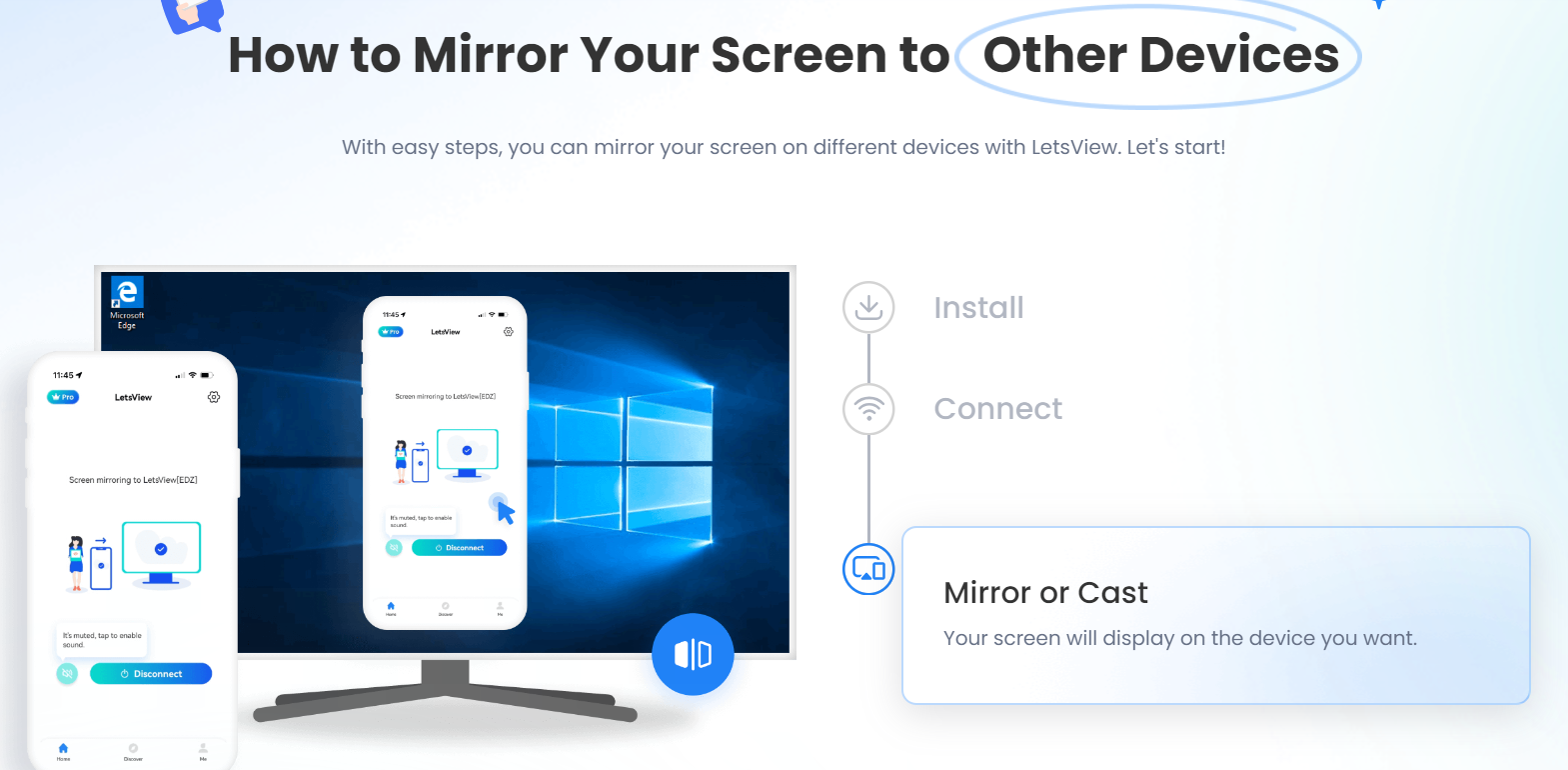
    • Mirror or Cast:
      Once connected, your screen is ready to be mirrored. LetsView’s intuitive interface allows users to choose the specific device they want to cast their screen onto, making the process seamless and efficient.
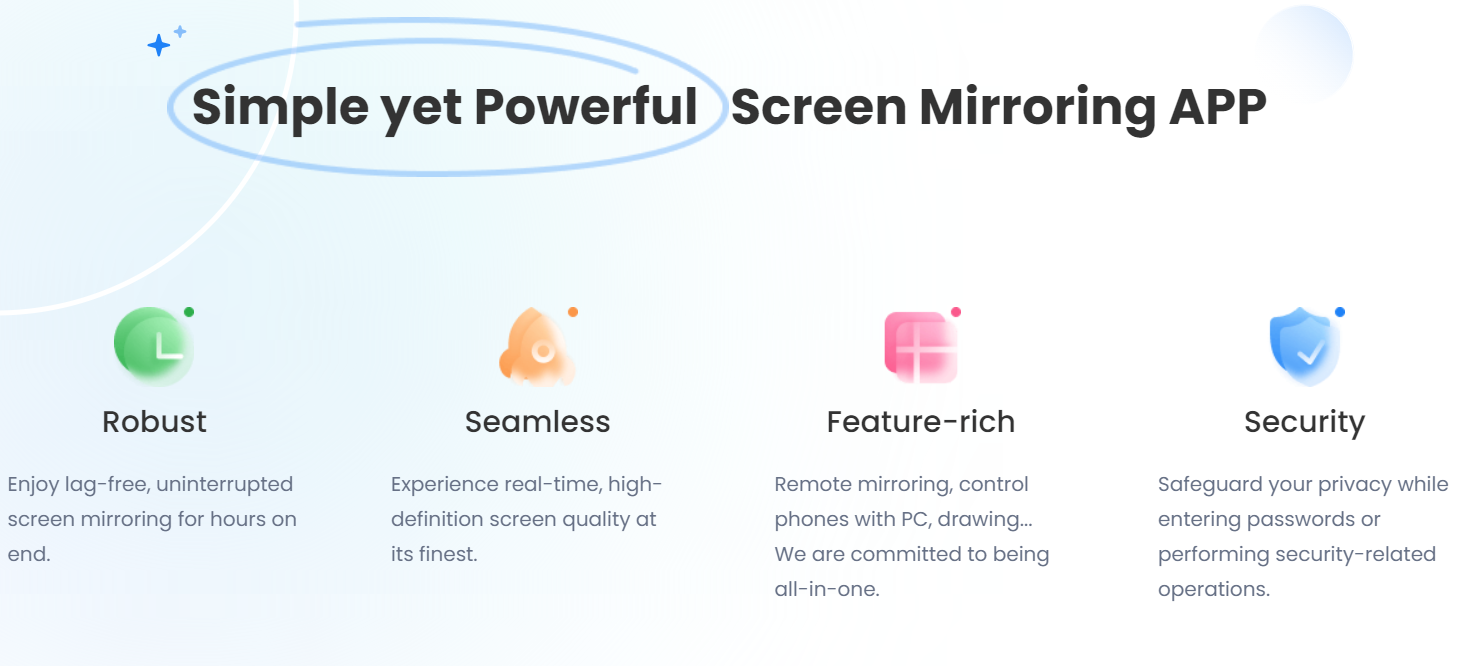
    Simple yet Powerful Screen Mirroring: The LetsView Advantage
    1. Robust Performance:
      LetsView promises a lag-free and uninterrupted screen mirroring experience, ensuring that users can enjoy hours of seamless connectivity without compromise.
    2. Seamless High-Definition Quality:
      The app delivers real-time, high-definition screen quality, enhancing the viewing experience and making it ideal for a range of applications, from entertainment to professional presentations.
    3. Feature-Rich Functionality:
      LetsView goes beyond basic screen mirroring, offering additional features such as remote mirroring and the ability to control phones with a PC. The app’s commitment to being an all-in-one solution sets it apart from competitors.
    4. Privacy and Security:I
      In an age where privacy is paramount, LetsView takes the necessary steps to safeguard user information during sensitive operations like entering passwords. Users can trust the app to prioritize their privacy.

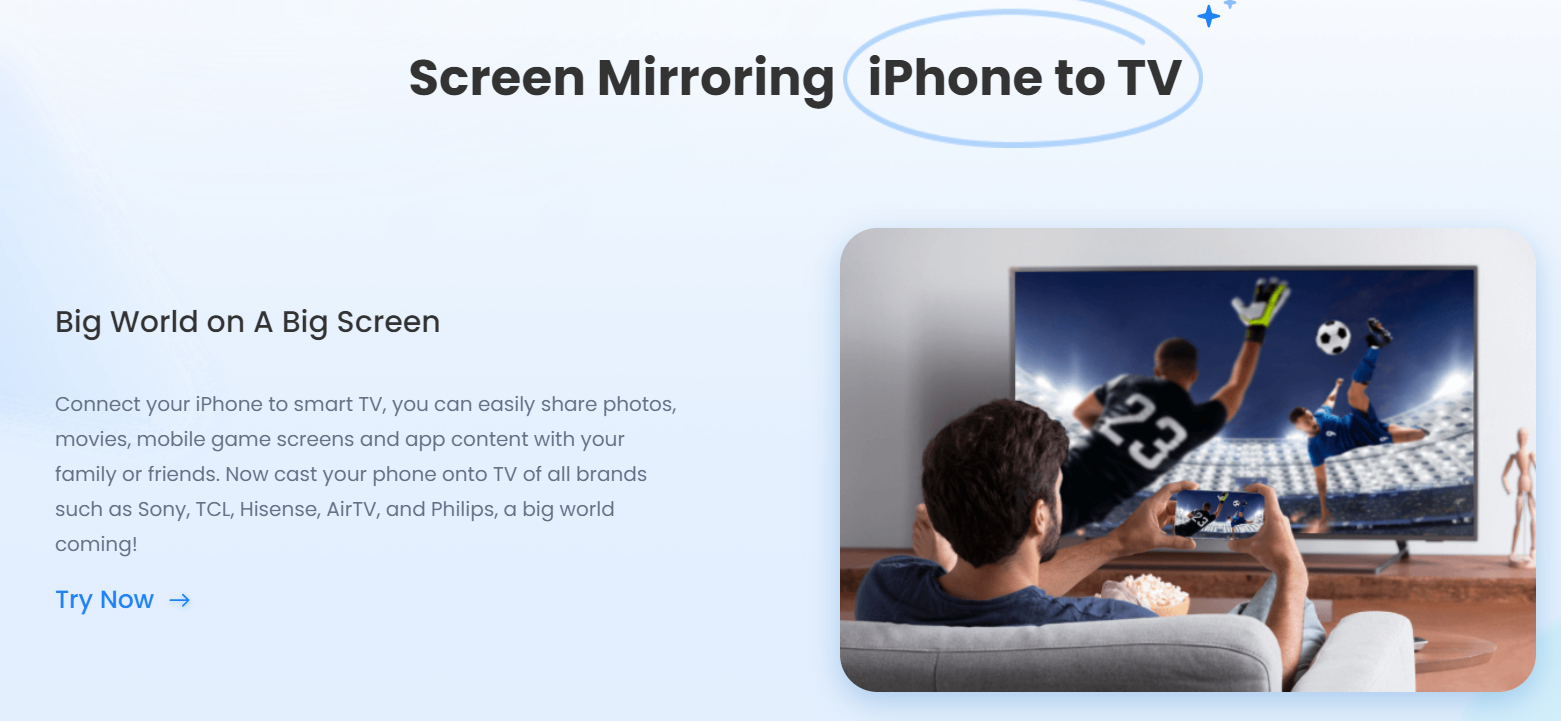
    Screen Mirroring iPhone to TV: A Cinematic Experience

    LetsView’s capabilities extend to creating a cinematic experience by connecting your iPhone to a smart TV. Share photos, movies, mobile game screens, and app content with family and friends on a big screen. The compatibility with various TV brands amplifies the possibilities, making it accessible to a broad audience.

    Casting to PC or Big Screen: Transforming Work and Education

    LetsView’s screen mirroring technology finds practical applications in educational and professional settings. The ability to share in-class content, present PowerPoint documents, conduct meetings with large audiences, and demonstrate software in real-time enhances collaboration and communication. LetsView truly brings work and education to life on the big screen.

    Conclusion: LetsView – Your Gateway to Extended Screen Functionality

    In a world where digital connectivity is paramount, LetsView emerges as a frontrunner in the realm of screen mirroring app. Its user-friendly interface, robust performance, and feature-rich functionality make it a standout choice for individuals, educators, and professionals alike. Whether you’re turning your iPad into a second monitor or casting your iPhone onto a TV, LetsView opens up a world of possibilities, redefining the way we interact with our devices. Embrace the future of screen mirroring with LetsView, where simplicity meets limitless potential.

    Share. Facebook Twitter Pinterest LinkedIn Tumblr Email

    Related Posts

    How about Ultrabook-battery net Data Center

    How to Solve the Problem of a Black Screen After Turning On the Computer in 2026

    Dubai’s Luxury Property Market: A Haven for High-Net-Worth Individuals

    Leave A Reply Cancel Reply

    You must be logged in to post a comment.

    voopoo G4 Mini
    oxva xlim go lite
    sp2s sen x disposable vape
    • Popular
    • 3D Printer REVIEW
    • XIAOMI
    June 13, 2026

    Vaporesso LUXE X3 & LUXE Q3 Review. Two Paths to Exceptional Flavor

    June 6, 2026

    VOOPOO ARGUS G4 & ARGUS G4 Mini Review – Smart Flavor Meets Everyday Simplicity

    June 6, 2026

    VOOPOO NAVI x CYPH Kit 80K Review. Is This The Future of Disposable Vaping?

    May 17, 2026

    iPlay Nova 45K Review – High Puff Performance with a Futuristic Twist

    December 26, 2025

    ACMER ASCARVA 4S: Precision CNC Power for Makers, DIYers & Small Workshops

    June 23, 2024

    ACMER P2 20W Laser Engraver Fixed Focus Engraving: Hands on Review

    May 30, 2024

    xTool F1 Ultra Review: World’s First 20W Fiber & 20W Diode Laser Engraver

    May 30, 2024

    Anycubic Kobra 3 Combo Review: The Multicolor Masterpiece?

    June 12, 2026

    When will Redmi K40 be Released?

    June 10, 2026

    Xiaomi Hyper OS 3 Second Batch Beta Version Begins Recruitment: Covering Five Models Including Redmi K80 and Xiaomi MIX Flip2

    June 9, 2026

    Xiaomi has released MiMo-V2.5-Pro-UltraSpeed: The generation speed has been increased by 10 times! It can process over 1,000 tokens per second.

    June 8, 2026

    Xiaomi MIX Fold 5 will be the first to feature the Xuanji O3

    fc 26 coins
    New Arrivals
    • VapSolo Sixer 6-in-1 180K Disposable Vape VapSolo Sixer 6-in-1 180K Disposable Vape
    • Apple iPhone Fold 2 Apple iPhone Fold 2
    • Realme Narzo 100x Realme Narzo 100x
    • ZTE Nubia Flip 4 ZTE Nubia Flip 4
    • OnePlus 17R OnePlus 17R
    • YiHi SXmini MQ Class Box Mod 60W YiHi SXmini MQ Class Box Mod 60W
    • Cali Switch 50K Disposable Vape Kit Cali Switch 50K Disposable Vape Kit
    • Apple iPhone 19E Apple iPhone 19E
    • Honor Win RT 2 Honor Win RT 2
    About
  • Igeekphone.com provides the first global tech news and reviews about smartphone, vapes, e-cigar, smart home, 3D printers, e-bike,tablets, RC drones, VR headset, and other accessories. It's the best platform to improve your brand and product.
  • Contact us: info@igeekphone.com
  • Check Our Privacy Policy Here.
  • Note: *Right now we have US editor and EU editors for review, especially for Amazon US and EU.
  • *Shop and Compare Price Here*
  • Facebook
  • Youtube
  • OUR BEST VAPE PARTNERS
  • VAPE ONLINE STORE
  • HAYATI PRO MAX PLUS
  • VAPORESSO
  • VOOPOO
  • OXVA
  • NEXA
  • MASKKING
  • SP2S
  • IPLAY
  • TODOO
  • OTHER BEST PARTNERS
  • SVBONY
  • Chuwi
  • Blackview
  • Fossibot
  • Unihertz
  • Flsun
  • Anycubic
  • Xtool
  • Oukitel
  • Mukkpet Ebike
  • Ugreen
  • Copyright © 2026 igeekphone

    Type above and press Enter to search. Press Esc to cancel.