







Facebook Twitter Instagram
    Trending
    • Looking Ahead to 2017: 15 Vaping Experts Weigh In on the Future of E-Cigs
    • What to Do If You Forget Your Router Password in 2026: A Step-by-Step Guide
    • The Configuration of Honor 20 Pro has been Revealed: Snapdragon 7 Gen 3 Chip, 10100mAh Battery
    • BlitzWolf BW-V12 Smart AI Projector Review: Transform Your Home Entertainment
    • HAILESI S123E Gaming Display Review: Elevate Your Portable Gaming Experience
    • MESWAO B1 Tablet PC Review: Power, Performance, and Portability in One Device
    • VAPORESSO Unveils XROS 6: Redefining MTL Efficiency with Industry-First 60-Second Smart Prime Technology
    • NEXA Ultra vs Beri Cliq: Which Disposable Vape Offers Better Value?
    Facebook YouTube
    IGeeKphone China Phone, Tablet PC, VR, RC Drone News, Reviews
    • HOME
      • NEWS
        • DeepSeek
        • ChatGPT
        • Minecraft
    • Amazon
    • PHONE
      • Top Phones For Your First Choice
      • Phone Comparison
      • Xiaomi
      • Blackview
      • Doogee
      • Black Shark
      • Geekbuying
      • Banggood
      • TEMU
      • TikTok
      • Aliexpress
      • Walmart
      • MercadoLibre
      • Lazada
    • TOP VAPE Awards for 2026
    • VAPES
      • E-CIGAR Upcoming
      • Vape News
      • Vape Deals
      • Vape Comparison
      • Vape Guide
      • Giveaway
    • BEST VAPE
      • Best Vape Stores
      • Best Starter Vape Kits
      • Best Vapes for Beginners
      • Best Disposable Vapes
      • Best Pod Systems
      • Best Pod Mod Vapes
      • Best Mods
      • Best Nicotine Pouches
      • Best Clearomizers/Tanks
      • Best E-Liquid
      • Best EGO/Pens
      • Best Vapes for Nic Salt E-Juice
      • Best Vapes to Quit Smoking
      • RDA vs. RDTA vs. RTA
    • Best Vape Brand 2026
      • VAPORESSO
      • VOOPOO
      • OXVA
      • NEXA BAR
      • ORIONBARTECH
      • MASKKING VAPE
      • MEMERS
      • SP2S
      • TODOO
      • MRFOG
      • VEIIK
    • REVIEW
      • E-cigar Review
      • Phones
      • Tablet PC
      • TV Box
      • RC Drone
      • Wearables
      • Camera
      • Accessories
      • VR Headset
    • MORE
      • TABLET
        • Chuwi
        • INNOCN
        • Teclast
        • Top Tablet for Your First Choice
        • Tablet/Laptop Comparison
      • RC DRONE
      • CAMERA
      • WEARABLES
        • OneOdio
        • BlitzWolf
        • Top Smartwatch for First Choice
      • 3D PRINTER
        • 3D Printer Review
        • Anycubic
        • FLSUN
        • Xtool
        • LONGER
        • Top 3D printer to Choose First
      • POWER STATION
        • Oukitel
        • FOSSIBOT
      • GAMING
        • Top Gaming Products
      • E-BIKE
        • Samebike
        • Happyrun
        • ENGWE
      • SMART HOME
      • TV BOX
      • ACCESSORIES
      • VR HEADSET
      • CLOTHES
      • AUTO CAR
    • DEAL
    • VAPE LAWS
    • Shop
    IGeeKphone China Phone, Tablet PC, VR, RC Drone News, Reviews
    You are at:Home»Guide»What to Do If You Forget Your Router Password in 2026: A Step-by-Step Guide
    Guide

    What to Do If You Forget Your Router Password in 2026: A Step-by-Step Guide

    Brady CottonBy Brady CottonMay 12, 2026
    Facebook Twitter Pinterest LinkedIn Tumblr Email

    Forgetting your router password can be frustrating, especially in 2026 when routers are more sophisticated, often with advanced security features, Wi-Fi 6/7 support, and cloud management options. Fortunately, there are several ways to regain access without compromising your network. This guide walks you through modern solutions for recovering or resetting your router password safely and efficiently.

    1. Check the Default Password

    Most routers come with a default admin username and password, printed on a sticker on the device or in the manual. Even in 2026, this is often the fastest way to regain access if you haven’t changed it.

    • Look for:
      • Default admin username (commonly admin)
      • Default password or PIN
      • QR codes for mobile apps

    Tip: Some modern routers allow instant login via the official mobile app by scanning a QR code on the device.

    2. Use Router’s Mobile App or Cloud Portal

    Many routers now offer AI-assisted management apps or cloud portals. If your router supports this:

    1. Open the official router app on your smartphone.
    2. Log in with your cloud account credentials.
    3. Navigate to Settings → Admin Password or Device Access.
    4. Reset or view the password.

    Advantage: This method works even if you don’t remember the local router password, as long as your device is linked to the cloud account.

    3. Password Recovery Feature

    Some 2026 routers include built-in password recovery or security questions. Look for:

    • “Forgot password?” on the router login page
    • Email verification options
    • Two-factor authentication (2FA) codes sent to your registered mobile or email

    Follow the on-screen instructions to reset the password securely.

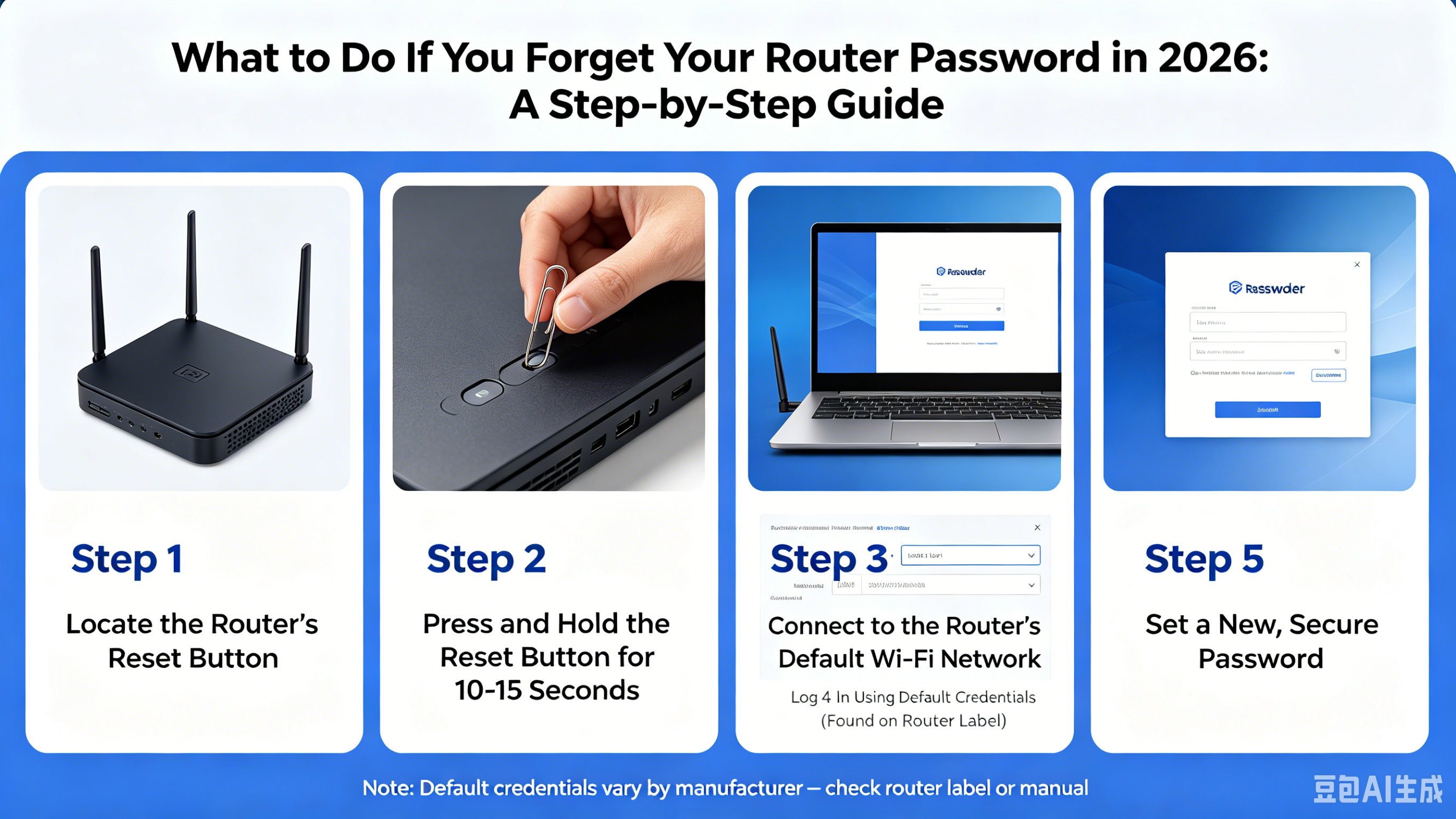
    4. Resetting the Router to Factory Settings

    If all else fails, you can perform a factory reset. This wipes all custom settings, including Wi-Fi passwords, but restores access:

    1. Locate the reset button on the back of your router (usually a small pinhole).
    2. Press and hold the button for 10–30 seconds (check the manual for your model).
    3. Wait for the router to restart.
    4. Log in using the default credentials.
    5. Reconfigure your Wi-Fi and admin password.

    Pro Tip: Make a note of your new password in a secure password manager to avoid future lockouts.

    5. Check Saved Passwords on Your Devices

    Modern devices often store router passwords automatically:

    • Windows/macOS: Check saved Wi-Fi passwords in system settings or keychain.
    • Smartphones/Tablets: Wi-Fi passwords may be saved in your device’s network settings.
    • Browser: If you previously accessed the router through a web browser, your password may be saved in saved logins.

    6. Contact Customer Support

    If none of the above works, contact your router manufacturer’s support team. Many 2026 routers support remote assistance, where support can guide you through secure password recovery steps.

    Best Practices for 2026 Router Security

    • Use a strong, unique password combining letters, numbers, and symbols.
    • Enable two-factor authentication (2FA) if supported.
    • Keep a record in a password manager for easy retrieval.
    • Regularly update router firmware to patch vulnerabilities.
    • Avoid sharing your router password unnecessarily.

    Conclusion

    Forgetting your router password in 2026 doesn’t have to be a nightmare. With modern mobile apps, cloud portals, recovery features, and secure resets, you can quickly regain control of your network. Following best practices ensures you don’t face the same problem twice while keeping your home or office network safe.

    Share. Facebook Twitter Pinterest LinkedIn Tumblr Email

    Related Posts

    Looking Ahead to 2017: 15 Vaping Experts Weigh In on the Future of E-Cigs

    How Charge Capture Software Improves Accuracy and Efficiency in Healthcare

    Which is better, a laptop or a desktop computer? Computer purchase guide

    Leave A Reply Cancel Reply

    You must be logged in to post a comment.

    voopoo drag 6
    oxva xlim 3 ultra
    sp2s sen x disposable vape
    • Popular
    • 3D Printer REVIEW
    • XIAOMI
    May 7, 2026

    OXVA Xlim Go Lite Review: Compact, Powerful, and Beginner-Friendly

    April 18, 2026

    VOOPOO DRAG 6 Hands on Review: Vape Beast with Smart Power & Premium Control

    April 8, 2026

    OXVA NeXLIM vs XLIM Pro 2 Pod Hands-On Review (2026)

    March 16, 2026

    OXVA Slimstick VS OXVA Slimstick X Vape Hands-on Review

    December 26, 2025

    ACMER ASCARVA 4S: Precision CNC Power for Makers, DIYers & Small Workshops

    June 23, 2024

    ACMER P2 20W Laser Engraver Fixed Focus Engraving: Hands on Review

    May 30, 2024

    xTool F1 Ultra Review: World’s First 20W Fiber & 20W Diode Laser Engraver

    May 30, 2024

    Anycubic Kobra 3 Combo Review: The Multicolor Masterpiece?

    May 9, 2026

    Xiaomi 18 is launched! Hyper OS 4 is here: Completely Removes MIUI Code and undergoes a Complete Transformation at the Core Level

    May 9, 2026

    Xiaomi’s Ultra-Large-Screen Flagship Returns: Xiaomi 17 Max Officially Enters the Market for Sale

    May 7, 2026

    Redmi K100 maintains a medium-sized screen of 6.6 inches: equipped with an 8500mAh battery

    May 6, 2026

    Xiaomi 18 Ultra Mystic Ring Edition leaks out: Global debut of Mystic Ring O3 – Xiaomi’s strongest super-large model

    fc 26 coins
    New Arrivals
    • OnePlus Nord CE6 Lite OnePlus Nord CE6 Lite
    • Huawei nova 15 Max Huawei nova 15 Max
    • Vivo X500e Vivo X500e
    • Huawei MatePad Pro Max Huawei MatePad Pro Max
    • Vivo IQOO 15t Vivo IQOO 15t
    • Vaporesso XROS 6 Mini Pod System Kit Vaporesso XROS 6 Mini Pod System Kit
    • Dotmod Dotpod Max Lite Pod System Kit Dotmod Dotpod Max Lite Pod System Kit
    • Eleaf iStick X80 Vape Mod Kit Eleaf iStick X80 Vape Mod Kit
    • Eleaf iStick XC100 Vape Mod Kit Eleaf iStick XC100 Vape Mod Kit
    About
  • Igeekphone.com provides the first global tech news and reviews about smartphone, vapes, e-cigar, smart home, 3D printers, e-bike,tablets, RC drones, VR headset, and other accessories. It's the best platform to improve your brand and product.
  • Contact us: info@igeekphone.com
  • Check Our Privacy Policy Here.
  • Note: *Right now we have US editor and EU editors for review, especially for Amazon US and EU.
  • *Shop and Compare Price Here*
  • Facebook
  • Youtube
  • OUR BEST VAPE PARTNERS
  • VAPE ONLINE STORE
  • HAYATI PRO MAX PLUS
  • VAPORESSO
  • VOOPOO
  • OXVA
  • NEXA
  • MASKKING
  • TODOO
  • SP2S
  • VEIIK
  • OTHER BEST PARTNERS
  • SVBONY
  • Chuwi
  • Blackview
  • Fossibot
  • Unihertz
  • Flsun
  • Anycubic
  • Xtool
  • Oukitel
  • Mukkpet Ebike
  • Ugreen
  • Copyright © 2026 igeekphone

    Type above and press Enter to search. Press Esc to cancel.