







Facebook Twitter Instagram
    Trending
    • YIGONG T14R Panther RC Truck Review: A Mighty Miniature Marvel for RC Enthusiasts
    • Blackview OSCAL TANK 1 5G Review-Redefine the Rugged Smartphone with Unmatched Power & Innovation
    • BlitzWolf BW-AG1 Pro AI Smart Glasses: Banggood Christmas Flash Sale
    • Zeblaze Vibe 8 Smart Watch Christmas Flash Sale Now on Banggood
    • BlitzWolf BW-WA3 100W Bluetooth Speaker Now on Banggood (Christmas Flash Sale)
    • JJRC-C8827 PRO-YW 1/43 4WD RC Car Christmas Flash Sale on Banggood
    • LENOVO EA420 Wireless Earbuds Review-Deliver Immersive Audio & All-Day Power
    • Geekvape Aegis Mini 5 Kit Review-Built Tough, Made Simple
    Facebook YouTube
    Login Register
    IGeeKphone China Phone, Tablet PC, VR, RC Drone News, Reviews
    • HOME
      • NEWS
        • DeepSeek
        • ChatGPT
        • Minecraft
    • Amazon
    • CHRISTMAS
    • PHONE
      • Top Phones For Your First Choice
      • Phone Comparison
      • Xiaomi
      • Blackview
      • Unihertz
      • Doogee
      • Black Shark
      • Geekbuying
      • Banggood
      • TEMU
      • TikTok
      • Aliexpress
      • Walmart
      • Newegg
      • MercadoLibre
      • Lazada
    • TOP VAPE Awards for 2025
    • VAPES
      • E-CIGAR Upcoming
      • Vape News
      • Vape Market Trend
      • Vape Deals
      • Expo News
      • Vape Comparison
      • Vape Guide
        • Guide For Beginners
        • Guide for Best Users
      • Giveaway
    • BEST VAPE
      • Best Vape Stores
      • Best Starter Vape Kits
      • Best Vapes for Beginners
      • Best Disposable Vapes
      • Best Pod Systems
      • Best Pod Mod Vapes
      • Best Mods
      • Best Nicotine Pouches
      • Best Clearomizers/Tanks
      • Best E-Liquid
      • Best EGO/Pens
      • Best Vapes for Nic Salt E-Juice
      • Best Vapes to Quit Smoking
      • RDA vs. RDTA vs. RTA
    • Best Vape Brand 2025
      • VAPORESSO
      • VOOPOO
      • OXVA
      • NEXA BAR
      • ORIONBARTECH
      • MASKKING VAPE
      • VEIIK
      • MEMERS
      • SP2S
      • JNR
      • TODOO
      • MRFOG
    • REVIEW
      • E-cigar Review
      • Phones
      • Tablet PC
      • TV Box
      • RC Drone
      • Wearables
      • Camera
      • Accessories
      • VR Headset
    • MORE
      • 3D PRINTER
        • 3D Printer Review
        • Anycubic
        • FLSUN
        • Xtool
        • LONGER
        • Top 3D printer to Choose First
      • TREND
      • CLOTHES
      • AUTO CAR
      • POWER STATION
        • Oukitel
        • FOSSIBOT
      • GAMING
        • Top Gaming Products
      • E-BIKE
        • Samebike
        • Happyrun
        • ENGWE
      • TABLET
        • Chuwi
        • INNOCN
        • Teclast
        • Top Tablet for Your First Choice
        • Tablet/Laptop Comparison
      • WEARABLES
        • OneOdio
        • BlitzWolf
        • Top Smartwatch for First Choice
      • SMART HOME
      • TV BOX
        • Chuwi mini pc
        • Beelink
        • GMKTEC
        • MOREFINE
      • RC DRONE
        • DJI
        • MJX
        • JJRC
        • Hubsan
        • Top RC Drone
      • CAMERA
        • Gopro
        • Insta360
        • Andoer
      • ACCESSORIES
      • VR HEADSET
      • ROM
        • SAMSUNG
        • XIAOMI
        • ASUS
        • MEIZU
        • LENOVO
        • HUAWEI
        • ONEPLUS
        • ZTE
        • UMIDIGI
        • DOOGEE
        • HOMTOM
        • ELEPHONE
        • ULEFONE
        • BLACKVIEW
        • VERNEE
        • LEAGOO
        • CHUWI
        • TECLAST
        • PIPO
        • TV BOX ROM
    • DEAL
    • Shop
    IGeeKphone China Phone, Tablet PC, VR, RC Drone News, Reviews
    You are at:Home»Guide»How to migrate Windows to another hard disk without reinstalling the system?
    Guide

    How to migrate Windows to another hard disk without reinstalling the system?

    Brady CottonBy Brady CottonFebruary 20, 2023
    Facebook Twitter Pinterest LinkedIn Tumblr Email

    “I have an old 120GB hard drive and the lack of space bothers me. It prevents me from storing new data and installing new software. The biggest headache is that the computer is very slow. So now I want to upgrade the hard drive and migrate the system to the new hard drive without having to reinstall the software. So how do you migrate your system to another hard drive without having to reinstall it?”

    Why would you want to migrate your system to another hard disk?

    When it comes to migrating your system to a new hard disk, there are two main reasons.

    1. The system partition or disk space is insufficient. This is a common reason for most users. Typically, the hard drive that comes with a computer is small, but you have a lot of data and a lot of software to install. The end result is a warning that you are out of disk space.

    2. The computer is too slow and needs better performance. After using a computer for a while, you will find that it does not run as smoothly as it used to because there are so many things on the C drive and desktop. So you may need to migrate your entire hard drive to a larger drive or move your system directly to an SSD.
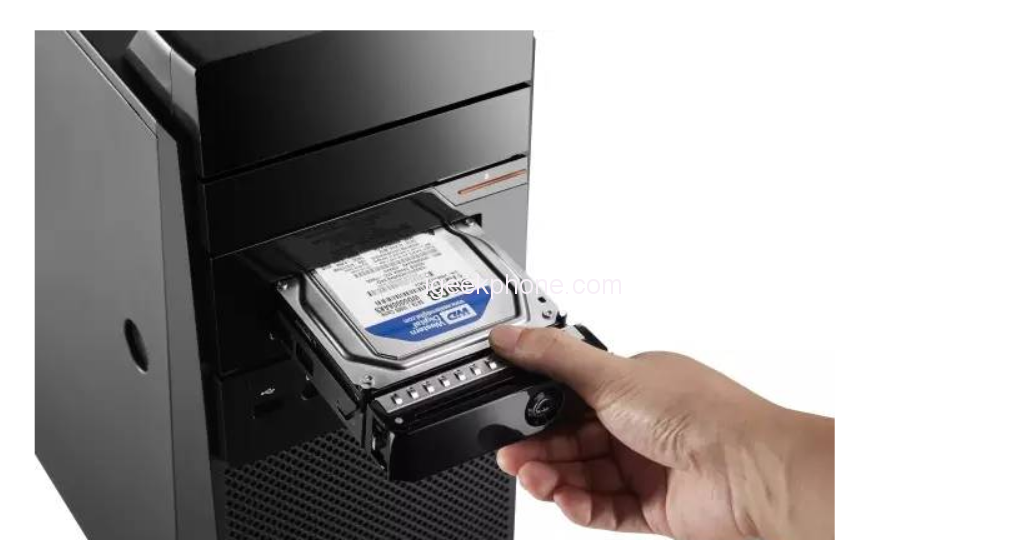
    Questions to consider before moving your system to another hard disk

    Migrating to a new hard drive may be harder than we thought. If cloning a system or hard disk fails, the computer will not recognize the hard disk. There are many users who say they cannot boot after cloning the disk, which is a concern.

    In order to ensure a normal boot, the most important thing is to choose a suitable hard disk cloning tool. It can migrate drivers and files to a new hard drive. In addition, how to switch the new hard disk after cloning is also very important.

    System migration tutorial

    Xiaobian recommends the use of Niuxuechang partition management tool for system migration, one-click migration of Windows operating system to SSD, no need to reinstall the system, can effectively clone your entire hard drive to backup your data.

    Download free here

    1. Install and start the Newmaster Partition Management Tool on a Windows PC, and then click the “Start” button to start the system migration.


    2. Select the source disk to be migrated and then the target disk to be migrated. Several warning messages will appear. To proceed with the migration, click “Start” again.


    3. Wait for the tool to complete system data migration. If you need to wait for a while due to the size of the drive, you can directly preview the migration speed and remaining time.

    Share. Facebook Twitter Pinterest LinkedIn Tumblr Email

    Related Posts

    Blackview OSCAL TANK 1 5G Review-Redefine the Rugged Smartphone with Unmatched Power & Innovation

    FOSSiBOT F113 5G Rugged Phone Review: Officially at $299.99

    DOOGEE S200 VIP Edition 5G Smartphone Review: Power, Durability, and Innovation Combined

    Leave A Reply Cancel Reply

    You must be logged in to post a comment.

    voopoo drag s3
    oxva slim stick
    sp2s sen x disposable vape
    jnr 100k
    • Popular
    • 3D Printer REVIEW
    • XIAOMI
    December 9, 2025

    OXVA Xlim Go vs. OXVA Xlim Go 2: Hands-On Review

    December 9, 2025

    OXVA XLIM PRO 3 VS XLIM PRO 2 Review: Hands-on Comparison

    December 9, 2025

    OXVA XLIM 3 Ultra vs. XLIM Pro 2 DNA Review: Hands-on Comparison

    December 8, 2025

    OXVA XLIM SQ PRO 2 vs XLIM SQ PRO Hands on Comparison Review

    June 23, 2024

    ACMER P2 20W Laser Engraver Fixed Focus Engraving: Hands on Review

    May 30, 2024

    xTool F1 Ultra Review: World’s First 20W Fiber & 20W Diode Laser Engraver

    May 30, 2024

    Anycubic Kobra 3 Combo Review: The Multicolor Masterpiece?

    May 15, 2024

    SCULPFUN SF-A9 40W Laser Engraver Cutting Machine: Hands On Review

    December 18, 2025

    Xiaomi 17 Ultra will be available next week! Lu Weibing: All of Xiaomi’s main high-end flagship models will be released in the same year.

    December 17, 2025

    Xiaomi 17 Ultra Leica Special Edition phone will adopt a dual brand, and in overseas markets, it will be named Leitzphone

    December 17, 2025

    The internal test activity of Background Stacking Arrangement style of Xiaomi’s HyperOS 3 has been Exposed

    December 15, 2025

    Xiaomi 17 Ultra has not been officially announced yet. Mi fans are exclaiming that Xiaomi’s confidentiality measures are too strict

    fc 26 coins
    New Arrivals
    • Realme Narzo 90 Realme Narzo 90
    • Maskking Veso S Pod Vape Maskking Veso S Pod Vape
    • SKWEZED X iJOY XP50000 Disposable Vape SKWEZED X iJOY XP50000 Disposable Vape
    • OXVA ARTIO 2 Battery Device 900mAh OXVA ARTIO 2 Battery Device 900mAh
    • Lost Vape Centaurus Ori 35 Pod System Kit Lost Vape Centaurus Ori 35 Pod System Kit
    • Oxbar Maglink 50K Disposable Vape Oxbar Maglink 50K Disposable Vape
    • Hellvape Vsee Now Pod System Kit Hellvape Vsee Now Pod System Kit
    • Hellvape Vsee One Pod System Kit Hellvape Vsee One Pod System Kit
    • JOOZY PRO 30K DISPOSABLE KIT JOOZY PRO 30K DISPOSABLE KIT
    About
  • Igeekphone.com provides the first global tech news and reviews about smartphone, vapes, e-cigar, smart home, 3D printers, e-bike,tablets, RC drones, VR headset, and other accessories. It's the best platform to improve your brand and product.
  • Contact us: info@igeekphone.com
  • Check Our Privacy Policy Here.
  • Note: *Right now we have US editor and EU editors for review, especially for Amazon US and EU.
  • *Shop and Compare Price Here*
  • Facebook
  • Youtube
  • OUR BEST VAPE PARTNERS
  • VAPE ONLINE STORE
  • HAYATI PRO MAX PLUS
  • VAPORESSO
  • VOOPOO
  • OXVA
  • NEXA
  • MASKKING
  • LOSTVAPE ORIONBAR
  • VEIIK
  • MEMERS
  • TODOO
  • SP2S
  • JNR
  • OTHER BEST PARTNERS
  • SVBONY
  • Chuwi
  • Blackview
  • Fossibot
  • Unihertz
  • Flsun
  • Anycubic
  • Xtool
  • Oukitel
  • Mukkpet Ebike
  • Ugreen
  • Copyright © 2025 igeekphone

    Type above and press Enter to search. Press Esc to cancel.