Facebook Twitter Instagram
    Trending
    • DTG9 Smartwatch Review: A Comprehensive Smart Companion for Fitness and Everyday Use
    • Ulefone RugKing AI Speaker at $172.99: Unleashing Powerful Sound in a Rugged Design
    • Wltoys 244018 RTR 1/24 2.4G 2WD RC Car Review: A Compact, High-Speed Off-Road Adventure
    • ZLL SG618 MAX Review: The Ultimate High-Speed Off-Road RC Car
    • Wltoys 6408 RC Truck Review: The Ultimate 1/64 Scale Remote Control Tractor Trailer for Fun and Adventure
    • Vaporesso LUXE Q3 vs LUXE Q2: Which Pod System Is Better in 2026?
    • PJC D26 RC Quadcopter Review at $21.99: A Comprehensive Review of the Feature-Packed Drone
    • Yisenneng PB6100 PD100W Power Bank Review: A Compact Solution for Fast Charging and High Capacity
    Facebook YouTube
    IGeeKphone China Phone, Tablet PC, VR, RC Drone News, Reviews
    • HOME
      • NEWS
        • DeepSeek
        • ChatGPT
        • Minecraft
    • Amazon
    • PHONE
      • Top Phones For Your First Choice
      • Phone Comparison
      • Xiaomi
      • Blackview
      • Doogee
      • Black Shark
      • Geekbuying
      • Banggood
      • TEMU
      • TikTok
      • Aliexpress
      • Walmart
      • MercadoLibre
      • Lazada
    • TOP VAPE Awards for 2026
    • VAPES
      • E-CIGAR Upcoming
      • Vape News
      • Vape Deals
      • Vape Comparison
      • Vape Guide
      • Giveaway
    • BEST VAPE
      • Best Vape Stores
      • Best Starter Vape Kits
      • Best Vapes for Beginners
      • Best Disposable Vapes
      • Best Pod Systems
      • Best Pod Mod Vapes
      • Best Mods
      • Best Nicotine Pouches
      • Best Clearomizers/Tanks
      • Best E-Liquid
      • Best EGO/Pens
      • Best Vapes for Nic Salt E-Juice
      • Best Vapes to Quit Smoking
      • RDA vs. RDTA vs. RTA
    • Best Vape Brand 2026
      • VAPORESSO
      • VOOPOO
      • OXVA
      • NEXA BAR
      • ORIONBARTECH
      • MASKKING VAPE
      • MEMERS
      • SP2S
      • TODOO
      • MRFOG
      • VEIIK
    • REVIEW
      • E-cigar Review
      • Phones
      • Tablet PC
      • TV Box
      • RC Drone
      • Wearables
      • Camera
      • Accessories
      • VR Headset
    • MORE
      • TABLET
        • Chuwi
        • INNOCN
        • Teclast
        • Top Tablet for Your First Choice
        • Tablet/Laptop Comparison
      • RC DRONE
      • CAMERA
      • WEARABLES
        • OneOdio
        • BlitzWolf
        • Top Smartwatch for First Choice
      • 3D PRINTER
        • 3D Printer Review
        • Anycubic
        • FLSUN
        • Xtool
        • LONGER
        • Top 3D printer to Choose First
      • POWER STATION
        • Oukitel
        • FOSSIBOT
      • GAMING
        • Top Gaming Products
      • E-BIKE
        • Samebike
        • Happyrun
        • ENGWE
      • SMART HOME
      • TV BOX
      • ACCESSORIES
      • VR HEADSET
      • CLOTHES
      • AUTO CAR
    • DEAL
    • VAPE LAWS
    • Shop
    IGeeKphone China Phone, Tablet PC, VR, RC Drone News, Reviews
    You are at:Home»REVIEWS»Accessories»Epomaker Tide49 Review: Preferred for the Dedicated Enthusiast?
    Accessories

    Epomaker Tide49 Review: Preferred for the Dedicated Enthusiast?

    Habib QaziBy Habib QaziJuly 6, 2025
    Facebook Twitter Pinterest LinkedIn Tumblr Email

    Anyone who has ever assembled a PC, modded, or simply carefully configured a setup knows that every detail counts. A keyboard is not a neutral object; it is not interchangeable. It is an interface with our digital world, and it is all the more powerful the more it can adapt to our habits. In recent months, our goal was clear: to find a compact, functional, wireless, aesthetically solid keyboard to integrate into a minimal but powerful gaming setup, also ideal for smart working without sacrificing anything. In this search, we came across the Epomaker Tide49, and after several weeks of use, between streaming, modding, writing, and nights spent on gaming, we can say that this keyboard has changed our approach to desk setups.
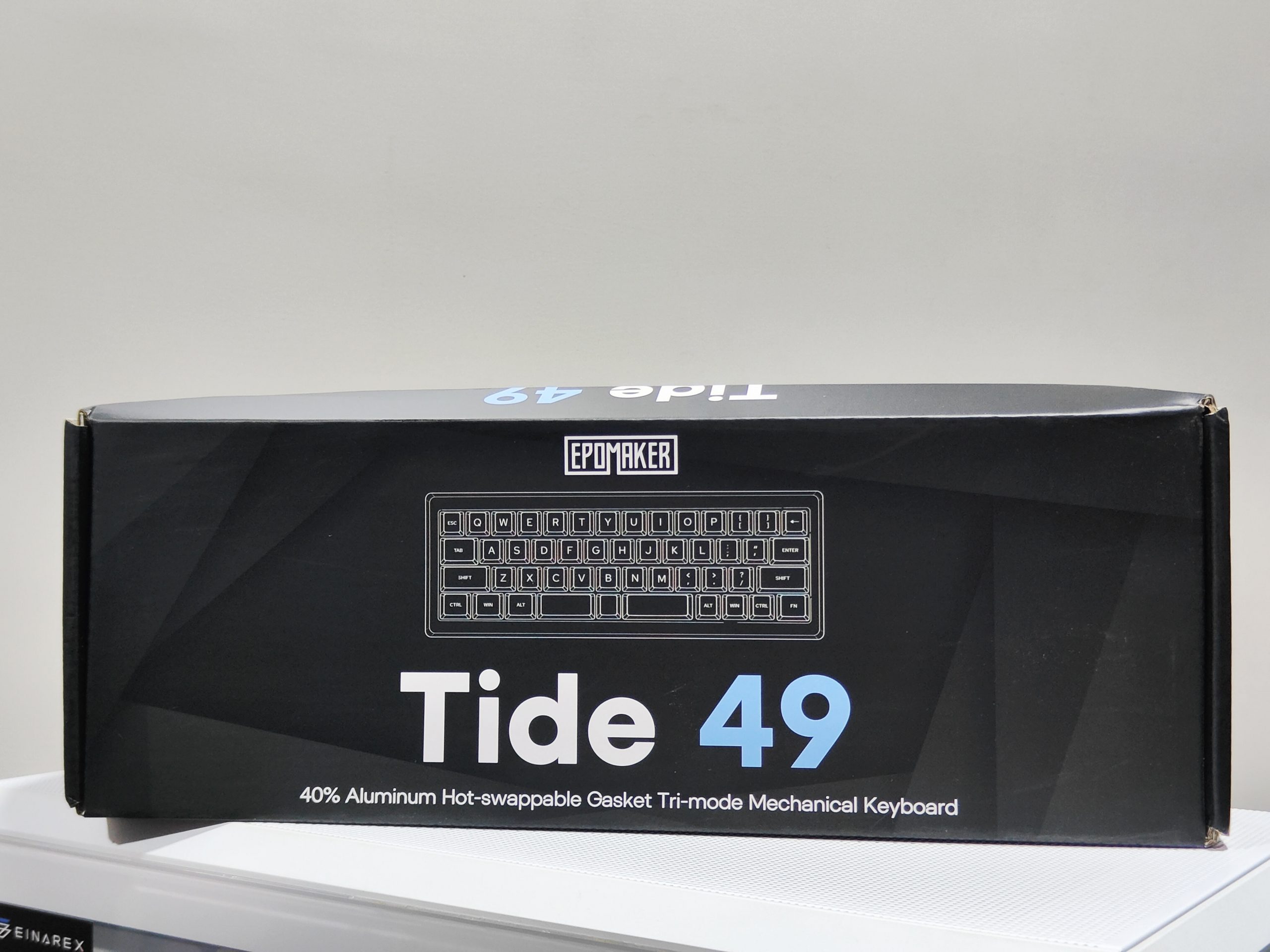
    Epomaker sent me the Tide49 form factor keyboard to review for my blog. While I am very grateful for the opportunity, I won’t let it sway my opinions. This will be my honest review. Make sure to check out my latest reviews for the Epomaker HE68, TH85, and HE68 if you’re looking for a new keyboard.

    Buy on AliExpress

    Inside the Box

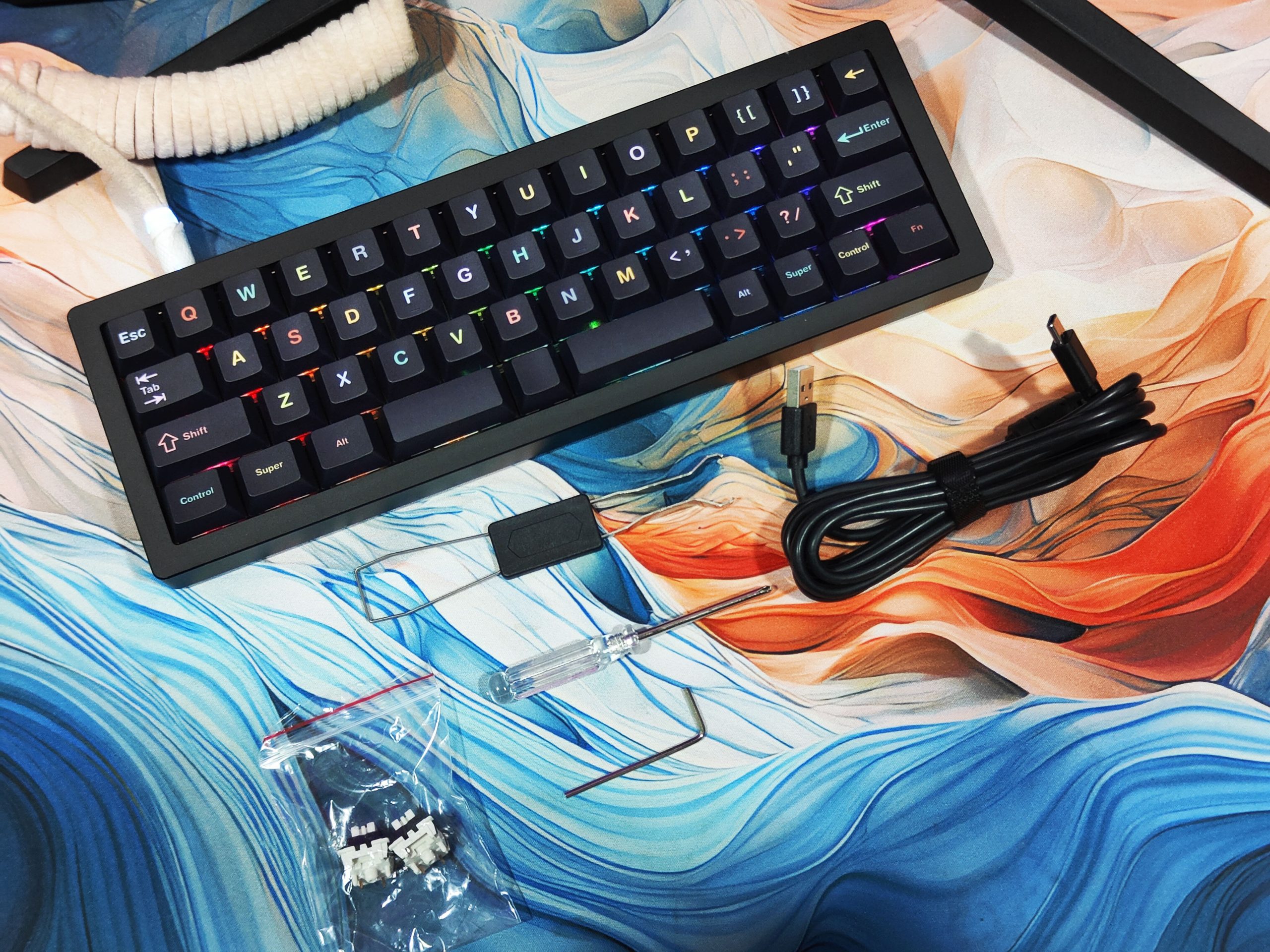
    • Epomaker Tide49
    • 2 Extra Switches
    • Key/Switch Puller Tool
    • USB-C to USB-A Cable
    • Plastic Dust Cover
    • User Manual.

    Design

    It’s compact, so you can use it comfortably on the go. It’s also suitable for mobile work and working in cafes. However, be careful of the weight.

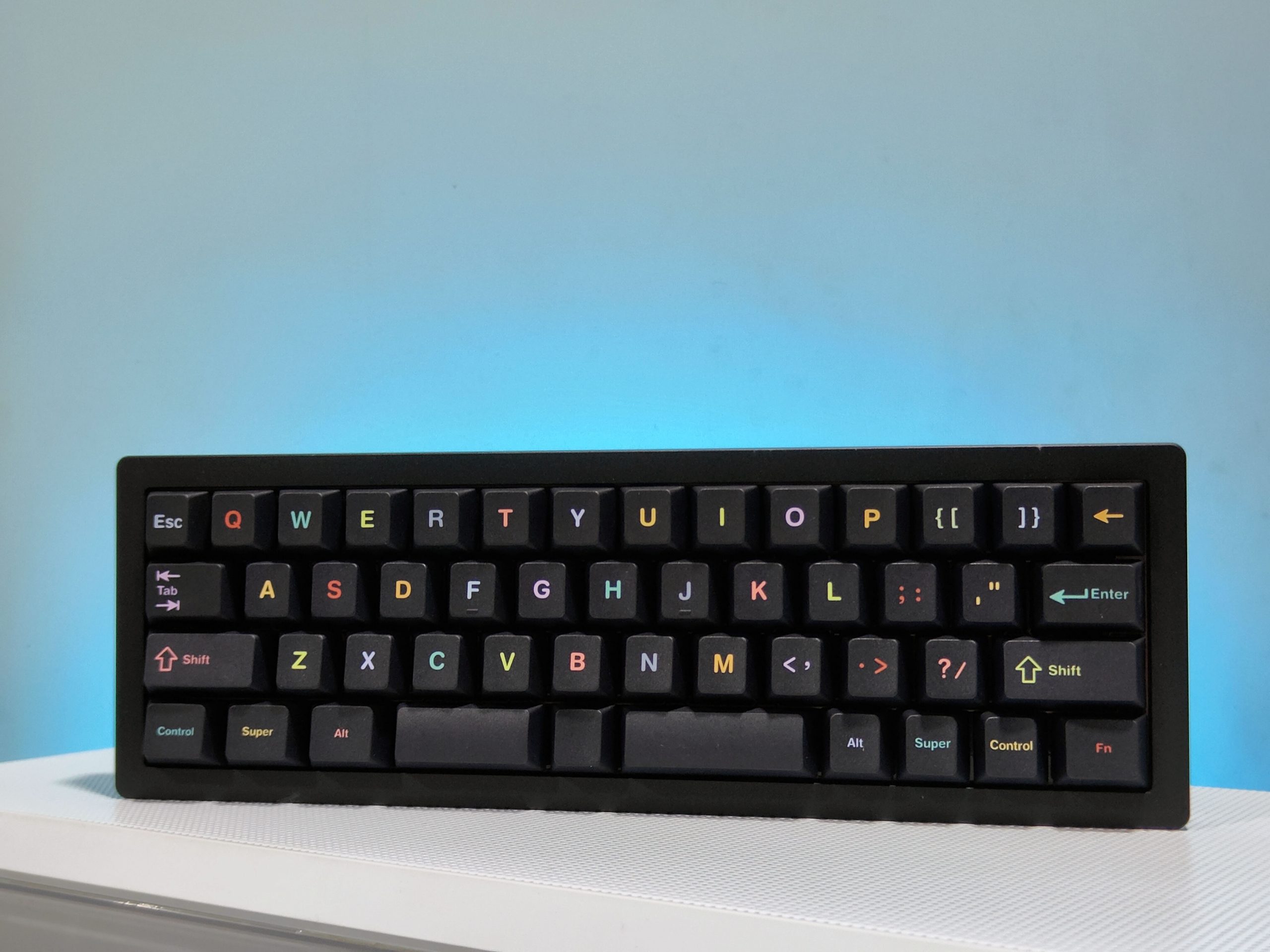
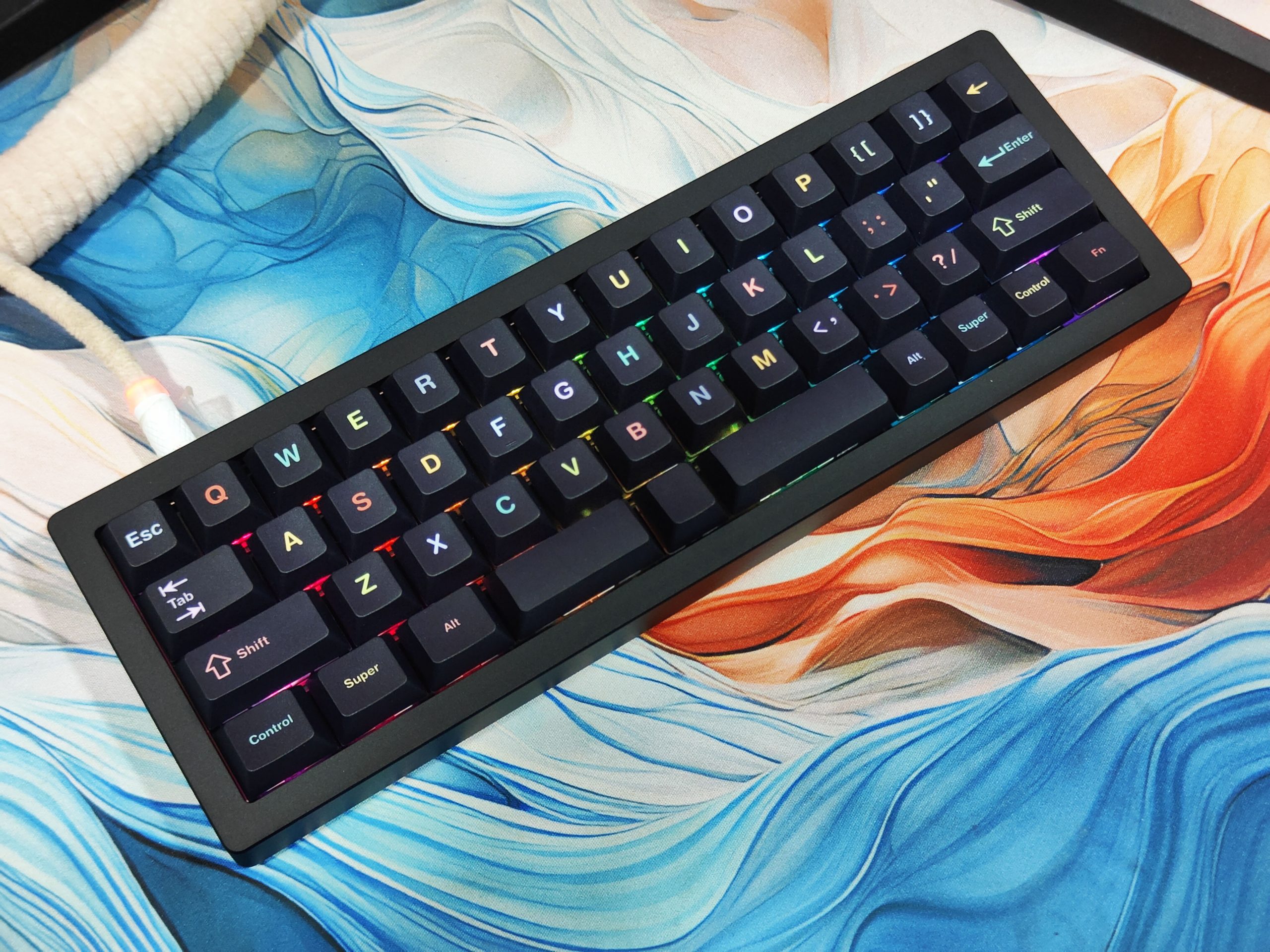
    With its sturdy case and sleek appearance, it will add a stylish touch to your desk setup. The keycap design is also excellent, with the stylish case and cute keycaps harmonizing perfectly together.Epomaker Tide49
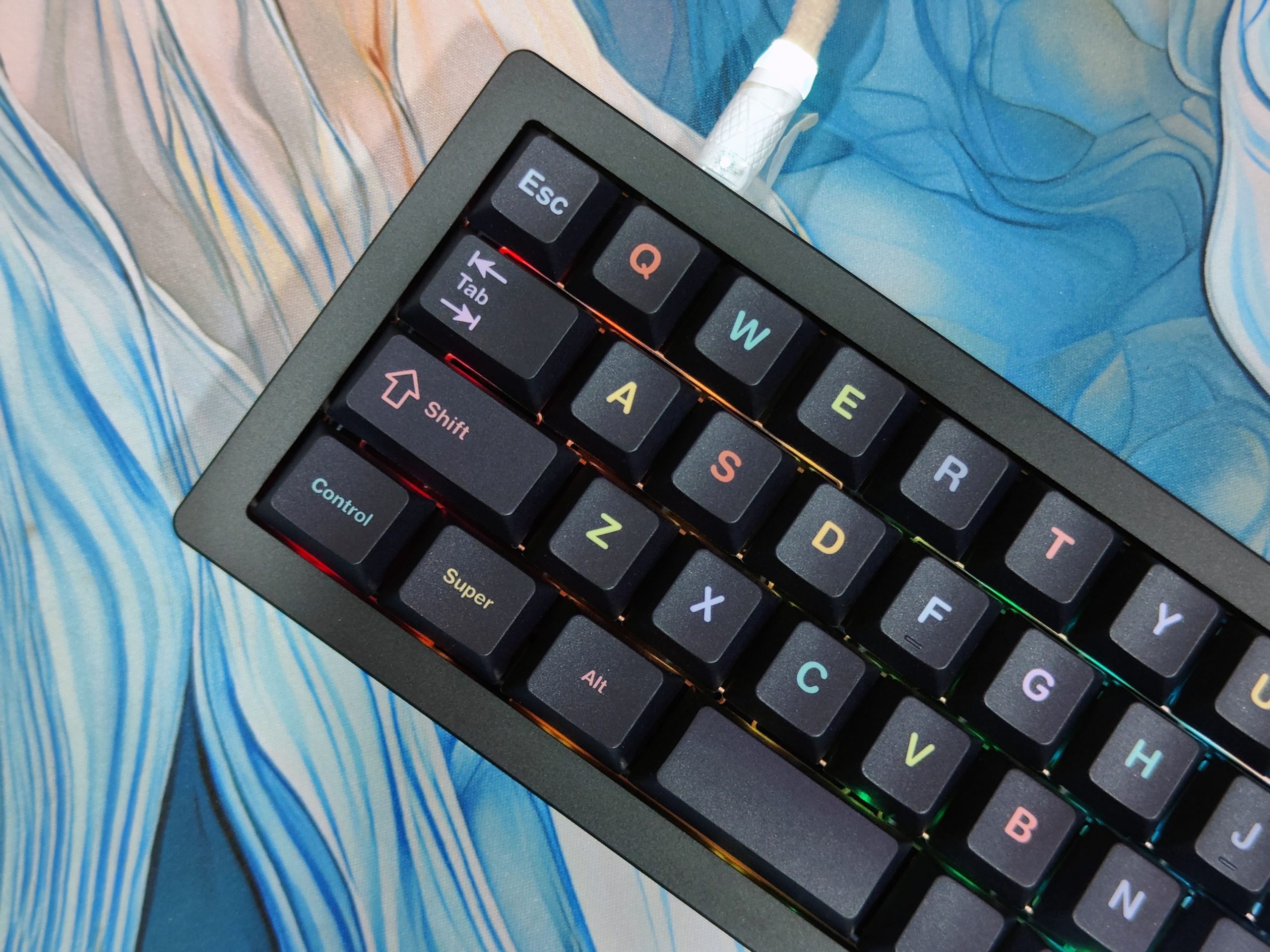
    The compact case and cute keycap printing make this a design that will make you want to just type. The mirror-finished metal plate on the back of the device gives it a luxurious look, but fingerprints are very visible.
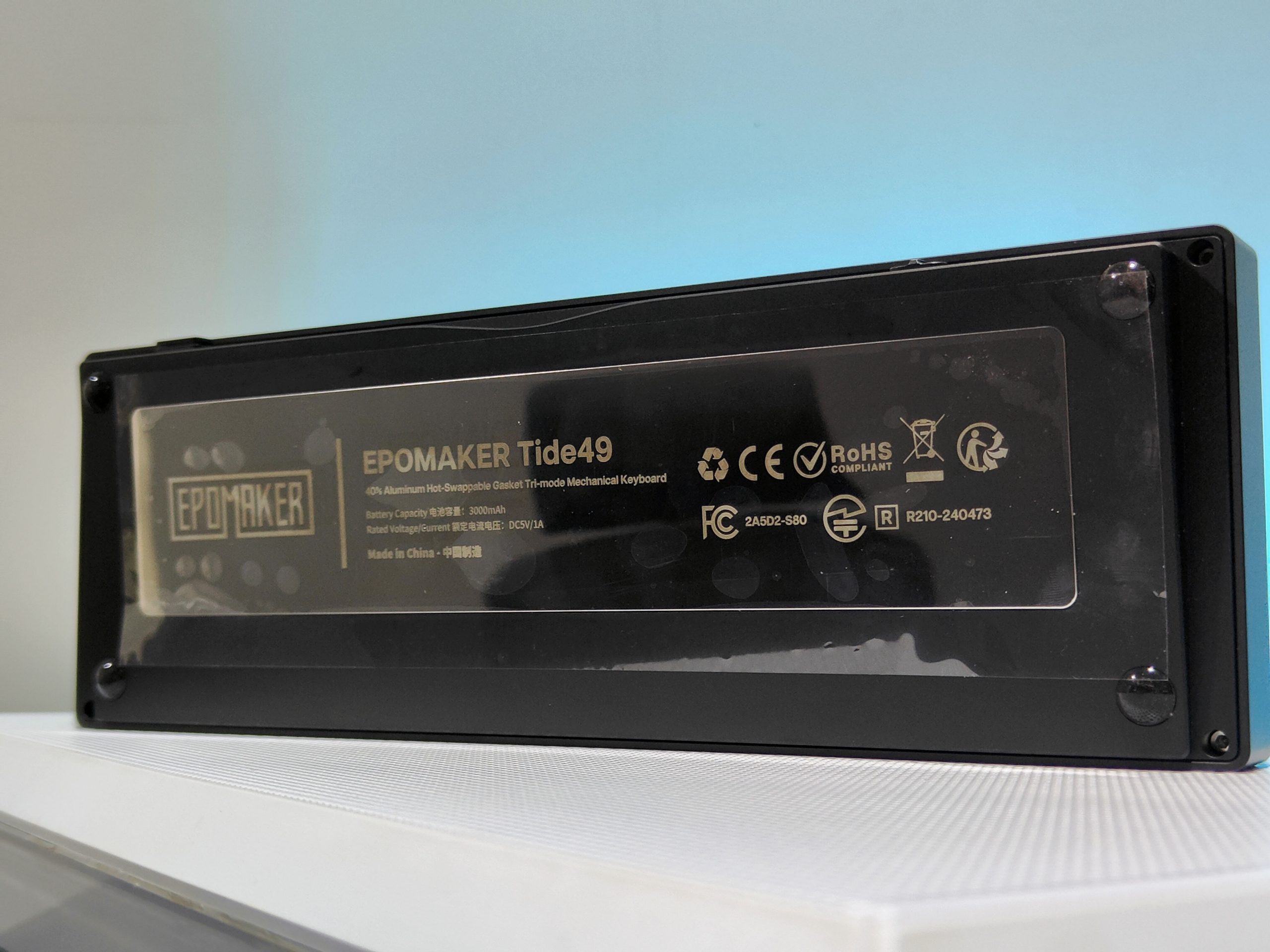
    Photo of the back side of the Epomaker Tide49 body. Enlarged view of the power switch. The power switch and USB connector are located on the left rear side of the main unit.
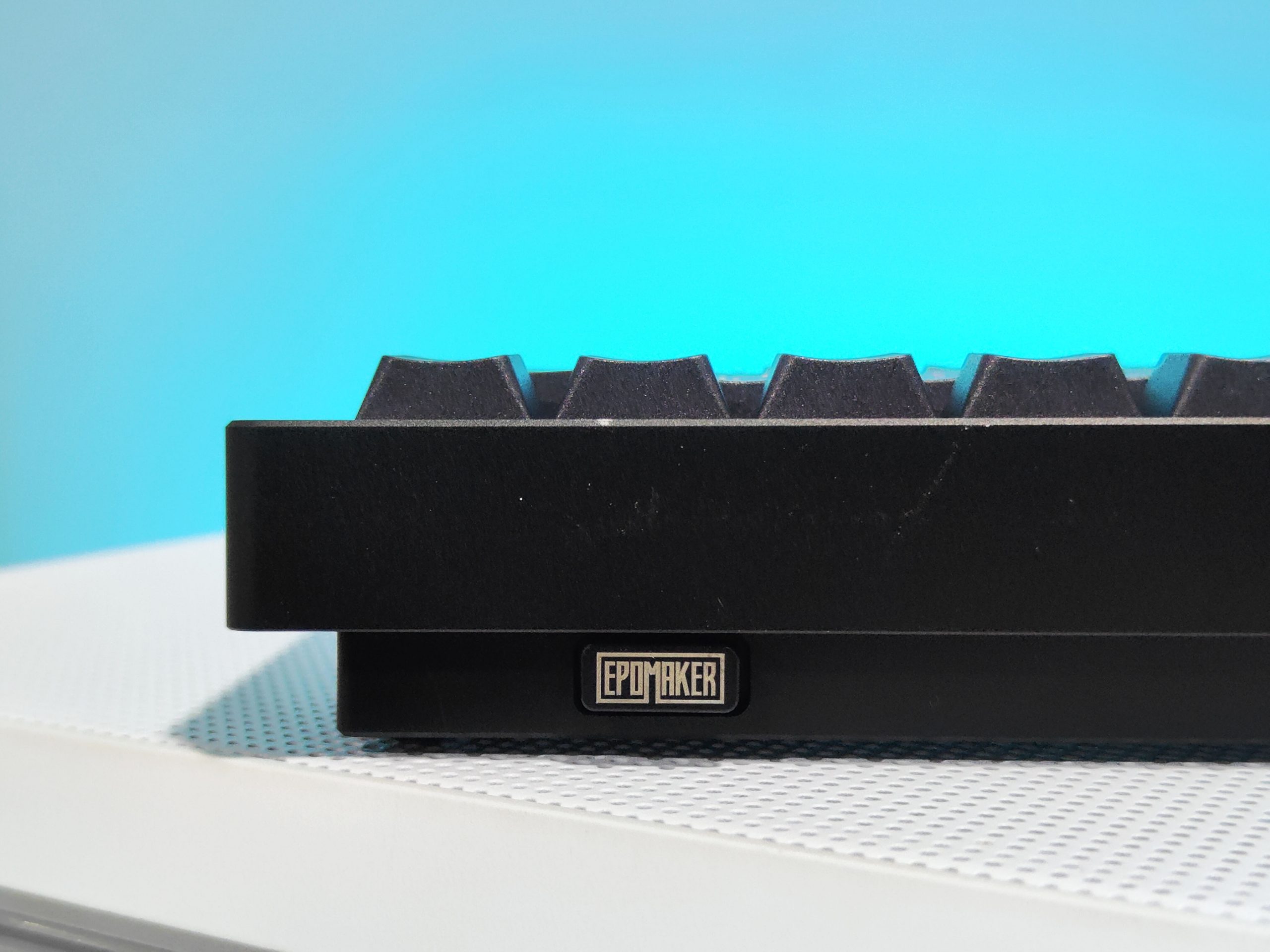
    There is a recess for storing the USB receiver on the back right side of the main unit. Also, since it has a built-in magnet, the receiver fits in nicely.
    It has a five-layer sandwich structure that absorbs unpleasant metallic sounds and produces a good typing sound. 

    40% layout

    I knew this before I started using it, but it’s unique. I’ve been using 60% keyboards for many years, but it takes some time to optimize the keymap and get used to it.

    The basic keymap setting is to place the layer switching keys in the center, or to the left or right of the split spacebar.
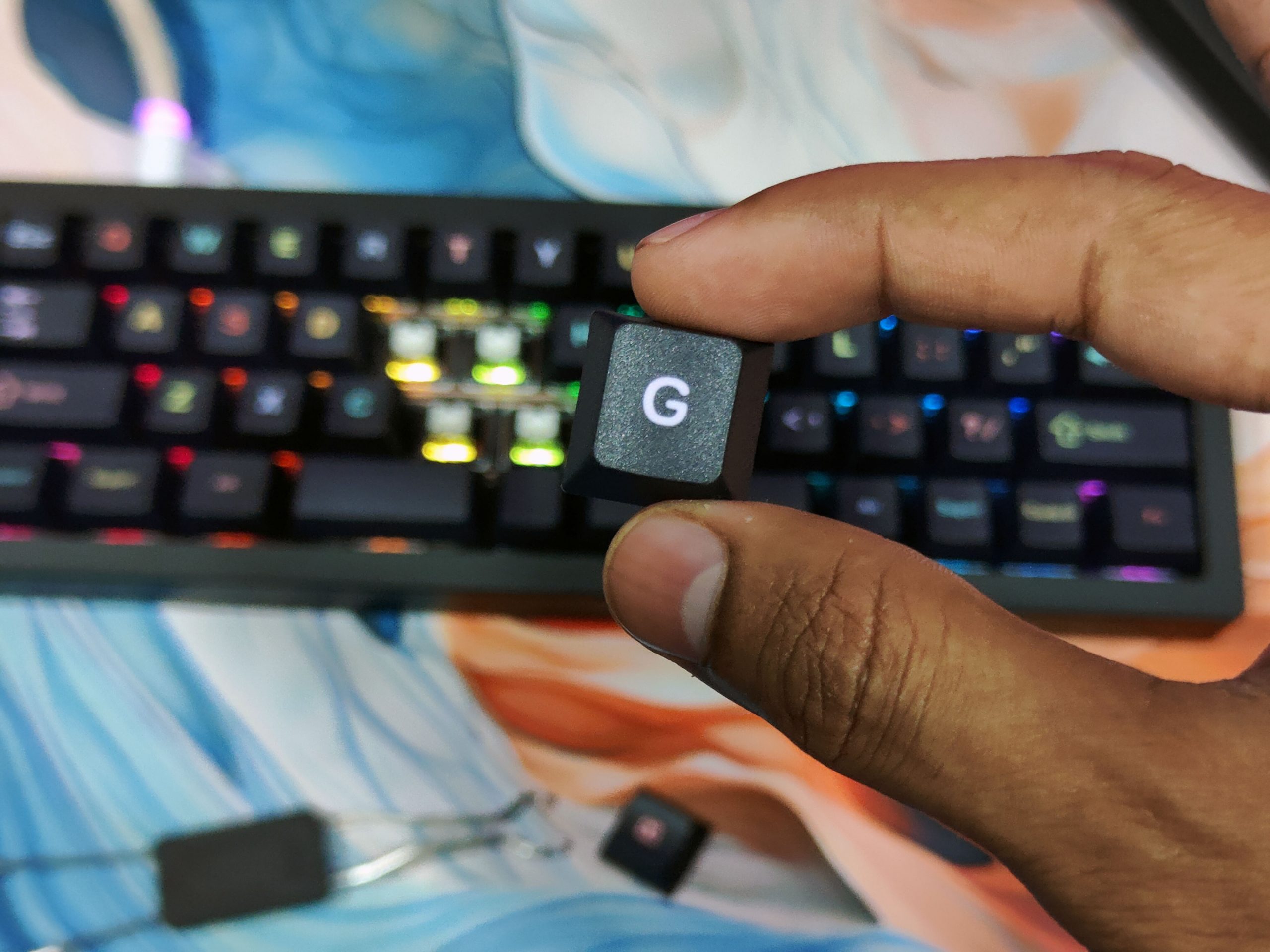
    We recommend placing the number keys and function keys in the top row (QWERTY row) of each layer.

    This change will allow you to do most tasks without any problems, but we honestly don’t recommend it for gaming purposes.

    For games, I make full use of the left-hand home keys, WASD for movement, SHIFT for dashing, CTRL for crouching, SPACE for jumping, TAB for menus, ESC for closing the screen, and numbers for shortcuts, but a 40% keyboard is not enough.Epomaker Tide49

    I make up for the missing parts with combination keys for switching layers, but it’s complicated, and I run out of fingers to press them all at the same time.

    Another thing I noticed is that the top row (QWERTY row) is offset to the left compared to the normal layout.
    This is due to the size of the special keys.
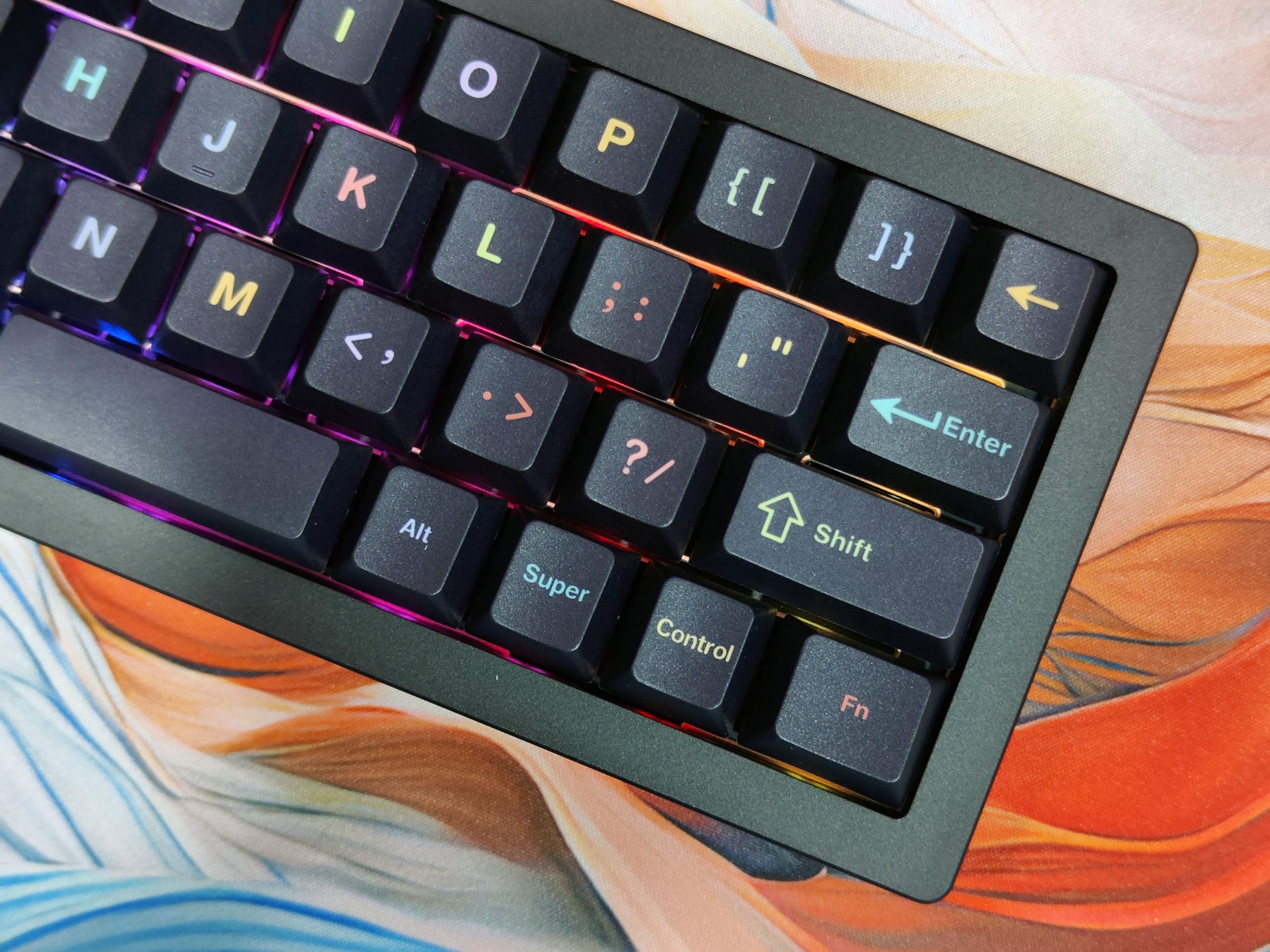
    This did not cause any problems when typing. The keystroke sound confirmation video introduced earlier was taken immediately after opening the box, and I was able to type without any discomfort.

    Verdict

    There is no denying that the Epomaker Tide49 is a very cool-looking form factor solution for those who need it. I am a huge fan of the design and aesthetic, but it feels a bit too niche for my taste. First off, the keyboard is too small for my frame. It never got uncomfortable, but the lack of a number row became an issue. There are preprogrammed shortcuts that work well enough as a solution, but trying to do an exclamation point or a question mark is a needless hassle. This isn’t a good typing laptop, at least not for my workflow. That said, the tide49 does have its use.

    The keyboard seems to be meant as a MacPad. The Tide49 is KIA compatible, and there are clear, easy-to-follow instructions in the user manual. All 49 keys can be remapped or programmed with macros for a good amount of utility. I don’t have that many macros, but I can see it being handy if I ever get serious about video or photo editing.

    Despite my issues with the size, the Tide49 offers a satisfying typing sound and some solid comfort. That said, my wireless dongle did not work, and only being able to rely on a single Bluetooth connection and wired connection wasn’t ideal for my workflow. I am constantly switching between devices throughout the day and ideally need a keyboard that can connect wirelessly with at least three of my devices.

    Honestly, you are buying the Epomaker Tide49 for its aesthetic and clean design, and a bit of its comfort. The keyboard is a nice size and easy to program, but you can buy a cheaper VIA-compatible keyboard with more keys and gain more utility. If you’re a writer, the size may take a bit to get used to, depending on your hand size, but I never felt like it became unusable, nor did it trigger a bad episode of my repetitive stress injury. You can get away without the use of the numbers, but the extra work it takes to use some of the punctuation makes this keyboard bad for writing. This keyboard is useless for gaming. It’s a cool-looking keyboard, but not good for my workflow.

    Buy on AliExpress

    Read Also: Epomaker Carbon60 Review: A Carbon Fiber Keyboard, But Not Perfect

    Share. Facebook Twitter Pinterest LinkedIn Tumblr Email

    Related Posts

    Is the iQOO Z11 Worth It in 2026? Full Gaming & Battery Test

    Vivo X300 Ultra Review: Redefines Telephoto Photography!

    Xiaomi Watch S5 Review: 316L Stainless Steel, Ultra-Long Battery Life

    Leave A Reply Cancel Reply

    You must be logged in to post a comment.

    voopoo drag 6
    oxva xlim 3 ultra
    sp2s sen x disposable vape
    • Popular
    • 3D Printer REVIEW
    • XIAOMI
    April 18, 2026

    VOOPOO DRAG 6 Hands on Review: Vape Beast with Smart Power & Premium Control

    April 8, 2026

    OXVA NeXLIM vs XLIM Pro 2 Pod Hands-On Review (2026)

    March 16, 2026

    OXVA Slimstick VS OXVA Slimstick X Vape Hands-on Review

    March 5, 2026

    OXVA XLIM PRO 3 vs XLIM Pro 2 DNA: Hands-On Review

    December 26, 2025

    ACMER ASCARVA 4S: Precision CNC Power for Makers, DIYers & Small Workshops

    June 23, 2024

    ACMER P2 20W Laser Engraver Fixed Focus Engraving: Hands on Review

    May 30, 2024

    xTool F1 Ultra Review: World’s First 20W Fiber & 20W Diode Laser Engraver

    May 30, 2024

    Anycubic Kobra 3 Combo Review: The Multicolor Masterpiece?

    April 16, 2026

    Rendering images of Xiaomi 18 Pro smartphone have been Released: A new AI button has been added, which can control cars / smart home devices.

    April 16, 2026

    The Largest Battery Phone in Xiaomi’s History has Arrived! Xiaomi 17 Max has been Approved for Sale

    April 16, 2026

    The Screen of Xiaomi 18 Pro has Undergone an Epic Upgrade: Ultra-thin Quadrilateral Bezels + Custom Substrate

    April 14, 2026

    Xiaomi 18 Pro is the first to feature the Qualcomm Snapdragon 8E6 series: The battery capacity exceeds 7000mAh.

    fc 26 coins
    New Arrivals
    • Uwell Caliburn G5 Pod System Kit Uwell Caliburn G5 Pod System Kit
    • Justfog Glent Pro Pod Mod Kit 1500mAh Justfog Glent Pro Pod Mod Kit 1500mAh
    • IPLAY NEXUS 45k Disposable Pod IPLAY NEXUS 45k Disposable Pod
    • Cloud King CK50000 Disposable Cloud King CK50000 Disposable
    • Air Factory 50K Disposable Air Factory 50K Disposable
    • Alibarbar Swirl 50K Disposable Vape Alibarbar Swirl 50K Disposable Vape
    • Dotmod DotAIO V3 AIO Kit Dotmod DotAIO V3 AIO Kit
    • Honor Magic9 Pro Air Honor Magic9 Pro Air
    • OXVA Xlim Go Lite Pod System Kit OXVA Xlim Go Lite Pod System Kit
    About
  • Igeekphone.com provides the first global tech news and reviews about smartphone, vapes, e-cigar, smart home, 3D printers, e-bike,tablets, RC drones, VR headset, and other accessories. It's the best platform to improve your brand and product.
  • Contact us: info@igeekphone.com
  • Check Our Privacy Policy Here.
  • Note: *Right now we have US editor and EU editors for review, especially for Amazon US and EU.
  • *Shop and Compare Price Here*
  • Facebook
  • Youtube
  • OUR BEST VAPE PARTNERS
  • VAPE ONLINE STORE
  • HAYATI PRO MAX PLUS
  • VAPORESSO
  • VOOPOO
  • OXVA
  • NEXA
  • MASKKING
  • TODOO
  • SP2S
  • VEIIK
  • OTHER BEST PARTNERS
  • SVBONY
  • Chuwi
  • Blackview
  • Fossibot
  • Unihertz
  • Flsun
  • Anycubic
  • Xtool
  • Oukitel
  • Mukkpet Ebike
  • Ugreen
  • Copyright © 2026 igeekphone

    Type above and press Enter to search. Press Esc to cancel.