







Facebook Twitter Instagram
    Trending
    • British American Tobacco’s Glo Hilo has Launched a “Rose Quartz” Limited Edition Color
    • British American Tobacco’s Vuse Ultra has been Included in the GOOD DESIGN Award List, Featuring an App Integration and Adjustable Intensity
    • How to Set up Screen Fingerprint Unlocking on iPhone 17 Pro?
    • How to Take Multiple Exposures with Oppo Find X9 Smartphone?
    • The New Version of Xiaomi Band 9 Pro’s Pioneer Program has begun! A new “tap-to-pay” function has been Added.
    • Redmagic 11 Air Offcially Released: Starting from 2,999 yuan,The Only Truly Full-Screen Air Mobile Phone
    • Red Magic Gaming Tablet 3 Pro GOLDEN SAGA is Released: Gold-plated VC, 24GB + 1TB storage
    • Realme P4 Power Smartphone has been Revealed: It Features a 10001mAh Battery and Claims to have a full charge that lasts for a week
    Facebook YouTube
    Login Register
    IGeeKphone China Phone, Tablet PC, VR, RC Drone News, Reviews
    • HOME
      • NEWS
        • DeepSeek
        • ChatGPT
        • Minecraft
    • Amazon
    • NEW YEAR
    • PHONE
      • Top Phones For Your First Choice
      • Phone Comparison
      • Xiaomi
      • Blackview
      • Doogee
      • Black Shark
      • Geekbuying
      • Banggood
      • TEMU
      • TikTok
      • Aliexpress
      • Walmart
      • MercadoLibre
      • Lazada
    • TOP VAPE Awards for 2026
    • VAPES
      • E-CIGAR Upcoming
      • Vape News
      • Vape Deals
      • Vape Comparison
      • Vape Guide
      • Giveaway
    • BEST VAPE
      • Best Vape Stores
      • Best Starter Vape Kits
      • Best Vapes for Beginners
      • Best Disposable Vapes
      • Best Pod Systems
      • Best Pod Mod Vapes
      • Best Mods
      • Best Nicotine Pouches
      • Best Clearomizers/Tanks
      • Best E-Liquid
      • Best EGO/Pens
      • Best Vapes for Nic Salt E-Juice
      • Best Vapes to Quit Smoking
      • RDA vs. RDTA vs. RTA
    • Best Vape Brand 2026
      • VAPORESSO
      • VOOPOO
      • OXVA
      • NEXA BAR
      • ORIONBARTECH
      • MASKKING VAPE
      • MEMERS
      • SP2S
      • JNR
      • TODOO
      • MRFOG
      • VEIIK
    • REVIEW
      • E-cigar Review
      • Phones
      • Tablet PC
      • TV Box
      • RC Drone
      • Wearables
      • Camera
      • Accessories
      • VR Headset
    • MORE
      • TABLET
        • Chuwi
        • INNOCN
        • Teclast
        • Top Tablet for Your First Choice
        • Tablet/Laptop Comparison
      • RC DRONE
      • CAMERA
      • WEARABLES
        • OneOdio
        • BlitzWolf
        • Top Smartwatch for First Choice
      • 3D PRINTER
        • 3D Printer Review
        • Anycubic
        • FLSUN
        • Xtool
        • LONGER
        • Top 3D printer to Choose First
      • POWER STATION
        • Oukitel
        • FOSSIBOT
      • GAMING
        • Top Gaming Products
      • E-BIKE
        • Samebike
        • Happyrun
        • ENGWE
      • SMART HOME
      • TV BOX
      • ACCESSORIES
      • VR HEADSET
      • CLOTHES
      • AUTO CAR
    • DEAL
    • Shop
    IGeeKphone China Phone, Tablet PC, VR, RC Drone News, Reviews
    You are at:Home»Guide»How to Take Multiple Exposures with Oppo Find X9 Smartphone?
    Guide

    How to Take Multiple Exposures with Oppo Find X9 Smartphone?

    Brady CottonBy Brady CottonJanuary 20, 2026
    Facebook Twitter Pinterest LinkedIn Tumblr Email

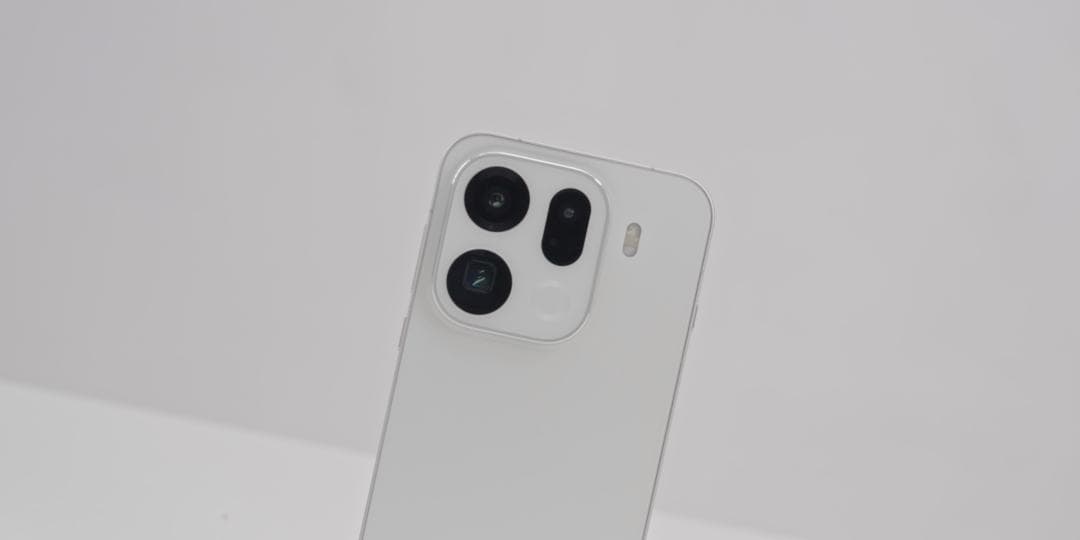
    Multiple exposure is a creative photography technique that combines multiple photos through algorithmic overlay to break through the limitations of a single exposure and create a visual effect that blends reality and illusion, as well as combining motion and stillness. With its powerful imaging system, OPPO Find X9 offers users multiple ways to achieve multiple exposure, whether through built-in functions or manual simulation, allowing them to easily capture works with artistic appeal.

    I. Utilize the built-in double exposure mode to create quickly

    Some versions of OPPO Find X9 have a dual exposure function built into the camera system. The operation steps are as follows:

    1. Access the function menu: Open the camera application, slide the mode selection bar to “More” or “Creative Shooting” option, and click to enter. Then search for the “Double Exposure” or “Multiple Exposure” function.
    2. Step-by-step photo composition: After enabling the function, follow the screen prompts to take the first photo. After the first photo is taken, keep the phone stable and then adjust the composition to take the second photo. The phone will automatically combine the two photos, creating a multiple exposure effect. For example, when shooting a city night scene, you can first take a photo of the traffic flow, then take a photo of the building outline. After combining them, a dreamy scene of light trails interwoven with buildings will be formed.
    3. Parameter fine-tuning optimization: During the shooting process, you can optimize the image effect by adjusting parameters such as exposure compensation and color temperature. If shooting in automatic mode, it is recommended to manually reduce the exposure compensation to -1EV to -2EV to avoid the image becoming too bright due to multiple exposures.

    II. Manually simulate multiple exposures using the professional mode

    If the phone does not have a built-in direct multiple exposure function, you can manually simulate it using the professional mode:
    1. Fixed parameter shooting – Step 1: Enter the professional mode and manually set parameters such as ISO, shutter speed, focusing mode, etc. For example, when shooting a starry sky, set the ISO to 800-1600, extend the shutter speed to 15-30 seconds, switch the focusing mode to manual focusing (MF), and set the focus point to infinity. Take the first photo.
    2. Maintain the parameters for the second shot: Keep the position of the phone and the parameters unchanged, and take a second shot of the same scene or a different scene. For example, after shooting the starry sky, you can adjust the angle to shoot the ground scenery, creating an effect where the sky and the earth blend together.
    3. Post-production adjustment: Utilize the built-in photo editing function of your mobile phone or download professional software (such as Snapseed, Photoshop Express). Import the two photos into the software and achieve the multiple exposure effect by adjusting parameters such as transparency and overlay mode.

    III. Expanding Creative Space through Third-Party Applications
    There are many third-party camera applications available in the market that support multiple exposure shooting, such as NOMO, DoubleExposureFX, etc. Taking NOMO as an example:
    1. Download and install the application: Search for and download the NOMO camera in the app store.
    2. Enable double exposure function: Open the application, locate the “double exposure” option on the shooting interface, and turn it on. Then take the first photo.
    3. Adjusting the composition for the second shot: After the first shot is completed, the application will automatically enter the shooting interface for the second photo. At this point, you can adjust the composition, angle, etc. After the second shot is taken, the application will automatically combine the multiple exposures to create a composite photo. For example, when shooting a portrait, you can first take a close-up of the person, then take a shot with a blurred background. After combining them, you will achieve an effect where the person and the background are interwoven with different levels of clarity.

    IV. Techniques and Precautions for Multiple Exposure Photography

    1. Composition planning and theme expression: Before shooting, it is necessary to clearly define the theme and select elements that have contrast or complementary relationships for the shot, such as dynamic and static contrast, or the contrast between the abstract and the concrete. For example, when shooting flowers, one can superimpose a close-up of a flower with the entire field of flowers to create a visual contrast between “microscopic” and “macroscopic”.

    2. Light Utilization and Exposure Control: Different lighting conditions have a significant impact on the color and atmosphere of a photograph. When shooting in low-light conditions, try using a slow shutter speed to capture dynamic trajectories; when shooting in high-light conditions, be careful to avoid overexposure of the highlights.

    3. Equipment stability and anti-shake measures: When shooting at low shutter speeds or with long focal lengths, it is essential to use a tripod to secure the phone to prevent blurry images caused by hand shaking. If handheld shooting is necessary, the “Shadow-Free Capture” function can be enabled, which utilizes AI algorithms to compensate for minor tremors.

    4. Creative Extension and Post-Processing: Enable the “Live Photo” feature to capture the multiple exposure process. In the post-processing stage, extract the most captivating frames from the dynamic video and save them as static photos, or directly share the dynamic effect. At the same time, you can use the built-in basic editing tools in the album to adjust parameters such as brightness, contrast, and saturation, or manually adjust the transparency of two photos through the “overlay” function.

    Share. Facebook Twitter Pinterest LinkedIn Tumblr Email

    Related Posts

    How to Set up Screen Fingerprint Unlocking on iPhone 17 Pro?

    The Allure and Challenges of Speed Dating

    What are some ways to save money on seasonal items?

    Leave A Reply Cancel Reply

    You must be logged in to post a comment.

    voopoo drag s3
    oxva xlim 3 ultra
    sp2s sen x disposable vape
    jnr 100k
    • Popular
    • 3D Printer REVIEW
    • XIAOMI
    January 1, 2026

    VOOPOO ARGUS P3: The Touchscreen Pod That Feels Like a Mini Mod (Review)

    December 26, 2025

    Vaporesso XROS 5 Nano: Touchscreen Control Meets True Nano Portability (Review)

    December 9, 2025

    OXVA Xlim Go vs. OXVA Xlim Go 2: Hands-On Review

    December 9, 2025

    OXVA XLIM PRO 3 VS XLIM PRO 2 Review: Hands-on Comparison

    December 26, 2025

    ACMER ASCARVA 4S: Precision CNC Power for Makers, DIYers & Small Workshops

    June 23, 2024

    ACMER P2 20W Laser Engraver Fixed Focus Engraving: Hands on Review

    May 30, 2024

    xTool F1 Ultra Review: World’s First 20W Fiber & 20W Diode Laser Engraver

    May 30, 2024

    Anycubic Kobra 3 Combo Review: The Multicolor Masterpiece?

    January 20, 2026

    The New Version of Xiaomi Band 9 Pro’s Pioneer Program has begun! A new “tap-to-pay” function has been Added.

    January 19, 2026

    The Appearance of Xiaomi Redmi Turbo 5 Max Phone has been Revealed

    January 16, 2026

    Xiaomi REDMI Turbo 5 Max is Claimed to Dominate the mainstream gaming performance category in the 2.5K Range

    January 16, 2026

    New smartwatch and Smartband of Xiaomi have been Revealed, and the Battery Capacity of Redmi K Pad 2 Mini Tablet is Expected to be Significantly Increased

    fc 26 coins
    New Arrivals
    • PeakBar H2O 40K Disposable Vape PeakBar H2O 40K Disposable Vape
    • NOVA BAR 35K DISPOSABLE NOVA BAR 35K DISPOSABLE
    • FIFTY BAR X HUMBLE 20K DISPOSABLE FIFTY BAR X HUMBLE 20K DISPOSABLE
    • FASTA ALIEN 51K DISPOSABLE FASTA ALIEN 51K DISPOSABLE
    • Vivo V70 FE SmartPhone Vivo V70 FE SmartPhone
    • Uwell Nunchaku 10000 Pod System Kit Uwell Nunchaku 10000 Pod System Kit
    • OnePlus Turbo 6V OnePlus Turbo 6V
    • Uwell Caliburn G5 KOKO Pod System Kit Uwell Caliburn G5 KOKO Pod System Kit
    • Oppo Reno15 Pro Mini Oppo Reno15 Pro Mini
    About
  • Igeekphone.com provides the first global tech news and reviews about smartphone, vapes, e-cigar, smart home, 3D printers, e-bike,tablets, RC drones, VR headset, and other accessories. It's the best platform to improve your brand and product.
  • Contact us: info@igeekphone.com
  • Check Our Privacy Policy Here.
  • Note: *Right now we have US editor and EU editors for review, especially for Amazon US and EU.
  • *Shop and Compare Price Here*
  • Facebook
  • Youtube
  • OUR BEST VAPE PARTNERS
  • VAPE ONLINE STORE
  • HAYATI PRO MAX PLUS
  • VAPORESSO
  • VOOPOO
  • OXVA
  • NEXA
  • MASKKING
  • LOSTVAPE ORIONBAR
  • MEMERS
  • TODOO
  • SP2S
  • JNR
  • VEIIK
  • OTHER BEST PARTNERS
  • SVBONY
  • Chuwi
  • Blackview
  • Fossibot
  • Unihertz
  • Flsun
  • Anycubic
  • Xtool
  • Oukitel
  • Mukkpet Ebike
  • Ugreen
  • Copyright © 2026 igeekphone

    Type above and press Enter to search. Press Esc to cancel.