







Facebook Twitter Instagram
    Trending
    • Dotmod DotBox V2 Vape Mod Kit Review: Elegance Meets Power in Modern Vaping
    • Fumo UK launches Delia heated tobacco cartridge, expanding IQOS Iluma product range
    • Imperial Tobacco Blu introduces Sour Berry flavor, expanding its product line to 17 varieties.
    • Top 10 Practical Tips for Maintaining Laptop Computers in 2026
    • Lenovo Yoga Slim 7x Notebook Released: Snapdragon X2 Elite Comes with Optional OLED Touchscreen
    • The Global Version of OPPO Find X9 Ultra smartphone was spotted on Geekbench: 12GB of RAM, Snapdragon 8 Elite Gen 5 Processor
    • Specifications of OPPO Find X9s Pro phone have been Revealed: a 6.32-inch Small Straight Screen
    • Xiaomi Launches the 2026 Model REDMI G27Q 27-inch Monitor: 2K 320Hz, Dual DP 2.1, Priced at 1299 yuan.
    Facebook YouTube
    IGeeKphone China Phone, Tablet PC, VR, RC Drone News, Reviews
    • HOME
      • NEWS
        • DeepSeek
        • ChatGPT
        • Minecraft
    • Amazon
    • PHONE
      • Top Phones For Your First Choice
      • Phone Comparison
      • Xiaomi
      • Blackview
      • Doogee
      • Black Shark
      • Geekbuying
      • Banggood
      • TEMU
      • TikTok
      • Aliexpress
      • Walmart
      • MercadoLibre
      • Lazada
    • TOP VAPE Awards for 2026
    • VAPES
      • E-CIGAR Upcoming
      • Vape News
      • Vape Deals
      • Vape Comparison
      • Vape Guide
      • Giveaway
    • BEST VAPE
      • Best Vape Stores
      • Best Starter Vape Kits
      • Best Vapes for Beginners
      • Best Disposable Vapes
      • Best Pod Systems
      • Best Pod Mod Vapes
      • Best Mods
      • Best Nicotine Pouches
      • Best Clearomizers/Tanks
      • Best E-Liquid
      • Best EGO/Pens
      • Best Vapes for Nic Salt E-Juice
      • Best Vapes to Quit Smoking
      • RDA vs. RDTA vs. RTA
    • Best Vape Brand 2026
      • VAPORESSO
      • VOOPOO
      • OXVA
      • NEXA BAR
      • ORIONBARTECH
      • MASKKING VAPE
      • MEMERS
      • SP2S
      • TODOO
      • MRFOG
      • VEIIK
    • REVIEW
      • E-cigar Review
      • Phones
      • Tablet PC
      • TV Box
      • RC Drone
      • Wearables
      • Camera
      • Accessories
      • VR Headset
    • MORE
      • TABLET
        • Chuwi
        • INNOCN
        • Teclast
        • Top Tablet for Your First Choice
        • Tablet/Laptop Comparison
      • RC DRONE
      • CAMERA
      • WEARABLES
        • OneOdio
        • BlitzWolf
        • Top Smartwatch for First Choice
      • 3D PRINTER
        • 3D Printer Review
        • Anycubic
        • FLSUN
        • Xtool
        • LONGER
        • Top 3D printer to Choose First
      • POWER STATION
        • Oukitel
        • FOSSIBOT
      • GAMING
        • Top Gaming Products
      • E-BIKE
        • Samebike
        • Happyrun
        • ENGWE
      • SMART HOME
      • TV BOX
      • ACCESSORIES
      • VR HEADSET
      • CLOTHES
      • AUTO CAR
    • DEAL
    • VAPE LAWS
    • Shop
    IGeeKphone China Phone, Tablet PC, VR, RC Drone News, Reviews
    You are at:Home»Guide»Top 10 Practical Tips for Maintaining Laptop Computers in 2026
    Guide

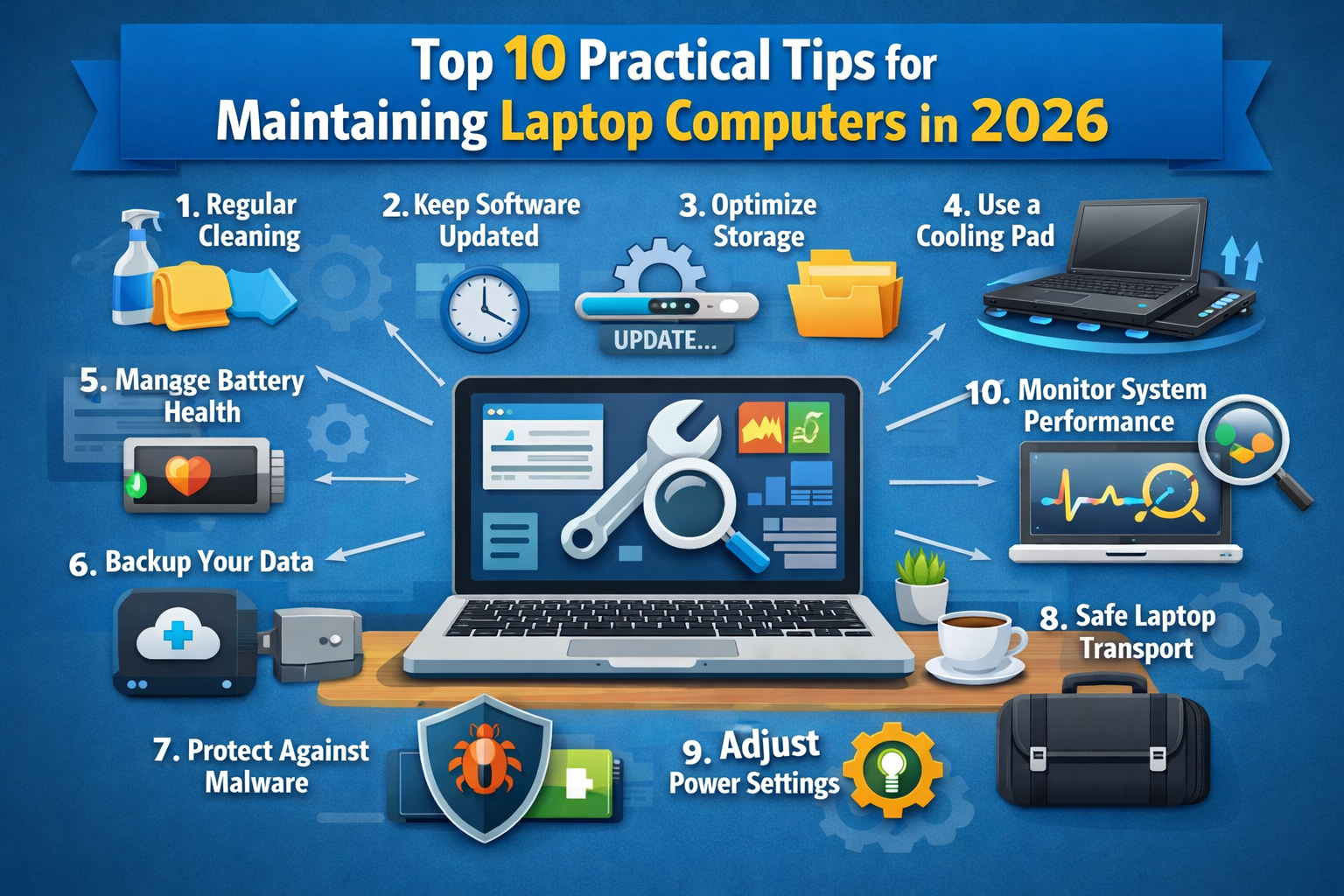
    Top 10 Practical Tips for Maintaining Laptop Computers in 2026

    Brady CottonBy Brady CottonApril 3, 2026
    Facebook Twitter Pinterest LinkedIn Tumblr Email

    In 2026, laptops remain a vital part of our daily lives—whether for work, study, gaming, or entertainment. With their increasing capabilities, performance demands, and portability, it’s important to take steps to maintain these valuable devices. Regular maintenance helps prevent common issues such as slow performance, overheating, or unexpected shutdowns, ensuring a longer lifespan and smoother operation.

    Here are the Top 10 Practical Tips for Maintaining Laptop Computers in 2026 that can keep your device running efficiently, no matter the model or brand.

    1. Keep Software and OS Up to Date

    One of the most important aspects of maintaining your laptop is ensuring that software and operating system updates are regularly applied. Manufacturers release updates to fix bugs, patch security vulnerabilities, and enhance system performance. In 2026, with the growing sophistication of cybersecurity threats, it’s essential to keep your operating system (e.g., Windows, macOS, or Linux) up to date to prevent vulnerabilities. Set your laptop to install updates automatically or manually check for them monthly.

    • Tip: Enable automatic security updates on your system for critical patches.

    2. Use Disk Cleanup and Defragmentation Tools

    Over time, your laptop’s hard drive or SSD can become cluttered with unused files, temporary data, or fragmented storage. For HDDs, use built-in tools like disk defragmentation to optimize the drive’s performance. For SSDs, although defragmentation isn’t necessary, using disk cleanup tools to remove unnecessary files helps keep things running smoothly.
    • Tip: Regularly run disk cleanup tools on your laptop to remove old files, and use your system’s built-in utilities to optimize storage.

    3. Maintain Proper Ventilation and Cooling

    Laptops are prone to overheating due to their compact size and high-performance components. Overheating can lead to system crashes, reduced battery life, or even permanent hardware damage.

    • Tip: Use a cooling pad or laptop stand to improve airflow. Periodically clean air vents using compressed air to remove dust and debris. If you notice your laptop becoming hot to the touch, consider using an external cooling solution.

    4. Clean the Keyboard and Screen Regularly

    Your laptop’s keyboard and screen are where you interact most with the device, so it’s important to keep them clean and free from dirt, oil, and bacteria.

    • Tip: Use a microfiber cloth for the screen and a gentle keyboard cleaning brush to remove dust and debris. For deeper cleaning, lightly dampen the cloth with a solution of water and isopropyl alcohol (70%).

    5. Back Up Your Data

    Data loss is one of the most devastating issues that can happen to a laptop user. Whether it’s due to hardware failure, accidental deletion, or malicious software, losing important files can be a nightmare. Regularly back up your data to an external hard drive, cloud storage, or both.

    • Tip: Set up cloud backups (e.g., Google Drive, Dropbox, or OneDrive) and sync your important files automatically. Additionally, use an external hard drive for a physical backup.

    6. Manage Battery Health

    Battery health remains a concern, even in 2026. Lithium-ion batteries, common in laptops, degrade over time due to charge cycles. Keeping your laptop battery healthy requires a bit of attention.

    • Tip: Avoid keeping your laptop plugged in all the time. When possible, unplug it when the battery reaches 80% and recharge when it drops to around 20%. If your laptop has battery health management features, enable them to extend its lifespan.

    7. Protect Against Malware and Viruses

    Cybersecurity continues to be a major issue as digital threats evolve. In 2026, sophisticated malware, ransomware, and phishing attacks can compromise your laptop. Installing and maintaining antivirus software and running periodic scans is a good defense.

    • Tip: Invest in reliable antivirus software (e.g., Norton, Bitdefender, or Windows Defender) and enable real-time protection. Avoid downloading software from untrusted sources or clicking on suspicious links.

    8. Use a Surge Protector or UPS

    Power surges or sudden outages can damage your laptop’s internal components or corrupt important files. A surge protector helps regulate the power supply and prevent damage from electrical spikes.

    • Tip: Invest in a surge protector or uninterruptible power supply (UPS) if you’re working on important tasks. A UPS also allows you to save your work in case of an unexpected power loss.

    9. Perform Regular Hardware Diagnostics

    Hardware issues can often be detected early with periodic diagnostics. In 2026, many laptops have built-in diagnostic tools that can check for potential problems with your CPU, RAM, storage, and other critical components.

    • Tip: Use the laptop’s built-in diagnostic tool (e.g., Apple Diagnostics for macOS or Windows Memory Diagnostic for Windows) to check for hardware issues periodically. Address any problems immediately to avoid serious malfunctions down the line.

    10. Use a Protective Case and Keep It Safe

    Physical protection is essential for maintaining a laptop’s longevity. Laptops are portable, which makes them vulnerable to accidental drops, spills, or scratches.

    • Tip: Invest in a protective case or sleeve for your laptop to prevent damage during transport. Always place your laptop on a stable surface and avoid eating or drinking near it to prevent accidental spills.

    Bonus Tip: Keep Your Laptop Updated with the Latest Tech

    With technological advances in 2026, laptops may require periodic upgrades to keep up with the latest trends in performance and software demands. For example, upgrading your RAM or SSD can significantly improve your laptop’s speed and responsiveness.

    • Tip: Check for upgrade options available for your specific model—some laptops still offer expandable memory or additional storage.

    Conclusion:

    Maintaining your laptop in 2026 requires both regular care and an understanding of how technology is evolving. By following these Top 10 Practical Tips, you can ensure your laptop remains a reliable, high-performing tool for years to come. Whether you’re keeping your software updated, protecting the hardware, or backing up important data, small maintenance tasks can prevent major headaches and extend the life of your device.

    Remember, a well-maintained laptop is not just a more efficient tool; it’s an investment that pays off in productivity, security, and enjoyment. So, start today and give your laptop the care it deserves.

    Share. Facebook Twitter Pinterest LinkedIn Tumblr Email

    Related Posts

    5 Apps Every Parent Needs on Their Smartphone

    What Is an SSL Certificate and How to Work?

    Ensure Component Integrity and Reduce Risk with Expert Inspection Services

    Leave A Reply Cancel Reply

    You must be logged in to post a comment.

    voopoo drag 6
    oxva xlim 3 ultra
    sp2s sen x disposable vape
    • Popular
    • 3D Printer REVIEW
    • XIAOMI
    March 16, 2026

    OXVA Slimstick VS OXVA Slimstick X Vape Hands-on Review

    March 5, 2026

    OXVA XLIM PRO 3 vs XLIM Pro 2 DNA: Hands-On Review

    March 5, 2026

    OXVA XLIM PRO 3 vs XLIM GO 2: Hands-On Review

    March 2, 2026

    OXVA XLIM PRO 3 vs XLIM 3 ULTRA: Hands-On Review

    December 26, 2025

    ACMER ASCARVA 4S: Precision CNC Power for Makers, DIYers & Small Workshops

    June 23, 2024

    ACMER P2 20W Laser Engraver Fixed Focus Engraving: Hands on Review

    May 30, 2024

    xTool F1 Ultra Review: World’s First 20W Fiber & 20W Diode Laser Engraver

    May 30, 2024

    Anycubic Kobra 3 Combo Review: The Multicolor Masterpiece?

    April 1, 2026

    Xiaomi Smart Camera 4 Max AI Zoom Edition Released: 12x zoom, supports elderly/children/pet monitoring at 799 yuan!

    March 29, 2026

    Xiaomi Watch S5 Review: 316L Stainless Steel, Ultra-Long Battery Life

    March 26, 2026

    The Telephoto Lens of Xiaomi 18 Ultra has Undergone a Comprehensive Upgrade: with an Ultra-Large Sensor, LOFIC Technology

    March 26, 2026

    Xiaomi Redmi Pad 2 Pro 5G Edition is available for purchase: Supports 5G all-network and China Unicom eSIM, 8G + 256G priced at 2599 yuan.

    fc 26 coins
    New Arrivals
    • Dotmod dotBox V2 Vape Mod Kit Dotmod dotBox V2 Vape Mod Kit
    • Valaya Amp 60K By Uwell Disposable Vape Valaya Amp 60K By Uwell Disposable Vape
    • Vivo V70 Vivo V70
    • Waspe Bar 60K Disposable Vape Waspe Bar 60K Disposable Vape
    • Dojo Purex 60K Disposable Vape Dojo Purex 60K Disposable Vape
    • Geekvape Kloud Refillable Disposable Vape Geekvape Kloud Refillable Disposable Vape
    • Suonon Amber 80K Disposable Vape Kit Suonon Amber 80K Disposable Vape Kit
    • iJOY XP50000 Zero Nicotine Disposable Vape iJOY XP50000 Zero Nicotine Disposable Vape
    • OXBAR ROVOTA DTL 40K Disposable Vape OXBAR ROVOTA DTL 40K Disposable Vape
    About
  • Igeekphone.com provides the first global tech news and reviews about smartphone, vapes, e-cigar, smart home, 3D printers, e-bike,tablets, RC drones, VR headset, and other accessories. It's the best platform to improve your brand and product.
  • Contact us: info@igeekphone.com
  • Check Our Privacy Policy Here.
  • Note: *Right now we have US editor and EU editors for review, especially for Amazon US and EU.
  • *Shop and Compare Price Here*
  • Facebook
  • Youtube
  • OUR BEST VAPE PARTNERS
  • VAPE ONLINE STORE
  • HAYATI PRO MAX PLUS
  • VAPORESSO
  • VOOPOO
  • OXVA
  • NEXA
  • MASKKING
  • TODOO
  • SP2S
  • VEIIK
  • OTHER BEST PARTNERS
  • SVBONY
  • Chuwi
  • Blackview
  • Fossibot
  • Unihertz
  • Flsun
  • Anycubic
  • Xtool
  • Oukitel
  • Mukkpet Ebike
  • Ugreen
  • Copyright © 2026 igeekphone

    Type above and press Enter to search. Press Esc to cancel.