










In 2026, laptops remain a vital part of our daily lives—whether for work, study, gaming, or entertainment. With their increasing capabilities, performance demands, and portability, it’s important to take steps to maintain these valuable devices. Regular maintenance helps prevent common issues such as slow performance, overheating, or unexpected shutdowns, ensuring a longer lifespan and smoother operation.
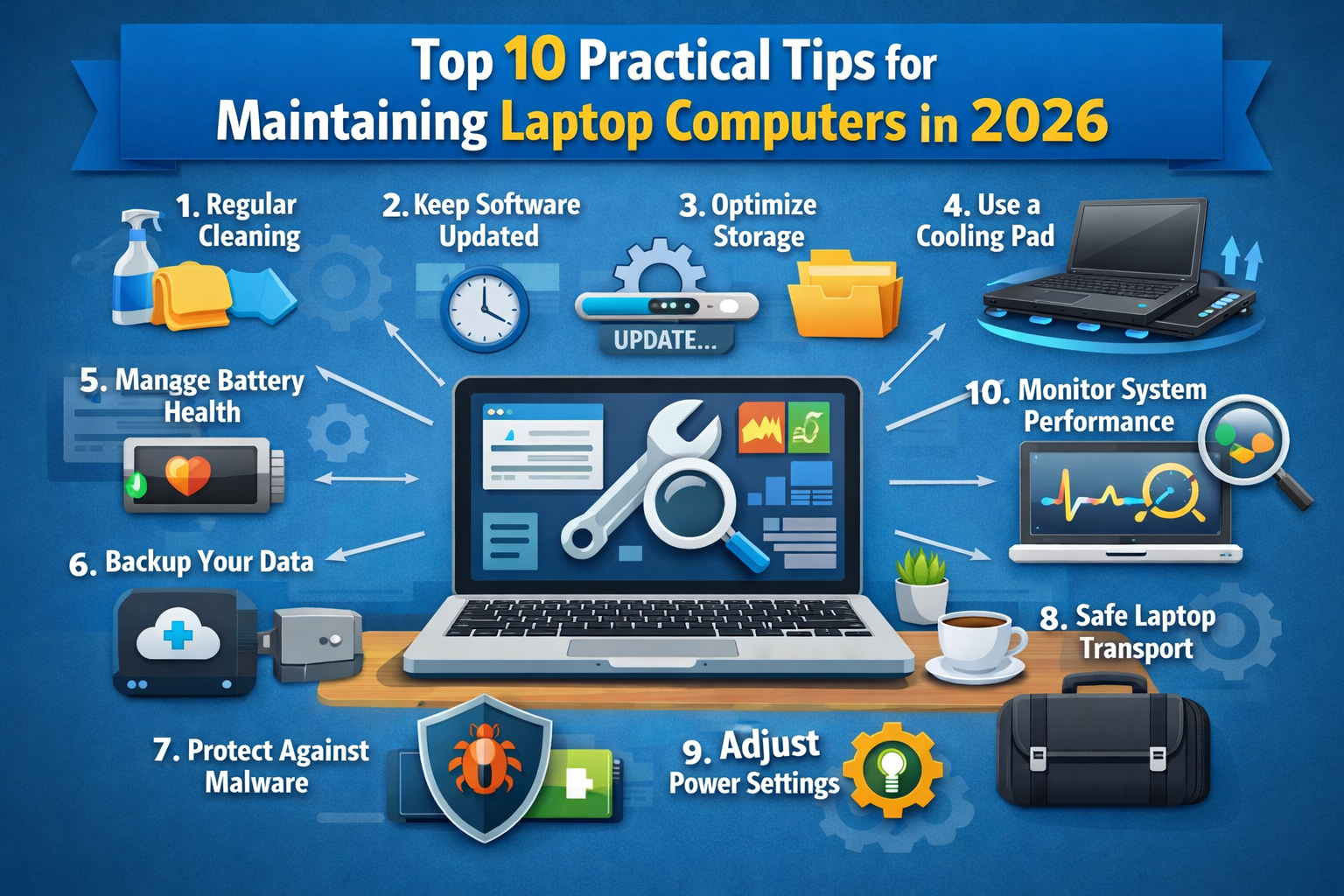
Here are the Top 10 Practical Tips for Maintaining Laptop Computers in 2026 that can keep your device running efficiently, no matter the model or brand.
1. Keep Software and OS Up to Date
One of the most important aspects of maintaining your laptop is ensuring that software and operating system updates are regularly applied. Manufacturers release updates to fix bugs, patch security vulnerabilities, and enhance system performance. In 2026, with the growing sophistication of cybersecurity threats, it’s essential to keep your operating system (e.g., Windows, macOS, or Linux) up to date to prevent vulnerabilities. Set your laptop to install updates automatically or manually check for them monthly.
- Tip: Enable automatic security updates on your system for critical patches.
2. Use Disk Cleanup and Defragmentation Tools
Over time, your laptop’s hard drive or SSD can become cluttered with unused files, temporary data, or fragmented storage. For HDDs, use built-in tools like disk defragmentation to optimize the drive’s performance. For SSDs, although defragmentation isn’t necessary, using disk cleanup tools to remove unnecessary files helps keep things running smoothly.
- Tip: Regularly run disk cleanup tools on your laptop to remove old files, and use your system’s built-in utilities to optimize storage.
3. Maintain Proper Ventilation and Cooling
Laptops are prone to overheating due to their compact size and high-performance components. Overheating can lead to system crashes, reduced battery life, or even permanent hardware damage.
- Tip: Use a cooling pad or laptop stand to improve airflow. Periodically clean air vents using compressed air to remove dust and debris. If you notice your laptop becoming hot to the touch, consider using an external cooling solution.
4. Clean the Keyboard and Screen Regularly
Your laptop’s keyboard and screen are where you interact most with the device, so it’s important to keep them clean and free from dirt, oil, and bacteria.
- Tip: Use a microfiber cloth for the screen and a gentle keyboard cleaning brush to remove dust and debris. For deeper cleaning, lightly dampen the cloth with a solution of water and isopropyl alcohol (70%).
5. Back Up Your Data
Data loss is one of the most devastating issues that can happen to a laptop user. Whether it’s due to hardware failure, accidental deletion, or malicious software, losing important files can be a nightmare. Regularly back up your data to an external hard drive, cloud storage, or both.
- Tip: Set up cloud backups (e.g., Google Drive, Dropbox, or OneDrive) and sync your important files automatically. Additionally, use an external hard drive for a physical backup.
6. Manage Battery Health
Battery health remains a concern, even in 2026. Lithium-ion batteries, common in laptops, degrade over time due to charge cycles. Keeping your laptop battery healthy requires a bit of attention.
- Tip: Avoid keeping your laptop plugged in all the time. When possible, unplug it when the battery reaches 80% and recharge when it drops to around 20%. If your laptop has battery health management features, enable them to extend its lifespan.
7. Protect Against Malware and Viruses
Cybersecurity continues to be a major issue as digital threats evolve. In 2026, sophisticated malware, ransomware, and phishing attacks can compromise your laptop. Installing and maintaining antivirus software and running periodic scans is a good defense.
- Tip: Invest in reliable antivirus software (e.g., Norton, Bitdefender, or Windows Defender) and enable real-time protection. Avoid downloading software from untrusted sources or clicking on suspicious links.
8. Use a Surge Protector or UPS
Power surges or sudden outages can damage your laptop’s internal components or corrupt important files. A surge protector helps regulate the power supply and prevent damage from electrical spikes.
- Tip: Invest in a surge protector or uninterruptible power supply (UPS) if you’re working on important tasks. A UPS also allows you to save your work in case of an unexpected power loss.
9. Perform Regular Hardware Diagnostics
Hardware issues can often be detected early with periodic diagnostics. In 2026, many laptops have built-in diagnostic tools that can check for potential problems with your CPU, RAM, storage, and other critical components.
- Tip: Use the laptop’s built-in diagnostic tool (e.g., Apple Diagnostics for macOS or Windows Memory Diagnostic for Windows) to check for hardware issues periodically. Address any problems immediately to avoid serious malfunctions down the line.
10. Use a Protective Case and Keep It Safe
Physical protection is essential for maintaining a laptop’s longevity. Laptops are portable, which makes them vulnerable to accidental drops, spills, or scratches.
- Tip: Invest in a protective case or sleeve for your laptop to prevent damage during transport. Always place your laptop on a stable surface and avoid eating or drinking near it to prevent accidental spills.
Bonus Tip: Keep Your Laptop Updated with the Latest Tech
With technological advances in 2026, laptops may require periodic upgrades to keep up with the latest trends in performance and software demands. For example, upgrading your RAM or SSD can significantly improve your laptop’s speed and responsiveness.
- Tip: Check for upgrade options available for your specific model—some laptops still offer expandable memory or additional storage.
Conclusion:
Maintaining your laptop in 2026 requires both regular care and an understanding of how technology is evolving. By following these Top 10 Practical Tips, you can ensure your laptop remains a reliable, high-performing tool for years to come. Whether you’re keeping your software updated, protecting the hardware, or backing up important data, small maintenance tasks can prevent major headaches and extend the life of your device.
Remember, a well-maintained laptop is not just a more efficient tool; it’s an investment that pays off in productivity, security, and enjoyment. So, start today and give your laptop the care it deserves.