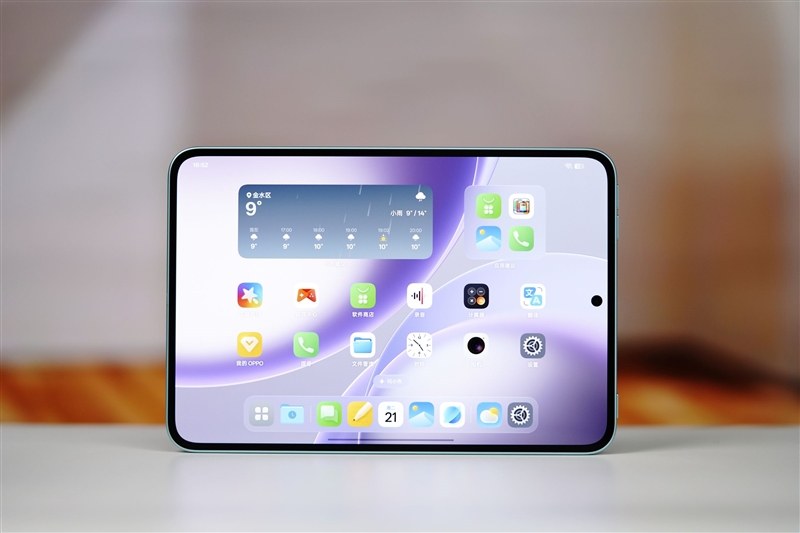
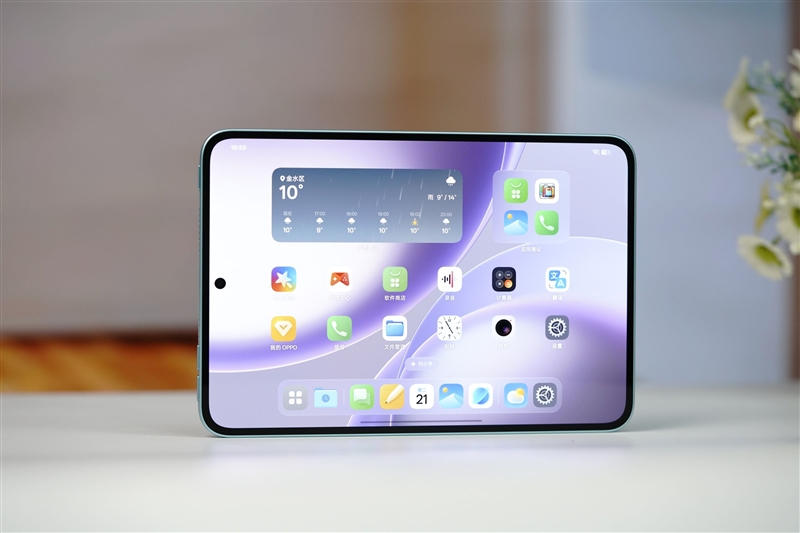
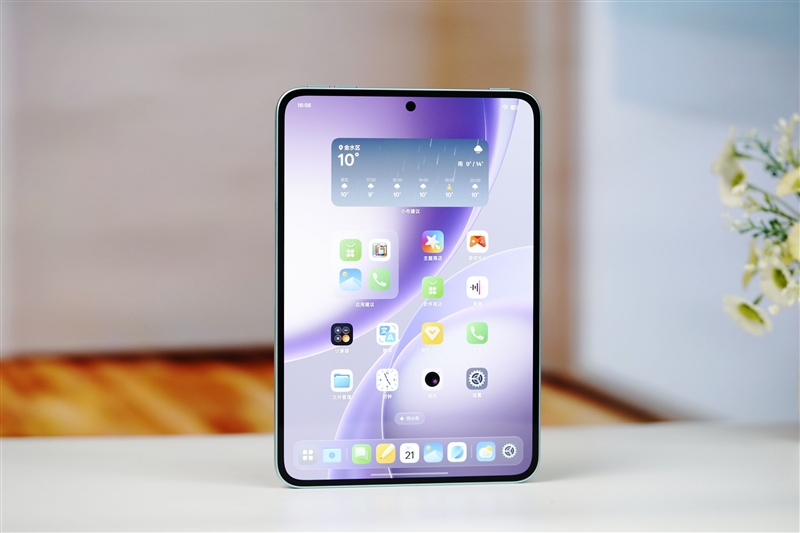
The arrival of the OPPO Pad Minifinally gives Android users a true flagship mini tablet option. Over the past two years, the tablet market has focused heavily on larger displays. Brands have continued pushing 12-inch, 13-inch, and even 14-inch tablets, all competing to deliver bigger screens, larger batteries, and stronger entertainment experiences. While large tablets became the trend, compact Android tablets were mostly ignored.
OPPO Pad Mini
For years, small Android tablets struggled with compromises. Some offered lightweight designs but weak displays with low brightness and poor refresh rates. Others delivered solid performance but became too heavy and bulky, losing the convenience that makes compact tablets appealing in the first place.
Because of this, Apple’s iPad mini remained the benchmark for small tablets, while Android alternatives often felt incomplete.
That changes with the OPPO Pad Mini. Officially launched on April 21, OPPO positions it as a premium compact Android tablet built for gaming, entertainment, and portability.
After several days of use, the device stands out for one key reason: balance. Unlike many previous mini Android tablets, it avoids major compromises in performance, display quality, portability, and battery life.
The tablet features an 8.8-inch 2.5K OLED display with a 144Hz refresh rate and up to 1600 nits of peak brightness. The screen delivers sharp visuals, smooth scrolling, and excellent outdoor visibility. Combined with ultra-thin bezels and a 92.5% screen-to-body ratio, the viewing experience feels immersive despite the compact size.
Performance is another major highlight. The tablet is powered by the Qualcomm Snapdragon 8 Gen 5 processor, making it one of the first compact Android tablets to use Qualcomm’s latest flagship chipset. With an AnTuTu score reportedly reaching 3.21 million, the device is designed to handle demanding games, multitasking, and high-performance apps with ease.
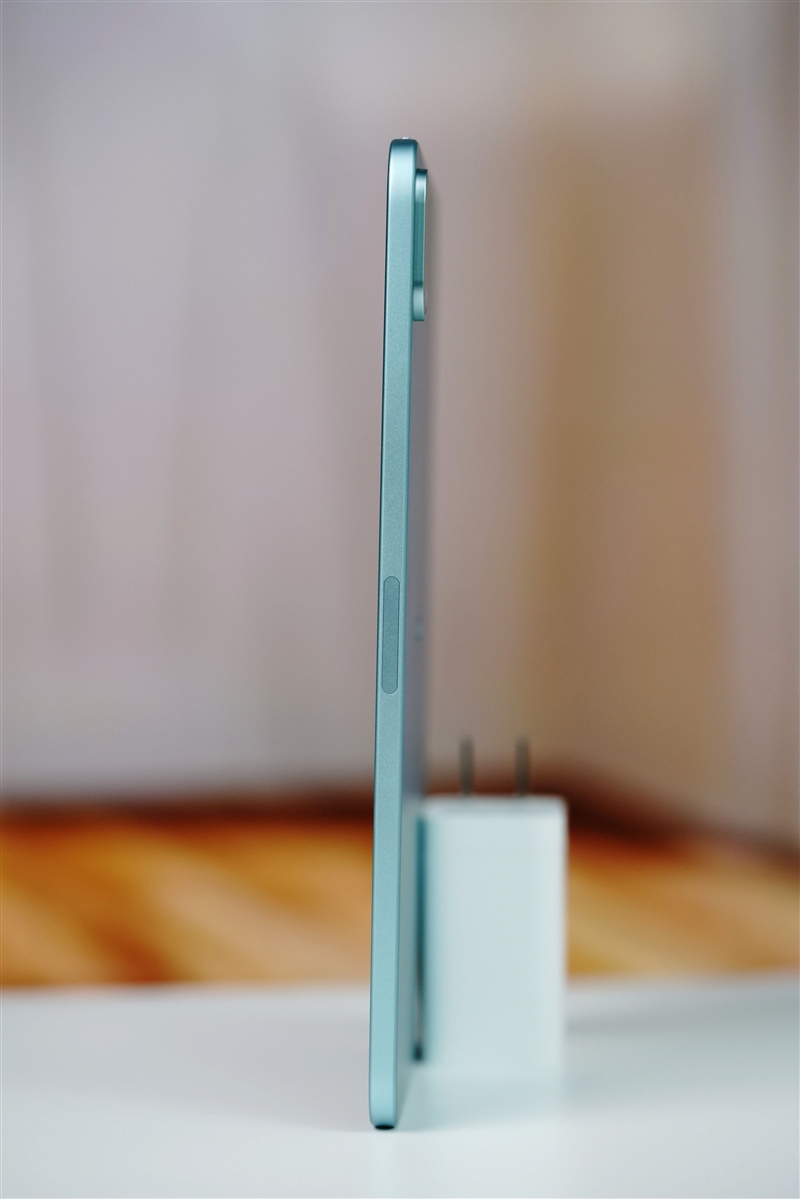
What makes the hardware even more impressive is how lightweight the device remains. The tablet weighs just 279g and measures only 5.39mm thick, making it comfortable to use with one hand and easy to carry during travel or daily commutes. It is even lighter than many competing mini tablets, including the iPad mini.
Battery life is also a strong point. Despite its slim design, the tablet includes an 8000mAh battery with 67W fast charging support, helping solve one of the biggest weaknesses traditionally associated with compact tablets.
Design
The OPPO Pad Mini features an 8.8-inch OLED display with a 3:2 aspect ratio, 2520 × 1680 resolution, and 344ppi pixel density. It supports a 144Hz refresh rate and 240Hz touch sampling for smoother scrolling and responsive gaming. Peak brightness reaches 1600 nits, delivering vivid colors and sharp visuals.
The tablet uses an ultra-narrow bezel design with evenly sized borders measuring just 2.99mm. Its 92.5% screen-to-body ratio creates a clean, immersive front view. Rounded corners and a compact body improve one-handed comfort and make the device easier to hold for long periods.
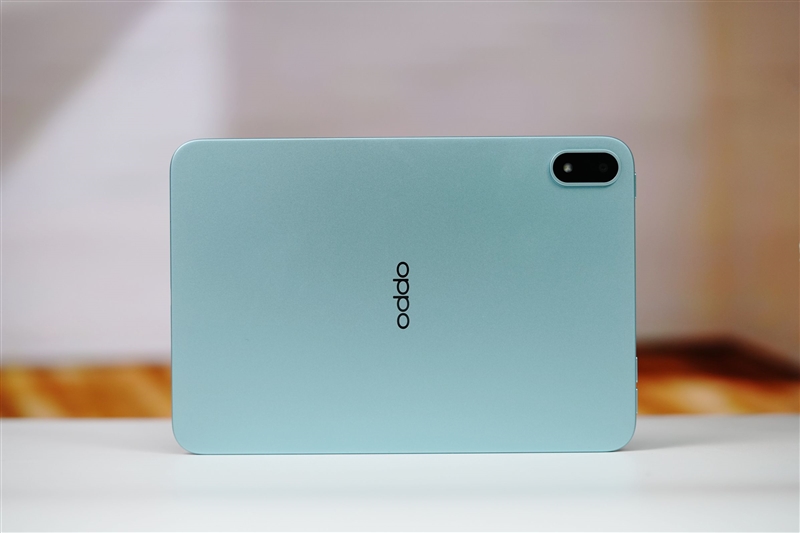
An 8MP front camera is placed at the center of the top bezel for video calls and online meetings. The model shown here comes in the Mint Green color option. It uses a unibody metal chassis with an anodized sandblasted finish, giving the tablet a smooth and premium feel.
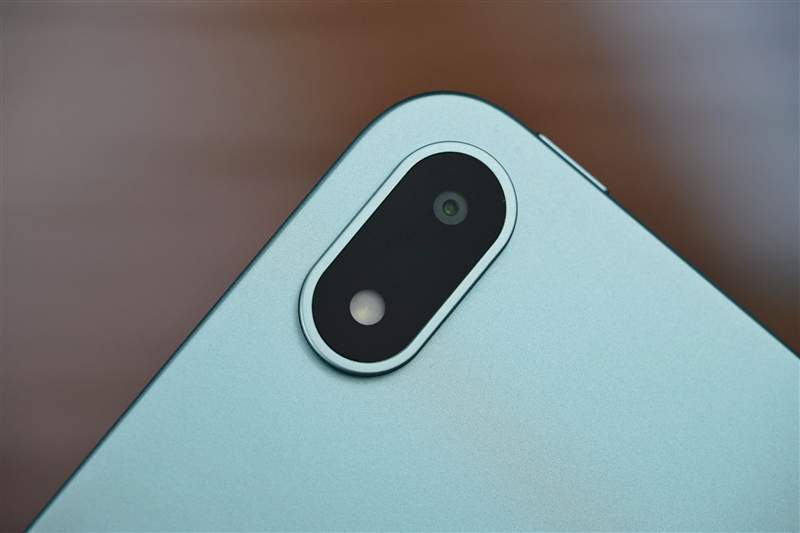
On the back, the 13MP rear camera and flash sit inside a slightly raised circular module. The curved edge transition blends naturally into the rear panel, keeping the design minimal and modern. The tablet measures only 5.39mm thick and weighs 279g, making it lightweight and highly portable.
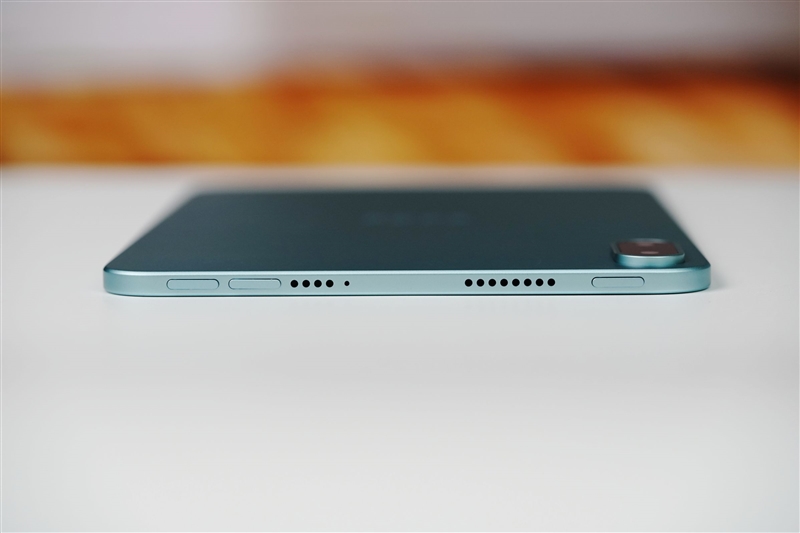
Dual stereo speakers are positioned symmetrically on both sides of the device. Combined with the matte metal frame, the audio setup delivers an immersive experience for gaming and video playback in landscape mode.
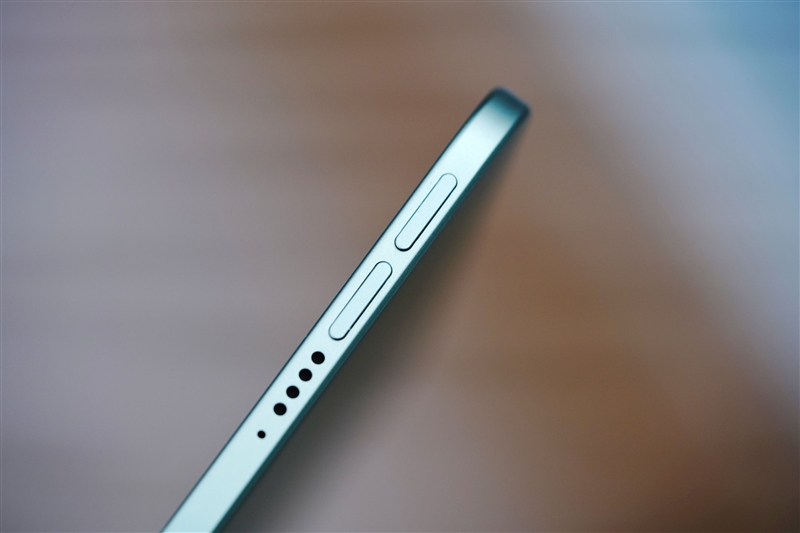
The power button and volume controls are placed on the top edge with a matching matte finish. The buttons provide crisp tactile feedback, while the nearby microphone and speaker grilles maintain the tablet’s clean layout.
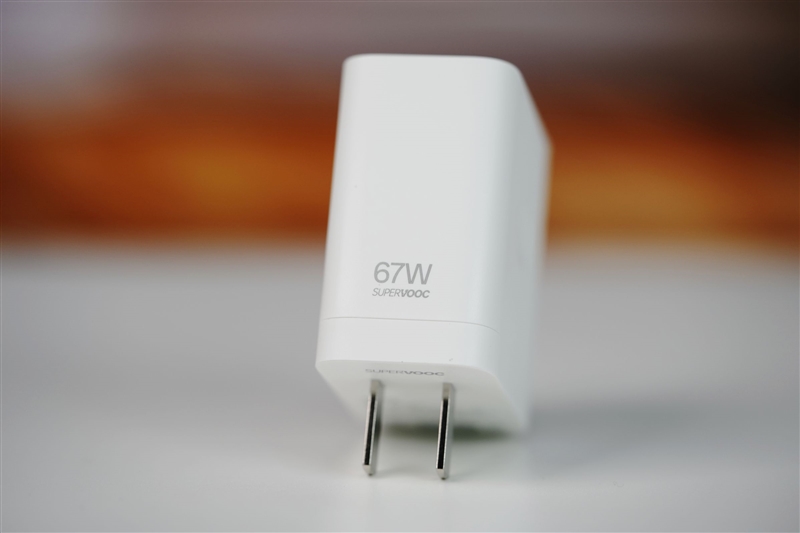
Inside the box, OPPO includes a 67W fast charging adapter for quicker charging out of the box.
Performance Test
Despite its slim 8.8-inch design, the OPPO Pad Mini packs serious flagship-level performance. It is the first compact tablet powered by the Qualcomm Snapdragon 8 Gen 5 mobile platform, built on an advanced 3nm process. The chipset features two 3.80GHz ultra cores, six 3.32GHz performance cores, and an Adreno 840 GPU, delivering strong gaming and multitasking performance.
To test its real-world capabilities, we ran three popular mobile games under maximum performance settings.
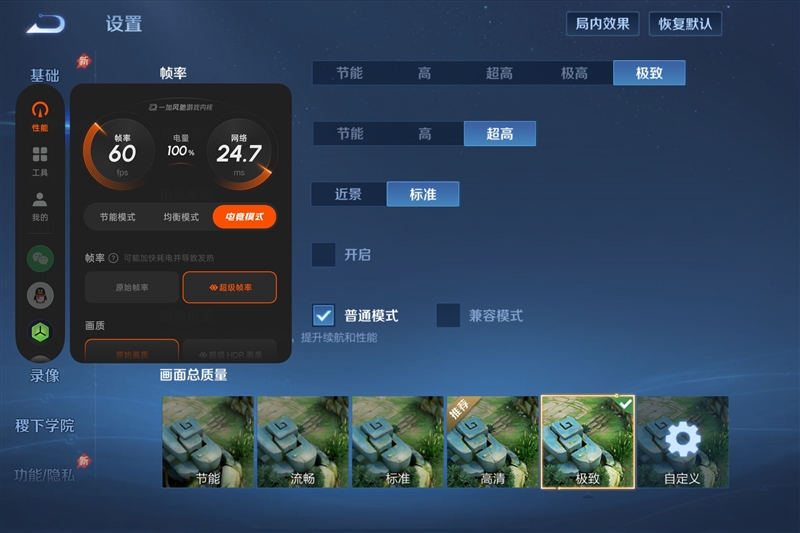
(Honor of Kings)
Using the built-in Game Assistant, we enabled Esports Mode with maximum graphics and frame rate settings.
During a full 5v5 match in Honor of Kings, the OPPO Pad Mini maintained a stable 144FPS with almost no frame drops or fluctuations.
Average power consumption: 4.23W
Power per frame: 29.4mW
Gameplay felt consistently smooth and responsive throughout the match.
Game for Peace
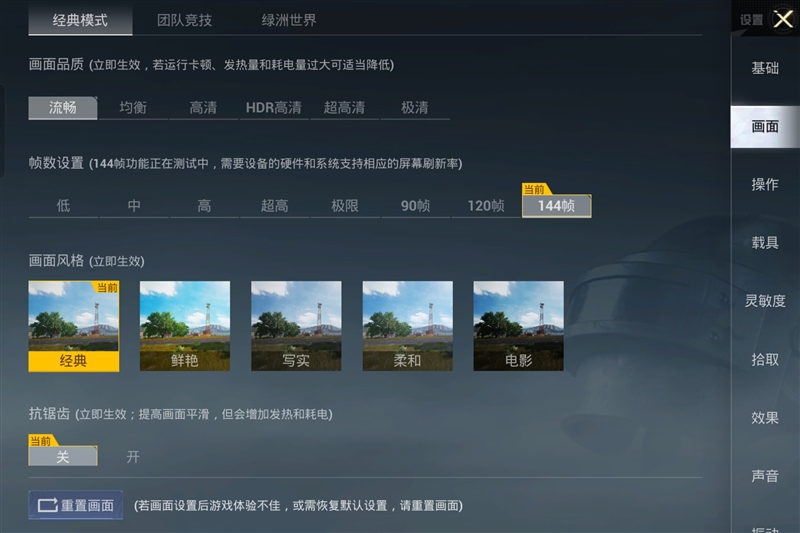
For Peacekeeper Elite, we enabled Smooth Graphics with 144FPS mode and activated Esports Mode for full performance output.
In a classic 4-player squad match, the tablet delivered an average frame rate of 143.5FPS with only 0.3 frame fluctuation. Gameplay remained stable with no noticeable lag or stutter.
Average power consumption: 4.69W
Power per frame: 32.7mW
The overall experience stayed fluid even during intense combat scenes.
(Genshin Impact)
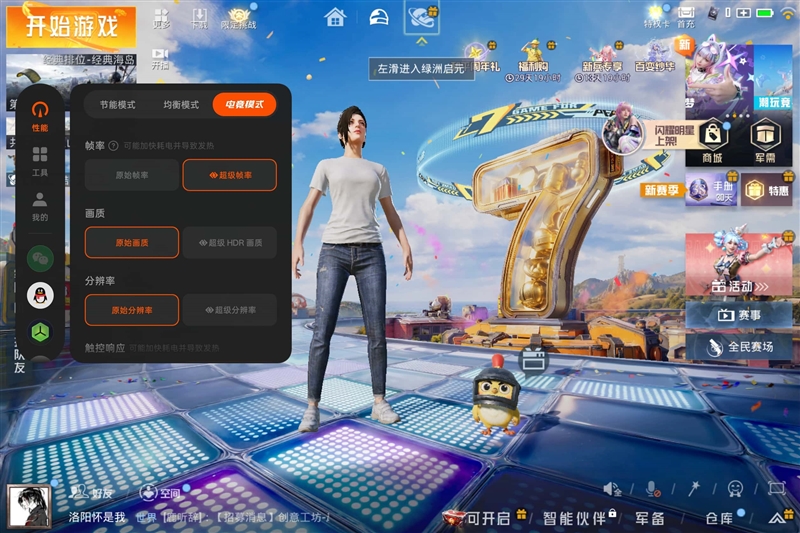
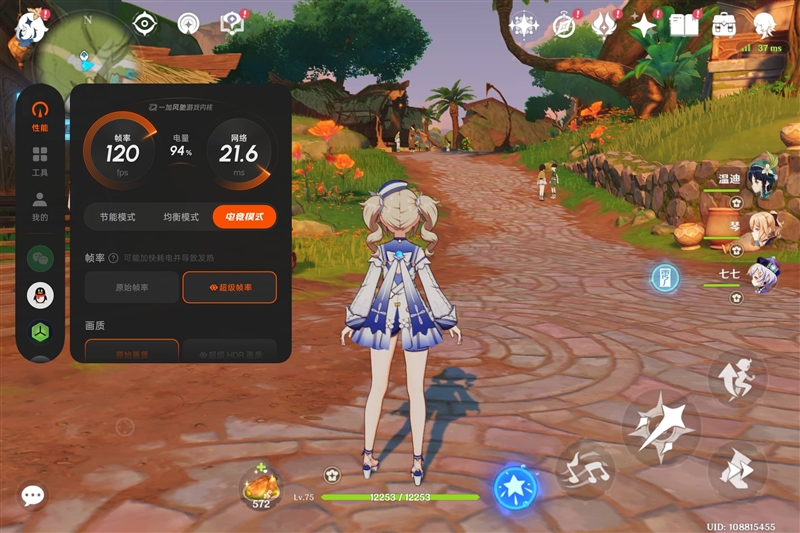
In Genshin Impact, we enabled Esports Mode and Super Frame Rate mode while running the game at maximum graphics settings in Sumeru City for a 10-minute test.
With frame interpolation enabled, the game was boosted from 60FPS to 120FPS, resulting in noticeably smoother visuals. OPPO’s AI-based frame generation uses deep learning technology, creating a more natural high-frame-rate experience without obvious ghosting or screen tearing.
Throughout the 10-minute gameplay session, frame rates remained highly stable at around 120FPS, with an average of 119.8FPS and only 0.2 fluctuation.
Average power consumption: 5.69W
Power per frame: 47.5 mW
In actual gameplay, movement and camera transitions felt extremely smooth with no visible stutter.
Productivity Tool
The OPPO Pad Mini is not just for streaming and gaming. It also includes several smart features designed for creativity, productivity, and everyday use. After testing it hands-on, here’s what stood out.
1. 92.5% Screen-to-Body Ratio and 144Hz Display Improve Daily Use
Browsing apps like Xiaohongshu feels immersive on the OPPO Pad Mini. The 2.99mm ultra-slim bezels and 92.5% screen-to-body ratio create a near full-screen viewing experience. Combined with the 144Hz OLED display, scrolling through feeds feels smooth and responsive with almost no blur or lag.
Shopping and multitasking are also more comfortable. The split-screen mode gives both apps enough viewing space thanks to the slim bezels. Its 8.8-inch size sits between a smartphone and a large tablet, offering a wider display without feeling too heavy during long use.
2. Comfortable Reading Experience With Eye Protection
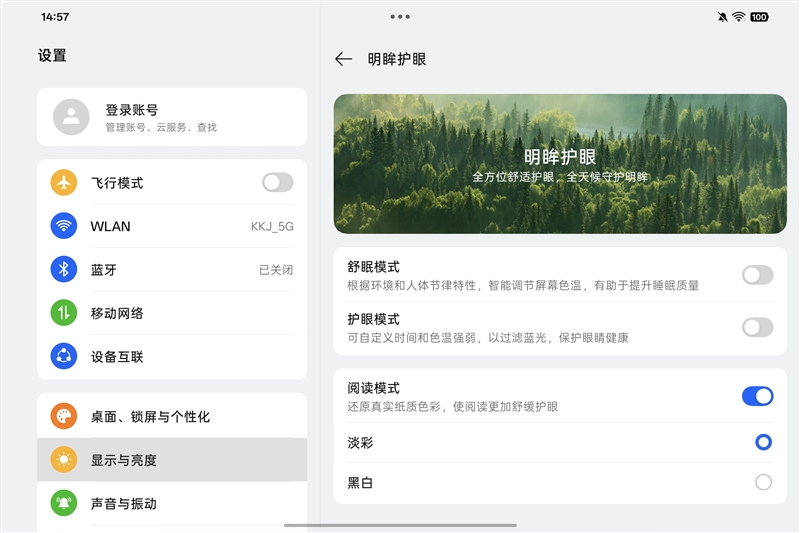
Even without the matte display version, the OPPO Pad Mini still delivers strong eye-care features. It includes hardware-level low blue light protection that reduces harmful blue light while keeping colors natural.
A useful addition is the “Soft Color Mode,” which makes the display easier on the eyes by reducing harsh colors while still keeping enough detail visible. It creates a reading experience similar to an e-ink display.
At only 279g, the tablet is lightweight and easy to hold with one hand. Reading eBooks, articles, or documents for long periods feels comfortable. The OLED panel also provides sharper text and better contrast than standard LCD tablets, helping reduce eye strain during extended reading sessions.
3. AI Drawing Tools Make Content Creation Easier
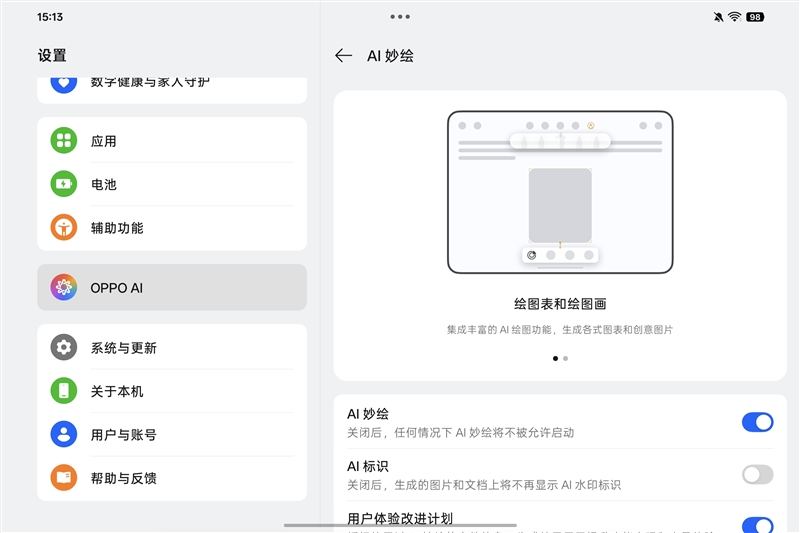
Inside the OPPO AI settings, users can access AI Drawing features that help turn simple ideas into polished visuals.
The experience becomes even better with the new OPPO Pencil 3 Pro. The stylus magnetically attaches to the side of the tablet for instant pairing and charging, making it easy to pick up and use anytime.
With 16,000 pressure levels and nearly zero activation force, writing feels natural and responsive. The X-axis linear motor also adds vibration feedback, giving different brushes and pens a more realistic writing feel instead of the usual “glass surface” sensation.
One of the most useful features is the AI Quick Wheel. Squeezing the stylus opens a circular menu with shortcuts like AI Circle, Notes, Global Annotation, and Presentation Pointer. This reduces extra steps and keeps workflows fast and efficient.
The AI Circle tool is especially practical. Users can circle any image or text on the screen, and the system instantly recognizes the content. From there, it can create notes, answer AI questions, enhance image quality, or remove backgrounds from photos. The simple “press, circle, process” workflow makes studying and office tasks much faster.
The stylus also supports a ringing locator feature, helping users quickly find the pen when it is nearby.
AI Chart Creation
AI Drawing can also turn sketches or reference images into clean mind maps, bar charts, or line graphs within seconds. The generated layouts look polished and can be edited or exported easily.
AI Illustration Generation
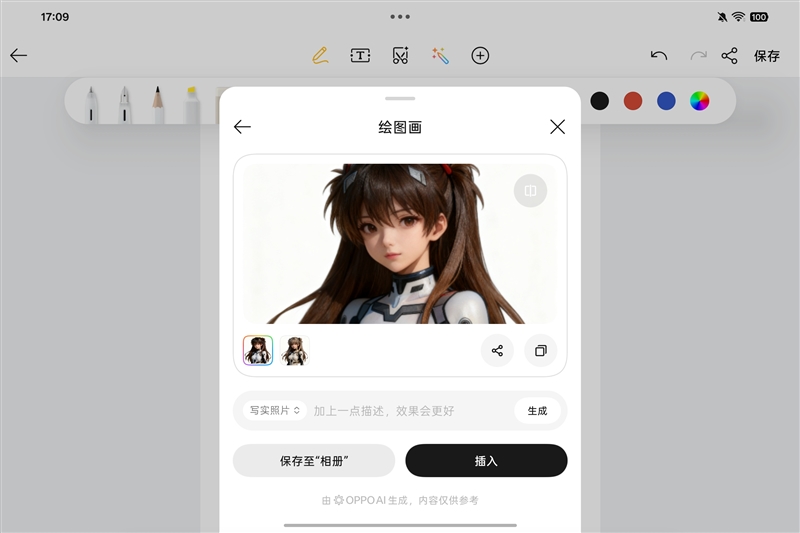
Users can also transform simple doodles into complete artwork. After circling a sketch, different styles such as watercolor or 3D animation can be applied automatically. This makes digital art creation much more accessible, even for beginners.
4. PC-Level CapCut Editing on a Portable Tablet
The built-in CapCut app on the OPPO Pad Mini offers a PC-style editing experience with more advanced tools than the standard mobile version.
Importing videos and images from the gallery is quick and convenient. During testing, editing a 4K video timeline remained smooth with no major lag. Tasks like applying filters, adjusting colors, and adding background music all felt responsive and easy to manage.
For users who want portable video editing without carrying a laptop, the OPPO Pad Mini works surprisingly well as a compact editing station.
Battery Life and Charging
Despite its ultra-slim 5.39mm body, the OPPO Pad Mini packs a large 8000mAh battery and supports 67W SUPERVOOC fast charging. Battery life and charging speeds were tested in real-world usage scenarios.
Battery Life Test
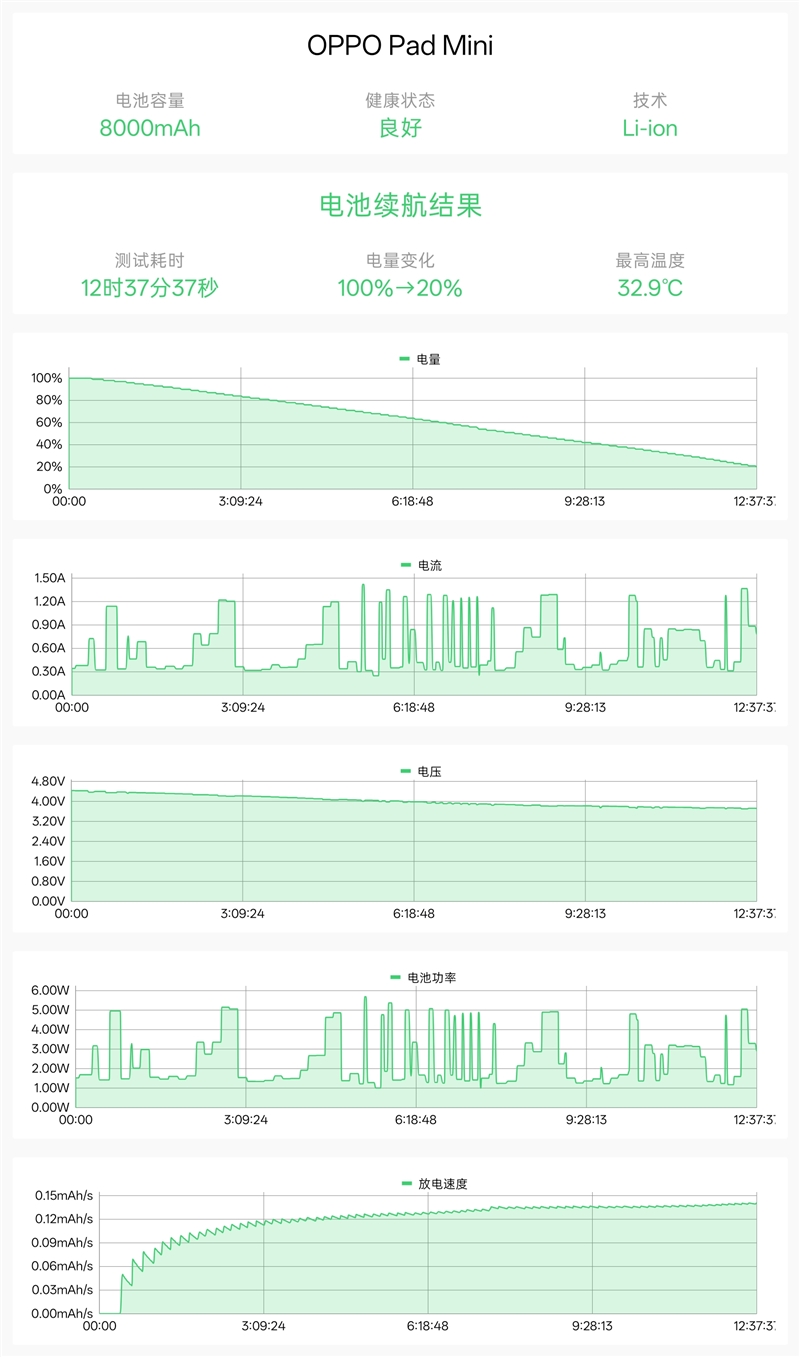
The tablet was tested using a comprehensive battery benchmark that simulated daily tasks such as CPU-intensive workloads, AI processing, image browsing, video playback, and web browsing. Screen brightness was fixed at 50%, auto-brightness was disabled, and volume was set to 30% for consistent results.
In testing, the OPPO Pad Mini lasted 12 hours and 37 minutes from 100% down to 20% battery. Based on the results, total battery life is estimated at around 15.8 hours on a full charge, delivering strong all-day endurance for entertainment and productivity.
Charging Test
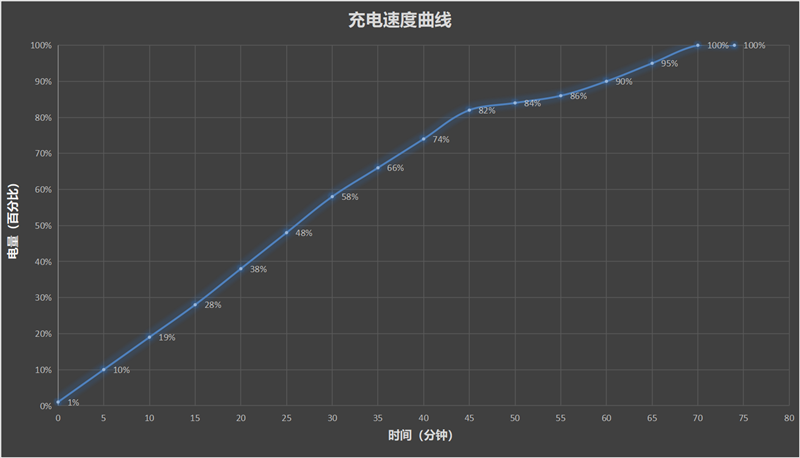
Charging performance was tested with the screen turned off. The battery charged from 1% to 10% in 10 minutes, reached 58% in 30 minutes, and hit 90% in one hour. The tablet showed a full charge at 1 hour and 10 minutes, while a complete charge took around 74 minutes.
Verdict
OPPO Pad Mini
The OPPO Pad Miniproves that a small Android tablet no longer means making compromises. It combines flagship-level performance, a premium display, and long battery life in a lightweight body that is easy to carry every day.
The 8.8-inch 2.5K OLED display is one of its biggest highlights. With a 144Hz refresh rate, 1600 nits peak brightness, and a 92.5% screen-to-body ratio, the viewing experience feels smooth and immersive. Whether you are scrolling through social media, watching videos, or gaming, the screen delivers sharp visuals and fluid motion.
Performance is another strong point. Powered by the Snapdragon 8 Gen 5, the tablet handles demanding games with ease. Games like Genshin Impact can run at stable high frame rates, while features like Lingxi Touch and frame enhancement improve responsiveness and visual quality. For mobile gamers, it feels like a compact performance powerhouse.
Despite weighing only 279g, the OPPO Pad Mini packs an 8000mAh battery that delivers excellent endurance. In testing, battery life reached nearly 16 hours on a full charge, making two-day light usage realistic. The lightweight design also makes it comfortable for travel, commuting, and long entertainment sessions.
The tablet also adds useful productivity and creative features. PC-level CapCut support makes mobile video editing far more practical, while AI-powered creative tools help turn quick ideas into polished content without needing a laptop.
There are still a few limitations. The standard version may not be ideal for users who spend long hours reading, so the matte soft-light edition could be the better choice for heavy readers. In addition, the 8.8-inch screen can feel cramped during split-screen multitasking, especially when working with multiple documents.
Overall, the OPPO Pad Mini is best suited for three types of users:
Mobile gamers who want responsive controls and a compact device with flagship performance.
Content creators who enjoy shooting photos, editing Vlogs, and creating content on the go.
Daily commuters who want something lighter than a large tablet but more immersive than a smartphone.
If your phone screen feels too small and traditional tablets feel too bulky, the OPPO Pad Mini offers a balanced middle ground with very few compromises.