Facebook Twitter Instagram
    Trending
    • Is it Possible that Vaping Reduces Blood Pressure?
    • 2026 iPhone Guide: How to Set Custom Ringtones on iPhone
    • Xiaomi’s first over-ear headphones made their debut! With a mirror-like body and transparent sound-emitting balls, the design is truly unique.
    • Apple iPhone 18 Pro / Max makes another big announcement: It features “Dark Cherry” color, and the rear camera layout remains unchanged.
    • iQOO Pad6 Pro tablet has officially announced support for 13 native 4K gaming experiences, with the highest support being 4K ultra-resolution
    • The New iQOO 15T has been Officially Announced to be Equipped with the Self-Developed Gaming Chip Q3
    • NovuLife 4000mAh USB Rechargeable Circulation Fan Review-Stay Cool Anywhere
    • L19 4K Touch Screen Action Camera Review-Capture Every Adventure
    Facebook YouTube
    IGeeKphone China Phone, Tablet PC, VR, RC Drone News, Reviews
    • HOME
      • NEWS
        • DeepSeek
        • ChatGPT
        • Minecraft
    • Amazon
    • PHONE
      • Top Phones For Your First Choice
      • Phone Comparison
      • Xiaomi
      • Blackview
      • Doogee
      • Black Shark
      • Geekbuying
      • Banggood
      • TEMU
      • TikTok
      • Aliexpress
      • Walmart
      • MercadoLibre
      • Lazada
    • TOP VAPE Awards for 2026
    • VAPES
      • E-CIGAR Upcoming
      • Vape News
      • Vape Deals
      • Vape Comparison
      • Vape Guide
      • Giveaway
    • BEST VAPE
      • Best Vape Stores
      • Best Starter Vape Kits
      • Best Vapes for Beginners
      • Best Disposable Vapes
      • Best Pod Systems
      • Best Pod Mod Vapes
      • Best Mods
      • Best Nicotine Pouches
      • Best Clearomizers/Tanks
      • Best E-Liquid
      • Best EGO/Pens
      • Best Vapes for Nic Salt E-Juice
      • Best Vapes to Quit Smoking
      • RDA vs. RDTA vs. RTA
    • Best Vape Brand 2026
      • VAPORESSO
      • VOOPOO
      • OXVA
      • NEXA BAR
      • MASKKING VAPE
      • SP2S
      • IPLAY
      • TODOO
      • MRFOG
      • LOSTVAPE
      • VEIIK
    • REVIEW
      • E-cigar Review
      • Phones
      • Tablet PC
      • TV Box
      • RC Drone
      • Wearables
      • Camera
      • Accessories
      • VR Headset
    • MORE
      • TABLET
        • Chuwi
        • INNOCN
        • Teclast
        • Top Tablet for Your First Choice
        • Tablet/Laptop Comparison
      • RC DRONE
      • CAMERA
      • WEARABLES
        • OneOdio
        • BlitzWolf
        • Top Smartwatch for First Choice
      • 3D PRINTER
        • 3D Printer Review
        • Anycubic
        • FLSUN
        • Xtool
        • LONGER
        • Top 3D printer to Choose First
      • POWER STATION
        • Oukitel
        • FOSSIBOT
      • GAMING
        • Top Gaming Products
      • E-BIKE
        • Samebike
        • Happyrun
        • ENGWE
      • SMART HOME
      • TV BOX
      • ACCESSORIES
      • VR HEADSET
      • CLOTHES
      • AUTO CAR
    • DEAL
    • VAPE LAWS
    • Shop
    IGeeKphone China Phone, Tablet PC, VR, RC Drone News, Reviews
    You are at:Home»Guide»2026 iPhone Guide: How to Set Custom Ringtones on iPhone
    Guide

    2026 iPhone Guide: How to Set Custom Ringtones on iPhone

    Brady CottonBy Brady CottonMay 14, 2026
    Facebook Twitter Pinterest LinkedIn Tumblr Email

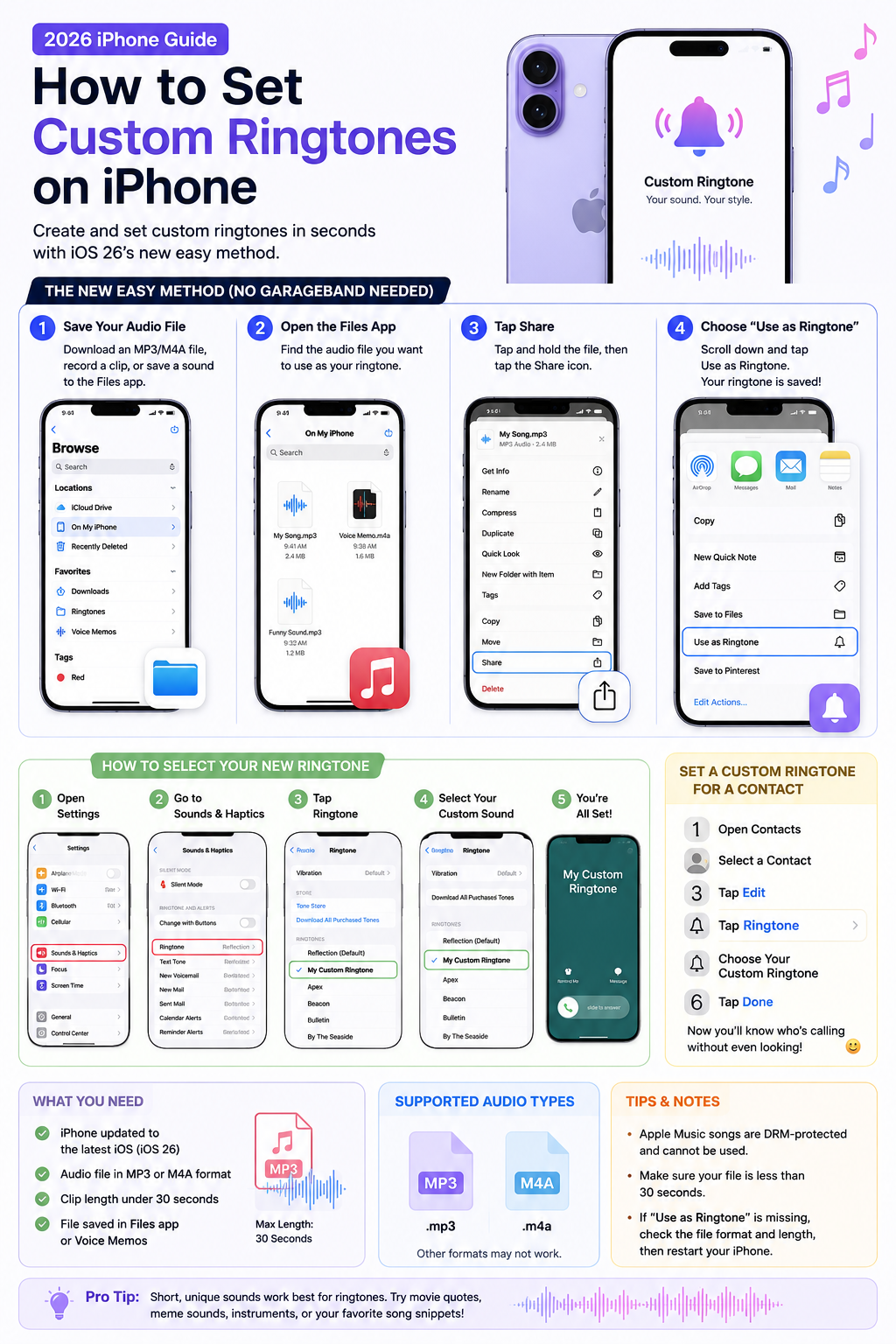
    Custom ringtones are finally easy to use on modern iPhones. With the latest version of iOS, Apple removed many of the complicated steps that previously required GarageBand, iTunes, or a computer. Now you can turn almost any short audio clip into a ringtone directly from your iPhone in seconds.

    Whether you want to use your favorite song, a meme sound, a movie quote, or a custom notification tone, this guide explains everything you need to know.

    What You Need Before Starting

    Before creating a custom ringtone, make sure:

    • Your iPhone is updated to the latest iOS version
    • The audio file is in MP3 or M4A format
    • The clip is under 30 seconds long
    • The file is saved in the Files app or Voice Memos

    Apple currently limits custom ringtone length to 30 seconds.

    The New Easy Method (No GarageBand Needed)

    Apple introduced a much simpler ringtone process in iOS 26. Instead of exporting files through GarageBand, you can now create ringtones directly from the Files app.

    Step 1: Download or Save Your Audio File

    First, save the sound you want to use:

    • Download an MP3 file
    • Save an audio clip from the internet
    • Record your own sound using Voice Memos

    The file should appear inside the Files app.
    Step 2: Open the Files App

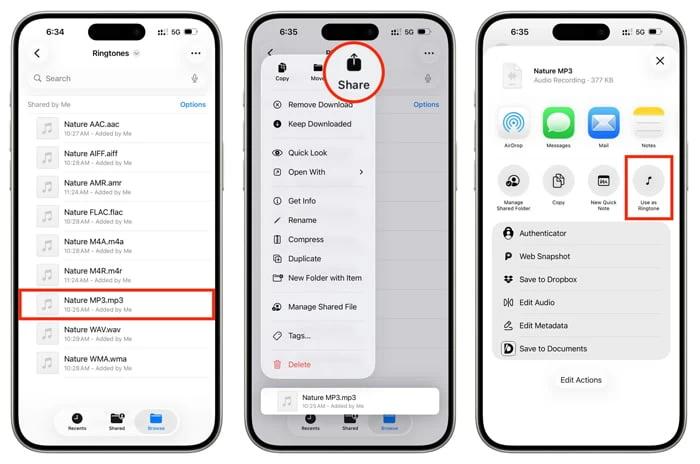
    Launch the Files app on your iPhone and locate the audio file.

    Tap and hold the file until the quick actions menu appears.

    Step 3: Tap “Share”

    From the popup menu:

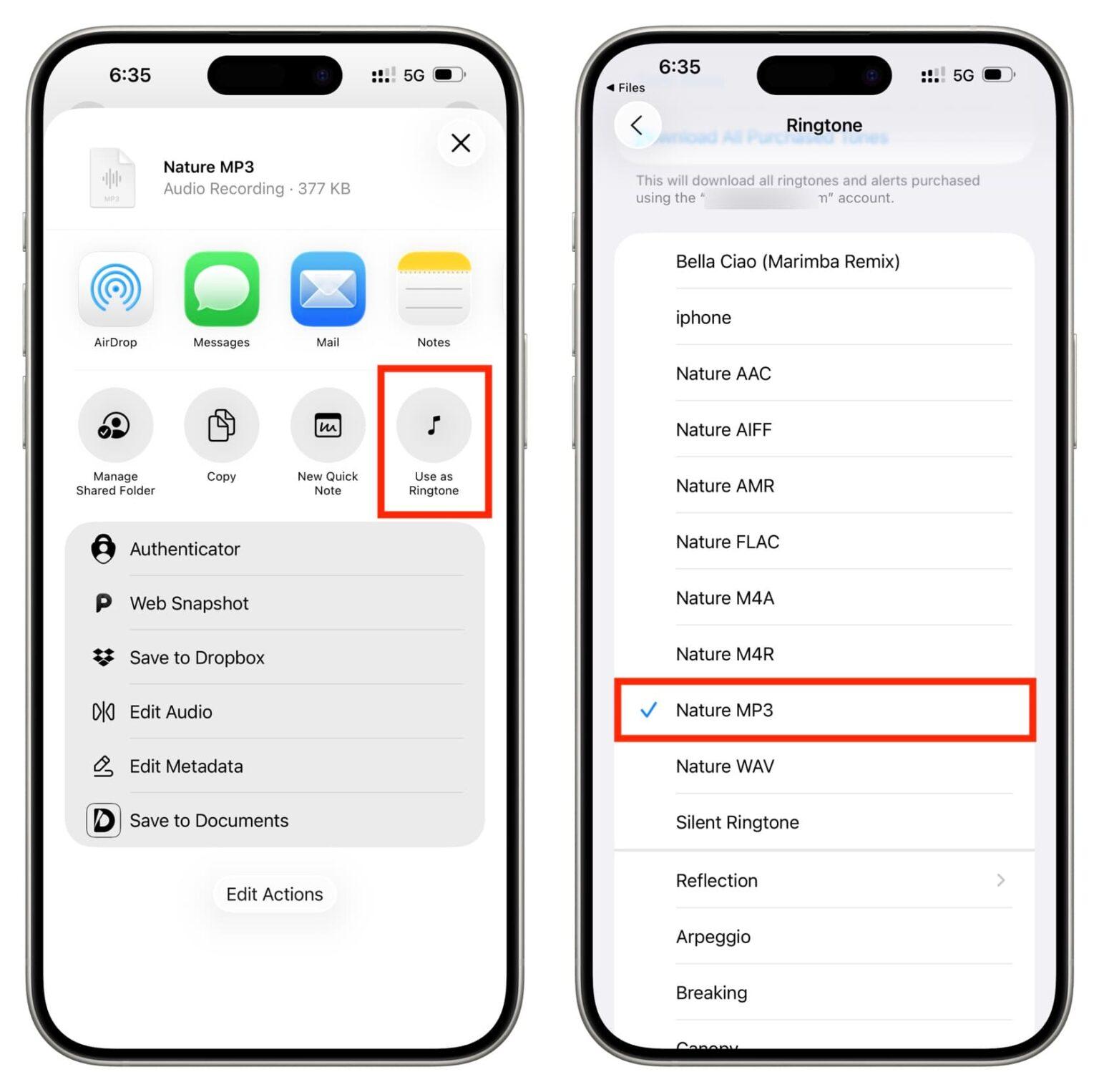
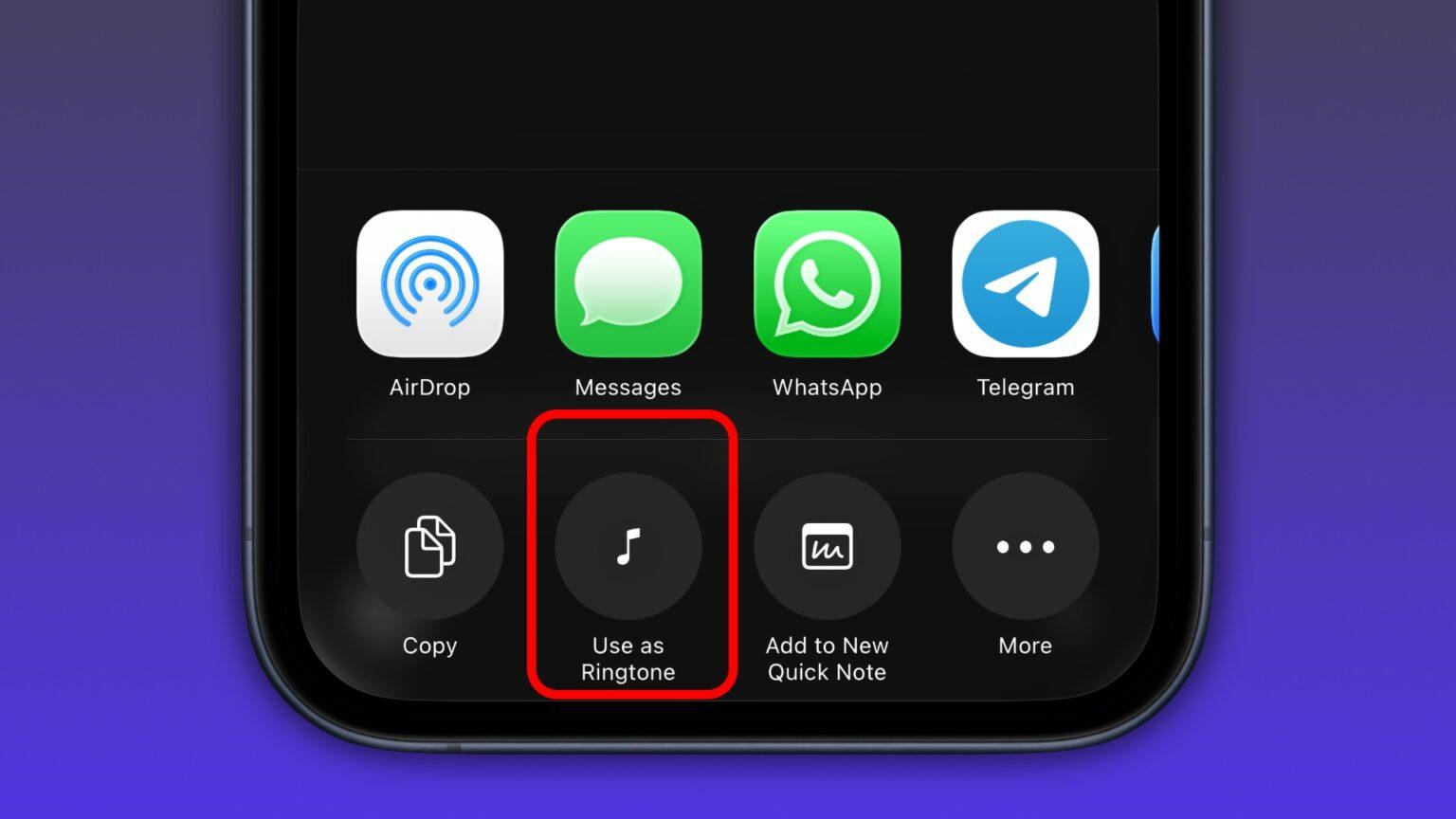
    1. Tap Share
    2. Scroll down
    3. Select Use as Ringtone

    That’s it. Your ringtone will automatically be added to your iPhone.

    How to Select Your New Ringtone

    After creating the ringtone:

    1. Open Settings
    2. Go to Sounds & Haptics
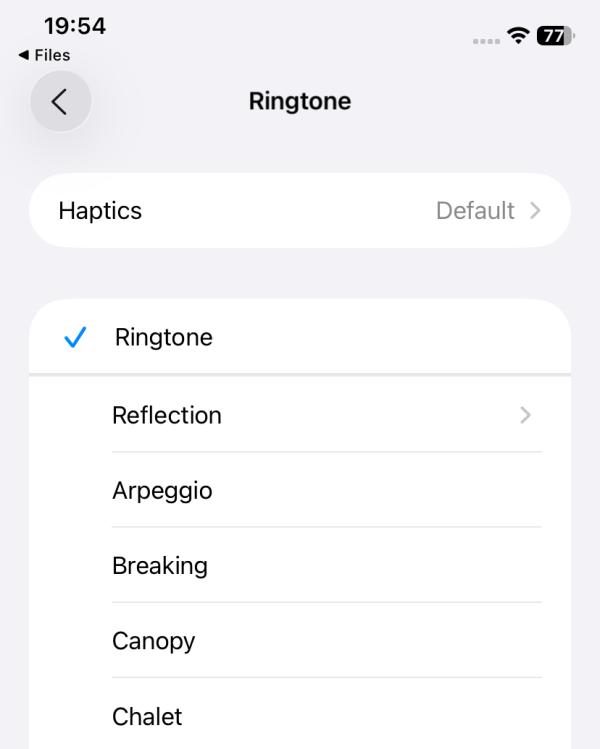
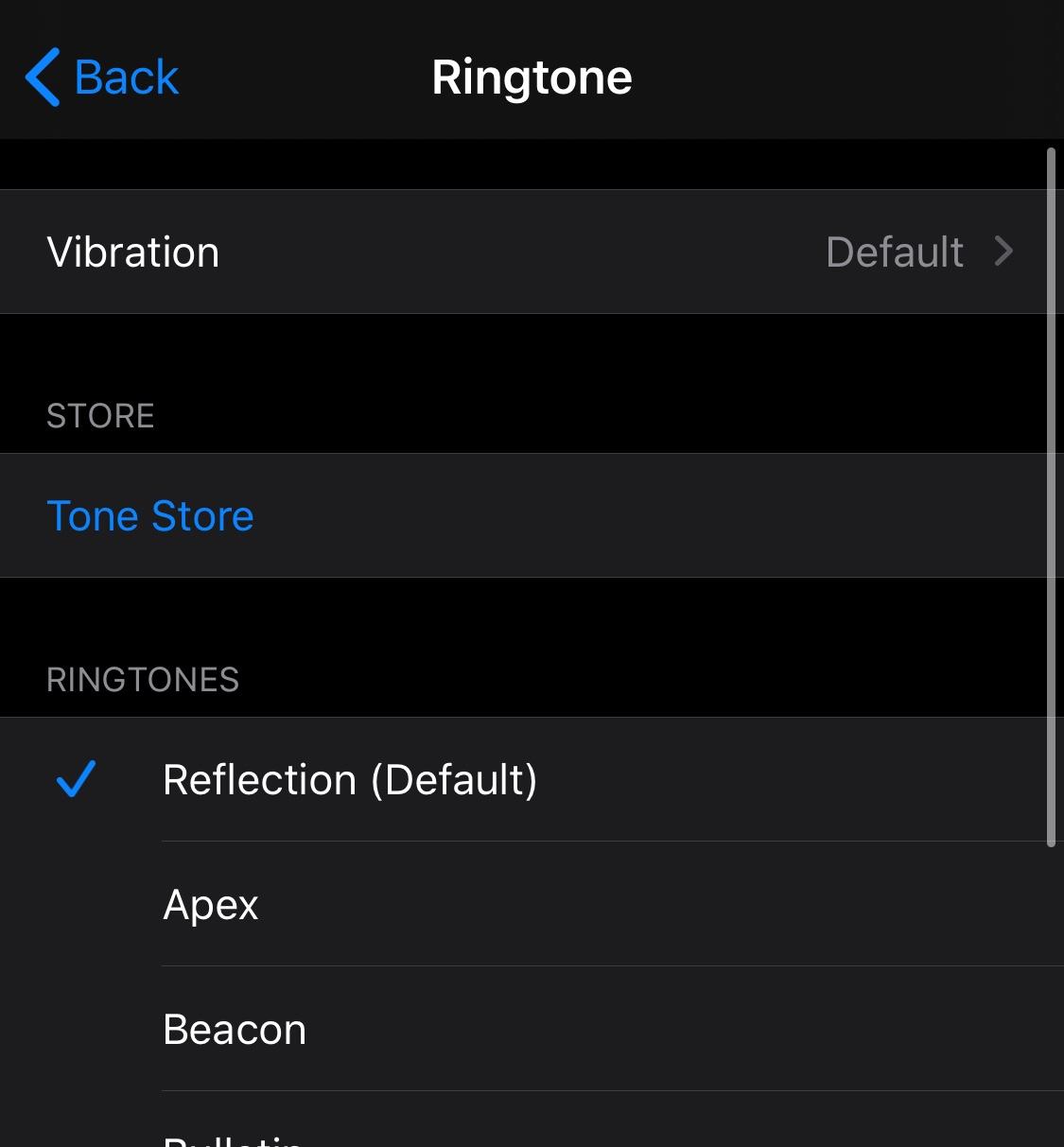
    3. Tap Ringtone
    4. Select your custom sound

    You can also assign different ringtones to specific contacts.

    How to Set a Custom Ringtone for One Contact

    Want a unique ringtone for family, friends, or coworkers?

    Follow these steps:

    1. Open the Contacts app
    2. Select a contact
    3. Tap Edit
    4. Choose Ringtone
    5. Select your custom ringtone
    6. Tap Done

    This makes it easy to know who is calling without looking at your screen.

    Using GarageBand (Older Method)

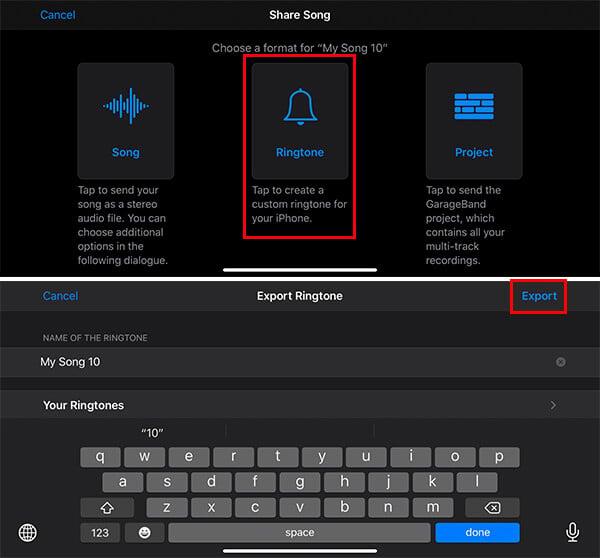
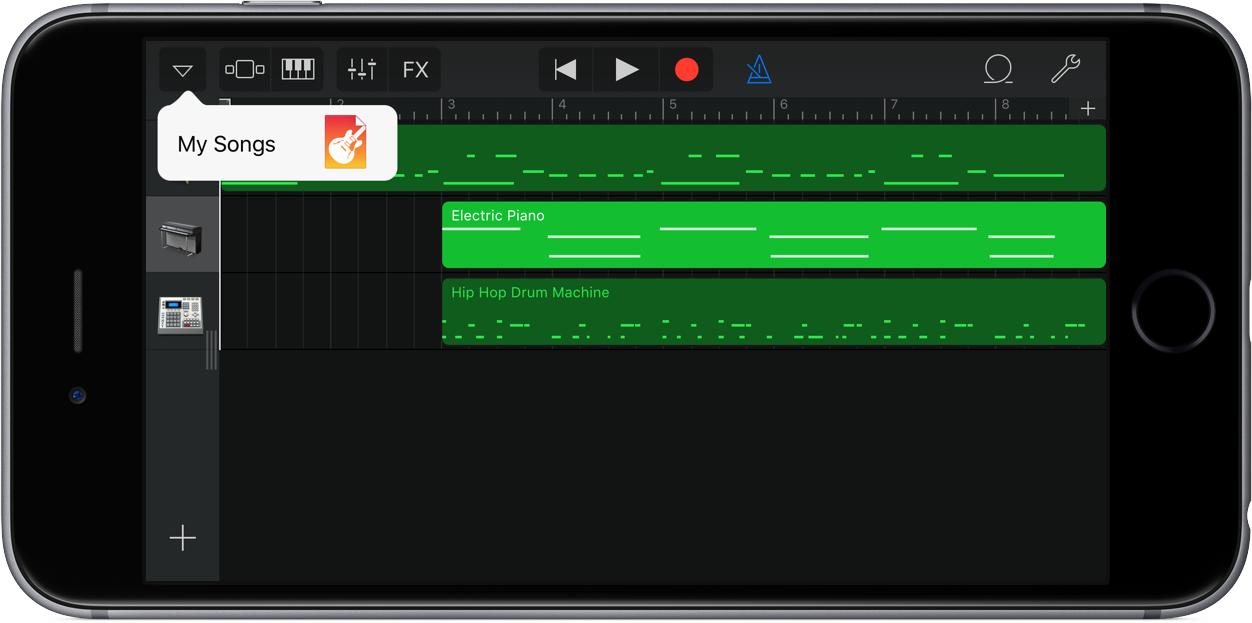
    If your iPhone does not support the latest iOS version, you may still need ### GarageBand to create ringtones manually.

    Apple still supports this method:

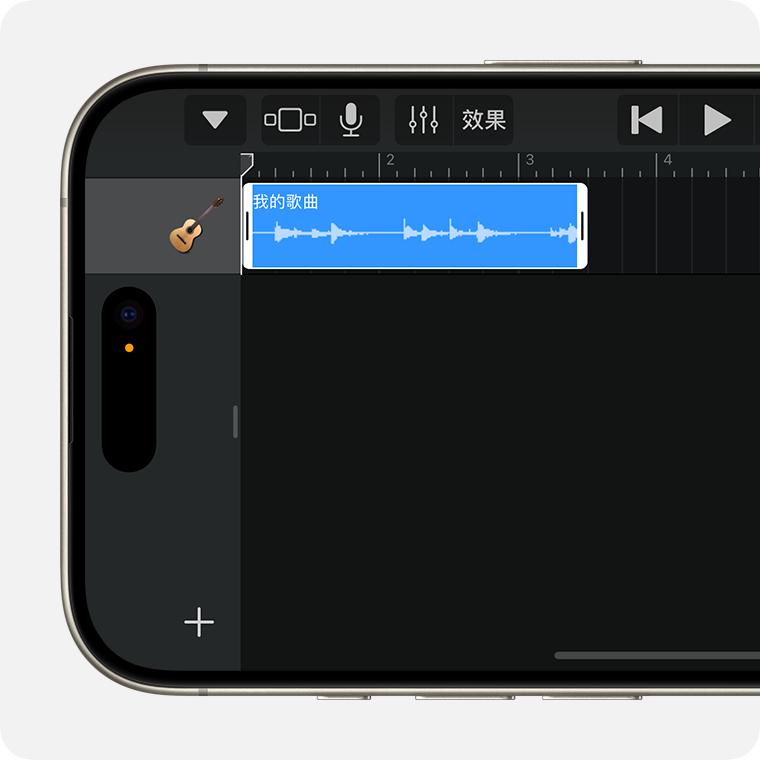
    • Import audio into GarageBand
    • Trim the clip to 30 seconds
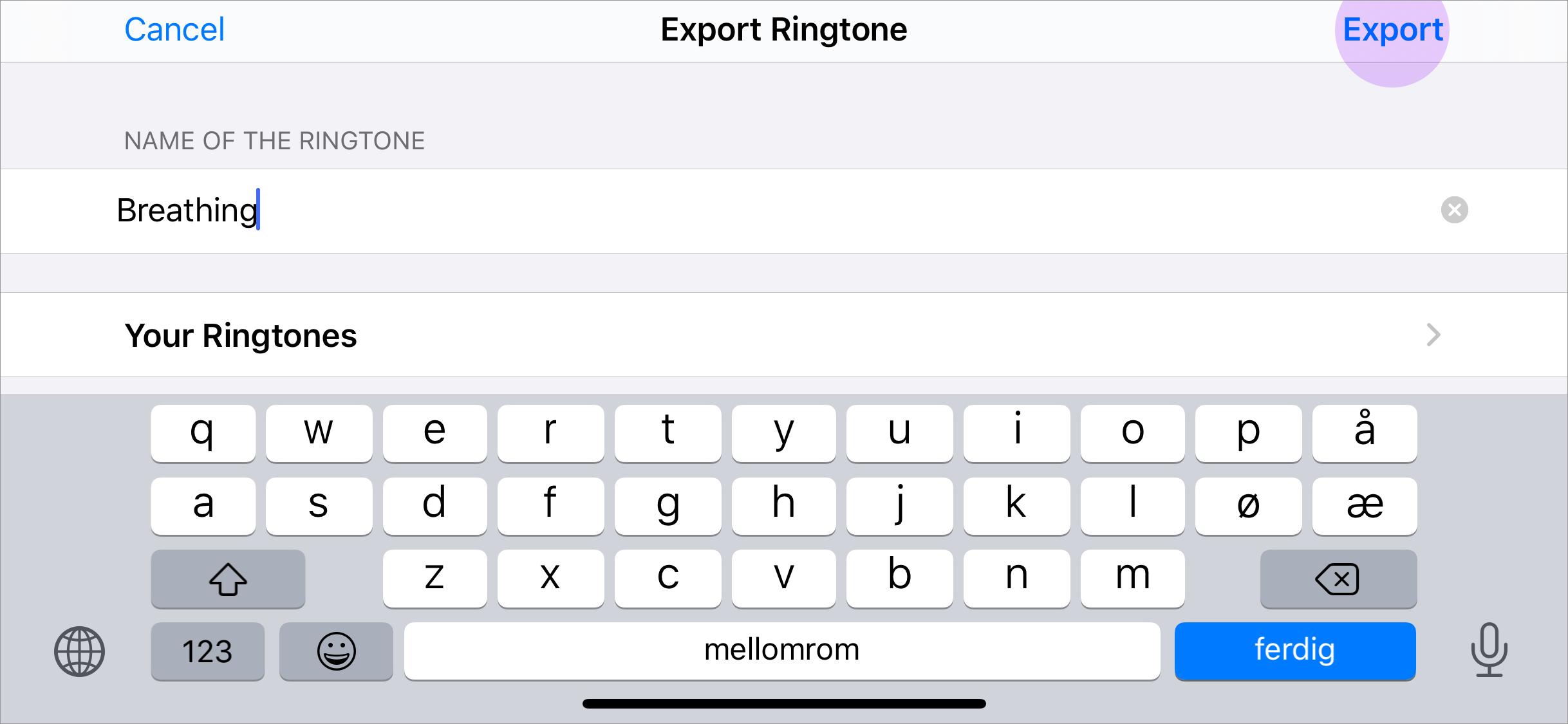
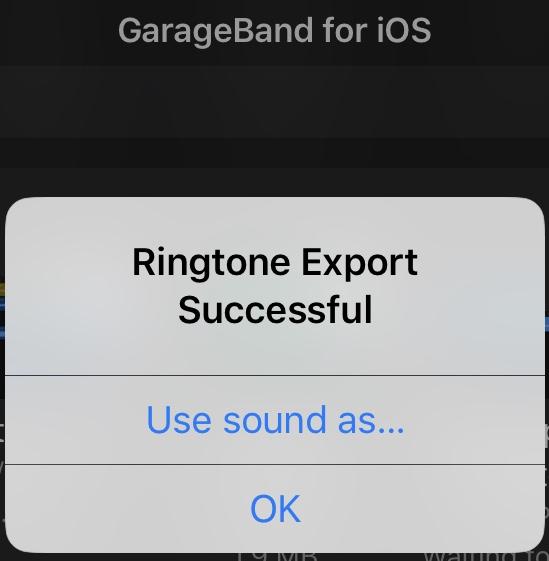
    • Export as a ringtone
    • Save it to your iPhone settings


    Common Problems and Fixes

    “Use as Ringtone” Option Missing

    If the option does not appear:

    • Make sure the file is under 30 seconds
    • Use MP3 or M4A formats
    • Save the file locally on your iPhone
    • Restart your iPhone

    Some users reported issues when using unsupported file formats or older iOS versions.

    Apple Music Songs Don’t Work

    Songs streamed through ### Apple Music cannot usually be used directly as free ringtones because of DRM protection.

    You’ll need:

    • DRM-free audio files
    • Purchased audio
    • Your own recordings
    • Downloaded MP3 clips

    Why Users Love the New iPhone Ringtone System

    Many iPhone users online have praised Apple’s updated ringtone process because it removes years of unnecessary complexity. Reddit discussions describe the new system as “finally simple” compared to the old GarageBand workflow.

    The new approach is:

    • Faster
    • Easier for beginners
    • Completely computer-free
    • More Android-like in simplicity

    Final Thoughts

    Setting a custom ringtone on a 2026 iPhone is now much easier than it used to be. With the new iOS ringtone tools, you can personalize your iPhone in just a few taps without needing extra apps or a Mac.

    If you want a truly personal device experience, custom ringtones remain one of the simplest and most fun ways to make your iPhone feel unique.

    Share. Facebook Twitter Pinterest LinkedIn Tumblr Email

    Related Posts

    Virtual Consultations Revolution: How Telemedicine is Transforming Car Accident Recovery and Legal Strategies

    Time-Lapse Photography: 4 Compelling Benefits And Applications

    How to Split Screen on iPad: 2026 iPad Split-Screen Mode Operation Guide

    Leave A Reply Cancel Reply

    You must be logged in to post a comment.

    voopoo drag 6
    oxva xlim 3 ultra
    sp2s sen x disposable vape
    • Popular
    • 3D Printer REVIEW
    • XIAOMI
    May 7, 2026

    OXVA Xlim Go Lite Review: Compact, Powerful, and Beginner-Friendly

    April 18, 2026

    VOOPOO DRAG 6 Hands on Review: Vape Beast with Smart Power & Premium Control

    April 8, 2026

    OXVA NeXLIM vs XLIM Pro 2 Pod Hands-On Review (2026)

    March 16, 2026

    OXVA Slimstick VS OXVA Slimstick X Vape Hands-on Review

    December 26, 2025

    ACMER ASCARVA 4S: Precision CNC Power for Makers, DIYers & Small Workshops

    June 23, 2024

    ACMER P2 20W Laser Engraver Fixed Focus Engraving: Hands on Review

    May 30, 2024

    xTool F1 Ultra Review: World’s First 20W Fiber & 20W Diode Laser Engraver

    May 30, 2024

    Anycubic Kobra 3 Combo Review: The Multicolor Masterpiece?

    May 14, 2026

    Xiaomi’s first over-ear headphones made their debut! With a mirror-like body and transparent sound-emitting balls, the design is truly unique.

    May 13, 2026

    The Full-Screen Appearance Picture of Xiaomi 17 Max has been Released: a 6.9-inch Large Straight Screen

    May 13, 2026

    Xiaomi Band 10 Pro officially Released This Month: 9.7mm thick, 21.6g weight, aluminum body

    May 9, 2026

    Xiaomi 18 is launched! Hyper OS 4 is here: Completely Removes MIUI Code and undergoes a Complete Transformation at the Core Level

    fc 26 coins
    New Arrivals
    • Lost Mary MT35000 Turbo Carnival Edition Disposable Vape Lost Mary MT35000 Turbo Carnival Edition Disposable Vape
    • RAZ Vue 70K Disposable Vape Kit RAZ Vue 70K Disposable Vape Kit
    • Remit Popmist 60K Nicotine Free Disposable Vape Remit Popmist 60K Nicotine Free Disposable Vape
    • Realme C100i Realme C100i
    • Dovpo Flipside Squonk Mod Dovpo Flipside Squonk Mod
    • OnePlus Nord CE6 Lite OnePlus Nord CE6 Lite
    • Huawei nova 15 Max Huawei nova 15 Max
    • Vivo X500e Vivo X500e
    • Huawei MatePad Pro Max Huawei MatePad Pro Max
    About
  • Igeekphone.com provides the first global tech news and reviews about smartphone, vapes, e-cigar, smart home, 3D printers, e-bike,tablets, RC drones, VR headset, and other accessories. It's the best platform to improve your brand and product.
  • Contact us: info@igeekphone.com
  • Check Our Privacy Policy Here.
  • Note: *Right now we have US editor and EU editors for review, especially for Amazon US and EU.
  • *Shop and Compare Price Here*
  • Facebook
  • Youtube
  • OUR BEST VAPE PARTNERS
  • VAPE ONLINE STORE
  • HAYATI PRO MAX PLUS
  • VAPORESSO
  • VOOPOO
  • OXVA
  • NEXA
  • MASKKING
  • SP2S
  • IPLAY
  • TODOO
  • OTHER BEST PARTNERS
  • SVBONY
  • Chuwi
  • Blackview
  • Fossibot
  • Unihertz
  • Flsun
  • Anycubic
  • Xtool
  • Oukitel
  • Mukkpet Ebike
  • Ugreen
  • Copyright © 2026 igeekphone

    Type above and press Enter to search. Press Esc to cancel.