







Facebook Twitter Instagram
    Trending
    • Smyle Labs Inhaler 510 Thread Battery Review: Discreet Design Meets Reliable Performance
    • How to Clean Up Junk Files on Redmi Note Series Mobile Phones?
    • OrionBar THELEMA ROAR 60K Disposable Vape Kit Review: A New Benchmark for High-Capacity Vaping
    • Red Magic Gamepad 5 Pro is equipped with the 5th generation Snapdragon 8 Supreme Edition processor and supports the new Steam Direct Connection mode for PC simulation.
    • Rendering Images of Nothing Phone (4b) have been Released: Snapdragon 6 Gen 4 chip, 8GB RAM
    • Xiaomi has launched the Mijia Smart Electric Pressure Cooker 2 Pro: It can debone the food in just 15 minutes at 899 yuan.
    • iQOO Neo 12 is Expected to Come with Snapdragon 8 Elite Gen5 Processor
    • Redmi K90 Supreme Edition phone has been officially announced to be Equipped with 8550mAh Xiaomi Jinshajiang Battery
    Facebook YouTube
    IGeeKphone China Phone, Tablet PC, VR, RC Drone News, Reviews
    • HOME
      • NEWS
        • DeepSeek
        • ChatGPT
        • Minecraft
    • Amazon
    • PHONE
      • Top Phones For Your First Choice
      • Phone Comparison
      • Xiaomi
      • Blackview
      • Doogee
      • Black Shark
      • Geekbuying
      • Banggood
      • TEMU
      • TikTok
      • Aliexpress
      • Walmart
      • MercadoLibre
      • Lazada
    • TOP VAPE Awards for 2026
    • VAPES
      • E-CIGAR Upcoming
      • Vape News
      • Vape Deals
      • Vape Comparison
      • Vape Guide
      • Giveaway
    • BEST VAPE
      • Best Vape Stores
      • Best Starter Vape Kits
      • Best Vapes for Beginners
      • Best Disposable Vapes
      • Best Pod Systems
      • Best Pod Mod Vapes
      • Best Mods
      • Best Nicotine Pouches
      • Best Clearomizers/Tanks
      • Best E-Liquid
      • Best EGO/Pens
      • Best Vapes for Nic Salt E-Juice
      • Best Vapes to Quit Smoking
      • RDA vs. RDTA vs. RTA
    • Best Vape Brand 2026
      • VAPORESSO
      • VOOPOO
      • OXVA
      • NEXA BAR
      • MASKKING VAPE
      • SP2S
      • IPLAY
      • TODOO
      • MRFOG
      • LOSTVAPE
      • VEIIK
    • REVIEW
      • E-cigar Review
      • Phones
      • Tablet PC
      • TV Box
      • RC Drone
      • Wearables
      • Camera
      • Accessories
      • VR Headset
    • MORE
      • TABLET
        • Chuwi
        • INNOCN
        • Teclast
        • Top Tablet for Your First Choice
        • Tablet/Laptop Comparison
      • RC DRONE
      • CAMERA
      • WEARABLES
        • OneOdio
        • BlitzWolf
        • Top Smartwatch for First Choice
      • 3D PRINTER
        • 3D Printer Review
        • Anycubic
        • FLSUN
        • Xtool
        • LONGER
        • Top 3D printer to Choose First
      • POWER STATION
        • Oukitel
        • FOSSIBOT
      • GAMING
        • Top Gaming Products
      • E-BIKE
        • Samebike
        • Happyrun
        • ENGWE
      • SMART HOME
      • TV BOX
      • ACCESSORIES
      • VR HEADSET
      • CLOTHES
      • AUTO CAR
    • DEAL
    • VAPE LAWS
    • Shop
    IGeeKphone China Phone, Tablet PC, VR, RC Drone News, Reviews
    You are at:Home»Guide»How to Clean Up Junk Files on Redmi Note Series Mobile Phones?
    Guide

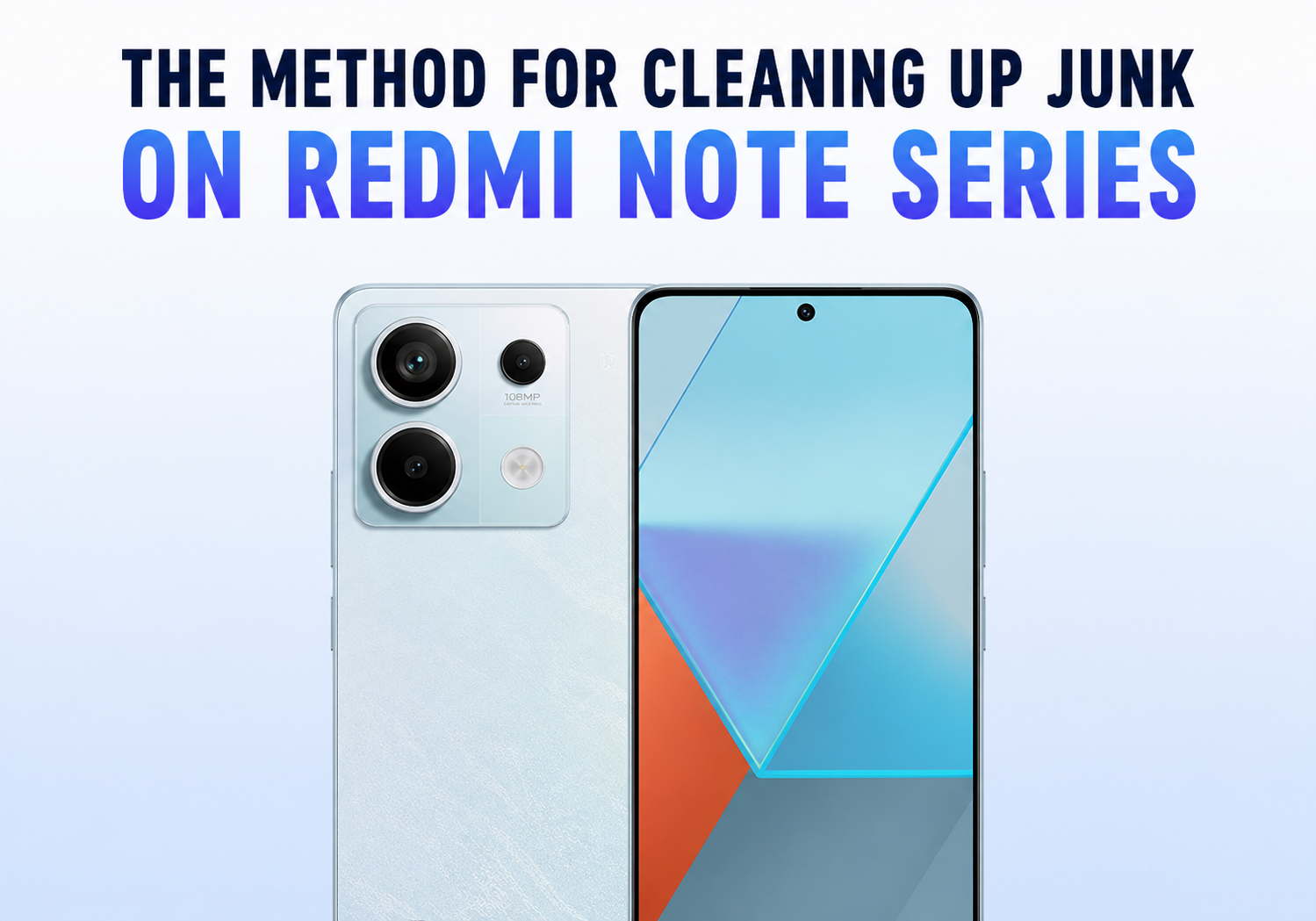
    How to Clean Up Junk Files on Redmi Note Series Mobile Phones?

    Brady CottonBy Brady CottonJune 25, 2026
    Facebook Twitter Pinterest LinkedIn Tumblr Email

    As we use our smartphones daily, they gradually accumulate temporary files, cached data, installation packages, duplicate downloads, and other unnecessary files that consume valuable storage space. Over time, these junk files can slow down performance, reduce available storage, and affect the overall user experience.

    Fortunately, Redmi Note series smartphones come with several built-in tools that make cleaning up junk files quick and easy. Whether you’re using a Redmi Note 12, Redmi Note 13, Redmi Note 14, or an earlier model running MIUI or HyperOS, this guide will help you free up storage and keep your device running smoothly.

    Why Junk Files Accumulate on Redmi Phones

    Junk files are created during normal smartphone usage. Common sources include:

    • App cache files
    • Temporary system files
    • Installation APK packages
    • Social media downloads
    • Duplicate photos and videos
    • Browser cache
    • WhatsApp media files
    • Unused app data
    • Residual files from uninstalled applications

    While these files are often necessary temporarily, they can accumulate over time and occupy several gigabytes of storage.

    Method 1: Use the Built-in Security App Cleaner

    The easiest and safest way to remove junk files on Redmi Note devices is through the built-in Security app.

    Steps:

    1. Open the Security app.
    2. Tap Cleaner.
    3. Allow the system to scan your device.
    4. Review the detected junk files.
    5. Tap Clean Up.

    The Security app can remove:

    • Cache files
    • Obsolete installation packages
    • Temporary files
    • Memory residue
    • System-generated junk

    This method is recommended because it is officially integrated into MIUI and HyperOS.

    Method 2: Clear App Cache

    Individual apps often store large amounts of cache data.

    To Clear Cache:

    1. Open Settings.
    2. Select Apps.
    3. Tap Manage Apps.
    4. Choose an app.
    5. Tap Storage.
    6. Select Clear Cache.

    Apps that commonly accumulate large caches include:

    • YouTube
    • TikTok
    • Instagram
    • Facebook
    • Chrome
    • Spotify
    • Netflix

    Clearing cache typically does not delete personal data or account information.

    Method 3: Remove Unused Applications

    Many users install apps they rarely use.

    To Uninstall Apps:

    1. Open Settings.
    2. Go to Apps.
    3. Select Manage Apps.
    4. Review installed applications.
    5. Uninstall apps you no longer need.

    Removing unused apps can free significant storage space and reduce background resource consumption.

    Method 4: Clean WhatsApp Storage

    WhatsApp is often one of the largest storage consumers on Redmi phones.

    To Manage WhatsApp Storage:

    1. Open WhatsApp.
    2. Tap Settings.
    3. Select Storage and Data.
    4. Tap Manage Storage.
    5. Review large files and forwarded media.
    6. Delete unnecessary items.

    Many users discover several gigabytes of old videos and photos stored within WhatsApp.

    Method 5: Delete Downloaded Files

    The Downloads folder often contains forgotten files.

    Steps:

    1. Open the File Manager app.
    2. Navigate to Downloads.
    3. Sort files by size.
    4. Delete unwanted files, APKs, PDFs, and duplicate downloads.

    Old installation packages can consume hundreds of megabytes without users realizing it.

    Method 6: Remove Duplicate Photos and Videos

    Photos and videos usually occupy the largest amount of storage.

    Use Gallery Cleanup Tools:

    1. Open Gallery.
    2. Tap Albums.
    3. Look for:
      • Duplicate photos
      • Similar photos
      • Screenshots
      • Large videos
    4. Delete unnecessary items.

    Regular photo maintenance can dramatically increase available storage.

    Method 7: Clear Browser Data

    Web browsers store temporary files and website data.

    Chrome:

    1. Open Chrome.
    2. Tap the three-dot menu.
    3. Select History.
    4. Tap Clear Browsing Data.
    5. Choose Cached Images and Files.
    6. Confirm deletion.

    This can recover a surprising amount of storage over time.

    Method 8: Use Deep Clean Features

    Many newer Redmi Note models running HyperOS include enhanced cleaning tools.

    Access Deep Clean:

    1. Open Security.
    2. Select Deep Clean.
    3. Review:
      • Large files
      • Duplicate files
      • Unused apps
      • Rarely used files
    4. Delete unnecessary content.

    Deep Clean provides more detailed storage analysis than the standard Cleaner tool.

    Method 9: Transfer Files to Cloud Storage

    If your device is running low on storage, consider moving files to cloud services such as:

    • Google Drive
    • Google Photos
    • Dropbox
    • OneDrive

    Cloud storage helps free local storage while keeping files accessible.

    Method 10: Restart Your Device Regularly

    Many users overlook the benefits of restarting their phones.

    Restarting:

    • Clears temporary memory
    • Closes background processes
    • Refreshes system resources
    • Improves overall responsiveness

    A simple restart once every few days can help maintain smooth performance.

    Tips to Prevent Future Storage Problems

    To keep your Redmi Note running efficiently:

    • Clean junk files weekly
    • Uninstall unused apps regularly
    • Enable cloud backup for photos
    • Avoid downloading unnecessary files
    • Clear app caches monthly
    • Monitor storage usage through Settings

    Regular maintenance prevents storage issues before they become noticeable.

    Final Thoughts

    Redmi Note series offers several effective built-in tools for managing storage and removing junk files. By using the Security app’s Cleaner feature, clearing app caches, managing WhatsApp media, removing duplicate files, and deleting unused applications, you can quickly recover valuable storage space and improve device performance.

    A few minutes of maintenance each month can help your Redmi Note phone stay fast, responsive, and ready for everyday use. Whether you’re using an older Redmi Note model or the latest HyperOS-powered device, these cleanup methods will help maximize storage and extend the life of your smartphone.

    Share. Facebook Twitter Pinterest LinkedIn Tumblr Email

    Related Posts

    How to Choose the Best Radiodetection Locator for Underground Utility Projects

    Innovative Glassware: Exploring the Art and Function of Our Premium Collections

    What to Know About Rollers.io and Its Operators?

    Leave A Reply Cancel Reply

    You must be logged in to post a comment.

    voopoopintch
    oxva nexlim 2
    sp2s sen x disposable vape
    • Popular
    • 3D Printer REVIEW
    • XIAOMI
    June 21, 2026

    iPlay LUMO 8K Review – A Compact Prefilled Pod Kit with Big Flavor and Everyday Convenience

    June 21, 2026

    iPlay HOOLA 150K Review – A Cloud-Chasing Giant with Music, Modes & Massive Longevity

    June 21, 2026

    Vaporesso VIBE SE 2 Review – Simple on the Outside, Surprisingly Smart on the Inside

    June 21, 2026

    VOOPOO DRAG H40 Pro Review – The Return of the Pocket Powerhouse

    December 26, 2025

    ACMER ASCARVA 4S: Precision CNC Power for Makers, DIYers & Small Workshops

    June 23, 2024

    ACMER P2 20W Laser Engraver Fixed Focus Engraving: Hands on Review

    May 30, 2024

    xTool F1 Ultra Review: World’s First 20W Fiber & 20W Diode Laser Engraver

    May 30, 2024

    Anycubic Kobra 3 Combo Review: The Multicolor Masterpiece?

    June 25, 2026

    Xiaomi has launched the Mijia Smart Electric Pressure Cooker 2 Pro: It can debone the food in just 15 minutes at 899 yuan.

    June 24, 2026

    Not only the Original Xuanji O3! Key Information about Xiaomi MIX Fold 5 is Revealed in Advance

    June 24, 2026

    The Battery Upgrade Service for Xiaomi 14 series has been officially Announced: It is expected to be launched in the fourth quarter.

    June 23, 2026

    Xiaomi Redmi 17C mobile phone is available for purchase: 6.88-inch 120Hz large screen, 5160mAh battery, starting from 799 yuan.

    fc 26 coins
    New Arrivals
    • Smyle Labs Inhaler 510 Thread Battery Smyle Labs Inhaler 510 Thread Battery
    • Vivo iQOO Neo12 Pro Vivo iQOO Neo12 Pro
    • Vivo S60 Pro Mini Vivo S60 Pro Mini
    • Vivo S60 Vivo S60
    • OrionBar THELEMA ROAR OrionBar THELEMA ROAR
    • KEKO Durra Nicotine Pouches KEKO Durra Nicotine Pouches
    • Remit Slim Air 50K Disposable Vape Remit Slim Air 50K Disposable Vape
    • OliveBar Raz Pro 85K Disposable Vape OliveBar Raz Pro 85K Disposable Vape
    • Realme 17T Realme 17T
    About
  • Igeekphone.com provides the first global tech news and reviews about smartphone, vapes, e-cigar, smart home, 3D printers, e-bike,tablets, RC drones, VR headset, and other accessories. It's the best platform to improve your brand and product.
  • Contact us: info@igeekphone.com
  • Check Our Privacy Policy Here.
  • Note: *Right now we have US editor and EU editors for review, especially for Amazon US and EU.
  • *Shop and Compare Price Here*
  • Facebook
  • Youtube
  • Mashable is a global, multi-platform media and entertainment company

    For more queries and news contact us on this

    Email: info@mashablepartners.com

  • OUR BEST VAPE PARTNERS
  • VAPE ONLINE STORE
  • HAYATI PRO MAX PLUS
  • VAPORESSO
  • VOOPOO
  • OXVA
  • NEXA
  • MASKKING
  • SP2S
  • IPLAY
  • TODOO
  • OTHER BEST PARTNERS
  • SVBONY
  • Chuwi
  • Blackview
  • Fossibot
  • Unihertz
  • Flsun
  • Anycubic
  • Xtool
  • Oukitel
  • Mukkpet Ebike
  • Ugreen
  • Copyright © 2026 igeekphone

    Type above and press Enter to search. Press Esc to cancel.