










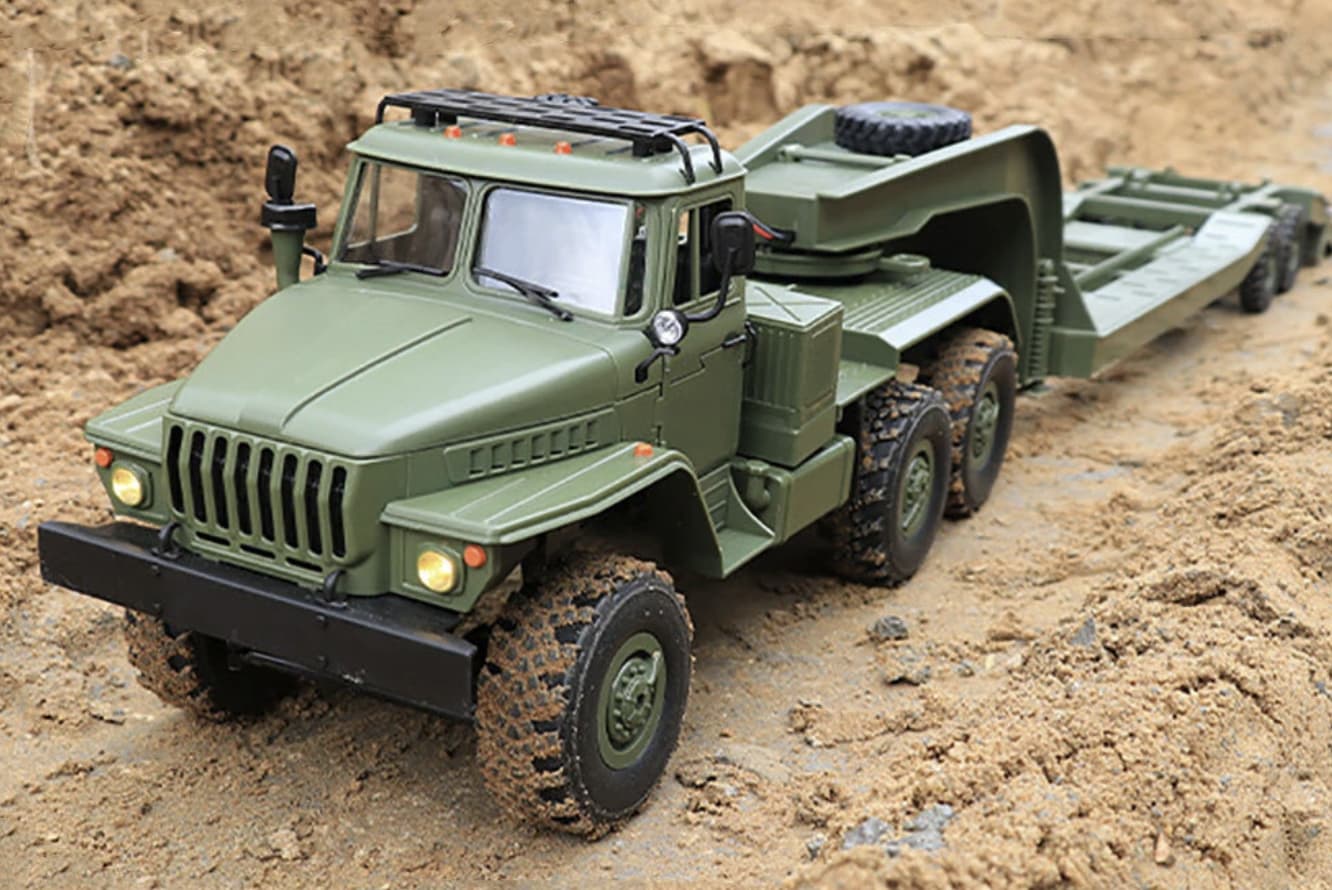
Off-road RC cars are designed to handle surfaces that would be difficult for a regular on-road model, including grass, dirt, gravel, sand, and uneven trails. That extra capability also means the car is regularly exposed to dust, moisture, mud, stones, and vibration.
Regular maintenance does not have to be complicated. A few minutes of cleaning after a dirty run, combined with periodic checks of the drivetrain, suspension, tires, and electronics, can prevent small problems from becoming expensive repairs.
Whether you own a 1/16 truck, a 1/10 buggy, or a larger 4WD monster truck, the basic maintenance principles are similar.
Why Does an Off-Road RC Car Need Regular Maintenance?
An off-road RC car has many moving parts working together at relatively high speed. Dirt and debris can enter areas such as the gears, bearings, suspension joints, and driveshafts.
If you’re choosing your first off-road model, you can also explore our off-road RC car reviews for information about suspension, drivetrain design, battery capacity, tires, and outdoor performance.
A small amount of dust may not cause an immediate problem. However, accumulated dirt can increase friction, restrict suspension movement, wear gears, and shorten bearing life.
Moisture creates another concern. Driving through wet grass or shallow water can leave moisture around metal components and electrical connections. If it is not removed properly, corrosion can develop over time.
Maintenance is therefore less about making the car look clean and more about keeping the mechanical and electrical systems working correctly.
Clean the RC Car After Every Dirty Run
The most useful maintenance habit is also one of the simplest: clean the vehicle after driving on dirt, mud, sand, or wet ground.
You do not necessarily need to completely disassemble the car after every session. Start with the areas where debris is most likely to collect.
Useful cleaning tools include:
- Soft brush
- Small detailing brush
- Compressed air
- Microfiber cloth
- Cotton swabs
- Mild cleaning solution
- Plastic-safe cleaning products
Remove the battery before cleaning around the electronics.
Use a brush to loosen dry dirt from the chassis, suspension arms, wheels, and drivetrain area. Compressed air can help remove loose particles from difficult-to-reach areas.
Avoid simply blasting every part with high-pressure water. Water can reach bearings, motors, connectors, and other components where it may cause problems.
What Should You Do After Driving in Mud?
Mud requires more attention than dry dirt because it can harden as it dries.
If the vehicle is heavily covered in mud, allow the loose material to be removed before attempting detailed cleaning. A soft brush can then be used to clear the remaining dirt.
Pay particular attention to:
- Wheel hubs
- Suspension arms
- Steering components
- Driveshafts
- Differential housings
- Motor area
- Chassis openings
Do not store an RC car while it is still wet or covered in damp mud.
After cleaning, let the vehicle dry completely before reconnecting the battery or putting it away.
How Do You Clean an RC Car After Wet Driving?
Water-resistant does not mean completely waterproof.
If your RC car has been driven on wet grass or through shallow water, inspect it afterward even if the manufacturer describes the electronics as water-resistant.
Remove the battery and dry the vehicle thoroughly.
Pay special attention to:
- Battery connectors
- Motor
- Electronic speed controller
- Receiver area
- Bearings
- Metal screws
- Driveshafts
If water has entered a component that is not designed to handle moisture, stop using the vehicle until it has been properly inspected and dried.
Never assume that a wet electronic component is safe simply because the car continued running immediately afterward.
Inspect the Tires Regularly
Tires have a direct effect on traction and handling, making them one of the easiest components to check.
Look for:
- Cuts
- Cracks
- Loose tire edges
- Excessive wear
- Deformation
- Objects stuck in the tread
Off-road tires can collect small stones, especially when driving on gravel. Remove anything that could become lodged between the tire and suspension components.
Also check whether the wheels are firmly attached. A loose wheel can quickly damage the hex, axle, or suspension components.
Check the Wheel Nuts
Wheel nuts can loosen after repeated vibration, jumping, and hard landings.
Before a driving session, give each wheel a quick check.
Do not overtighten the nuts. Excessive force can damage the wheel, bearing, or hex hardware.
If your particular model uses locking nuts or manufacturer-recommended thread-locking products on metal-to-metal fasteners, follow the manufacturer’s instructions.
Inspect the Suspension
Off-road driving puts considerable stress on suspension components.
After a hard session, check:
- Shock absorbers
- Shock towers
- Suspension arms
- Turnbuckles
- Steering links
- Ball joints
- Hinges and mounting points
Move each suspension arm through its normal range of motion. It should move smoothly without unusual stiffness or excessive looseness.
A suspension component that suddenly feels different from the others can be an early indication of damage.
Check the Shock Absorbers
Shock absorbers help the tires maintain contact with uneven terrain and control the vehicle after jumps and bumps.
Look for signs of:
- Oil leakage
- Bent shafts
- Damaged seals
- Loose mounting points
- Uneven damping
If an oil-filled shock is leaking, simply wiping away the oil will not solve the problem. The shock may need new seals, an appropriate rebuild, or replacement parts.
Also check that the shocks are mounted securely at both ends.
Keep the Drivetrain Free of Debris
The drivetrain is particularly important on a 4WD off-road RC car because it contains more moving components than a basic 2WD design. If you’re new to four-wheel-drive RC vehicles, our guide on what 4WD means on an RC car explains how power is distributed to all four wheels and why it can improve traction.
Depending on the vehicle, you may need to inspect:
- Spur gear
- Pinion gear
- Driveshafts
- Differentials
- Gearboxes
- Wheel axles
- Bearings
Small stones can become trapped around gears and driveshafts. Remove debris before operating the vehicle again.
If you hear grinding, clicking, or unusual mechanical noise, stop driving and investigate rather than continuing to run the car.
Inspect the Spur and Pinion Gears
The spur and pinion gears transfer motor power into the drivetrain and experience significant mechanical loads.
Look for:
- Missing teeth
- Rounded teeth
- Excessive wear
- Dirt between the gears
- Incorrect gear mesh
A damaged gear can cause noise, poor power delivery, or complete loss of drive.
The correct gear mesh varies by vehicle, so follow the manufacturer’s adjustment procedure instead of tightening the motor mount by guesswork.
Check the Bearings
Bearings allow wheels and other rotating components to move with less friction.
Dirt and moisture can eventually cause bearings to become rough or noisy.
A simple check is to rotate each wheel by hand with the vehicle turned off. Compare the feel of the wheels with one another.
A rough, grinding, or unusually stiff bearing may need cleaning or replacement depending on its design and condition.
Replacing a worn bearing is generally much easier than dealing with the additional damage that can occur when a failing bearing is ignored.
Inspect the Motor
The motor should be checked periodically, especially after dusty or muddy driving.
For a brushed motor, inspect the motor and brush area according to the manufacturer’s maintenance instructions.
For a brushless system, keep the motor housing and cooling areas free of excessive debris.
After a hard run, pay attention to unusual heat. Some warmth is normal, but an unexpectedly hot motor can indicate excessive load, incorrect gearing, restricted airflow, or another problem.
Allow the motor to cool before performing further maintenance.
Keep the Electronics Dry and Clean
The electronic speed controller, receiver, servo, and wiring are critical to the vehicle’s operation.
Check for:
- Damaged wires
- Loose connectors
- Exposed conductors
- Dirt around connectors
- Signs of corrosion
- Damaged servo cables
Never pull a connector by the wire. Grip the connector itself when disconnecting it.
If you notice damaged insulation or a loose electrical connection, repair it before driving again.
Take Care of the Battery
Battery maintenance is just as important as mechanical maintenance.
For rechargeable lithium-based batteries, use a charger and charging settings compatible with the specific battery type.
Before charging, inspect the battery for:
- Swelling
- Physical damage
- Torn wrapping
- Damaged connectors
- Unusual heat
- Leakage or other visible abnormalities
Do not use a damaged battery.
Never leave a charging battery unattended, and follow the battery and charger’s safety instructions.
For long-term storage, use the storage procedure recommended for the battery chemistry rather than simply leaving it fully charged indefinitely.
Do You Need to Lubricate an RC Car?
Some components require lubrication, but adding lubricant everywhere is not a good maintenance strategy.
The correct lubricant depends on the component and the manufacturer’s design.
For example, gears may require specific grease, while certain bearings may be sealed and not intended to be serviced with additional lubricant.
Too much grease can also attract dirt and create a thick layer of abrasive debris around moving components.
Use the lubricant specified for the particular part whenever possible.
How Often Should an Off-Road RC Car Be Serviced?
There is no single maintenance schedule that works for every RC car because usage conditions vary considerably.
A practical schedule is:
After every dirty session
- Remove dirt and debris
- Check tires
- Inspect the wheels
- Check for loose parts
- Dry the vehicle if exposed to moisture
- Inspect the battery and connectors
Every few sessions
- Inspect suspension components
- Check drivetrain components
- Examine gears
- Check bearings
- Inspect wiring
- Look for unusual wear
Periodically
- Service differentials as recommended
- Inspect shocks
- Replace worn bearings
- Check gear mesh
- Inspect motor and cooling areas
- Examine screws and mounting points
A vehicle used on clean pavement will generally require less cleaning than one driven through mud, sand, and wet grass.
Sand Requires Special Attention
Sand is particularly troublesome because its small particles can work their way into bearings and gears.
After driving on sand, avoid immediately applying lubricant to dusty moving parts. Lubricant can cause sand to stick to the component and create an abrasive mixture.
Use appropriate cleaning methods first, then service the component according to the manufacturer’s instructions.
If you frequently drive on beaches or very fine sand, inspect the drivetrain and bearings more often.
Check Screws and Fasteners
Vibration from off-road driving can gradually loosen hardware.
Check important fasteners around:
- Wheels
- Suspension
- Motor mount
- Gearbox
- Shock towers
- Steering system
- Chassis
Do not automatically tighten every screw as hard as possible. Over-tightening can strip plastic mounting points or damage hardware.
If thread-locking compound is recommended, use the correct type and apply it only where appropriate.
Listen to the RC Car
Sound can be an early warning system.
A healthy vehicle should have a relatively consistent mechanical sound. A sudden change may indicate a developing problem.
Pay attention to:
Grinding: Possible gear or bearing issue.
Clicking: Could indicate a damaged gear, driveshaft, or differential component.
High-pitched gear noise: May indicate incorrect gear mesh or excessive wear.
Electrical buzzing or unusual motor noise: May require inspection of the motor or electronics.
If a new sound appears after a crash or hard landing, stop and inspect the vehicle before continuing.
Store the RC Car Properly
Good storage can prevent problems between driving sessions.
Before putting the vehicle away:
- Remove dirt and moisture.
- Disconnect and safely store the battery.
- Check for damaged components.
- Make sure the chassis is dry.
- Store the vehicle away from excessive heat and humidity.
- Keep batteries in an appropriate storage location according to their chemistry and manufacturer’s instructions.
Do not leave an RC car sitting on wet ground, and avoid storing it in a place where temperature and humidity fluctuate dramatically.
What Parts Should You Keep as Spares?
You do not need a complete workshop to maintain an RC car, but keeping a few commonly damaged parts available can reduce downtime.
For more information about smaller RC vehicles, see our guide to how fast a 1/16 RC car can go, including the factors that affect motor performance, gearing, tires, and battery power.
Depending on your model, useful spares may include:
- Tires
- Wheel nuts
- Suspension arms
- Driveshafts
- Spur gears
- Pinion gears
- Body clips
- Bearings
- Steering links
The exact parts vary by vehicle, so check the manufacturer’s parts list before purchasing replacements.
A Simple 10-Minute Maintenance Routine
If you do not want maintenance to become a major project, use a short routine after each off-road session:
Minute 1–2: Remove the battery and inspect the vehicle.
Minute 3–4: Brush dirt from the chassis, wheels, and suspension.
Minute 5–6: Check tires, wheel nuts, and suspension components.
Minute 7–8: Inspect the drivetrain and remove trapped debris.
Minute 9: Check wiring, connectors, and visible electronics.
Minute 10: Wipe the vehicle dry and store the battery correctly.
A short inspection after every session is often more useful than waiting until a major mechanical problem appears.
Common RC Car Maintenance Mistakes
Several simple mistakes can shorten the life of an off-road RC car.
Washing the Vehicle Without Considering the Electronics
Water can reach areas that are not designed to handle it. Always follow the manufacturer’s cleaning and water-resistance instructions.
Ignoring Small Noises
A minor gear or bearing problem can become a much larger repair if the vehicle continues to operate under load.
Leaving Dirt in the Drivetrain
Dry dirt, sand, and small stones can increase wear on gears and bearings.
Charging a Damaged Battery
A battery showing swelling, physical damage, or other abnormal signs should not simply be put on the charger.
Using the Wrong Lubricant
Not every moving part needs the same lubricant, and some sealed components may not require additional lubrication at all.
Overlooking Spare Parts Availability
Before buying an RC car, check whether replacement gears, suspension components, body parts, and drivetrain components are available.
Final Thoughts
Maintaining an off-road RC car is mostly about preventing dirt, moisture, vibration, and normal wear from turning into larger problems. Cleaning the vehicle after dirty runs, checking the drivetrain and suspension, monitoring the battery, and responding quickly to unusual noises can make a significant difference to long-term reliability.
The most important habit is consistency. You do not need to completely rebuild the RC car after every drive. A quick inspection after each session, combined with deeper maintenance at appropriate intervals, is usually a much more practical approach.
If you regularly drive through mud, sand, grass, gravel, or wet terrain, expect to spend more time on maintenance than someone who only drives on clean pavement. The harsher the environment, the more valuable a simple post-run inspection becomes.