










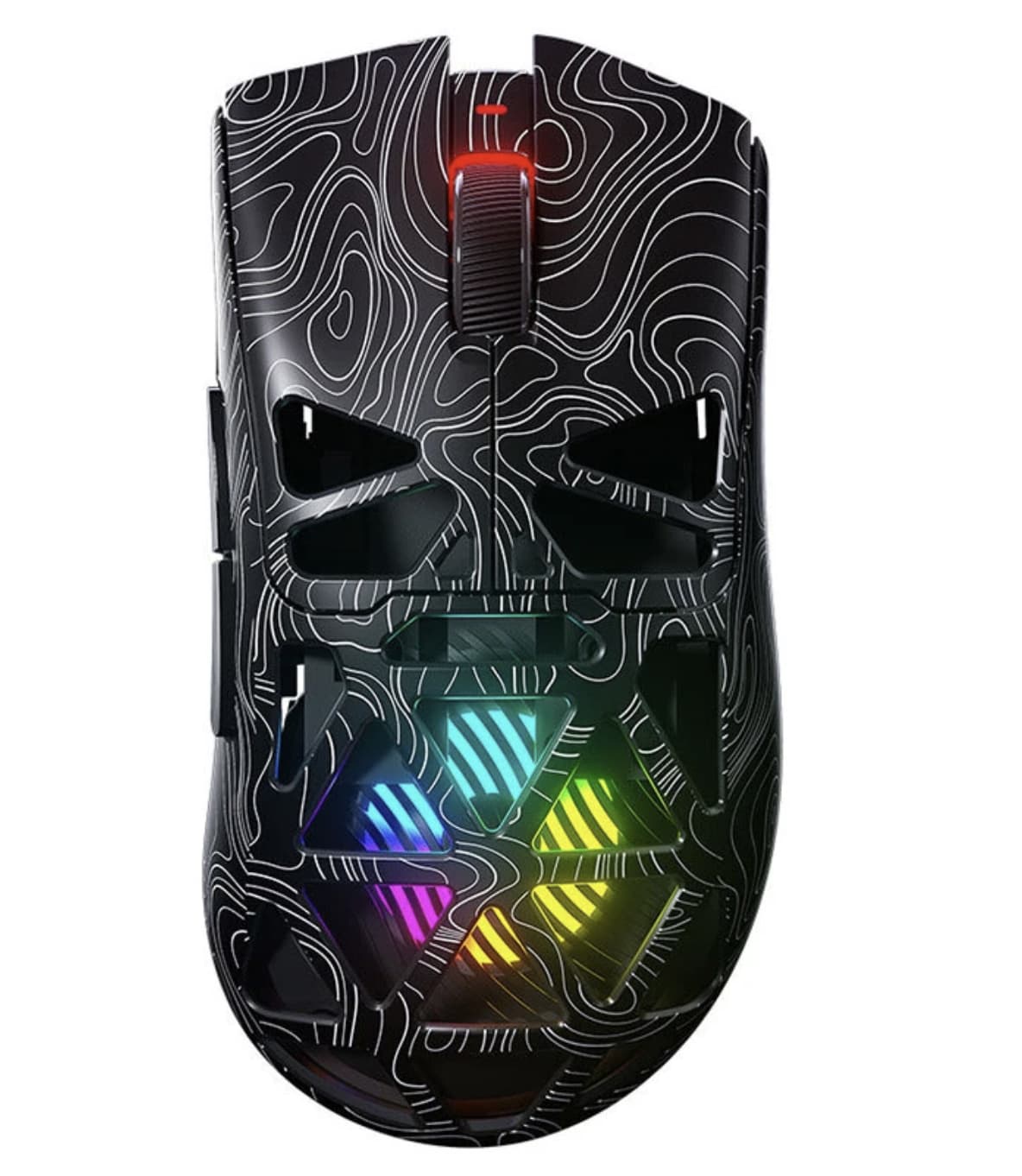
A gaming mouse does not have to be covered in complicated features to be useful. For many PC users, the priorities are surprisingly straightforward: low weight, dependable wireless connectivity, a comfortable shape, enough programmable controls, and a sensor that can handle both gaming and everyday desktop work.
The AULA SC620 takes that practical approach and adds a few enthusiast-friendly touches. It combines a lightweight 67g body with three connection options, adjustable sensitivity up to 12,000 DPI, RGB lighting, programmable controls, and a rechargeable battery. The result is a mouse designed to move between gaming, work, and general computer use without requiring a separate mouse for every situation.
What makes the SC620 particularly interesting is not any single specification. Instead, it is the combination of lightweight construction and tri-mode connectivity. You can use 2.4GHz wireless when responsiveness matters, Bluetooth when convenience and battery efficiency are more important, or a wired connection when you want to charge and continue using the mouse.
This AULA SC620 review looks at what those features mean in actual use, who the mouse makes sense for, and where its specifications may matter more than its gaming-focused appearance.
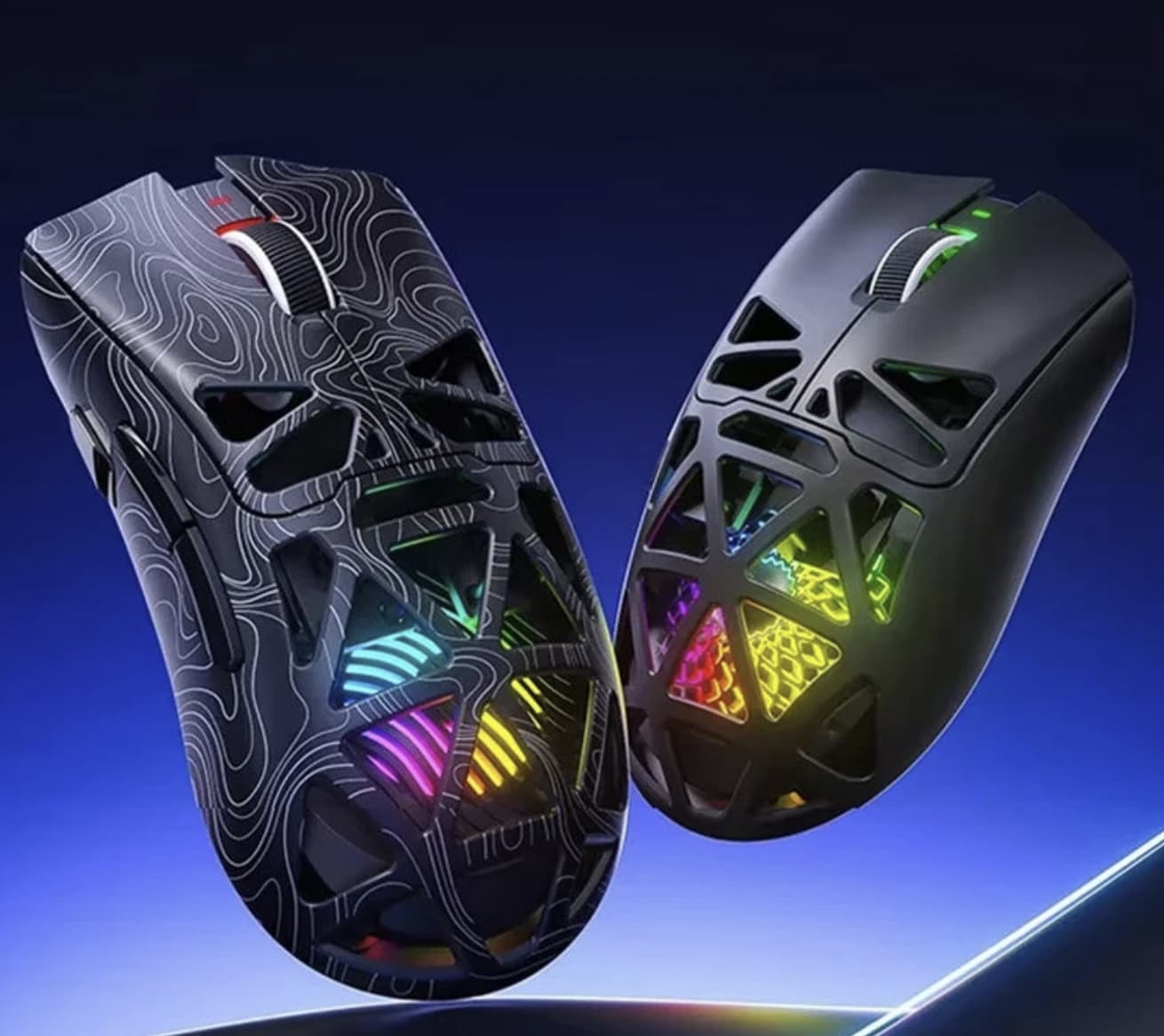
AULA SC620 Specifications at a Glance
The current Banggood listing identifies the SC620 as a tri-mode gaming mouse with the following specifications:
- Model: AULA SC620
- Connection: Wired, 2.4GHz wireless, Bluetooth
- Buttons: 8 listed by Banggood
- DPI levels: 800 / 1600 / 3200 / 4800 / 8000 / 12,000
- Switch life: Up to 20 million clicks
- Battery: 400mAh according to the Banggood listing
- Weight: Approximately 67g
- Dimensions: 122 × 64 × 40mm
- Lighting: RGB
- Compatibility: Windows, macOS and other major operating systems
AULA’s official product information also identifies the SC620 as a lightweight tri-mode mouse with a PAW3311 sensor and sensitivity up to 12,000 DPI.
Because specifications can vary between regional listings or product revisions, buyers should verify the final configuration on the seller’s page before ordering.
The Real Reason to Consider the SC620: Its 67g Weight
If you’re comparing lightweight gaming mice, our guide to the best lightweight gaming mice explains how weight, shape, sensor performance, and grip style can affect everyday gaming.
If you’re comparing lightweight gaming mice, our guide to the best lightweight gaming mice explains how weight, shape, sensor performance, and grip style can affect everyday gaming.
At approximately 67 grams, the SC620 falls into the lightweight category. That matters most when the mouse is being moved repeatedly across a large mousepad. A lighter body requires less physical effort to reposition, which can make broad movements feel more natural during games that rely heavily on mouse aiming.
The benefit is not limited to FPS games.
A lighter mouse can also feel more comfortable when moving between multiple windows, scrolling through large documents, editing images, or simply using a computer for several hours. The difference becomes especially noticeable for people who use a low-sensitivity setup and therefore move the mouse across a larger portion of the desk.
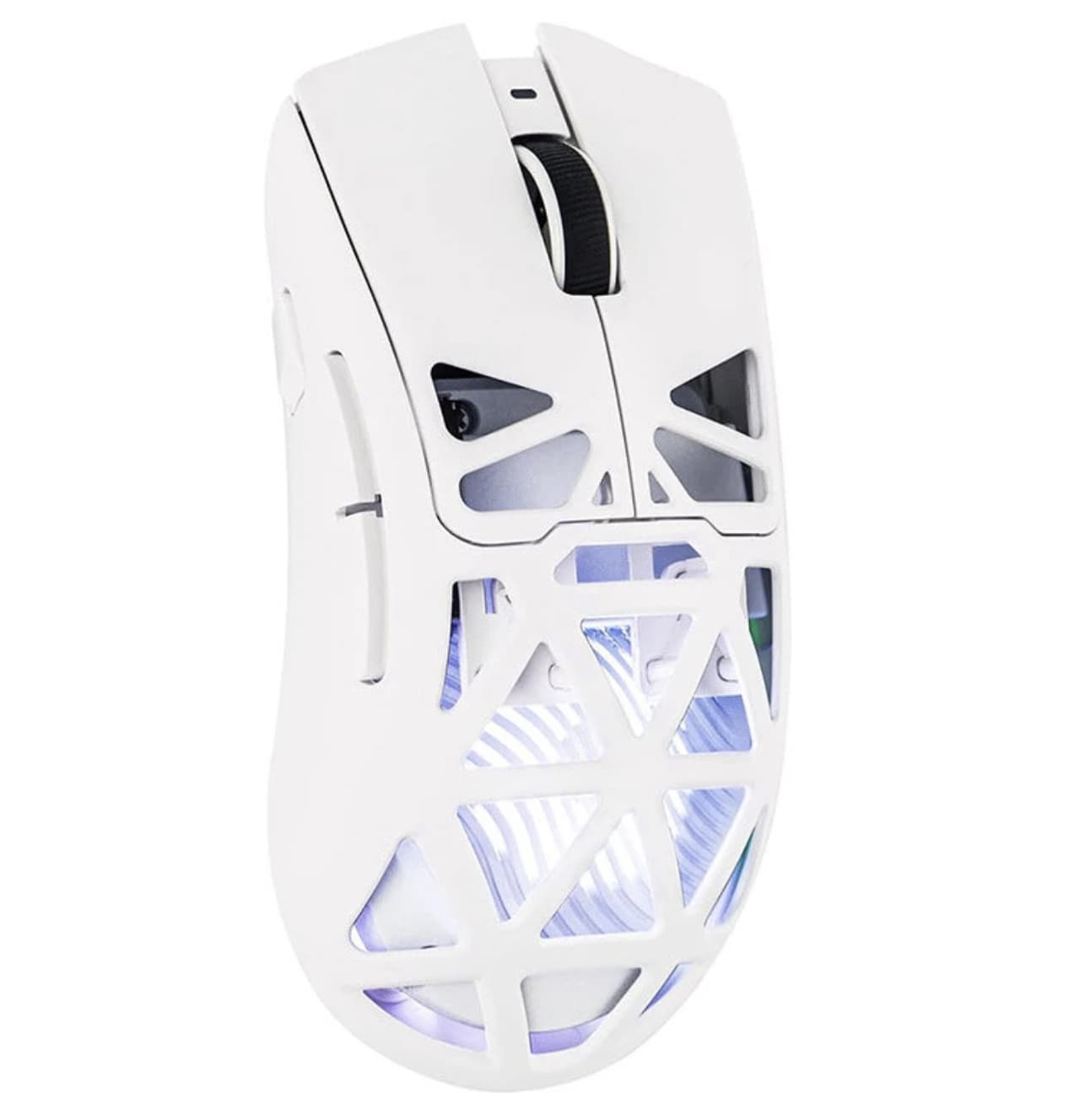
The SC620’s perforated or hollow-style construction is therefore more than an aesthetic decision. The design helps keep the overall weight down while giving the mouse a distinctly gaming-oriented appearance.
Of course, lightweight does not automatically mean better. Some users prefer the solid, substantial feel of a heavier mouse. The SC620 is clearly aimed at people who value easy movement rather than added mass.
Tri-Mode Connectivity Makes the SC620 More Versatile
The SC620’s biggest practical advantage may actually be its three connection modes.
It supports:
- 2.4GHz wireless
- Bluetooth
- Wired USB connection
That gives the mouse three different roles.
2.4GHz for Gaming
The 2.4GHz wireless connection is the mode that makes the most sense for gaming. It avoids the physical restriction of a cable while maintaining a connection intended for responsive desktop use.
For a gaming setup, this means fewer cables across the desk without forcing you to depend on Bluetooth.
If you regularly play FPS, racing, action, or strategy games, 2.4GHz wireless is the connection mode worth prioritizing.
Bluetooth for Everyday Computing
Bluetooth serves a different purpose.
Instead of treating the SC620 purely as a gaming peripheral, you can use it with compatible laptops and other Bluetooth-enabled computers without necessarily occupying a USB port with a wireless receiver.
That makes the mouse more useful outside the gaming room. A laptop user could switch to Bluetooth for everyday productivity and reserve 2.4GHz wireless for a gaming PC.
Wired Mode for Charging and Continuous Use
The third option is the simplest: connect the mouse by cable.
This is useful when the battery needs charging or when you simply prefer a wired connection. It also means that a depleted battery does not necessarily turn the mouse into an unusable accessory.
The SC620’s tri-mode design is therefore less about having three connection methods for the sake of a specification sheet and more about allowing one mouse to adapt to different computers and situations. AULA also officially lists Bluetooth, 2.4GHz and wired connectivity for the model.
12,000 DPI Sounds Impressive, But Sensitivity Is About Control
The AULA SC620 offers six listed DPI levels:
800, 1600, 3200, 4800, 8000 and 12,000 DPI.
That is a wide range for a mouse in this class.
However, 12,000 DPI should not automatically be interpreted as meaning that the mouse is more accurate than a model with a lower maximum DPI.
DPI mainly determines how far the cursor moves in response to physical mouse movement. Higher sensitivity can be useful when you want fast cursor movement with very small hand movements. Lower sensitivity can provide more physical control when aiming or performing precision work.
For gaming, many users may find the middle DPI settings more practical than simply selecting 12,000 DPI.
For example:
- 800 DPI: suitable for slower, controlled movements
- 1600 DPI: a useful general-purpose setting
- 3200 DPI: faster cursor response for larger displays
- 4800 DPI and above: better suited to users who prefer high sensitivity
- 12,000 DPI: useful when extremely fast cursor movement is desired
The advantage of the SC620 is therefore flexibility rather than the headline number itself.
Programmable Buttons Add More Value Than RGB
RGB lighting is visually appealing, but it does not fundamentally change how a mouse performs.
Programmable controls can.
The SC620 is designed with additional buttons that can be assigned to different functions, including the dedicated fire-button concept described by the product listing. AULA’s official information likewise highlights programmable controls and macro support.
This creates several possible uses.
For gaming, extra buttons can be assigned to frequently used commands so that you do not need to move your hand toward the keyboard as often.
For productivity, they can be used for functions such as:
- Browser back and forward
- Copy and paste
- Application shortcuts
- Frequently used commands
- Media controls
- Custom macros
This is one reason the SC620 can appeal to people who do not spend all their time gaming. A programmable mouse can become a general shortcut device once the controls are configured around your workflow.
The important point is that programmable buttons are only useful if the software allows them to be configured easily. Buyers who plan to use advanced macros should therefore check the current AULA software support for their operating system.
Ergonomics: Designed for Right-Handed Users
The SC620 uses a contoured ergonomic shape designed around a right-handed grip.
That matters because lightweight mice can sometimes sacrifice comfort in pursuit of low weight. The SC620 attempts to avoid that by combining a relatively compact 122 × 64 × 40mm body with a shaped shell and textured side areas.
Different grips will naturally produce different results.
Palm Grip
Users who place most of their palm on the mouse may appreciate the contoured shape, although people with very large hands may prefer a larger mouse.
Claw Grip
The lightweight construction can make the SC620 particularly interesting for claw-grip users who frequently lift and reposition the mouse.
Fingertip Grip
The relatively low weight can also work well for fingertip users because less effort is required to move the mouse.
There is no universally perfect gaming mouse shape. Hand size, grip style, desk space and personal preference all matter. The SC620’s specifications suggest that its target audience is someone who values mobility and a relatively compact body rather than a large ergonomic design.
RGB Lighting Gives the Hollow Shell a More Distinctive Look
The SC620 includes customizable RGB lighting, giving the mouse a more recognizable gaming aesthetic.
On a conventional mouse, lighting is often limited to a logo or small strip. With a perforated-style shell, however, illumination can become part of the overall appearance of the mouse.
That makes the SC620 easier to match with a gaming keyboard, headset or other RGB accessories.
Still, RGB should be treated as a secondary feature. If you’re buying a mouse specifically for competitive performance, weight, sensor behavior, shape, button placement and connectivity matter considerably more than lighting.
The Battery Is More Important Than the RGB
The SC620 uses a rechargeable battery rather than disposable cells. The Banggood listing specifies a 400mAh battery, while other AULA product information can show different battery-capacity figures, so buyers should confirm the exact capacity for the version being purchased.
What matters more than the number printed on the specification sheet is how the mouse is used.
Battery consumption can vary depending on:
- Wireless connection mode
- RGB lighting
- Usage frequency
- Polling behavior
- Power-management settings
For users who spend most of their day at a desk, the ability to connect the mouse by cable when necessary is particularly useful.
That effectively removes one of the biggest disadvantages of wireless peripherals: having to stop using the device simply because the battery is low.
Is the SC620 Suitable for Competitive Gaming?
The answer depends on what kind of competitive gaming you mean.
For casual and enthusiast gaming, the SC620’s combination of low weight, adjustable DPI, programmable controls and 2.4GHz connectivity is appealing.
It is especially relevant for games where rapid mouse movement is important. FPS players, for example, may appreciate the lightweight body when performing repeated aiming and repositioning movements.
However, serious competitive players should look beyond the 12,000 DPI headline.
The things that matter more include:
- Actual sensor tracking behavior
- Polling consistency
- Wireless latency
- Click response
- Shape and grip
- Mouse feet
- Software reliability
- Personal sensitivity settings
A specification sheet cannot tell you how every one of those characteristics will feel in your hand.
The official SC620 information identifies a PAW3311 sensor and up to 12,000 DPI, while supporting 2.4GHz, Bluetooth and wired operation.
That gives the mouse a credible feature set on paper, but competitive players should still evaluate real-world performance rather than choosing a mouse based only on its maximum DPI.
The SC620 Also Makes Sense as a Work Mouse
This is where the tri-mode design becomes more interesting.
A gaming mouse often ends up being used for far more than gaming. You may spend eight hours working on the same computer and then use it for another two hours of gaming at night.
The SC620 can accommodate both scenarios.
Bluetooth can be convenient for everyday laptop use, while 2.4GHz wireless is available when gaming performance becomes the priority. Wired operation provides another fallback when charging is required.
The programmable buttons can also have greater value in productivity software than in games.
For someone who wants one lightweight mouse instead of buying separate gaming and office peripherals, the SC620’s flexibility is arguably more important than its RGB lighting.
For users building a more complete PC setup, our guide to gaming peripherals covers the keyboards, mice, headsets, and other accessories worth considering alongside a gaming PC.
What the SC620 Does Not Try to Be
The SC620 is not a huge ergonomic mouse with a large number of specialized controls.
It is also not designed around an extreme DPI specification such as 20,000 or 30,000 DPI.
Instead, the product takes a more balanced approach:
67g + tri-mode wireless + programmable controls + RGB + 12,000 DPI.
That combination is arguably more useful for everyday users than a specification sheet filled with extreme numbers that most people will never use.
The SC620 is therefore better understood as a versatile lightweight wireless mouse rather than simply another RGB gaming accessory.
AULA SC620 vs. a Basic Wireless Mouse
A basic wireless mouse usually focuses on simplicity. You connect it, move the cursor and use a few standard buttons.
The SC620 is aimed at users who want more control.
| Feature | Basic Wireless Mouse | AULA SC620 |
|---|---|---|
| 2.4GHz wireless | Usually | Yes |
| Bluetooth | Model dependent | Yes |
| Wired operation | Model dependent | Yes |
| Lightweight design | Model dependent | Approx. 67g |
| Adjustable DPI | Usually limited | Up to 12,000 DPI |
| Programmable controls | Rare | Yes |
| RGB lighting | Rare | Yes |
| Rechargeable battery | Model dependent | Yes |
| Gaming-focused design | Sometimes | Yes |
The difference is not simply gaming performance. The SC620 provides more ways to configure and use the mouse.
Who Should Consider the AULA SC620?
The SC620 makes the most sense for several types of users.
Gamers who prefer lightweight mice: The approximately 67g weight can make repeated mouse movements easier.
Laptop users: Bluetooth gives the mouse another connection option without relying exclusively on a USB receiver.
Multi-device users: Tri-mode connectivity makes it easier to move between different computers.
Users who want programmable controls: Additional buttons can be configured for gaming commands or everyday shortcuts.
RGB setup builders: The lighting complements a gaming desk with other illuminated peripherals.
People replacing an ordinary mouse: The SC620 adds gaming-oriented features without requiring a separate productivity mouse.
Who Might Want Something Different?
The SC620 may not be the ideal choice for everyone.
If you prefer a heavy mouse with substantial physical weight, its 67g design may feel too light.
Left-handed users should also pay attention to the ergonomic shape because the product is designed around a right-handed form.
Likewise, users who want an extremely large mouse may find the 122 × 64 × 40mm dimensions relatively compact.
And if your main priority is professional competitive gaming, specifications alone are not enough. You should consider detailed measurements of latency, sensor behavior and wireless performance before making a final decision.
Final Thoughts
AULA SC620 gaming mouse is interesting because it does not rely on one oversized specification to define itself.
Its appeal comes from how several practical features work together.
The approximately 67g body targets users who want easy movement. The tri-mode connection system lets the mouse switch between 2.4GHz wireless, Bluetooth and wired operation. The 12,000 DPI range provides plenty of sensitivity adjustment, while programmable buttons expand its usefulness beyond basic cursor control. RGB lighting then adds the gaming aesthetic that many PC setups expect.
For buyers looking for a mouse that can serve as both a gaming peripheral and an everyday computer accessory, that combination is more meaningful than RGB or DPI numbers alone.
The main things to check before buying are the exact button configuration, battery specification and software support for the particular version being sold. The current Banggood listing and AULA’s official information contain some differences in these details, so verifying the seller’s latest specification page is worthwhile.
Overall, the AULA SC620’s strongest selling point is flexibility: it is light enough for fast mouse movement, wireless enough for a clean desk, configurable enough for gaming, and versatile enough to remain useful when the game is over.