






Facebook Twitter Instagram
    Trending
    • A9 Mini Camera Setup Guide: How to Get Through Common Installation Problems
    • Choosing Among 21 Flavors: A Practical Guide to the JNR Mega Box Pro
    • GPD Win Max 3 Price Confirmed: 11,999 Yuan Base Model, High-End Configuration Reaches 26,499 Yuan
    • Alibaba’s Qwen-UI-Agent: The AI That Sees and Clicks on Every Screen
    • Blackview WAVE 7C Virtual RAM: Does 4GB + 12GB Actually Work?
    • SBX 75K Triple Mesh Coil Explained: What It Means for Flavor and Performance
    • KUMI Six ORO 40K Nixodine Explained: What It Is and How It Differs From Nicotine
    • NeXLIM 2 Eco Mode Deep Dive: Real-World Battery & Pod Life Testing
    Facebook YouTube
    IGeeKphone China Phone, Tablet PC, VR, RC Drone News, Reviews
    • HOME
    • BREAKING NEWS
      • AI NEWS
    • Amazon
    • PHONE
      • Top Phones For Your First Choice
      • Phone Comparison
      • Xiaomi
      • Blackview
      • Doogee
      • Black Shark
      • Geekbuying
      • Banggood
      • TEMU
      • TikTok
      • Aliexpress
      • Walmart
      • MercadoLibre
      • Lazada
    • TOP VAPE Awards for 2026
    • VAPES
      • E-CIGAR Upcoming
      • Vape News
      • Vape Deals
      • Vape Comparison
      • Vape Guide
      • VAPE LAWS
      • Giveaway
    • BEST VAPE
      • Best Vape Stores
      • Best Starter Vape Kits
      • Best Vapes for Beginners
      • Best Disposable Vapes
      • Best Pod Systems
      • Best Pod Mod Vapes
      • Best Mods
      • Best Nicotine Pouches
      • Best Clearomizers/Tanks
      • Best E-Liquid
      • Best EGO/Pens
      • Best Vapes for Nic Salt E-Juice
      • Best Vapes to Quit Smoking
      • RDA vs. RDTA vs. RTA
    • Best Vape Brand 2026
      • VAPORESSO
      • VOOPOO
      • OXVA
      • NEXA BAR
      • MASKKING VAPE
      • SP2S
      • IPLAY
      • TODOO
      • MRFOG
      • LOSTVAPE
      • VEIIK
    • REVIEW
      • E-cigar Review
      • Phones
      • Tablet PC
      • TV Box
      • RC Drone
      • Wearables
      • Camera
      • Accessories
      • VR Headset
    • MORE
      • TABLET
        • Chuwi
        • INNOCN
        • Teclast
        • Top Tablet for Your First Choice
        • Tablet/Laptop Comparison
      • RC DRONE
      • CAMERA
      • WEARABLES
        • OneOdio
        • BlitzWolf
        • Top Smartwatch for First Choice
      • 3D PRINTER
        • 3D Printer Review
        • Anycubic
        • FLSUN
        • Xtool
        • LONGER
        • Top 3D printer to Choose First
      • POWER STATION
        • Oukitel
        • FOSSIBOT
      • GAMING
        • Top Gaming Products
      • E-BIKE
        • Samebike
        • Happyrun
        • ENGWE
      • SMART HOME
      • TV BOX
      • ACCESSORIES
      • VR HEADSET
      • CLOTHES
      • AUTO CAR
    • DEAL
    • Shop
    IGeeKphone China Phone, Tablet PC, VR, RC Drone News, Reviews
    You are at:Home»MORE»CAMERA»A9 Mini Camera Setup Guide: How to Get Through Common Installation Problems
    CAMERA

    A9 Mini Camera Setup Guide: How to Get Through Common Installation Problems

    Brady CottonBy Brady CottonAugust 21, 2026
    Facebook Twitter Pinterest LinkedIn Tumblr Email

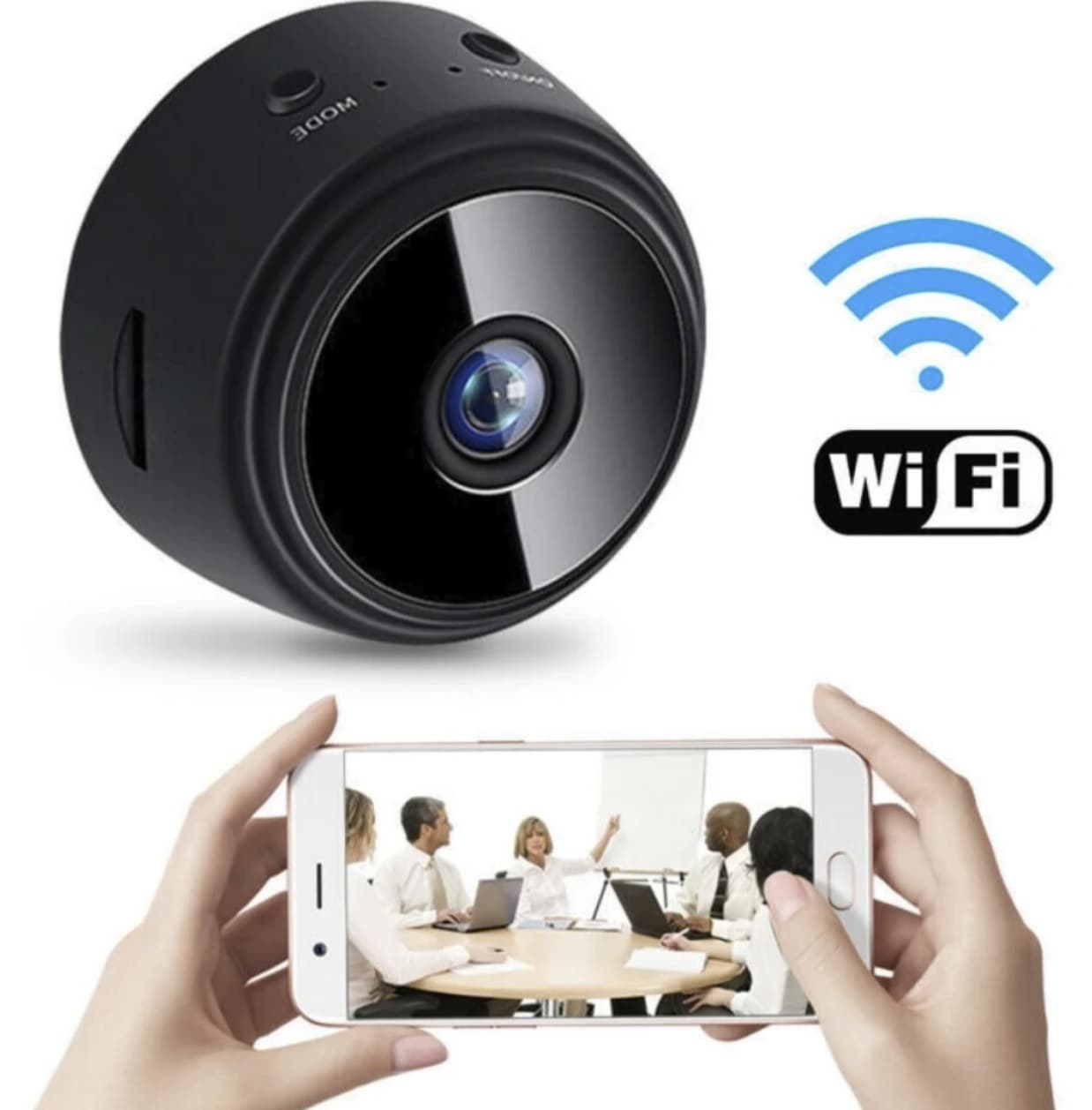
    So, you picked up the A9 Mini WiFi Security Camera because it was affordable, compact, and seemed to offer a convenient way to monitor a space. But after unboxing it, the reality can be less straightforward: failed connections, confusing setup apps, and disappointing image quality can quickly turn a simple installation into a frustrating experience. If you’re struggling to get the camera working properly, you’re certainly not the only one.

    Forget the marketing fluff about “easy installation.” Your purchase is just the beginning. This guide is for the post-purchase reality, a blunt, practical manual to either get your camera working or help you cut your losses . There’s a reason so many of these cameras are returned, and we’re going to tackle those reasons head-on.
    Step 1: Acceptance & Realistic Expectations

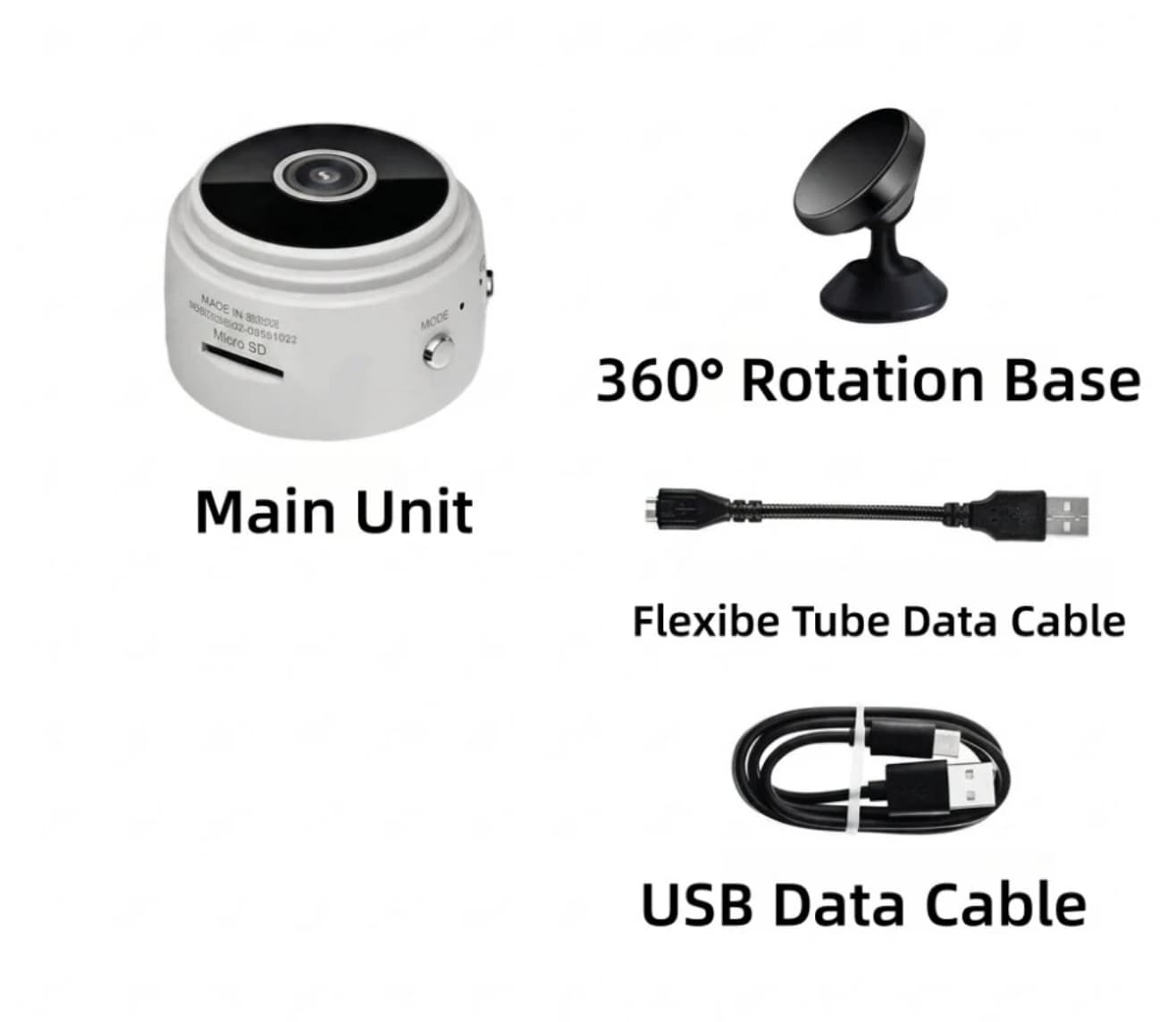
    Before you do anything, understand what you’re working with. The A9 has serious limitations that no amount of troubleshooting will fix. Accepting these realities will save you hours of frustration.

    First, manage your expectations about that battery. The built-in 250mAh battery is a joke—it’s for a few minutes of emergency use, not real monitoring . Expect around 40-60 minutes of use on a full charge, at most . Treat the camera as needing a constant USB power source (from a plug or a power bank) for any practical, 24/7 use .

    Second, the video quality is unlikely to live up to the “1080P” claim. For a camera this small and cheap, the image sensor and compression are a bottleneck. Many users report choppy footage of only 2-3 frames per second, which is far from smooth video . Real-world detail for reading a license plate or recognizing a face clearly is limited to within 3-5 meters in good lighting, and much less at night . Think of it as a “general awareness” device, not a high-definition surveillance tool.
    Step 2: Surviving the App & Setup Maze

    This is where most users lose their minds. The A9’s official instructions are famously terrible or missing, and the app situation is a chaos of poorly-made third-party guides . Here’s your survival strategy.

    First, forget the “official” app. There are multiple, confusingly named guide apps—v720, v380, HD Mini Cam, and others . The camera itself doesn’t come with a single, stable official app. Your job is to find one that works, and even then, expect ads and a clunky interface. Be aware that many guide apps for the A9 are not official; they are independent tutorials . Some users have reported that the functional app forces you to watch advertisements just to access your own footage .

    Second, when you attempt to connect, your phone and the camera must be on the same 2.4GHz Wi-Fi network . The camera cannot connect to 5GHz networks, so double-check this if you have a dual-band router.
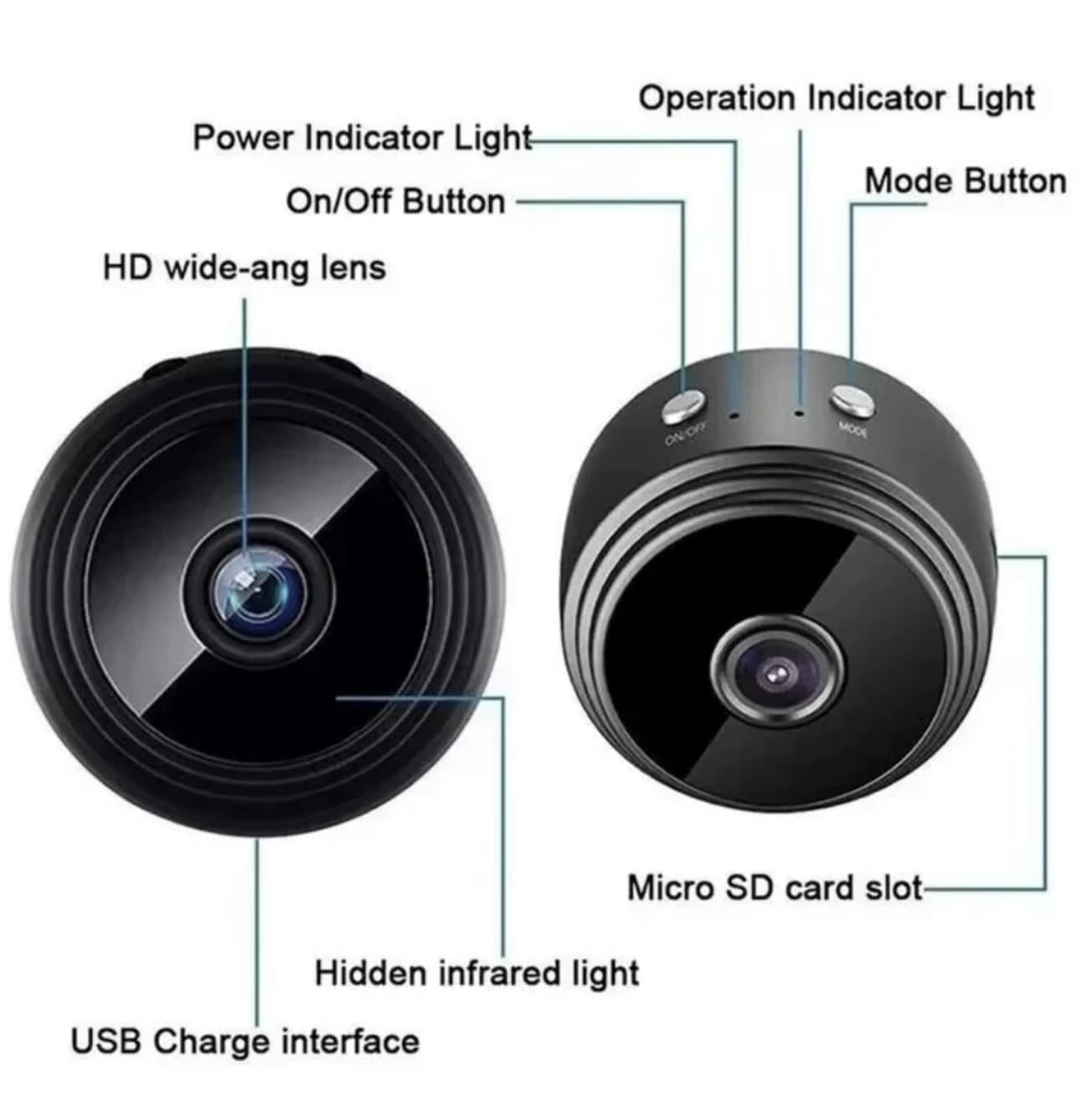
    Third, if the camera seems to connect but shows a “no video” or “black screen,” try the classic reset routine. Find the Mode/Reset button on the device . With the camera on, press and hold this button for about 5 seconds . The lights should flash and the camera will restart. This often resolves temporary glitches. Sometimes the camera will show up as a Wi-Fi network itself (like “A9…”). You need to connect your phone to this network first, then use the app to configure the camera to join your home Wi-Fi .

    Step 3: Troubleshooting the Most Common Nightmares

    Here are the three most common A9 nightmares and how to possibly fix them:

    Nightmare 1: “unknown-ssid” Error

    • Problem: The app can’t find your camera or displays this cryptic error, making it impossible to connect .

    • Survival Tactic: Power off the camera completely. Turn it back on and wait for it to fully boot. Then, go to your phone’s Wi-Fi settings and manually look for the camera’s own Wi-Fi network name. Connect to it directly. Now, open the app again, and it should see the camera in “AP mode” for setup. Once connected, you can use the app to tell the camera your home Wi-Fi details .

    Nightmare 2: Terrible, Choppy Video (2-3 FPS)

    • Problem: The video you record or view looks like a slideshow, not a video .

    • Survival Tactic: This is often a symptom of a weak Wi-Fi signal. Move the camera closer to your router. If that doesn’t help, try a different app. Some users find that one of the many guide apps (v380, HD Mini Cam) provides a more stable connection and better playback than others . There’s no guaranteed fix for this hardware limitation, but it’s worth testing.

    Nightmare 3: It Resets or Disconnects Constantly

    • Problem: The camera loses its connection or resets itself moments after connecting .

    • Survival Tactic: Ensure the camera is receiving stable power. A fluctuating USB power source or a dying power bank can cause reboots. Use a high-quality USB wall adapter. Also, make sure no other devices are heavily congesting your 2.4GHz Wi-Fi network.

    Step 4: The Final Choice—Persevere or Abandon

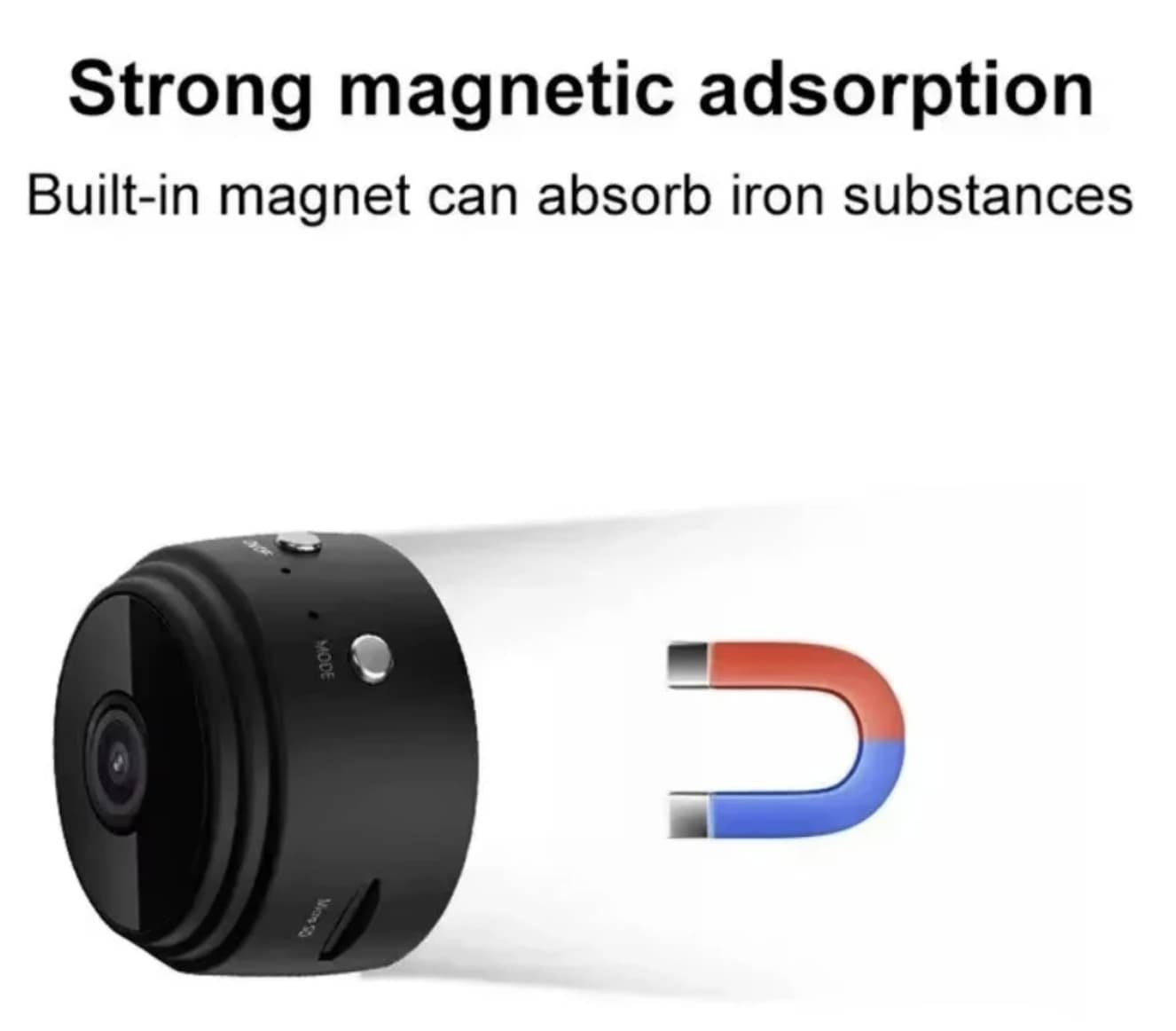
    After trying the steps above, you have a choice. If you’ve managed to get the camera working (even with its limitations), it can serve a purpose as a low-cost, secondary “peek-in” camera for a specific, well-lit, and small area. Its small size and magnetic mount are genuinely useful for keeping an eye on a pet crate, a front door package drop, or a specific room .

    If the A9 Mini Camera still refuses to work after an hour of troubleshooting, there is no reason to keep fighting with it—consider returning the device. Some users have reported frustrating setup instructions, poor support, and an overall experience that was not worth the hassle. Since your time matters, a low-cost camera should not require endless effort just to get it running. If repeated troubleshooting leads nowhere, returning the device and choosing a better-supported alternative may be the smarter option.

    Share. Facebook Twitter Pinterest LinkedIn Tumblr Email

    Related Posts

    Blackview WAVE 7C Virtual RAM: Does 4GB + 12GB Actually Work?

    W&O X200 Rugged Reality Check: Does a Plastic Body Really Survive the Elements?

    K14 WiFi Window Security Camera Review: Does 1080P Resolution Actually Deliver 24/7 Peace of Mind?

    Leave A Reply Cancel Reply

    You must be logged in to post a comment.

    voopoopintch
    oxva nexlim 2
    sp2s sen x disposable vape
    • Popular
    • 3D Printer REVIEW
    • XIAOMI
    July 13, 2026

    OXVA Nexlim 2 Mini Pod Vape Hands on Review

    July 13, 2026

    OXVA Nexlim 2 Pod Vape Hands on Review

    June 21, 2026

    iPlay LUMO 8K Review – A Compact Prefilled Pod Kit with Big Flavor and Everyday Convenience

    June 21, 2026

    iPlay HOOLA 150K Review – A Cloud-Chasing Giant with Music, Modes & Massive Longevity

    December 26, 2025

    ACMER ASCARVA 4S: Precision CNC Power for Makers, DIYers & Small Workshops

    June 23, 2024

    ACMER P2 20W Laser Engraver Fixed Focus Engraving: Hands on Review

    May 30, 2024

    xTool F1 Ultra Review: World’s First 20W Fiber & 20W Diode Laser Engraver

    May 30, 2024

    Anycubic Kobra 3 Combo Review: The Multicolor Masterpiece?

    August 18, 2026

    Xiaomi 18 Series: First to Feature 2nm Snapdragon 8 Elite Gen 6 Pro, Dedicated AI Button, and 8000mAh Battery

    August 18, 2026

    Xiaomi 18 Ultra International Cancelled? OPPO and Vivo Also Pull Back Ultra Phones Overseas – Report

    August 15, 2026

    Xiaomi MIX Fold 5 Rumors: XRing O3, HyperOS 4 and Major Upgrade Expected

    August 15, 2026

    Xiaomi 18 Series Rumors: Standard Model Delayed to Early 2027, “MiaoXiang Rear Display” Exclusive to Pro Models

    fc 26 coins
    New Arrivals
    • KUMI Six Oro 40K Disposable Vape KUMI Six Oro 40K Disposable Vape
    • SBX 75K Disposable Vape SBX 75K Disposable Vape
    • Al Fakher Crown Bar Cloud Force Max 50K Disposable Vape Al Fakher Crown Bar Cloud Force Max 50K Disposable Vape
    • Vaporesso Prix Pod System Kit Vaporesso Prix Pod System Kit
    • Royal Tobacco Extracts x Pod Juice E-juice Royal Tobacco Extracts x Pod Juice E-juice
    • Geek Vape Go Pod System Kit Geek Vape Go Pod System Kit
    • EVRFOG 100K Disposable Vape Kit EVRFOG 100K Disposable Vape Kit
    • Loon Air Plus 6000 Disposable Vape Loon Air Plus 6000 Disposable Vape
    • Pod Juice Tobacco Series E-juice Pod Juice Tobacco Series E-juice
    About
  • Igeekphone.com provides the first global tech news and reviews about smartphone, vapes, e-cigar, smart home, 3D printers, e-bike,tablets, RC drones, VR headset, and other accessories. It's the best platform to improve your brand and product.
  • Contact us: info@igeekphone.com
  • Check Our Privacy Policy Here.
  • Note: *Right now we have US editor and EU editors for review, especially for Amazon US and EU.
  • *Shop and Compare Price Here*
  • Facebook
  • Youtube
  • OUR BEST VAPE PARTNERS
  • VAPE ONLINE STORE
  • VAPORESSO
  • VOOPOO
  • OXVA
  • NEXA
  • MASKKING
  • SP2S
  • IPLAY
  • TODOO
  • OTHER BEST PARTNERS
  • SVBONY
  • Chuwi
  • Blackview
  • Fossibot
  • Unihertz
  • Flsun
  • Anycubic
  • Xtool
  • Oukitel
  • Mukkpet Ebike
  • Ugreen
  • Copyright © 2026 igeekphone

    Type above and press Enter to search. Press Esc to cancel.