










A security camera doesn’t need 4K resolution, a massive image sensor, or a pricey subscription plan to be genuinely useful. For many homes and small offices, the real test is simpler: can it keep a watchful eye on a critical area, alert you to movement, let you check in remotely, and give you the tools to respond when something’s off?
The K14 WiFi Window Security Camera embraces this straightforward philosophy. It pairs a 1080P Full HD sensor with a wide-angle lens, full-color night vision, motion detection, two-way audio, and remote viewing capabilities. What sets it apart is its advertised 24/7 runtime, making it a compelling option for anyone who needs uninterrupted indoor surveillance.
But specifications only tell part of the story. A camera can record continuously and still be poorly suited to a particular room if its viewing angle, placement, WiFi connection, night performance, or motion detection does not match the environment.
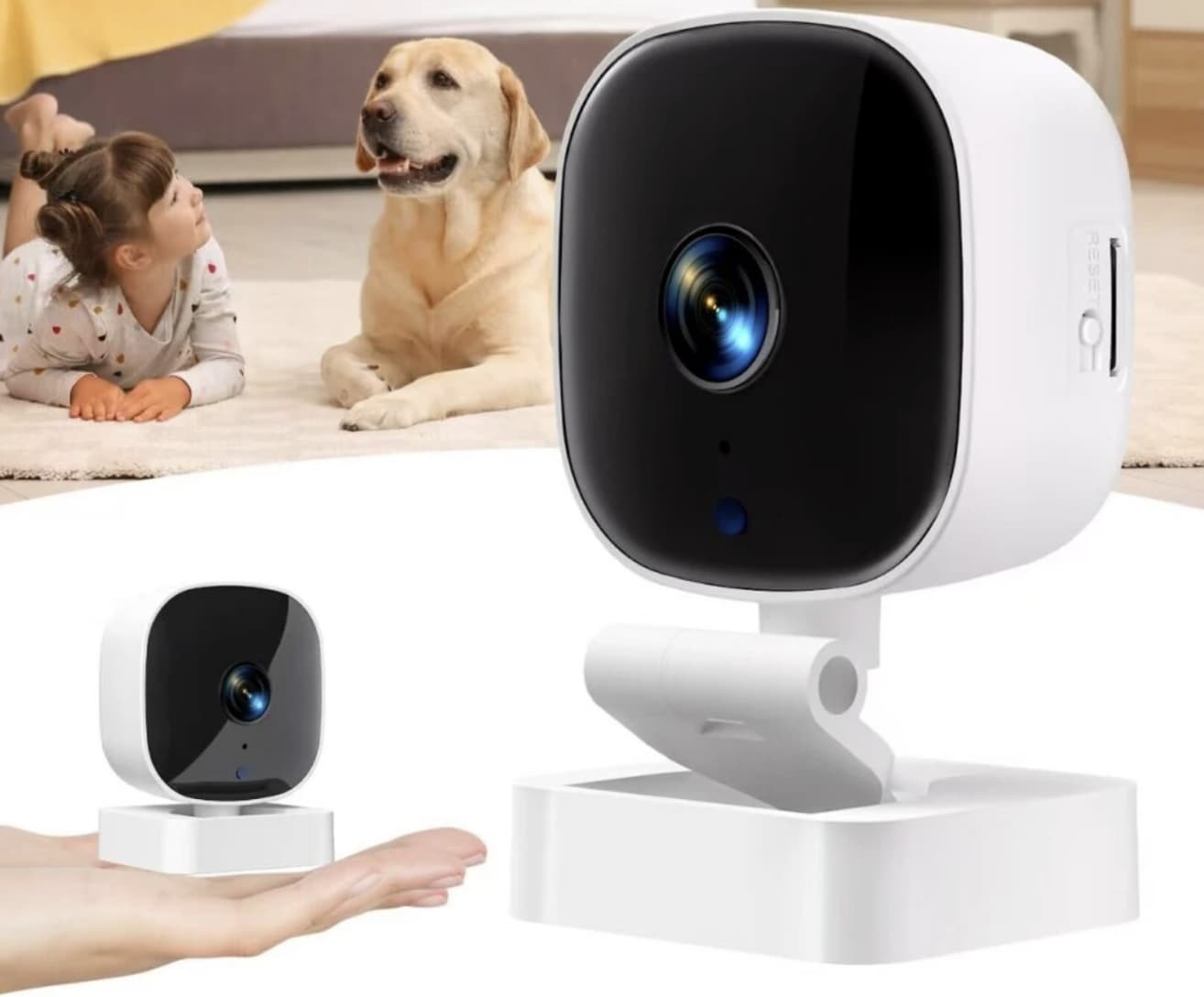
So, is the K14 a practical choice for continuous room monitoring? Let’s look beyond the feature list.
What Makes the K14 Different?
The K14 is positioned as a window security camera for home and office use, rather than a high-end professional surveillance system.
That distinction matters.
Its appeal comes from combining several everyday security functions in one relatively simple device:
- 1080P Full HD video
- Wide-angle viewing
- Full-color night vision
- Motion detection
- Two-way audio
- Remote monitoring
- WiFi connectivity
- 24/7 runtime
- Indoor home and office applications
None of these features is revolutionary on its own. The interesting part is how they work together.
For example, a 1080P camera with a wide field of view can be more useful for monitoring a small room than a higher-resolution camera with a narrow viewing angle. Similarly, continuous operation is valuable only if the camera remains connected and positioned correctly.
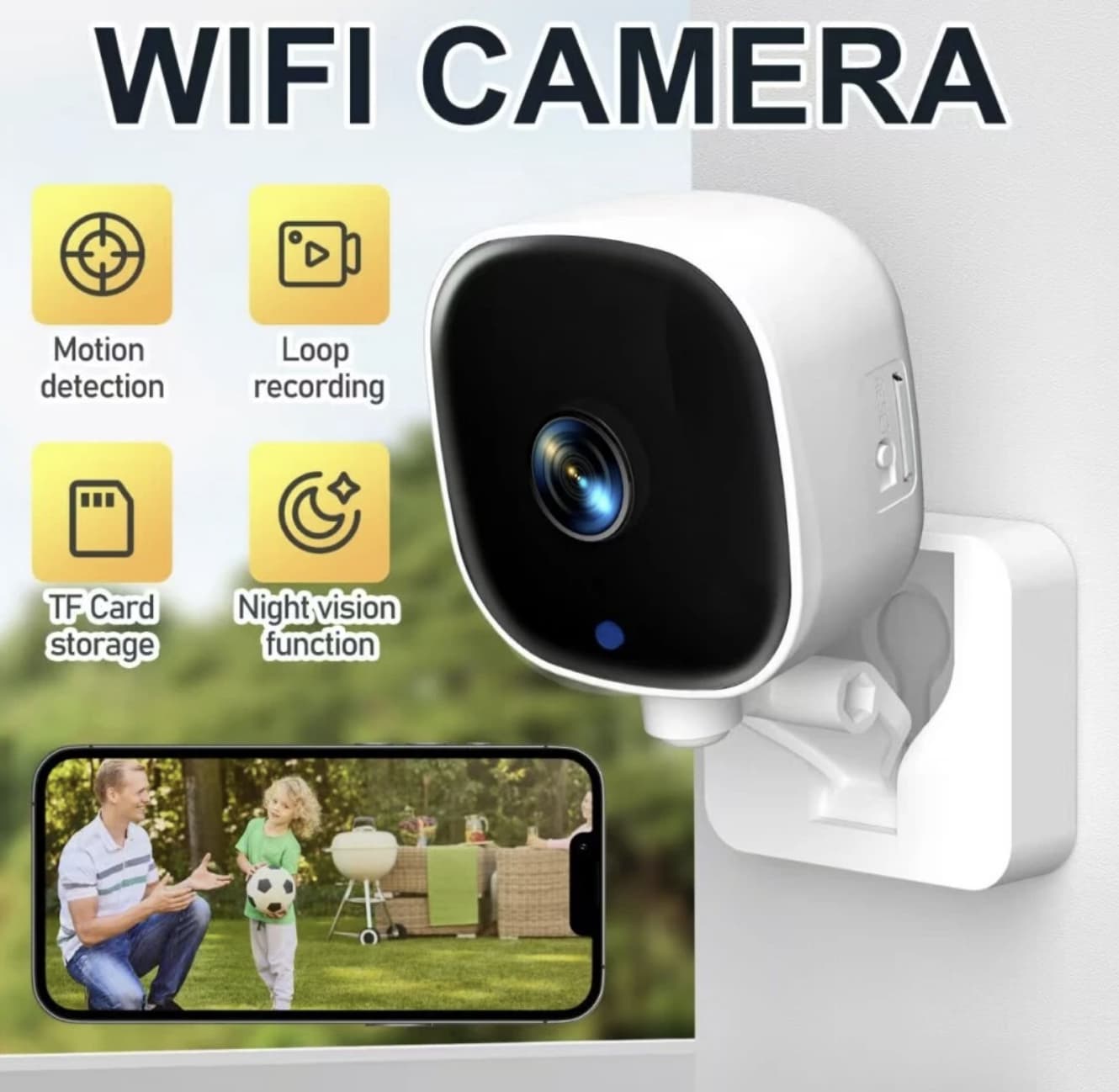
That makes the K14 more of a practical monitoring tool than a camera designed to win a specification competition.
1080P: Is Full HD Enough for Indoor Monitoring?
The K14 records at 1080P Full HD, which remains a sensible resolution for basic indoor surveillance.
For a living room, hallway, office entrance, workspace, or other relatively small area, Full HD can provide enough detail to establish what is happening in the scene.
However, it is important to understand what 1080P can and cannot do.
A 1080P image may be perfectly adequate for:
- Seeing whether someone entered a room
- Monitoring movement around a doorway
- Checking on an indoor workspace
- Watching pets or other activity
- Identifying general objects and movements
It becomes less ideal when you need to digitally crop a distant subject or identify fine details from across a large space.
In other words, 1080P is sufficient for situational awareness, but resolution alone should not be confused with forensic-quality identification.
This is one reason the K14’s wide-angle lens is important.
The Wide-Angle Lens May Matter More Than Extra Resolution
When selecting an indoor security camera, people often focus on megapixels first.
That’s not always the right priority.
Imagine placing a camera near a window or in a corner of a small room. A narrow lens may leave important areas outside the frame. A wide-angle lens can capture more of the surrounding space without requiring multiple cameras.
For the K14, the combination of Full HD resolution and a wide-angle lens is therefore quite practical for room-level monitoring.
The trade-off is familiar: wider views can make objects appear smaller, particularly toward the edges of the image.
That means the ideal setup is not simply “point the camera at the biggest possible area.” Instead, position it so that important zones—such as a doorway, desk, hallway, or window—occupy meaningful portions of the frame.
Can It Really Monitor a Room 24/7?
This is probably the most interesting question surrounding the K14.
The product is advertised for 24/7 runtime, which suggests it is intended for continuous monitoring rather than occasional use.
But “24/7 monitoring” should be understood as an operating concept rather than a guarantee that every recording will be perfect around the clock.
Continuous surveillance depends on several factors:
Stable Power
A camera intended for constant operation needs a reliable power source. If power is interrupted, the camera obviously cannot continue monitoring.
Reliable WiFi
Remote monitoring also depends on network stability. A WiFi security cameras may continue operating locally during a temporary connection problem, depending on its design, but remote access can be affected.
Storage and Recording Configuration
Continuous video produces significantly more data than motion-triggered recording. Before relying on any security camera for long-term surveillance, users should understand how recordings are stored, whether local storage is supported, and whether any service or subscription is involved.
Placement
A camera that is technically running 24/7 is not particularly useful if furniture, curtains, glare, or poor positioning block its view.
So the K14’s 24/7 capability is best regarded as an advantage for users who want persistent monitoring, but it does not eliminate the need for proper installation and configuration.
Full-Color Night Vision: A More Useful Feature Than It Sounds
Night surveillance is where many inexpensive cameras become less convincing.
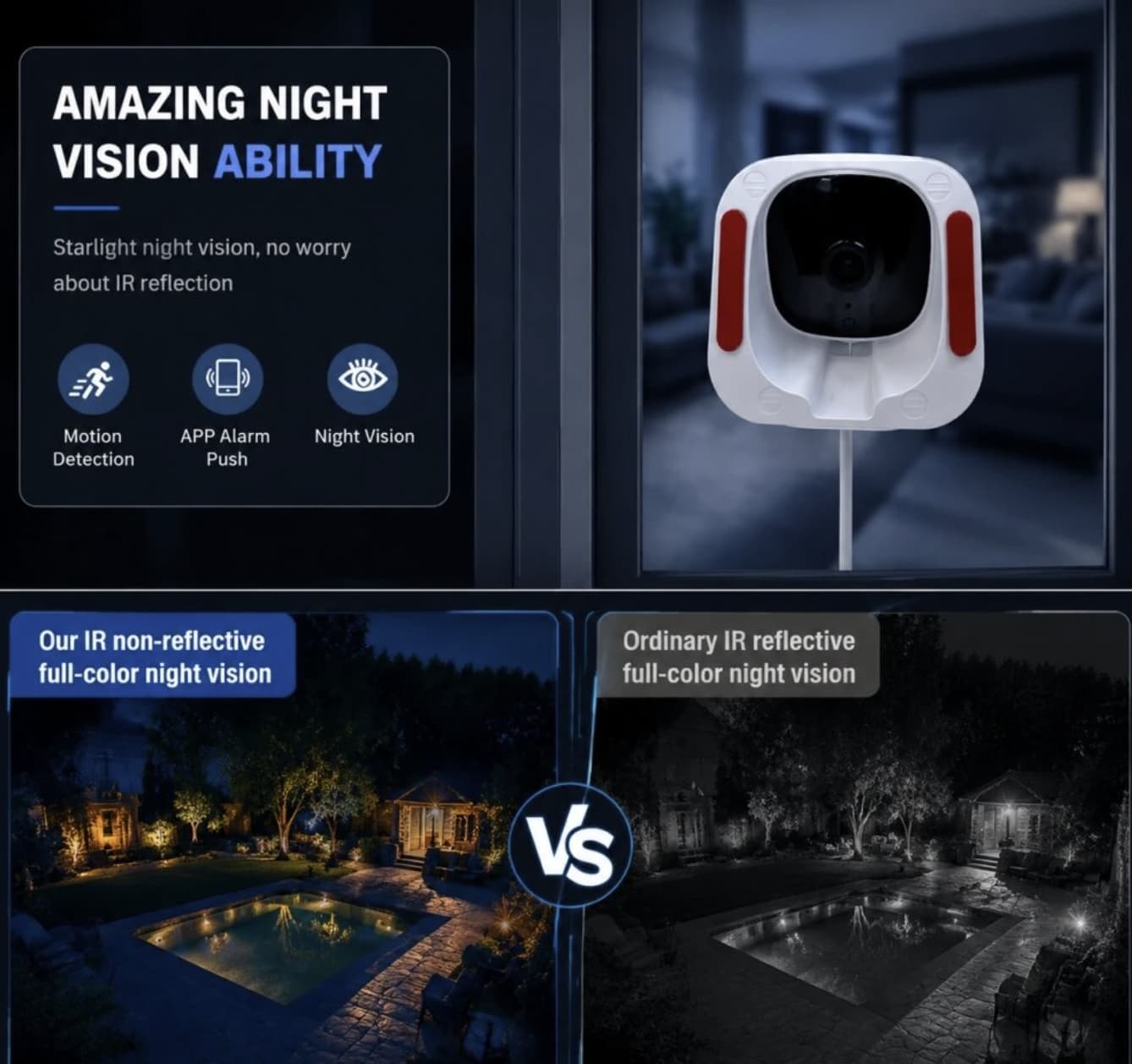
Traditional night-vision systems often switch to a monochrome image when ambient light becomes insufficient. That’s useful for detecting movement, but color information can sometimes make a scene easier to understand.
The K14 specifically advertises full-color night vision.
In practical terms, this could be useful when monitoring a room after dark because color can provide additional visual context. For example, clothing, furniture, or objects may be easier to distinguish than in a purely black-and-white image.
However, night performance will always depend on the surrounding lighting and the camera’s imaging hardware. “Full-color night vision” should not be interpreted as meaning that the camera can produce daylight-quality color in complete darkness.
For the best results, users should think about the actual lighting conditions around the camera rather than relying solely on the feature name.
Motion Detection: Convenience vs Constant Recording
Motion detection is another important part of a home-security setup.
Without motion detection, a continuously running camera may generate a large amount of footage containing nothing of interest.
Motion-based monitoring can make the system more practical by drawing attention to activity when movement occurs.
For the K14, this feature could be useful in areas such as:
- Home entrances
- Hallways
- Home offices
- Storage areas
- Small businesses
- Rooms that are normally unoccupied
But motion detection is not the same thing as intelligent human recognition.
A basic motion system may react to movement caused by people, pets, shadows, lighting changes, or other environmental factors. Users should therefore avoid assuming that every detected event represents an intruder.
The best setup depends on the environment. A camera facing a busy street through a window, for example, could encounter far more movement than one monitoring a quiet interior hallway.
Two-Way Audio Adds Another Layer
The K14 also includes two-way audio, which turns it from a passive camera into a basic communication device.
This can be useful in everyday situations.
You might use it to:
- Talk to someone in another room
- Check on a family member
- Communicate with someone near the monitored area
- Speak to a visitor while remotely viewing the scene
- Interact with pets
This feature is particularly useful when the camera is being used for more than security.
At the same time, two-way audio should not be confused with a dedicated intercom system. Audio quality, microphone placement, speaker volume, WiFi conditions, and background noise all influence how useful the feature is in practice.
Is the K14 Suitable for an Apartment?
Potentially, yes—but placement matters more than the product name suggests.
Apartment users often have limited space and may want to monitor an entrance, living area, hallway, or window without installing a complicated multi-camera system.
The K14’s wide-angle view and compact security-camera concept can make sense in that environment.
However, renters should consider how the camera is mounted and whether the chosen position creates privacy concerns for other people in the home.
If the camera faces a window, there is another consideration: glass reflections and changing outdoor light can affect image quality.
This is particularly relevant when the camera is positioned indoors and aimed outward. Bright reflections from the room can appear on the glass, potentially reducing the clarity of the outside scene.
Therefore, the K14 should not automatically be treated as a specialized “see-through-glass” camera. Its usefulness in a window-based setup depends heavily on how and where it is installed.
A Better Way to Position the K14
Instead of placing the camera wherever it is easiest to install, think about the area you actually need to observe.
A useful setup strategy is:
1. Identify the critical zone.
Decide whether the camera’s primary purpose is to monitor a doorway, room, desk, hallway, or window.
2. Keep important areas near the center of the frame.
Don’t rely entirely on the edges of a wide-angle image.
3. Avoid direct light sources.
Strong sunlight or bright lamps facing the lens can reduce image quality.
4. Check the WiFi signal.
A convenient camera position is useless if the wireless connection is unreliable.
5. Consider night conditions.
Check what the room actually looks like after the lights are turned off.
6. Think about privacy.
Avoid unnecessarily recording areas that do not need to be monitored.
This approach is more important than simply choosing the camera with the longest feature list.
What the K14 Does Well
The K14’s strongest argument is its combination of practical features rather than any single headline specification.
Full HD resolution
1080P provides a sensible baseline for indoor monitoring without positioning the product as a premium 4K surveillance system.
Wide-angle coverage
The wider field of view can be particularly useful in small rooms and compact indoor spaces.
Full-color night vision
Color-capable nighttime monitoring can provide more visual context than a basic monochrome image.
Motion detection
Useful for reducing the amount of footage users need to pay attention to.
Two-way audio
Adds communication capabilities that ordinary recording-only cameras don’t provide.
Remote monitoring
The ability to check a monitored area remotely makes the camera more useful for everyday home and office situations.
24/7 operation
For users who want persistent surveillance, continuous runtime is one of the K14’s most relevant features.
What You Should Consider Before Buying
The K14 is not automatically the right choice for every security application.
You should think twice if you need:
- Professional-grade surveillance
- Extremely detailed long-distance identification
- Advanced AI person recognition
- Multi-camera enterprise monitoring
- Specialized outdoor weather resistance
- Guaranteed continuous recording without understanding the storage system
Likewise, don’t choose a camera simply because it lists a large number of features.
A $100 camera that is badly positioned can be less useful than a basic camera correctly positioned to cover the right entrance.
K14 WiFi Window Security Camera: Who Is It For?
The K14 makes the most sense for users who want a straightforward indoor monitoring solution with several useful features built in.
It could appeal to:
Apartment residents who want to monitor a room or entrance.
Home-office users who want to keep an eye on a workspace while away.
Small businesses that need basic indoor observation.
Pet owners who want remote visual and audio interaction.
Users who want continuous monitoring rather than checking a camera only occasionally.
It is less compelling for buyers looking for a professional surveillance platform or highly advanced computer-vision capabilities.
Final Verdict
The K14 WiFi Window Security Camera is interesting not because it pushes one specification to an extreme, but because it combines several features that matter in everyday indoor monitoring.
Its 1080P resolution provides a reasonable foundation, while the wide-angle lens can help cover more of a room. Full-color night vision gives nighttime scenes additional context, and motion detection can make continuous surveillance more manageable. Two-way audio and remote monitoring also expand its usefulness beyond simple video recording.
The advertised 24/7 runtime is potentially its most important selling point for users who want continuous observation. However, continuous monitoring should always be evaluated together with power reliability, WiFi stability, storage, lighting, and camera placement.
So, can the K14 really monitor a room 24/7?
The K14 is built for continuous monitoring, but its real-world performance depends on more than just the hardware. Installation quality, lighting conditions, and placement all play a role in determining how useful the footage actually is. For a home office, apartment, small indoor space, or basic monitoring setup, the K14 offers a compelling combination of features. However, if your security needs are more demanding, don’t stop at the spec sheet. Dig deeper into storage options, privacy controls, motion detection accuracy, build quality, and long-term software support before making a final choice.