





Facebook Twitter Instagram
    Trending
    • How to Keep Your Rummy Skills Sharp
    • Uwell Caliburn G5 Lite SE Pod System Kit Review: Premium Simplicity Refined
    • Uwell Caliburn G5 Lite KOKO Pod System Kit Review: Compact Power, Uncompromised Flavor
    • Uwell Caliburn G5 Lite Pod System Kit Review: Refined Simplicity, Unmatched Flavor
    • Quantum AI App, Useful or Not?
    • How to Troubleshoot and Fix a Vape That Won’t Charge?
    • How to Troubleshoot iPhone Personal Hotspot Issues
    • The Link Between Herpes Transmission and Vaping: What’s the Risk?
    Facebook YouTube
    Login Register
    IGeeKphone China Phone, Tablet PC, VR, RC Drone News, Reviews
    • HOME
      • NEWS
        • DeepSeek
        • ChatGPT
        • Minecraft
    • Amazon
    • CHRISTMAS
    • PHONE
      • Top Phones For Your First Choice
      • Phone Comparison
      • Xiaomi
      • Blackview
      • Unihertz
      • Doogee
      • Black Shark
      • Geekbuying
      • Banggood
      • TEMU
      • TikTok
      • Aliexpress
      • Walmart
      • Newegg
      • MercadoLibre
      • Lazada
    • TOP VAPE Awards for 2025
    • VAPES
      • E-CIGAR Upcoming
      • Vape News
      • Vape Market Trend
      • Vape Deals
      • Expo News
      • Vape Comparison
      • Vape Guide
        • Guide For Beginners
        • Guide for Best Users
      • Giveaway
    • BEST VAPE
      • Best Vape Stores
      • Best Starter Vape Kits
      • Best Vapes for Beginners
      • Best Disposable Vapes
      • Best Pod Systems
      • Best Pod Mod Vapes
      • Best Mods
      • Best Nicotine Pouches
      • Best Clearomizers/Tanks
      • Best E-Liquid
      • Best EGO/Pens
      • Best Vapes for Nic Salt E-Juice
      • Best Vapes to Quit Smoking
      • RDA vs. RDTA vs. RTA
    • Best Vape Brand 2025
      • VAPORESSO
      • VOOPOO
      • OXVA
      • NEXA BAR
      • ORIONBARTECH
      • MASKKING VAPE
      • VEIIK
      • MEMERS
      • SP2S
      • JNR
      • TODOO
      • MRFOG
    • REVIEW
      • E-cigar Review
      • Phones
      • Tablet PC
      • TV Box
      • RC Drone
      • Wearables
      • Camera
      • Accessories
      • VR Headset
    • MORE
      • 3D PRINTER
        • 3D Printer Review
        • Anycubic
        • FLSUN
        • Xtool
        • LONGER
        • Top 3D printer to Choose First
      • TREND
      • CLOTHES
      • AUTO CAR
      • POWER STATION
        • Oukitel
        • FOSSIBOT
      • GAMING
        • Top Gaming Products
      • E-BIKE
        • Samebike
        • Happyrun
        • ENGWE
      • TABLET
        • Chuwi
        • INNOCN
        • Teclast
        • Top Tablet for Your First Choice
        • Tablet/Laptop Comparison
      • WEARABLES
        • OneOdio
        • BlitzWolf
        • Top Smartwatch for First Choice
      • SMART HOME
      • TV BOX
        • Chuwi mini pc
        • Beelink
        • GMKTEC
        • MOREFINE
      • RC DRONE
        • DJI
        • MJX
        • JJRC
        • Hubsan
        • Top RC Drone
      • CAMERA
        • Gopro
        • Insta360
        • Andoer
      • ACCESSORIES
      • VR HEADSET
      • ROM
        • SAMSUNG
        • XIAOMI
        • ASUS
        • MEIZU
        • LENOVO
        • HUAWEI
        • ONEPLUS
        • ZTE
        • UMIDIGI
        • DOOGEE
        • HOMTOM
        • ELEPHONE
        • ULEFONE
        • BLACKVIEW
        • VERNEE
        • LEAGOO
        • CHUWI
        • TECLAST
        • PIPO
        • TV BOX ROM
    • DEAL
    • Shop
    IGeeKphone China Phone, Tablet PC, VR, RC Drone News, Reviews
    You are at:Home»Guide»AirDroid Cast Review – Share The Screen From Mobile to PC
    Guide

    AirDroid Cast Review – Share The Screen From Mobile to PC

    Reyan SiddiquiBy Reyan SiddiquiJuly 7, 2022
    Facebook Twitter Pinterest LinkedIn Tumblr Email

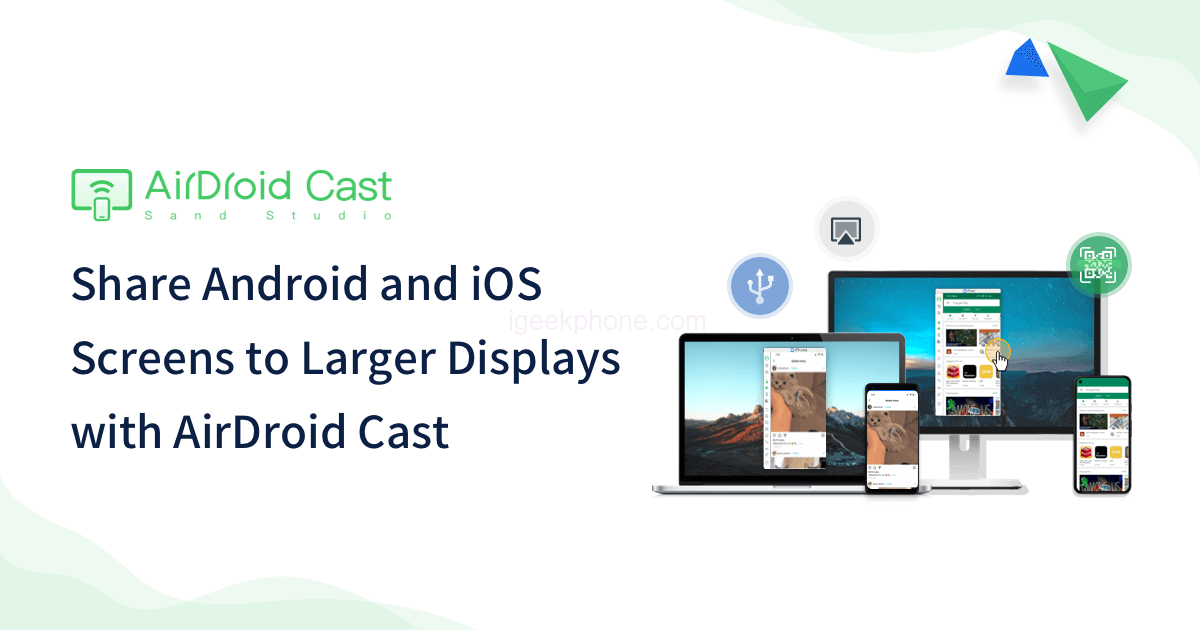
    There are multiple reasons why you might need to mirror your phone screen to a larger one like a computer, from having online meetings where you have to give a presentation to streaming mobile games, not forgetting that it could fail you. a program on your computer with important files. If you have these accessible on your mobile by transmitting the content from mobile to PC you would save the situation. There are many applications to mirror the smartphone screen on a PC, but many times they are complicated to use or are not compatible with all operating systems. That’s why Airdroid Cast is the most complete tool for this task since it allows you to duplicate the screen of an Android phone or iPhone to a computer, whether it’s macOS or Windows.

    Also can sign-in Website: Cast to browser, Not required to connect to the same network.

    Features of the AirDroid Cast

    • Share screen and control iOS & Android devices, mobiles, and tablets on PC.
    • Support screen sharing with Screen Mirroring, QR Code, and Bluetooth.
    • Screen sharing limit 5 devices at a time
    • Can use  the Remote Meeting  feature for remote meetings (Premium member)
    • Application to stream games from mobile to PC (Premium member)
    • Can be applied in online learning (Premium member)
    • Cast to Browser: Cast Android/ iOS/ Windows/ Mac OS/ tablets to any web browser wherever and whenever without installing an app on the receiver and the constraints of cables.
    • Cast PC to other PCs: Casting Windows/ Mac screens to other PCs, is convenient for doing the presentation at a meeting or teaching.

    AirDroid supports basic mirroring, but for more control, you can use AirDroid Cast, which lets you control your phone from your desktop. To get started, you need to download AirDroid Cast for Windows or Mac, which is just as good as the AirDroid Cast Android app on your phone. AirDroid Cast only supports basic mirroring in the free version, but if you need full touch control through a Windows PC or Mac, you can upgrade for $3.49 per month. There is also a free trial so you can make sure it suits your needs.
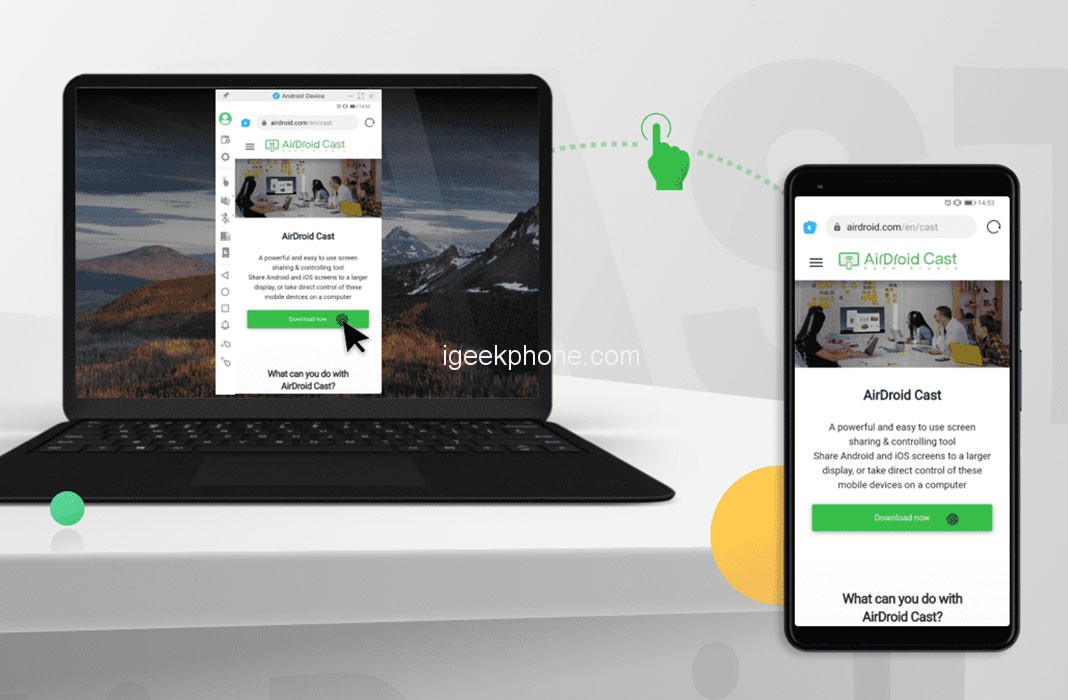
    Using this app is as simple as downloading AirDroid Cast on your phone and the Windows/macOS version on your PC. It is a free tool to use locally (it also has the possibility of being used remotely through a subscription) and it does not weigh much, so you will have too much trouble installing it.
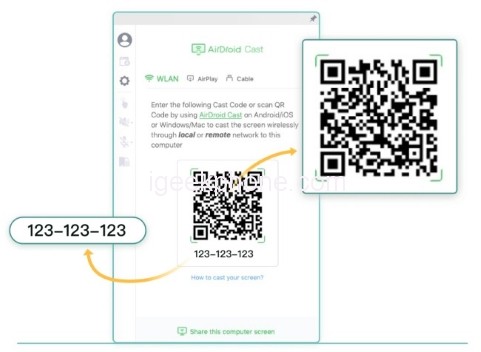
    Once you have installed it you will see that the pairing process is as simple as scanning a QR code from your phone and accepting the broadcast permissions. When the connection between devices has been made, you can duplicate the contents and view them directly on the computer.

    AirDroid Cast allows you to play up to 5 devices on one computer simultaneously. The connection is quite efficient, logically if you are not connected by cable there is a bit of latency, but this is minimal, almost imperceptible.
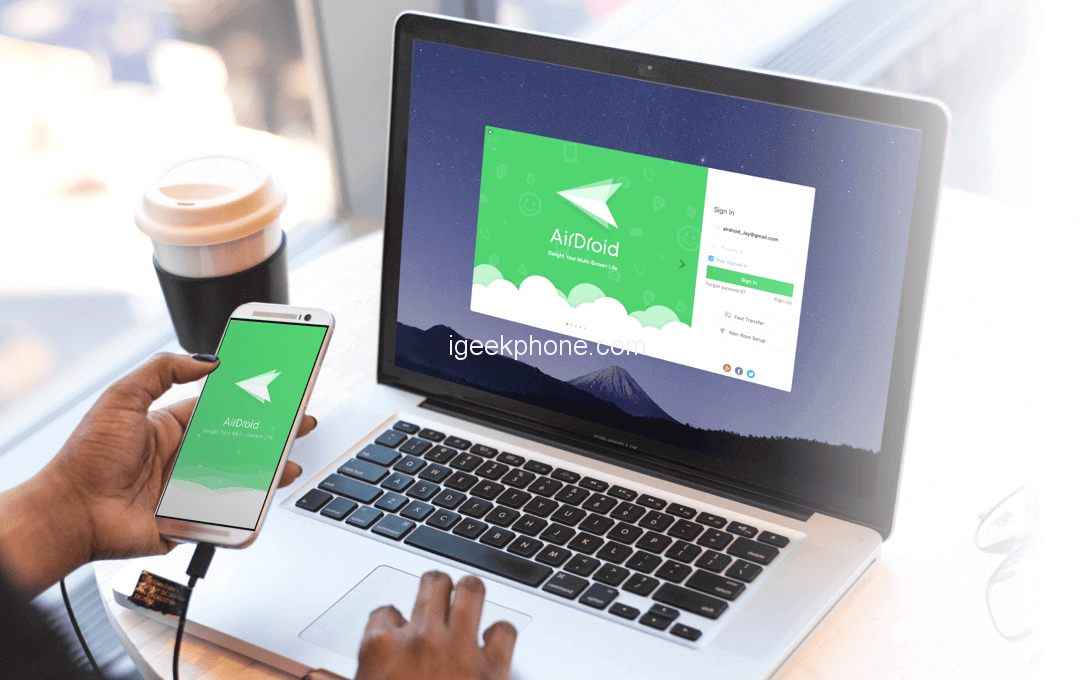
    Now launch the apps on both devices. On the desktop app, you will see a QR code; click the Scan icon, scan the code, then tap Start broadcasting. For security reasons, you will be prompted to Allow on your desktop and Start now on your phone. After that, you will be connected. Unlike AirDroid, you can work with third-party apps in Cast, and you can also move files to and from your phone. Because the app mirrors your phone’s screen, you need to keep the screen on to use it.

    Also Read: AirDroid Review – Control Your Smartphone Through Your PC

    How Can AirDroid Cast Help You in Your Work?

    1. Attend Remote Meetings Easily

    Don’t worry when you’re out and about on a vacation and your boss calls, AirDroid Cast is super fast as it takes minimal time to load up on your desktop screen. Also, it is effortless to connect your PC with your Android or iOS phone. You can cast the screen of your mobile phone into your laptop or web browser.

    AirDroid Cast helps you attend meetings and classes much more efficiently; with its simple QR Code feature, you can easily use your mobile phones; to be connected to convert your desktop into a web browser screen mirroring tool. This is useful when you have all of you on the go and don’t have access to a desktop; your boss urgently wants you to present an outstanding idea. AirDroid Cast will make sure you don’t disappoint, and it’ll make sure your presentation goes impressive.

    1. Best Tool for Teacher

    The best feature about AirDroid Cast is that it’s useful for purposes, including group learning, teachers, and students individually. When used to explain different topics; AirDroid Cast can work as a screen mirroring website free of cost; allowing students to learn more effectively and giving you the feasibility you need while teaching.

    Also, this software will help teachers to conduct online classes feasibly and efficiently. You can turn your Android or iOS device into a handy whiteboard by using AirDroid Cast. You can type down key points or draw the formula right onto your device and share the screen with the computer. It also allows communication between the host and the attendee, reducing communication gaps by using two-way audio features.

    1. A True Screen Mirroring Experience

    Using AirDroid Cast brings you many benefits other than your professional life. Using AirDroid Cast can also be very useful for using your laptop as a screen mirroring web browser, allowing you to share your experiences with multiple people with the help of a single QR Code or a numeric code. It allows you to screen games on a big screen. This is useful if you’re among your friends and want to play online games that you all can see and share. It also enables you to watch movies together, play games, and learn, a complete experience in a single software.

    1. Browsing Made More Fun

    Using AirDroid Cast, you can easily browse the internet and display it on your PC Screen. Your laptop becomes a web screen mirror and allows you to visit your phone screen on the browser. If you ever want to read an article and do some research on your phone; click on AirDroid Cast and start mirroring your web browser. This will also enable you to control your phone using your laptop very quickly.

    Conclusion

    AirDroid Cast provides powerful screen projection and control functions for individual users and enterprises. Whether it is the screen projection and control needs of individual users; or the cross-regional screen projection meeting required by enterprise users in the face of the epidemic; AirDroid Cast can help you perfectly solve.

    AirDroid Cast is free to cast devices under a local area network and using the pairing code. To connect devices via AirPlay or USB cable, or remotely control your phone; you need to upgrade to AirDroid Cast premium. The good news is that Airdroid offers you a free trial for you to test all the enabled features.

    This program, the program developer (Program Developer); has given away to everyone to use for free (FREE) without you having to pay anything; but if you want to upgrade to Premium to use more features. You can upgrade through the program, or contact via Developers of this program can be accessed via the website.

    Share. Facebook Twitter Pinterest LinkedIn Tumblr Email

    Related Posts

    Quantum AI App, Useful or Not?

    How to Troubleshoot iPhone Personal Hotspot Issues

    The Battery Capacity of Samsung Galaxy Buds4/Pro Headphones has been Exposed: 42mAh and 57mAh

    Leave A Reply Cancel Reply

    You must be logged in to post a comment.

    voopoo drag s3
    oxva xlim go 2
    sp2s sen x disposable vape
    jnr 100k
    • Popular
    • 3D Printer REVIEW
    • XIAOMI
    November 23, 2025

    VOOPOO DRAG X3 – Big Battery, Smart Tech, Pod-Mod Powerhouse (Review)

    November 23, 2025

    VOOPOO VINCI S: Pocket-Power Pod with a 2,000 mAh Heart — Big Battery, Simple Use (Review)

    November 19, 2025

    OXVA XLIM PRO 3 Pod Vape Quick Hands-on Review (Video Test Included)

    November 19, 2025

    OXVA XLIM 3 Ultra Pod Vape: Hands-on Review (Video Test Included)

    June 23, 2024

    ACMER P2 20W Laser Engraver Fixed Focus Engraving: Hands on Review

    May 30, 2024

    xTool F1 Ultra Review: World’s First 20W Fiber & 20W Diode Laser Engraver

    May 30, 2024

    Anycubic Kobra 3 Combo Review: The Multicolor Masterpiece?

    May 15, 2024

    SCULPFUN SF-A9 40W Laser Engraver Cutting Machine: Hands On Review

    December 2, 2025

    Xiaomi REDMI Turbo5 Pro phone will be launched before the Spring Festival, equipped with the only flagship chip in its class

    December 2, 2025

    Xiaomi has Released REDMI TV X55/65/75 2026: Mini LED starts at only 2,499 yuan

    November 28, 2025

    The Exclusive Camera Handle of Xiaomi 17 Ultra has passed the 3C certification and can be used as a power bank

    November 27, 2025

    Code name “Nezha” : Xiaomi 17 Ultra phone exposed, with a triple rear camera setup

    fc 26 coins
    New Arrivals
    • Uwell Caliburn G5 Lite SE Pod System Kit Uwell Caliburn G5 Lite SE Pod System Kit
    • Uwell Caliburn G5 Lite KOKO Pod System Kit Uwell Caliburn G5 Lite KOKO Pod System Kit
    • Uwell Caliburn G5 Lite Pod System Kit Uwell Caliburn G5 Lite Pod System Kit
    • Freeton Trimax 60k Disposable Vape Freeton Trimax 60k Disposable Vape
    • Smoant Pasito 3 Vape Smoant Pasito 3 Vape
    • Yocan Flat 2.0 series Yocan Flat 2.0 series
    • Snowplus Swift Pod Vape Snowplus Swift Pod Vape
    • Innokin EZ LEVA PCC Pod Kit Innokin EZ LEVA PCC Pod Kit
    • VANMO VM60000 DISPOSABLE VANMO VM60000 DISPOSABLE
    About
  • Igeekphone.com provides the first global tech news and reviews about smartphone, vapes, e-cigar, smart home, 3D printers, e-bike,tablets, RC drones, VR headset, and other accessories. It's the best platform to improve your brand and product.
  • Contact us: info@igeekphone.com
  • Check Our Privacy Policy Here.
  • Note: *Right now we have US editor and EU editors for review, especially for Amazon US and EU.
  • *Shop and Compare Price Here*
  • Facebook
  • Youtube
  • OUR BEST VAPE PARTNERS
  • VAPE ONLINE STORE
  • HAYATI PRO MAX PLUS
  • VAPORESSO
  • VOOPOO
  • OXVA
  • NEXA
  • MASKKING
  • LOSTVAPE ORIONBAR
  • VEIIK
  • MEMERS
  • TODOO
  • SP2S
  • JNR
  • OTHER BEST PARTNERS
  • SVBONY
  • Chuwi
  • Blackview
  • Fossibot
  • Unihertz
  • Flsun
  • Anycubic
  • Xtool
  • Oukitel
  • Mukkpet Ebike
  • Ugreen
  • Copyright © 2025 igeekphone

    Type above and press Enter to search. Press Esc to cancel.