










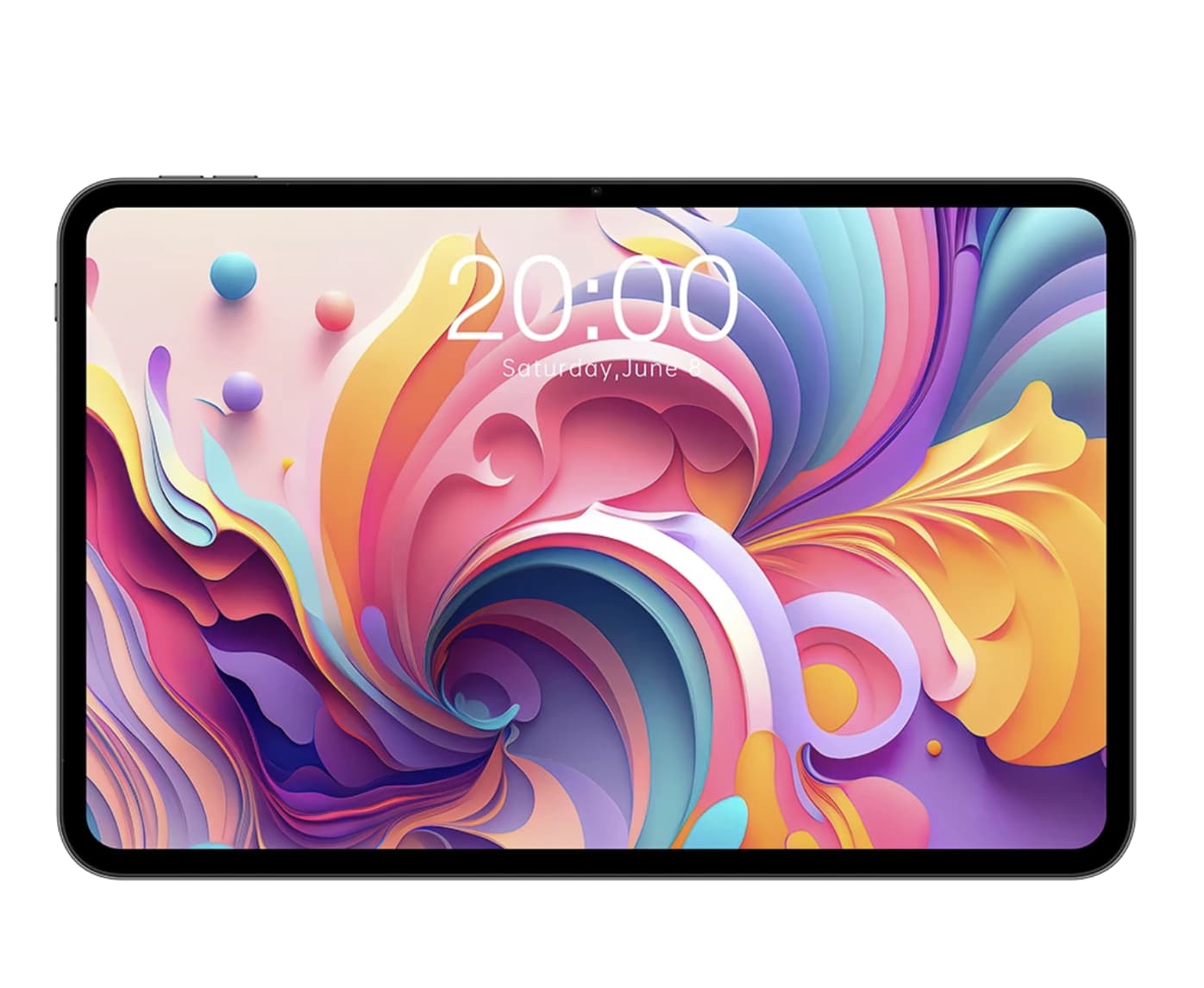
A larger tablet can change the way you use Android. Websites are easier to read, movies feel more immersive, split-screen multitasking becomes practical, and there is enough room to use a tablet as a lightweight productivity device.
But a bigger display alone does not make a tablet a good entertainment device. Screen quality, speakers, refresh rate, battery capacity, processor performance, storage and connectivity all affect the experience.
If you’re comparing different Android tablet sizes and specifications, our Android tablet buying guide explains what to look for in displays, processors, storage, battery life and connectivity.
In 2026, large-screen Android tablets cover a wide range of buyers. Premium models such as the Samsung Galaxy Tab S11 Ultra focus on high-end displays and productivity, while more affordable models such as the Teclast T65 put greater emphasis on screen size, 120Hz scrolling and everyday media use. Samsung’s current Galaxy Tab S11 Ultra, for example, has a 14.6-inch Dynamic AMOLED 2X display with a 2960 × 1848 resolution.
This guide looks at what actually matters when choosing a large Android tablet for web browsing, streaming, reading, social media and everyday entertainment.
Why Choose a Large-Screen Android Tablet?
The main advantage is simple: more usable screen space.
A typical 10- or 11-inch tablet is easy to carry, but a 12- to 14-inch model gives you a noticeably larger canvas. That difference becomes particularly useful when reading desktop-style websites, viewing documents, watching movies or running two apps side by side.
A large tablet can also sit between a phone and a laptop.
You can use it for:
- Watching YouTube, Netflix and other streaming services
- Reading websites, magazines and e-books
- Browsing social media
- Video calls
- Online learning
- Cloud gaming and casual games
- Split-screen multitasking
- Remote work and light productivity
- Following recipes in the kitchen
- Displaying maps and travel information
The trade-off is portability. A 13- or 14-inch tablet is considerably less convenient to hold with one hand for long periods than a smaller model.
Large Android Tablets Worth Considering in 2026
Rather than choosing a single tablet for everyone, it makes more sense to separate large-screen models by their strengths.
Samsung Galaxy Tab S11 Ultra — For a Premium Large Display
The Galaxy Tab S11 Ultra is one of the clearest examples of how far Android tablets have moved beyond the traditional 10-inch format.
Samsung lists a 14.6-inch Dynamic AMOLED 2X display with a 2960 × 1848 resolution, while the tablet also supports the S Pen.
That combination makes the S11 Ultra particularly interesting for people who want a tablet primarily for:
- High-quality video
- Large-screen browsing
- Multitasking
- Digital drawing
- Note taking
- Productivity
- Premium entertainment
The downside is obvious: a 14.6-inch tablet is large. It is closer to a portable workstation than a device you casually carry around like a phone.
For someone who mainly watches movies on a sofa, the huge display can be a major advantage. For someone who travels frequently, the size and weight may matter more.
Samsung Galaxy Tab S11 Ultra official product page
Teclast T65 — For a Large Screen Without a Flagship Price
The Teclast T65 takes a very different approach. If you’re considering this model in more detail, our Teclast T65 review takes a closer look at its 13.4-inch display, 120Hz refresh rate, 4G LTE connectivity, battery and everyday performance.
Instead of competing directly with premium tablets on processor performance, it puts the emphasis on screen size, refresh rate, cellular connectivity and everyday usability.
The T65 has a 13.4-inch IPS display with a 1920 × 1200 resolution and refresh rates of up to 120Hz. Teclast also lists an Unisoc T7280 processor, expandable storage, dual-band Wi-Fi, Bluetooth 5.0 and 4G connectivity on the T65 platform.
That makes it particularly interesting for people who want a large display for browsing and entertainment but do not need flagship-level gaming performance.
The 120Hz refresh rate is useful for websites and menus because scrolling and animations can appear smoother than on a conventional 60Hz panel.
The T65 also has an 8,000mAh or 10,000mAh battery depending on the configuration, along with USB-C charging and a 3.5mm headphone jack.
One important point is that buyers should check the exact configuration before ordering because T65 variants can differ in memory, storage, battery and software version.
Teclast T65 official product page
What Makes a Large Tablet Good for Browsing?
Browsing is more demanding than simply having a large display. If you’re unsure whether a high-refresh-rate screen is worth paying for, our 120Hz Android tablet guide explains the practical differences between 60Hz and 120Hz displays.
A good browsing tablet should combine a comfortable screen with responsive hardware and a battery that can handle several hours away from a charger.
1. Screen Size
For general browsing, anything around 12 inches or larger provides a meaningful increase in viewing area.
A 13-inch-class tablet is particularly useful if you regularly:
- Read long articles
- View spreadsheets
- Browse shopping websites
- Use web-based services
- Compare products
- Read PDFs
- Work with two windows simultaneously
However, bigger is not always better. A 14.6-inch tablet can become uncomfortable when held for long periods.
2. Resolution and Text Sharpness
A large screen needs enough resolution to keep text looking sharp.
For example, a 13.4-inch 1920 × 1200 panel gives you plenty of physical screen space, but premium tablets can offer substantially higher pixel densities.
If your primary activity is reading, resolution and text rendering can matter more than raw screen size.
3. Refresh Rate
A 120Hz display is increasingly common on larger tablets.
It does not automatically make every application run at 120 frames per second, but compatible content and system animations can feel smoother.
You are most likely to notice the difference while:
- Scrolling through websites
- Moving between home screens
- Browsing social media
- Navigating long documents
- Using supported games
For an entertainment-focused tablet, 120Hz can be a worthwhile feature.
What Should You Look for in an Entertainment Tablet?
Entertainment puts more emphasis on the display and audio system than productivity does.
Display Quality
For movies and TV shows, look beyond screen size.
Important factors include:
- Panel technology
- Resolution
- Brightness
- Contrast
- Viewing angles
- Color reproduction
- Refresh rate
- Aspect ratio
An enormous screen with poor contrast is not necessarily better for watching movies than a slightly smaller display with a superior panel.
Premium OLED tablets have an advantage here because of their deep blacks and strong contrast.
Speakers Matter More Than You Might Expect
When watching video without headphones, the built-in speakers become a major part of the experience.
Look for:
- Stereo or multi-speaker setups
- Good volume
- Clear dialogue
- Reasonable bass
- Minimal distortion at higher volume
A tablet with a beautiful display but weak speakers can still feel disappointing as an entertainment device.
Headphone Support
A 3.5mm headphone jack is becoming less common on premium tablets.
For people using wired headphones, this can actually be an important buying consideration.
The Teclast T65, for example, retains a 3.5mm headphone jack alongside dual stereo speakers.
Battery Life Is Critical for Large Screens
Large displays consume more power, especially when used at high brightness and high refresh rates.
A tablet intended for streaming and browsing should therefore have a reasonably large battery.
But battery capacity alone does not tell the entire story.
Actual runtime depends on:
- Screen brightness
- Refresh rate
- Processor efficiency
- Wi-Fi or cellular usage
- Video resolution
- Background applications
- Speaker volume
- Battery capacity
This is why two tablets with similar battery capacities can have very different real-world endurance.
Wi-Fi or 4G/5G?
For a tablet that stays at home, Wi-Fi is usually enough.
Cellular connectivity becomes more interesting if you regularly use the tablet:
- On public transportation
- In hotels
- While traveling
- Outdoors
- In locations without reliable Wi-Fi
- As a secondary connected device
The Teclast T65 is unusual among affordable large tablets because certain configurations support 4G LTE with Nano SIM connectivity. Teclast also lists GPS, BDS, GLONASS and Galileo positioning support.
That can make a large tablet more practical as a travel device rather than simply a home entertainment screen.
How Much Performance Do You Actually Need?
This is where buyers often spend more money than necessary.
If your main activities are:
- Chrome browsing
- YouTube
- Netflix
- Social media
- E-books
- Video calls
- Online classes
- Basic office applications
you do not necessarily need a flagship processor.
A mid-range or entry-level chip can handle these tasks reasonably well when paired with sufficient memory and optimized software.
However, demanding games, video editing, advanced multitasking and desktop-class applications benefit from significantly stronger hardware.
For example, the Teclast T65 uses the Unisoc T7280, with two Cortex-A75 cores and six Cortex-A55 cores. That hardware makes more sense for everyday browsing and media consumption than for users shopping specifically for high-end gaming performance.
This distinction is important because it prevents shoppers from paying for performance they may never use.
Storage: Don’t Ignore It
Streaming services reduce the need for enormous internal storage, but local downloads can quickly consume space.
Consider how you use your tablet.
128GB can be enough for:
- Streaming
- Browsing
- E-books
- Social media
- Cloud storage
- Light gaming
More storage becomes useful if you frequently download:
- Movies
- TV episodes
- Large games
- Offline maps
- High-resolution videos
- Work documents
A microSD card can also be valuable.
The Teclast T65 supports expandable storage through MicroSD, which gives users another option for storing media files.
Large Screen vs Small Tablet: Which Is Better?
There is no universal answer.
| Feature | 10–11-inch tablet | 12–14-inch tablet |
|---|---|---|
| Portability | Excellent | Moderate |
| One-handed use | Easier | More difficult |
| Web browsing | Good | Excellent |
| Movie watching | Good | Excellent |
| Split-screen use | Moderate | Excellent |
| Reading PDFs | Good | Excellent |
| Travel convenience | Better | Lower |
| Desk productivity | Moderate | Better |
| Immersive entertainment | Good | Excellent |
If you mainly use a tablet while traveling, a smaller model may be more practical.
If it normally stays on a desk, sofa or bedside table, the advantages of a larger display become much more noticeable.
Large-Screen Tablet Buying Guide: What Matters Most?
Before buying, consider these questions rather than focusing only on the biggest specification.
For browsing
Prioritize:
Screen size → text sharpness → refresh rate → processor → battery
For movies and streaming
Prioritize:
Display quality → speakers → aspect ratio → battery → streaming compatibility
For reading
Prioritize:
Text sharpness → screen size → weight → brightness → battery
For casual gaming
Prioritize:
Processor → GPU → refresh rate → cooling → battery
For travel
Prioritize:
Weight → battery → cellular connectivity → storage → charging
For productivity
Prioritize:
Display size → multitasking → processor → keyboard support → software
This approach is more useful than simply choosing whichever tablet has the largest screen.
Are Large Android Tablets Good Laptop Replacements?
Sometimes, but expectations matter.
A large Android tablet can replace a laptop for lightweight activities such as:
- Web browsing
- Video calls
- Documents
- Online research
- Cloud applications
- Note taking
- Media consumption
The experience becomes more practical when a keyboard and mouse are available.
However, Android tablets are not universal laptop replacements. Specialized desktop applications, advanced editing software and complex workflows can still require Windows or macOS.
The larger screen helps, but software remains just as important as hardware.
Which Large-Screen Android Tablet Should You Choose?
The answer depends on what you value most.
For a premium large display: Samsung’s Galaxy Tab S11 Ultra offers a 14.6-inch AMOLED experience and S Pen support.
For a large display with a stronger focus on affordability: the Teclast T65 combines a 13.4-inch screen, up to 120Hz refresh rate and cellular connectivity in a more budget-oriented package.
For productivity: look for a model with strong multitasking software, keyboard support and enough performance for your applications.
For entertainment: prioritize the display, speakers, battery and streaming compatibility before chasing benchmark scores.
For travel: consider weight and cellular connectivity as carefully as screen size.
The important point is that “large-screen tablet” covers several very different types of devices. A premium 14-inch tablet and an affordable 13-inch tablet may have similar physical dimensions but completely different hardware, software and target users.
Final Thoughts
The best large-screen Android tablet is not necessarily the one with the biggest display or fastest processor.
For browsing and entertainment, the more important question is whether the tablet creates a comfortable experience over several hours of real use.
A good large-screen model should give you enough display space for websites and video, smooth scrolling, reliable battery life, competent speakers and sufficient performance for the applications you actually use.
Premium tablets such as the Galaxy Tab S11 Ultra demonstrate how far Android tablets can go in display quality and productivity, while models such as the Teclast T65 show that buyers do not necessarily need flagship hardware to get a very large, high-refresh-rate screen.
For shoppers, the smartest approach is therefore to start with how you plan to use the tablet, then choose the screen size, performance level and connectivity that match those needs.
Large-Screen Android Tablet FAQ
Is a 13-inch tablet good for browsing?
Yes. A 13-inch-class display provides substantially more room for websites, documents, split-screen applications and media than a typical phone or compact tablet.
Is 120Hz useful on an Android tablet?
Yes. A higher refresh rate can make scrolling, animations and supported games appear smoother, although the benefit depends on the application and hardware.
Are large Android tablets good for watching movies?
They can be excellent for movies because the larger display provides a more immersive viewing area. Speaker quality, display contrast and streaming support are also important.
Is 128GB enough for a tablet?
For browsing, streaming and cloud-based use, 128GB can be sufficient. Users who download many games or videos should consider more storage or a tablet with microSD expansion.
Is a large tablet better than a laptop?
Not for everyone. A large Android tablet can handle browsing, streaming, documents and light productivity, but specialized desktop software may still require a traditional computer.
Should I buy a Wi-Fi or 4G/5G tablet?
Choose cellular connectivity if you regularly use the tablet away from reliable Wi-Fi. Otherwise, a Wi-Fi model is usually simpler and less expensive.