









A $999 gaming laptop is no longer unusual. What is harder to find is a machine that makes sensible choices with that budget.
The CHUWI GTBook X takes a fairly straightforward approach. Instead of chasing an expensive high-resolution panel or a premium graphics processor, it combines an Intel Core 7 230H CPU with an NVIDIA GeForce RTX 3050 Laptop GPU, a 15.6-inch 144Hz display, 16GB of RAM and a 512GB SSD.
The specifications look familiar, but the more useful question is what they mean once you move beyond the product page.
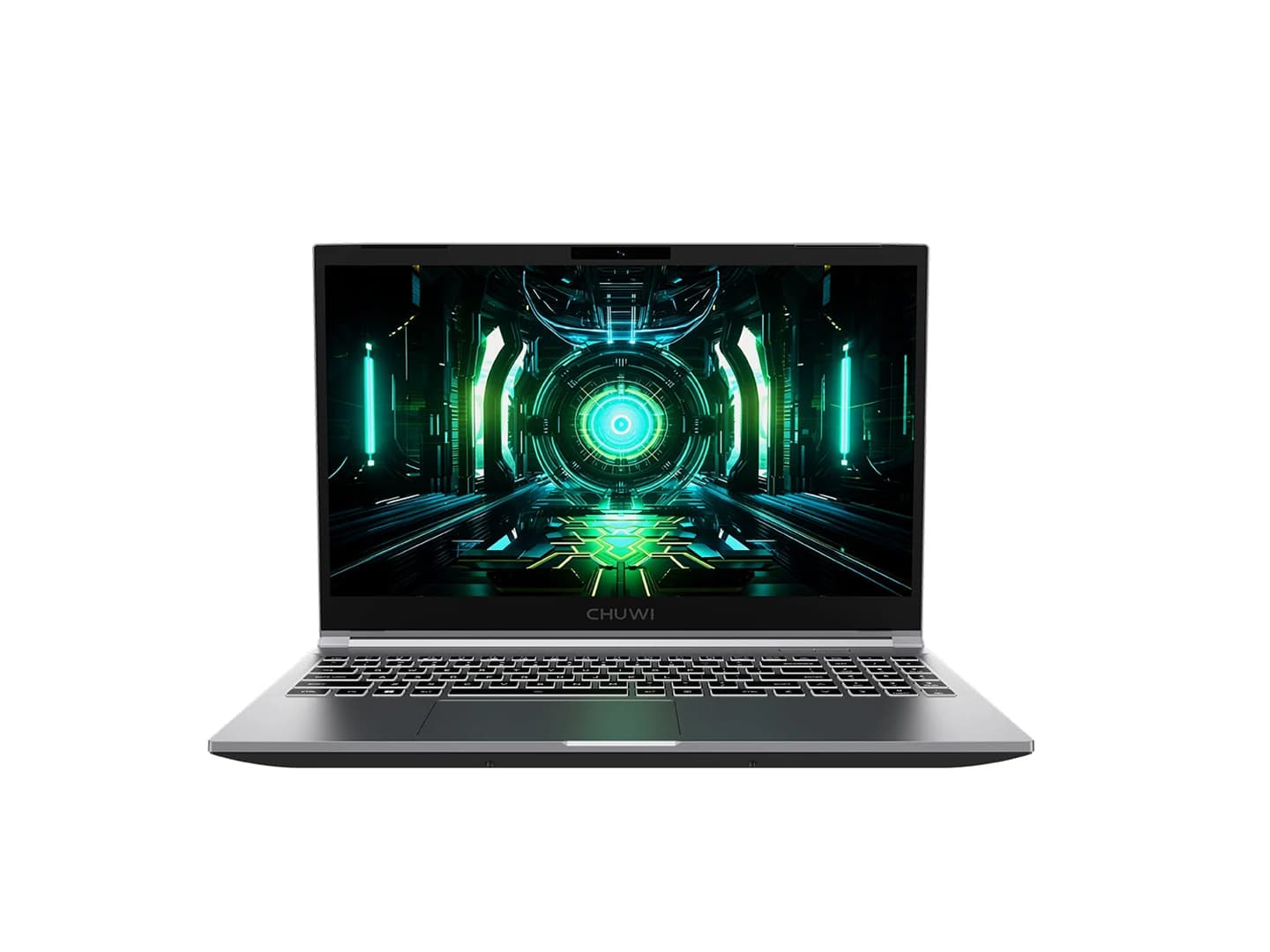
The RTX 3050 is not a high-end graphics chip, and 4GB of VRAM places a clear limit on how ambitious the laptop can be with modern games. On the other hand, the GTBook X gives the GPU a relatively high power ceiling and pairs it with a Full HD high-refresh-rate screen.
That makes the laptop easier to understand as a 1080p gaming machine with upgrade potential, rather than as a budget attempt to imitate a flagship gaming notebook.
The Core 7 230H Is Built for More Than Gaming
The first component worth examining is the Intel Core 7 230H.
CHUWI’s configuration uses a 10-core, 16-thread processor with six Performance cores and four Efficient cores. Its maximum frequency reaches up to 5.2GHz, while the chip includes 24MB of Intel Smart Cache.
Those numbers matter because a gaming laptop isn’t only used for games.
A machine in this price range may also be used for schoolwork, browser-heavy multitasking, programming, photo editing, office applications or occasional video production. The GTBook X therefore needs enough CPU headroom to handle background applications while the dedicated GPU deals with graphics workloads.
For everyday computing, the Core 7 230H should be considerably more capable than an entry-level notebook processor.
But it isn’t the component that defines the GTBook X’s gaming identity.
That role belongs to the RTX 3050.
The RTX 3050 Is Where Buyers Need to Set Expectations
The GTBook X uses an RTX 3050 Laptop GPU with 4GB of GDDR6 VRAM.
That immediately tells you where the laptop belongs in the gaming market.
The RTX 3050 can still make sense for 1080p gaming, particularly with competitive games, older AAA titles and games that support NVIDIA technologies such as DLSS.
However, 4GB of VRAM is becoming an increasingly important limitation.
Modern games can consume substantial amounts of graphics memory, especially when high-resolution textures, ray tracing and demanding visual effects are enabled. Once a game exceeds what the GPU can comfortably handle, lowering the graphics settings may become necessary.
Therefore, the GTBook X should not be evaluated against gaming laptops with substantially more powerful GPUs.
Its natural territory is:
1080p + sensible settings + mainstream gaming
rather than:
maximum settings + ray tracing + high-resolution gaming.
That distinction is more important than the RTX branding itself.
The GPU Power Limit Is More Interesting Than the RTX 3050 Name
There is another specification that deserves attention.
CHUWI lists an 80W Total Graphics Power configuration for the RTX 3050, with Dynamic Boost allowing the GPU to reach up to 95W in the appropriate operating mode.
This is important because the same GPU model can behave differently across laptops.
A laptop manufacturer can configure a mobile GPU within different power limits depending on its cooling system, chassis and power supply. Consequently, simply seeing “RTX 3050” on a specification sheet doesn’t tell the whole performance story.
The GTBook X’s higher-power configuration gives the GPU more room to sustain performance.
CHUWI also states that the system can reach up to 140W of combined CPU and GPU power in Turbo Mode when connected to AC power.
That means buyers should think of the GTBook X as a laptop whose performance is most relevant when it is plugged in.
Why the 144Hz Screen Is a Sensible Match
The GTBook X uses a 15.6-inch 1920 × 1080 IPS display with a 144Hz refresh rate.
A 144Hz screen is sometimes treated as a headline specification, but its value depends on whether the hardware can generate enough frames to take advantage of it.
In this laptop, Full HD is actually a sensible choice.
Driving 1920 × 1080 pixels is considerably less demanding than rendering a higher-resolution gaming display. That leaves the RTX 3050 with a more realistic opportunity to produce higher frame rates in lighter games.
Competitive shooters and esports titles are where the 144Hz panel makes the most obvious sense.
If a game runs at 100fps or above, the higher refresh rate can make movement and camera transitions feel noticeably smoother than a conventional 60Hz panel.
For a demanding modern AAA game, however, the RTX 3050 may not consistently approach 144fps.
The right way to look at the display is therefore not:
“This is a 144Hz gaming laptop, so every game will run at 144fps.”
It is:
“The 144Hz panel gives the RTX 3050 enough room to deliver a smoother experience in games where the GPU can produce high frame rates.”
4GB VRAM Is the Long-Term Question
If there is one specification that potential buyers should examine carefully, it is the 4GB VRAM capacity.
The RTX 3050’s GPU architecture supports features such as ray tracing and DLSS, but advanced graphics technologies don’t eliminate the underlying memory limitation.
A game can be technically compatible with the GPU while still requiring reduced texture quality or other settings to maintain a comfortable experience.
This doesn’t make the GTBook X unsuitable for gaming.
It simply defines its useful lifespan more clearly.
For esports and less demanding games, 4GB can remain perfectly workable.
For increasingly demanding AAA releases, however, buyers should expect to compromise on graphical settings.
That makes the GTBook X more attractive to someone who values stable 1080p gaming and price than someone planning to keep every setting at Ultra for several years.
Upgradeable RAM Gives the Laptop More Breathing Room
The GTBook X starts with 16GB of DDR4-3200 memory.
That is a reasonable starting point for gaming and general productivity, but the more interesting part is the upgrade path.
The laptop includes two SO-DIMM slots, with support for up to 64GB of RAM according to CHUWI.
This can matter more than it initially appears.
A user might begin with 16GB of memory and later upgrade when workloads become heavier. That could be useful for developers running virtual machines, creators working with large projects, or people who simply keep many applications open simultaneously.
Upgradeable memory also means the laptop does not have to be treated as a fixed configuration from day one.
That gives the GTBook X a practical advantage over machines where the RAM is permanently soldered.
Storage Expansion Could Extend Its Useful Life
The same philosophy applies to storage.
The standard machine comes with a 512GB PCIe NVMe SSD, but CHUWI provides two M.2 2280 slots for expansion.
This is particularly useful for gaming.
A few large modern games can consume hundreds of gigabytes, and the operating system and applications also take up space. A 512GB drive can therefore become restrictive surprisingly quickly.
With an additional M.2 drive, users can expand storage without replacing the original system drive.
For a budget-oriented gaming laptop, this is one of the more practical features because it allows the machine to grow with the user’s library.
Cooling Matters Because Power Creates Heat
Higher GPU power is useful only if the cooling system can handle it.
The GTBook X uses multiple heat pipes, cooling fans and copper fins to move heat away from the CPU and GPU.
CHUWI also provides three operating modes:
- Office Mode for lower power consumption
- Balance Mode for a compromise between efficiency and performance
- Turbo Mode for maximum performance when connected to AC power
This gives the user more control over how aggressively the hardware operates.
For ordinary browsing and office work, there is little reason to keep the laptop in its highest-performance mode.
During gaming, however, Turbo Mode can provide the power envelope needed to get the most from the RTX 3050.
The important point is that the laptop’s headline performance figures should be considered together with its power mode and cooling configuration.
The 2kg Chassis Keeps It Relatively Practical
Gaming laptops are usually heavier than ordinary productivity notebooks, and the GTBook X is no exception.
CHUWI lists the machine at approximately 2kg, with dimensions of around 360.2 × 243.5 × 23mm.
For a 15.6-inch gaming laptop, that is reasonably manageable.
It isn’t an ultrabook, but it is portable enough for users who need to move between home, school and work.
This also reinforces the laptop’s broader positioning.
The GTBook X is not designed exclusively for a desk. It is trying to provide enough gaming hardware for home use while remaining practical as a general-purpose Windows notebook.
Connectivity Makes It More Useful as a Desktop Replacement
The port selection is another area where CHUWI has prioritized practicality.
The GTBook X includes:
- USB-C
- multiple USB-A ports
- HDMI 2.1
- Mini DisplayPort 1.4
- Gigabit Ethernet
- SD card reader
- 3.5mm audio connections
That makes it possible to connect gaming peripherals, external displays, wired networking and removable storage without immediately reaching for a USB hub.
The HDMI and Mini DisplayPort outputs also make the laptop suitable for multi-display setups.
For students and creators, the full-size SD card reader can be useful for moving photographs and video files.
These aren’t glamorous specifications, but they can make a noticeable difference in daily use.
The Battery Is Clearly Not the Main Focus
The GTBook X uses a 46.74Wh battery.
That capacity needs to be considered alongside the laptop’s dedicated GPU and high-performance processor.
Gaming on battery power will naturally place a much heavier load on the system than web browsing or document editing.
CHUWI also indicates that maximum performance requires AC power.
So buyers shouldn’t approach the GTBook X as a gaming laptop designed primarily for long unplugged gaming sessions.
Its strengths are much clearer when connected to its power adapter.
Who Should Consider the GTBook X?
The GTBook X makes the most sense for a particular type of buyer.
It is well suited to someone who wants:
- 1080p gaming
- esports and multiplayer titles
- a 144Hz display
- a capable everyday processor
- upgradeable RAM
- expandable storage
- a reasonable selection of ports
- one laptop for both study/work and gaming
It is less convincing for someone who wants:
- 4K gaming
- maximum graphics settings
- heavy ray tracing
- a large VRAM buffer
- high-end AAA performance for many years without compromises
The distinction is important because a $999 gaming laptop doesn’t need to compete with a $2,000 machine to be worthwhile.
It needs to make the right compromises.
Is $999 the Right Price for This Hardware?
CHUWI lists the GTBook X at $999 in the U.S. market.
At that price, the strongest argument isn’t that the RTX 3050 is an exceptional GPU.
It isn’t.
The more compelling argument is that the laptop combines several useful elements:
Core 7 230H + up-to-95W RTX 3050 configuration+ 144Hz Full HD + 16GB upgradeable RAM + expandable storage.
That is a more coherent package than a specification list focused on one headline component.
The upgradeability is especially relevant because users can increase memory and storage later instead of replacing the laptop simply because the original configuration becomes restrictive.
Final Verdict
The CHUWI GTBook X tablet pc is best understood as a mainstream 1080p gaming laptop rather than a low-cost high-end gaming machine.
Its Core 7 230H processor gives it enough CPU flexibility for gaming and everyday productivity, while the RTX 3050 provides dedicated graphics power for Full HD gaming.
The 144Hz display complements that target resolution, and the GPU’s up-to-95W configuration gives the graphics processor more room to perform than an aggressively power-limited RTX 3050 implementation.
At the same time, the 4GB VRAM limitation should not be ignored. Buyers interested in the latest AAA games will need to accept lower settings in more demanding titles.
The laptop’s upgradeable RAM and dual M.2 storage slots may ultimately prove just as important as its initial performance. They give the GTBook X a degree of flexibility that can extend its usefulness as workloads and storage requirements grow.
At $999, the GTBook X therefore makes the most sense for buyers who want solid 1080p gaming, a fast-refresh display and an upgrade-friendly laptop without moving into premium gaming-laptop pricing.