









At the just-concluded Google I/O, Google officially released the second beta version of Android 14, and mobile Oems are already adapting it.
ColorOS has released the first developer preview of ColorOS for Android 14, including OPPO Find N2, OPPO Find N2 Flip, and OnePlus 11.
Android 14 builds on the previous version of Android with enhanced support for large-screen devices such as tablets and foldable devices, bringing a smarter interface, according to the report. In terms of performance, Android 14 supports more efficient memory management and improves resource utilization when applications are running in the background. At the same time, the new version of the privacy security and other aspects of the new improvements.
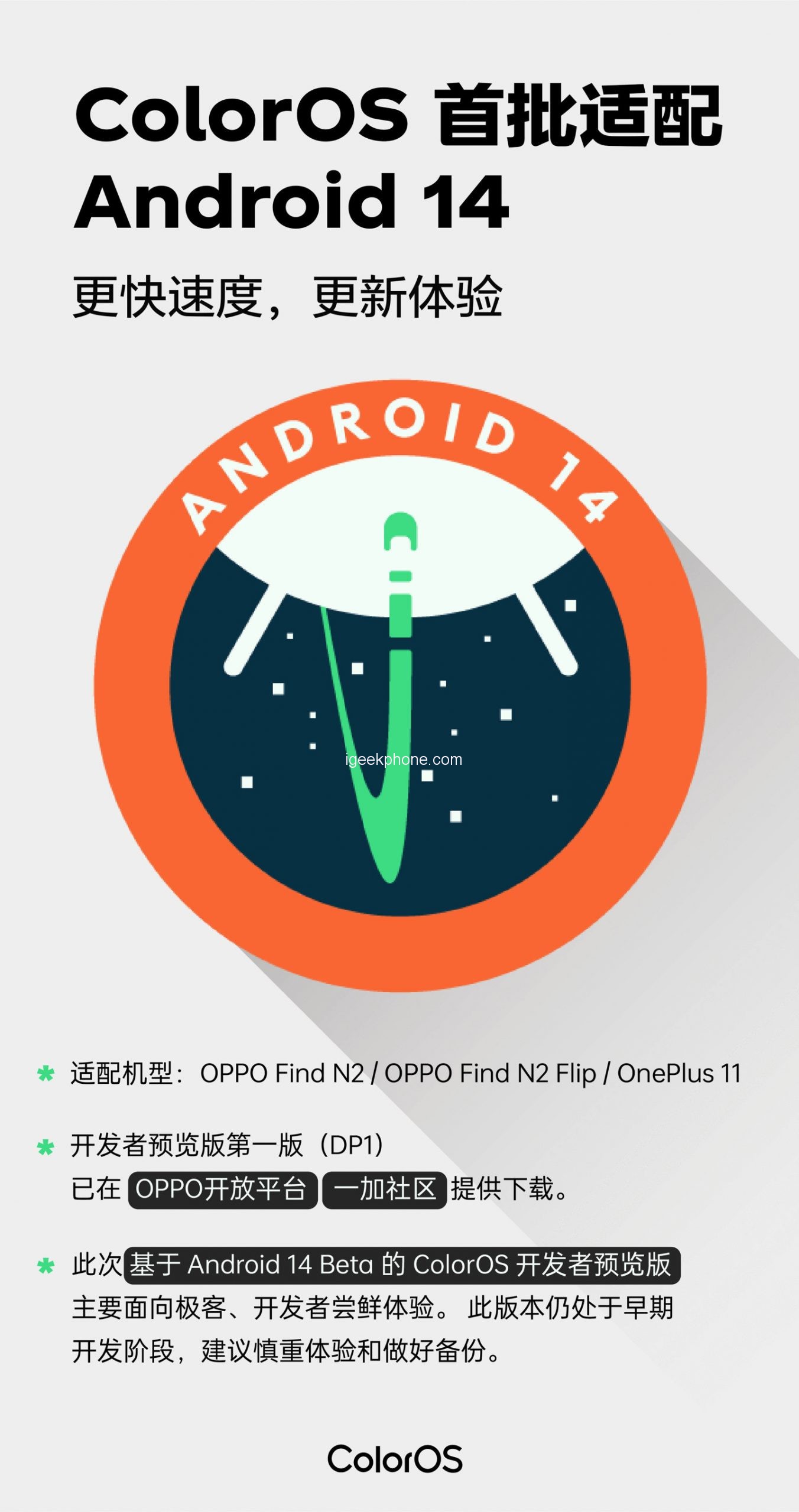
What’s included in the OPPO Android 14 Developer Preview:
1. OPPO Find N2 Android 14 Beta is a system developed based on Android 14 Beta.
2, OPPO Find N2 Flip Android 14 Beta is based on the Android 14 Beta development system.
3. The Android 14 Beta will be adapted to the latest Google GMS package, and apps that duplicate the original features of the GMS package will no longer be retained.
4. After upgrading to Android 14 Beta, the storage of the phone will be formatted, and all data including music and pictures will be cleared. Please backup the data in advance.
1) ColorOS 13 Backup mode: Go to the following path to back up mobile phone data: Settings -> Other Settings -> Data Backup and Migration -> Local Backup -> New Backup -> Backup Completed;
2) after completion of the Backup, Backup file is located in the internal Shared storage space \ Android \ data \ com coloros. Backuprestore \ Backup, please copy this folder to a computer or other storage devices.
Known issues with the OnePlus 11 Android 14 Beta:
1) In specific scenarios, the WLAN direct connection function fails
2) The phone fails to connect to the TV projection screen
3) The probability of red screen when the main user is switched from the visitor mode in specific scenarios
4) After the phone is disconnected from the tablet, it cannot be manually connected
5) The Bluetooth headset has no ringtone when wechat calls
6) The red screen flashes back when you create a calendar schedule
7) OPPO mutual transmission function fails
OPPO Find N2-Android14 Beta
1) When the lock screen is lit up, the charging phone will rotate automatically
2) The hover space function fails
3) The phone restarts automatically when using the push-and-show function
4) Visitor data cannot be saved when the visitor mode is switched to the main user
5) The system is split, and the multi-user function cannot be used
6) The number password and pattern password are displayed abnormally on the inner screen unlock interface
7) The video mode of the internal camera blinks back when switching to the front camera, and the preview screen of the camera is black again
8) The camera enters the bracket mode and switches to the front of the photo. Click the “selfie” button in the upper left corner of the secondary screen to restart the phone
9) The password cannot be entered when unlocking the external screen
10) OPPO mutual transmission cannot be used
OPPO Find N2 Flip – Android 14 Beta version Known Issues:
1) The outer screen wallpaper will be displayed in black after application
2) The clock display of the external lock screen overlaps
3) Probability black screen when clicking the music card on the breath screen
4) The password cannot be entered when unlocking the external screen
5) There is a probability failure in fingerprint input
6) Double click the power button
【 Brush tutorial 】
Oneplus 11 Stable Edition Brush to Android 14 Beta version
Note: This preview is still in the early stages of development. After upgrading to the Android 14 Beta version, the storage will be formatted and all data including music and pictures will be deleted. It is recommended to play with caution and back up.
1) Backup data to the computer or cloud before upgrading the mobile phone system;
2) Download the Android 14 Beta upgrade firmware package from the PC and copy the upgrade firmware package to the root directory of the mobile phone;
3) Open the phone’s Settings -> About this machine -> Version information -> click the version number 7 times;
4) Open the Settings of the phone -> About the machine -> the top “Software Update” card -> the top right “<s:5>” icon -> click the “≡” menu button in the top left corner;
5) Click the model name below -> Find the compressed package at the bottom of the page, click and select the “immediately decompress” key;
6) Wait until the decompression is complete and click the “Install Now” key;
7) Wait for the phone to restart and successfully upgrade to Android 14 Beta;
* Note that “Local Installation” cannot be clicked in Step 4 above. Solution:
1) Disconnect Wi-Fi connection and data service connection;
2) Open the Settings – Application Management – Application List – click the button in the upper right corner and select “Show System Application” – enter “Software Update” in the search bar – click “Software Update” – Storage occupation – Clear data – OK;
3) Keep the network disconnected and perform Step 4 again.
Brush Back to Stable Version from OnePlus 11 Android 14 Beta:
Note: This upgrade mode will clear all contents of the phone, so be sure to back up first.
1) Backup data to computer or cloud;
2) Download the upgrade firmware package of Android version 13 from the PC and copy the upgrade firmware package to the root directory of the mobile phone
3) Open the phone’s Settings -> About this machine -> Version information -> click the version number 7 times;
4) Open the Settings of the phone -> About the machine -> the top “Software Update” card -> the top right “<s:5>” icon -> click the “≡” menu button in the top left corner;
5) Click the model name below -> Find the compressed package at the bottom of the page, click and select the “immediately decompress” key;
6) If mobile phone backup is required, click “Go to Backup” in the displayed box and perform Step 4 again after the backup is completed. If mobile phone backup is not required or has been completed, click “Backup, Continue” in the displayed box.
7) Wait until the decompression is complete and click the “Install now” key;
8) Wait for the phone to restart and successfully swipe back to Android 13 version;
* Note that “Local Installation” cannot be clicked in Step 4 above. Solution:
1) Disconnect Wi-Fi connection and data service connection;
2) Open the Settings – Application Management – Application List – click the button in the upper right corner and select “Show System programs” – enter “Software Update” in the search bar – click “Software Update” – Storage occupation – Clear data – OK;
3) Keep the network disconnected and perform Step 4 again.
OPPO Find N2 / OPPO Find N2 Flip
Note: This preview is still in the early stages of development. After upgrading to the Android 14 Beta, the storage of the phone will be formatted and all data including music and pictures will be deleted. It is recommended to play with caution and back up.
Find N2 must be version A.40 or later to upgrade to the Android 14 Beta. Android 14 Beta cannot be updated for A.40 or later.
1) Backup data to the computer or cloud before upgrading the mobile phone system;
2) Download the Android 14 Beta upgrade firmware package from the PC and copy the upgrade firmware package to the root directory of the mobile phone;
3) Open the phone’s Settings -> About this machine -> Version information -> click the version number 7 times;
4) Open the Settings of the phone -> About the machine -> the top “Software Update” card -> the top right “<s:5>” icon -> click the “≡” menu button in the top left corner;
5) Click the model name below -> Find the compressed package at the bottom of the page, click and select the “immediately decompress” key;
6) Wait until the decompression is complete and click the “Install Now” key;
7) Wait for the phone to restart and successfully upgrade to Android 14 Beta;
OPPO Find N2 / OPPO Find N2 Flip Demote:
1) Backup data to computer or cloud;
2) Download the upgrade firmware package of Android version 13 from the PC and copy the upgrade firmware package to the root directory of the mobile phone
3) Open the phone’s Settings -> About this machine -> Version information -> click the version number 7 times;
4) Open the Settings of the phone -> About the machine -> the top “Software Update” card -> the top right “<s:5>” icon -> click the “≡” menu button in the top left corner;
5) Click the model name below -> Find the compressed package at the bottom of the page, click and select the “immediately decompress” key;
6) If mobile phone backup is required, click “Go to Backup” in the displayed box and perform Step 4 again after the backup is completed. If mobile phone backup is not required or has been completed, click “Backup, Continue” in the displayed box.
7) Wait until the decompression is complete and click the “Install now” key;
8) Wait for the phone to restart and successfully swipe back to Android 13 version;
So how do you get into the Android 14 Developer Preview program? It’s easy, you don’t need to sign up, just download and install it through the link below.
IGEEKPHONE with OPPO, OnePlus Android 14 Beta update pack
Find N2 Android 14 Beta: Download
Find N2 Android 13 Downgrade Pack: Download
Find N2 Flip Android 14 Beta: Download
Find N2 Flip for Android 13: Download
Oneplus 11 Android 14 upgrade pack Download link: Click Me
Oneplus 11 Android 13 Downgrade Pack Download link: Click Me