









Hey everyone, it’s Habib Qazi from IGeekPhone, and today, I’m diving into another exciting offering from Epomaker—the Galaxy70. Sponsored or not, I keep it real, and this one intrigues me. Epomaker has been on a roll lately, crafting keyboards that balance design, functionality, and affordability, and the Galaxy70 is no exception. From the moment I unboxed it, the 75% layout caught my eye—it’s compact but retains all the essentials, plus a few delightful surprises. Over the past week, I’ve been typing, gaming, and just living with this keyboard, so I’m here to give you my honest thoughts: the highs, the lows, and everything in between. Let’s jump right in!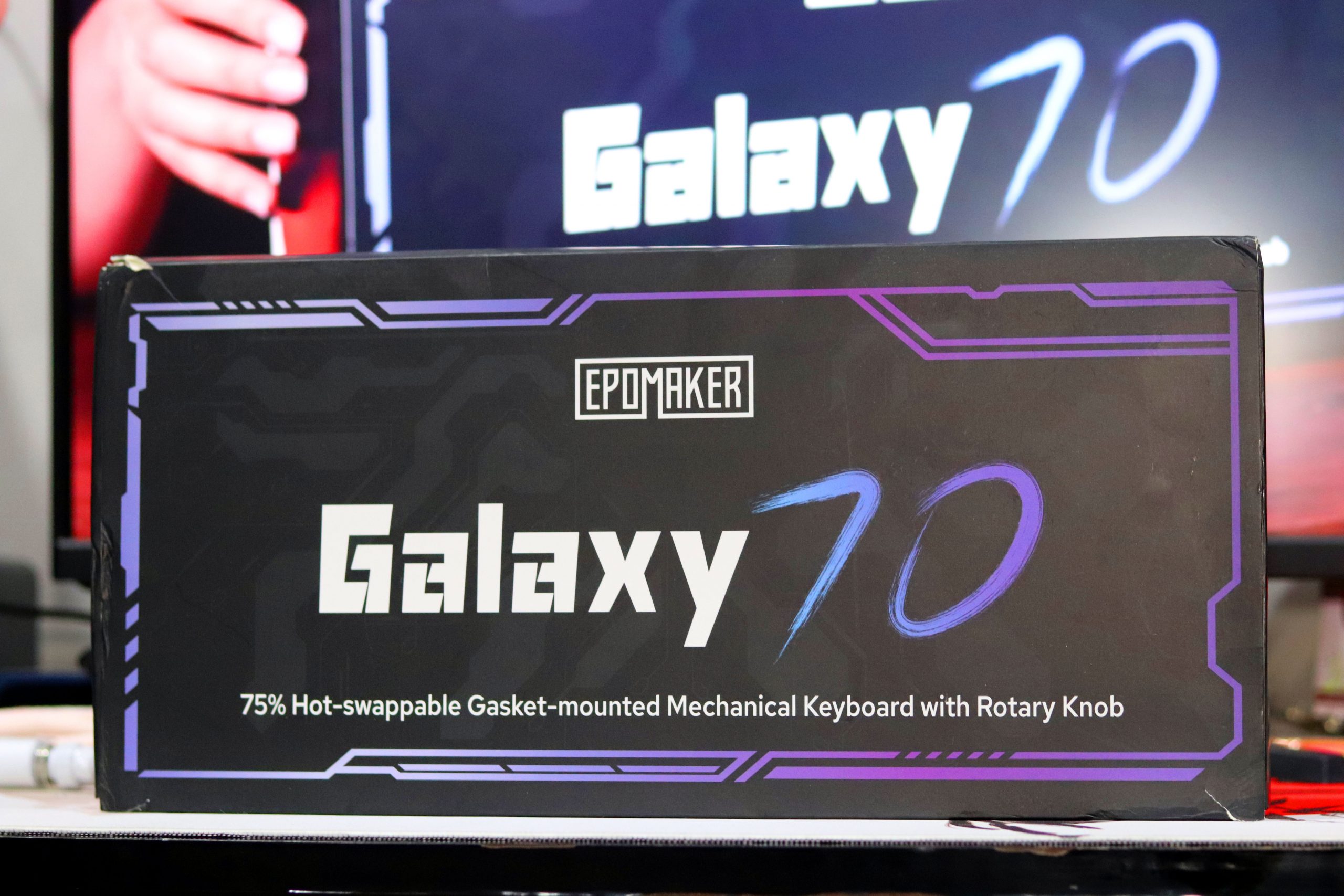
Inside the Box: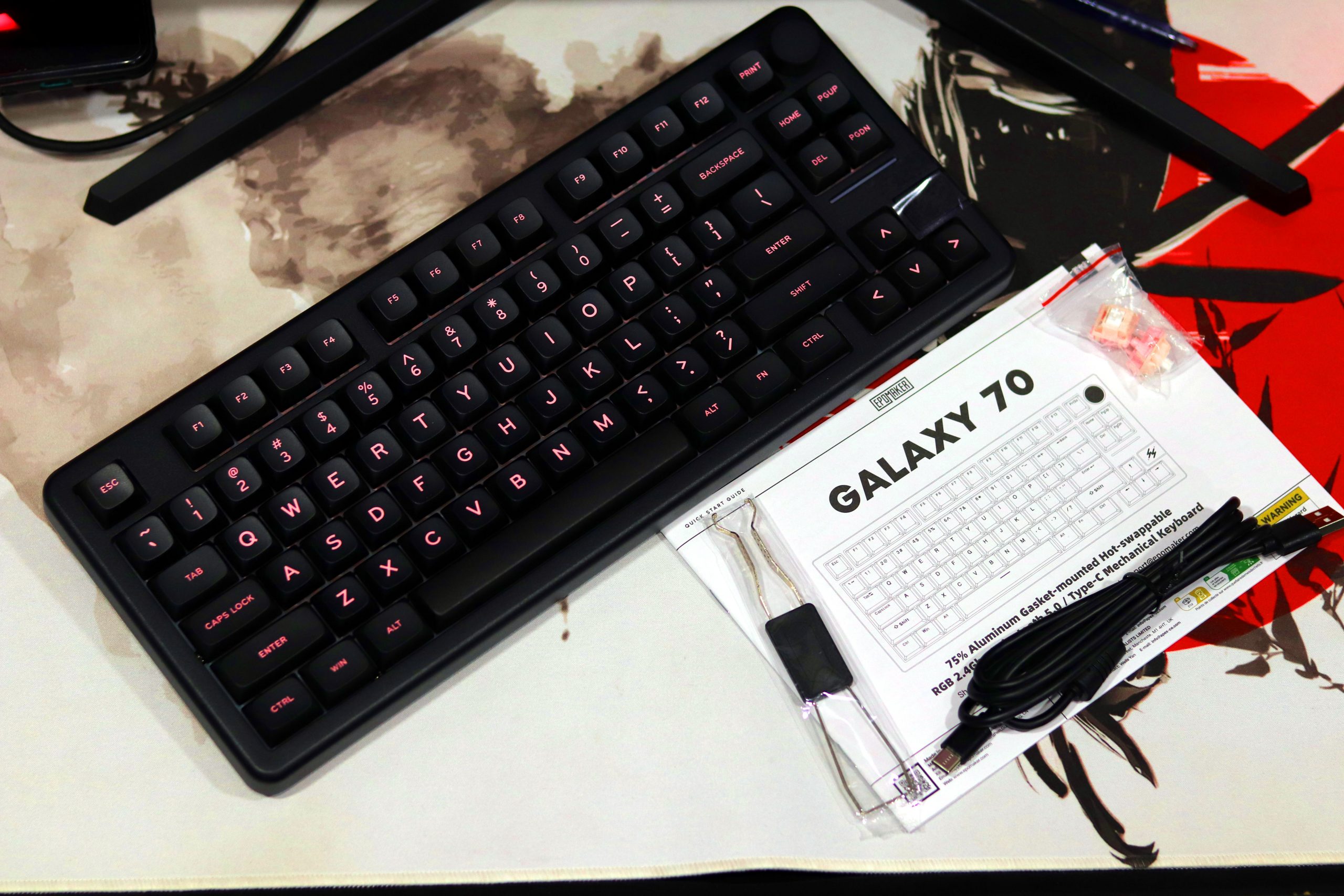
When I first opened the Epomaker Galaxy70, the unboxing experience was neat and straightforward. Inside the box, you’ll find:
- Epomaker Galaxy 70 Keyboard (available in Black, Blue, or Gray finish).
- Detachable USB Type-C Cable for wired connection.
- 2.4 GHz Dongle cleverly stored inside the keyboard (adorably tucked away).
- Keycap and Switch Puller for easy hot-swapping and customization.
- A Quick Start Guide that gets you acquainted with the essentials.
- Extra Switches (depending on your configuration—Zebra or Hano Blossom Odyssey).
- Additional Keycaps are a nice touch for minor customization without buying a new set.
Overall, the box contents are practical and well-suited for both enthusiasts and beginners. The dongle storage is a thoughtful addition, but I’d recommend a bit of care when traveling as it feels slightly fragile. The inclusion of tools and extras showcases Epomaker’s effort to make this a user-friendly experience right out of the box.
Design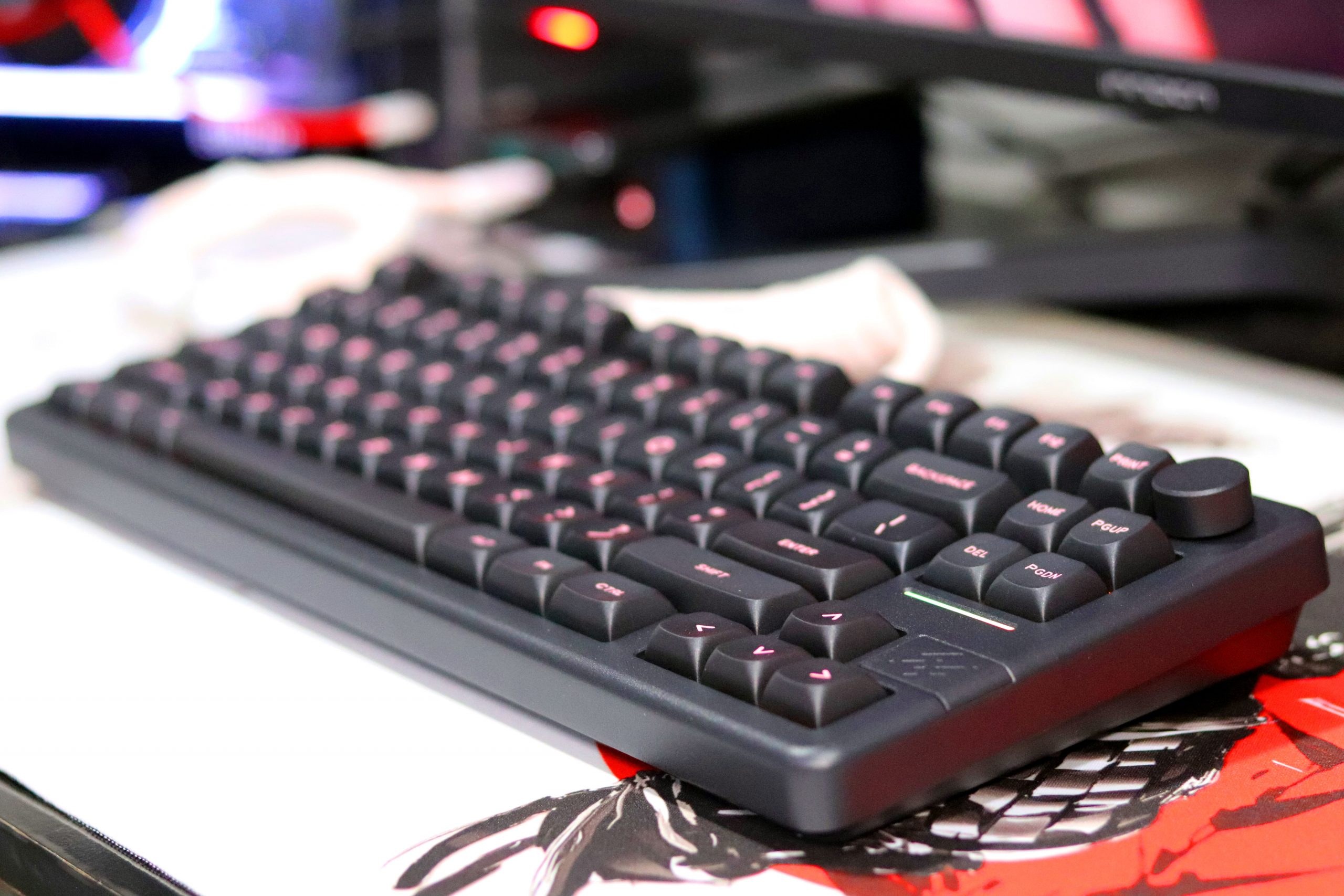
The Epomaker Galaxy70 is an unapologetically bold keyboard that embodies a 75% layout with a modern twist. Its unique arrangement closely mimics a TKL (tenkeyless) form factor, offering compactness without sacrificing usability. A standout feature is its dedicated knob, which replaces what might have been an extra button on other designs. This gives the keyboard a sleek and functional aesthetic.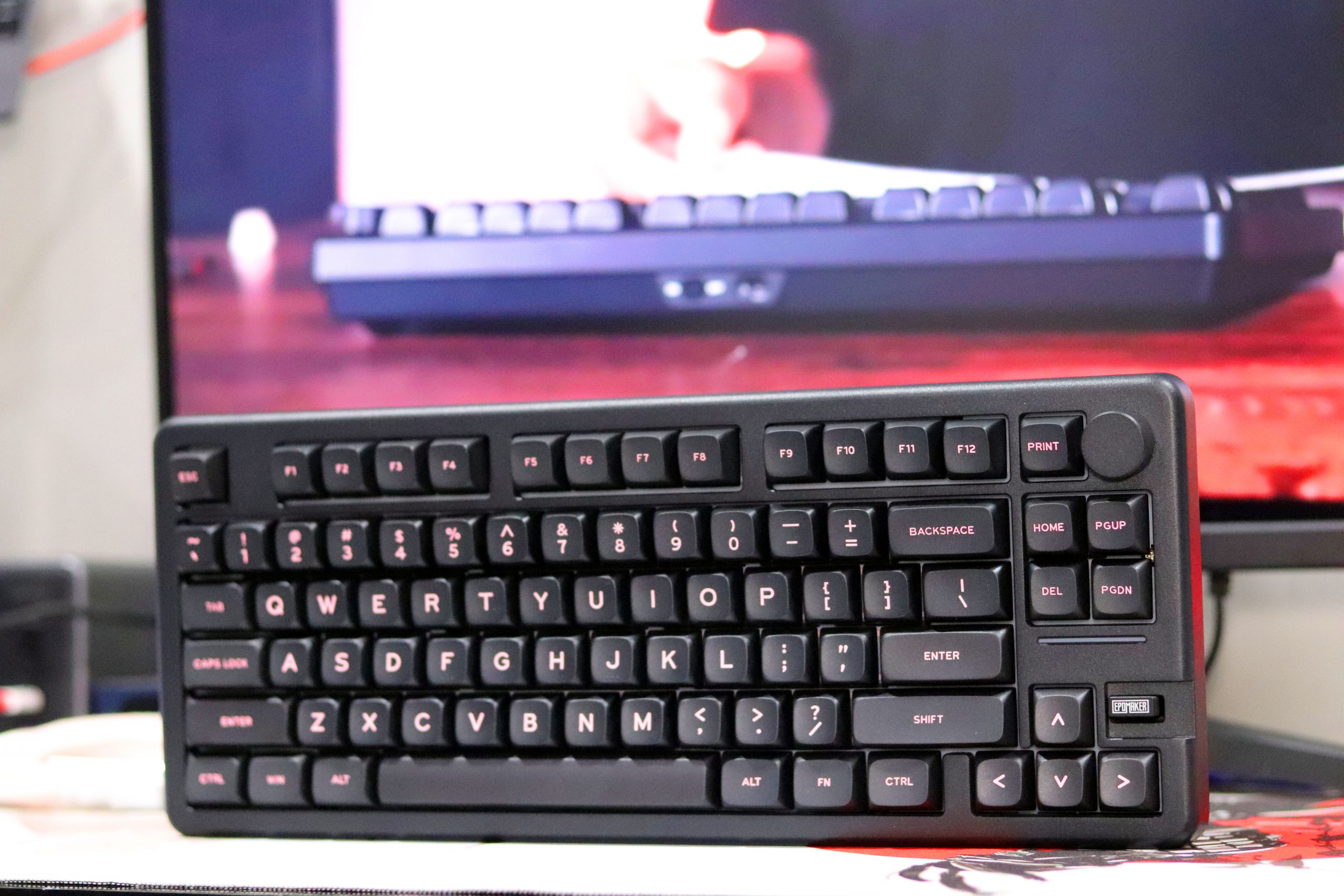
The typing angle on the Epomaker Galaxy70 is a thoughtful 7 degrees, and after extended use, I found it to strike a great balance between ergonomics and comfort. Initially, I was curious whether this angle would lead to fatigue during long typing or coding sessions, but I was pleasantly surprised. My wrists felt supported, and the keyboard’s slight incline allowed my fingers to flow naturally across the keys without strain.
Build Quality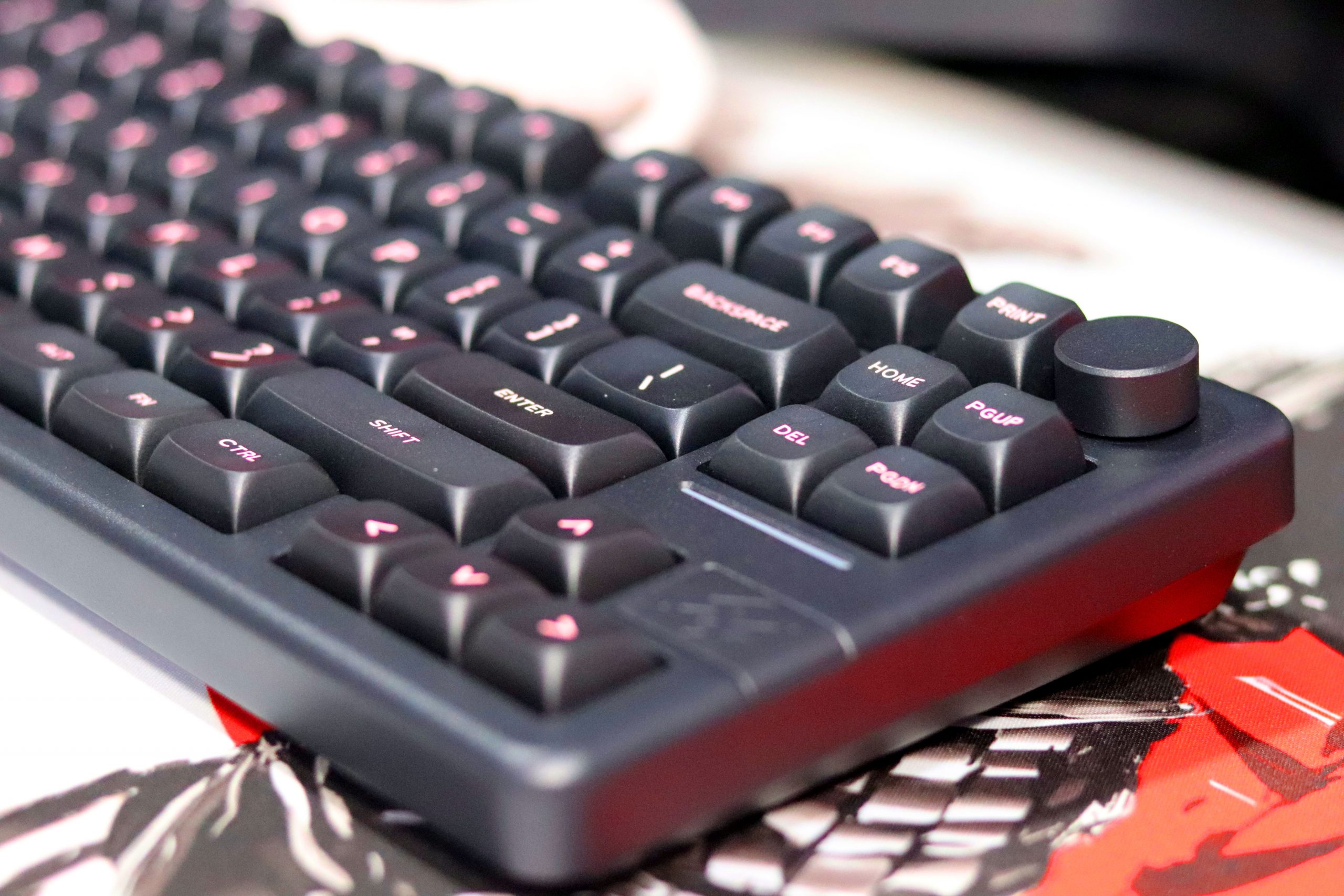
The Galaxy 70’s aluminum frame immediately conveys premium quality. It’s hefty without being unwieldy, giving a stable typing experience. The underside features large, dome-shaped pads that provide excellent grip, ensuring the keyboard doesn’t shift during use.
Layout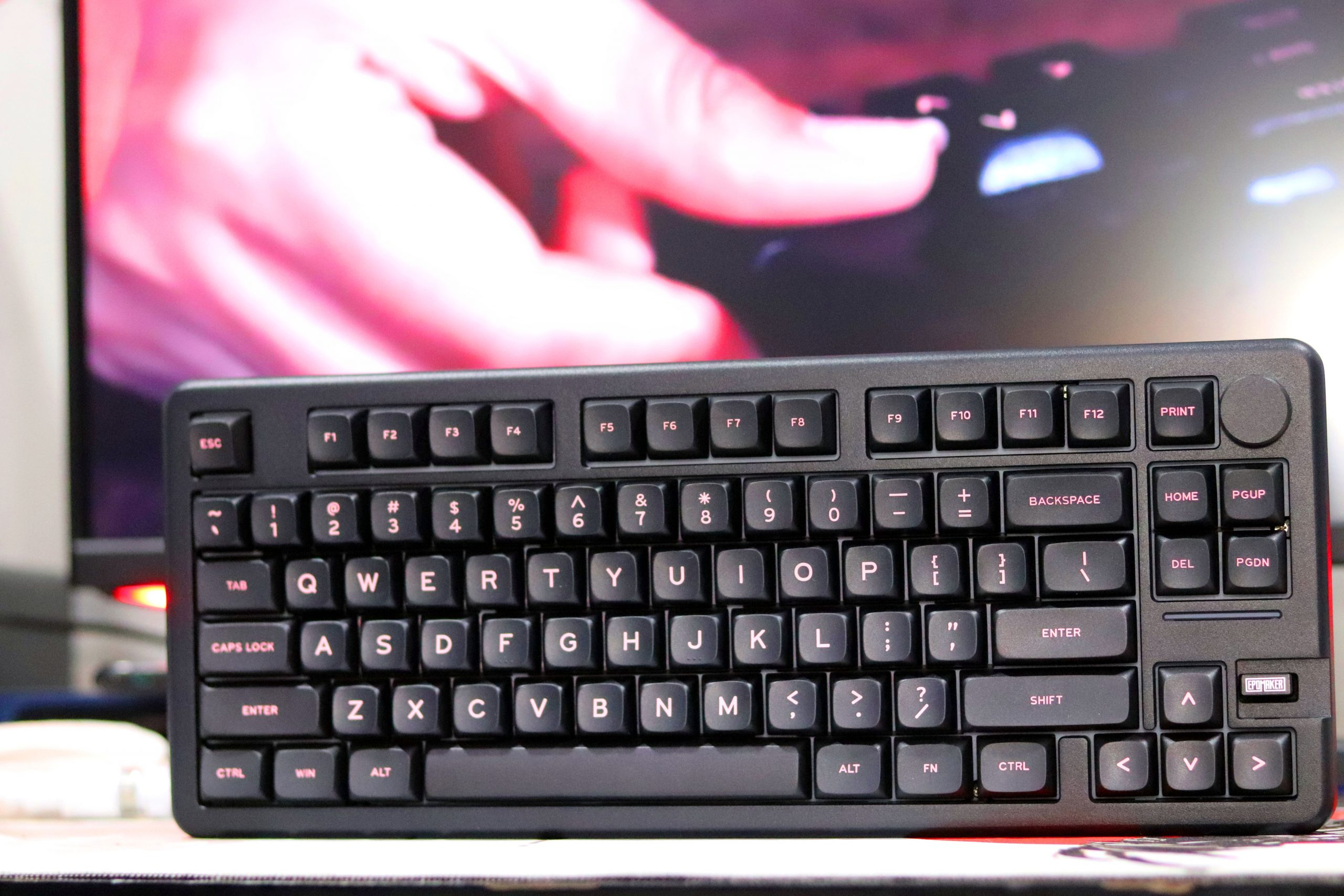
The layout is well-thought-out, with an emphasis on compactness. The four navigational buttons are neatly clustered, and the arrow keys are comfortably accessible. However, the key spacing—particularly between the top-row function keys and alphanumeric keys—feels slightly wide. A more compressed design might have been a welcome tweak to enhance portability.
Indicator Light Bar and Knob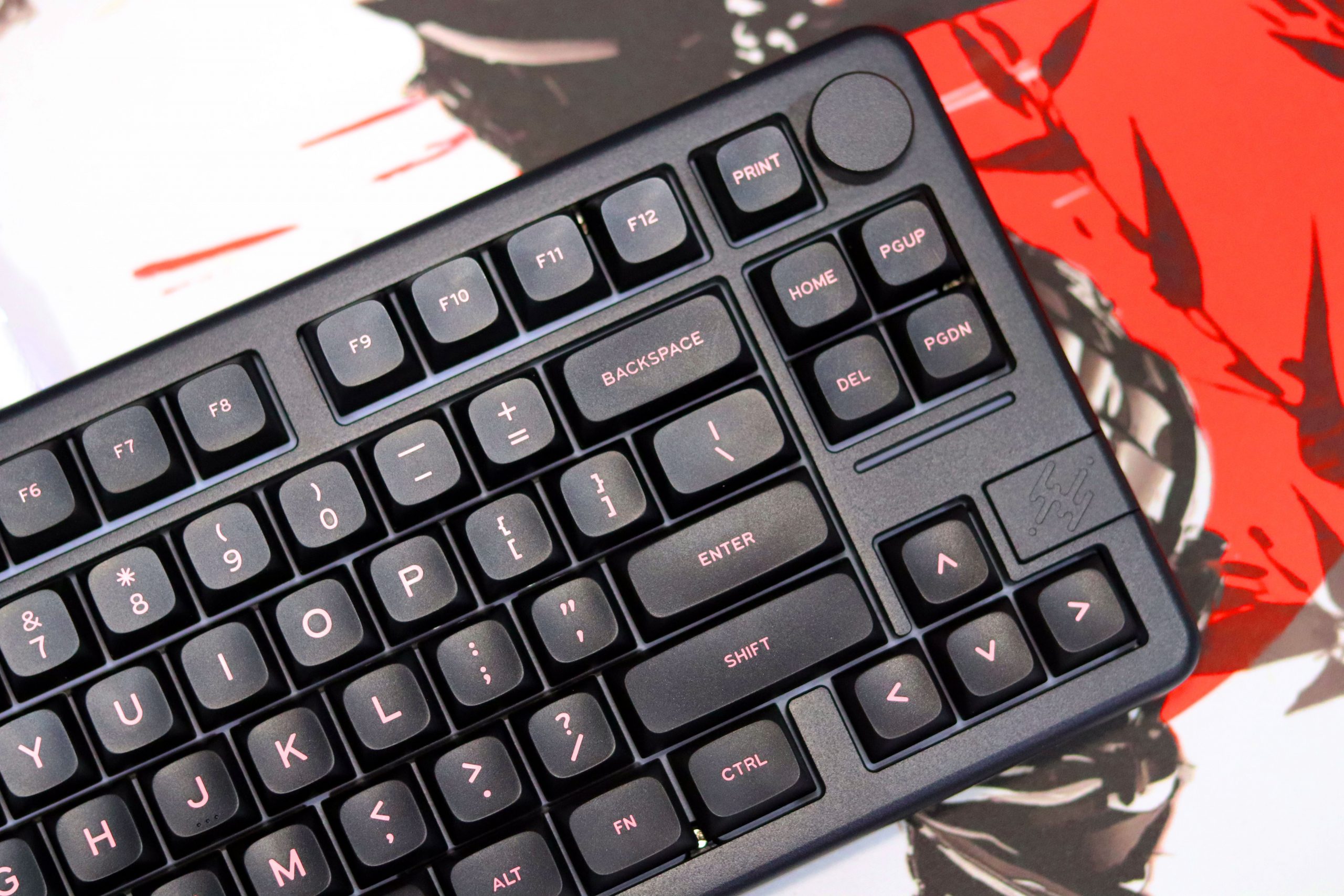
An indicator light bar is integrated into the frame, though its functionality is somewhat ambiguous. It doesn’t provide dynamic feedback or notifications as one might expect, which feels like a missed opportunity.
The Knob Experience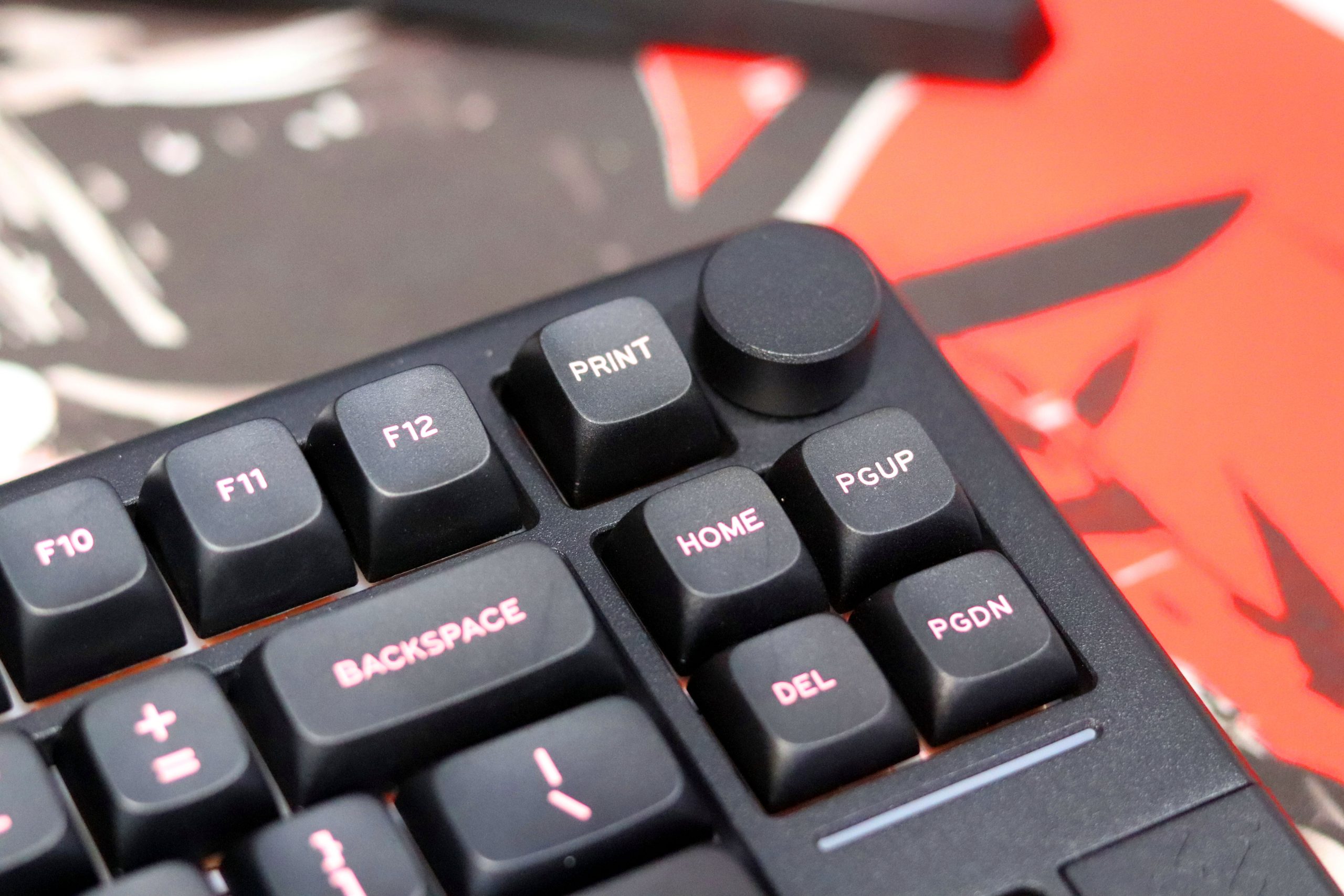
The knob on the Epomaker Galaxy70 is a nice touch, literally and figuratively. It’s positioned perfectly for quick adjustments, whether you’re controlling volume, zooming in on a document, or scrolling through a timeline. The texture feels satisfying under the fingers, but it does have a slight wobble—not enough to ruin the experience, but noticeable if you’re hyper-focused.
Compared to other keyboards, the Galaxy70’s knob isn’t the most premium feeling I’ve encountered, but it does the job well and integrates nicely into the overall layout. For the $99 price point, it’s a thoughtful inclusion that adds a layer of functionality and fun. If you’re a knob enthusiast, you might notice the slight wiggle, but for everyday use, it’s a feature that simply works without getting in the way.
VIA Software Experience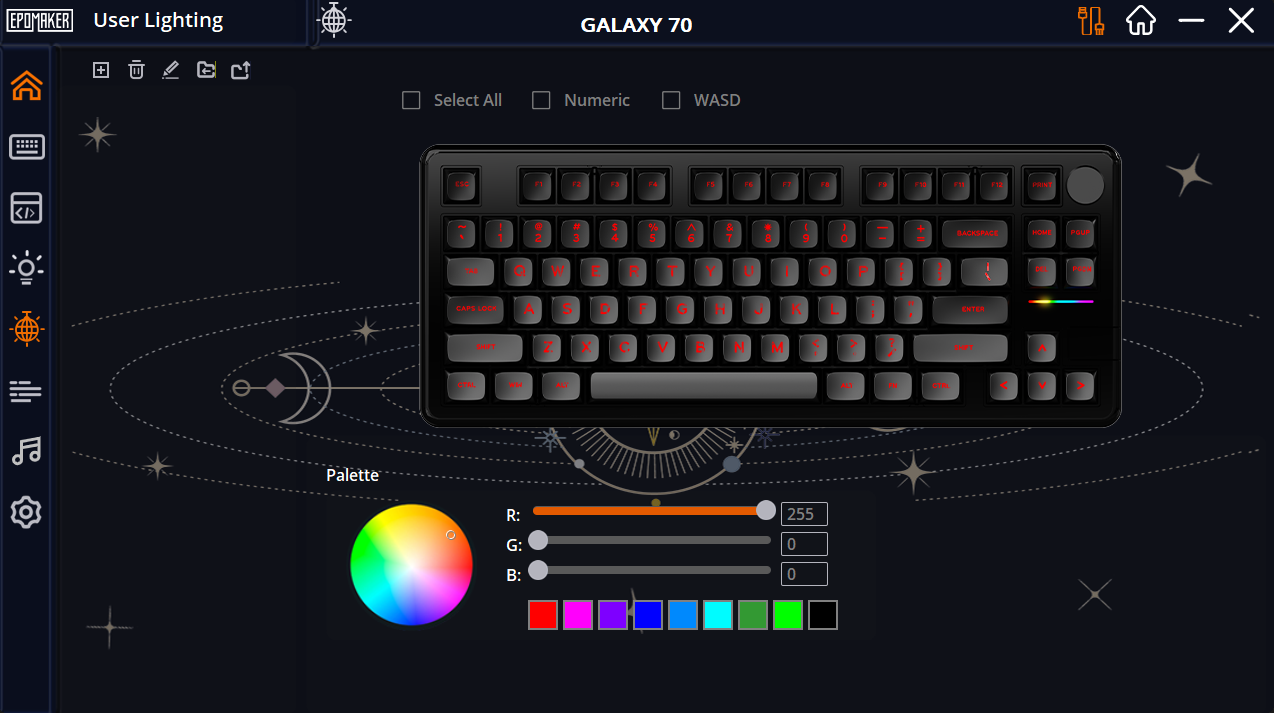
Let’s talk software because, let’s be real, no one’s perfect. I think the software experience here is where Epomaker could do a little better. The VIA software is where you manage key remaps, RGB settings, and more. Here’s the thing: it’s functional, but it’s not the best. The interface feels a bit outdated, and I wish it had more polish. That said, once you get past the weird interface, it does give you a lot of control.
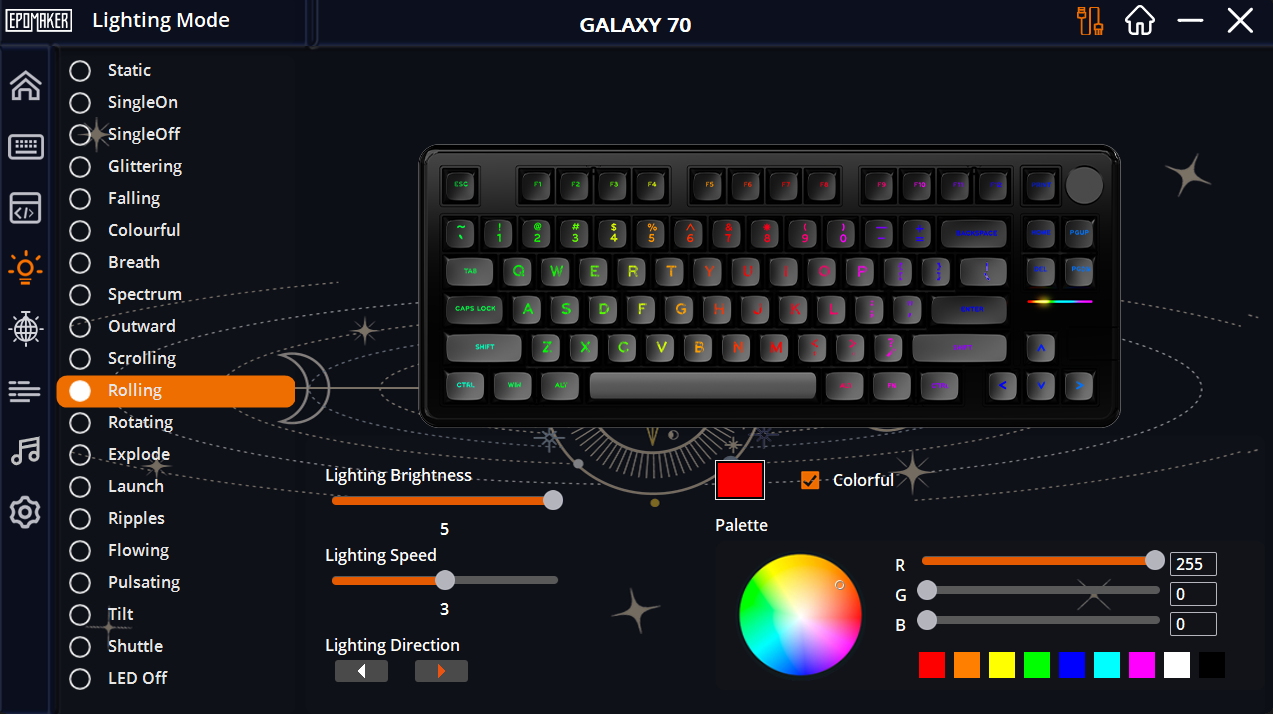
When it comes to RGB, the options are fantastic. You can fully customize the lighting effects, from the classic wave patterns to reactive typing effects, and everything in between. The Galaxy70 has south-facing RGB, which is always a win for keycap enthusiasts. Honestly, the RGB effects in this keyboard are one of the things that make it stand out, even though the software doesn’t look as modern as I’d like it to.
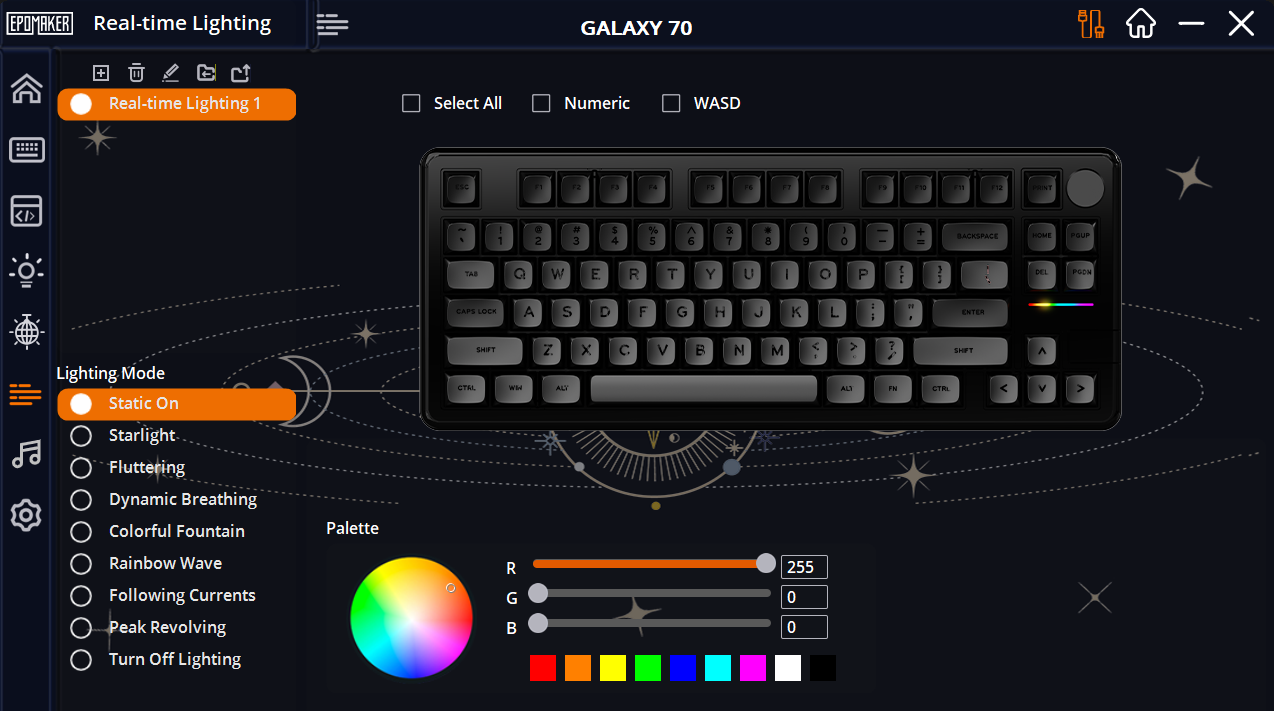
One neat feature I found was the ability to customize lighting per key. You can create complex effects that match your mood, or, you know, just go wild with some flashy effects if you’re into that. There’s also a music sync feature for the RGB—if you’re into the “light show” aspect, this is really fun to play with.
Connectivity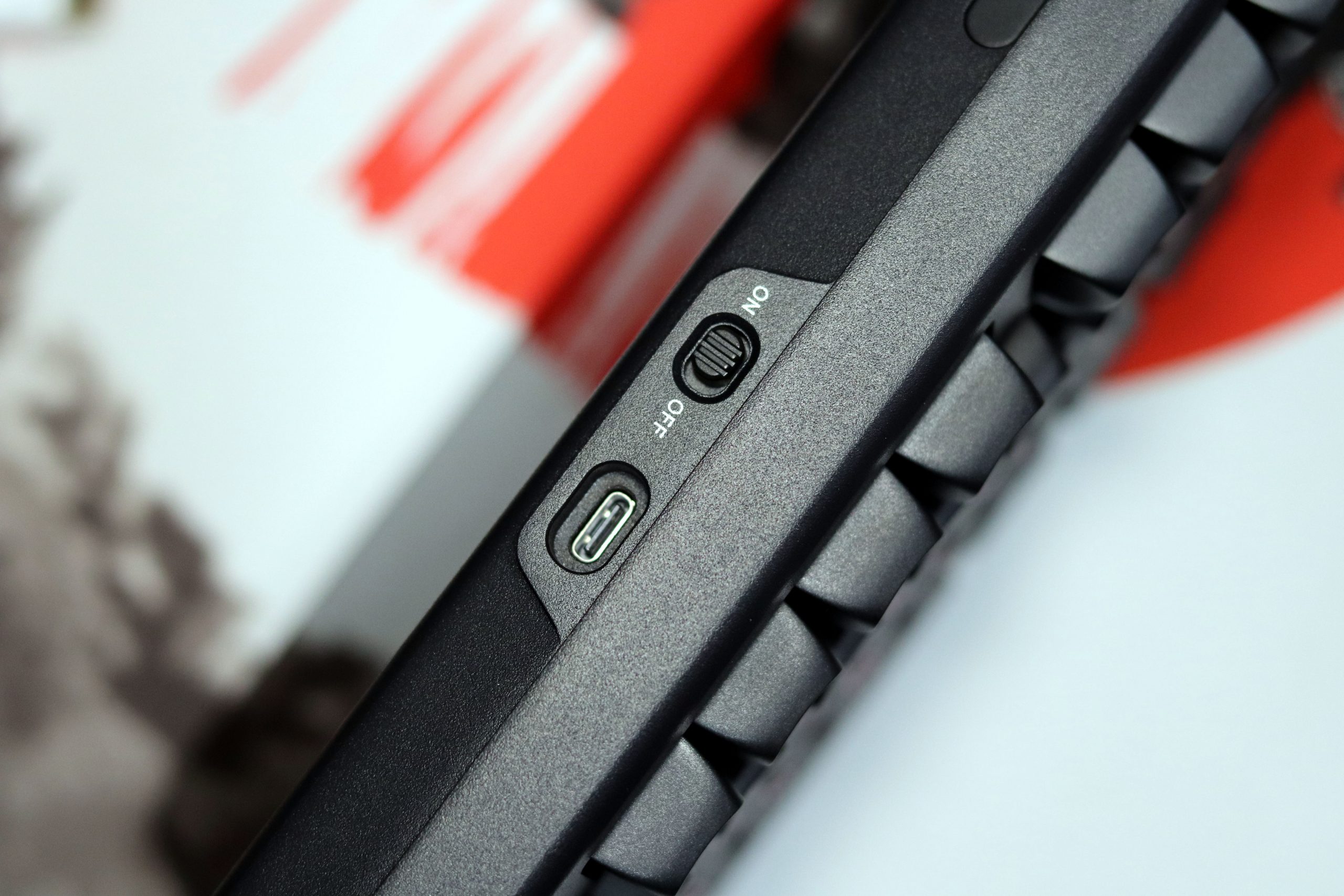
When it comes to connectivity, the Epomaker Galaxy70 shines with its versatility. Whether you’re working in a wired setup, enjoying the freedom of Bluetooth, or opting for the 2.4GHz wireless option, this keyboard has you covered. I appreciated the tri-mode connectivity, as it gives you the flexibility to switch between different modes based on your needs or the type of workspace you’re in.
In terms of performance, the wireless modes offer solid, reliable connections. I used the 2.4GHz connection extensively for gaming and productivity, and I didn’t notice any lag or delay. The Bluetooth connection, while not as fast as the 2.4GHz or wired, still performed well for general use and light typing tasks. For those who prefer the utmost precision, the wired connection is always an option, delivering a super responsive 2.8ms latency and a 1000Hz polling rate.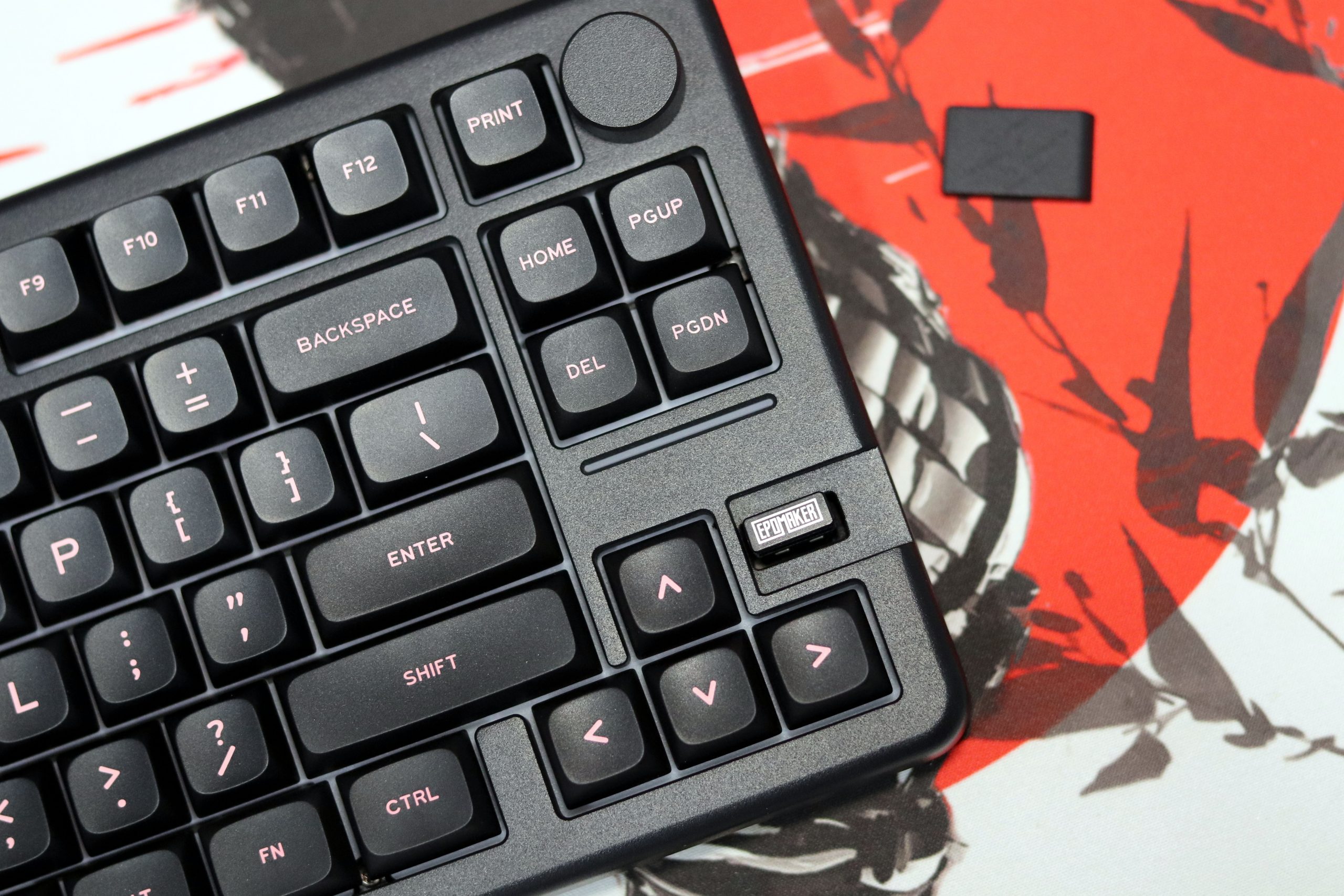
One standout feature is the 4000mAh battery, which ensures that whether you’re using Bluetooth or 2.4GHz, you can rely on the Galaxy70 to last through long sessions without needing constant recharges. During my testing, I found that the battery life lived up to the hype, making it perfect for extended work sessions or gaming marathons without interruption.
Overall, the Galaxy70 offers great connectivity options, making it suitable for a wide range of users—from those who need seamless wireless setups to those who prefer the speed of a wired connection. It provides a hassle-free, adaptable experience that I found particularly useful for my daily tasks.
Battery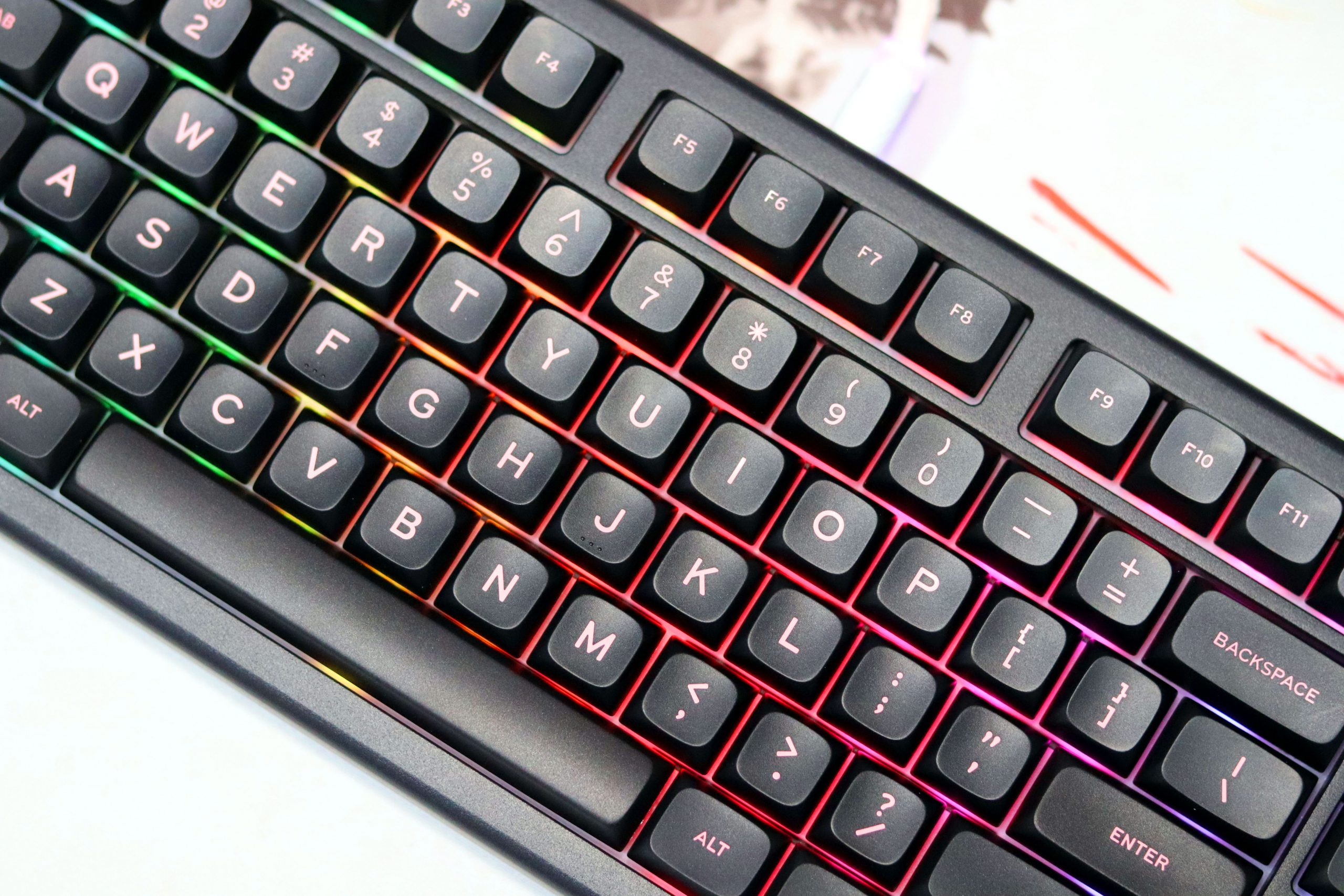
The battery life on the Epomaker Galaxy70 has been a pleasant surprise. With its 4000mAh battery, it offers solid performance for long work or gaming sessions without frequent recharging. I’ve used it in both Bluetooth and 2.4GHz wireless modes, and it easily lasted a full day of continuous typing, plus some extra hours of light use without needing a charge. For a keyboard at this price point, that’s impressive.
Even with the RGB lighting at full brightness, which I admittedly have on most of the time, the battery holds up well. I was initially concerned about how long it would last, especially with the RGB and the tri-mode connectivity options, but it didn’t disappoint. For those who prefer wired connections, the USB-C cable provides a stable and consistent experience, but if you’re going wireless, you can rest easy knowing it won’t drain the battery too quickly.
Another standout feature is how quickly it charges. A short 30-minute session plugged in can top it off, making it ideal for quick recharge times between uses. While I haven’t tested it to the absolute limits, the battery life is more than sufficient for typical use and ensures the Galaxy70 remains reliable throughout the day.
Overall, the battery performance is one of the key strengths of the Galaxy70, especially considering its size and connectivity options. It makes the keyboard perfect for both work and play, offering the freedom of wireless use without worrying about constant recharging. If battery life is a concern for you, this keyboard should easily meet your needs.
Verdict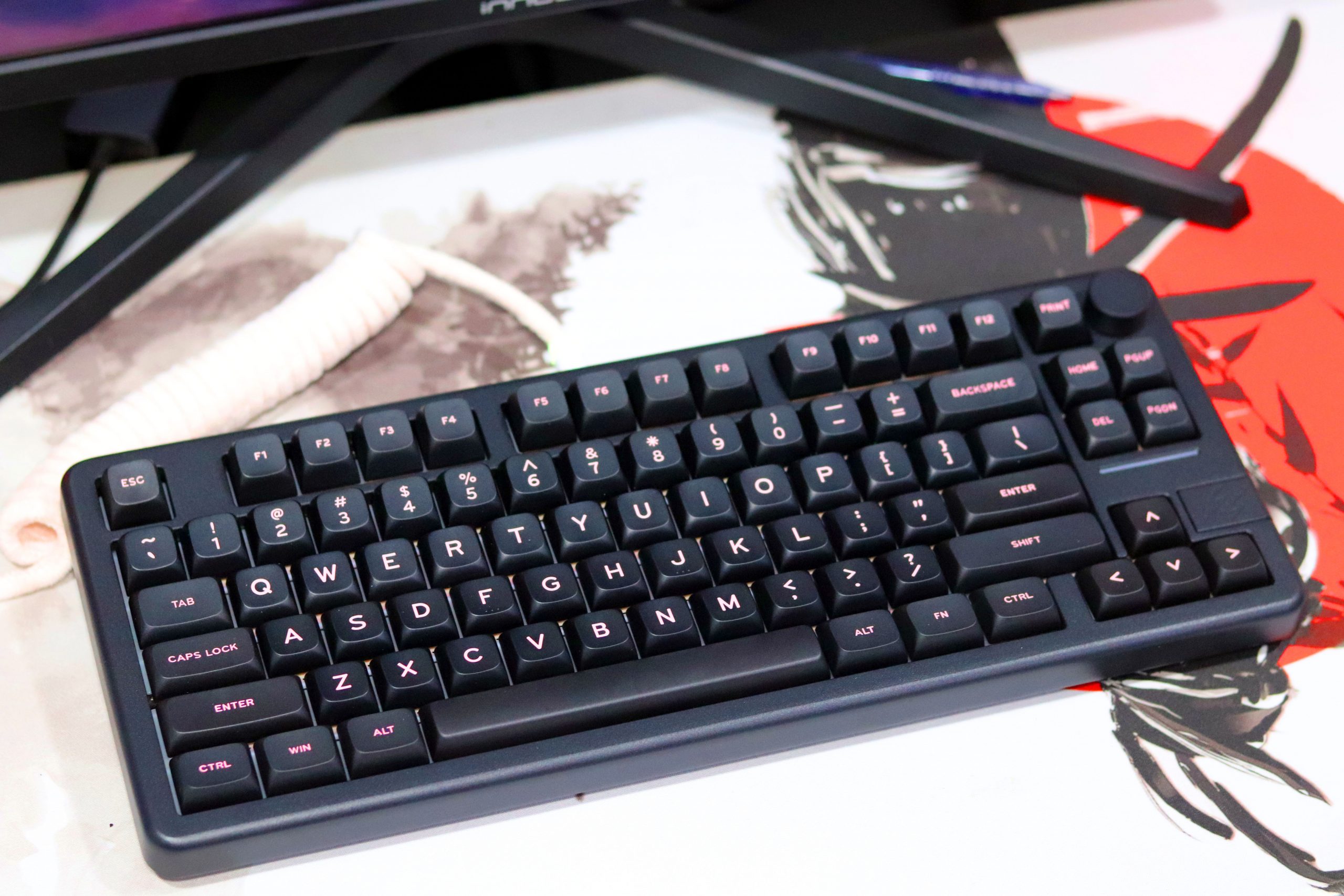
While the software could use some work, especially in terms of user experience and functionality, the keyboard itself works great out of the box. The customizable RGB effects are a fun addition, but you’re not buying this keyboard for the software—it’s about the typing experience, the solid build, and the overall versatility that it brings to the table. For those who love a nice typing sound and a reliable keyboard for everyday tasks, the Galaxy70 is a solid choice.
Pros:
- Great Layout: The 75% layout with home clusters and a knob is compact and functional.
- Excellent Sound: Gasket structure and sound-enhancing layers create a satisfying, “thocky” typing experience.
- Durable Build: Powder-coated aluminum case adds a premium feel and long-lasting durability.
- Versatile Connectivity: Bluetooth, 2.4GHz wireless, and wired options make it flexible for any setup.
- RGB: Customizable, south-facing RGB lighting offers plenty of options.
Cons:
- Wobbly Knob: The knob feels unstable and may not be ideal for all users.
- Clunky Software: Outdated software makes customization less user-friendly.
- Thin Keycaps: Keycaps are a bit thin, lacking the premium feel some might prefer.
- Not Gamer-Focused: While great for typing, it may not suit professional gaming needs.
Read Also: Epomaker Tide75 Review: A 75% Keyboard Masterpiece?
Final Words
If you're someone who appreciates a well-built keyboard with a smooth typing experience and a clean, functional design, the Epomaker Galaxy70 is definitely worth considering. While the software might not win any awards, the performance and sound out of the box more than make up for it. For $99, it delivers impressive value, especially if you're looking for a compact layout with wireless and wired connectivity options. Whether you're coding, working, or just enjoying your favorite games, the Galaxy70 provides a solid and enjoyable experience. Epomaker is clearly on the right track, and with this model, they've crafted another winner in the budget-friendly keyboard market.
-
User Ratings (3 Votes)
4.6