







Facebook Twitter Instagram
    Trending
    • MT119 Smart Watch Review: Affordable AMOLED Smartwatch with Bluetooth Calling and Advanced Health Monitoring
    • AWOL Vision Aetherion Pro 4K Ultra Short Throw Laser Projector Review: A Premium Home Cinema Powerhouse
    • A Comprehensive Guide to Calculating Nicotine Shots for Shortfills
    • Crystal Prime 10000 Puffs Vape Kit Review at £7.49: Rechargeable Convenience with Long-Lasting Flavor
    • Alfakher Crown Bar Hypermax 30K Vape Kit Review at £9.99: Premium Shisha-Inspired Flavor with Up to 30,000 Puffs
    • APUS has launched Chloe 50K, Targeting the High-volume Single-use Vape Market in the United States with a handbag Design
    • Microtransactions Explained: Small Payments, Big Psychology
    • Cybersports: a New Way to Have Fun Online
    Facebook YouTube
    IGeeKphone China Phone, Tablet PC, VR, RC Drone News, Reviews
    • HOME
    • BREAKING NEWS
      • AI NEWS
    • Amazon
    • PHONE
      • Top Phones For Your First Choice
      • Phone Comparison
      • Xiaomi
      • Blackview
      • Doogee
      • Black Shark
      • Geekbuying
      • Banggood
      • TEMU
      • TikTok
      • Aliexpress
      • Walmart
      • MercadoLibre
      • Lazada
    • TOP VAPE Awards for 2026
    • VAPES
      • E-CIGAR Upcoming
      • Vape News
      • Vape Deals
      • Vape Comparison
      • Vape Guide
      • VAPE LAWS
      • Giveaway
    • BEST VAPE
      • Best Vape Stores
      • Best Starter Vape Kits
      • Best Vapes for Beginners
      • Best Disposable Vapes
      • Best Pod Systems
      • Best Pod Mod Vapes
      • Best Mods
      • Best Nicotine Pouches
      • Best Clearomizers/Tanks
      • Best E-Liquid
      • Best EGO/Pens
      • Best Vapes for Nic Salt E-Juice
      • Best Vapes to Quit Smoking
      • RDA vs. RDTA vs. RTA
    • Best Vape Brand 2026
      • VAPORESSO
      • VOOPOO
      • OXVA
      • NEXA BAR
      • MASKKING VAPE
      • SP2S
      • IPLAY
      • TODOO
      • MRFOG
      • LOSTVAPE
      • VEIIK
    • REVIEW
      • E-cigar Review
      • Phones
      • Tablet PC
      • TV Box
      • RC Drone
      • Wearables
      • Camera
      • Accessories
      • VR Headset
    • MORE
      • TABLET
        • Chuwi
        • INNOCN
        • Teclast
        • Top Tablet for Your First Choice
        • Tablet/Laptop Comparison
      • RC DRONE
      • CAMERA
      • WEARABLES
        • OneOdio
        • BlitzWolf
        • Top Smartwatch for First Choice
      • 3D PRINTER
        • 3D Printer Review
        • Anycubic
        • FLSUN
        • Xtool
        • LONGER
        • Top 3D printer to Choose First
      • POWER STATION
        • Oukitel
        • FOSSIBOT
      • GAMING
        • Top Gaming Products
      • E-BIKE
        • Samebike
        • Happyrun
        • ENGWE
      • SMART HOME
      • TV BOX
      • ACCESSORIES
      • VR HEADSET
      • CLOTHES
      • AUTO CAR
    • DEAL
    • Shop
    IGeeKphone China Phone, Tablet PC, VR, RC Drone News, Reviews
    You are at:Home»Guide»How to Activate the Power-Saving Mode on Motorola Edge 70?
    Guide

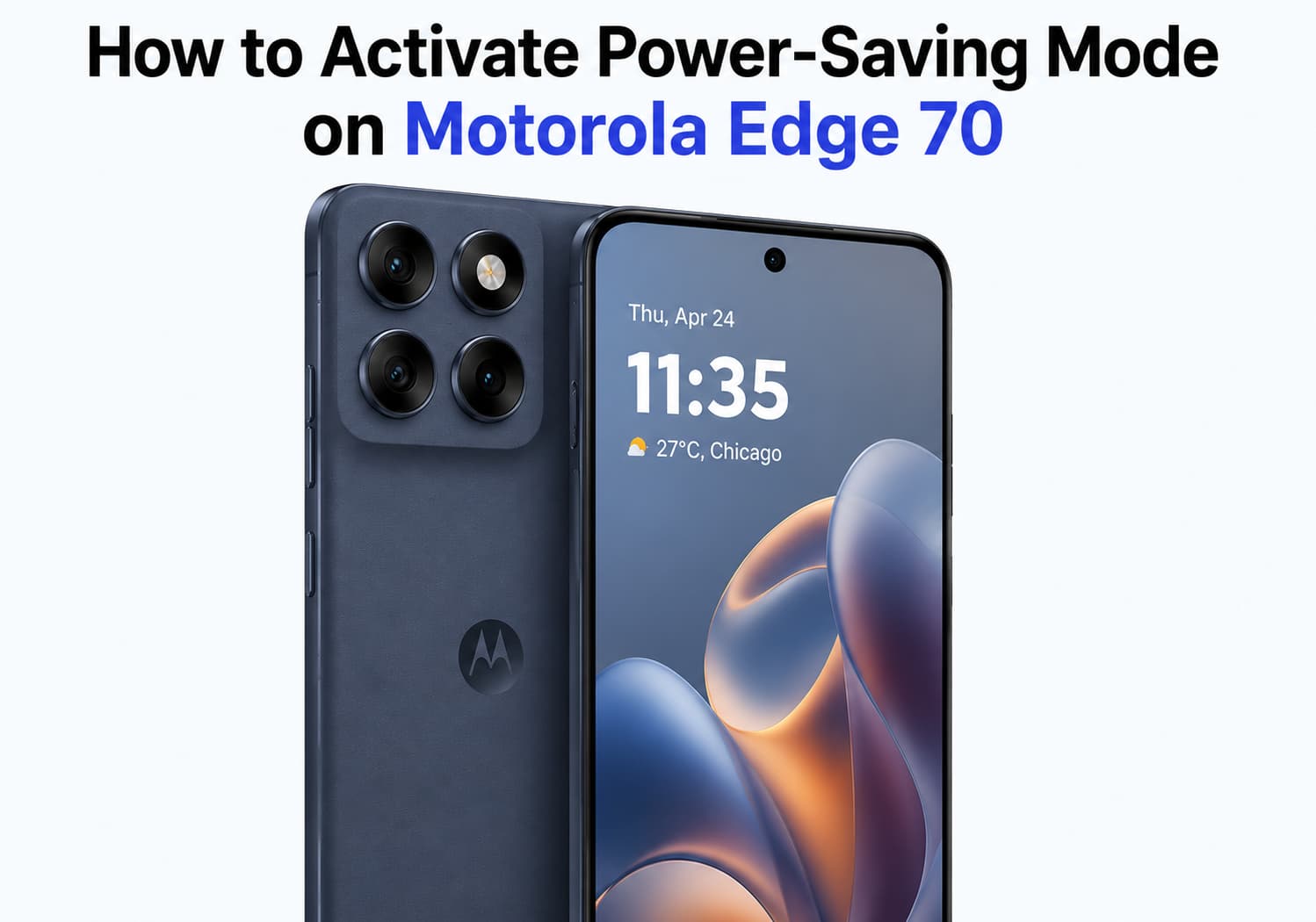
    How to Activate the Power-Saving Mode on Motorola Edge 70?

    Brady CottonBy Brady CottonJune 30, 2026
    Facebook Twitter Pinterest LinkedIn Tumblr Email

    Modern smartphones are packed with powerful processors, high-refresh-rate displays, and always-on connectivity, but these features can quickly drain your battery. Fortunately, the Motorola Edge 70 includes a built-in Power Saving Mode that helps extend battery life by reducing background activity and optimizing system performance.

    Whether you’re traveling, working remotely, or simply want your phone to last until the end of the day, enabling Battery Saver is one of the easiest ways to maximize your device’s endurance. In this guide, we’ll show you how to activate Power Saving Mode on the Motorola Edge 70 and explain how it works.

    What Is Power Saving Mode?

    Power Saving Mode (also called Battery Saver) is an Android feature that reduces power consumption by limiting non-essential functions. When enabled, it helps your Motorola Edge 70 conserve battery by adjusting system performance and background processes.

    Typical changes include:

    • Reducing background app activity
    • Limiting automatic syncing
    • Lowering processor performance when appropriate
    • Restricting location updates for some apps
    • Minimizing visual effects and animations
    • Delaying app updates until charging

    These optimizations can significantly extend battery life without affecting essential phone functions.

    Method 1: Enable Power Saving Mode from Settings

    This is the most common way to activate Battery Saver.

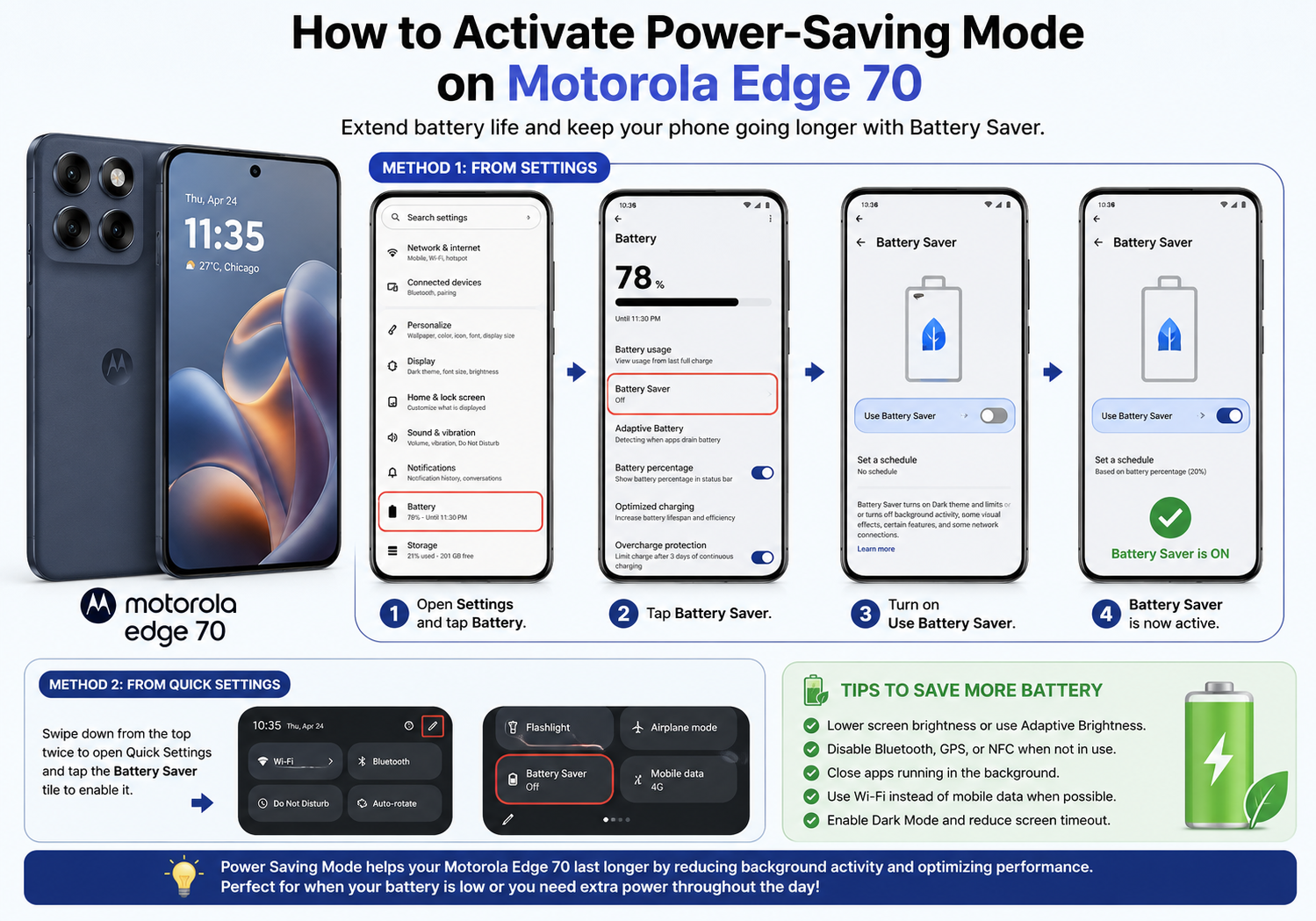
    Step 1: Open Settings

    Unlock your Motorola Edge 70 and open the Settings app.

    Step 2: Tap Battery

    Scroll down and select Battery.

    Step 3: Select Battery Saver

    Tap Battery Saver (or Power Saving Mode, depending on your software version).

    Step 4: Turn It On

    Toggle the switch to On.

    Your phone will immediately begin optimizing power usage.
    Method 2: Turn On Battery Saver from Quick Settings

    For faster access:

    1. Swipe down from the top of the screen twice.
    2. Open the full Quick Settings panel.
    3. Find the Battery Saver tile.
    4. Tap it once to enable the feature.

    If you don’t see the icon:

    • Tap the pencil or Edit button.
    • Drag the Battery Saver tile into the active Quick Settings panel.

    Automatically Enable Battery Saver

    Instead of manually turning it on every time, you can have Battery Saver activate automatically.

    To set this up:

    1. Go to Settings > Battery.
    2. Open Battery Saver.
    3. Tap Set a Schedule.
    4. Choose one of the available options, such as:
      • Based on battery percentage
      • Automatically according to your usage habits

    Many users choose to activate Battery Saver when the battery reaches 20% or 15%.

    How to Turn Off Power Saving Mode

    When you no longer need it:

    • Open Settings > Battery > Battery Saver, then switch it off.

    Or simply tap the Battery Saver icon again from Quick Settings.

    Once disabled, your Motorola Edge 70 returns to normal performance.

    Does Power Saving Mode Affect Performance?

    Yes—but usually only slightly.

    When Battery Saver is active, you may notice:

    • Apps taking a little longer to refresh
    • Fewer background notifications
    • Reduced animation effects
    • Slightly lower gaming performance
    • Less frequent location updates

    For everyday tasks like messaging, web browsing, phone calls, and social media, most users won’t notice a significant difference.

    Tips to Save Even More Battery

    To further improve battery life on your Motorola Edge 70:

    • Lower screen brightness.
    • Enable Adaptive Brightness.
    • Reduce the screen timeout duration.
    • Disable Bluetooth, GPS, or NFC when not in use.
    • Close apps you no longer need.
    • Use Wi-Fi instead of mobile data whenever possible.
    • Turn off the 120Hz refresh rate if maximum smoothness isn’t necessary.
    • Enable Dark Mode, especially if your device has an OLED display.
    • Keep apps and system software updated for the latest battery optimizations.

    Frequently Asked Questions

    Does Battery Saver slow down charging?

    No. Battery Saver primarily reduces power consumption during use and does not significantly affect charging speed.

    Can I still receive calls and messages?

    Yes. Essential services such as phone calls, SMS, and most notifications continue to work normally.

    Is it safe to leave Battery Saver on all the time?

    Yes. However, because it limits certain background activities and performance, most users prefer to enable it only when they need longer battery life.

    Will Battery Saver disable 5G?

    Depending on your software version and carrier settings, Battery Saver may reduce network activity or switch to a more power-efficient connection, but this behavior can vary.

    Final Thoughts

    Motorola Edge 70’s Power Saving Mode is a simple yet effective feature that can significantly extend battery life during busy days or long trips. With just a few taps, you can reduce unnecessary power consumption while still enjoying the phone’s essential features.

    For the best experience, combine Battery Saver with smart habits like lowering screen brightness, limiting background apps, and using automatic battery-saving schedules. These small adjustments can help your Motorola Edge 70 stay powered longer, giving you greater peace of mind throughout the day.

    Share. Facebook Twitter Pinterest LinkedIn Tumblr Email

    Related Posts

    How to take Panoramic Photos with iPhone Air?

    How to Clear up Insufficient Memory on a Mobile Phone?

    How to Split Screen on iPad: 2026 iPad Split-Screen Mode Operation Guide

    Leave A Reply Cancel Reply

    You must be logged in to post a comment.

    voopoopintch
    oxva nexlim 2
    sp2s sen x disposable vape
    • Popular
    • 3D Printer REVIEW
    • XIAOMI
    July 13, 2026

    OXVA Nexlim 2 Mini Pod Vape Hands on Review

    July 13, 2026

    OXVA Nexlim 2 Pod Vape Hands on Review

    June 21, 2026

    iPlay LUMO 8K Review – A Compact Prefilled Pod Kit with Big Flavor and Everyday Convenience

    June 21, 2026

    iPlay HOOLA 150K Review – A Cloud-Chasing Giant with Music, Modes & Massive Longevity

    December 26, 2025

    ACMER ASCARVA 4S: Precision CNC Power for Makers, DIYers & Small Workshops

    June 23, 2024

    ACMER P2 20W Laser Engraver Fixed Focus Engraving: Hands on Review

    May 30, 2024

    xTool F1 Ultra Review: World’s First 20W Fiber & 20W Diode Laser Engraver

    May 30, 2024

    Anycubic Kobra 3 Combo Review: The Multicolor Masterpiece?

    July 15, 2026

    Redmi K100 Pro Specifications Released: Snapdragon 8E5 + 185Hz ultra-fast refresh rate display

    July 15, 2026

    Xiaomi has launched the Mi Home Smart Bathroom Lamp P1 with human sensing function

    July 13, 2026

    Xiaomi Mijia Display Wall Lamp 2 has been launched on the crowdfunding page at 259 yuan

    July 12, 2026

    The Core Specifications of Redmi Note 17 series have been Announced

    fc 26 coins
    New Arrivals
    • Vivo X400 Pro Vivo X400 Pro
    • Vivo X400 smartphone Vivo X400 smartphone
    • ZTE Nubia Z90 Ultra ZTE Nubia Z90 Ultra
    • Redmi 16 5G Redmi 16 5G
    • Thunder Cloud X Vaping Bogan Bonza Pro Mechanical Mod Thunder Cloud X Vaping Bogan Bonza Pro Mechanical Mod
    • iqoo Watch GT 2 iqoo Watch GT 2
    • Xiaomi Pad 9 Xiaomi Pad 9
    • Honor Watch 6 Pro Honor Watch 6 Pro
    • Oppo K15 Turbo Oppo K15 Turbo
    About
  • Igeekphone.com provides the first global tech news and reviews about smartphone, vapes, e-cigar, smart home, 3D printers, e-bike,tablets, RC drones, VR headset, and other accessories. It's the best platform to improve your brand and product.
  • Contact us: info@igeekphone.com
  • Check Our Privacy Policy Here.
  • Note: *Right now we have US editor and EU editors for review, especially for Amazon US and EU.
  • *Shop and Compare Price Here*
  • Facebook
  • Youtube
  • OUR BEST VAPE PARTNERS
  • VAPE ONLINE STORE
  • HAYATI PRO MAX PLUS
  • VAPORESSO
  • VOOPOO
  • OXVA
  • NEXA
  • MASKKING
  • SP2S
  • IPLAY
  • TODOO
  • OTHER BEST PARTNERS
  • SVBONY
  • Chuwi
  • Blackview
  • Fossibot
  • Unihertz
  • Flsun
  • Anycubic
  • Xtool
  • Oukitel
  • Mukkpet Ebike
  • Ugreen
  • Copyright © 2026 igeekphone

    Type above and press Enter to search. Press Esc to cancel.