







Facebook Twitter Instagram
    Trending
    • Srihome SH028 8MP 4K Outdoor Security Camera Review: High-Definition, Smart Security for Your Home
    • SANAG Z9 TWS Earphones Review at $31.99: Sports Bluetooth Headphones with Deep Bass and 48H Battery
    • OXVA Slim Stick X Vape Review: Compact Power and Style in One Vape
    • BlitzHome® BG-D068K 20L/24H Smart Dehumidifier Review – Powerful Smart Moisture Control for Modern Homes
    • Asus R09 TWS Earbuds Review at $19.99: Stylish Wireless Earphones with HiFi Sound and Long Battery Life
    • Astrolux® K3 1550LM EDC Flashlight Review: The Ultimate Compact LED Torch for Outdoor and Emergency Use
    • VOOPOO & Cyph Launch the NAVI × Cyph Kit 80K: A Flavor-Focused Refillable Pod System
    • Retroid Pocket G2 Gaming Console Review: The Ultimate Android Handheld for Retro & Modern Gaming
    Facebook YouTube
    Login Register
    IGeeKphone China Phone, Tablet PC, VR, RC Drone News, Reviews
    • HOME
      • NEWS
        • DeepSeek
        • ChatGPT
        • Minecraft
    • Amazon
    • NEW YEAR
    • PHONE
      • Top Phones For Your First Choice
      • Phone Comparison
      • Xiaomi
      • Blackview
      • Doogee
      • Black Shark
      • Geekbuying
      • Banggood
      • TEMU
      • TikTok
      • Aliexpress
      • Walmart
      • MercadoLibre
      • Lazada
    • TOP VAPE Awards for 2026
    • VAPES
      • E-CIGAR Upcoming
      • Vape News
      • Vape Deals
      • Vape Comparison
      • Vape Guide
      • Giveaway
    • BEST VAPE
      • Best Vape Stores
      • Best Starter Vape Kits
      • Best Vapes for Beginners
      • Best Disposable Vapes
      • Best Pod Systems
      • Best Pod Mod Vapes
      • Best Mods
      • Best Nicotine Pouches
      • Best Clearomizers/Tanks
      • Best E-Liquid
      • Best EGO/Pens
      • Best Vapes for Nic Salt E-Juice
      • Best Vapes to Quit Smoking
      • RDA vs. RDTA vs. RTA
    • Best Vape Brand 2026
      • VAPORESSO
      • VOOPOO
      • OXVA
      • NEXA BAR
      • ORIONBARTECH
      • MASKKING VAPE
      • MEMERS
      • SP2S
      • JNR
      • TODOO
      • MRFOG
      • VEIIK
    • REVIEW
      • E-cigar Review
      • Phones
      • Tablet PC
      • TV Box
      • RC Drone
      • Wearables
      • Camera
      • Accessories
      • VR Headset
    • MORE
      • TABLET
        • Chuwi
        • INNOCN
        • Teclast
        • Top Tablet for Your First Choice
        • Tablet/Laptop Comparison
      • RC DRONE
      • CAMERA
      • WEARABLES
        • OneOdio
        • BlitzWolf
        • Top Smartwatch for First Choice
      • 3D PRINTER
        • 3D Printer Review
        • Anycubic
        • FLSUN
        • Xtool
        • LONGER
        • Top 3D printer to Choose First
      • POWER STATION
        • Oukitel
        • FOSSIBOT
      • GAMING
        • Top Gaming Products
      • E-BIKE
        • Samebike
        • Happyrun
        • ENGWE
      • SMART HOME
      • TV BOX
      • ACCESSORIES
      • VR HEADSET
      • CLOTHES
      • AUTO CAR
    • DEAL
    • Shop
    IGeeKphone China Phone, Tablet PC, VR, RC Drone News, Reviews
    You are at:Home»Guide»How to Build a Secure Gaming and Streaming PC?
    Guide

    How to Build a Secure Gaming and Streaming PC?

    Brady CottonBy Brady CottonJune 21, 2022
    Facebook Twitter Pinterest LinkedIn Tumblr Email

    Gaming and streaming PCs need to be fast, reliable, and secure. Your normal day-to-day tasks don’t require the same kind of security, speed, and processors that gaming or streaming PC needs.
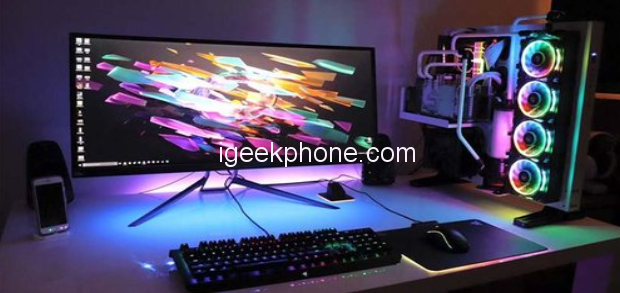
    For instance, you might use your computer for banking or online shopping. But you likely aren’t storing or transmitting your personal or financial information through your device.

    That’s not the case with gaming and streaming PCs. When you’re playing games or streaming videos, you want to ensure that your information is safe and secure.

    A gaming or streaming PC is a computer specifically designed for high-end 3D applications, games, or live streaming of video content. There’s no doubt that these PCs are becoming more popular than ever. To get more information, you can check out www.howtowatch.ca

    But PCs used for gaming and live streaming don’t just need powerful hardware; they also need to be secure. So, when building a gaming or streaming PC, several key considerations must be considered.

    In this read, we are going to explore some of the most important tips for building gaming or streaming PC to create a secure and efficient system. Let’s take a look!

    What Components Are Necessary for Gaming and Streaming PCs?

    Gaming PCs have become popular among many people, and for good reasons. Apart from doing other regular computing tasks with it, gaming PCs also come with features that are necessary for a great gaming experience.

    These include fast processors, high-end graphics cards, large amounts of RAM, and speedy storage devices. As more people are now into streaming their gameplay live. So, they need gaming PCs that can handle the additional load of streaming software and still provide a lag-free gaming experience.

    For example, the first important component is a powerful graphics card. This will be responsible for rendering the images on your screen. Hence, the better the graphics card, the better your gaming or streaming experience will be.

    The next in line is a good CPU. The CPU is the “brain” of your computer and is responsible for performing all of the calculations necessary for gaming or streaming. Finally, you will need a lot of RAM. It will help ensure that your games or videos run smoothly without any lag. If you want to buy an cheap digital codes, contact Apecodes.

    How to Build a Secure Gaming and Streaming PC on a Budget?

    Building a gaming PC on a budget can be a challenge. First, you must find the right balance between quality and price. Yet, it can be done without breaking the bank with careful planning and execution.

    The first phase is to figure out what your budget is. This will help you determine which components are within your reach. Once you have a set budget, make sure to explore many stores and compare prices.

    By doing this, you can often find good deals on components if you look in the right places. It is also important to choose a case and power supply that will be compatible with all other components. 

    With that, there’s another factor to consider when building a gaming PC on a budget is overclocking. It can help you get more performance out of your hardware for free. After that, it’s important to choose the right components for your build.

    For gaming, you will need a powerful graphics card, a good CPU, and plenty of RAM. For streaming, you will need a powerful CPU and plenty of storage.

    Assembling All the Components for a Secure Experience

    There are key elements to consider when putting together a gaming or streaming PC. One of the most important is ensuring that all components are as secure as possible.

    Here are guidelines on how to do that:

    • Ensure your case has good airflow to keep your system cool and prevent overheating.
    • Use a high-quality power supply to prevent any component failures.
    • Use quality components to avoid system instability and crashes.
    • Choose a reputable brand for your motherboard and processor.
    • Make sure your graphics card is from a reputable manufacturer.
    • Only use trusted sources for your software and drivers.
    • Keep your system up to date with the latest security patches.
    • Use a secure password to protect your system from any outsourcing.

    Here’s How to Optimize Your PC for Secure Gaming and Streaming!

    With these steps, you can optimize your PC for secure gaming and streaming experience. One of the most important is to make sure your antivirus software is up-to-date and that you have a firewall enabled.

    You should also disable file sharing and ensure your operating system and software are up-to-date. You can also adjust your settings to improve performance. For example, In Windows, you can adjust your power settings to “high performance,” and in MacOS, you can enable “Gaming Mode.”

    Another best way to improve your security and performance is using a VPN. A VPN will encrypt your traffic and protect your data from prying eyes. It will also help bypass geographic restrictions on websites and streaming services.

    Even so, one of the most important is to make sure your PC has enough storage space. Games and streaming videos can take up a lot of space, so you’ll need at least 50GB of free hard drive space. You should also make sure your graphics card is up to date.

    Last but not least, you can also optimize your PC for gaming and streaming by adjusting your settings. You can set up keyboard shortcuts in the Windows 10 Game Bar, adjust your audio settings, and choose which games to record.

    That’s a Wrap!

    When building a PC for gaming and streaming, it must be both secure and affordable. Using open-source security tools and a few other tips can keep your PC safe from hackers and other online threats.

    But that doesn’t mean you can compromise quality since you would need proper speed and security to connect to various unknown servers when playing games online. 

    Share. Facebook Twitter Pinterest LinkedIn Tumblr Email

    Related Posts

    Navigating the Field: A Comprehensive Guide to Choosing the Best Farm Trailer

    How LegalTech Tools Simplify Drafting and Reviewing Lease Agreements

    The “Indestructible Match” on TikTok Is the Latest Viral Trend

    Leave A Reply Cancel Reply

    You must be logged in to post a comment.

    voopoo Cyph NAVI kit
    oxva xlim 3 ultra
    sp2s sen x disposable vape
    jnr 100k
    • Popular
    • 3D Printer REVIEW
    • XIAOMI
    February 8, 2026

    VOOPOO VMATE i2 vs i3: Hands-On Comparison Review

    February 2, 2026

    Voopoo Drag X3 vs Drag X2: Hands-On Comparison Review

    January 21, 2026

    VOOPOO ARGUS P3 VS ARGUS P2: Which Square Pod Suits You?

    January 21, 2026

    VOOPOO Drag X3 vs VOOPOO Drag X2: Hands-On Comparison

    December 26, 2025

    ACMER ASCARVA 4S: Precision CNC Power for Makers, DIYers & Small Workshops

    June 23, 2024

    ACMER P2 20W Laser Engraver Fixed Focus Engraving: Hands on Review

    May 30, 2024

    xTool F1 Ultra Review: World’s First 20W Fiber & 20W Diode Laser Engraver

    May 30, 2024

    Anycubic Kobra 3 Combo Review: The Multicolor Masterpiece?

    February 9, 2026

    Xiaomi 18 is the world’s first! The cost of Qualcomm Snapdragon 8 Elite Gen 6 Pro is outrageously high

    February 6, 2026

    Xiaomi 17 Ultra will make its debut at MWC: The battery capacity of the international version has been reduced to 6000mAh.

    February 4, 2026

    Xiaomi Hyper OS 4 undergoes a major upgrade: Completely eliminates old code and boosts smoothness.

    February 2, 2026

    The new 6.59-inch mid-to-high-end model of a Certain factory is tentatively scheduled to be released in the first half of this year. It is expected to be under the brand of Xiaomi.

    fc 26 coins
    New Arrivals
    • Geek Bar CLR 50K Disposable Vape Geek Bar CLR 50K Disposable Vape
    • Redmi Turbo 5 Max Redmi Turbo 5 Max
    • OnePlus Turbo 7 OnePlus Turbo 7
    • Doogee S300 Ultra Doogee S300 Ultra
    • iQOO 15R iQOO 15R
    • VOOPOO NAVI X Cyph 80K Disposable Vape Kit VOOPOO NAVI X Cyph 80K Disposable Vape Kit
    • OXVA Slim Stick X Vape OXVA Slim Stick X Vape
    • Geek Bar Somax 80K Disposable Vape Geek Bar Somax 80K Disposable Vape
    • Geek Bar Clio Platinum 50K Disposable Vape Kit Geek Bar Clio Platinum 50K Disposable Vape Kit
    About
  • Igeekphone.com provides the first global tech news and reviews about smartphone, vapes, e-cigar, smart home, 3D printers, e-bike,tablets, RC drones, VR headset, and other accessories. It's the best platform to improve your brand and product.
  • Contact us: info@igeekphone.com
  • Check Our Privacy Policy Here.
  • Note: *Right now we have US editor and EU editors for review, especially for Amazon US and EU.
  • *Shop and Compare Price Here*
  • Facebook
  • Youtube
  • OUR BEST VAPE PARTNERS
  • VAPE ONLINE STORE
  • HAYATI PRO MAX PLUS
  • VAPORESSO
  • VOOPOO
  • OXVA
  • NEXA
  • MASKKING
  • LOSTVAPE ORIONBAR
  • MEMERS
  • TODOO
  • SP2S
  • JNR
  • VEIIK
  • OTHER BEST PARTNERS
  • SVBONY
  • Chuwi
  • Blackview
  • Fossibot
  • Unihertz
  • Flsun
  • Anycubic
  • Xtool
  • Oukitel
  • Mukkpet Ebike
  • Ugreen
  • Copyright © 2026 igeekphone

    Type above and press Enter to search. Press Esc to cancel.