







Facebook Twitter Instagram
    Trending
    • Yocan Black Pocket Concentrate Vaporizer Review: Precision Dabbing in a Pocket-Sized Device
    • The certification for Samsung Galaxy Z Fold8 Ultra foldable phone has been made public. It retains the design of the Z Fold7
    • Loon Air Plus 6000 Disposable Vape Review: Compact Design with Long-Lasting Performance
    • Mia Iconiq 70K Disposable Vape Review: A High-Capacity Vaping Experience with Smart Features
    • Top-Rated 50/50 E-Liquids You Need to Try in 2026
    • How to Adjust the Screen Brightness for Taking Photos on iPhone 17
    • SP2S SEN X Photo Contest — Win Up to Rp1,000,000 in Cash Prizes
    • Redmi K90 Ultra edition has been officially announced to be Released this Month.
    Facebook YouTube
    IGeeKphone China Phone, Tablet PC, VR, RC Drone News, Reviews
    • HOME
      • NEWS
        • DeepSeek
        • ChatGPT
        • Minecraft
    • Amazon
    • PHONE
      • Top Phones For Your First Choice
      • Phone Comparison
      • Xiaomi
      • Blackview
      • Doogee
      • Black Shark
      • Geekbuying
      • Banggood
      • TEMU
      • TikTok
      • Aliexpress
      • Walmart
      • MercadoLibre
      • Lazada
    • TOP VAPE Awards for 2026
    • VAPES
      • E-CIGAR Upcoming
      • Vape News
      • Vape Deals
      • Vape Comparison
      • Vape Guide
      • Giveaway
    • BEST VAPE
      • Best Vape Stores
      • Best Starter Vape Kits
      • Best Vapes for Beginners
      • Best Disposable Vapes
      • Best Pod Systems
      • Best Pod Mod Vapes
      • Best Mods
      • Best Nicotine Pouches
      • Best Clearomizers/Tanks
      • Best E-Liquid
      • Best EGO/Pens
      • Best Vapes for Nic Salt E-Juice
      • Best Vapes to Quit Smoking
      • RDA vs. RDTA vs. RTA
    • Best Vape Brand 2026
      • VAPORESSO
      • VOOPOO
      • OXVA
      • NEXA BAR
      • MASKKING VAPE
      • SP2S
      • IPLAY
      • TODOO
      • MRFOG
      • LOSTVAPE
      • VEIIK
    • REVIEW
      • E-cigar Review
      • Phones
      • Tablet PC
      • TV Box
      • RC Drone
      • Wearables
      • Camera
      • Accessories
      • VR Headset
    • MORE
      • TABLET
        • Chuwi
        • INNOCN
        • Teclast
        • Top Tablet for Your First Choice
        • Tablet/Laptop Comparison
      • RC DRONE
      • CAMERA
      • WEARABLES
        • OneOdio
        • BlitzWolf
        • Top Smartwatch for First Choice
      • 3D PRINTER
        • 3D Printer Review
        • Anycubic
        • FLSUN
        • Xtool
        • LONGER
        • Top 3D printer to Choose First
      • POWER STATION
        • Oukitel
        • FOSSIBOT
      • GAMING
        • Top Gaming Products
      • E-BIKE
        • Samebike
        • Happyrun
        • ENGWE
      • SMART HOME
      • TV BOX
      • ACCESSORIES
      • VR HEADSET
      • CLOTHES
      • AUTO CAR
    • DEAL
    • VAPE LAWS
    • Shop
    IGeeKphone China Phone, Tablet PC, VR, RC Drone News, Reviews
    You are at:Home»Guide»How to Check the Activation Lock Status of iPhone 17?
    Guide

    How to Check the Activation Lock Status of iPhone 17?

    Brady CottonBy Brady CottonMay 26, 2026
    Facebook Twitter Pinterest LinkedIn Tumblr Email

    Activation Lock is one of Apple’s most important security features, designed to protect iPhones from unauthorized use if they are lost or stolen. If you’re buying a used iPhone 17, selling your own device, or troubleshooting an Apple ID issue, checking the Activation Lock status is essential.

    This guide explains how to verify whether Activation Lock is enabled on the iPhone 17 and what to do if the device is still linked to another Apple account.

    What Is Activation Lock?

    Activation Lock is automatically enabled when the Find My feature is turned on for an iPhone. Once activated, the device becomes linked to the owner’s Apple ID.

    This means:

    • Nobody can erase or reactivate the device without the original Apple ID credentials
    • Lost or stolen iPhones become harder to resell
    • Personal data remains protected

    On the Apple iPhone 17, Activation Lock works the same way as on previous iPhone generations through Apple’s Find My ecosystem.

    Why Checking Activation Lock Matters

    Before purchasing a second-hand iPhone 17, you should always confirm that Activation Lock has been removed.

    If Activation Lock is still active:

    • You may be unable to set up the phone
    • The device could be locked to the previous owner
    • Some carriers or repair services may refuse support
    • The iPhone may have been lost or stolen

    Checking the lock status protects you from buying a device you cannot use.

    Method 1: Check During Device Setup

    The easiest way to verify Activation Lock is during the setup process.

    Steps:

    1. Turn on the iPhone 17
    2. Follow the initial setup instructions
    3. Watch for the Activation Lock screen

    If the phone asks for:

    • The previous owner’s Apple ID
    • Their password

    then Activation Lock is still enabled.

    A clean device should proceed directly to the Home Screen or allow you to create/sign in with your own Apple ID.

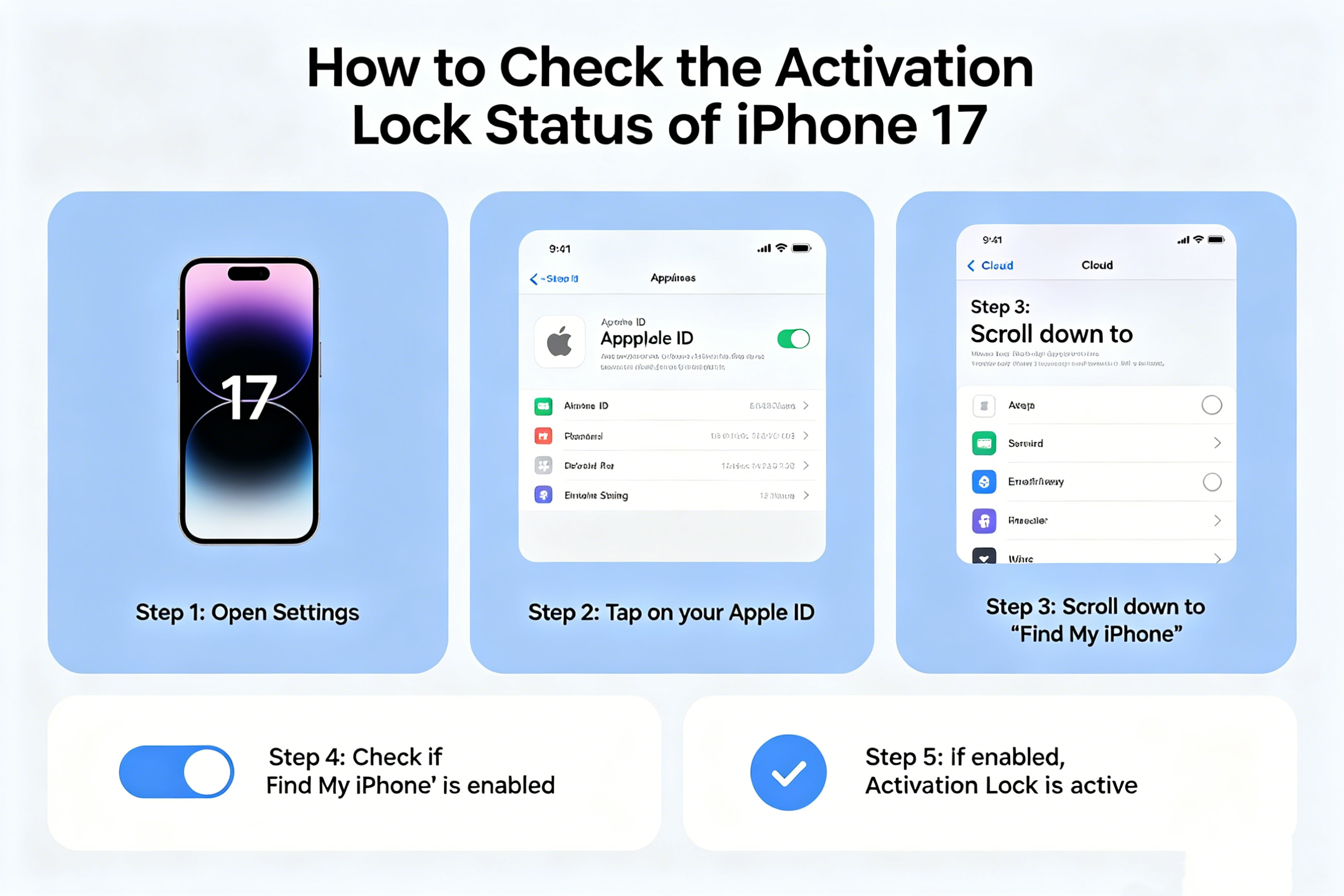
    Method 2: Check in Settings

    If the iPhone is already unlocked and accessible:

    Steps:

    1. Open Settings
    2. Tap the Apple ID banner at the top
    3. Select Find My
    4. Tap Find My iPhone

    If Find My iPhone is enabled, Activation Lock is also enabled.

    You can also check whether the current owner has signed out of their Apple ID completely.

    Method 3: Verify Through Reset

    Another reliable method is performing a factory reset.

    Steps:

    1. Go to Settings
    2. Tap General
    3. Select Transfer or Reset iPhone
    4. Tap Erase All Content and Settings

    During the reset process:

    • If the system requests the owner’s Apple ID password, Activation Lock is active
    • If the reset completes without credential verification, the device is likely ready for a new owner

    Always get permission before resetting a device.

    How Sellers Should Remove Activation Lock

    If you are selling an iPhone 17, remove Activation Lock before handing over the device.

    Steps:

    1. Open Settings
    2. Tap your Apple ID
    3. Select Find My
    4. Turn off Find My iPhone
    5. Enter your Apple ID password
    6. Erase the device completely

    This removes the device from your Apple account and allows the next owner to activate it normally.

    Can You Check Activation Lock Online?

    Apple previously offered a public Activation Lock status webpage, but the company discontinued the tool years ago.

    Currently, the safest methods are:

    • Checking directly on the device
    • Verifying setup access
    • Confirming Apple ID removal in Settings

    Be cautious of third-party “Activation Lock check” websites because many are unreliable or request sensitive information.

    What to Do If the iPhone 17 Is Locked

    If you encounter an Activation Locked iPhone 17:

    • Contact the previous owner
    • Ask them to remove the device from their Apple ID remotely through Apple iCloud
    • Request original proof of purchase if needed

    Without the original owner’s credentials, Apple generally will not unlock the device unless valid ownership documentation is provided.

    Final Thoughts

    Checking the Activation Lock status of an iPhone 17 is a critical step when buying, selling, or resetting the device. Activation Lock protects user data and discourages theft, but it can also create problems if ownership has not been properly transferred.

    Before completing any purchase, always verify:

    • The device can be activated normally
    • No Apple ID remains attached
    • Find My iPhone has been disabled

    A few minutes of checking can help you avoid major issues later.

    Share. Facebook Twitter Pinterest LinkedIn Tumblr Email

    Related Posts

    How to Adjust the Screen Brightness for Taking Photos on iPhone 17

    To conduct business effectively, utilize a Genome business account

    Important Things You Must Consider As A Small Business Owner

    Leave A Reply Cancel Reply

    You must be logged in to post a comment.

    voopoopintch
    oxva xlim go lite
    sp2s sen x disposable vape
    • Popular
    • 3D Printer REVIEW
    • XIAOMI
    June 13, 2026

    Vaporesso LUXE X3 & LUXE Q3 Review. Two Paths to Exceptional Flavor

    June 6, 2026

    VOOPOO ARGUS G4 & ARGUS G4 Mini Review – Smart Flavor Meets Everyday Simplicity

    June 6, 2026

    VOOPOO NAVI x CYPH Kit 80K Review. Is This The Future of Disposable Vaping?

    May 17, 2026

    iPlay Nova 45K Review – High Puff Performance with a Futuristic Twist

    December 26, 2025

    ACMER ASCARVA 4S: Precision CNC Power for Makers, DIYers & Small Workshops

    June 23, 2024

    ACMER P2 20W Laser Engraver Fixed Focus Engraving: Hands on Review

    May 30, 2024

    xTool F1 Ultra Review: World’s First 20W Fiber & 20W Diode Laser Engraver

    May 30, 2024

    Anycubic Kobra 3 Combo Review: The Multicolor Masterpiece?

    June 12, 2026

    When will Redmi K40 be Released?

    June 10, 2026

    Xiaomi Hyper OS 3 Second Batch Beta Version Begins Recruitment: Covering Five Models Including Redmi K80 and Xiaomi MIX Flip2

    June 9, 2026

    Xiaomi has released MiMo-V2.5-Pro-UltraSpeed: The generation speed has been increased by 10 times! It can process over 1,000 tokens per second.

    June 8, 2026

    Xiaomi MIX Fold 5 will be the first to feature the Xuanji O3

    fc 26 coins
    New Arrivals
    • Yocan Black Pocket Concentrate Vaporizer Yocan Black Pocket Concentrate Vaporizer
    • Loon Air Plus 6000 Disposable Loon Air Plus 6000 Disposable
    • Mia Iconiq 70K Disposable Vape Mia Iconiq 70K Disposable Vape
    • Redmi Note 17 4G Redmi Note 17 4G
    • Redmi Note 17 Pro Redmi Note 17 Pro
    • Umidigi G200 Umidigi G200
    • SMOK Sinch Pod System Kit SMOK Sinch Pod System Kit
    • Pod Juice X RAZ LTX Georgia Peach Nic Salt E-juice Pod Juice X RAZ LTX Georgia Peach Nic Salt E-juice
    • Vivo X400 Pro Mini Vivo X400 Pro Mini
    About
  • Igeekphone.com provides the first global tech news and reviews about smartphone, vapes, e-cigar, smart home, 3D printers, e-bike,tablets, RC drones, VR headset, and other accessories. It's the best platform to improve your brand and product.
  • Contact us: info@igeekphone.com
  • Check Our Privacy Policy Here.
  • Note: *Right now we have US editor and EU editors for review, especially for Amazon US and EU.
  • *Shop and Compare Price Here*
  • Facebook
  • Youtube
  • OUR BEST VAPE PARTNERS
  • VAPE ONLINE STORE
  • HAYATI PRO MAX PLUS
  • VAPORESSO
  • VOOPOO
  • OXVA
  • NEXA
  • MASKKING
  • SP2S
  • IPLAY
  • TODOO
  • OTHER BEST PARTNERS
  • SVBONY
  • Chuwi
  • Blackview
  • Fossibot
  • Unihertz
  • Flsun
  • Anycubic
  • Xtool
  • Oukitel
  • Mukkpet Ebike
  • Ugreen
  • Copyright © 2026 igeekphone

    Type above and press Enter to search. Press Esc to cancel.