







Facebook Twitter Instagram
    Trending
    • A7 Smart 1080P WiFi PTZ Security Camera Review: A Smart Home Surveillance Camera with Motion Detection and Two-Way Audio
    • ZLL Beast SG603 MAX RC Quadcopter Review: A Feature-Packed GPS Drone with 5G FPV, Dual Camera and 3-Axis Gimbal
    • YH Toys YH16001 PRO RC Car Review at $118.99: A 70km/h Brushless 4WD Monster Truck Built for Off-Road Fun
    • FlytecRC T25 AURORA BALL RC Quadcopter Review: A Fun LED Stunt Drone for Kids and Beginners
    • Introduction: The Cold Weather Dilemma in Airsoft GBB Systems
    • KiiBOOM Phantom81 Lite Review: Out-of-the-Box “Creamy” for $100
    • What Makes a Phone Good for Natural Portraits? How the OPPO Find X9 Ultra Handles Bokeh and Edge Detail
    • NEXA Ultra II vs Champs 50K Review: Specifications and Key Differences
    Facebook YouTube
    IGeeKphone China Phone, Tablet PC, VR, RC Drone News, Reviews
    • HOME
    • BREAKING NEWS
      • AI NEWS
    • Amazon
    • PHONE
      • Top Phones For Your First Choice
      • Phone Comparison
      • Xiaomi
      • Blackview
      • Doogee
      • Black Shark
      • Geekbuying
      • Banggood
      • TEMU
      • TikTok
      • Aliexpress
      • Walmart
      • MercadoLibre
      • Lazada
    • TOP VAPE Awards for 2026
    • VAPES
      • E-CIGAR Upcoming
      • Vape News
      • Vape Deals
      • Vape Comparison
      • Vape Guide
      • VAPE LAWS
      • Giveaway
    • BEST VAPE
      • Best Vape Stores
      • Best Starter Vape Kits
      • Best Vapes for Beginners
      • Best Disposable Vapes
      • Best Pod Systems
      • Best Pod Mod Vapes
      • Best Mods
      • Best Nicotine Pouches
      • Best Clearomizers/Tanks
      • Best E-Liquid
      • Best EGO/Pens
      • Best Vapes for Nic Salt E-Juice
      • Best Vapes to Quit Smoking
      • RDA vs. RDTA vs. RTA
    • Best Vape Brand 2026
      • VAPORESSO
      • VOOPOO
      • OXVA
      • NEXA BAR
      • MASKKING VAPE
      • SP2S
      • IPLAY
      • TODOO
      • MRFOG
      • LOSTVAPE
      • VEIIK
    • REVIEW
      • E-cigar Review
      • Phones
      • Tablet PC
      • TV Box
      • RC Drone
      • Wearables
      • Camera
      • Accessories
      • VR Headset
    • MORE
      • TABLET
        • Chuwi
        • INNOCN
        • Teclast
        • Top Tablet for Your First Choice
        • Tablet/Laptop Comparison
      • RC DRONE
      • CAMERA
      • WEARABLES
        • OneOdio
        • BlitzWolf
        • Top Smartwatch for First Choice
      • 3D PRINTER
        • 3D Printer Review
        • Anycubic
        • FLSUN
        • Xtool
        • LONGER
        • Top 3D printer to Choose First
      • POWER STATION
        • Oukitel
        • FOSSIBOT
      • GAMING
        • Top Gaming Products
      • E-BIKE
        • Samebike
        • Happyrun
        • ENGWE
      • SMART HOME
      • TV BOX
      • ACCESSORIES
      • VR HEADSET
      • CLOTHES
      • AUTO CAR
    • DEAL
    • Shop
    IGeeKphone China Phone, Tablet PC, VR, RC Drone News, Reviews
    You are at:Home»Guide»How to Record Spatial Videos with iPhone 18? Complete iPhone 18 Tutorial for Apple Vision Pro
    Guide

    How to Record Spatial Videos with iPhone 18? Complete iPhone 18 Tutorial for Apple Vision Pro

    Brady CottonBy Brady CottonJuly 23, 2026
    Facebook Twitter Pinterest LinkedIn Tumblr Email

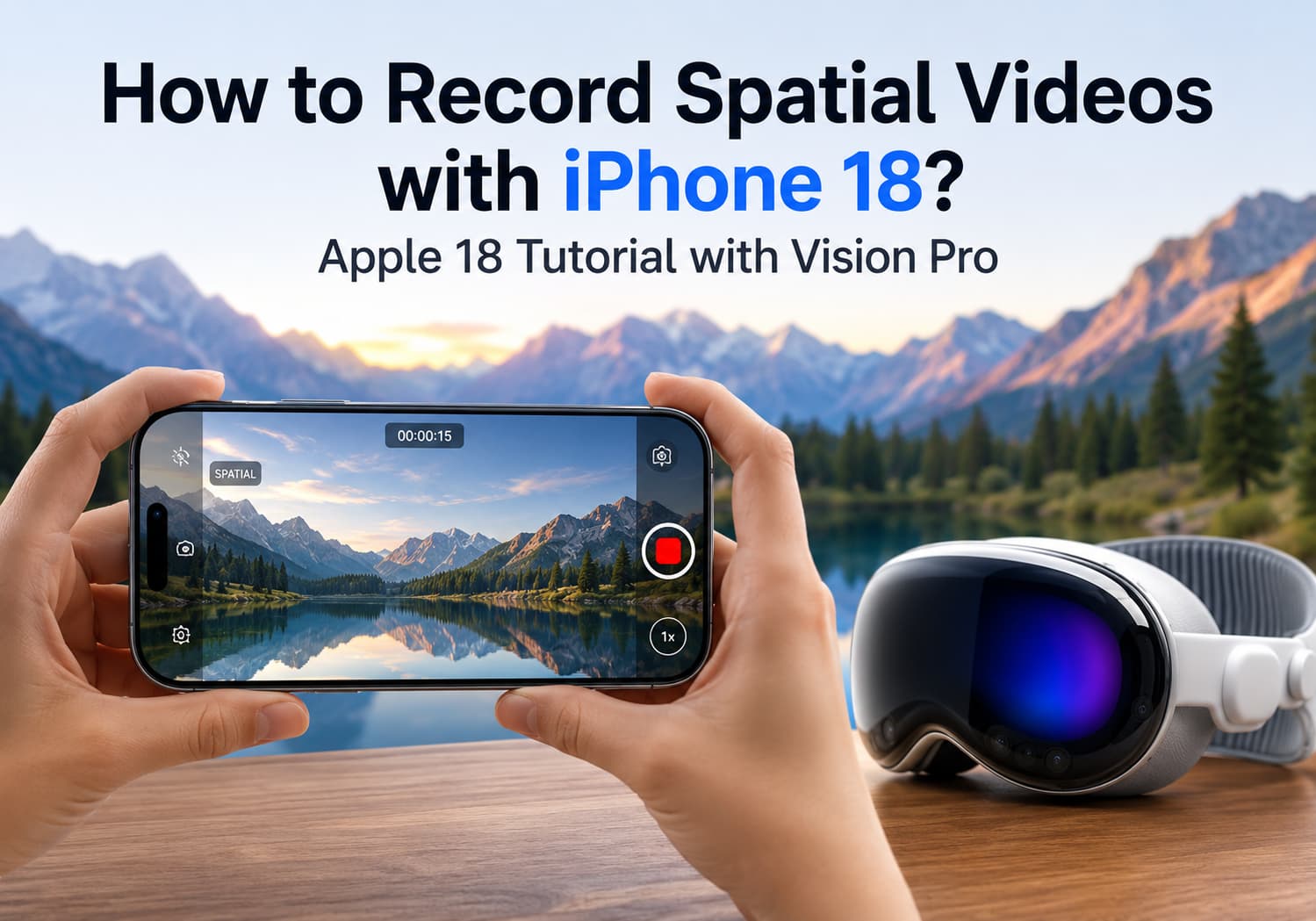
    Apple continues to expand its Spatial Video ecosystem, making it easier than ever to capture memories that feel lifelike when viewed on Apple Vision Pro. If you own an iPhone 18 with support for Spatial Video, you can record immersive 3D videos directly from the Camera app and enjoy them later in Vision Pro as if you were reliving the moment.

    This guide walks you through everything you need to know about recording Spatial Videos on the iPhone 18, along with practical tips for getting the best results.

    What Is Spatial Video?

    Spatial Video is Apple’s stereoscopic video format that records depth information using multiple camera lenses. Unlike standard videos, Spatial Videos preserve a sense of distance and dimension, allowing scenes to appear three-dimensional when viewed on Apple Vision Pro.

    Although Spatial Videos appear as normal 2D videos on an iPhone, iPad, or Mac, they transform into immersive 3D memories inside Vision Pro. Apple records Spatial Video using the MV-HEVC format, which stores separate views for each eye while remaining compatible with regular Apple devices.

    Which iPhone 18 Models Support Spatial Video?

    Apple is expected to continue Spatial Video support across compatible iPhone 18 models, following the workflow introduced on earlier supported iPhones. Supported devices include those with the necessary camera hardware and compatible iOS version. Apple has not announced any major changes to the recording process for iPhone 18.

    How to Record Spatial Video on iPhone 18

    Recording a Spatial Video only takes a few seconds to set up.

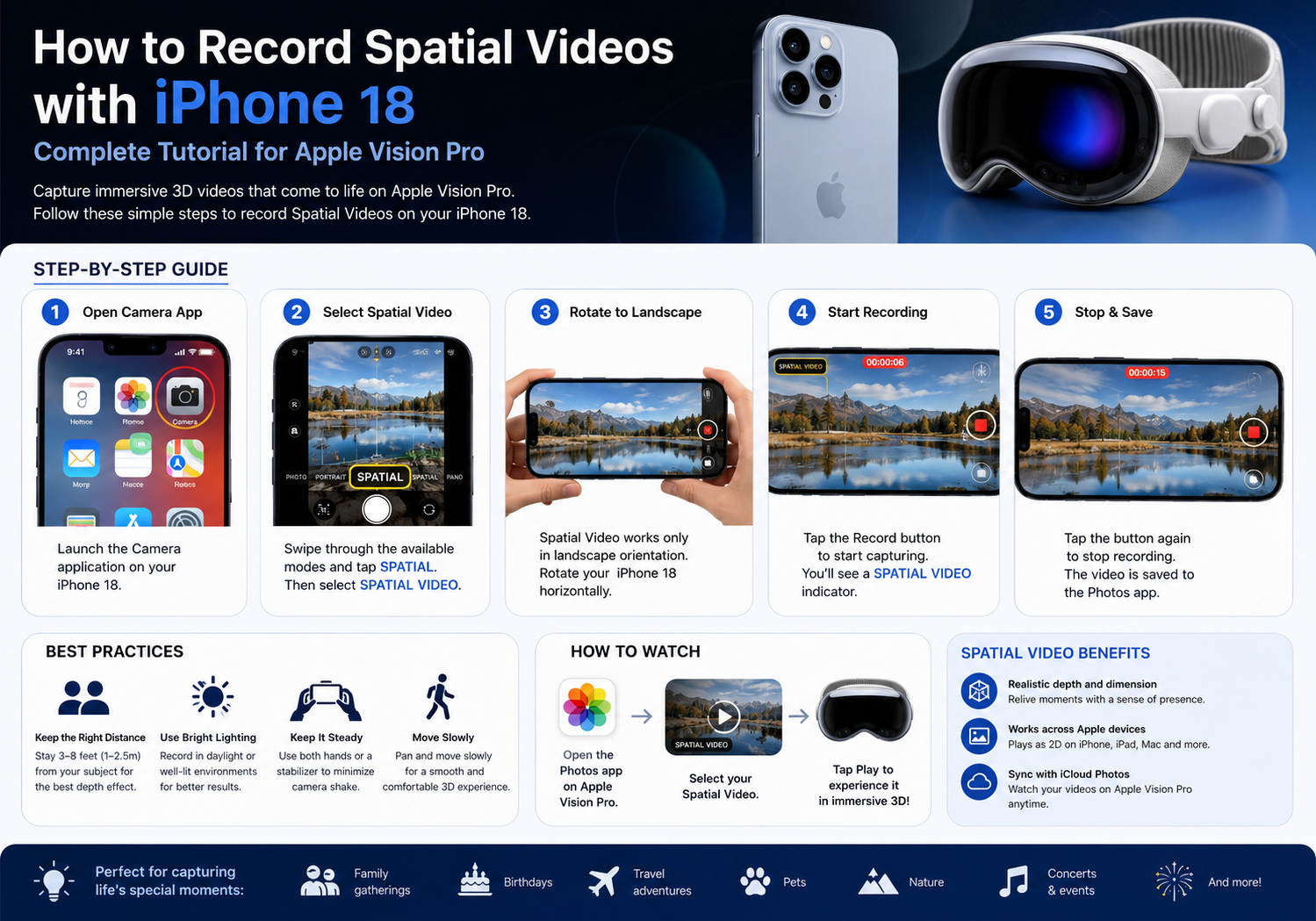
    Step 1: Open the Camera App

    Launch the Camera application on your iPhone 18.

    Step 2: Select Spatial Mode

    Swipe through the available shooting modes until you find Spatial.

    Depending on your iOS version, you’ll see separate options for:

    • Spatial Photo
    • Spatial Video

    Choose Spatial Video.

    Step 3: Rotate the Phone

    Spatial Video works only when the phone is held in landscape orientation.

    This allows the camera system to capture two viewpoints that mimic human vision.

    Step 4: Start Recording

    Tap the Record button to begin capturing.

    You’ll notice a Spatial Video indicator confirming that you’re recording in Apple’s 3D format.

    Step 5: Stop Recording

    Tap the Record button again when you’re finished.

    The video is automatically saved to the Photos app.

    If you use iCloud Photos, it can also sync to your Apple Vision Pro for playback.
    Best Practices for Better Spatial Videos

    Keep Your Phone Steady

    Camera shake is much more noticeable in immersive video.

    Use both hands or a stabilizer whenever possible.

    Stay the Right Distance Away

    Apple recommends keeping your main subject approximately 3 to 8 feet (1–2.5 meters) away.

    This distance creates the strongest depth effect inside Vision Pro.

    Use Bright Lighting

    Spatial Video works best with:

    • Outdoor daylight
    • Bright indoor lighting
    • Even illumination

    Low-light environments reduce image quality and depth accuracy.

    Move Slowly

    Instead of quickly panning the camera:

    • Walk slowly
    • Pan gently
    • Let subjects move naturally

    Smooth motion creates a more comfortable viewing experience inside Vision Pro.

    Capture Real-Life Moments

    Spatial Video shines when recording personal memories, such as:

    • Family gatherings
    • Birthday parties
    • Children playing
    • Pets
    • Travel adventures
    • Nature walks
    • Holidays
    • Weddings

    These types of scenes benefit most from the added sense of depth.

    How to Watch Spatial Videos

    Once you’ve recorded your videos:

    1. Open the Photos app on Apple Vision Pro.
    2. Select your Spatial Video.
    3. Tap Play.

    Vision Pro automatically displays the footage in immersive 3D, making it feel as though you’re stepping back into the original moment. On iPhone, iPad, Mac, or other Apple devices, the same file plays back as a standard 2D video.

    Can You Edit Spatial Videos?

    Yes.

    Apple supports Spatial Video editing in Final Cut Pro, while maintaining the depth information required for Vision Pro playback. Professional creators can trim clips, adjust color, and export finished projects without losing compatibility with Apple’s spatial format.

    Common Mistakes to Avoid

    For the best immersive results:

    • Don’t record vertically.
    • Avoid rapid camera movements.
    • Don’t stand too far from your subject.
    • Avoid very dark environments.
    • Keep the horizon level.
    • Try not to block one of the camera lenses.

    Following these guidelines helps preserve the natural 3D effect.

    Frequently Asked Questions

    Can Spatial Videos be shared?

    Yes. Spatial Videos can be shared just like ordinary videos. They remain compatible with Apple devices, but only supported devices such as Apple Vision Pro can display the full 3D experience.

    Do Spatial Videos take more storage?

    Yes. Because they contain additional depth information, Spatial Videos generally require more storage than standard videos, though Apple uses efficient MV-HEVC compression to keep file sizes manageable.

    Can I watch Spatial Videos without Vision Pro?

    Yes. They play normally as standard 2D videos on iPhone, iPad, Mac, and other compatible Apple devices. Only Vision Pro presents the immersive stereoscopic effect.

    Final Thoughts

    The iPhone 18 makes it simple to preserve life’s special moments in a more immersive format. By using Spatial Video, you can create recordings that go beyond traditional 2D footage, allowing you to revisit birthdays, vacations, family events, and everyday memories with remarkable depth on Apple Vision Pro.

    With just a few simple steps—switching to Spatial mode, holding the phone horizontally, keeping subjects within the recommended distance, and recording in good lighting—you can create immersive videos that are ready to enjoy today and for years to come. Whether you’re documenting family milestones or capturing unforgettable travel experiences, Spatial Video is one of the most exciting camera features in Apple’s ecosystem.

    Share. Facebook Twitter Pinterest LinkedIn Tumblr Email

    Related Posts

    Introduction: The Cold Weather Dilemma in Airsoft GBB Systems

    What Makes a Phone Good for Natural Portraits? How the OPPO Find X9 Ultra Handles Bokeh and Edge Detail

    Ensure Component Integrity and Reduce Risk with Expert Inspection Services

    Leave A Reply Cancel Reply

    You must be logged in to post a comment.

    voopoopintch
    oxva nexlim 2
    sp2s sen x disposable vape
    • Popular
    • 3D Printer REVIEW
    • XIAOMI
    July 13, 2026

    OXVA Nexlim 2 Mini Pod Vape Hands on Review

    July 13, 2026

    OXVA Nexlim 2 Pod Vape Hands on Review

    June 21, 2026

    iPlay LUMO 8K Review – A Compact Prefilled Pod Kit with Big Flavor and Everyday Convenience

    June 21, 2026

    iPlay HOOLA 150K Review – A Cloud-Chasing Giant with Music, Modes & Massive Longevity

    December 26, 2025

    ACMER ASCARVA 4S: Precision CNC Power for Makers, DIYers & Small Workshops

    June 23, 2024

    ACMER P2 20W Laser Engraver Fixed Focus Engraving: Hands on Review

    May 30, 2024

    xTool F1 Ultra Review: World’s First 20W Fiber & 20W Diode Laser Engraver

    May 30, 2024

    Anycubic Kobra 3 Combo Review: The Multicolor Masterpiece?

    August 10, 2026

    Global REDMI Note 17 Pro Max Spotted on Geekbench with Snapdragon 6 Gen 5 and 9,210mAh Battery Rumors

    August 10, 2026

    REDMI K100 Pro Max “Blazing Blue” Edition Revealed Ahead of August 11 Launch with Snapdragon 8 Elite Gen5 and 185Hz Display

    August 10, 2026

    Xiaomi Mijia Launches Its First Standalone Ice Maker, Producing Ice in Just 6 Minutes

    August 10, 2026

    Xiaomi Mijia Fog-Free Humidifier 3 Launches with 1500mL/h Humidification Capacity and Smart Home Features

    fc 26 coins
    New Arrivals
    • VOZOL SWAP 70K Disposable Vape VOZOL SWAP 70K Disposable Vape
    • Oppo Reno16 F Oppo Reno16 F
    • Oppo Reno16c Oppo Reno16c
    • RODMAN Playoffs 50K Zero Nicotine Disposable Vape RODMAN Playoffs 50K Zero Nicotine Disposable Vape
    • Vivo T5 Lite Vivo T5 Lite
    • Vivo T5e Vivo T5e
    • Vivo X Fold 6 Vivo X Fold 6
    • Huawei MatePad Pro 2026 Huawei MatePad Pro 2026
    • VOOPOO Vmate Max 2 Pod System Kit VOOPOO Vmate Max 2 Pod System Kit
    About
  • Igeekphone.com provides the first global tech news and reviews about smartphone, vapes, e-cigar, smart home, 3D printers, e-bike,tablets, RC drones, VR headset, and other accessories. It's the best platform to improve your brand and product.
  • Contact us: info@igeekphone.com
  • Check Our Privacy Policy Here.
  • Note: *Right now we have US editor and EU editors for review, especially for Amazon US and EU.
  • *Shop and Compare Price Here*
  • Facebook
  • Youtube
  • OUR BEST VAPE PARTNERS
  • VAPE ONLINE STORE
  • VAPORESSO
  • VOOPOO
  • OXVA
  • NEXA
  • MASKKING
  • SP2S
  • IPLAY
  • TODOO
  • OTHER BEST PARTNERS
  • SVBONY
  • Chuwi
  • Blackview
  • Fossibot
  • Unihertz
  • Flsun
  • Anycubic
  • Xtool
  • Oukitel
  • Mukkpet Ebike
  • Ugreen
  • Copyright © 2026 igeekphone

    Type above and press Enter to search. Press Esc to cancel.