







Facebook Twitter Instagram
    Trending
    • W&O X200 Rugged Reality Check: Does a Plastic Body Really Survive the Elements?
    • 5 Best Pod Vapes in 2026: How to Choose the Right Pod Kit for Your Vaping Style
    • K14 WiFi Window Security Camera Review: Does 1080P Resolution Actually Deliver 24/7 Peace of Mind?
    • UTAB F26 PRO vs W&O X200: Budget Smartphone Comparison and Review
    • MT600 Smartwatch in 2026: Where Does It Fit in the Health and Fitness Wearable Market?
    • AYN Odin 3 vs. The Competition: Is This Android Handheld Worth the Price?
    • ONEXPLAYER G1 Laptop Gaming Console Battery Life Review: What Can You Really Expect?
    • Latest DWi Colorful Light vs Black Hawks RC Helicopter: Which Budget Flyer Wins?
    Facebook YouTube
    IGeeKphone China Phone, Tablet PC, VR, RC Drone News, Reviews
    • HOME
    • BREAKING NEWS
      • AI NEWS
    • Amazon
    • PHONE
      • Top Phones For Your First Choice
      • Phone Comparison
      • Xiaomi
      • Blackview
      • Doogee
      • Black Shark
      • Geekbuying
      • Banggood
      • TEMU
      • TikTok
      • Aliexpress
      • Walmart
      • MercadoLibre
      • Lazada
    • TOP VAPE Awards for 2026
    • VAPES
      • E-CIGAR Upcoming
      • Vape News
      • Vape Deals
      • Vape Comparison
      • Vape Guide
      • VAPE LAWS
      • Giveaway
    • BEST VAPE
      • Best Vape Stores
      • Best Starter Vape Kits
      • Best Vapes for Beginners
      • Best Disposable Vapes
      • Best Pod Systems
      • Best Pod Mod Vapes
      • Best Mods
      • Best Nicotine Pouches
      • Best Clearomizers/Tanks
      • Best E-Liquid
      • Best EGO/Pens
      • Best Vapes for Nic Salt E-Juice
      • Best Vapes to Quit Smoking
      • RDA vs. RDTA vs. RTA
    • Best Vape Brand 2026
      • VAPORESSO
      • VOOPOO
      • OXVA
      • NEXA BAR
      • MASKKING VAPE
      • SP2S
      • IPLAY
      • TODOO
      • MRFOG
      • LOSTVAPE
      • VEIIK
    • REVIEW
      • E-cigar Review
      • Phones
      • Tablet PC
      • TV Box
      • RC Drone
      • Wearables
      • Camera
      • Accessories
      • VR Headset
    • MORE
      • TABLET
        • Chuwi
        • INNOCN
        • Teclast
        • Top Tablet for Your First Choice
        • Tablet/Laptop Comparison
      • RC DRONE
      • CAMERA
      • WEARABLES
        • OneOdio
        • BlitzWolf
        • Top Smartwatch for First Choice
      • 3D PRINTER
        • 3D Printer Review
        • Anycubic
        • FLSUN
        • Xtool
        • LONGER
        • Top 3D printer to Choose First
      • POWER STATION
        • Oukitel
        • FOSSIBOT
      • GAMING
        • Top Gaming Products
      • E-BIKE
        • Samebike
        • Happyrun
        • ENGWE
      • SMART HOME
      • TV BOX
      • ACCESSORIES
      • VR HEADSET
      • CLOTHES
      • AUTO CAR
    • DEAL
    • Shop
    IGeeKphone China Phone, Tablet PC, VR, RC Drone News, Reviews
    You are at:Home»Guide»How to Reduce Power Consumption When Using a Laptop
    Guide

    How to Reduce Power Consumption When Using a Laptop

    Brady CottonBy Brady CottonMay 23, 2023
    Facebook Twitter Pinterest LinkedIn Tumblr Email

    As modern people, we cannot do without electronic equipment, and the laptop is an indispensable part of our daily work and entertainment life. However, with the increase of use time, the battery life of the laptop gradually decreased, which brought us a lot of trouble. To extend the life of laptop batteries, we need to learn some power-saving tricks. Here are some simple tips to help your laptop battery last longer.

    The screen is one of the most power-hungry parts of a laptop. We can reduce energy consumption by adjusting the brightness of the screen. When you use your laptop indoors, you can turn down the brightness of the screen, since it’s relatively dark and a bright screen can waste a lot of battery power. If you use your laptop outdoors, you can increase the brightness of the screen appropriately.

    Turning off unnecessary software and services can consume a lot of electricity. Turning off unnecessary software and services can reduce your computer’s load and thus reduce its power consumption. In the task manager, we can view running programs and services and close unnecessary ones.

    Power planning is the key to saving power on your laptop. We can choose the power plan suitable for us in the power options. In general, high performance modes use more power, while balance and power saving modes preserve battery life better. If you want to optimize your power plan even further, you can customize your power plan to adjust screen brightness, hard drive sleep, and sleep times to maximize power savings.
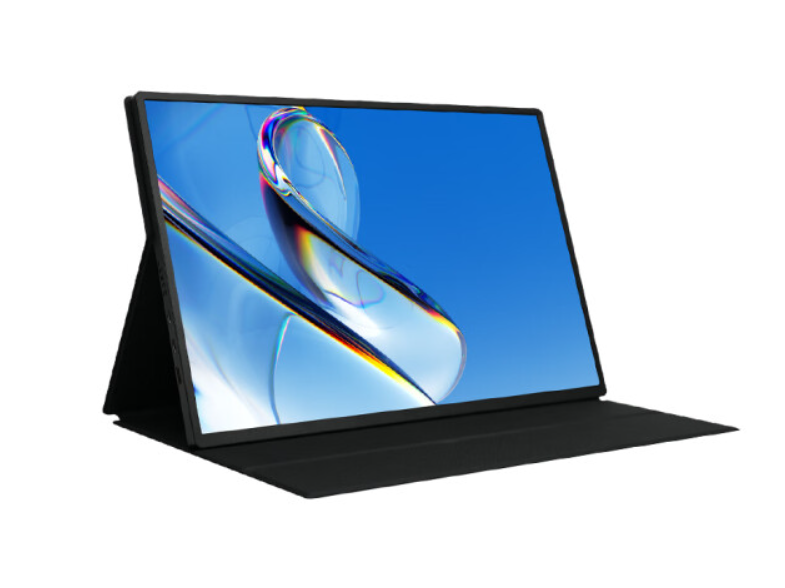
    The browser is also one of the most power-hungry applications. We can use browsers with special power-saving modes, such as Opera, Edge and Firefox. Each of these browsers has its own power-saving mode that turns off unnecessary features to reduce battery drain.

    Disabling Bluetooth and Wi-Fi also consumes a lot of power when Bluetooth and Wi-Fi are on. Try to turn off Bluetooth and Wi-Fi when you’re not using them to reduce your computer’s power consumption.

    Optical drives are one of the most power-hungry pieces of hardware in a laptop. If you don’t use an optical drive very often, consider turning it off to reduce battery drain.

    Regular cleaning and maintenance of laptop dust and debris will affect the heat dissipation effect, which will increase the load of the computer, resulting in battery consumption. Therefore, we need to clean and maintain the laptop regularly, including cleaning the radiator, replacing the battery and so on.

    Use the right battery Some laptops have smaller battery capacities, while others have larger ones. We can choose the appropriate battery according to our own use needs to ensure the service life and endurance of the battery. In conclusion, with these simple and easy methods, we can easily extend the life of the laptop battery and reduce the power consumption. In actual use, we can also adjust according to their own actual situation, in order to achieve the best power saving effect.

    Share. Facebook Twitter Pinterest LinkedIn Tumblr Email

    Related Posts

    ONEXPLAYER G1 Laptop Gaming Console Battery Life Review: What Can You Really Expect?

    Important Things You Must Consider As A Small Business Owner

    Xiaomi 18 Series: First to Feature 2nm Snapdragon 8 Elite Gen 6 Pro, Dedicated AI Button, and 8000mAh Battery

    Leave A Reply Cancel Reply

    You must be logged in to post a comment.

    voopoopintch
    oxva nexlim 2
    sp2s sen x disposable vape
    • Popular
    • 3D Printer REVIEW
    • XIAOMI
    July 13, 2026

    OXVA Nexlim 2 Mini Pod Vape Hands on Review

    July 13, 2026

    OXVA Nexlim 2 Pod Vape Hands on Review

    June 21, 2026

    iPlay LUMO 8K Review – A Compact Prefilled Pod Kit with Big Flavor and Everyday Convenience

    June 21, 2026

    iPlay HOOLA 150K Review – A Cloud-Chasing Giant with Music, Modes & Massive Longevity

    December 26, 2025

    ACMER ASCARVA 4S: Precision CNC Power for Makers, DIYers & Small Workshops

    June 23, 2024

    ACMER P2 20W Laser Engraver Fixed Focus Engraving: Hands on Review

    May 30, 2024

    xTool F1 Ultra Review: World’s First 20W Fiber & 20W Diode Laser Engraver

    May 30, 2024

    Anycubic Kobra 3 Combo Review: The Multicolor Masterpiece?

    August 18, 2026

    Xiaomi 18 Series: First to Feature 2nm Snapdragon 8 Elite Gen 6 Pro, Dedicated AI Button, and 8000mAh Battery

    August 18, 2026

    Xiaomi 18 Ultra International Cancelled? OPPO and Vivo Also Pull Back Ultra Phones Overseas – Report

    August 15, 2026

    Xiaomi MIX Fold 5 Rumors: XRing O3, HyperOS 4 and Major Upgrade Expected

    August 15, 2026

    Xiaomi 18 Series Rumors: Standard Model Delayed to Early 2027, “MiaoXiang Rear Display” Exclusive to Pro Models

    fc 26 coins
    New Arrivals
    • Al Fakher Crown Bar Cloud Force Max 50K Disposable Vape Al Fakher Crown Bar Cloud Force Max 50K Disposable Vape
    • Vaporesso Prix Pod System Kit Vaporesso Prix Pod System Kit
    • Royal Tobacco Extracts x Pod Juice E-juice Royal Tobacco Extracts x Pod Juice E-juice
    • Geek Vape Go Pod System Kit Geek Vape Go Pod System Kit
    • EVRFOG 100K Disposable Vape Kit EVRFOG 100K Disposable Vape Kit
    • Loon Air Plus 6000 Disposable Vape Loon Air Plus 6000 Disposable Vape
    • Pod Juice Tobacco Series E-juice Pod Juice Tobacco Series E-juice
    • Huawei Watch GT 7 Pro Huawei Watch GT 7 Pro
    • Huawei Watch GT 7 Huawei Watch GT 7
    About
  • Igeekphone.com provides the first global tech news and reviews about smartphone, vapes, e-cigar, smart home, 3D printers, e-bike,tablets, RC drones, VR headset, and other accessories. It's the best platform to improve your brand and product.
  • Contact us: info@igeekphone.com
  • Check Our Privacy Policy Here.
  • Note: *Right now we have US editor and EU editors for review, especially for Amazon US and EU.
  • *Shop and Compare Price Here*
  • Facebook
  • Youtube
  • OUR BEST VAPE PARTNERS
  • VAPE ONLINE STORE
  • VAPORESSO
  • VOOPOO
  • OXVA
  • NEXA
  • MASKKING
  • SP2S
  • IPLAY
  • TODOO
  • OTHER BEST PARTNERS
  • SVBONY
  • Chuwi
  • Blackview
  • Fossibot
  • Unihertz
  • Flsun
  • Anycubic
  • Xtool
  • Oukitel
  • Mukkpet Ebike
  • Ugreen
  • Copyright © 2026 igeekphone

    Type above and press Enter to search. Press Esc to cancel.