







Facebook Twitter Instagram
    Trending
    • Blackview WAVE 7C AI Smartphone Review: A Powerful, Affordable 4G Smartphone for Everyday Use
    • DTG9 Smartwatch Review: A Comprehensive Smart Companion for Fitness and Everyday Use
    • ZLL SG602 PRO MAX RC Drone Review at $58.99: The Ultimate DIY Educational Quadcopter for Aspiring Drone Enthusiasts
    • JJRC Q241 RTR 2.4G 4WD RC Car Review: The Ultimate Amphibious Off-Road Adventure
    • QY S8 Programmable Drone Review at $79.99: A Game-Changer for Aspiring Drone Enthusiasts and Coders
    • OXVA XLIM GO VS XLIM GO LITE Quick Comparison Review
    • XKJ K900 MAX RC Drone Review: The Ultimate Foldable FPV Drone for Aerial Enthusiasts
    • Zeblaze Btalk Pro Smart Watch Review: Advanced Features and Cutting-Edge Technology in a Sleek Design
    Facebook YouTube
    IGeeKphone China Phone, Tablet PC, VR, RC Drone News, Reviews
    • HOME
      • NEWS
        • DeepSeek
        • ChatGPT
        • Minecraft
    • Amazon
    • PHONE
      • Top Phones For Your First Choice
      • Phone Comparison
      • Xiaomi
      • Blackview
      • Doogee
      • Black Shark
      • Geekbuying
      • Banggood
      • TEMU
      • TikTok
      • Aliexpress
      • Walmart
      • MercadoLibre
      • Lazada
    • TOP VAPE Awards for 2026
    • VAPES
      • E-CIGAR Upcoming
      • Vape News
      • Vape Deals
      • Vape Comparison
      • Vape Guide
      • Giveaway
    • BEST VAPE
      • Best Vape Stores
      • Best Starter Vape Kits
      • Best Vapes for Beginners
      • Best Disposable Vapes
      • Best Pod Systems
      • Best Pod Mod Vapes
      • Best Mods
      • Best Nicotine Pouches
      • Best Clearomizers/Tanks
      • Best E-Liquid
      • Best EGO/Pens
      • Best Vapes for Nic Salt E-Juice
      • Best Vapes to Quit Smoking
      • RDA vs. RDTA vs. RTA
    • Best Vape Brand 2026
      • VAPORESSO
      • VOOPOO
      • OXVA
      • NEXA BAR
      • ORIONBARTECH
      • MASKKING VAPE
      • MEMERS
      • SP2S
      • TODOO
      • MRFOG
      • VEIIK
    • REVIEW
      • E-cigar Review
      • Phones
      • Tablet PC
      • TV Box
      • RC Drone
      • Wearables
      • Camera
      • Accessories
      • VR Headset
    • MORE
      • TABLET
        • Chuwi
        • INNOCN
        • Teclast
        • Top Tablet for Your First Choice
        • Tablet/Laptop Comparison
      • RC DRONE
      • CAMERA
      • WEARABLES
        • OneOdio
        • BlitzWolf
        • Top Smartwatch for First Choice
      • 3D PRINTER
        • 3D Printer Review
        • Anycubic
        • FLSUN
        • Xtool
        • LONGER
        • Top 3D printer to Choose First
      • POWER STATION
        • Oukitel
        • FOSSIBOT
      • GAMING
        • Top Gaming Products
      • E-BIKE
        • Samebike
        • Happyrun
        • ENGWE
      • SMART HOME
      • TV BOX
      • ACCESSORIES
      • VR HEADSET
      • CLOTHES
      • AUTO CAR
    • DEAL
    • VAPE LAWS
    • Shop
    IGeeKphone China Phone, Tablet PC, VR, RC Drone News, Reviews
    You are at:Home»Guide»How to Restore the Initial Version of Redmi K90?
    Guide

    How to Restore the Initial Version of Redmi K90?

    Brady CottonBy Brady CottonFebruary 2, 2026
    Facebook Twitter Pinterest LinkedIn Tumblr Email

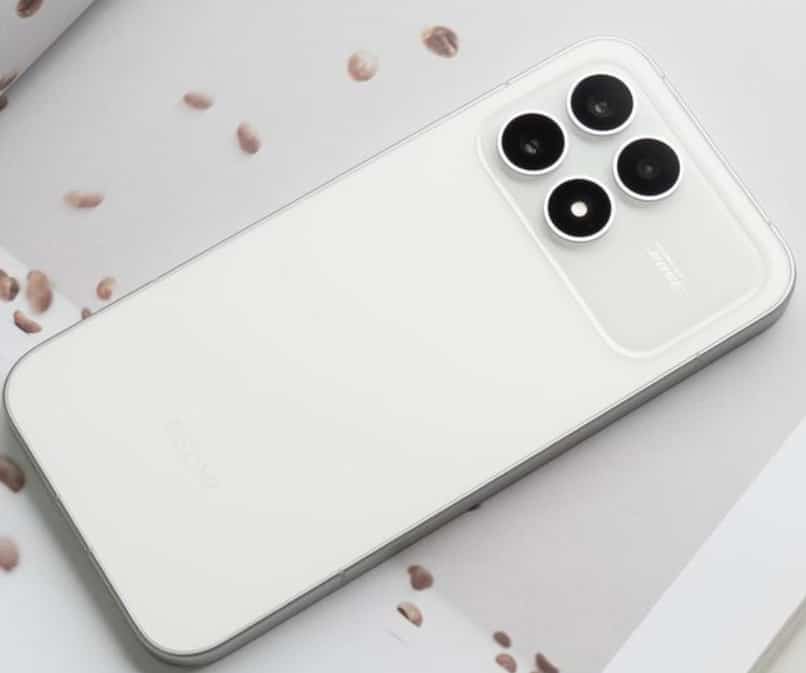
    For users of Redmi K90, restoring to the initial version (i.e., downgrading the system or reverting to the factory-installed system) is a common requirement to address system lag, compatibility issues, or to access the functions of the older version. This article will provide detailed explanations of three scientific and safe operation methods, covering the system rollback needs in different scenarios.

    I. Reset to Factory Settings: Applicable to regular scenarios where the BL lock has not been unlocked.
    If the Bootloader (BL lock) of the mobile phone is not unlocked and the target version is only slightly different from the current version, a basic rollback can be achieved by restoring the factory settings. This method is simple to operate, but please note the following steps:

    Data backup: Through “Settings – My Device – Backup and Restore”, contact information, photos, documents, etc. can be backed up to Xiaomi Cloud or a computer. If the phone has an SD card inserted, it is necessary to remove it in advance to avoid accidental deletion.
    2. Enter Recovery Mode: After powering off the device, press and hold the “volume down + power button” for 10 seconds. Wait for the phone to vibrate and then release the button. This will bring you to the Fastboot interface. Use the volume keys to select “Recovery Mode”, and after entering, choose “Clear Data – Factory Reset”.
    3. Wait for the system rollback: The phone will automatically delete the current system and install the factory-installed version. The entire process takes approximately 15 minutes. After the restoration is complete, you will need to reconfigure basic settings such as language and Wi-Fi.
    Notes: This method is only applicable for version rollbacks within the same major version (e.g., reverting from MIUI 15.0.1 to 15.0.0). If you attempt a cross-version operation (such as reverting from MIUI 15 to MIUI 14), it may result in the system not starting.

    II. Manual Replacement of System Packages: Suitable for precise downgrade when BL lock has been unlocked
    For users who have unlocked the BL lock, they can achieve precise downgrade by replacing the system update package. This method requires downloading the target version package and manually triggering the installation:
    Download the target version package: Obtain the old version system package that matches the Redmi K90 from the official Xiaomi community or a third-party ROM site (make sure the version number is compatible with the hardware).
    2. Rename and Replace: Rename the downloaded ZIP file to “download_rom.zip” and then move it to the “/download_rom” directory on the phone.
    3. Trigger system verification: Go to “Settings – My Device – MIUI Version”, click the upper right menu and select “Manually Select Installation Package”. The system will automatically verify and install the previous version.
    4. Clear data and restart: After installation, in the Recovery mode, select “Clear data” to avoid system abnormalities caused by cache conflicts.
    Risk Warning: If the replacement process is interrupted or the package name is incorrect, it may cause the device to brick. It is recommended to keep the phone’s battery level above 50% throughout the process and turn off the “System Automatic Update” function before operating.

    III. Retracing of the Line Brush Tool: The Ultimate Solution
    When the above methods fail, the wire brush is the ultimate solution to restore to the original version. This method requires unlocking the BL lock and using professional tools. The operation steps are as follows:
    Unlock BL lock: Apply for unlocking permission through the official website of Xiaomi Unlock Tool. After waiting for the 72-hour review period, connect the computer in Fastboot mode to perform the unlocking process.
    2. Enter EDL mode: After powering off, press and hold the “volume down + power button” to enter Fastboot mode. Then, use the data cable to short-circuit the test points to trigger the EDL (Emergency Download Mode).
    3. Flashing the old version: Open the official Xiaomi flashing tool (MiFlash), select the path of the line flashing package that matches the Redmi K90, click “Refresh” to identify the device, and then proceed with the flashing process. The entire process takes approximately 5 minutes.
    4. Initial Setup: After the device is flashed, it will automatically restart to the initial settings interface. You will need to reconfigure the language, Wi-Fi, and other parameters.
    Technical requirements: The line brush operation requires entering the EDL mode and involves hardware short-circuiting. For beginners, it is recommended to seek assistance from Xiaomi’s after-sales service or professional repair shops to complete the operation.

    Key Considerations: 
    Data Security: Before any operation, make sure to back up the data to prevent data loss due to system rollback.
    2. Version Compatibility: Downgrading across major version numbers may cause system instability. It is recommended to preferentially choose the official recommended rollback version.
    3. Battery Assurance: During the operation, ensure that the phone has sufficient battery power (it is recommended to keep it above 50%). Avoid interrupting the flashing process due to low battery levels.
    4. Disable the “Find My Phone” function: If the “Find My Phone” feature is enabled, you need to log in to your Xiaomi account before using it to turn it off. Otherwise, after the device is restored, it may trigger the activation lock.

    By using the above methods, users of Redmi K90 can choose the appropriate system rollback solution according to their own needs. If there are any doubts about the operation steps, it is recommended to refer to the official Xiaomi documentation or contact customer service for technical support.

    Share. Facebook Twitter Pinterest LinkedIn Tumblr Email

    Related Posts

    Completely changing the rules of the game! I’ve replaced my only gaming earphones

    Exploring the profitability of bitcoin trading ideas

    Effective Programming Languages for iOS Development

    Leave A Reply Cancel Reply

    You must be logged in to post a comment.

    voopoo drag 6
    oxva xlim 3 ultra
    sp2s sen x disposable vape
    • Popular
    • 3D Printer REVIEW
    • XIAOMI
    April 18, 2026

    VOOPOO DRAG 6 Hands on Review: Vape Beast with Smart Power & Premium Control

    April 8, 2026

    OXVA NeXLIM vs XLIM Pro 2 Pod Hands-On Review (2026)

    March 16, 2026

    OXVA Slimstick VS OXVA Slimstick X Vape Hands-on Review

    March 5, 2026

    OXVA XLIM PRO 3 vs XLIM GO 2: Hands-On Review

    December 26, 2025

    ACMER ASCARVA 4S: Precision CNC Power for Makers, DIYers & Small Workshops

    June 23, 2024

    ACMER P2 20W Laser Engraver Fixed Focus Engraving: Hands on Review

    May 30, 2024

    xTool F1 Ultra Review: World’s First 20W Fiber & 20W Diode Laser Engraver

    May 30, 2024

    Anycubic Kobra 3 Combo Review: The Multicolor Masterpiece?

    April 30, 2026

    Xiaomi Gaming Mouse 2 officially Announced, equipped with the latest Pixart flagship sensor

    April 29, 2026

    Based on Android 17 Beta 2, the developer preview version of Xiaomi Hyper OS has been Released

    April 27, 2026

    It is Reported that a Certain Factory has Launched a 7-inch 2K Ultra-high Refresh Rate Straight Screen

    April 27, 2026

    Review: Is REDMI K90 MAX the Ultimate Gaming Phone in 2026?

    fc 26 coins
    New Arrivals
    • Lost Vape Thelema Go Pro Mod Kit Lost Vape Thelema Go Pro Mod Kit
    • Voopoo Argus Rise Vape Voopoo Argus Rise Vape
    • Lost Vape Thelema Q200 Pro Box Mod 200W Lost Vape Thelema Q200 Pro Box Mod 200W
    • Motorola Razr 70 Plus Motorola Razr 70 Plus
    • Motorola Razr Ultra 2026 Motorola Razr Ultra 2026
    • Realme 16x 5G Realme 16x 5G
    • SMOK Arco Nano Pod System Kit SMOK Arco Nano Pod System Kit
    • IPLAY SPARK 50k Disposable Pod IPLAY SPARK 50k Disposable Pod
    • vivo Y500s vivo Y500s
    About
  • Igeekphone.com provides the first global tech news and reviews about smartphone, vapes, e-cigar, smart home, 3D printers, e-bike,tablets, RC drones, VR headset, and other accessories. It's the best platform to improve your brand and product.
  • Contact us: info@igeekphone.com
  • Check Our Privacy Policy Here.
  • Note: *Right now we have US editor and EU editors for review, especially for Amazon US and EU.
  • *Shop and Compare Price Here*
  • Facebook
  • Youtube
  • OUR BEST VAPE PARTNERS
  • VAPE ONLINE STORE
  • HAYATI PRO MAX PLUS
  • VAPORESSO
  • VOOPOO
  • OXVA
  • NEXA
  • MASKKING
  • TODOO
  • SP2S
  • VEIIK
  • OTHER BEST PARTNERS
  • SVBONY
  • Chuwi
  • Blackview
  • Fossibot
  • Unihertz
  • Flsun
  • Anycubic
  • Xtool
  • Oukitel
  • Mukkpet Ebike
  • Ugreen
  • Copyright © 2026 igeekphone

    Type above and press Enter to search. Press Esc to cancel.