





Facebook Twitter Instagram
    Trending
    • SHRC AE21 WiFi FPV RC Quadcopter Review: A Drone Enthusiast’s Dream
    • QCY H3S ANC Headset Review: A Perfect Blend of Comfort, Sound, and Technology
    • How to Get More Mileage Out of Your Vape Juice?
    • Waspe Bar 60K Disposable Vape Review-High‑Capacity Puff Power for 2026
    • Dojo Purex 60K Review – Next-Level Capacity & Innovation in a 2026 Disposable Vape
    • Valaya Amp 60K by Uwell Review: Setting the New Standard for Long-Lasting Disposable Vapes in 2026
    • Starting from April 1st in Virginia, USA, only electronic cigarette products listed in the state’s directory will be allowed for sale.
    • How to Identify, Price, and Value Old German Coins
    Facebook YouTube
    IGeeKphone China Phone, Tablet PC, VR, RC Drone News, Reviews
    • HOME
      • NEWS
        • DeepSeek
        • ChatGPT
        • Minecraft
    • Amazon
    • PHONE
      • Top Phones For Your First Choice
      • Phone Comparison
      • Xiaomi
      • Blackview
      • Doogee
      • Black Shark
      • Geekbuying
      • Banggood
      • TEMU
      • TikTok
      • Aliexpress
      • Walmart
      • MercadoLibre
      • Lazada
    • TOP VAPE Awards for 2026
    • VAPES
      • E-CIGAR Upcoming
      • Vape News
      • Vape Deals
      • Vape Comparison
      • Vape Guide
      • Giveaway
    • BEST VAPE
      • Best Vape Stores
      • Best Starter Vape Kits
      • Best Vapes for Beginners
      • Best Disposable Vapes
      • Best Pod Systems
      • Best Pod Mod Vapes
      • Best Mods
      • Best Nicotine Pouches
      • Best Clearomizers/Tanks
      • Best E-Liquid
      • Best EGO/Pens
      • Best Vapes for Nic Salt E-Juice
      • Best Vapes to Quit Smoking
      • RDA vs. RDTA vs. RTA
    • Best Vape Brand 2026
      • VAPORESSO
      • VOOPOO
      • OXVA
      • NEXA BAR
      • ORIONBARTECH
      • MASKKING VAPE
      • MEMERS
      • SP2S
      • TODOO
      • MRFOG
      • VEIIK
    • REVIEW
      • E-cigar Review
      • Phones
      • Tablet PC
      • TV Box
      • RC Drone
      • Wearables
      • Camera
      • Accessories
      • VR Headset
    • MORE
      • TABLET
        • Chuwi
        • INNOCN
        • Teclast
        • Top Tablet for Your First Choice
        • Tablet/Laptop Comparison
      • RC DRONE
      • CAMERA
      • WEARABLES
        • OneOdio
        • BlitzWolf
        • Top Smartwatch for First Choice
      • 3D PRINTER
        • 3D Printer Review
        • Anycubic
        • FLSUN
        • Xtool
        • LONGER
        • Top 3D printer to Choose First
      • POWER STATION
        • Oukitel
        • FOSSIBOT
      • GAMING
        • Top Gaming Products
      • E-BIKE
        • Samebike
        • Happyrun
        • ENGWE
      • SMART HOME
      • TV BOX
      • ACCESSORIES
      • VR HEADSET
      • CLOTHES
      • AUTO CAR
    • DEAL
    • VAPE LAWS
    • Shop
    IGeeKphone China Phone, Tablet PC, VR, RC Drone News, Reviews
    You are at:Home»Apple»How to Set up the Unlock Function for iPhone 17 Pro Max?
    Apple

    How to Set up the Unlock Function for iPhone 17 Pro Max?

    Brady CottonBy Brady CottonJanuary 5, 2026
    Facebook Twitter Pinterest LinkedIn Tumblr Email

    iPhone 17 Pro Max, as an Apple flagship model, has achieved a comprehensive upgrade in biometric recognition technology while still retaining the traditional password verification method. Users can flexibly choose to unlock the device via Face ID, fingerprint recognition, or digital password based on the usage scenario and security requirements. The following will explain the setup process, technical details, and usage suggestions for these three unlocking methods.

    1. Facial ID: Dynamic Learning and Multi-Scenario Adaptation

    Face ID achieves 3D structured light scanning through the original depth sensor module. Its core advantages lie in its dynamic learning capability and multi-scenario coverage. During the initial setup, it is necessary to place the face in the center of the elliptical scanning frame on the screen in a well-lit indoor environment and slowly rotate the head to complete 360° data collection. The system will project 30,000 infrared light points to construct a facial depth map. The entire process takes approximately 8 seconds. If the user is wearing glasses or has makeup, the “Use Face ID with Mask” option can be enabled. The system will be able to unlock by recognizing the features around the eyes under partial occlusion.
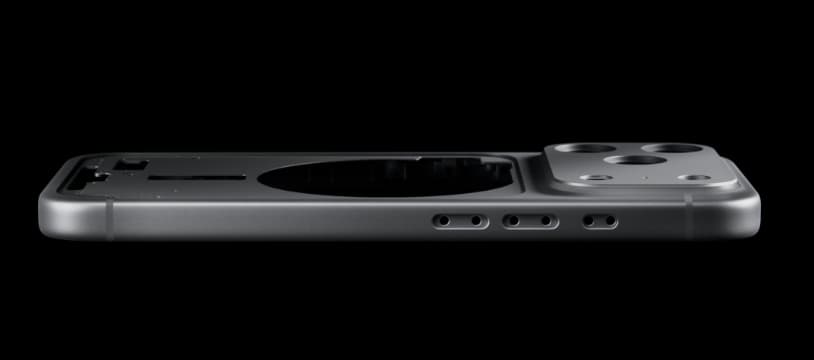
    From a technical perspective, Face ID employs neural network algorithms and live detection technology, with an error recognition rate lower than one in a million. Its encrypted storage mechanism converts facial feature data into mathematical models and stores them in a Secure Enclave chip, which is completely isolated from the cloud. For business professionals, the “gaze perception function” can be enabled. When it detects that someone other than the device owner is gazing, it automatically hides the notification details to prevent information leakage.

    II. Fingerprint Recognition: Hardware Iteration and Multi-Angle Input

    The fingerprint recognition module of the iPhone 17 Pro Max is integrated within the side power button. It uses a capacitive sensor and a sapphire glass coating, and supports 360° full-round recognition. When setting it up, gently touch your dominant finger to the power button, slowly rotate the finger according to the screen prompts, covering the fingertip, the palm of the finger, and the side area. The system will capture fingerprint details in stages. You need to lift and lower the finger 10-15 times repeatedly until the fingerprint is fully registered.
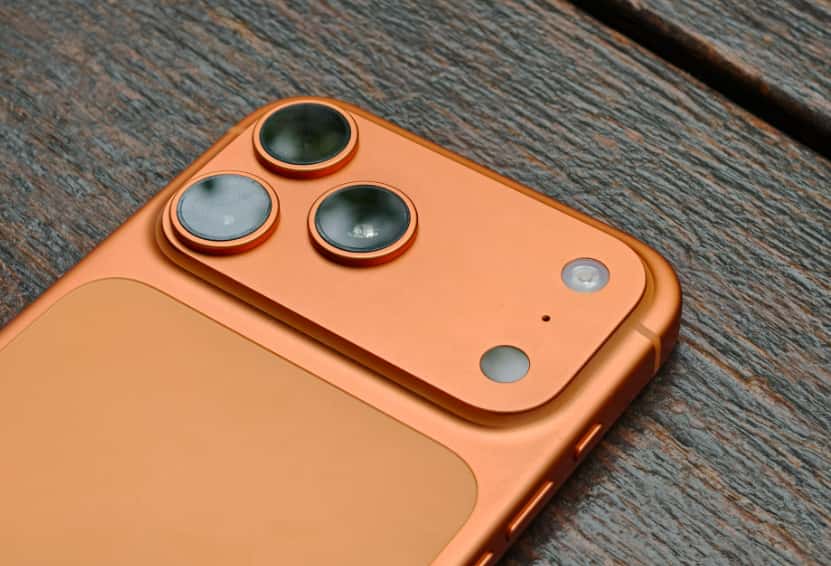
    This technology is designed with anti-interference features, ensuring an identification success rate of over 98% even in extreme conditions such as low temperatures and dryness. Users can assign functions to different fingers: for example, the left thumb can be used for daily unlocking, and the right index finger can be dedicated to Apple Pay payments. If a finger peels or gets injured, the old fingerprint can be renamed and deleted before re-entering it, or different areas of the same finger can be added as supplements.

    III. Digital Passwords: Basic Security and Backup for Extreme Scenarios

    Digital passwords serve as an alternative biometric solution, supporting 4-digit, 6-digit numbers or custom complex passwords. The setup path is “Settings” → “Face ID and Password” → “Enable Password”. After entering and confirming the new password, it is recommended to enable the “Use Password Immediately” option to ensure immediate verification each time the screen is locked. For devices storing sensitive files, the “Erase Data” function can be enabled. When the incorrect password is entered for 10 consecutive times, all data will be automatically erased.

    IV. Collaborative Strategies for Multi-modal Unlocking

    In actual use, the three unlocking methods can complement each other: Face ID is suitable for quick daily unlocking, fingerprint recognition is more efficient when wearing a mask or in strong light conditions, and the digital password serves as the ultimate guarantee in extreme scenarios. For example, business people can set “8-digit mixed password + Face ID”, inputting the password when the device restarts or when multiple attempts fail, while using the Dynamic Island Calendar widget to manage their schedules, achieving a balance between security and efficiency. In the family sharing scenario, a “screen usage time” lock screen can be set for children’s devices, limiting the usage duration and preventing accidental operations.

    V. Fault Diagnosis and Security Optimization

    If the Face ID recognition fails, you can clean the original depth sensor module or reset the facial data; for fingerprint recognition issues, check whether the power button area is blocked by the protective case, or re-enter your fingerprint. At the system level, it is recommended to update to the latest iOS version regularly to fix potential software vulnerabilities. From a security perspective, avoid using fingerprint unlocking in public places to prevent being spied on by others. Develop the habit of regularly checking the fingerprint list and deleting the records that are no longer in use.

    Share. Facebook Twitter Pinterest LinkedIn Tumblr Email

    Related Posts

    5 Apps Every Parent Needs on Their Smartphone

    What Is an SSL Certificate and How to Work?

    Ensure Component Integrity and Reduce Risk with Expert Inspection Services

    Leave A Reply Cancel Reply

    You must be logged in to post a comment.

    voopoo drag 6
    oxva xlim 3 ultra
    sp2s sen x disposable vape
    • Popular
    • 3D Printer REVIEW
    • XIAOMI
    March 16, 2026

    OXVA Slimstick VS OXVA Slimstick X Vape Hands-on Review

    March 5, 2026

    OXVA XLIM PRO 3 vs XLIM Pro 2 DNA: Hands-On Review

    March 5, 2026

    OXVA XLIM PRO 3 vs XLIM GO 2: Hands-On Review

    March 2, 2026

    OXVA XLIM PRO 3 vs XLIM 3 ULTRA: Hands-On Review

    December 26, 2025

    ACMER ASCARVA 4S: Precision CNC Power for Makers, DIYers & Small Workshops

    June 23, 2024

    ACMER P2 20W Laser Engraver Fixed Focus Engraving: Hands on Review

    May 30, 2024

    xTool F1 Ultra Review: World’s First 20W Fiber & 20W Diode Laser Engraver

    May 30, 2024

    Anycubic Kobra 3 Combo Review: The Multicolor Masterpiece?

    April 1, 2026

    Xiaomi Smart Camera 4 Max AI Zoom Edition Released: 12x zoom, supports elderly/children/pet monitoring at 799 yuan!

    March 29, 2026

    Xiaomi Watch S5 Review: 316L Stainless Steel, Ultra-Long Battery Life

    March 26, 2026

    The Telephoto Lens of Xiaomi 18 Ultra has Undergone a Comprehensive Upgrade: with an Ultra-Large Sensor, LOFIC Technology

    March 26, 2026

    Xiaomi Redmi Pad 2 Pro 5G Edition is available for purchase: Supports 5G all-network and China Unicom eSIM, 8G + 256G priced at 2599 yuan.

    fc 26 coins
    New Arrivals
    • Valaya Amp 60K By Uwell Disposable Vape Valaya Amp 60K By Uwell Disposable Vape
    • Vivo V70 Vivo V70
    • Waspe Bar 60K Disposable Vape Waspe Bar 60K Disposable Vape
    • Dojo Purex 60K Disposable Vape Dojo Purex 60K Disposable Vape
    • Geekvape Kloud Refillable Disposable Vape Geekvape Kloud Refillable Disposable Vape
    • Suonon Amber 80K Disposable Vape Kit Suonon Amber 80K Disposable Vape Kit
    • iJOY XP50000 Zero Nicotine Disposable Vape iJOY XP50000 Zero Nicotine Disposable Vape
    • OXBAR ROVOTA DTL 40K Disposable Vape OXBAR ROVOTA DTL 40K Disposable Vape
    • Pachamama 75K Disposable Vape Pachamama 75K Disposable Vape
    About
  • Igeekphone.com provides the first global tech news and reviews about smartphone, vapes, e-cigar, smart home, 3D printers, e-bike,tablets, RC drones, VR headset, and other accessories. It's the best platform to improve your brand and product.
  • Contact us: info@igeekphone.com
  • Check Our Privacy Policy Here.
  • Note: *Right now we have US editor and EU editors for review, especially for Amazon US and EU.
  • *Shop and Compare Price Here*
  • Facebook
  • Youtube
  • OUR BEST VAPE PARTNERS
  • VAPE ONLINE STORE
  • HAYATI PRO MAX PLUS
  • VAPORESSO
  • VOOPOO
  • OXVA
  • NEXA
  • MASKKING
  • TODOO
  • SP2S
  • VEIIK
  • OTHER BEST PARTNERS
  • SVBONY
  • Chuwi
  • Blackview
  • Fossibot
  • Unihertz
  • Flsun
  • Anycubic
  • Xtool
  • Oukitel
  • Mukkpet Ebike
  • Ugreen
  • Copyright © 2026 igeekphone

    Type above and press Enter to search. Press Esc to cancel.