









Igeekphone reported on April 17th that the official of Huawei Terminal announced that the industry’s first horizontally large-sized foldable phone – Huawei Pura X Max – will be equipped with the brand-new Xiaoyi accompanying artificial intelligence system. It focuses on the concept of “understanding your thoughts, meeting your needs, and accompanying you in harmony”.
According to Igeekphone, the previous models released by Huawei did not offer this AI service. Therefore, the new Xiaoyi Companion AI is expected to be the first to be featured on the Huawei Pura X Max. The official pre-release video shows that the new Xiaoyi Companion AI supports the following functions:

Intelligent To-Do List: It can intelligently recognize the information displayed by the current app and provide the functions of adding to-do items / to-do list, as well as the function of actively identifying the screen.
Trip Assistant: It can intelligently recognize the information displayed by the current app, providing functions such as route planning, estimated travel time, flight information inquiry, and one-click taxi booking.
Global To-Do List: It can intelligently and automatically record and organize pending tasks. At the same time, you can view the specific details such as event content, time, and location with just one click.
Smart Companion Reading: It can intelligently recognize the user’s reading content and provide functions such as collection, long article summaries, summaries, and generating mind maps. The text content selected by the user can be intelligently queried and summarized for relevant information.
Topic Recommendation: It can intelligently identify the current user’s reading content and provide related topic discussions, etc.

Global Xiaoyi: In the active accompanying AI function area of the above scenarios, there are Xiaoyi voice buttons. Users can click or hold down to speak.
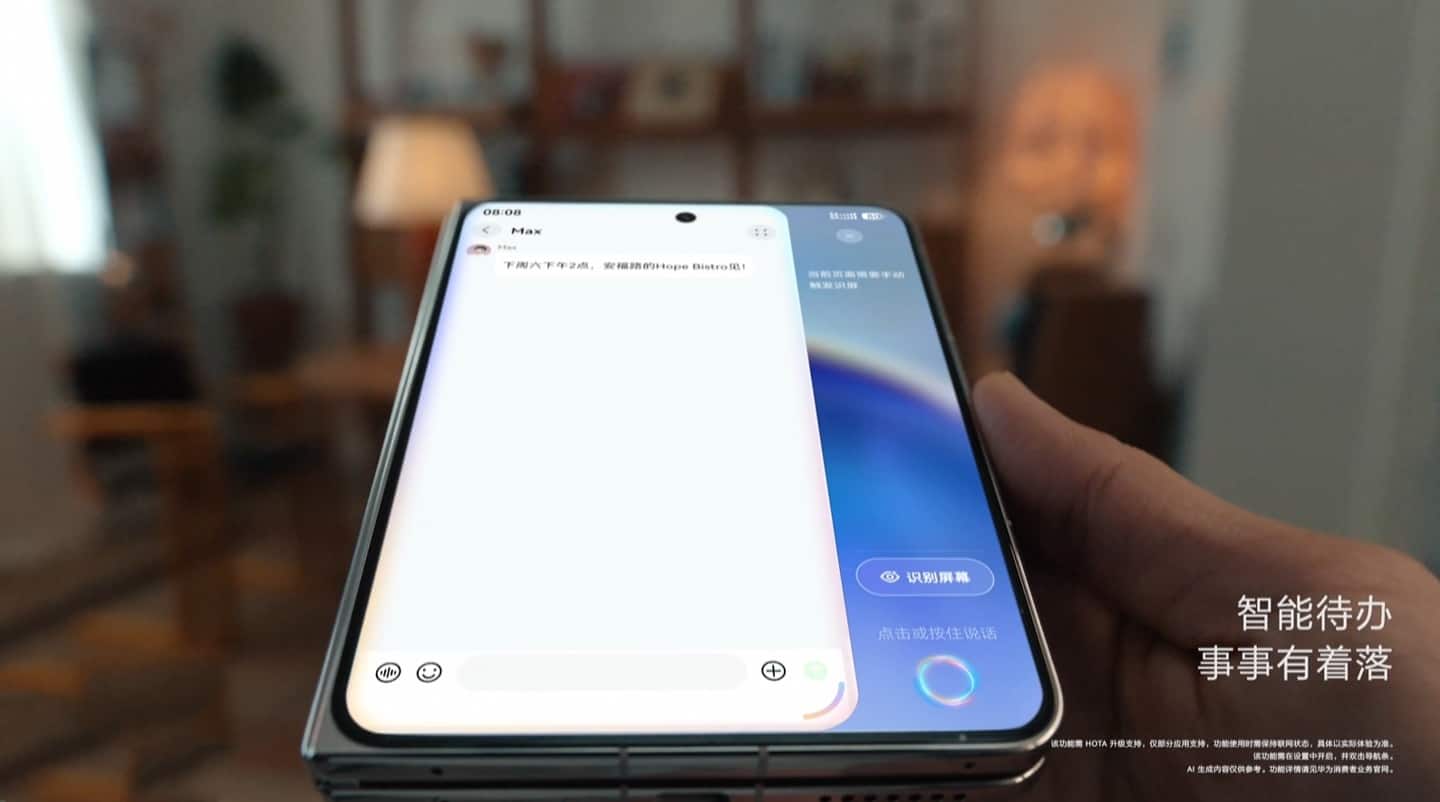
The new Xiaoyi Companion AI feature is expected to be part of the HarmonyOS 6.1 version. According to the annotations in the official pre-release video, this feature has currently been adapted for some applications, but it requires subsequent HOTA support and remains connected to the internet to be usable. Additionally, before using the new Xiaoyi Companion AI, you need to first enable it in the settings. Later, you can trigger it by double-clicking the navigation bar (the small white bar at the bottom of the screen).