





Facebook Twitter Instagram
    Trending
    • Geekvape T200 Mod Kit with Z Sub-Ohm 2021 Tank Atomizer Review: The Ultimate Vaping Experience in 2026
    • GEEKVAPE Soul AIO Pod System Kit Review: The Ultimate All-in-One Vaping Experience
    • Demystifying Data Migration: Unpacking Your Digital Move, From A to Z
    • Feel New Emotions: Best Tips to Be New Day
    • Best Cryptocurrency Smartphones
    • Do Cigarette Filters Reduce the Risk of Lung Cancer?
    • Damaged Memory Card Data Recovery: Step By Step Guide
    • What factors should be considered when selecting a camera?
    Facebook YouTube
    IGeeKphone China Phone, Tablet PC, VR, RC Drone News, Reviews
    • HOME
      • NEWS
        • DeepSeek
        • ChatGPT
        • Minecraft
    • Amazon
    • PHONE
      • Top Phones For Your First Choice
      • Phone Comparison
      • Xiaomi
      • Blackview
      • Doogee
      • Black Shark
      • Geekbuying
      • Banggood
      • TEMU
      • TikTok
      • Aliexpress
      • Walmart
      • MercadoLibre
      • Lazada
    • TOP VAPE Awards for 2026
    • VAPES
      • E-CIGAR Upcoming
      • Vape News
      • Vape Deals
      • Vape Comparison
      • Vape Guide
      • Giveaway
    • BEST VAPE
      • Best Vape Stores
      • Best Starter Vape Kits
      • Best Vapes for Beginners
      • Best Disposable Vapes
      • Best Pod Systems
      • Best Pod Mod Vapes
      • Best Mods
      • Best Nicotine Pouches
      • Best Clearomizers/Tanks
      • Best E-Liquid
      • Best EGO/Pens
      • Best Vapes for Nic Salt E-Juice
      • Best Vapes to Quit Smoking
      • RDA vs. RDTA vs. RTA
    • Best Vape Brand 2026
      • VAPORESSO
      • VOOPOO
      • OXVA
      • NEXA BAR
      • ORIONBARTECH
      • MASKKING VAPE
      • MEMERS
      • SP2S
      • TODOO
      • MRFOG
      • VEIIK
    • REVIEW
      • E-cigar Review
      • Phones
      • Tablet PC
      • TV Box
      • RC Drone
      • Wearables
      • Camera
      • Accessories
      • VR Headset
    • MORE
      • TABLET
        • Chuwi
        • INNOCN
        • Teclast
        • Top Tablet for Your First Choice
        • Tablet/Laptop Comparison
      • RC DRONE
      • CAMERA
      • WEARABLES
        • OneOdio
        • BlitzWolf
        • Top Smartwatch for First Choice
      • 3D PRINTER
        • 3D Printer Review
        • Anycubic
        • FLSUN
        • Xtool
        • LONGER
        • Top 3D printer to Choose First
      • POWER STATION
        • Oukitel
        • FOSSIBOT
      • GAMING
        • Top Gaming Products
      • E-BIKE
        • Samebike
        • Happyrun
        • ENGWE
      • SMART HOME
      • TV BOX
      • ACCESSORIES
      • VR HEADSET
      • CLOTHES
      • AUTO CAR
    • DEAL
    • VAPE LAWS
    • Shop
    IGeeKphone China Phone, Tablet PC, VR, RC Drone News, Reviews
    You are at:Home»Google»Let Gemini Control Android Phones, Details of Google’s “Screen Automation” Feature Revealed
    Google

    Let Gemini Control Android Phones, Details of Google’s “Screen Automation” Feature Revealed

    Brady CottonBy Brady CottonFebruary 4, 2026
    Facebook Twitter Pinterest LinkedIn Tumblr Email

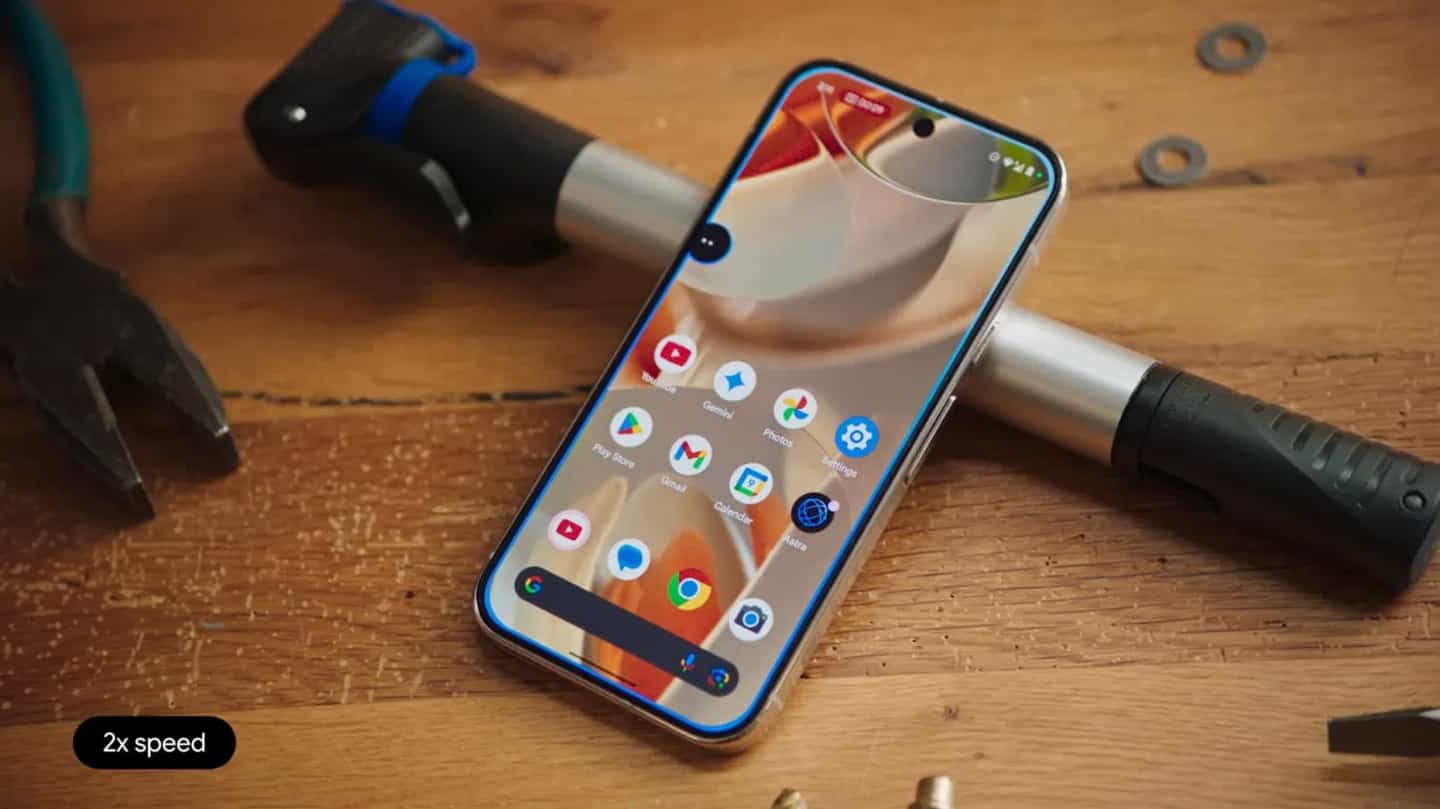
    Igeekphone reported on February 4th that Google has begun to have Gemini control Android phones. Now the specific implementation details of this “screen automation” have been revealed.

    According to 9to5google, the 17.4 beta version of Google applications includes a related string called “Complete Tasks with Gemini”. The internal code name for this laboratory function is “Bonobo”. The introduction text states: “Gemini can, through screen automation technology, help you complete various tasks such as placing orders and booking trips in the designated applications on your device.”
    According to IT Information, this control function is also known as screen automation. Android 16 QPR3 has laid the technical foundation for it, and this function will be made available for use in designated applications.

    Google stated: “Gemini may make operational errors”, and “You are responsible for the actions it performs on your behalf, so please closely monitor its operation.” Users can terminate the operation of this intelligent agent at any time and take over the task execution manually.
    Privacy-related instructions:
    “When Gemini interacts with the application, if the activity recording function is enabled, the captured screen images will be reviewed by professional auditors and used to optimize various services of Google.”

    “Do not enter login credentials or payment information in the Gemini conversation interface. Avoid using screen automation functions to handle urgent matters or tasks involving sensitive information.”
    In this test version, there is also a digital likeness function with the internal code name “Wasabi” and related strings integrated. It is worth noting that the Android XR system uses this code name to refer to the 3D virtual image currently used in Google Meet calls. One of the strings indicates that this function can be invoked through instructions.

    Share. Facebook Twitter Pinterest LinkedIn Tumblr Email

    Related Posts

    Do Cigarette Filters Reduce the Risk of Lung Cancer?

    Damaged Memory Card Data Recovery: Step By Step Guide

    OnePlus 15T Phone Supports Full-Level IP66/68/69/69K Waterproofing

    Leave A Reply Cancel Reply

    You must be logged in to post a comment.

    voopoo drag 6
    oxva xlim 3 ultra
    sp2s sen x disposable vape
    • Popular
    • 3D Printer REVIEW
    • XIAOMI
    March 16, 2026

    OXVA Slimstick VS OXVA Slimstick X Vape Hands-on Review

    March 5, 2026

    OXVA XLIM PRO 3 vs XLIM Pro 2 DNA: Hands-On Review

    March 5, 2026

    OXVA XLIM PRO 3 vs XLIM GO 2: Hands-On Review

    March 2, 2026

    OXVA XLIM PRO 3 vs XLIM 3 ULTRA: Hands-On Review

    December 26, 2025

    ACMER ASCARVA 4S: Precision CNC Power for Makers, DIYers & Small Workshops

    June 23, 2024

    ACMER P2 20W Laser Engraver Fixed Focus Engraving: Hands on Review

    May 30, 2024

    xTool F1 Ultra Review: World’s First 20W Fiber & 20W Diode Laser Engraver

    May 30, 2024

    Anycubic Kobra 3 Combo Review: The Multicolor Masterpiece?

    March 16, 2026

    Co-released with SU7! Xiaomi Notebook Pro 14 and Xiaomi Smart Watch S5 are scheduled to be launched on March 19th.

    March 16, 2026

    Xiaomi 18 Camera System is like a burst of toothpaste! The standard version now features a telephoto lens, directly catching up with the Pro model

    March 16, 2026

    Xiaomi Notebook Pro 14 is Scheduled to be Released on March 19th: 50W long-lasting performance release, dual fans and three air channels for cooling.

    March 16, 2026

    Xiaomi Tag Bluetooth Tracker Key Finder Review: The Ultimate Solution for Lost Items

    fc 26 coins
    New Arrivals
    • Geekvape T200 Mod Kit Geekvape T200 Mod Kit
    • GEEKVAPE Soul AIO Pod System Kit GEEKVAPE Soul AIO Pod System Kit
    • Oneplus 15s Oneplus 15s
    • Honor GT Pro 2 Honor GT Pro 2
    • Geekvape Aegis Nano 3 Pod System Kit Geekvape Aegis Nano 3 Pod System Kit
    • L&A Tank 58K Disposable Vape L&A Tank 58K Disposable Vape
    • VOOM Meteor 70K Disposable Vape VOOM Meteor 70K Disposable Vape
    • SMOK Arco Digi Pro Pod System Kit SMOK Arco Digi Pro Pod System Kit
    • Realme Neo 8 Smartphone Realme Neo 8 Smartphone
    About
  • Igeekphone.com provides the first global tech news and reviews about smartphone, vapes, e-cigar, smart home, 3D printers, e-bike,tablets, RC drones, VR headset, and other accessories. It's the best platform to improve your brand and product.
  • Contact us: info@igeekphone.com
  • Check Our Privacy Policy Here.
  • Note: *Right now we have US editor and EU editors for review, especially for Amazon US and EU.
  • *Shop and Compare Price Here*
  • Facebook
  • Youtube
  • OUR BEST VAPE PARTNERS
  • VAPE ONLINE STORE
  • HAYATI PRO MAX PLUS
  • VAPORESSO
  • VOOPOO
  • OXVA
  • NEXA
  • MASKKING
  • TODOO
  • SP2S
  • VEIIK
  • OTHER BEST PARTNERS
  • SVBONY
  • Chuwi
  • Blackview
  • Fossibot
  • Unihertz
  • Flsun
  • Anycubic
  • Xtool
  • Oukitel
  • Mukkpet Ebike
  • Ugreen
  • Copyright © 2026 igeekphone

    Type above and press Enter to search. Press Esc to cancel.