











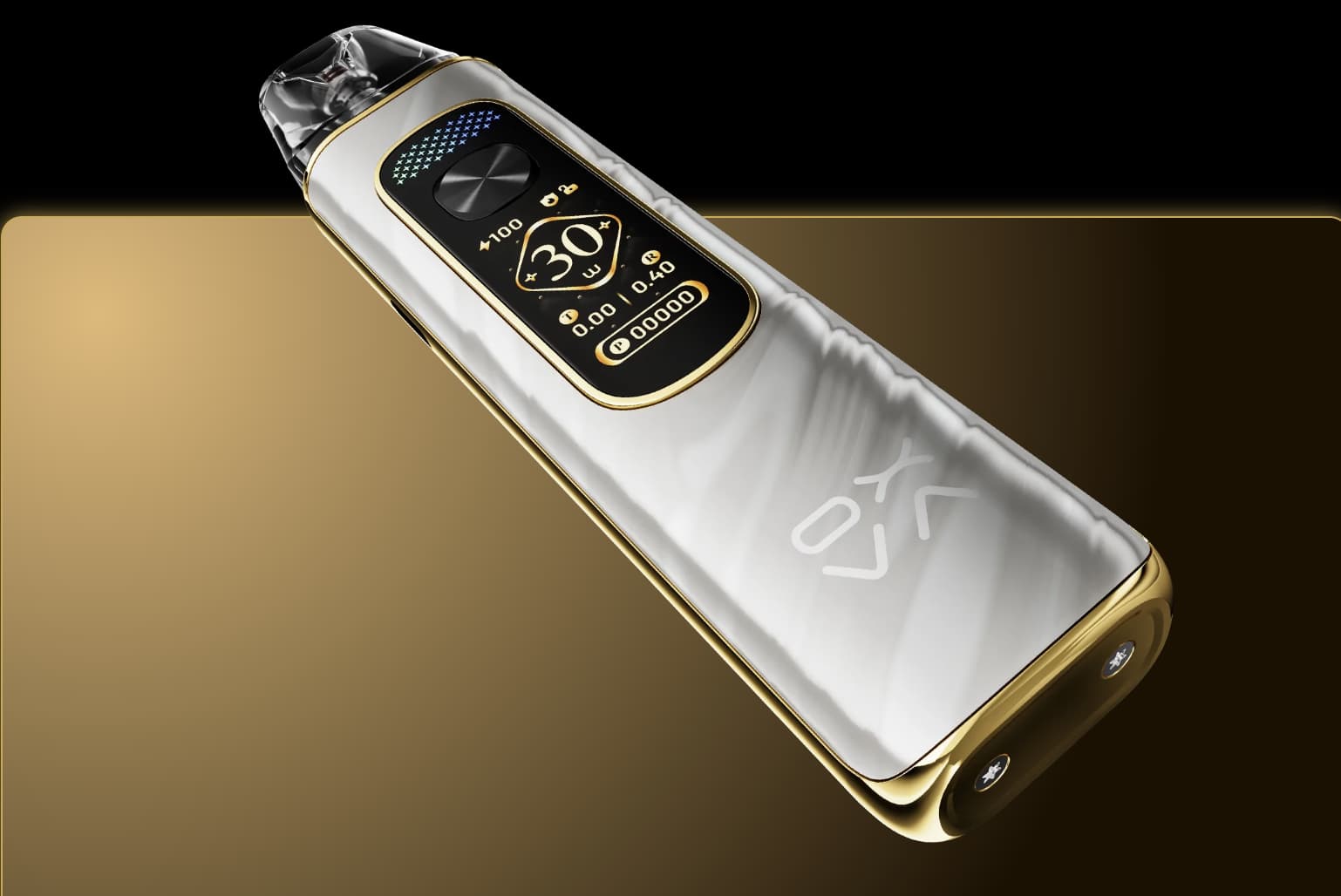
Buying a replacement pod for the OXVA XLIM PRO 4 sounds straightforward until you encounter two descriptions that appear to promise similar things: XLIM ABT Cartridge and XLIM Top Fill Cartridge UNITECH 3.0.
Both belong to the wider XLIM cartridge ecosystem, and both can be used with the XLIM PRO 4. However, they are not identical in functionality. The important distinction is that ordinary cartridge compatibility does not automatically activate the device’s Anti-Burn Technology (ABT).
This matters when choosing replacement cartridges. A pod may fit the device and operate normally while leaving its most distinctive protection feature unavailable.
This guide explains how the two cartridge types differ, why ABT requires a specific device-and-pod combination, and what to check before buying replacement cartridges.
For a broader look at the device’s hardware, display, airflow control and cartridge technology, read our OXVA XLIM PRO 4 hands-on review.
The Most Important Rule: Compatibility Is Not the Same as ABT Support
The XLIM PRO 4 is designed to work with compatible cartridges from the OXVA XLIM family. This gives existing XLIM users some flexibility when choosing replacement pods.
However, ABT operates differently from ordinary pod functionality. It requires two compatible components working together:
- OXVA XLIM PRO 4: The device provides the control system responsible for the ABT protection response.
- OXVA XLIM ABT Cartridge: The dedicated cartridge provides the structure required for Smart Liquid-Level Detection.
When these two components are paired, the device can detect when the e-liquid level becomes too low and respond by stopping operation and displaying a refill reminder.
A standard compatible XLIM cartridge can still work in the XLIM PRO 4, but it does not provide the dedicated ABT function.
In other words, there are two separate questions to ask when buying a pod:
- Will this cartridge physically and electrically work with the XLIM PRO 4?
- Will this cartridge activate the device’s ABT protection?
The answer to the first question may be yes even when the answer to the second is no.
XLIM PRO 4 Cartridge Compatibility at a Glance
The following table summarizes the key distinction between the two cartridge categories.
| Cartridge and device combination | Normal operation | ABT protection |
|---|---|---|
| XLIM PRO 4 + XLIM ABT Cartridge | Yes | Yes, when enabled |
| XLIM PRO 4 + standard compatible XLIM Top Fill Cartridge | Yes | No |
| Other compatible XLIM device + XLIM ABT Cartridge | Yes, where supported | No, unless the device supports ABT |
The final row is particularly important. An XLIM ABT Cartridge is not necessarily limited to the XLIM PRO 4 for ordinary operation. It can be used in other supported XLIM devices, but the cartridge alone cannot add ABT functionality to a device that lacks the required control system.
This is why the technology should be understood as a combination rather than a feature contained entirely inside the pod.
What Makes an XLIM ABT Cartridge Different?
The XLIM ABT Cartridge is designed to work with the XLIM PRO 4’s Smart Liquid-Level Detection system.
In ordinary pod operation, the device supplies power to the heating element when activated. The user generally needs to monitor the remaining e-liquid and refill the cartridge before it becomes empty.
ABT introduces an additional layer of monitoring. When the system identifies that the liquid level has become too low, it can interrupt firing and display a message asking the user to refill the pod.
The purpose is to help reduce the chance of operating the heating element when insufficient liquid remains to support normal use.
This distinction also matters when comparing the XLIM PRO 4 with other devices in the same family, as explained in our OXVA XLIM PRO 4 vs XLIM 3 Ultra comparison.
This is different from simply checking the cartridge’s appearance or relying on the user to notice a low liquid level.
It is also important to understand what ABT does not mean. It is not a guarantee that a cartridge can never produce a burnt taste. Incorrect wattage, poor liquid supply, damaged cartridges, unsuitable e-liquid, or other operating problems can still affect performance.
ABT should therefore be viewed as an additional protection feature, not a substitute for correct cartridge maintenance.
ABT and UNITECH 3.0 Are Not the Same Technology
One possible source of confusion is the naming used for OXVA’s newer cartridges.
The dedicated XLIM ABT Cartridge is associated with UNITECH 3.0, but the UNITECH 3.0 name alone does not mean that a cartridge supports Anti-Burn Technology.
These terms describe different aspects of the system:
ABT — Anti-Burn Technology
ABT refers to the protection function. It uses Smart Liquid-Level Detection and a device response intended to prevent firing when the cartridge reaches a low-liquid condition.
UNITECH 3.0 — Cartridge Technology
UNITECH 3.0 refers to OXVA’s cartridge platform. It describes the cartridge technology and design rather than automatically indicating that the ABT protection feature is present.
This distinction is useful when comparing product listings. A seller may describe a cartridge as UNITECH 3.0 without identifying it as the dedicated ABT version.
Do not rely on the UNITECH 3.0 wording alone when shopping for ABT functionality. Look for the specific XLIM ABT Cartridge designation.
How to Check Whether You Have the Correct Cartridge
Product names can look similar, particularly when different XLIM cartridges share the same general top-fill design. A few checks can reduce the risk of purchasing the wrong replacement.
1. Look for the Exact ABT Cartridge Name
The most useful starting point is the product title and packaging.
If you specifically want Anti-Burn protection, look for the name XLIM ABT Cartridge rather than assuming that every XLIM Top Fill Cartridge supports the feature.
2. Check the Product Description
Read the detailed specification rather than relying on a short headline.
A suitable listing should clearly identify the cartridge as the ABT version and state that it supports the XLIM PRO 4’s Anti-Burn function.
If the seller only mentions general XLIM compatibility, ask for clarification before ordering.
3. Verify the Resistance Option
OXVA’s XLIM cartridge family includes several resistance options. The available ABT cartridge configurations should be checked against the current official product listing.
Resistance affects the recommended power range and the type of cartridge setup. A compatible pod should be operated within its specified wattage range rather than being selected only because its resistance number matches another cartridge.
4. Confirm the Device Is ABT-Capable
Even the correct ABT cartridge cannot provide the full protection feature when installed in an ordinary compatible XLIM device that does not support ABT.
For the XLIM PRO 4, the correct pairing is the device plus the dedicated ABT cartridge.
5. Check the Seller’s Product Photos
If the listing uses generic XLIM cartridge photographs, look for a separate image showing the actual packaging or cartridge designation.
This is particularly important when a retailer groups several cartridge types under one product page.
What Happens If You Install a Standard XLIM Pod?
Using a standard compatible cartridge does not mean the XLIM PRO 4 becomes unusable.
The device can still operate normally with compatible standard XLIM cartridges. You simply should not expect the dedicated ABT protection to become active.
This creates two practical choices:
Option A: Continue using standard compatible cartridges
This makes sense for existing XLIM users who already have compatible replacement pods and do not specifically need ABT protection.
Option B: Choose the dedicated XLIM ABT Cartridge
This is the option to consider when the purpose of buying the XLIM PRO 4 is to use its Smart Liquid-Level Detection and Anti-Burn function.
The difference is not necessarily about whether one cartridge fits better or produces a particular flavor. It is about whether the complete device-and-cartridge combination supports the additional protection system.
How to Enable ABT on the XLIM PRO 4
According to OXVA’s published guidance for the production version of the XLIM PRO 4, ABT can be switched on or off through the device button when a compatible ABT cartridge is installed.
The documented shortcut is:
- Install the dedicated XLIM ABT Cartridge.
- Use the device’s button to access the ABT setting.
- Press the button eight times to switch the ABT function on or off.
- Check the device display and follow the instructions in the user manual.
If the ABT function is unavailable, first check that the installed cartridge is the dedicated ABT version. A standard compatible XLIM cartridge will not activate the feature simply because it fits the device.
Button shortcuts and firmware behavior should always be checked against the manual supplied with the specific device version.
Understanding the “Please Fill the Pod” Warning
One of the most useful parts of ABT is its ability to respond when the system detects insufficient e-liquid.
When the protection system identifies a low-liquid condition, the device can stop firing and show a refill reminder such as “PLEASE FILL THE POD.”
This message should not automatically be treated as a device fault. It may be the intended protection response.
If the message appears, check the cartridge’s liquid level and refill it according to the manufacturer’s instructions. Do not repeatedly attempt to fire a cartridge that is empty or inadequately filled.
If the warning remains after the cartridge has been correctly refilled, consult the official troubleshooting instructions and check the cartridge installation and condition.
Common Buying Mistakes to Avoid
The following mistakes are easy to make when shopping for XLIM PRO 4 replacement pods.
| Common assumption | What buyers should know |
|---|---|
| Every XLIM-compatible pod activates ABT | Only the dedicated ABT cartridge paired with an ABT-enabled device provides the feature |
| UNITECH 3.0 automatically means ABT | UNITECH 3.0 and ABT describe different technologies |
| An ABT pod adds protection to every XLIM device | The device must also support ABT |
| A standard pod cannot work with XLIM PRO 4 | Compatible standard XLIM cartridges can still operate normally |
| ABT eliminates every possible dry hit | It is an additional protection system, not a guarantee against every cause of burnt taste |
The biggest mistake is buying a standard replacement cartridge while expecting the XLIM PRO 4’s full Anti-Burn feature to remain available.
Frequently Asked Questions
Does every OXVA XLIM pod support ABT?
No. The XLIM PRO 4 supports compatible standard XLIM cartridges for normal operation, but Anti-Burn protection requires the dedicated XLIM ABT Cartridge.
Can I use my old XLIM pods with the XLIM PRO 4?
Compatible existing XLIM cartridges can be used for normal operation. However, standard cartridges do not activate the XLIM PRO 4’s ABT protection.
Can an XLIM ABT Cartridge work with an older XLIM device?
The ABT cartridge can be used with other supported XLIM devices for normal cartridge operation. However, the Anti-Burn function requires an ABT-enabled device.
Is UNITECH 3.0 the same as ABT?
No. UNITECH 3.0 identifies OXVA’s cartridge technology platform, while ABT refers to the Anti-Burn protection system. A cartridge’s UNITECH 3.0 designation alone does not confirm ABT support.
How do I know whether ABT is active?
Use the dedicated ABT cartridge with the XLIM PRO 4 and check the device’s ABT setting. OXVA’s production-version instructions describe an eight-button-press shortcut for switching the function on or off.
Does ABT mean I never need to check the e-liquid level?
No. ABT provides an additional low-liquid protection response, but users should still check the cartridge regularly, refill it correctly, and avoid operating it when the liquid supply is insufficient.
Final Verdict: Buy the Right Pod, Not Just a Compatible One
OXVA XLIM PRO 4‘s cartridge compatibility is more flexible than its ABT functionality. Standard compatible XLIM pods can still be used, which helps existing users continue with their current cartridge supplies. However, the dedicated Anti-Burn feature depends on a specific pairing: the XLIM PRO 4 and the XLIM ABT Cartridge.
That distinction is the most important thing to understand before buying replacement pods.
If normal cartridge operation is all you need, a compatible standard XLIM cartridge may be sufficient. If you want to use Smart Liquid-Level Detection and ABT protection, make sure the cartridge is explicitly identified as the ABT version.