









In today’s modern age people want to be in touch with each other via social media where pictures have their own importance. They need high-quality pictures for their accounts to become more popular among their friends and fans. Here VanceAI Image Upscaler is your go-to tool to AI upscale images and improve image quality as well. It is a handy tool for graphic designers and other similar professionals as it creates super HD quality with one click. Regardless of the type of image, you can upscale an image up to 8x its original size at once. In this article, we discuss VanceAI Image Upscaler, its features, and the results it provides.
VanceAI Image Upscaler
VanceAI Image Upscaler is an ideal tool based on AI technology and deep learning to AI upscale images like landscapes, patriots, family, film, and individual pictures, etc. This handy image upscaler can image upscaling online with AI by 2x, 4x, and even 8x from its original size without quality loss. This image upscaler helps you to get high-quality images with one click. You can use these images for an e-commerce business site or develop a more robust design to grab your customers and audience. Its powerful algorithms have trained to increase both sizes as well as resolution of images automatically without any pixel loss just in 5 seconds.
Features of VanceAI Image Upscaler
- Enhance pictures automatically by using deep learning and advanced AI technologies with excellent results
- Helps to enlarge image online up to 8x without losing quality that can make impressive people more
- AI Image Enlarger makes it easier for high-quality images
- This online image enlarger works smartly enough to get the real details of pictures with high-quality
- Has powerful algorithm to sharpen images and denoise images in addition to enlarge them in one click
- Increase size as well as resolution of blurry and dull image 100% automatically
- Delete all your uploaded images within 24 hours, so it is 100% secure from security point of view
Pros & Cons
Pros
- Powered by AI to process images automatically
- Fast image enlarger tool to make your workflow and life easier and efficient
- Time-saving tool in this busy world
- Provides image upscaling online with AI with one click
- Available with a flexible pricing policy
Cons
- Limited free use
- Free version allows limited options to choose
- Free version doesn’t support 8x range
Part 2: How to Use VanceAI Image Upscaler
The methods to use VanceAI Image Upscaler are simple and easy as well. Let’s see how to get image upscaling online with AI using VanceAI Image Upscaler step-by-step.
Method 1: Visit VanceAI Image Upscaler’s Product Page
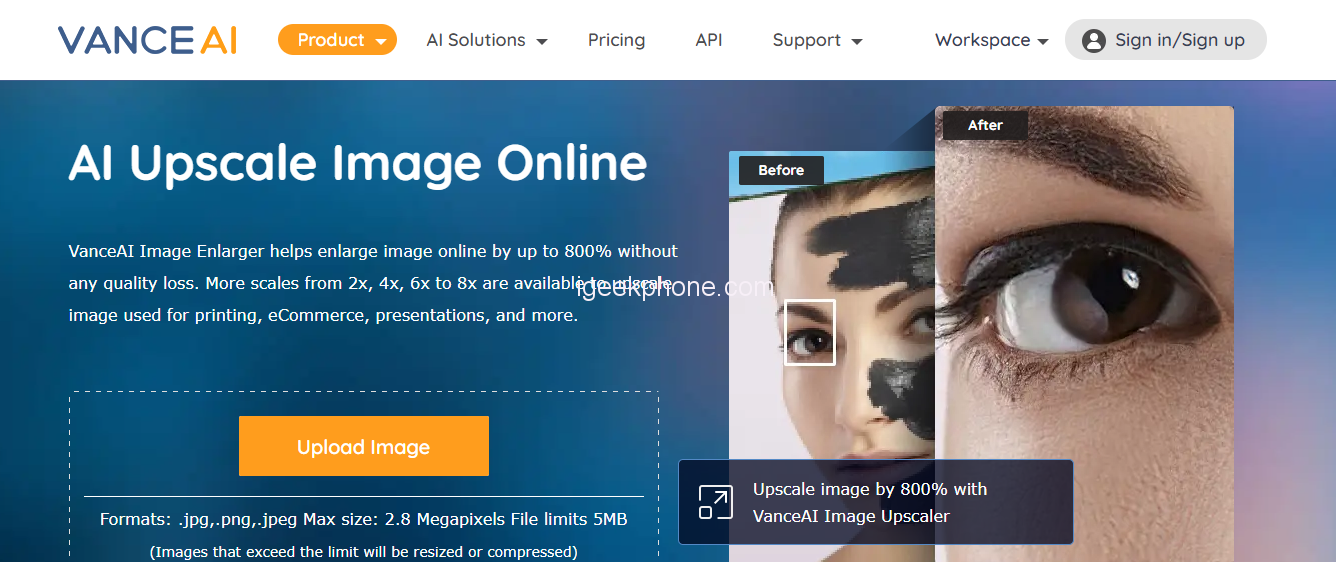
Step 1: Go to the VanceAI Image Upscaler’s product page and upload your image that you to enlarge by clicking on the “Upload Image” button.
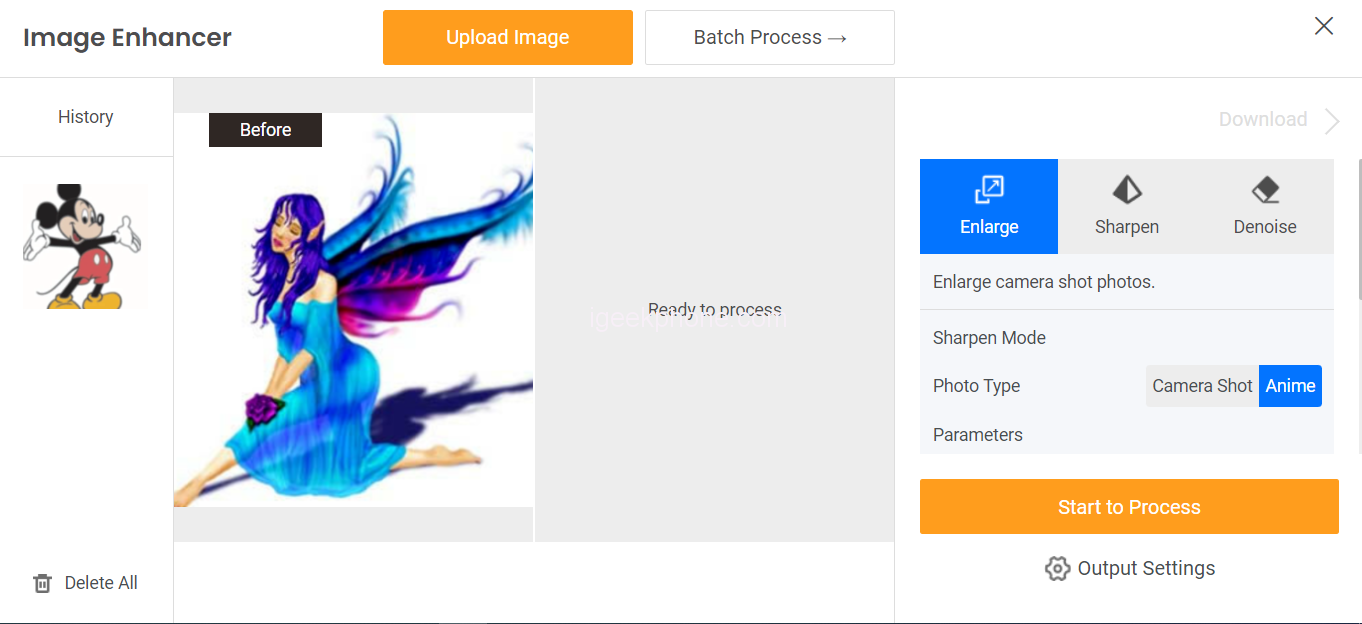
Step 2: After uploading the image, choose the right scale that you find to fit and to start the image upscaling online with AI click the “Start to Process” button.
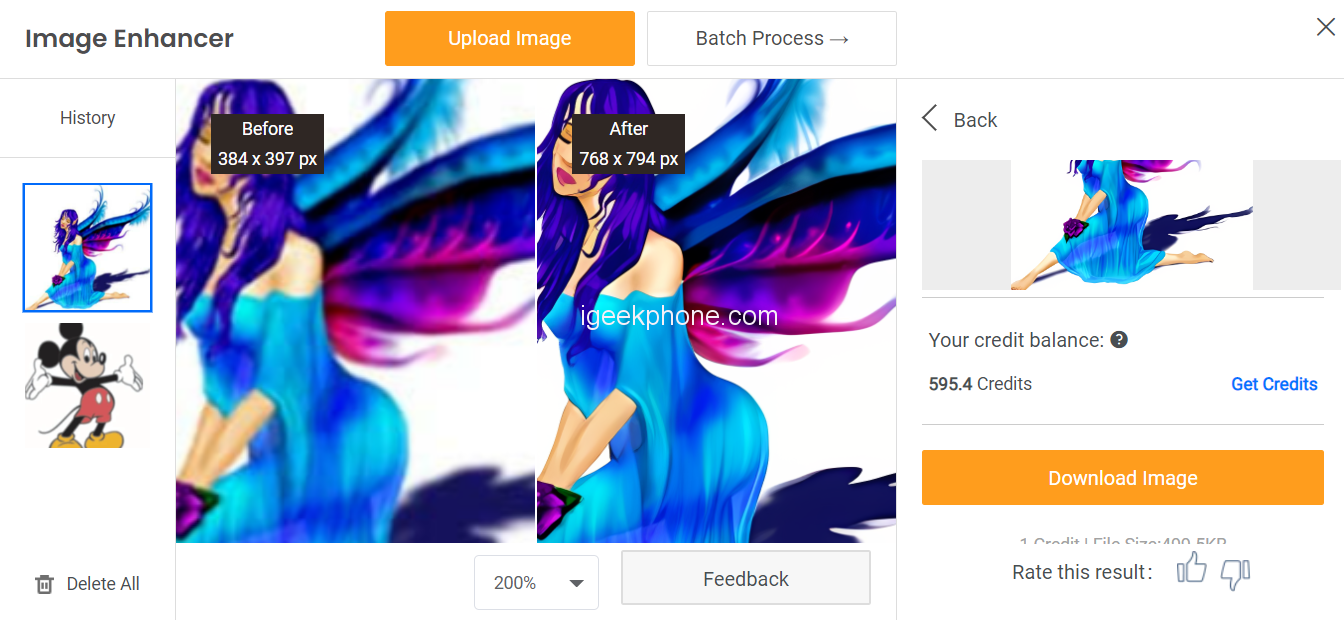
Step 3: When the image processing is done, you can see the results in the download section. To download your new one click the “Download Image” button. That’s all about how to AI upscale images using image upscaler step-by-step.
Method 2: Visit VanceAI Upscaler Workspace to process image
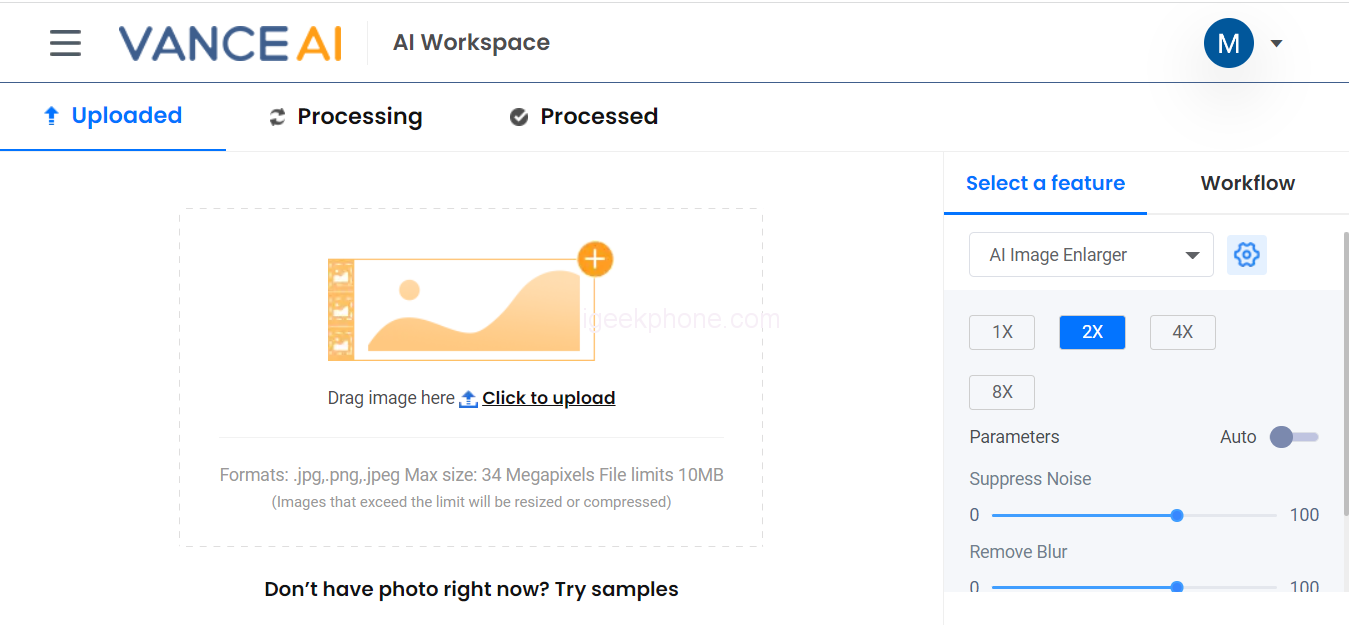
Go to the VanceAI Upscaler Workspace and enlarge the image automatically within 5 seconds. Workspace is a simple way for users to improve image quality online with better results. You just need to upload your image, it will automatically upscale the image with high quality.
Part 3: VanceAI Image Upscaler Performance Review
VanceAI Image Upscaler performs well and is the best choice to get your work and life done efficiently. Let’s see a performance review of this A-based tool.
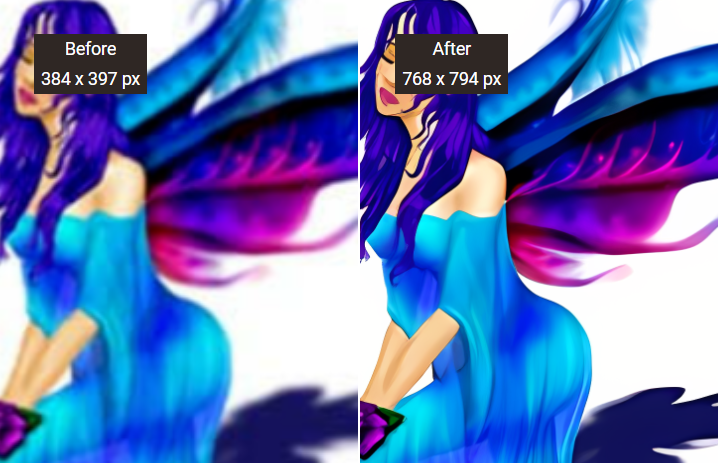
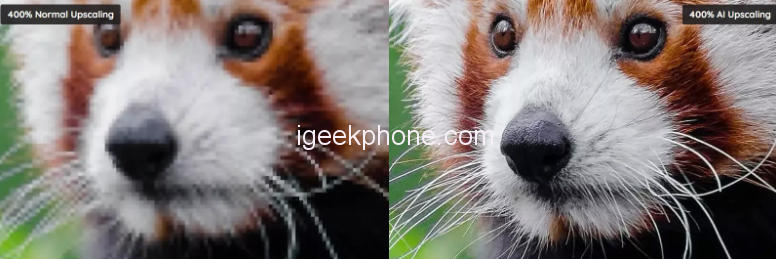
This image with before vs after effects is showing you how VanceAI Image Upscaler helps to get real details of the image without affecting image quality. Here you can see the left and right images and feel the difference at the first sight. The left image was so noisy and blurry that even some tiny details are not visible clearly in the noisy atmosphere. With low resolution, it looks blurrier when it is zoomed in. Now look at the after image on the right side and feel the difference, how AI image upscaler works to remove blurs and noises and enlarge the image up to 8x to improve the quality of pictures by using AI technology. In this, after picture, everything is visible even some tiny details with unblur scene. This all credit goes to image upscaler which is the best tool to get perfect to attract people more.
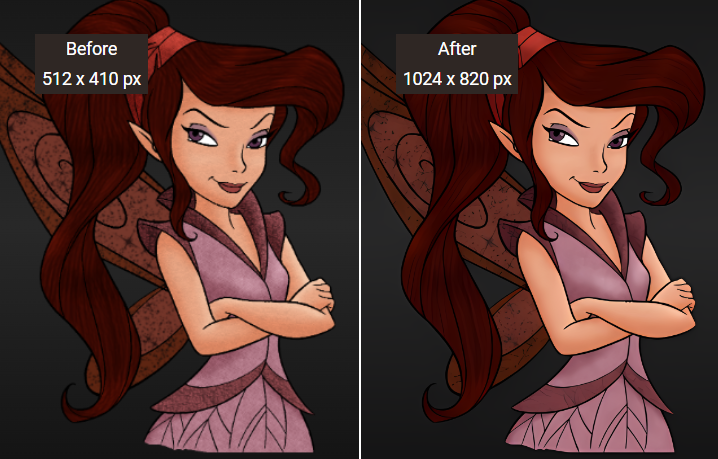
In the second example, the result is absolutely the same as in the first picture. See on the left side of the image its initial resolution is low even though it is making the fairy image blurrier when it is zoomed. No one would like to use this image to design a storybook or for cartoon videos just because of its low resolution. But see the after image and feel the difference in how VanceAI Image Upscaler has increased the resolution as well as the size of this fairy image to make it more perfect. This is only possible by AI image upscaler, how it works wonderfully and enlarges images online by AI upscaling without pixel loss. The result offered by the image upscaler is pretty good and everyone would like it to use.
Conclusion
VanceAI Image Upscaler which is also called an image enlarger is the best choice to create a high-quality image with one click. VanceAI has proud to provide such sophisticated and cloud-based tools around the world to get AI upscale images. This handy tool makes your work and life simple easier and more efficient by offering a one-click solution to increase image size as well as resolution up to 800%. This AI-based image enlarger works smartly to get a really detailed picture with HD results. Try it now, and surely you will appreciate its performance and excellent features.
FAQs
What is BGremover?
The Background Remover, called BGremover, is a highly useful tool to remove image backgrounds with one click. BGremover is equally popular among graphic designers and other similar professionals as it allows a lot of new options for image editing. The AI systems embedded into VanceAI BGremover help it to create a transparent background with really incredible accuracy. BGremover helps you to remove the background from the image with one click while keeping in focus your key objects.
What services does VanceAI offer?
VanceAI is offering various AI-based services to process images online with one click. Its tools are useful for graphic designers and other similar professionals as it allows create creative cartoon images, denoise images, colorizing black and white photos, and unblur images within 5 seconds. VanceAI makes it easier to enlarge images up to 800%, and crop, rotate, edit, resize, flip, and retouch portraits effortlessly. VanceAI also helps to provides a free online PDF processing toolkit, VancePDF.com.