







Facebook Twitter Instagram
    Trending
    • Reign Bar Amber 70K Disposable Vape Review: High-Capacity Performance Meets Premium Design
    • What Should I Do If I Can’t Verify the Apple ID Verification Code on My iPhone 17?
    • Four new models of OneXPlayer handheld console Released simultaneously: Scheduled for release on June 23rd.
    • Only 819 yuan! Coolpad Releases the COOL80 entry-level model: equipped with MediaTek G99 processor
    • Xiaomi 18 Pro Max camera leaks: First to feature a brand-new 200-megapixel main camera with a 1/1.28-inch large sensor + LOFIC
    • Samsung Galaxy S27 Pro has a new 6.47-inch mid-screen, and the anti-spy function is also being tested simultaneously.
    • Details of Redmi Game Tablet 5 Pro’s exterior have been revealed: a transparent water-cooling design. It will be released on June 30th.
    • SHRC AE51 RC Drone Review at $59.99: A Feature-Packed GPS Drone for Aerial Photography and Smart Flight
    Facebook YouTube
    IGeeKphone China Phone, Tablet PC, VR, RC Drone News, Reviews
    • HOME
      • NEWS
        • DeepSeek
        • ChatGPT
        • Minecraft
    • Amazon
    • PHONE
      • Top Phones For Your First Choice
      • Phone Comparison
      • Xiaomi
      • Blackview
      • Doogee
      • Black Shark
      • Geekbuying
      • Banggood
      • TEMU
      • TikTok
      • Aliexpress
      • Walmart
      • MercadoLibre
      • Lazada
    • TOP VAPE Awards for 2026
    • VAPES
      • E-CIGAR Upcoming
      • Vape News
      • Vape Deals
      • Vape Comparison
      • Vape Guide
      • Giveaway
    • BEST VAPE
      • Best Vape Stores
      • Best Starter Vape Kits
      • Best Vapes for Beginners
      • Best Disposable Vapes
      • Best Pod Systems
      • Best Pod Mod Vapes
      • Best Mods
      • Best Nicotine Pouches
      • Best Clearomizers/Tanks
      • Best E-Liquid
      • Best EGO/Pens
      • Best Vapes for Nic Salt E-Juice
      • Best Vapes to Quit Smoking
      • RDA vs. RDTA vs. RTA
    • Best Vape Brand 2026
      • VAPORESSO
      • VOOPOO
      • OXVA
      • NEXA BAR
      • MASKKING VAPE
      • SP2S
      • IPLAY
      • TODOO
      • MRFOG
      • LOSTVAPE
      • VEIIK
    • REVIEW
      • E-cigar Review
      • Phones
      • Tablet PC
      • TV Box
      • RC Drone
      • Wearables
      • Camera
      • Accessories
      • VR Headset
    • MORE
      • TABLET
        • Chuwi
        • INNOCN
        • Teclast
        • Top Tablet for Your First Choice
        • Tablet/Laptop Comparison
      • RC DRONE
      • CAMERA
      • WEARABLES
        • OneOdio
        • BlitzWolf
        • Top Smartwatch for First Choice
      • 3D PRINTER
        • 3D Printer Review
        • Anycubic
        • FLSUN
        • Xtool
        • LONGER
        • Top 3D printer to Choose First
      • POWER STATION
        • Oukitel
        • FOSSIBOT
      • GAMING
        • Top Gaming Products
      • E-BIKE
        • Samebike
        • Happyrun
        • ENGWE
      • SMART HOME
      • TV BOX
      • ACCESSORIES
      • VR HEADSET
      • CLOTHES
      • AUTO CAR
    • DEAL
    • VAPE LAWS
    • Shop
    IGeeKphone China Phone, Tablet PC, VR, RC Drone News, Reviews
    You are at:Home»Guide»What Should I Do If I Can’t Verify the Apple ID Verification Code on My iPhone 17?
    Guide

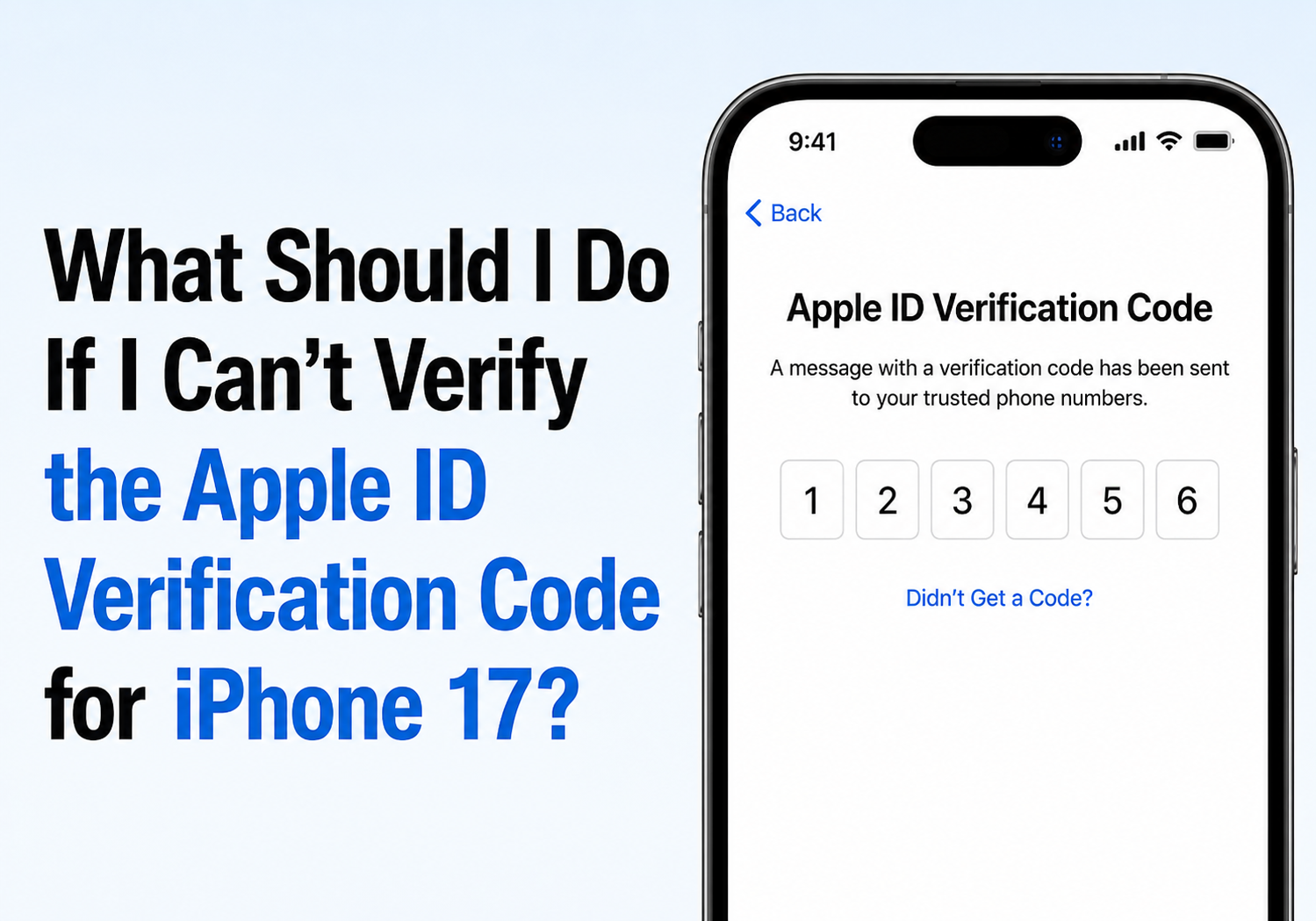
    What Should I Do If I Can’t Verify the Apple ID Verification Code on My iPhone 17?

    Brady CottonBy Brady CottonJune 22, 2026
    Facebook Twitter Pinterest LinkedIn Tumblr Email

    Apple’s two-factor authentication (2FA) system is designed to keep your Apple Account secure, but it can also become frustrating when you’re unable to receive or verify the six-digit verification code required to sign in. If you’ve recently purchased an iPhone 17, restored your device, changed phone numbers, or are setting up your Apple Account on a new device, verification issues can temporarily prevent access to iCloud, the App Store, Apple Music, and other Apple services.

    Fortunately, most Apple ID verification problems can be resolved with a few troubleshooting steps.

    Why Apple ID Verification Fails

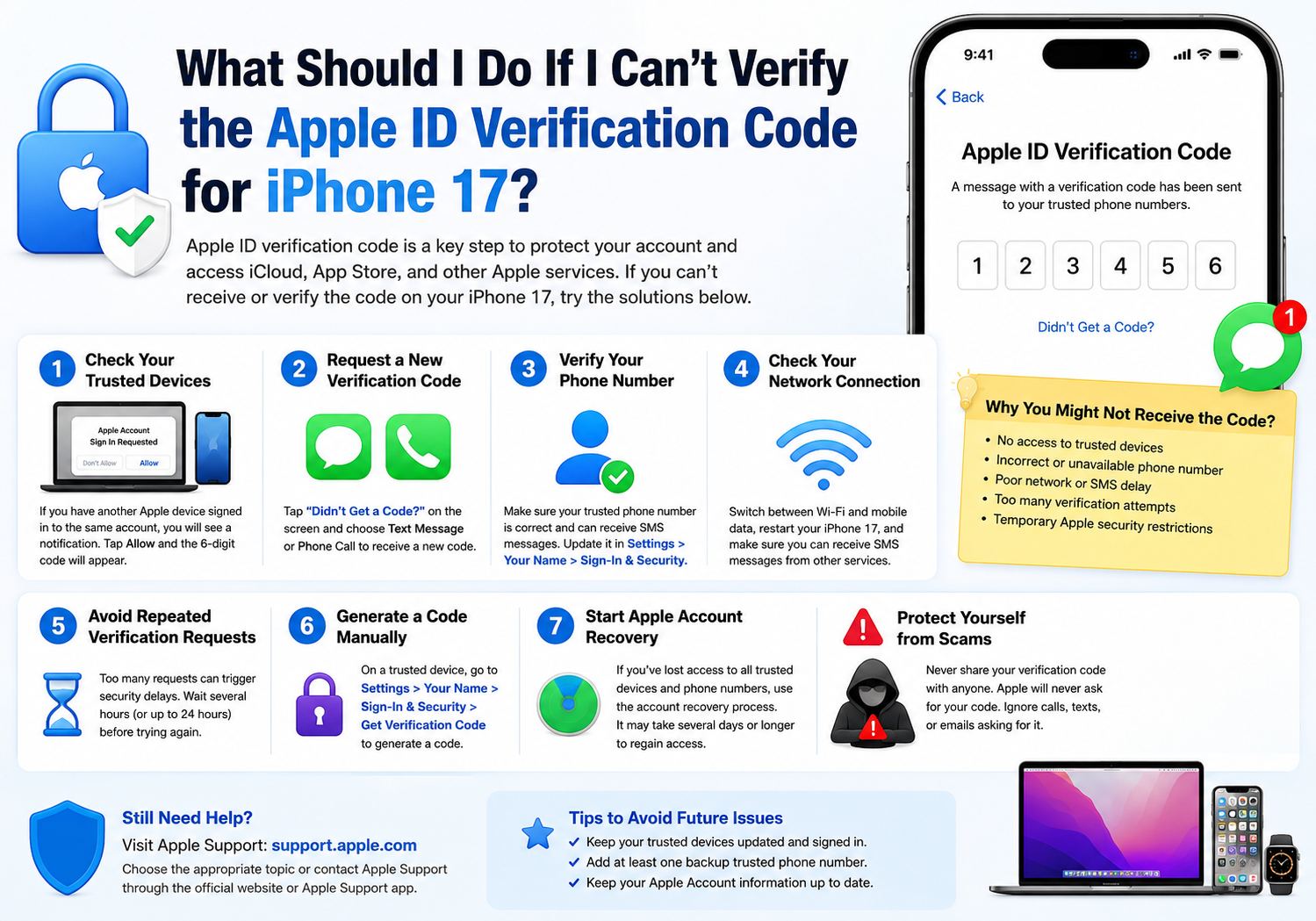
    Apple requires a verification code whenever you sign in to your Apple Account on a new device, browser, or after certain security-related changes. The code is typically sent to a trusted Apple device or a trusted phone number associated with your account. If the code cannot be delivered or verified, common causes include:

    • No access to trusted devices
    • Incorrect trusted phone number
    • Poor network connectivity
    • Delayed SMS delivery
    • Outdated Apple Account information
    • Too many verification attempts
    • Temporary Apple security restrictions

    Apple’s two-factor authentication system relies on trusted devices and trusted phone numbers to verify your identity. If either is unavailable, additional account recovery steps may be required.

    1. Check Your Trusted Devices

    If you already own another Apple device signed in to the same Apple Account, such as an iPad, Mac, or older iPhone, Apple may automatically display the verification code there.

    Look for a notification that says:

    “Apple Account Sign In Requested”

    Tap Allow, and the six-digit verification code should appear on the trusted device. Apple states that trusted devices are the primary method for receiving verification codes.

    2. Request a New Verification Code

    If no code appears automatically:

    1. On the verification screen, tap Didn’t Get a Code?
    2. Select Text Message or Phone Call.
    3. Wait for the new code to arrive.
    4. Enter the code immediately.

    Apple officially supports receiving verification codes through SMS or automated phone calls sent to trusted phone numbers.
    3. Verify Your Phone Number

    Many verification failures occur because the trusted phone number is outdated or inaccessible.

    Ask yourself:

    • Is this still the number linked to my Apple Account?
    • Can this number receive SMS messages?
    • Has the number recently changed?
    • Is roaming enabled if I’m traveling?

    Apple recommends maintaining at least one additional trusted phone number whenever possible to avoid lockouts.

    4. Check Your Network Connection

    Verification codes may not arrive if your device has connectivity problems.

    Try the following:

    • Switch between Wi-Fi and mobile data.
    • Turn Airplane Mode on and off.
    • Restart your iPhone 17.
    • Ensure your SIM card is active.
    • Confirm that SMS messages from other services are arriving normally.

    Poor connectivity is one of the most common reasons verification codes fail to arrive on time.

    5. Avoid Repeated Verification Requests

    Many users repeatedly tap “Send Code” when a message doesn’t arrive immediately. This can sometimes trigger temporary security delays.

    If you’ve requested multiple codes within a short period:

    • Stop requesting new codes.
    • Wait several hours or up to 24 hours.
    • Try again later.

    Community reports indicate that Apple’s security systems may temporarily limit verification requests after repeated attempts.

    6. Generate a Verification Code Manually

    If you still have access to another trusted Apple device, you can manually generate a verification code.

    On iPhone or iPad:

    1. Open Settings.
    2. Tap your name.
    3. Select Sign-In & Security.
    4. Tap Get Verification Code.

    This generates a fresh code directly from your trusted device. Apple includes this option specifically for situations where automatic delivery fails.

    7. Start Apple Account Recovery

    If you’ve lost access to all trusted devices and trusted phone numbers, account recovery may be your only option.

    To begin:

    1. Attempt to sign in.
    2. Select Didn’t Get a Code?
    3. Choose Can’t use this phone number.
    4. Follow Apple’s account recovery instructions.

    Apple notes that account recovery can take several days or longer depending on the information available to verify your identity. Apple Support cannot bypass or accelerate this process.

    Protect Yourself from Verification Code Scams

    If you receive an unexpected verification code, do not share it with anyone.

    Apple warns that scammers frequently impersonate Apple Support and attempt to convince users to reveal their six-digit verification codes. Apple employees will never ask for your verification code over the phone, email, or text message.

    If someone contacts you claiming to be Apple Support and requests your verification code, assume it is a scam and contact Apple directly through official channels.

    Final Thoughts

    Most Apple ID verification problems on the iPhone 17 can be resolved by checking trusted devices, confirming your trusted phone number, requesting a new code, or manually generating a verification code from another Apple device. If you’ve lost access to all verification methods, Apple’s account recovery process remains the safest way to regain access.

    To avoid future verification issues, keep multiple trusted devices connected to your Apple Account and maintain at least one backup trusted phone number. These simple precautions can save significant time and frustration when signing in to a new iPhone or recovering your account.

    Share. Facebook Twitter Pinterest LinkedIn Tumblr Email

    Related Posts

    The various bonus of using high-quality MPEG Converter

    Crypto is not an Asset, it’s a Technology

    The Skeleton Crew Advantage: Innovating Design, IT Development, Marketing, and Recruiting

    Leave A Reply Cancel Reply

    You must be logged in to post a comment.

    voopoopintch
    oxva xlim go lite
    sp2s sen x disposable vape
    • Popular
    • 3D Printer REVIEW
    • XIAOMI
    June 21, 2026

    iPlay LUMO 8K Review – A Compact Prefilled Pod Kit with Big Flavor and Everyday Convenience

    June 21, 2026

    iPlay HOOLA 150K Review – A Cloud-Chasing Giant with Music, Modes & Massive Longevity

    June 21, 2026

    Vaporesso VIBE SE 2 Review – Simple on the Outside, Surprisingly Smart on the Inside

    June 21, 2026

    VOOPOO DRAG H40 Pro Review – The Return of the Pocket Powerhouse

    December 26, 2025

    ACMER ASCARVA 4S: Precision CNC Power for Makers, DIYers & Small Workshops

    June 23, 2024

    ACMER P2 20W Laser Engraver Fixed Focus Engraving: Hands on Review

    May 30, 2024

    xTool F1 Ultra Review: World’s First 20W Fiber & 20W Diode Laser Engraver

    May 30, 2024

    Anycubic Kobra 3 Combo Review: The Multicolor Masterpiece?

    June 22, 2026

    Xiaomi 18 Pro Max camera leaks: First to feature a brand-new 200-megapixel main camera with a 1/1.28-inch large sensor + LOFIC

    June 21, 2026

    Qualcomm Snapdragon 8E6 Pro architecture leak: There are two versions. Xiaomi 18 is the global first launch.

    June 21, 2026

    Xiaomi’s top-of-the-line flagship! MIX Fold 5 to be launched in the second half of the year: First release with Xuanji O3

    June 21, 2026

    Xiaomi MI Pad 9 Standard Edition Revealed: Qualcomm Snapdragon 8s Gen4 Chip, 9720mAh Battery

    fc 26 coins
    New Arrivals
    • Reign Bar Amber 70K Disposable Vape Reign Bar Amber 70K Disposable Vape
    • Xiaomi 19T Xiaomi 19T
    • Xiaomi 19T Pro Xiaomi 19T Pro
    • Motorola Edge 80 Ultra Motorola Edge 80 Ultra
    • Olit Hookalit Nex 120K Disposable Vape Kit Olit Hookalit Nex 120K Disposable Vape Kit
    • Xiaomi 19 Xiaomi 19
    • Xiaomi 19 Pro Xiaomi 19 Pro
    • JNR Zpluse 42K+ Puffs Top-Fill Replaceable and Refillable Vape Kit JNR Zpluse 42K+ Puffs Top-Fill Replaceable and Refillable Vape Kit
    • Lost Vape Ursa Nano S 3 Pod System Kit Lost Vape Ursa Nano S 3 Pod System Kit
    About
  • Igeekphone.com provides the first global tech news and reviews about smartphone, vapes, e-cigar, smart home, 3D printers, e-bike,tablets, RC drones, VR headset, and other accessories. It's the best platform to improve your brand and product.
  • Contact us: info@igeekphone.com
  • Check Our Privacy Policy Here.
  • Note: *Right now we have US editor and EU editors for review, especially for Amazon US and EU.
  • *Shop and Compare Price Here*
  • Facebook
  • Youtube
  • Mashable is a global, multi-platform media and entertainment company

    For more queries and news contact us on this

    Email: info@mashablepartners.com

  • OUR BEST VAPE PARTNERS
  • VAPE ONLINE STORE
  • HAYATI PRO MAX PLUS
  • VAPORESSO
  • VOOPOO
  • OXVA
  • NEXA
  • MASKKING
  • SP2S
  • IPLAY
  • TODOO
  • OTHER BEST PARTNERS
  • SVBONY
  • Chuwi
  • Blackview
  • Fossibot
  • Unihertz
  • Flsun
  • Anycubic
  • Xtool
  • Oukitel
  • Mukkpet Ebike
  • Ugreen
  • Copyright © 2026 igeekphone

    Type above and press Enter to search. Press Esc to cancel.