Facebook Twitter Instagram
    Trending
    • The Most Cost-Effective Choice for 100K Puffs: MASKKING EXTRE 100K
    • ANNUAL AWARD: Best Prefilled Pod System for Compatibility 2026: SP2S ZUOS
    • ANNUAL AWARD: Best Leak-Resistant Refillable Pod System 2026: SP2S SEN X
    • TOP Refillable & Relaceable Pod Vape 80K in 2026: VOOPOO NAVIxCyph
    • Annual Award: TOP SUB-OHM MESH TANK WITH LARGE CAPACITY 2026: VOOPOO UFORCE-X TANK II
    • Red Magic Gaming Tablet 5 Pro to Make Debut in June: Advanced Cooling Technology, Transparent Flat Design
    • Red Magic 11S Pro series of mobile phones Released with Snapdragon 8 Supreme Edition starting from 5,499 yuan
    • How to Stop Vape Coils from Burning Fast: 9 Easy Solutions
    Facebook YouTube
    IGeeKphone China Phone, Tablet PC, VR, RC Drone News, Reviews
    • HOME
      • NEWS
        • DeepSeek
        • ChatGPT
        • Minecraft
    • Amazon
    • PHONE
      • Top Phones For Your First Choice
      • Phone Comparison
      • Xiaomi
      • Blackview
      • Doogee
      • Black Shark
      • Geekbuying
      • Banggood
      • TEMU
      • TikTok
      • Aliexpress
      • Walmart
      • MercadoLibre
      • Lazada
    • TOP VAPE Awards for 2026
    • VAPES
      • E-CIGAR Upcoming
      • Vape News
      • Vape Deals
      • Vape Comparison
      • Vape Guide
      • Giveaway
    • BEST VAPE
      • Best Vape Stores
      • Best Starter Vape Kits
      • Best Vapes for Beginners
      • Best Disposable Vapes
      • Best Pod Systems
      • Best Pod Mod Vapes
      • Best Mods
      • Best Nicotine Pouches
      • Best Clearomizers/Tanks
      • Best E-Liquid
      • Best EGO/Pens
      • Best Vapes for Nic Salt E-Juice
      • Best Vapes to Quit Smoking
      • RDA vs. RDTA vs. RTA
    • Best Vape Brand 2026
      • VAPORESSO
      • VOOPOO
      • OXVA
      • NEXA BAR
      • MASKKING VAPE
      • SP2S
      • IPLAY
      • TODOO
      • MRFOG
      • LOSTVAPE
      • VEIIK
    • REVIEW
      • E-cigar Review
      • Phones
      • Tablet PC
      • TV Box
      • RC Drone
      • Wearables
      • Camera
      • Accessories
      • VR Headset
    • MORE
      • TABLET
        • Chuwi
        • INNOCN
        • Teclast
        • Top Tablet for Your First Choice
        • Tablet/Laptop Comparison
      • RC DRONE
      • CAMERA
      • WEARABLES
        • OneOdio
        • BlitzWolf
        • Top Smartwatch for First Choice
      • 3D PRINTER
        • 3D Printer Review
        • Anycubic
        • FLSUN
        • Xtool
        • LONGER
        • Top 3D printer to Choose First
      • POWER STATION
        • Oukitel
        • FOSSIBOT
      • GAMING
        • Top Gaming Products
      • E-BIKE
        • Samebike
        • Happyrun
        • ENGWE
      • SMART HOME
      • TV BOX
      • ACCESSORIES
      • VR HEADSET
      • CLOTHES
      • AUTO CAR
    • DEAL
    • VAPE LAWS
    • Shop
    IGeeKphone China Phone, Tablet PC, VR, RC Drone News, Reviews
    You are at:Home»REVIEWS»Accessories»Xiaomi BE3600 Pro Review: The Affordable, High-Performance Wi-Fi 7 Router
    Accessories

    Xiaomi BE3600 Pro Review: The Affordable, High-Performance Wi-Fi 7 Router

    Habib QaziBy Habib QaziNovember 17, 2024
    Facebook Twitter Pinterest LinkedIn Tumblr Email

    Xiaomi has introduced its BE3600 Pro Wi-Fi 7 whole-home router set, joining the growing market of Wi-Fi 7 routers. Leveraging over a decade of technological innovation and strong customer support, Xiaomi aims to lead the Wi-Fi 7 era by prioritizing user-friendly, high-performance router products.
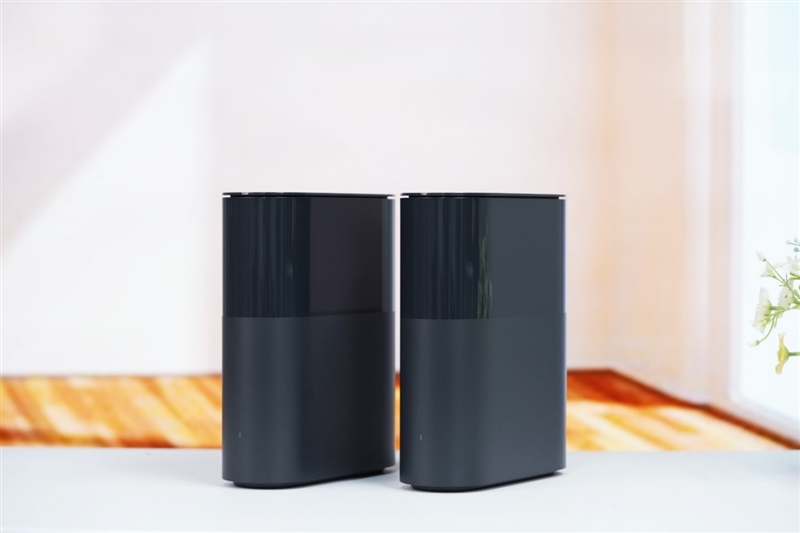
    The BE3600 Pro router set not only features the latest Wi-Fi 7 but also integrates smart home functionality. Setting up a MESH network requires only a few simple steps, eliminating the need for complicated configurations.

    This router set supports factory pairing, automatic networking, central and Bluetooth gateway functions, and Xiaomi’s Hyper Smart Connection, enhancing smart home control and convenience.

    Unlike many bundled routers, the BE3600 Pro set includes a main router and a sub-router with distinct hardware differences, requiring users to note their specific roles during setup.
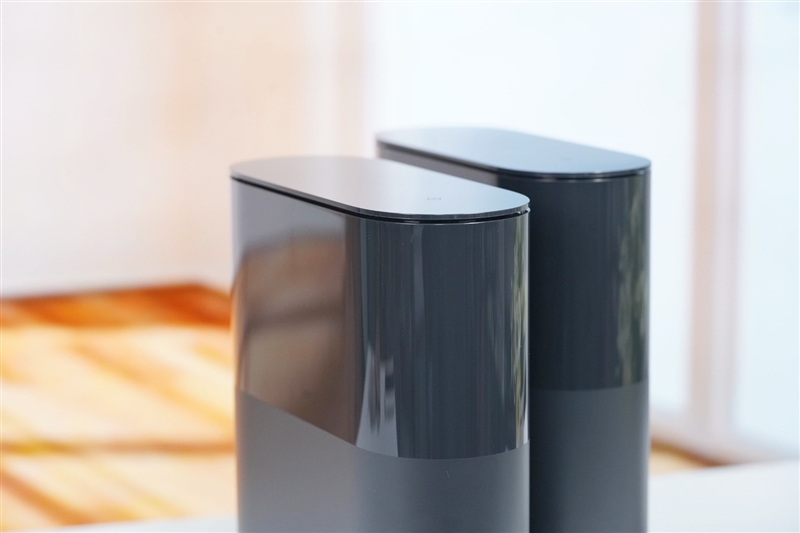
    In terms of specifications, both routers in the BE3600 Pro set offer advanced features, including Qualcomm’s QCN6402 quad-core processor, 512MB of memory, and full Wi-Fi 7 protocol support. The 5GHz band provides 2×2 MIMO with up to 2882 Mbps theoretical bandwidth, while the 2.4GHz band also supports 2×2 MIMO, reaching up to 688 Mbps. Additionally, the router offers four RJ45 ports—one 2.5G and three 1G.

    The BE3600 Pro set supports MLO multi-band connection, as well as other key Wi-Fi 7 technologies, such as Multi-RU, enhanced OFDMA, Beamforming, BSS Coloring, WPA3, and IPv6. It also includes a central gateway, similar to the Xiaomi BE6500 Pro, allowing users to control Mi devices locally even when the internet is down. With an integrated Bluetooth gateway, the router can manage Bluetooth-only Mi devices seamlessly.

    Here is the detailed configuration for Xiaomi’s BE3600 Pro whole-home router set:
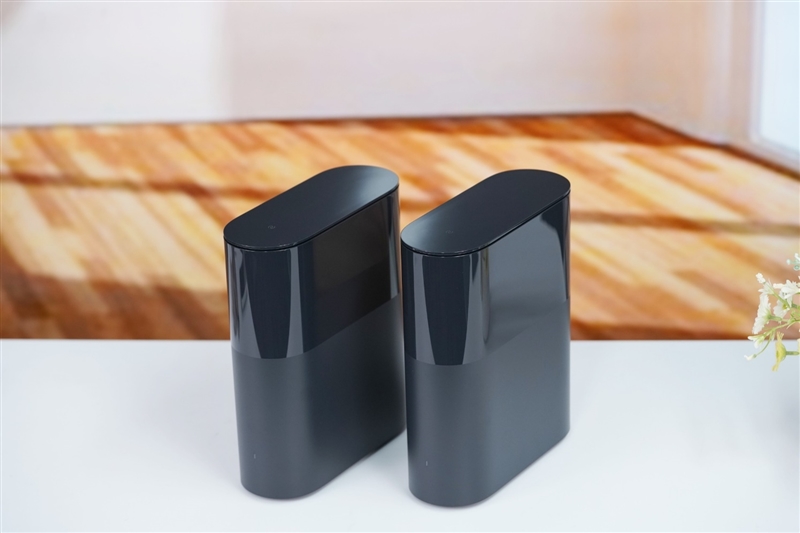
    Appearance: Xiaomi honors the classic design of its first-generation router with the BE3600 Pro whole-home router, featuring a rounded shape and a discreet antenna layout. The router set uses a black casing with a zero-degree draft process, achieving a refined semi-gloss and semi-matte surface that seamlessly fits into home decor.

    Both routers in the BE3600 Pro set appear identical at a glance, but it’s essential to distinguish the main router from the secondary one. During setup, users should configure the main router first, then connect the secondary router, automatically synchronizing and establishing a MESH network without manual adjustment.

    Rubber feet and heat dissipation vents line the base, but only the main router supports the central gateway, reflecting subtle differences in hardware configurations between the two units. Narrow ventilation slots along the top edge help prevent dust buildup.
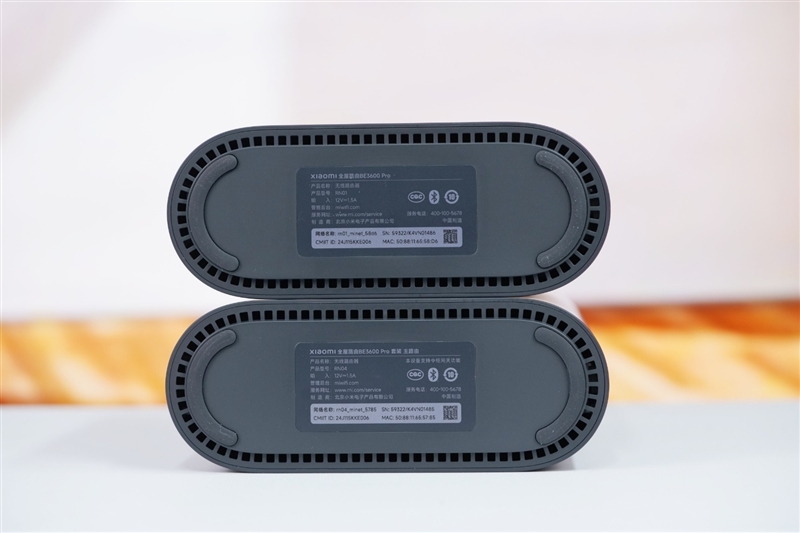
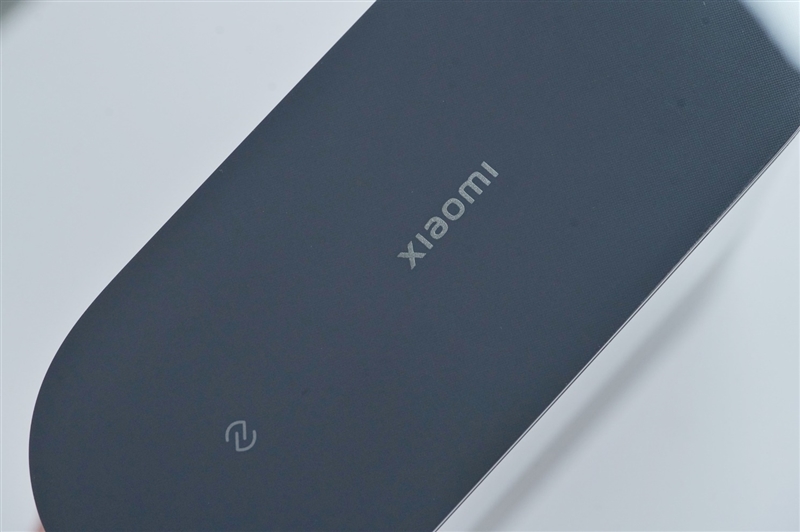
    The top of each router displays a Xiaomi logo and an NFC quick-connect symbol. With NFC on both units, users can conveniently tap to connect nearby devices, eliminating the need to access the main router when adding new devices.
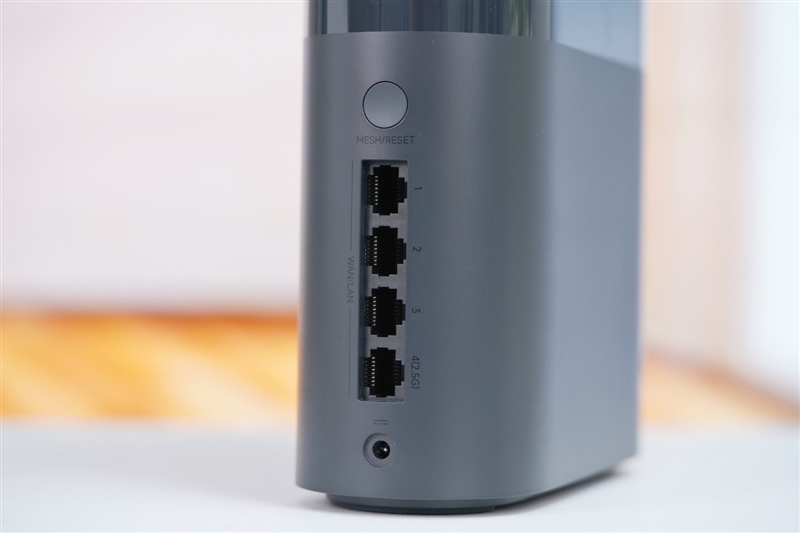
    The back panel includes a MESH/RESET button and four RJ-45 network ports. Port No. 4 supports 2.5G speeds, while the first three are standard Gigabit ports. The power jack sits at the bottom.

    The package includes two identical power adapters and an Ethernet cable, simplifying the connection between the router and the optical modem.
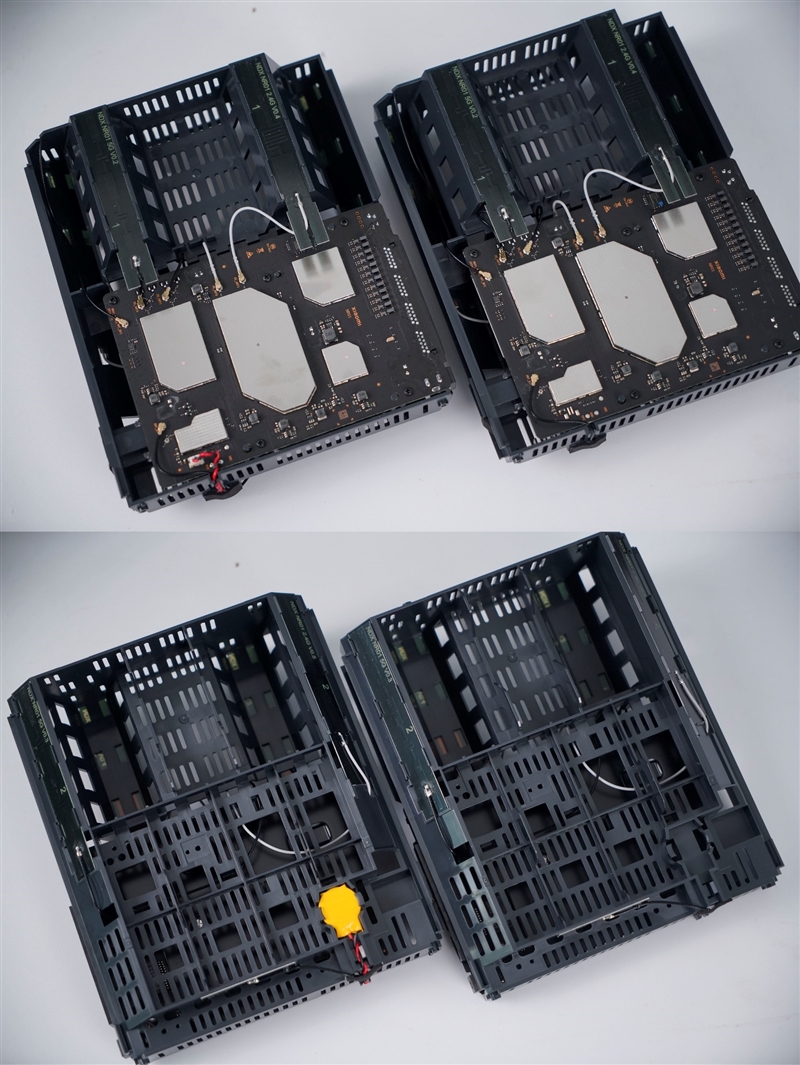
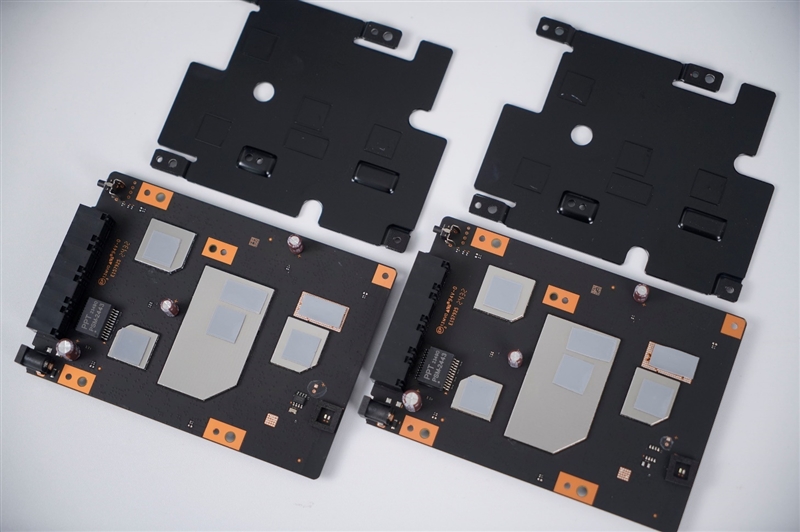
    Inside, both routers share similar structures, though the main router requires an internal battery to support its central gateway function. The primary components are located in the lower half, with hidden Wi-Fi antennas positioned in the upper half. The cross-configuration of two 5GHz and two 2.4GHz antennas provides comprehensive signal coverage.

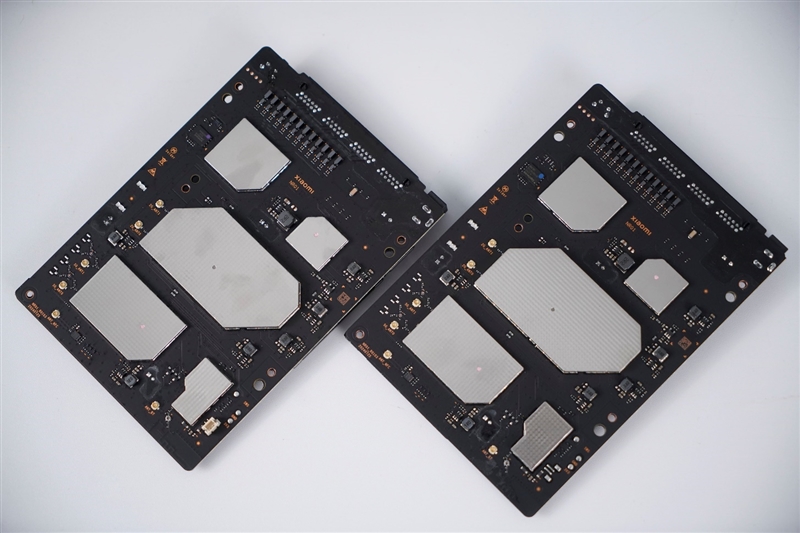
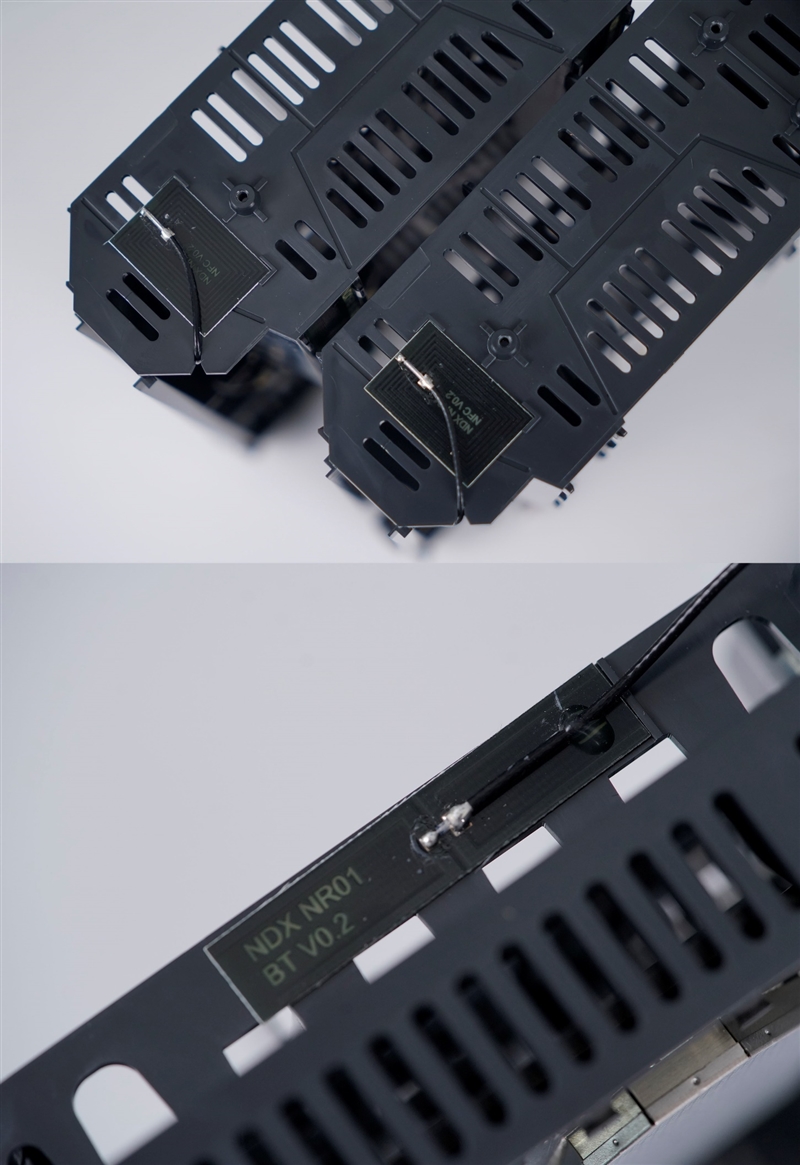
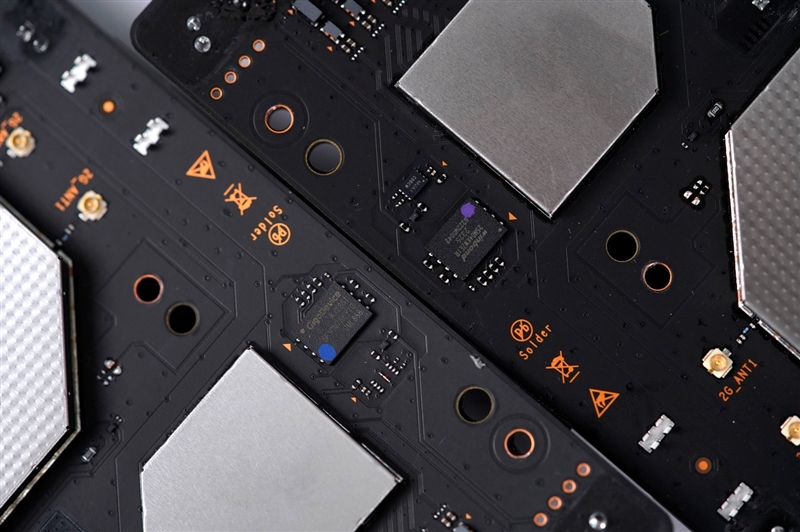
    The routers feature identical NFC and Bluetooth antennas. The motherboard is well-designed, with main chips protected by metal shielding covers. On the back, a large black aluminum heat sink aids cooling, covering additional shielding for heat dissipation.
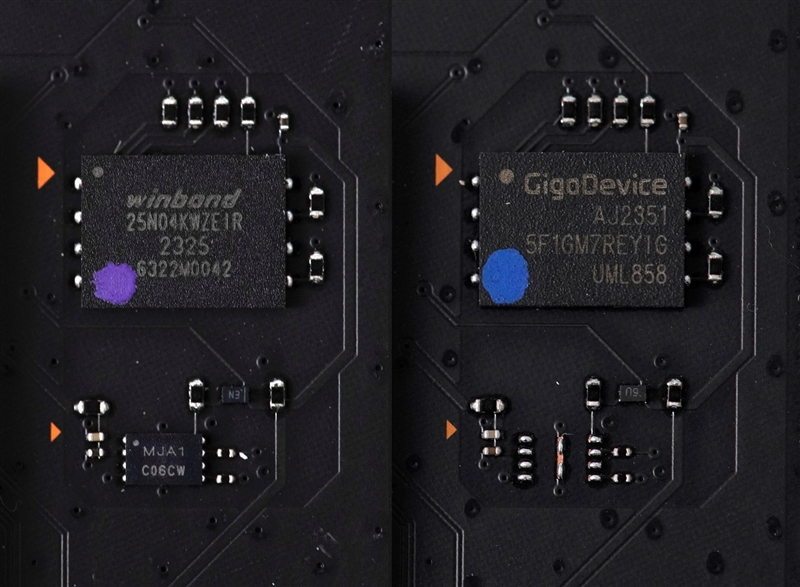
    Distinct chips are visible on the main and secondary routers; the main unit includes an MJA1 C06CW chip, likely dedicated to the Mijia central gateway function. The main router uses a 512MB Winbond NAND flash memory chip, while the secondary router uses a 128MB GigaDevice NAND chip, as per Xiaomi’s specifications. The main router’s larger storage capacity supports its central gateway role, allowing it to manage multiple Mijia smart devices simultaneously.

    User experience

    User Experience

    1. Seamless MESH Network Setup

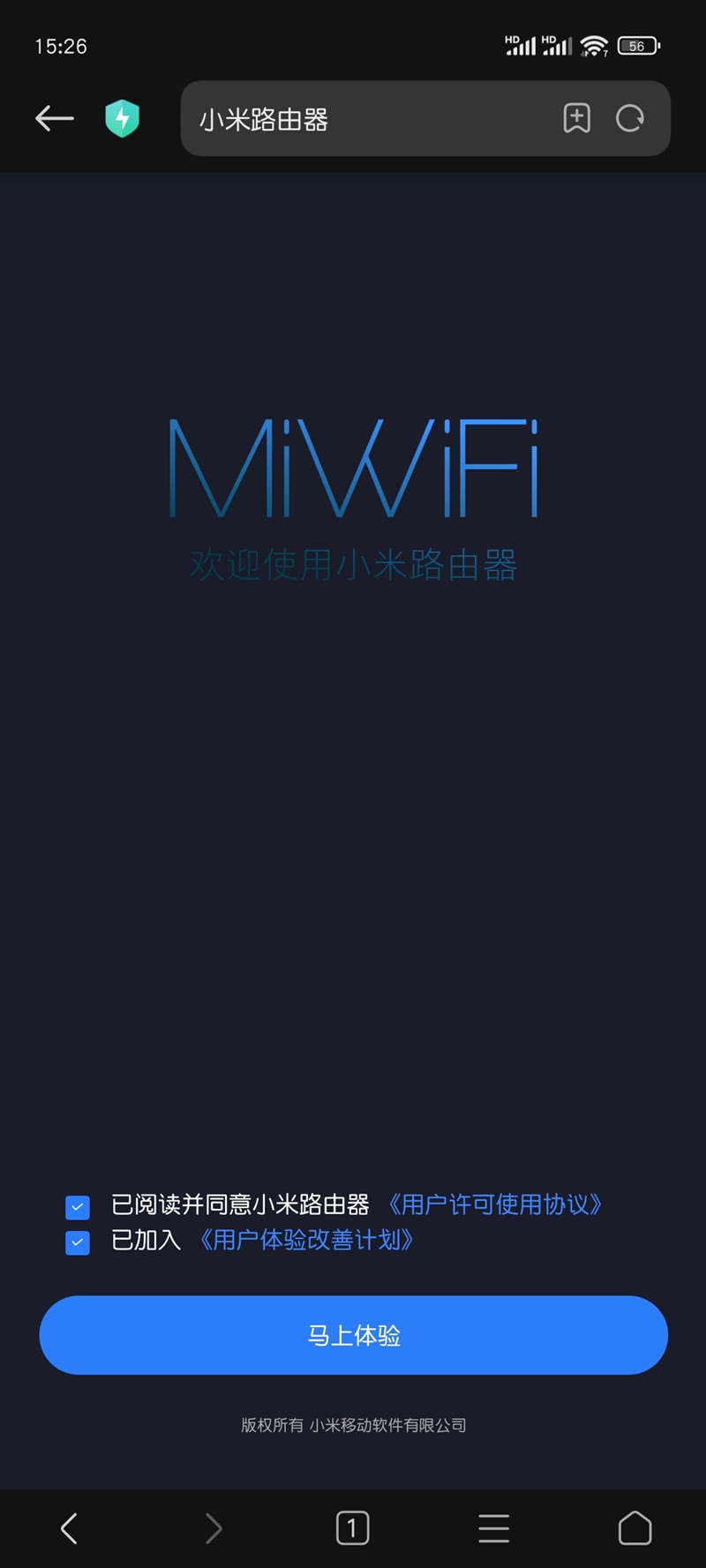
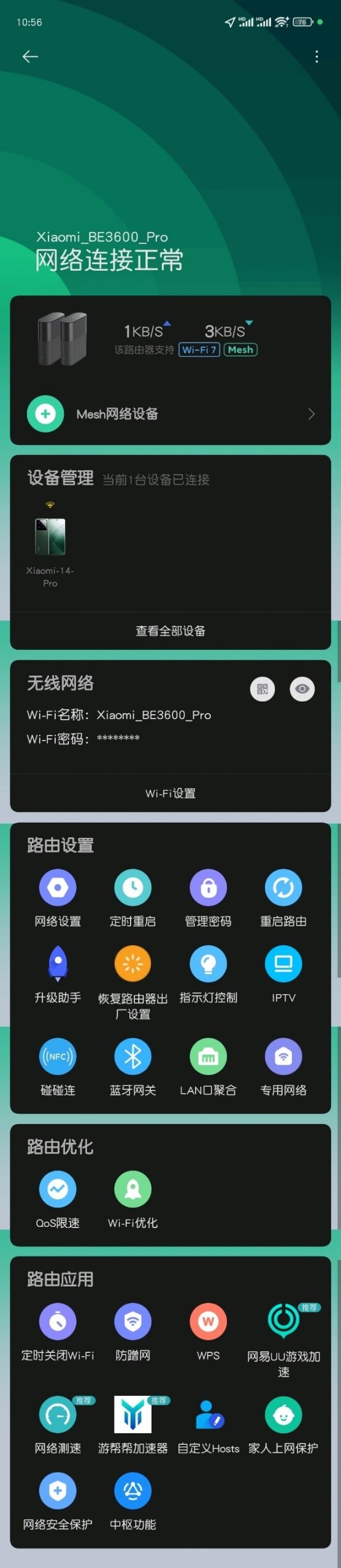
    To set up the Xiaomi Family Router BE3600 Pro MESH network, simply power on the main router and connect it to the optical modem. Once connected, a new Wi-Fi network appears in the phone’s Wi-Fi list. After selecting it, you’ll be directed to the Xiaomi router control page for setup. You can easily add additional devices through the Mi Home app without needing a computer. Then, power on the sub-router, which will automatically connect to the main router. In complex environments, such as buildings with multiple overlapping Wi-Fi signals, simply click to confirm connection if needed.
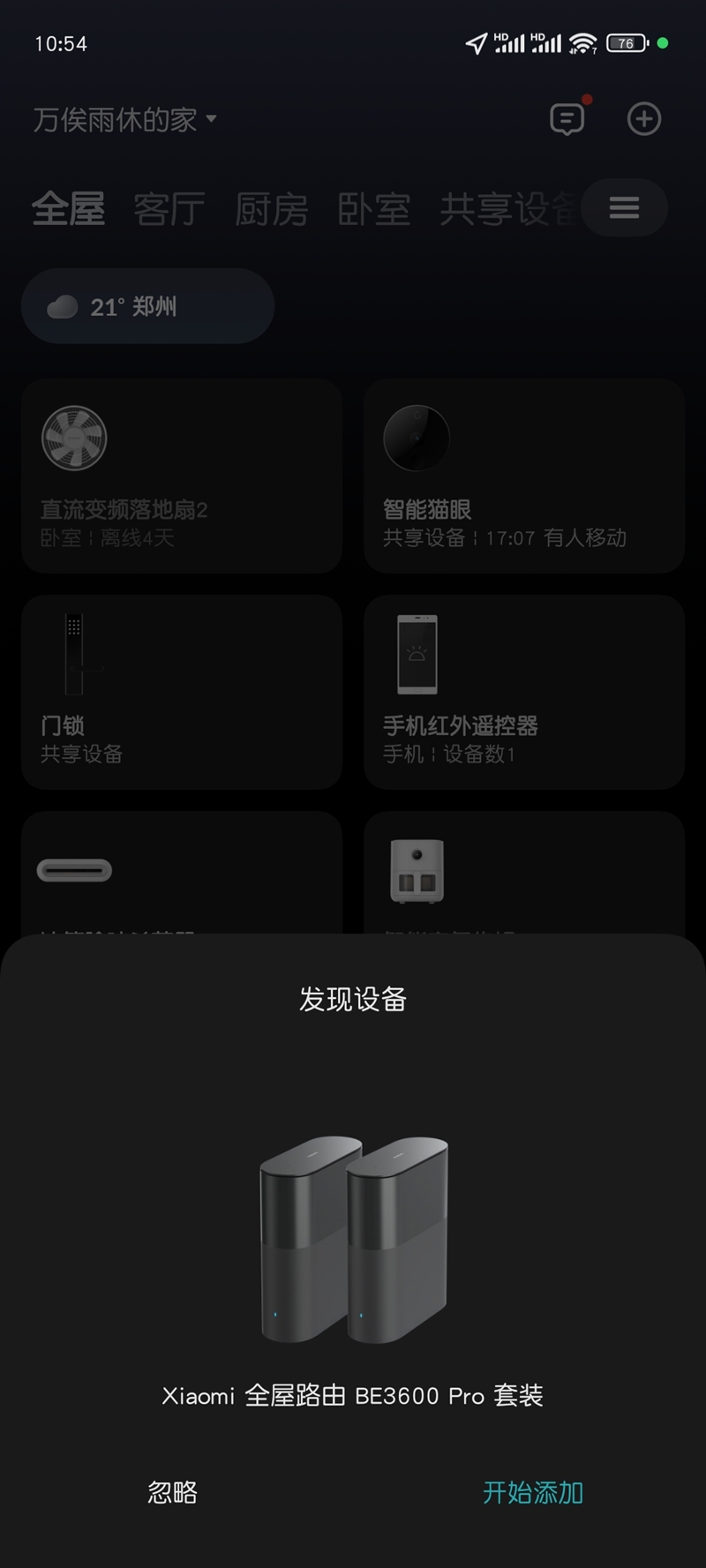
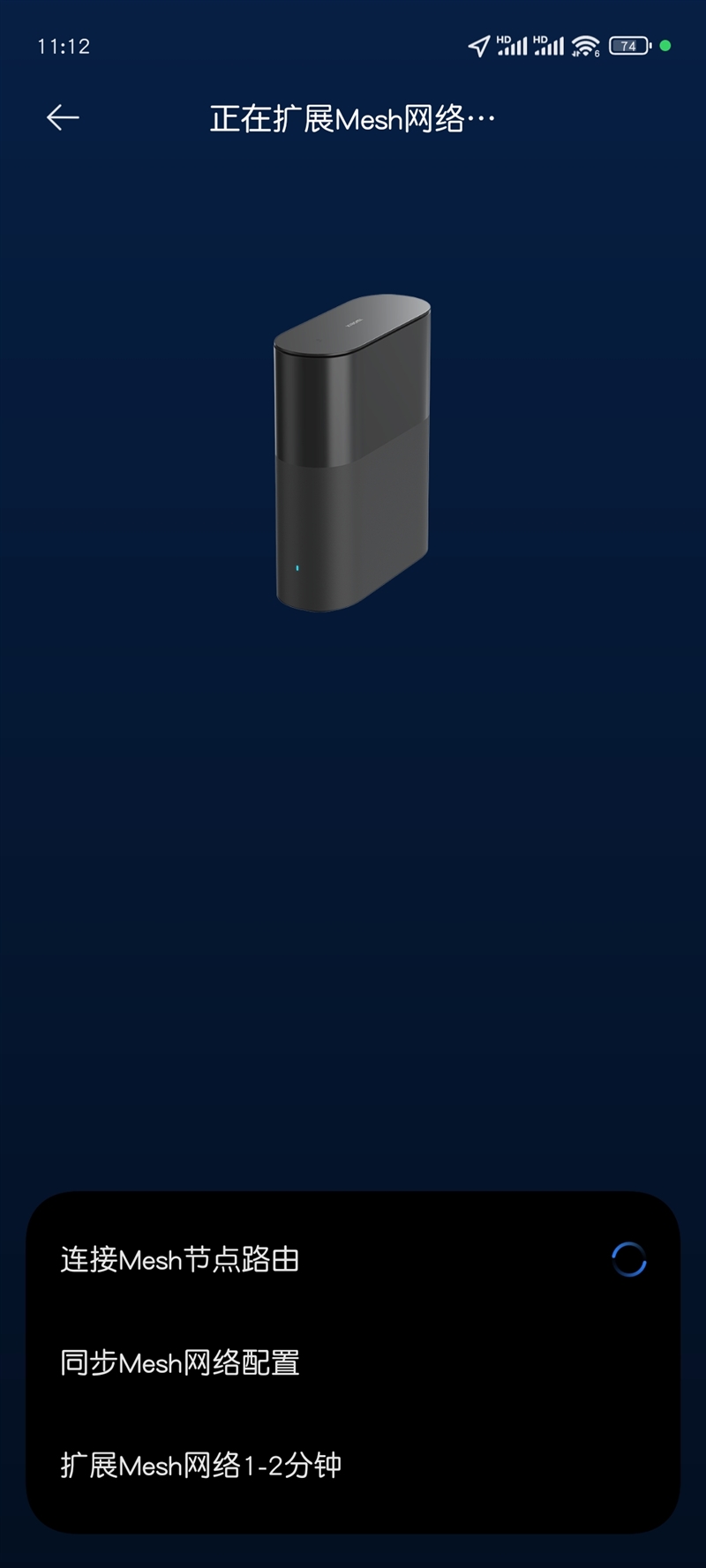
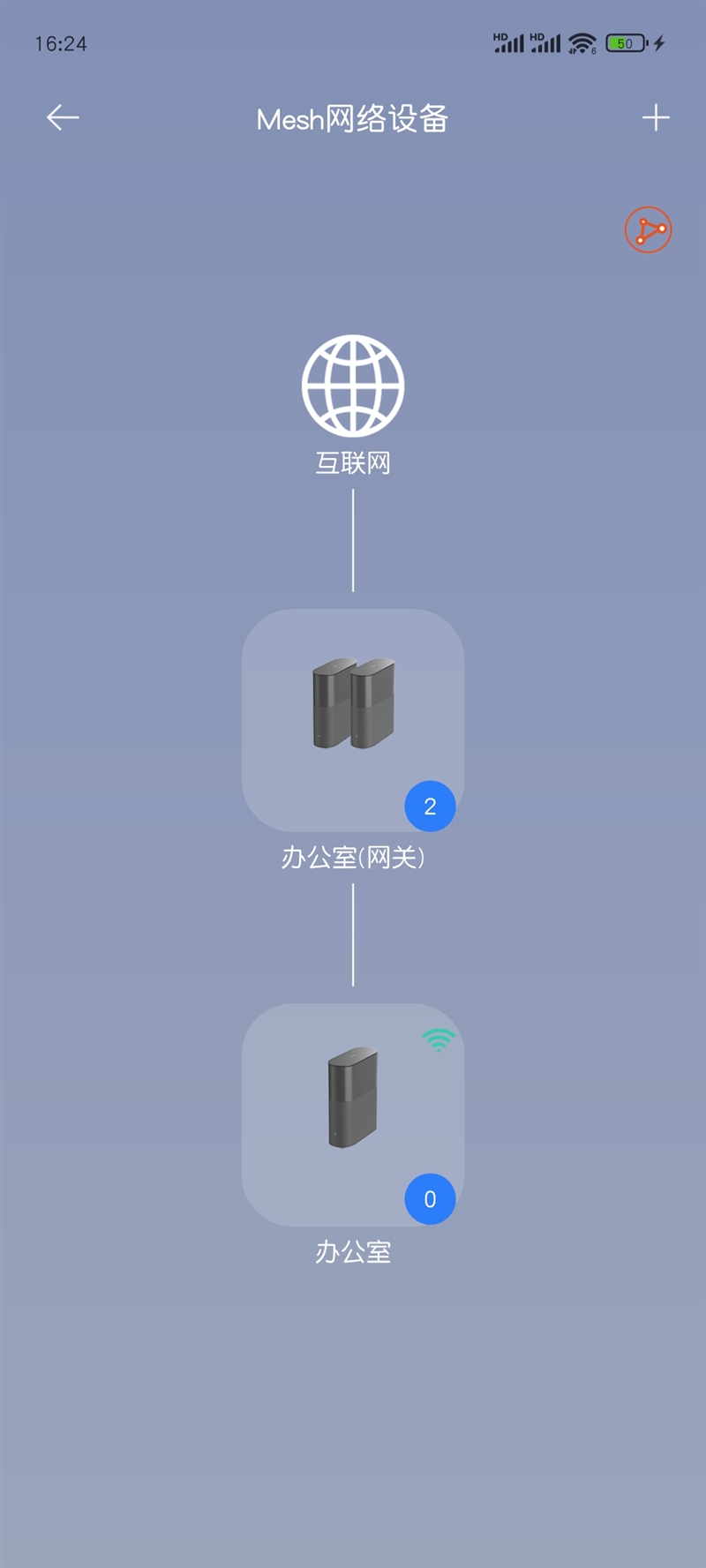
    The MESH setup process is intuitive and smooth, eliminating the need for extensive technical knowledge. The mobile network display confirms a Wi-Fi 7 protocol connection, and enabling “dual WLAN acceleration” in Wi-Fi settings allows Xiaomi phones to utilize MLO dual-band simultaneous connections effortlessly.

    1. Speed Test: Gigabit Broadband Limitations
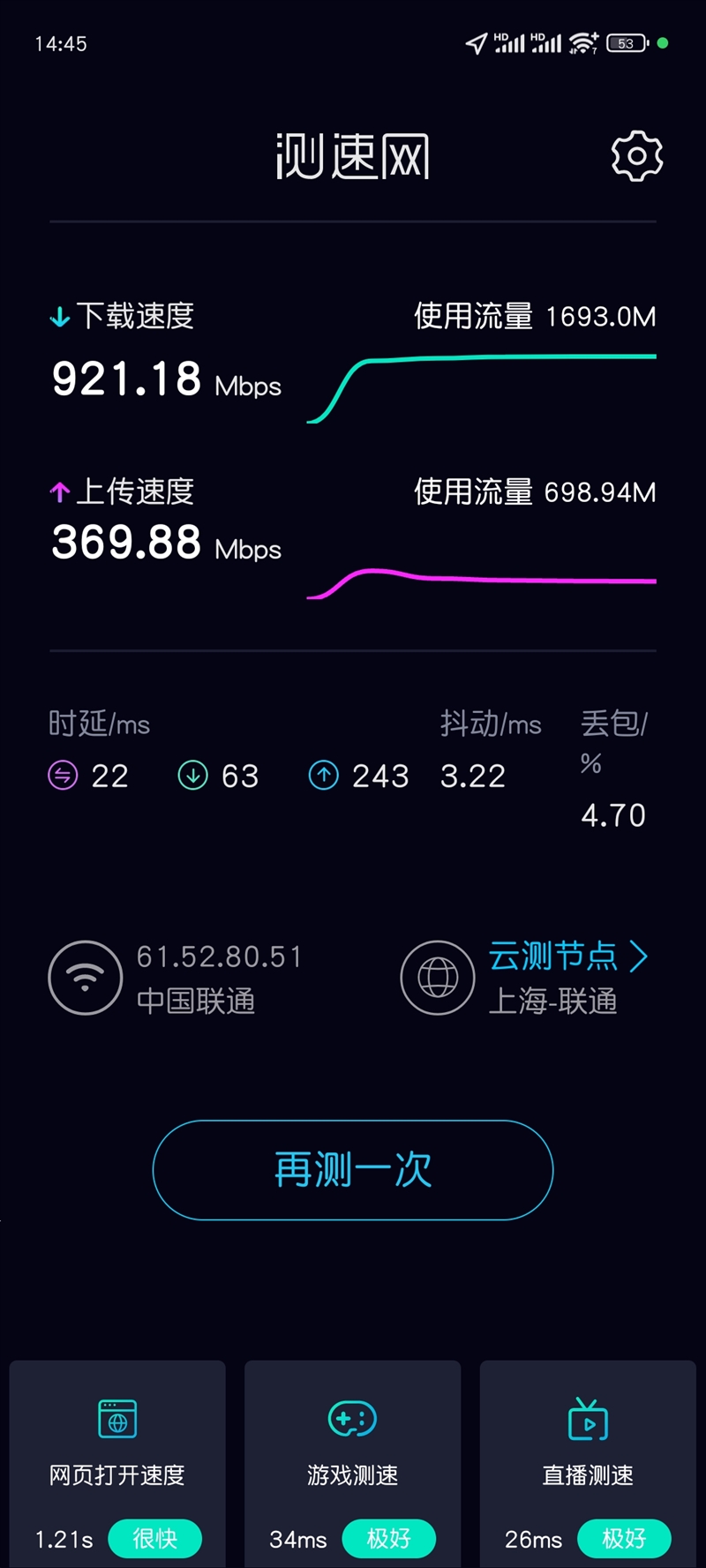
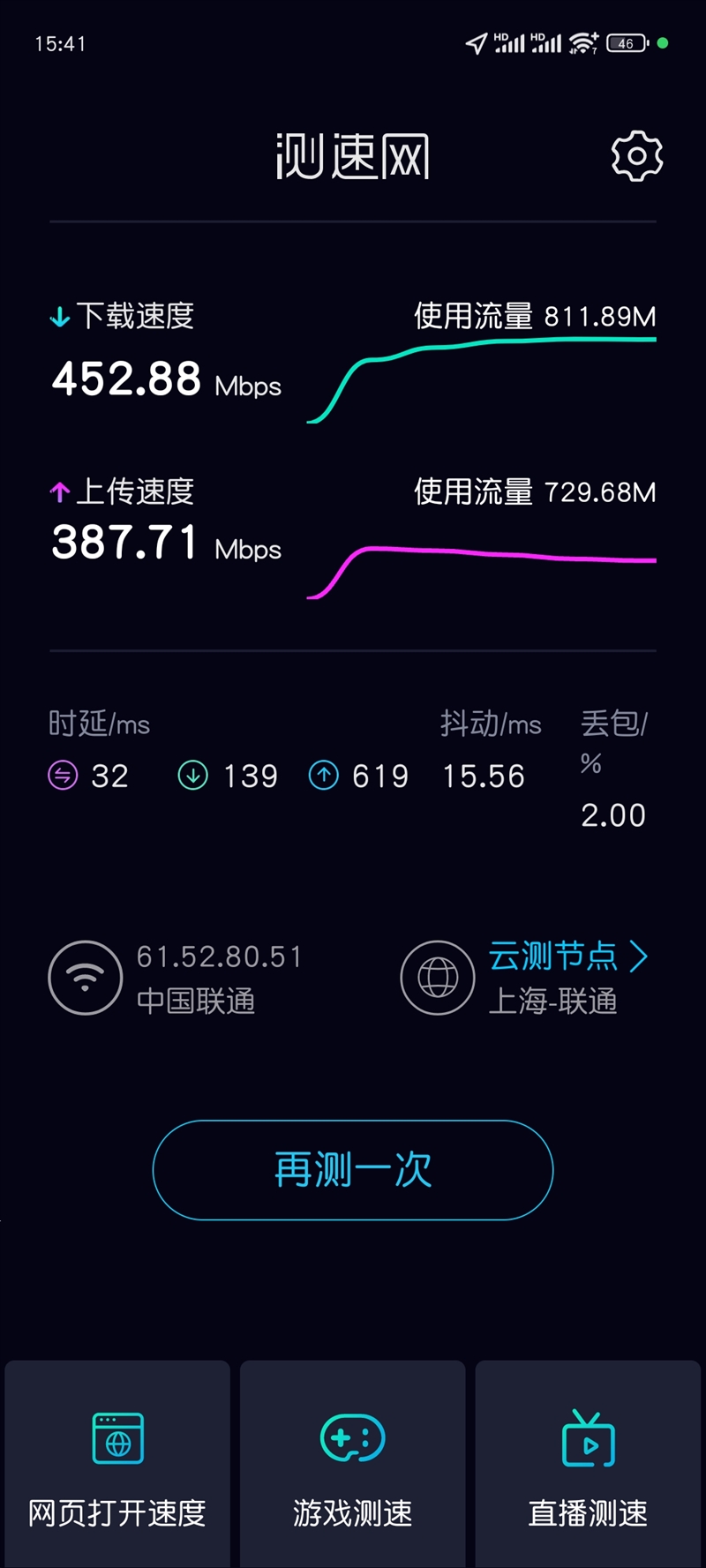
    During testing, the main router was placed by the optical modem, with the sub-router positioned about 13 meters away. Despite plasterboard partitions, several computers, and office clutter, the speed test showed impressive results. Standing two meters from the main router yielded a speed over 900 Mbps, almost maxing out gigabit broadband capacity, though this is well below Wi-Fi 7’s theoretical 2880 Mbps.
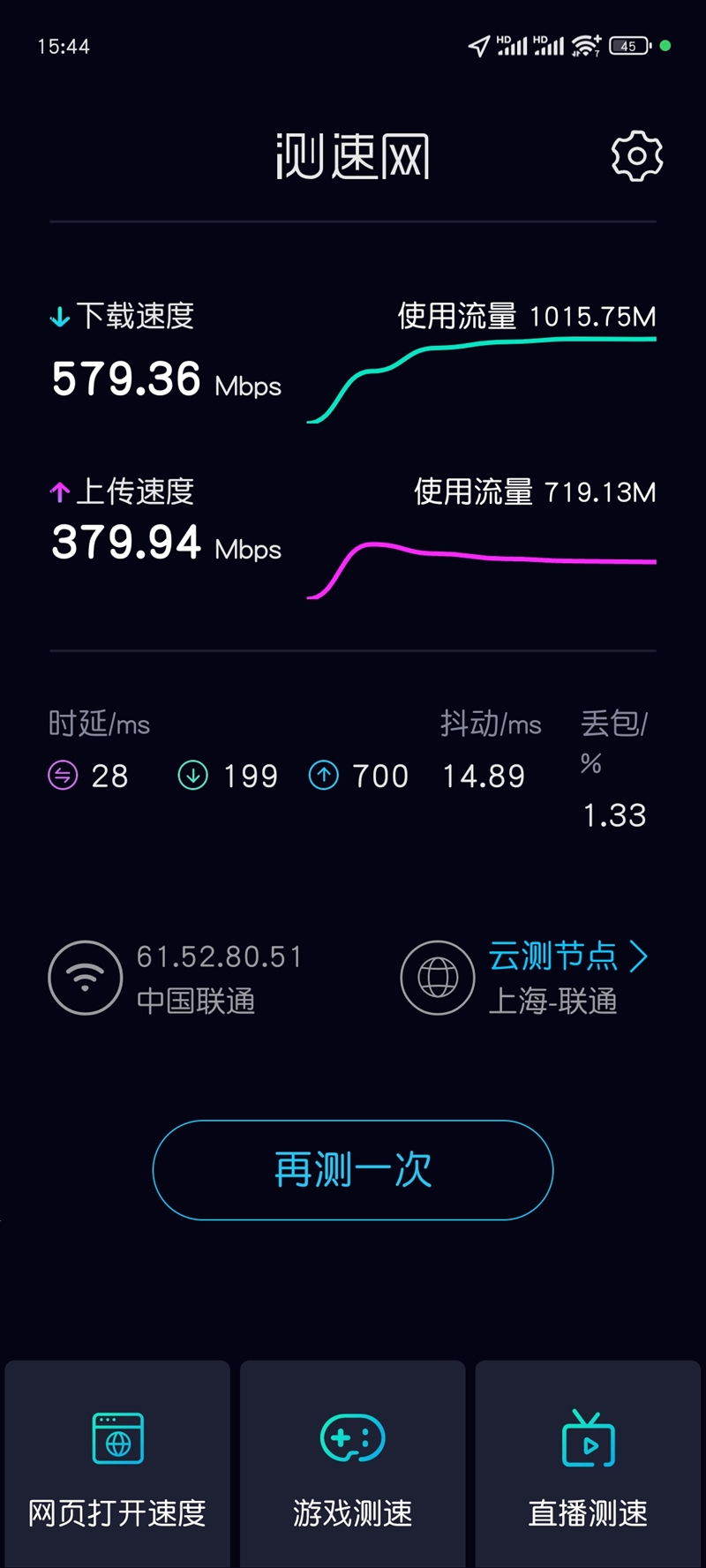
    Testing mid-distance between the two routers, about 6-7 meters apart, produced slightly inconsistent results due to obstructions, with the median speed falling near expectations after multiple measurements. At the sub-router location, two meters away and unobstructed, the speed was slightly lower due to the bandwidth used by the wireless MESH backhaul. For better bandwidth, consider connecting the sub-router via a wired connection.

    1. Signal Stability: Effortless Automatic Roaming
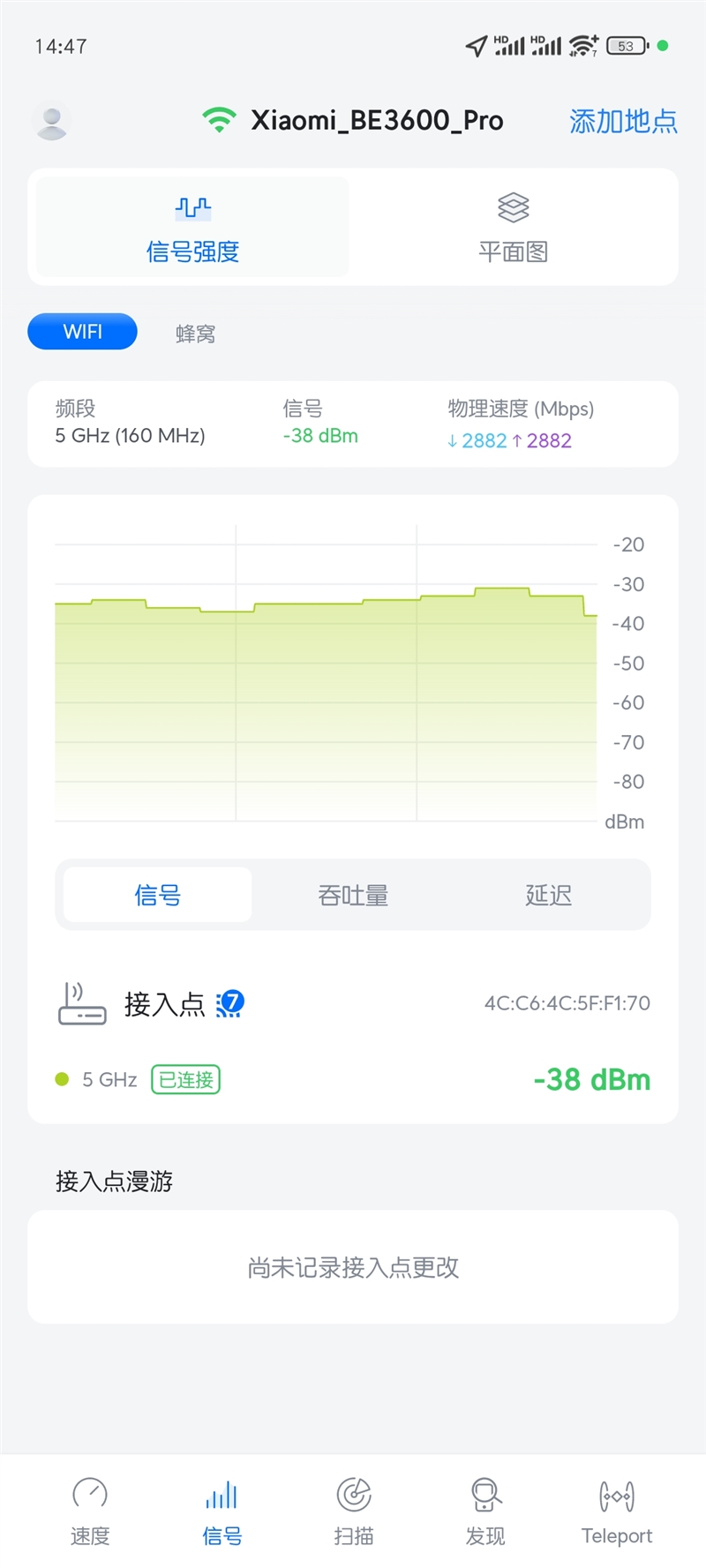
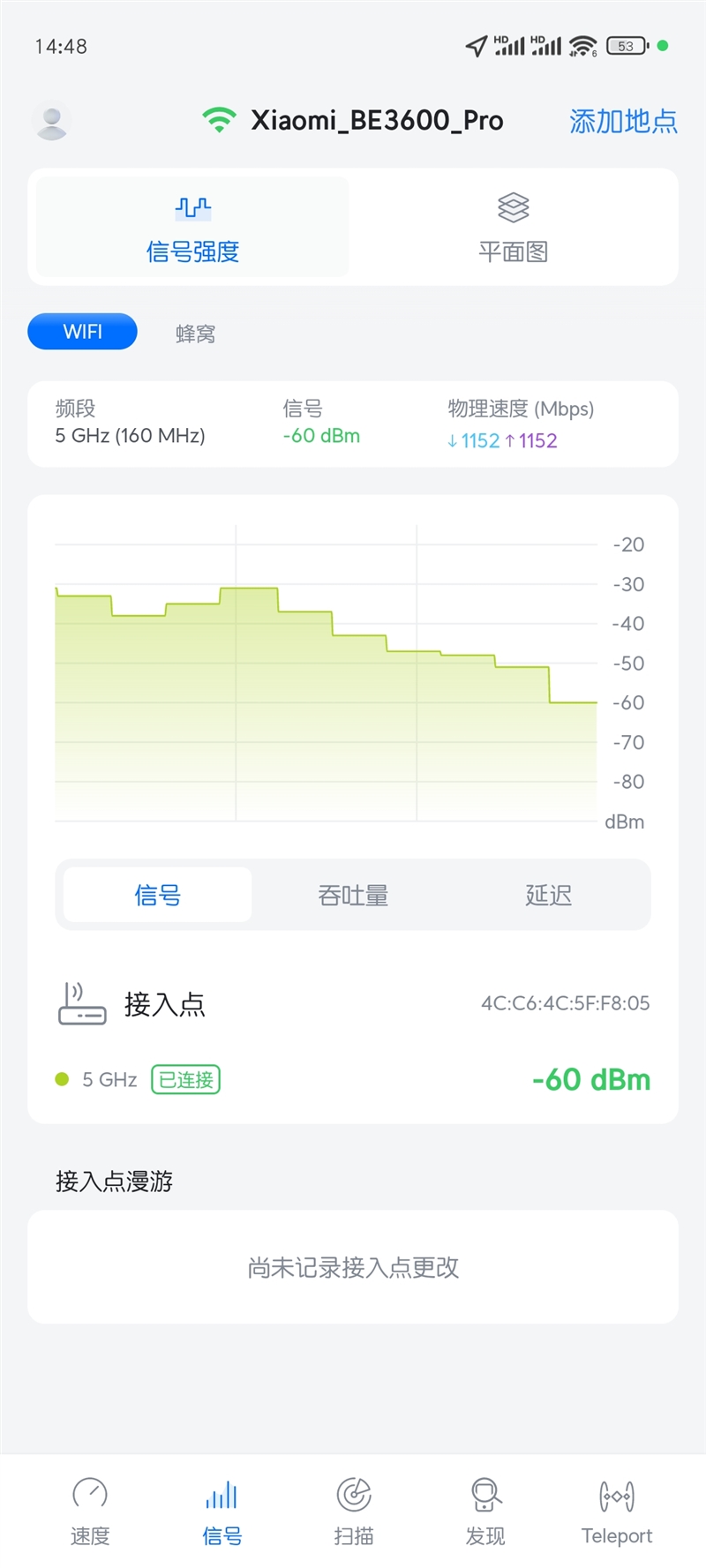
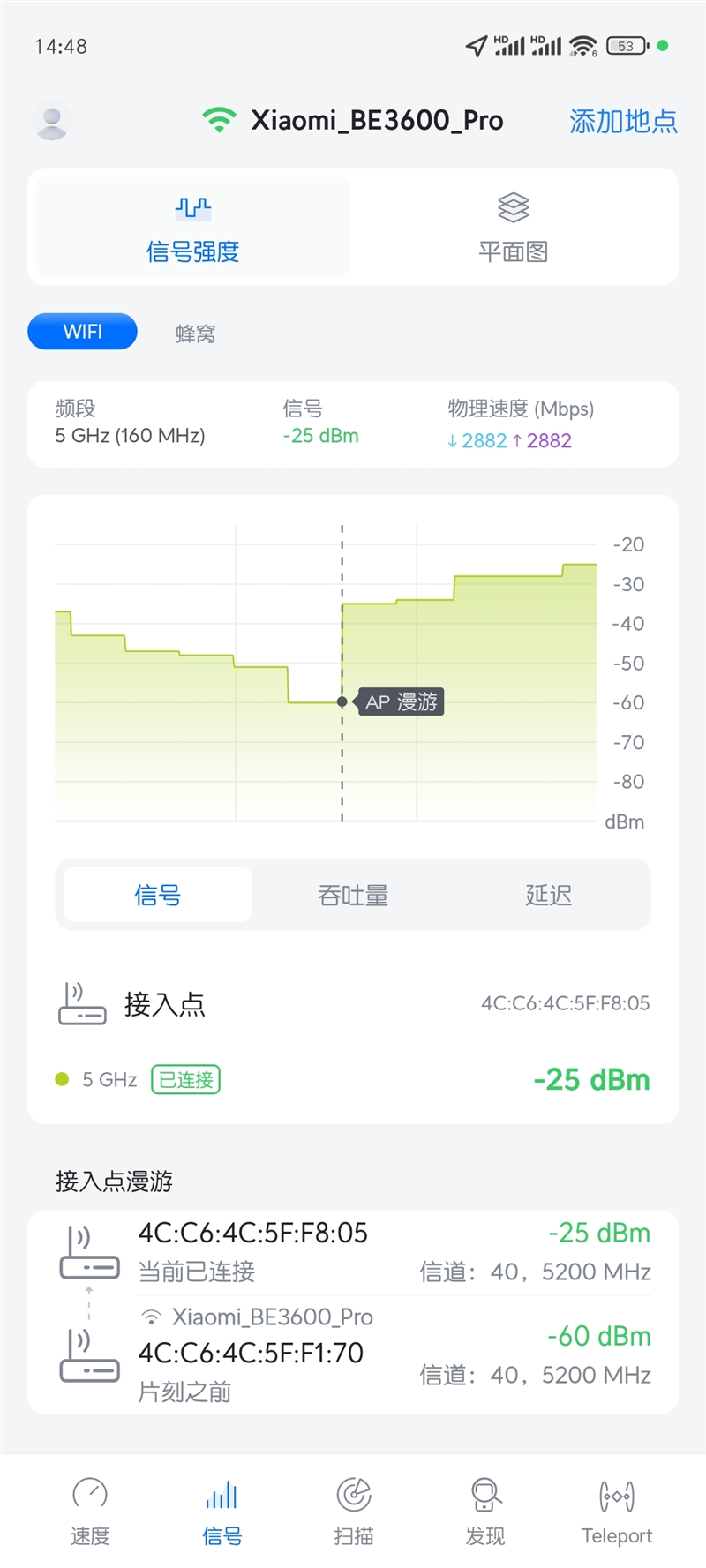
    Signal strength near the main router registered a strong -30 dBm. As distance increased and obstructions accumulated, the signal dropped to around -60 dBm midway between the routers. Moving closer to the sub-router, the signal improved significantly as the connection seamlessly transitioned to the sub-router’s 5GHz band. This automatic roaming was smooth, with no noticeable interruptions.

    At the sub-router, the signal measured at -25 dBm. Returning toward the main router, the device roamed only when the signal dipped to -60 dBm, preventing frequent, disruptive switching between routers. This MESH setup provides reliable coverage across large spaces, up to approximately 180 square meters.

    1. Central Gateway: Enhanced Automation with Room for Improvement
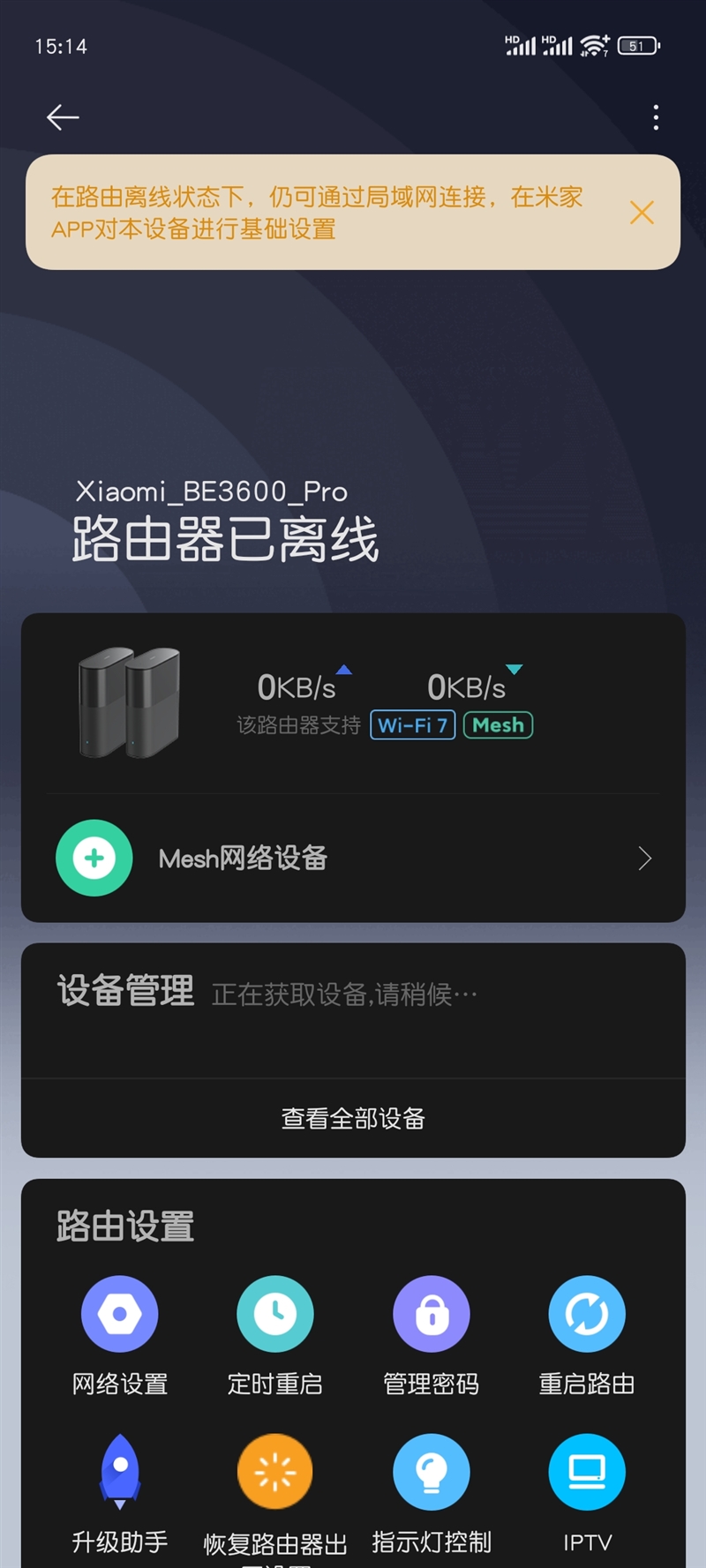
    The Xiaomi BE3600 Pro includes a Mi Hub Gateway, enabling control of smart home devices even offline. However, this feature currently requires a computer browser for access, with no direct control via the mobile app.

    By logging into the central gateway with a one-time code in a browser, users can create automated routines. For instance, I set the router indicator light to turn on when my phone is connected to the network. With enough Mi smart devices, this automation tool could unlock impressive functionality.

    Although the drag-and-drop automation setup is user-friendly, some technical terminology, like “variables,” might be challenging for non-programmers. Adding in-app tutorials or examples would make automation more accessible. For now, users with programming experience may lead the way in sharing scripts and setups to help others explore the automation features.

    Verdict

    The router, now a central device for smart homes, serves as the hub for family networks and smart devices alike. As a prominent brand in smart home products, Xiaomi has designed its routers to seamlessly integrate into these ecosystems.

    The Xiaomi Router BE3600 Pro set exemplifies this integration. Like other Xiaomi products, it is user-friendly and automatically configures the MESH network, removing many technical steps. Users can easily set it up without needing help from friends or technicians, making the advantages of technology accessible to a wider audience.

    Additionally, this router set realizes the vision of a “smart home hub.” With a built-in central gateway, the network can still manage and control home devices even if fiber or internet connections fail. It includes a Bluetooth gateway, allowing devices like the Mi Thermometer to connect directly for unified management.

    Both the main and sub-routers support NFC one-touch access. Xiaomi Quick Connect enables all Xiaomi smart devices to connect to the network with a single click, making smart home setup more convenient than ever. The system is designed for ease, lowering the barrier for adopting smart home technology.

    Beyond ease of use, the Xiaomi BE3600 Pro set also enhances the intelligence of smart homes. With Mijia Automation, users can set automatic triggers based on who is home, adjusting settings like air conditioning and lighting accordingly, which adds layers of customization and intelligence to home automation.

    Offering excellent wireless performance with Wi-Fi 7, the BE3600 Pro set is affordably priced and capable of managing a high volume of smart devices. Its simple, user-friendly features make setting up a MESH network a straightforward task, and accessible to everyone, not just advanced users.

    For those who enjoy customization, the Xiaomi BE3600 Pro set offers even more. Wi-Fi 7’s MLO multi-band connection allows dual-link backhaul, enabling MESH nodes in various rooms without compromising performance, even in homes without pre-installed network cables.

    The system also supports Mijia automation and Xiaoai voice control, enabling enthusiasts to customize their setup to be as interactive as a virtual assistant like “Jarvis.”

    For those needing expansion, the primary router in the BE3600 Pro set supports up to 10 devices, and adding another BE3600 Pro as a sub-router further extends the MESH network, offering flexible scalability.

    While it may not be the highest-performing Wi-Fi 7 router, the Xiaomi BE3600 Pro set is certainly among the most accessible and user-friendly. Its design makes new technologies available to all users without technical barriers.

    Routers became household staples around the early 2000s, and with Wi-Fi now essential in homes, wireless routers evolved to meet the needs of everyday users, not just tech enthusiasts. Today, home routers aim for speed and seamless integration, aligning more closely with household appliances than complex network equipment.

    The Xiaomi BE3600 Pro set embodies this shift. It operates like a plug-and-play smart home device, reducing the need for complex setup and bringing the benefits of advanced technology to more people.

    Read Also: The most powerful Leica flagship! Xiaomi Mi 15 Ultra video specifications have been released

    Share. Facebook Twitter Pinterest LinkedIn Tumblr Email

    Related Posts

    Red Magic Gaming Tablet 5 Pro to Make Debut in June: Advanced Cooling Technology, Transparent Flat Design

    Red Magic 11S Pro series of mobile phones Released with Snapdragon 8 Supreme Edition starting from 5,499 yuan

    Lenovo ThinkPad T14s Gen 2 Flip Laptop Released: Highest-performance Core Ultra 7 366H Processor, 64GB RAM

    Leave A Reply Cancel Reply

    You must be logged in to post a comment.

    voopoo drag 6
    oxva xlim 3 ultra
    sp2s sen x disposable vape
    • Popular
    • 3D Printer REVIEW
    • XIAOMI
    May 17, 2026

    iPlay Nova 45K Review – High Puff Performance with a Futuristic Twist

    May 17, 2026

    Vaporesso XROS 6 & XROS 6 Mini Review – The Evolution of Portable Vaping

    May 7, 2026

    OXVA Xlim Go Lite Review: Compact, Powerful, and Beginner-Friendly

    April 18, 2026

    VOOPOO DRAG 6 Hands on Review: Vape Beast with Smart Power & Premium Control

    December 26, 2025

    ACMER ASCARVA 4S: Precision CNC Power for Makers, DIYers & Small Workshops

    June 23, 2024

    ACMER P2 20W Laser Engraver Fixed Focus Engraving: Hands on Review

    May 30, 2024

    xTool F1 Ultra Review: World’s First 20W Fiber & 20W Diode Laser Engraver

    May 30, 2024

    Anycubic Kobra 3 Combo Review: The Multicolor Masterpiece?

    May 18, 2026

    Pre-release information for Xiaomi 17T series: Kirin chip + Leica photography

    May 18, 2026

    Details of Xiaomi 17 Air have Emerged: Snapdragon 8E5+200 million Pixels. The Ultra-thin Flagship Dream has Shattered

    May 17, 2026

    Xiaomi Speaker Pro 50W Speaker Review: Available on Banggood

    May 15, 2026

    Xiaomi 18 launched! Hyper OS 4 embraces liquid glass: The UI interface undergoes an epic upgrade

    fc 26 coins
    New Arrivals
    • Innokin Coolfire Z Air Pod Mod Kit Innokin Coolfire Z Air Pod Mod Kit
    • L&A Click Pro 80K Nixodine Disposable Vape Kit L&A Click Pro 80K Nixodine Disposable Vape Kit
    • Xiaomi 17 Max Xiaomi 17 Max
    • Geek Bar Burj 80K Disposable Vape Geek Bar Burj 80K Disposable Vape
    • Hellvape Vsee Neo Pod System Kit Hellvape Vsee Neo Pod System Kit
    • Lost Mary MT35000 Turbo Carnival Edition Disposable Vape Lost Mary MT35000 Turbo Carnival Edition Disposable Vape
    • RAZ Vue 70K Disposable Vape Kit RAZ Vue 70K Disposable Vape Kit
    • Remit Popmist 60K Nicotine Free Disposable Vape Remit Popmist 60K Nicotine Free Disposable Vape
    • Realme C100i Realme C100i
    About
  • Igeekphone.com provides the first global tech news and reviews about smartphone, vapes, e-cigar, smart home, 3D printers, e-bike,tablets, RC drones, VR headset, and other accessories. It's the best platform to improve your brand and product.
  • Contact us: info@igeekphone.com
  • Check Our Privacy Policy Here.
  • Note: *Right now we have US editor and EU editors for review, especially for Amazon US and EU.
  • *Shop and Compare Price Here*
  • Facebook
  • Youtube
  • OUR BEST VAPE PARTNERS
  • VAPE ONLINE STORE
  • HAYATI PRO MAX PLUS
  • VAPORESSO
  • VOOPOO
  • OXVA
  • NEXA
  • MASKKING
  • SP2S
  • IPLAY
  • TODOO
  • OTHER BEST PARTNERS
  • SVBONY
  • Chuwi
  • Blackview
  • Fossibot
  • Unihertz
  • Flsun
  • Anycubic
  • Xtool
  • Oukitel
  • Mukkpet Ebike
  • Ugreen
  • Copyright © 2026 igeekphone

    Type above and press Enter to search. Press Esc to cancel.