







Facebook Twitter Instagram
    Trending
    • Are E-Cigarettes Making Smoking Obsolete?
    • 2026 Repair Guide for Laptop Keyboard Failures: Diagnosing,Troubleshooting, and Fixing Common Issues
    • iQOO Pad6 Pro Tablet Released: 5th generation Snapdragon 8 supreme edition+4K gaming screen
    • iQOO 15T smartphone Released: MediaTek 9500 Monster chip + 8000mAh battery
    • Yesido EC29 25W Electric Coffee Grinder Review: Fresh Coffee Anytime, Anywhere
    • MJX HYPER GO 16218 RC Car Review: High-Speed Thrills in Full Proportional Control
    • GGIRC G101 RC Quadcopter Review at $39.99: Cutting-Edge Aerial Performance in a Foldable Design
    • QCY N20 TWS Bluetooth V6.0 Earphones Review: High-Fidelity Sound Meets Smart Convenience
    Facebook YouTube
    IGeeKphone China Phone, Tablet PC, VR, RC Drone News, Reviews
    • HOME
      • NEWS
        • DeepSeek
        • ChatGPT
        • Minecraft
    • Amazon
    • PHONE
      • Top Phones For Your First Choice
      • Phone Comparison
      • Xiaomi
      • Blackview
      • Doogee
      • Black Shark
      • Geekbuying
      • Banggood
      • TEMU
      • TikTok
      • Aliexpress
      • Walmart
      • MercadoLibre
      • Lazada
    • TOP VAPE Awards for 2026
    • VAPES
      • E-CIGAR Upcoming
      • Vape News
      • Vape Deals
      • Vape Comparison
      • Vape Guide
      • Giveaway
    • BEST VAPE
      • Best Vape Stores
      • Best Starter Vape Kits
      • Best Vapes for Beginners
      • Best Disposable Vapes
      • Best Pod Systems
      • Best Pod Mod Vapes
      • Best Mods
      • Best Nicotine Pouches
      • Best Clearomizers/Tanks
      • Best E-Liquid
      • Best EGO/Pens
      • Best Vapes for Nic Salt E-Juice
      • Best Vapes to Quit Smoking
      • RDA vs. RDTA vs. RTA
    • Best Vape Brand 2026
      • VAPORESSO
      • VOOPOO
      • OXVA
      • NEXA BAR
      • MASKKING VAPE
      • SP2S
      • IPLAY
      • TODOO
      • MRFOG
      • LOSTVAPE
      • VEIIK
    • REVIEW
      • E-cigar Review
      • Phones
      • Tablet PC
      • TV Box
      • RC Drone
      • Wearables
      • Camera
      • Accessories
      • VR Headset
    • MORE
      • TABLET
        • Chuwi
        • INNOCN
        • Teclast
        • Top Tablet for Your First Choice
        • Tablet/Laptop Comparison
      • RC DRONE
      • CAMERA
      • WEARABLES
        • OneOdio
        • BlitzWolf
        • Top Smartwatch for First Choice
      • 3D PRINTER
        • 3D Printer Review
        • Anycubic
        • FLSUN
        • Xtool
        • LONGER
        • Top 3D printer to Choose First
      • POWER STATION
        • Oukitel
        • FOSSIBOT
      • GAMING
        • Top Gaming Products
      • E-BIKE
        • Samebike
        • Happyrun
        • ENGWE
      • SMART HOME
      • TV BOX
      • ACCESSORIES
      • VR HEADSET
      • CLOTHES
      • AUTO CAR
    • DEAL
    • VAPE LAWS
    • Shop
    IGeeKphone China Phone, Tablet PC, VR, RC Drone News, Reviews
    You are at:Home»Guide»2026 Repair Guide for Laptop Keyboard Failures: Diagnosing,Troubleshooting, and Fixing Common Issues
    Guide

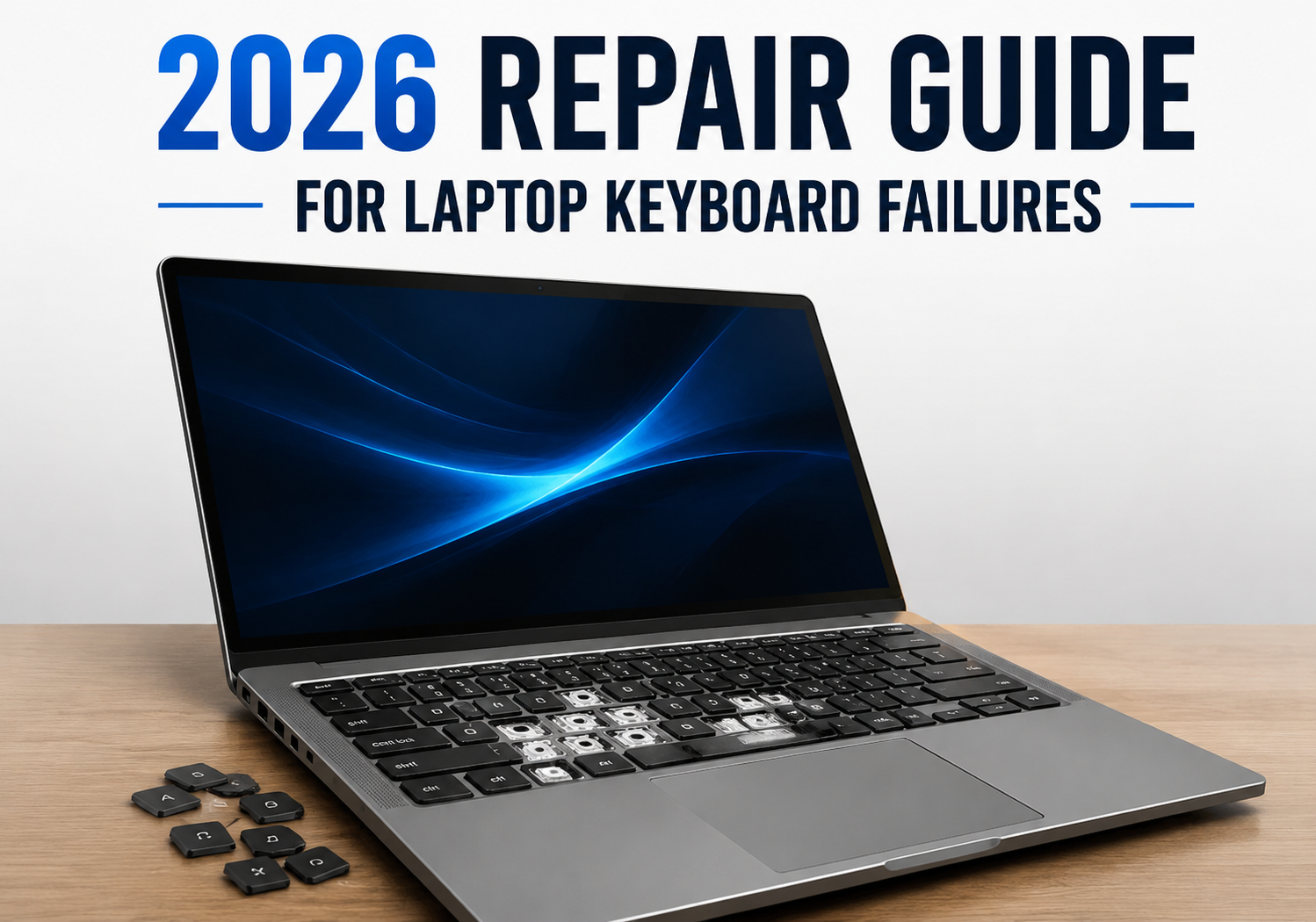
    2026 Repair Guide for Laptop Keyboard Failures: Diagnosing,Troubleshooting, and Fixing Common Issues

    Brady CottonBy Brady CottonMay 21, 2026
    Facebook Twitter Pinterest LinkedIn Tumblr Email

    Laptop keyboards are essential tools for productivity, gaming, and communication—but even in 2026, keyboard failures remain one of the most common hardware issues. From unresponsive keys to erratic behavior, understanding the causes and solutions is crucial for keeping your laptop in top shape. This guide walks you through the most common keyboard problems and the steps to repair or troubleshoot them effectively.

    Common Causes of Laptop Keyboard Failures

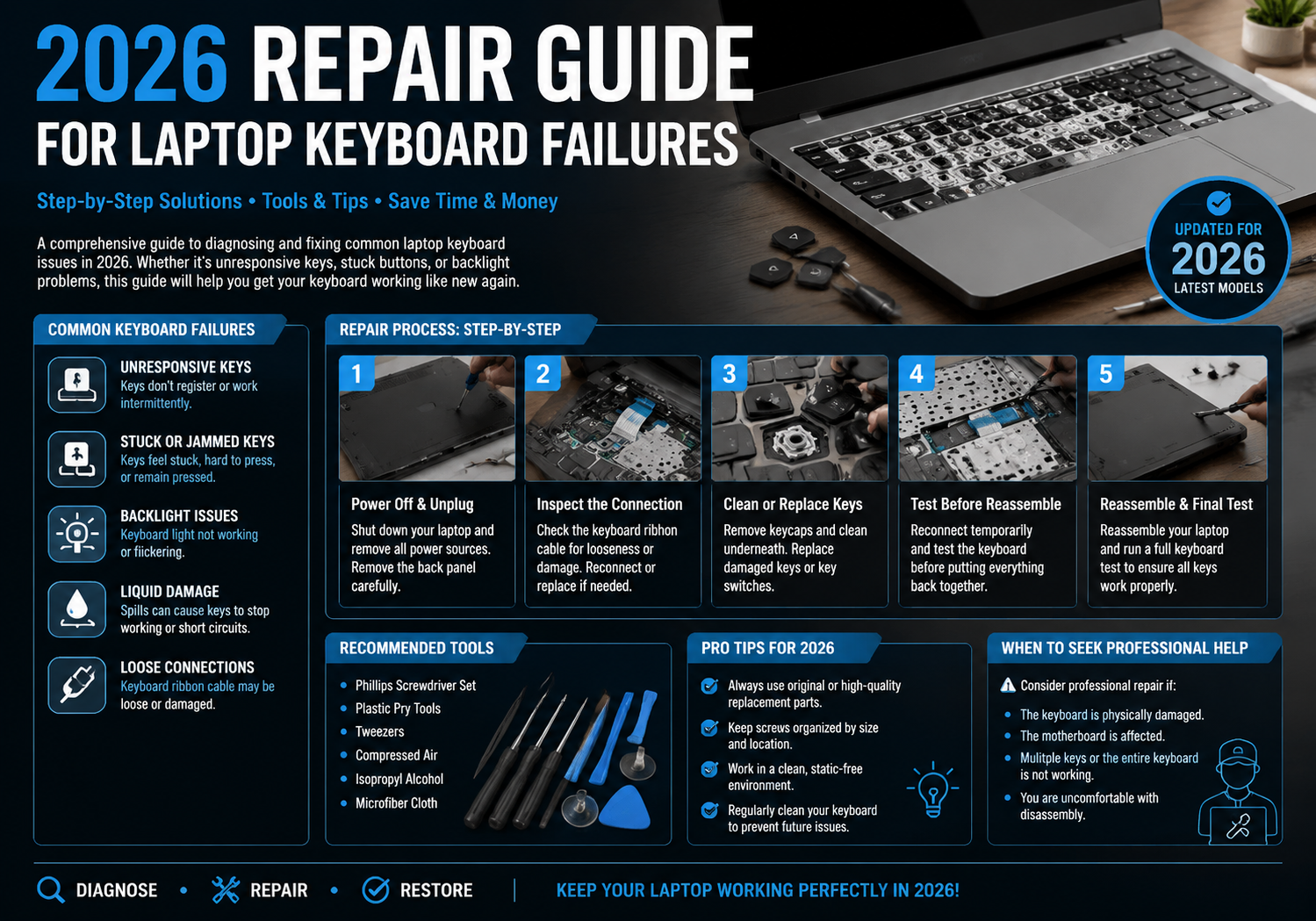
    1. Physical Damage – Spills, drops, or debris can damage keys or the internal membrane. Sticky or stuck keys are often caused by crumbs or liquid infiltration.
    2. Driver or Software Issues – Outdated or corrupted keyboard drivers, OS updates, or system glitches can make your keyboard unresponsive.
    3. Connection Problems – In laptops, the keyboard connects to the motherboard via a flexible ribbon cable. Loose or damaged connections often result in partial or total keyboard failure.
    4. Wear and Tear – Frequent use can wear out the contacts beneath keys, leading to inconsistent response or total failure of certain keys.

    Step 1: Preliminary Troubleshooting

    Before opening your laptop, perform these quick checks:

    • Restart Your Laptop: Sometimes, a simple reboot fixes temporary software glitches.
    • Check Keyboard Settings: Ensure the correct language layout is selected and sticky keys are disabled.
    • External Keyboard Test: Plug in a USB or Bluetooth keyboard. If it works, the problem is likely hardware-related on your laptop.
    • Run a Diagnostic Tool: Most modern laptops include built-in hardware diagnostics that can detect keyboard issues.

    Step 2: Cleaning and Maintenance

    Many keyboard failures result from dust, debris, or liquid spills:

    • Compressed Air: Blow out dust under the keys.
    • Keycap Removal: If your model allows, carefully remove keycaps and clean with isopropyl alcohol and a soft brush.
    • Spill Response: Immediately power off the laptop and unplug it. Let it dry completely before attempting to power it back on.

    Step 3: Driver and Software Solutions

    Keyboard issues can often be resolved through software:

    • Update Drivers: Visit your laptop manufacturer’s website and download the latest keyboard drivers.
    • Uninstall & Reinstall: Remove the keyboard driver in Device Manager and restart your laptop to reinstall it automatically.
    • OS Updates: Ensure your operating system is up-to-date, as patches may fix compatibility issues.

    Step 4: Hardware Repairs

    For persistent issues, hardware repair may be necessary:

    • Check Ribbon Cable: Carefully open the laptop (following manufacturer guidelines) and inspect the keyboard ribbon cable. Reseating the cable often resolves intermittent failures.
    • Replace the Keyboard: If individual keys or the entire keyboard is non-functional, replacing the keyboard is often the most reliable solution. Replacement kits are widely available for most modern laptops.
    • Professional Repair: If your laptop is under warranty or you’re uncomfortable with DIY repairs, certified repair technicians can safely replace or repair the keyboard.
    Step 5: Preventive Measures

    To avoid future keyboard failures:

    • Use a Keyboard Cover: Protect against spills and debris.
    • Keep Liquids Away: Even small spills can cause damage over time.
    • Regular Cleaning: Monthly dusting and gentle cleaning prolong the keyboard’s lifespan.
    • External Keyboard for Heavy Typing: For gaming or long typing sessions, an external keyboard reduces wear on the laptop’s built-in keyboard.

    Final Thoughts

    Laptop keyboard failures are frustrating, but with the right troubleshooting and repair strategies, most issues can be resolved without costly replacements. By combining careful maintenance, software checks, and timely hardware intervention, you can extend the life of your laptop and maintain peak productivity in 2026 and beyond.

    Share. Facebook Twitter Pinterest LinkedIn Tumblr Email

    Related Posts

    Gemini Omni vs Seedance 2.0, Wan 2.7, and Kling V3.0: How Google’s New AI Video Model Compares to China’s Leading Tools

    Vape Smoke Pod: IGeekPhone’s Step-by-Step Guide

    3D Printing Your Smile: How Tech from the DIY World Is Revolutionizing Orthodontics

    Leave A Reply Cancel Reply

    You must be logged in to post a comment.

    voopoo drag 6
    oxva xlim 3 ultra
    sp2s sen x disposable vape
    • Popular
    • 3D Printer REVIEW
    • XIAOMI
    May 17, 2026

    iPlay Nova 45K Review – High Puff Performance with a Futuristic Twist

    May 17, 2026

    Vaporesso XROS 6 & XROS 6 Mini Review – The Evolution of Portable Vaping

    May 7, 2026

    OXVA Xlim Go Lite Review: Compact, Powerful, and Beginner-Friendly

    April 18, 2026

    VOOPOO DRAG 6 Hands on Review: Vape Beast with Smart Power & Premium Control

    December 26, 2025

    ACMER ASCARVA 4S: Precision CNC Power for Makers, DIYers & Small Workshops

    June 23, 2024

    ACMER P2 20W Laser Engraver Fixed Focus Engraving: Hands on Review

    May 30, 2024

    xTool F1 Ultra Review: World’s First 20W Fiber & 20W Diode Laser Engraver

    May 30, 2024

    Anycubic Kobra 3 Combo Review: The Multicolor Masterpiece?

    May 20, 2026

    The Benchmark scores of Xiaomi 17 Max phone have been revealed: Qualcomm’s 5th-Generation Snapdragon 8 Supreme Edition Chip

    May 19, 2026

    Xiaomi 17 Max smartphone is the first to feature a 8000mAh Jinshajiang battery. The official long video endurance test shows that it can last for over 33 hours.

    May 19, 2026

    REDMI K100 specifications leaked: Snapdragon 8E5 + 200 million pixels – the most powerful monster of the K series

    May 18, 2026

    Pre-release information for Xiaomi 17T series: Kirin chip + Leica photography

    fc 26 coins
    New Arrivals
    • Geek Bar Pulse X 2 50K Disposable Geek Bar Pulse X 2 50K Disposable
    • VOOPOO Drag H40 Pro VOOPOO Drag H40 Pro
    • DOOGEE Tab E3 Max Tablet PC DOOGEE Tab E3 Max Tablet PC
    • DOOGEE V Max 2 Pro Rugged Phone DOOGEE V Max 2 Pro Rugged Phone
    • Realme P5 Pro Realme P5 Pro
    • Innokin Coolfire Z Air Pod Mod Kit Innokin Coolfire Z Air Pod Mod Kit
    • L&A Click Pro 80K Nixodine Disposable Vape Kit L&A Click Pro 80K Nixodine Disposable Vape Kit
    • Xiaomi 17 Max Xiaomi 17 Max
    • Geek Bar Burj 80K Disposable Vape Geek Bar Burj 80K Disposable Vape
    About
  • Igeekphone.com provides the first global tech news and reviews about smartphone, vapes, e-cigar, smart home, 3D printers, e-bike,tablets, RC drones, VR headset, and other accessories. It's the best platform to improve your brand and product.
  • Contact us: info@igeekphone.com
  • Check Our Privacy Policy Here.
  • Note: *Right now we have US editor and EU editors for review, especially for Amazon US and EU.
  • *Shop and Compare Price Here*
  • Facebook
  • Youtube
  • OUR BEST VAPE PARTNERS
  • VAPE ONLINE STORE
  • HAYATI PRO MAX PLUS
  • VAPORESSO
  • VOOPOO
  • OXVA
  • NEXA
  • MASKKING
  • SP2S
  • IPLAY
  • TODOO
  • OTHER BEST PARTNERS
  • SVBONY
  • Chuwi
  • Blackview
  • Fossibot
  • Unihertz
  • Flsun
  • Anycubic
  • Xtool
  • Oukitel
  • Mukkpet Ebike
  • Ugreen
  • Copyright © 2026 igeekphone

    Type above and press Enter to search. Press Esc to cancel.