







Facebook Twitter Instagram
    Trending
    • KT&G expands Lil AIBLE 3.0 sales in Seoul convenience stores and simultaneously launches two new AIIM products
    • How to Enable Quick Startup on Redmi Note 13 Pro Smartphone?
    • Xiaomi 17T Pro Smartphone has officially Announced Support for Cross-Platform Interoperability, and it is compatible with Apple’s AirDrop Feature
    • The Prototype of Google Pixel Watch 5 Smartwatch has been Exposed. Netizens Discovered it while Diving.
    • DJI showcased the Osmo Pocket 4P gimbal camera in “Pearl White” color: featuring a 17-level dynamic range and D-Log 2 professional color curve.
    • Asus has unveiled the world’s first Qualcomm Snapdragon X2 Elite mini console, the Ascent QN10.
    • Apple heats up WWDC26: Introduces iOS 27 “Highlight Vivid” wallpaper and Apple Music playlist
    • ASUS has launched the ASUS Pad tablet: with Dimensity 8300 processor and a 12.2″ Tandem OLED display.
    Facebook YouTube
    IGeeKphone China Phone, Tablet PC, VR, RC Drone News, Reviews
    • HOME
      • NEWS
        • DeepSeek
        • ChatGPT
        • Minecraft
    • Amazon
    • PHONE
      • Top Phones For Your First Choice
      • Phone Comparison
      • Xiaomi
      • Blackview
      • Doogee
      • Black Shark
      • Geekbuying
      • Banggood
      • TEMU
      • TikTok
      • Aliexpress
      • Walmart
      • MercadoLibre
      • Lazada
    • TOP VAPE Awards for 2026
    • VAPES
      • E-CIGAR Upcoming
      • Vape News
      • Vape Deals
      • Vape Comparison
      • Vape Guide
      • Giveaway
    • BEST VAPE
      • Best Vape Stores
      • Best Starter Vape Kits
      • Best Vapes for Beginners
      • Best Disposable Vapes
      • Best Pod Systems
      • Best Pod Mod Vapes
      • Best Mods
      • Best Nicotine Pouches
      • Best Clearomizers/Tanks
      • Best E-Liquid
      • Best EGO/Pens
      • Best Vapes for Nic Salt E-Juice
      • Best Vapes to Quit Smoking
      • RDA vs. RDTA vs. RTA
    • Best Vape Brand 2026
      • VAPORESSO
      • VOOPOO
      • OXVA
      • NEXA BAR
      • MASKKING VAPE
      • SP2S
      • IPLAY
      • TODOO
      • MRFOG
      • LOSTVAPE
      • VEIIK
    • REVIEW
      • E-cigar Review
      • Phones
      • Tablet PC
      • TV Box
      • RC Drone
      • Wearables
      • Camera
      • Accessories
      • VR Headset
    • MORE
      • TABLET
        • Chuwi
        • INNOCN
        • Teclast
        • Top Tablet for Your First Choice
        • Tablet/Laptop Comparison
      • RC DRONE
      • CAMERA
      • WEARABLES
        • OneOdio
        • BlitzWolf
        • Top Smartwatch for First Choice
      • 3D PRINTER
        • 3D Printer Review
        • Anycubic
        • FLSUN
        • Xtool
        • LONGER
        • Top 3D printer to Choose First
      • POWER STATION
        • Oukitel
        • FOSSIBOT
      • GAMING
        • Top Gaming Products
      • E-BIKE
        • Samebike
        • Happyrun
        • ENGWE
      • SMART HOME
      • TV BOX
      • ACCESSORIES
      • VR HEADSET
      • CLOTHES
      • AUTO CAR
    • DEAL
    • VAPE LAWS
    • Shop
    IGeeKphone China Phone, Tablet PC, VR, RC Drone News, Reviews
    You are at:Home»Guide»How to Enable Quick Startup on Redmi Note 13 Pro Smartphone?
    Guide

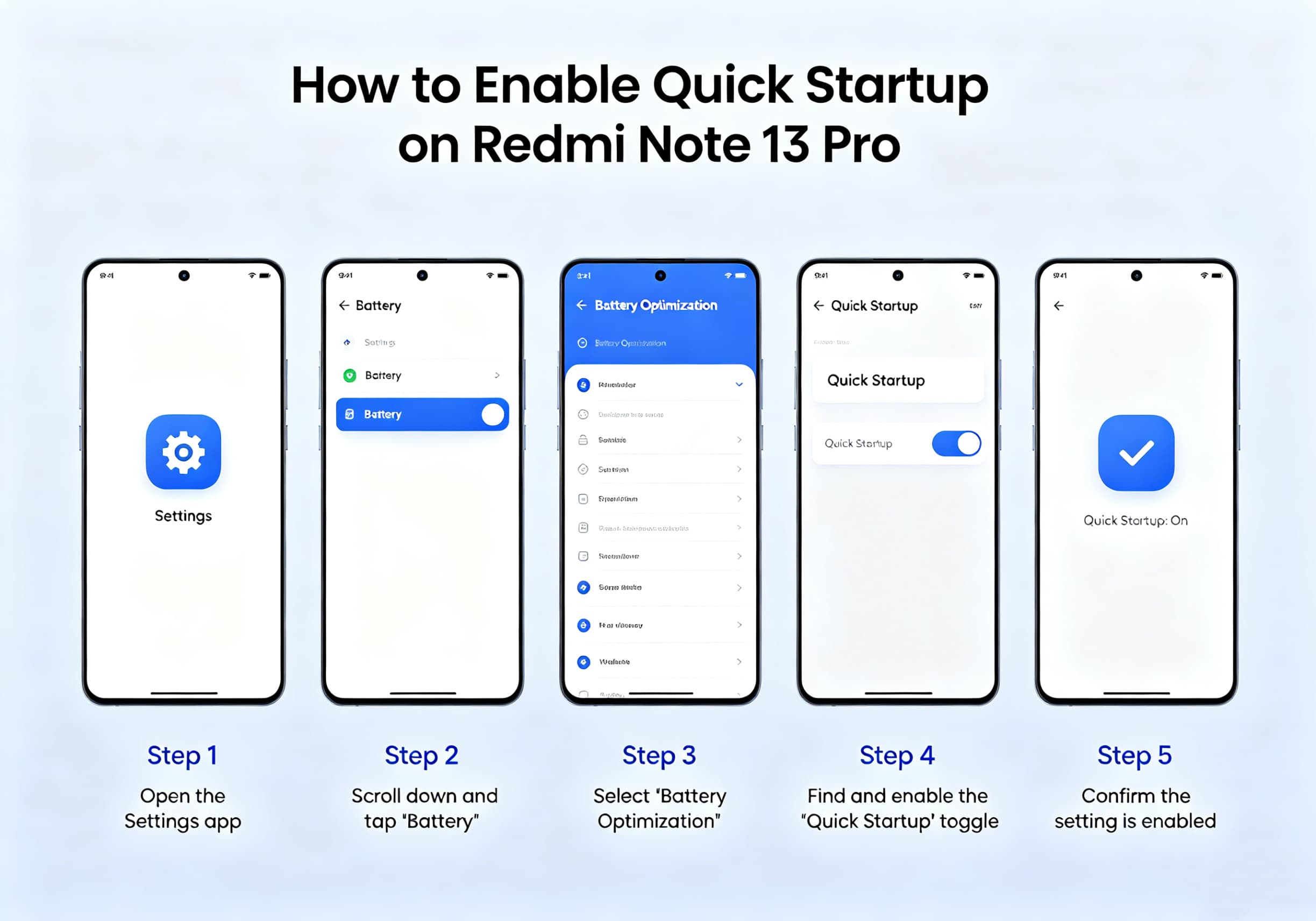
    How to Enable Quick Startup on Redmi Note 13 Pro Smartphone?

    Brady CottonBy Brady CottonJune 2, 2026
    Facebook Twitter Pinterest LinkedIn Tumblr Email

    Redmi Note 13 Pro is known for its powerful hardware, smooth display, and Xiaomi’s HyperOS software experience. While the device already delivers solid performance, many users want to make their phone feel even faster, especially during startup, app launching, and everyday navigation.

    Although Xiaomi does not provide a dedicated “Quick Startup” switch similar to some Windows PCs, there are several settings and optimizations that can significantly improve boot speed and overall responsiveness on the Redmi Note 13 Pro.

    What Is Quick Startup?

    Quick Startup generally refers to reducing the time required for a device to become fully operational after powering on or restarting. On Android devices such as the Redmi Note 13 Pro, this involves optimizing system resources, minimizing background processes, and enabling performance-related settings.

    Users running Xiaomi HyperOS can further improve startup performance through built-in optimization tools and battery settings.

    Method 1: Enable Memory Extension

    Memory Extension uses part of the internal storage as virtual RAM, helping the system manage more background tasks efficiently.

    Steps:

    1. Open Settings
    2. Tap Additional Settings
    3. Select Memory Extension
    4. Enable the feature
    5. Restart your device

    Once enabled, HyperOS can allocate additional virtual memory to improve multitasking and app loading performance.

    Method 2: Reduce System Animations

    Animations create a smooth visual experience but can make the device feel slower.

    Steps:

    1. Open Settings
    2. Go to About Phone
    3. Tap OS Version seven times to enable Developer Options
    4. Return to Settings
    5. Open Additional Settings
    6. Select Developer Options
    7. Locate:
      • Window Animation Scale
      • Transition Animation Scale
      • Animator Duration Scale
    8. Set each option to 0.5x or Off

    Reducing animation durations can make the phone appear significantly faster during everyday use.

    Method 3: Disable Automatic Startup for Unnecessary Apps

    Too many applications launching during boot can slow startup performance.

    Steps:

    1. Open the Security app
    2. Tap Manage Apps
    3. Select Permissions
    4. Open Auto Start
    5. Disable auto-start for apps you rarely use

    Limiting startup applications reduces background activity and frees system resources.
    Method 4: Use the Built-In Cleaner

    Over time, cached files and temporary data can impact performance.

    Steps:

    1. Open the Security app
    2. Select Cleaner
    3. Run a complete cleanup
    4. Remove unnecessary files

    Regular maintenance helps keep the system responsive and reduces startup delays.

    Method 5: Keep HyperOS Updated

    Xiaomi frequently releases performance improvements and bug fixes through HyperOS updates. Newer versions often contain optimizations that improve overall system responsiveness and startup behavior. Users can check for updates through:

    Settings → About Phone → HyperOS Version → Check for Updates. Recent Redmi Note 13 Pro firmware releases continue to receive HyperOS performance updates and system refinements.

    Method 6: Enable Fast Charging Optimization

    While this setting does not directly affect boot speed, Xiaomi provides a “Speed Up Charging” feature that helps recharge the device more quickly when battery levels are low.

    Steps:

    1. Open Settings
    2. Select Battery
    3. Tap Additional Features
    4. Enable Speed Up Charging

    Xiaomi states that charging speed can increase by up to 20% under certain low-battery conditions when this feature is enabled.

    Method 7: Restart Your Device Regularly

    Many users leave their phones running continuously for weeks. A simple restart can:

    • Clear temporary memory usage
    • Refresh background services
    • Improve system responsiveness
    • Resolve minor software glitches

    A restart every few days can help maintain peak performance.

    Additional Tips for Faster Performance

    For the best experience on a Redmi Note 13 Pro:

    • Keep at least 15–20% of storage free.
    • Remove unused applications.
    • Avoid excessive widgets on the home screen.
    • Limit live wallpapers.
    • Disable unnecessary background synchronization.
    • Use Lite versions of apps if performance becomes sluggish.

    Some Redmi Note 13 Pro users have reported temporary slowdowns after major HyperOS upgrades, often due to background optimization tasks and app recompilation following the update process. Performance typically improves after the system completes these tasks and receives subsequent updates.

    Conclusion

    While Redmi Note 13 Pro does not include a dedicated Quick Startup button, Xiaomi provides several built-in tools that can dramatically improve startup speed and overall system responsiveness. By enabling Memory Extension, reducing animations, managing auto-start applications, cleaning system files, and keeping HyperOS updated, users can enjoy a faster and smoother smartphone experience.

    With just a few minutes of optimization, your Redmi Note 13 Pro can feel noticeably quicker during boot-up, app launching, and everyday operation.

    Share. Facebook Twitter Pinterest LinkedIn Tumblr Email

    Related Posts

    The vape that thinks it’s a gadget: has FUMOT just changed the game?

    How to Succeed on Instagram as a New Account: A Comprehensive GuideIntroduction

    Enabling Your Smartphone for Greater Monetary Value With Residential IP Proxies

    Leave A Reply Cancel Reply

    You must be logged in to post a comment.

    voopoo G4 Mini
    oxva xlim 3 ultra
    sp2s sen x disposable vape
    • Popular
    • 3D Printer REVIEW
    • XIAOMI
    May 17, 2026

    iPlay Nova 45K Review – High Puff Performance with a Futuristic Twist

    May 17, 2026

    Vaporesso XROS 6 & XROS 6 Mini Review – The Evolution of Portable Vaping

    May 7, 2026

    OXVA Xlim Go Lite Review: Compact, Powerful, and Beginner-Friendly

    April 18, 2026

    VOOPOO DRAG 6 Hands on Review: Vape Beast with Smart Power & Premium Control

    December 26, 2025

    ACMER ASCARVA 4S: Precision CNC Power for Makers, DIYers & Small Workshops

    June 23, 2024

    ACMER P2 20W Laser Engraver Fixed Focus Engraving: Hands on Review

    May 30, 2024

    xTool F1 Ultra Review: World’s First 20W Fiber & 20W Diode Laser Engraver

    May 30, 2024

    Anycubic Kobra 3 Combo Review: The Multicolor Masterpiece?

    June 2, 2026

    Xiaomi 17T Pro Smartphone has officially Announced Support for Cross-Platform Interoperability, and it is compatible with Apple’s AirDrop Feature

    May 29, 2026

    Xiaomi 17T/Pro overseas launch: 7000mAh battery “the largest for international versions to date”, starting at 749 euros

    May 28, 2026

    Redmi K100 Specifications Leaked: The most powerful Redmi king has arrived – two swords, large and small, strike simultaneously

    May 28, 2026

    Xiaomi Bluetooth Speaker C is now available: 3D dazzling lights, multiple units can be connected for simultaneous playback

    fc 26 coins
    New Arrivals
    • Vivo iQOO Z12 Turbo Vivo iQOO Z12 Turbo
    • Oppo Reno 16 Pro Mini Oppo Reno 16 Pro Mini
    • Redmagic 12 Pro Plus Redmagic 12 Pro Plus
    • Geekvape Sonder Q 3 Pod System Kit Geekvape Sonder Q 3 Pod System Kit
    • Geek Bar Pulse 2 25K Disposable Vape Geek Bar Pulse 2 25K Disposable Vape
    • Motorola Razr Fold 2 Motorola Razr Fold 2
    • Motorola Moto Watch 2 Motorola Moto Watch 2
    • Oscal Tank 2 Oscal Tank 2
    • Uwell Caliburn Air Pod System Kit Uwell Caliburn Air Pod System Kit
    About
  • Igeekphone.com provides the first global tech news and reviews about smartphone, vapes, e-cigar, smart home, 3D printers, e-bike,tablets, RC drones, VR headset, and other accessories. It's the best platform to improve your brand and product.
  • Contact us: info@igeekphone.com
  • Check Our Privacy Policy Here.
  • Note: *Right now we have US editor and EU editors for review, especially for Amazon US and EU.
  • *Shop and Compare Price Here*
  • Facebook
  • Youtube
  • OUR BEST VAPE PARTNERS
  • VAPE ONLINE STORE
  • HAYATI PRO MAX PLUS
  • VAPORESSO
  • VOOPOO
  • OXVA
  • NEXA
  • MASKKING
  • SP2S
  • IPLAY
  • TODOO
  • OTHER BEST PARTNERS
  • SVBONY
  • Chuwi
  • Blackview
  • Fossibot
  • Unihertz
  • Flsun
  • Anycubic
  • Xtool
  • Oukitel
  • Mukkpet Ebike
  • Ugreen
  • Copyright © 2026 igeekphone

    Type above and press Enter to search. Press Esc to cancel.