









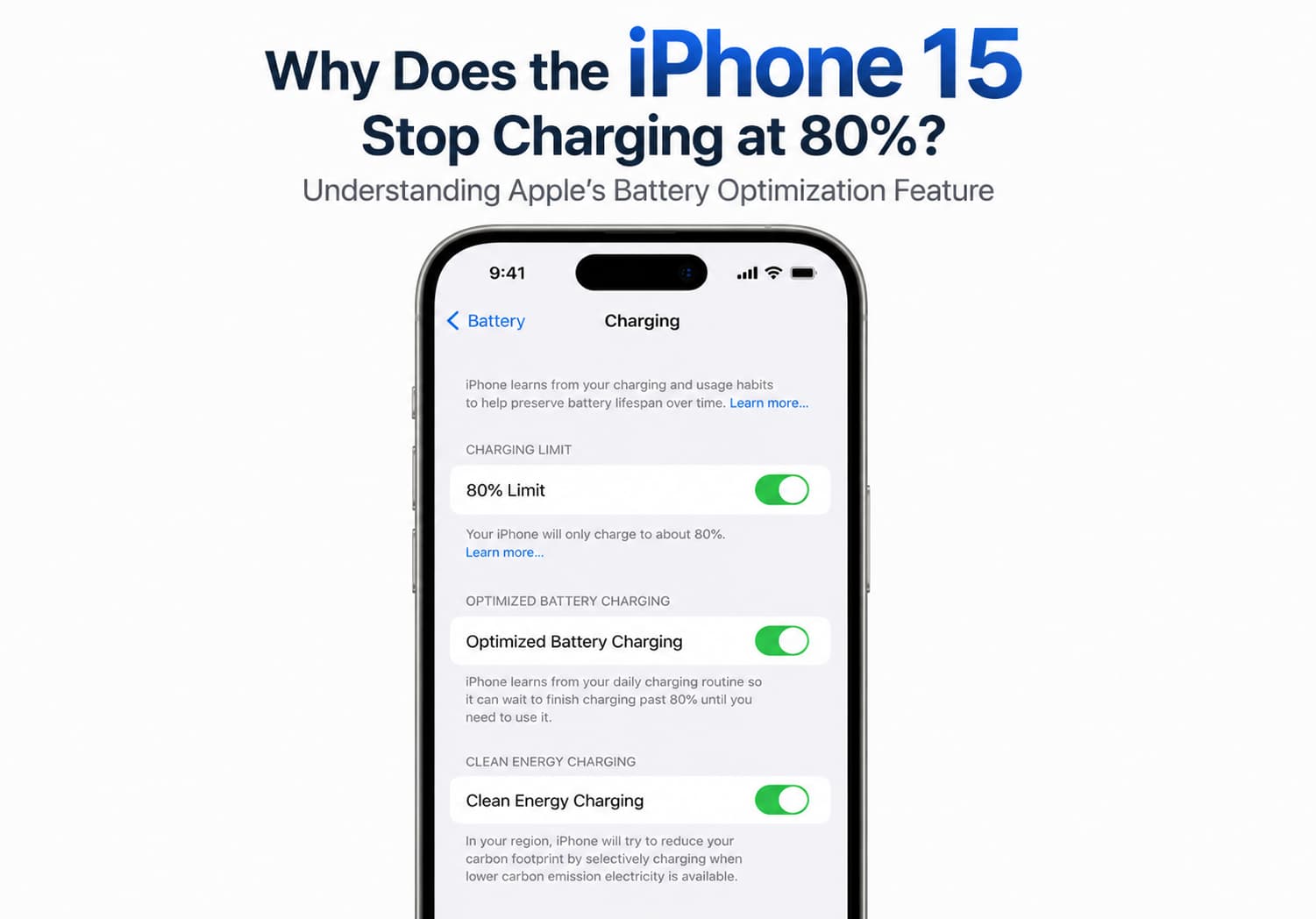
If you’ve noticed that your iPhone 15 occasionally stops charging when the battery reaches 80%, you’re not alone. Many users initially assume there’s a problem with the charger, battery, or iPhone itself. In reality, this behavior is often intentional and reflects Apple’s efforts to extend your battery’s lifespan.
In this guide, we’ll explain why your iPhone 15 may stop charging at 80%, how Apple’s battery optimization features work, and when you should be concerned.
Is It Normal for the iPhone 15 to Stop Charging at 80%?
Yes. In most cases, an iPhone 15 stopping its charge at around 80% is completely normal.
Apple has introduced several battery management features that intelligently adjust charging behavior based on factors such as:
- Your daily charging routine
- Battery temperature
- Charging environment
- Long-term battery health
These features are designed to reduce battery aging rather than maximize the battery percentage at all times.
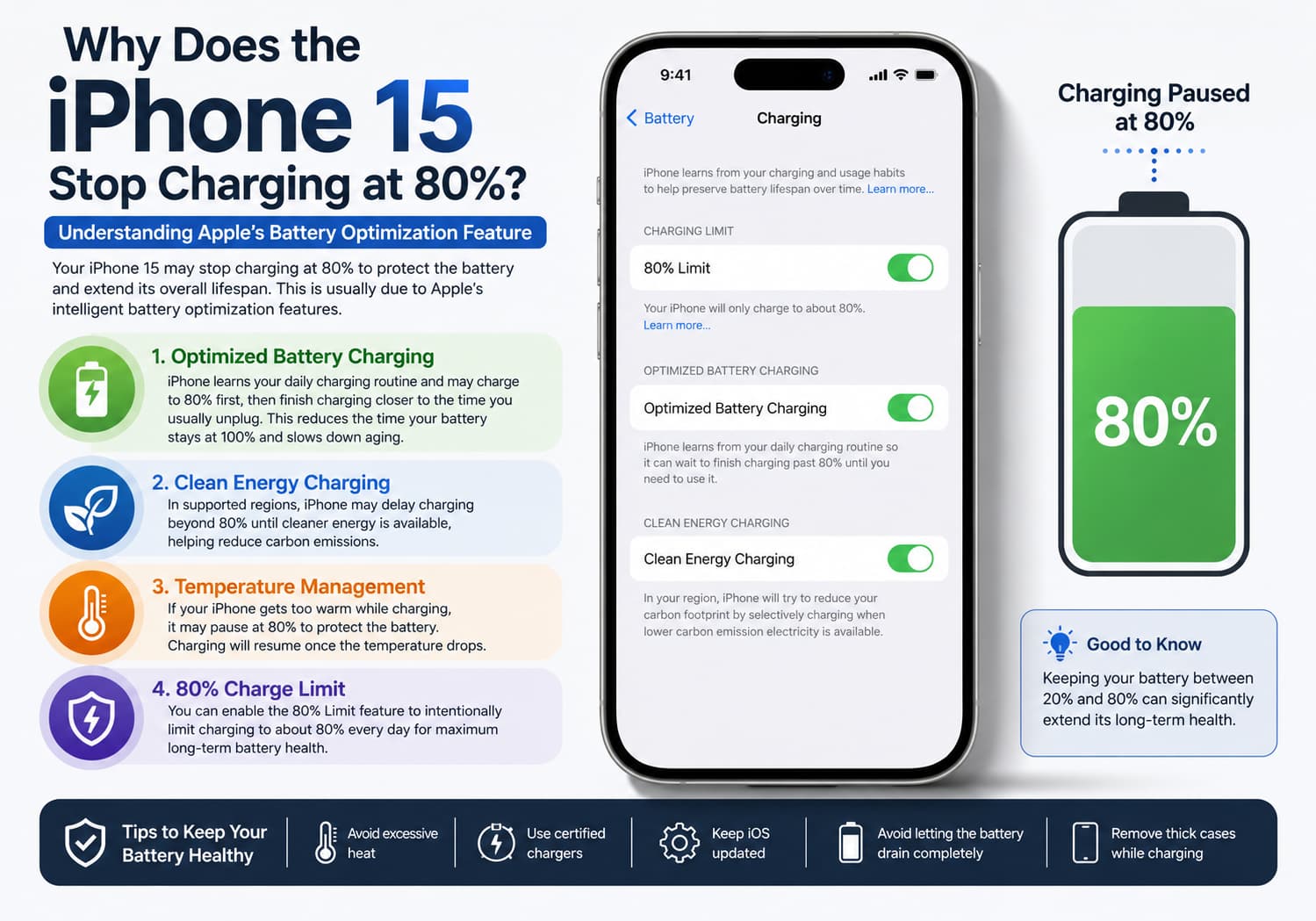
Apple’s Optimized Battery Charging
One of the primary reasons your iPhone pauses charging at 80% is Optimized Battery Charging.
This feature learns your daily charging habits using on-device machine learning. For example, if you regularly charge your phone overnight, your iPhone may quickly charge to around 80%, pause charging for several hours, and then finish charging to 100% shortly before you usually unplug it.
By reducing the amount of time the battery spends fully charged, Apple helps slow the natural chemical aging of lithium-ion batteries.
Clean Energy Charging
In some regions, the iPhone 15 also supports Clean Energy Charging.
When enabled, your iPhone may delay charging beyond 80% until electricity from cleaner energy sources is expected to be available. While this feature primarily aims to reduce carbon emissions, it may also affect charging behavior under certain conditions.
Charging May Pause When the iPhone Gets Too Warm
Battery temperature is another common reason the charging process stops at 80%.
Lithium-ion batteries are sensitive to heat. If your iPhone detects that the battery temperature has risen above its recommended operating range, charging may temporarily pause to protect the battery.
This can happen if:
- You’re using the phone while charging.
- The device is exposed to direct sunlight.
- You’re gaming or running demanding apps during charging.
- You’re using a fast charger in a warm environment.
Once the phone cools down, charging usually resumes automatically.
The 80% Charging Limit Feature
With recent versions of iOS, Apple introduced an optional 80% Charge Limit for supported iPhone models, including the iPhone 15 series.
Unlike Optimized Battery Charging, which eventually charges the battery to 100%, this feature intentionally limits charging to approximately 80% every day to maximize long-term battery health.
To check whether it’s enabled:
- Open Settings.
- Tap Battery.
- Select Charging (or Battery Health & Charging, depending on your iOS version).
- Check whether 80% Limit is turned on.
If enabled, your iPhone will usually stop charging once it reaches about 80%.
How to Turn Off Optimized Battery Charging
If you prefer your iPhone to charge to 100% every time, you can disable Optimized Battery Charging.
To do so:
- Open Settings.
- Tap Battery.
- Select Charging or Battery Health & Charging.
- Turn Optimized Battery Charging off.
Keep in mind that disabling this feature may accelerate long-term battery wear.
When Should You Be Concerned?
Stopping at 80% is generally normal. However, you may want to investigate further if:
- The battery never charges above 80%, even after disabling battery optimization.
- Charging frequently stops at random percentages.
- The phone displays battery service warnings.
- Charging is unusually slow.
- The battery drains abnormally fast after reaching 80%.
In these cases, the issue could involve the charging cable, power adapter, charging port, battery condition, or software.
Tips to Maintain Your iPhone Battery Health
To maximize the lifespan of your iPhone 15 battery:
- Keep Optimized Battery Charging enabled whenever possible.
- Avoid exposing the phone to excessive heat.
- Remove thick phone cases if the device becomes hot while charging.
- Use certified charging accessories.
- Keep iOS updated to benefit from the latest battery management improvements.
- Avoid leaving the battery completely drained for extended periods.
Following these habits can help preserve battery capacity over the long term.
Final Thoughts
If your iPhone 15 stops charging at 80%, it’s usually a sign that Apple’s battery protection features are working as intended—not that your phone is malfunctioning.
Features such as Optimized Battery Charging, the optional 80% Charge Limit, and temperature-based charging management are all designed to extend the life of your lithium-ion battery. Although it may seem unusual at first, allowing your iPhone to intelligently manage charging can help maintain better battery performance for years to come.
Unless you notice persistent charging problems or battery health warnings, an iPhone that pauses charging at 80% is behaving exactly as Apple intended.