






Facebook Twitter Instagram
    Trending
    • The New UK Vape Tax Explained: What Will Change for Vapers?
    • RAZ RYL VUE 70K Pod Review: A Different Approach to High-Puff Vaping
    • Uwell Caliburn G5 Vision Review: A Pod Vape That Puts the Screen to Work
    • Pennsylvania Vape Directory Enforcement Begins October 19: What Retailers Need to Know
    • Indiana Targets Elf Bar, Lost Mary, MR FOG and iJOY Vapes Under New Foreign-Adversary Rules
    • OnePlus 16 to Debut Fourth-Generation BOE Oriental Screen With 185Hz Refresh Rate
    • iPhone Air 2 Rumored to Shrink to 5.2mm With Higher-Density Battery
    • RedMagic 12 Pro+ Design Revealed With Under-Display Camera Ahead of October 15 Launch
    Facebook YouTube
    IGeeKphone China Phone, Tablet PC, VR, RC Drone News, Reviews
    • HOME
    • BREAKING NEWS
      • AI NEWS
    • Amazon
    • PHONE
      • Top Phones For Your First Choice
      • Phone Comparison
      • Xiaomi
      • Blackview
      • Doogee
      • Black Shark
      • Geekbuying
      • Banggood
      • TEMU
      • TikTok
      • Aliexpress
      • Walmart
      • MercadoLibre
      • Lazada
    • TOP VAPE Awards for 2026
    • VAPES
      • E-CIGAR Upcoming
      • Vape News
      • Vape Deals
      • Vape Comparison
      • Vape Guide
      • VAPE LAWS
      • Giveaway
    • BEST VAPE
      • Best Vape Stores
      • Best Starter Vape Kits
      • Best Vapes for Beginners
      • Best Disposable Vapes
      • Best Pod Systems
      • Best Pod Mod Vapes
      • Best Mods
      • Best Nicotine Pouches
      • Best Clearomizers/Tanks
      • Best E-Liquid
      • Best EGO/Pens
      • Best Vapes for Nic Salt E-Juice
      • Best Vapes to Quit Smoking
      • RDA vs. RDTA vs. RTA
    • Best Vape Brand 2026
      • VAPORESSO
      • VOOPOO
      • OXVA
      • NEXA BAR
      • MASKKING VAPE
      • SP2S
      • IPLAY
      • TODOO
      • MRFOG
      • LOSTVAPE
      • VEIIK
    • REVIEW
      • E-cigar Review
      • Phones
      • Tablet PC
      • TV Box
      • RC Drone
      • Wearables
      • Camera
      • Accessories
      • VR Headset
    • MORE
      • TABLET
        • Chuwi
        • INNOCN
        • Teclast
        • Top Tablet for Your First Choice
        • Tablet/Laptop Comparison
      • RC DRONE
      • CAMERA
      • WEARABLES
        • OneOdio
        • BlitzWolf
        • Top Smartwatch for First Choice
      • 3D PRINTER
        • 3D Printer Review
        • Anycubic
        • FLSUN
        • Xtool
        • LONGER
        • Top 3D printer to Choose First
      • POWER STATION
        • Oukitel
        • FOSSIBOT
      • GAMING
        • Top Gaming Products
      • E-BIKE
        • Samebike
        • Happyrun
        • ENGWE
      • SMART HOME
      • TV BOX
      • ACCESSORIES
      • VR HEADSET
      • CLOTHES
      • AUTO CAR
    • DEAL
    • Shop
    IGeeKphone China Phone, Tablet PC, VR, RC Drone News, Reviews
    You are at:Home»Huawei»How to Set the Network Mode of HONOR 500?
    Huawei

    How to Set the Network Mode of HONOR 500?

    Brady CottonBy Brady CottonDecember 26, 2025
    Facebook Twitter Pinterest LinkedIn Tumblr Email

    In the current era of rapid 5G network popularization, HONOR 500 series of mobile phones, with their flexible network adaptation capabilities, have become the preferred devices for users to balance speed, stability and battery life. Whether you are a tech enthusiast who pursues the ultimate Internet speed or a pragmatist who pays attention to traffic control, you can achieve precise network mode switching through system Settings. The following is a comprehensive analysis of the network mode configuration method of HONOR 500, from basic Settings to advanced techniques.

    I. Basic Setting Path: Complete the core switch in three steps

    Enter the mobile network interface

    Open the “Settings” app, scroll down to the “Wireless and Network” option on the main interface (some models display it as “Mobile Network”), click to enter and select “Mobile Data”, making sure the switch is on. This step is the prerequisite for subsequent adjustments. If mobile data is not enabled, connection will not be possible even if a specific network mode is selected.

    2. Select the type of network mode

    On the mobile data Settings page, find the “Preferred Network Type” or “Network Mode” option. After expanding, you can see three core modes:

    – 4G only mode: Forces the device to connect only to the 4G network, suitable for scenarios where 5G high-speed traffic is excessive, the stability of 4G signals is tested, or 5G signals are unstable. For instance, in areas with weak signals such as underground parking lots, choosing this mode can reduce frequent network disconnections.
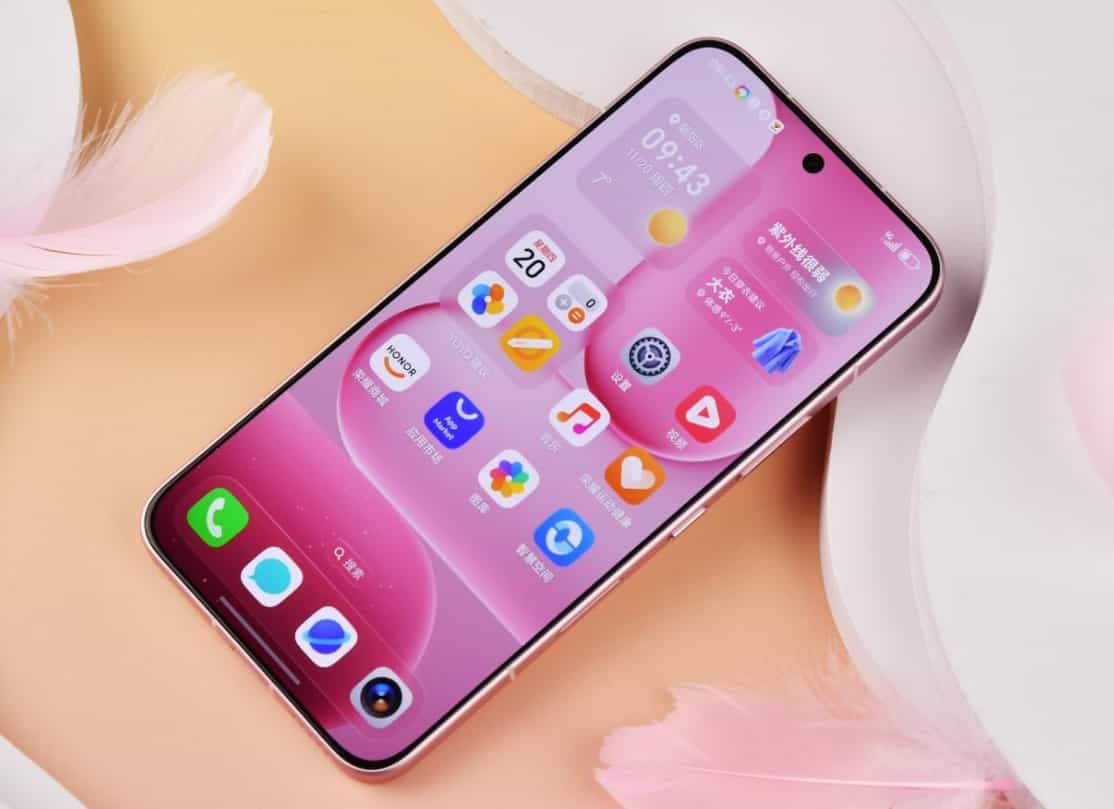
    -4G /3G/2G automatic selection: The device prioritizes 4G connection attempts. If it fails, it automatically degrades to 3G or 2G, balancing signal stability and network speed, making it suitable for daily use.

    -5G /4G/3G/2G Automatic: 5G priority is enabled by default. You need to manually turn off the “Enable 5G” switch before switching to 4G. If you want to completely disable 5G, select “4G Only”. If you wish to retain the ability to downgrade, select this mode.

    3. Restart the device to take effect

    After completing the Settings, restarting your phone can force you to re-register for the network, solving the problem of delayed switching. If the problem persists, you can go to “Settings – System and Update – Reset – Restore Network Settings” to clear any possible configuration conflicts.

    Ii. Quick Operation: Temporary adjustments are completed within 10 seconds

    For users who need to frequently switch networks, HONOR 500 provides a quick access to the notification bar:

    1. Pull-down notification bar: Slide down from the top of the screen and long press the “Move Data” icon (on some models, it shows “Network”).

    2. Enter the Network mode menu: In the pop-up quick Settings panel, click on the “Network Mode” option.

    3. Select the target mode: Simply check “4G Only” or “4G Priority”, and the system will immediately perform the switch. This method does not require entering multiple layers of menus and is suitable for temporary adjustment needs, such as switching from 5G to 4G to save power.

    Iii. Advanced Skills: Meeting the Demands of Special Scenarios

    1. APN Protocol optimization

    For some models, it is necessary to manually modify the APN type to “default,supl”, or check whether the APN protocol is set to “IPv4/IPv6” to optimize the stability of 4G connections. You can make adjustments by entering “Settings – Mobile Network – Access Point Name (APN)”.

    2. Power-saving mode linkage

    When the power-saving mode is enabled, the system may automatically limit the network speed or downgrade to 3G. If you need to maintain a 4G connection, it is recommended to turn off the power-saving mode or adjust the battery optimization Settings (Settings – Battery – More Battery Settings – Application Startup Management) to avoid background applications occupying network resources.

    3. Dual-card refined management

    For dual-SIM users, the default data card can be specified in “Mobile Network -SIM Card Management”. Setting a 5G-enabled SIM card as the default can avoid latency during network switching. If you need to control the 5G function by SIM card, it can be achieved through the developer mode:

    – Enable Developer mode: Go to “Settings – About Phone”, click “Version Number” 7 times in a row, enter the lock screen password and activate the developer option.

    – Activate 5G Settings options: Return to the main Settings interface, enter “System and Updates – Developer Options”, find “Show 5G Settings Switch” and turn it on.

    – Separate card management of 5G function: Return to “Mobile Network – Mobile Data”, and independently operate the 5G functions of the primary card and the secondary card respectively. For example, set the primary card to 4G to save work data traffic, and keep the secondary card 5G for high-speed downloads.

    Four. Scene Adaptation: Flexible selection based on requirements

    1. Indoor weak signal area: Select “4G/3G/2G Automatic Selection” to utilize the 3G network to fill the coverage blind spots and avoid frequent network disconnections.

    2. Traffically sensitive scenarios: Enable “4G Only” to prevent excessive 5G high-speed traffic, and at the same time turn off “VoLTE High-Definition Calls” to reduce background data consumption.

    3. When roaming internationally: You need to enable the option in “Mobile Network – Data Roaming” and manually select the 4G frequency Band supported locally (such as the commonly used Band 3/7/20 in Europe).

    4. Gaming/video scenarios: If low latency is required, 5G can be forcibly enabled and SA mode (standalone networking) can be turned on. The latency can be as low as 10ms, making it suitable for scenarios such as cloud gaming and 8K live video streaming.

    With the above Settings, HONOR 500 users can flexibly control their network connection methods and find the best balance point among speed, stability and charges. Whether for daily use or in special scenarios, mastering the skills of switching network modes can significantly enhance the user experience.

    Share. Facebook Twitter Pinterest LinkedIn Tumblr Email

    Related Posts

    OnePlus 16 to Debut Fourth-Generation BOE Oriental Screen With 185Hz Refresh Rate

    iPhone Air 2 Rumored to Shrink to 5.2mm With Higher-Density Battery

    RedMagic 12 Pro+ Design Revealed With Under-Display Camera Ahead of October 15 Launch

    Leave A Reply Cancel Reply

    You must be logged in to post a comment.

    voopoopintch
    oxva vprime 2
    nomadz
    • Popular
    • 3D Printer REVIEW
    • XIAOMI
    October 1, 2026

    VOOPOO ARGUS Z3 Review – Flip the Pod, Change the Vape! Keep It Simple!

    September 27, 2026

    Vaporesso ARMOUR OCTA Review – Built Like a Tank, Vapes Like a Beast

    September 27, 2026

    VOOPOO ARGUS Multi-Ohm Cartridge Review – One Magic Pod, Three Completely Different Vapes

    September 18, 2026

    OXVA VPRIME 2 vs VPRIME: What’s New in the Latest Version

    December 26, 2025

    ACMER ASCARVA 4S: Precision CNC Power for Makers, DIYers & Small Workshops

    June 23, 2024

    ACMER P2 20W Laser Engraver Fixed Focus Engraving: Hands on Review

    May 30, 2024

    xTool F1 Ultra Review: World’s First 20W Fiber & 20W Diode Laser Engraver

    May 30, 2024

    Anycubic Kobra 3 Combo Review: The Multicolor Masterpiece?

    October 7, 2026

    REDMI Headphones Neo Review: Features, ANC Performance and Battery Life

    October 7, 2026

    Xiaomi 18 Pro Max Transparent Edition Review: 200MP Camera and 8500mAh Battery

    September 30, 2026

    Xiaomi Door and Window Sensor 3 Launches With Tunnel Magnetoresistance Sensor and 3-Year Battery

    September 23, 2026

    Xiaomi Pad 9 Pro Launches With 12.5-Inch 3.2K 144Hz Display and 11,000mAh Battery

    fc 26 coins
    New Arrivals
    • RAZ RYL Vue 70K Disposable Pod RAZ RYL Vue 70K Disposable Pod
    • Uwell Caliburn G5 Vision Pod System Kit Uwell Caliburn G5 Vision Pod System Kit
    • Vaporesso Armour GS2 Pod System Kit 80W Vaporesso Armour GS2 Pod System Kit 80W
    • iJOY XP100K Zero Nicotine Refillable Disposable Vape Kit iJOY XP100K Zero Nicotine Refillable Disposable Vape Kit
    • JNR PowerMate Pro JNR PowerMate Pro
    • MAXRAY RUSH 80K Disposable Vape MAXRAY RUSH 80K Disposable Vape
    • MERRYMI Blade 30000 Disposable Vape MERRYMI Blade 30000 Disposable Vape
    • Dip Devices Dipper Portable Vaporizer Dip Devices Dipper Portable Vaporizer
    • Exxus Vape Mini Plus Vaporizer Exxus Vape Mini Plus Vaporizer
    About
  • Igeekphone.com provides the first global tech news and reviews about smartphone, vapes, e-cigar, smart home, 3D printers, e-bike,tablets, RC drones, VR headset, and other accessories. It's the best platform to improve your brand and product.
  • Contact us: info@igeekphone.com
  • Check Our Privacy Policy Here.
  • Note: *Right now we have US editor and EU editors for review, especially for Amazon US and EU.
  • *Shop and Compare Price Here*
  • Facebook
  • Youtube
  • OUR BEST VAPE PARTNERS
  • VAPE ONLINE STORE
  • VAPORESSO
  • VOOPOO
  • OXVA
  • NEXA
  • MASKKING
  • SP2S
  • IPLAY
  • TODOO
  • OTHER BEST PARTNERS
  • SVBONY
  • Chuwi
  • Blackview
  • Fossibot
  • Unihertz
  • Flsun
  • Anycubic
  • Xtool
  • Oukitel
  • Mukkpet Ebike
  • Ugreen
  • Copyright © 2026 igeekphone

    Type above and press Enter to search. Press Esc to cancel.