







Facebook Twitter Instagram
    Trending
    • BlitzWolf HL7 SmartWatch Now Available on Banggood at Just $39.99
    • FEXO 45000 vs Al Fakher Crown Bar: Which is Best for DTL Vaping?
    • Geek Bar CLR 50K Disposable Vape: A Comprehensive Review for Vaping Enthusiasts
    • New renderings of Google Pixel 10a smartphone unveiled: The raspberry color is eye-catching. The European version has a battery life of 53 hours and 14 minutes.
    • The detailed specifications of Nothing Phone (4a)/Pro have been revealed. The model offers the option of up to 12GB of RAM and 256GB of storage space.
    • Rendering images of Apple iPhone 17e have been released: featuring the A19 chip, a 48-megapixel single camera, and supporting MagSafe technology
    • TRIMUI Smart Pro S Handheld Game Console Review at $91.99: The Ultimate Retro Gaming Experience
    • Portable AM/FM/SW Radio with LCD Display Review at $29.99: A Complete Review for Audio Lovers
    Facebook YouTube
    Login Register
    IGeeKphone China Phone, Tablet PC, VR, RC Drone News, Reviews
    • HOME
      • NEWS
        • DeepSeek
        • ChatGPT
        • Minecraft
    • Amazon
    • NEW YEAR
    • PHONE
      • Top Phones For Your First Choice
      • Phone Comparison
      • Xiaomi
      • Blackview
      • Doogee
      • Black Shark
      • Geekbuying
      • Banggood
      • TEMU
      • TikTok
      • Aliexpress
      • Walmart
      • MercadoLibre
      • Lazada
    • TOP VAPE Awards for 2026
    • VAPES
      • E-CIGAR Upcoming
      • Vape News
      • Vape Deals
      • Vape Comparison
      • Vape Guide
      • Giveaway
    • BEST VAPE
      • Best Vape Stores
      • Best Starter Vape Kits
      • Best Vapes for Beginners
      • Best Disposable Vapes
      • Best Pod Systems
      • Best Pod Mod Vapes
      • Best Mods
      • Best Nicotine Pouches
      • Best Clearomizers/Tanks
      • Best E-Liquid
      • Best EGO/Pens
      • Best Vapes for Nic Salt E-Juice
      • Best Vapes to Quit Smoking
      • RDA vs. RDTA vs. RTA
    • Best Vape Brand 2026
      • VAPORESSO
      • VOOPOO
      • OXVA
      • NEXA BAR
      • ORIONBARTECH
      • MASKKING VAPE
      • MEMERS
      • SP2S
      • JNR
      • TODOO
      • MRFOG
      • VEIIK
    • REVIEW
      • E-cigar Review
      • Phones
      • Tablet PC
      • TV Box
      • RC Drone
      • Wearables
      • Camera
      • Accessories
      • VR Headset
    • MORE
      • TABLET
        • Chuwi
        • INNOCN
        • Teclast
        • Top Tablet for Your First Choice
        • Tablet/Laptop Comparison
      • RC DRONE
      • CAMERA
      • WEARABLES
        • OneOdio
        • BlitzWolf
        • Top Smartwatch for First Choice
      • 3D PRINTER
        • 3D Printer Review
        • Anycubic
        • FLSUN
        • Xtool
        • LONGER
        • Top 3D printer to Choose First
      • POWER STATION
        • Oukitel
        • FOSSIBOT
      • GAMING
        • Top Gaming Products
      • E-BIKE
        • Samebike
        • Happyrun
        • ENGWE
      • SMART HOME
      • TV BOX
      • ACCESSORIES
      • VR HEADSET
      • CLOTHES
      • AUTO CAR
    • DEAL
    • Shop
    IGeeKphone China Phone, Tablet PC, VR, RC Drone News, Reviews
    You are at:Home»3D PRINTER»How to Use the Flsun S1 3D Printer: A Comprehensive Guide
    3D PRINTER

    How to Use the Flsun S1 3D Printer: A Comprehensive Guide

    Habib QaziBy Habib QaziAugust 3, 2024
    Facebook Twitter Pinterest LinkedIn Tumblr Email

    The Flsun S1 3D printer is a cutting-edge machine designed for both hobbyists and professionals. With its advanced features and high precision, it offers a versatile and efficient 3D printing experience. This guide will take you through the setup, calibration, and printing process to help you get the most out of your Flsun S1.

    Unboxing and Setup

    What’s in the Box

    When you unbox your Flsun S1, you should find the following components:

    • Flsun S1 3D printer
    • Power cable
    • USB cable
    • Filament spool
    • Tools for assembly and maintenance
    • User manual and quick start guide

    Assembly
    The Flsun S1 comes partially assembled. Follow these steps to complete the setup:

    1. Attach the Frame: Secure the full-metal frame using the provided screws and tools.
    2. Install the Build Plate: Place the textured PEI print plate onto the heated bed and secure it.
    3. Connect the Extruder: Attach the dual-gear direct drive extruder to the effector.
    4. Connect Cables: Connect all necessary cables to their respective ports, ensuring they are securely attached.
    5. Power Up: Plug in the power cable and turn on the printer.

    Initial Calibration
    Before you start printing, you need to calibrate your Flsun S1 to ensure accurate prints.

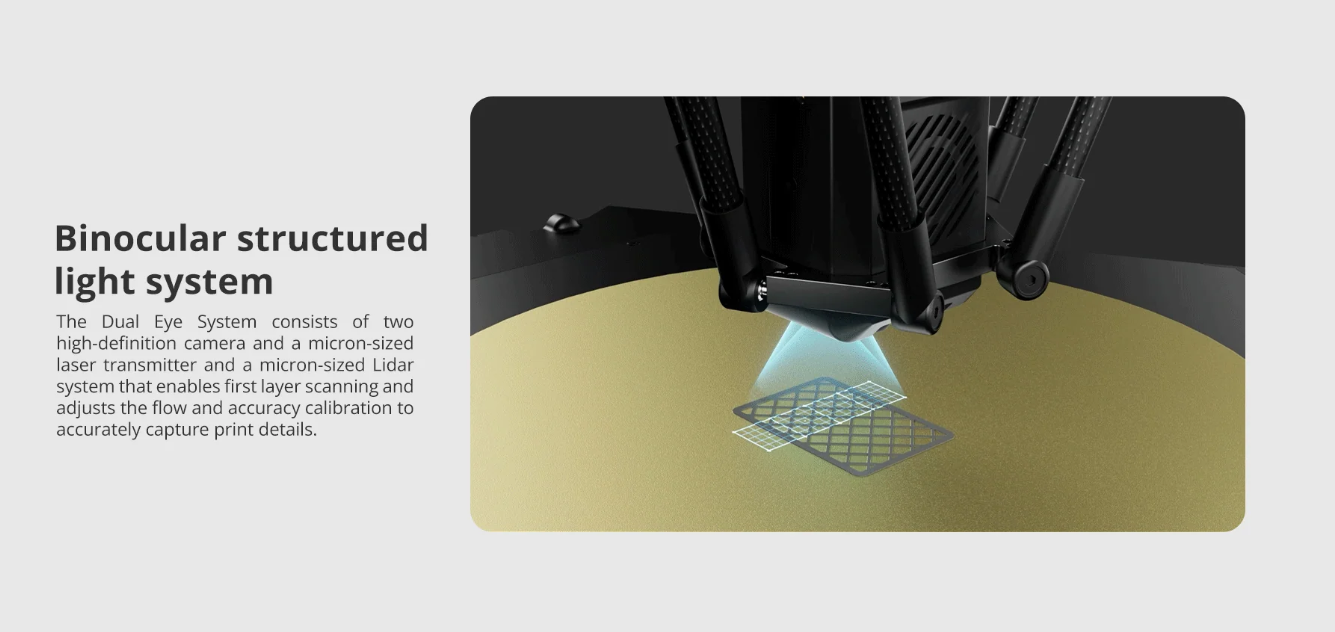
    1. Auto-Leveling: Utilize the auto-leveling feature to level the bed. The AI Lidar Detection system will assist in the first layer detection and ensure a perfectly level bed.
    2. Nozzle Height: Adjust the nozzle height using the touchscreen interface. The recommended layer height is between 0.1mm and 0.35mm.
    3. Flow Calibration: Calibrate the flow rate to ensure the correct amount of filament is extruded.
    4. Accuracy Calibration: Use the touchscreen interface to calibrate the accuracy of the printer’s movements.

    Preparing for Printing

    Loading Filament
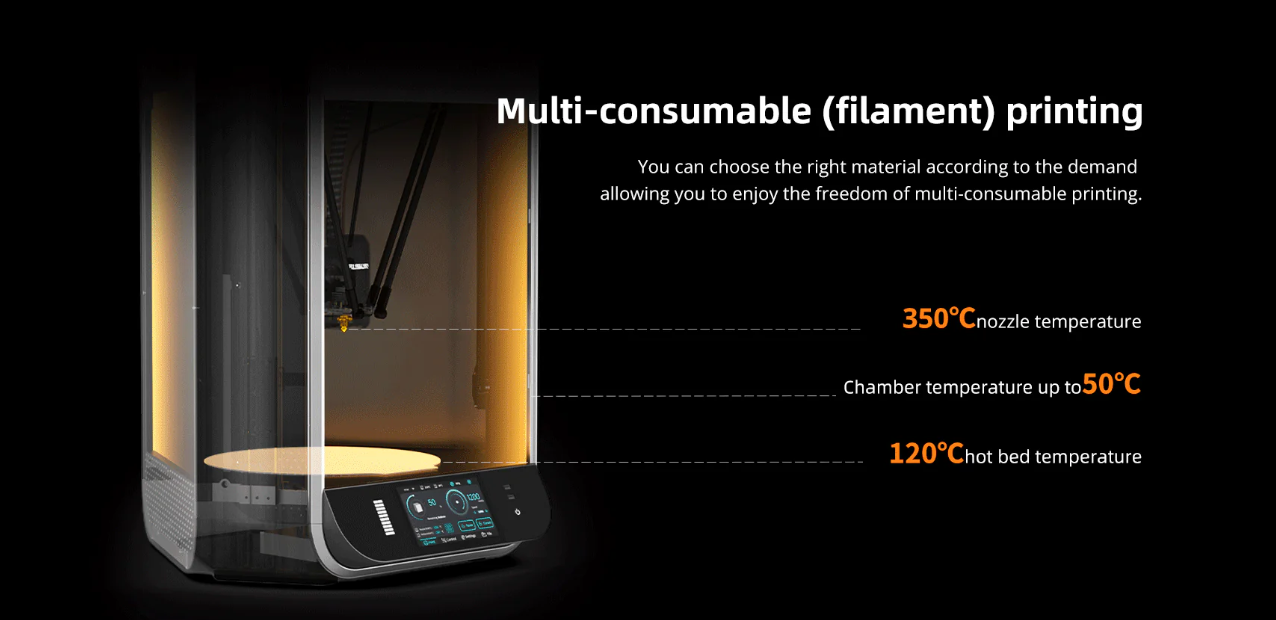
    1. Filament Type: The Flsun S1 supports various filament types, including PLA, PETG, TPU, ABS, ASA, PVA, PET, PA, PC, and PLA-CF.
    2. Load Filament: Insert the filament into the dual-gear direct drive extruder and feed it until it reaches the nozzle.
    3. Filament Detection: The printer’s filament detection system will confirm that the filament is correctly loaded.

    Slicing Your Model

    1. Choose a Slicer: You can use the Flsun Slicer or third-party slicers compatible with the printer.
    2. Import Model: Import your 3D model file (STL, OBJ, AMF, 3MF).
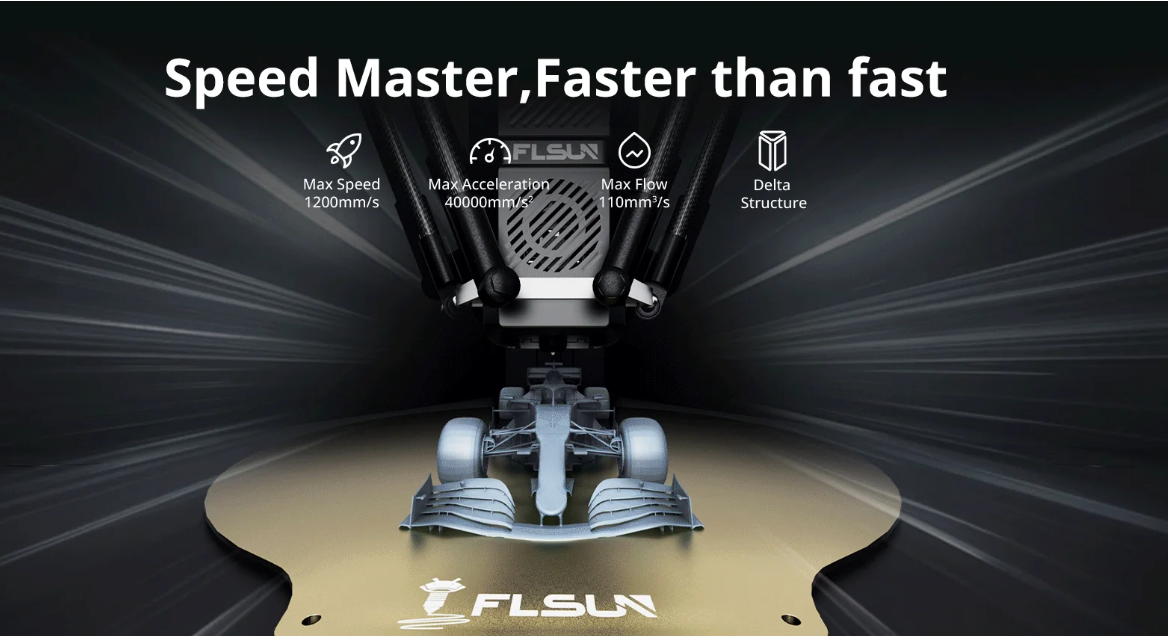
    3. Configure Settings: Adjust settings such as layer height, print speed, and infill density. For optimal performance, consider the printer’s max speed of 1200mm/s and acceleration of 40000mm/s².
    4. Generate G-code: Slice the model to generate the G-code, which is the file format the printer reads.

    Starting Your Print

    1. Transfer File: Use the 16GB EMMC or 32GB USB flash storage to transfer the G-code to the printer.
    2. Preheat Bed and Nozzle: Preheat the bed to a maximum of 120℃ and the nozzle up to 350℃ as required by your filament type.
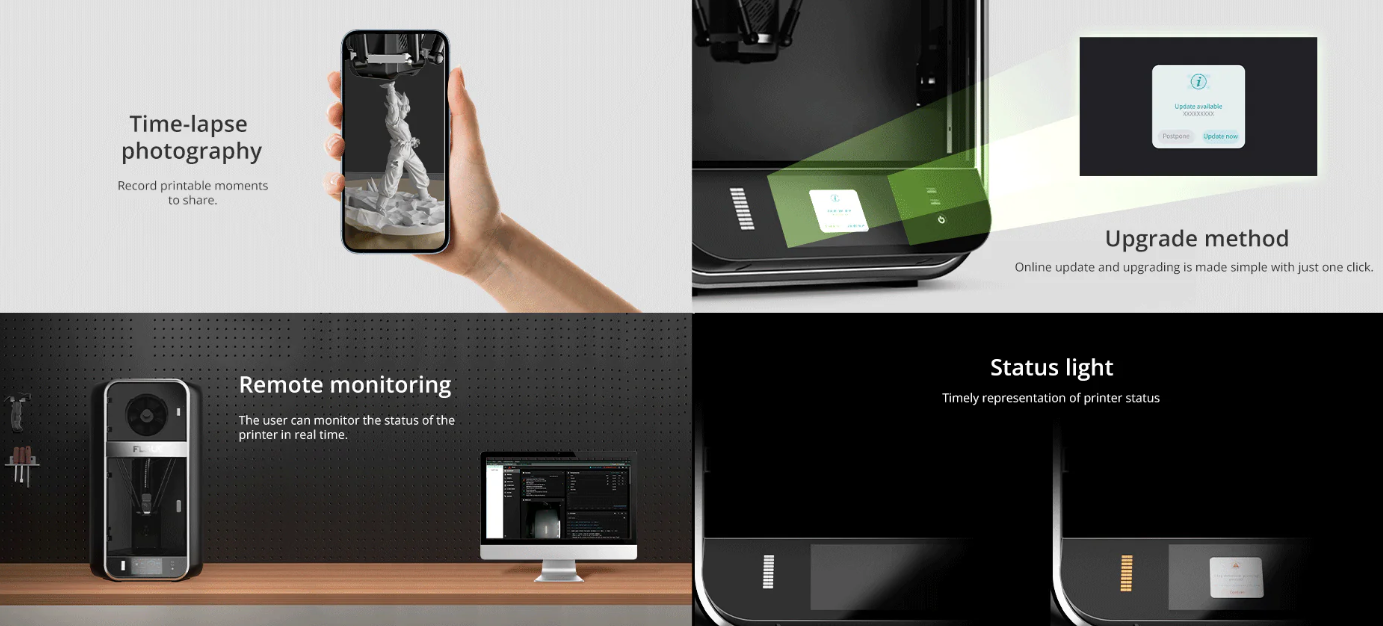
    3. Print: Start the print from the touchscreen interface or PC. The printer’s camera with 1920 × 1080 pixels allows for real-time monitoring.

    During the Print

    Monitoring and Adjustments

    • Real-Time Monitoring: Use the camera to monitor the print process.
    • Filament Detection: The printer will automatically pause if it detects the filament is running low or clogged.
    • Debris Detection: The AI features can detect debris and other issues during the print.
    • Spaghetti Detection: The printer can detect and stop in case of spaghetti-like filament mess.

    Smart Features

    • Vibration Compensation: Ensures stable and accurate printing.
    • Power Off Resume: If the power goes off, the printer will resume printing from where it left off once the power is restored.
    • Time-Lapse Photography: Capture the progress of your print with time-lapse photography.

    Post-Printing

    Removing the Print

    1. Cool Down: Allow the build plate to cool down to avoid damaging your print.
    2. Remove Print: Carefully remove the print from the textured PEI print plate.

    Maintenance

    1. Clean Nozzle: Regularly clean the hardened steel nozzle to prevent clogs.
    2. Check Bed Leveling: Periodically check and re-level the bed if necessary.
    3. Inspect Moving Parts: Ensure all moving parts are free of debris and properly lubricated.

    Software and Firmware Updates

    • OTA Updates: Keep your printer’s firmware up to date with Over-The-Air (OTA) updates. This ensures you have the latest features and improvements.

    Conclusion

    The Flsun S1 3D printer is a powerful and versatile tool for creating high-quality 3D prints. By following this guide, you’ll be able to set up, calibrate, and maintain your printer effectively, ensuring optimal performance and longevity. Whether you’re printing prototypes, functional parts, or artistic pieces, the Flsun S1 will deliver precise and reliable results. Available at the official website of Flsun at Just $1,499.00.

    Read Also: Flsun S1 3D Printer VS FLSUN T1 3D Printer Comparison Review

    Share. Facebook Twitter Pinterest LinkedIn Tumblr Email

    Related Posts

    BlitzWolf HL7 SmartWatch Now Available on Banggood at Just $39.99

    New renderings of Google Pixel 10a smartphone unveiled: The raspberry color is eye-catching. The European version has a battery life of 53 hours and 14 minutes.

    The detailed specifications of Nothing Phone (4a)/Pro have been revealed. The model offers the option of up to 12GB of RAM and 256GB of storage space.

    Leave A Reply Cancel Reply

    You must be logged in to post a comment.

    voopoo Cyph NAVI kit
    oxva xlim 3 ultra
    sp2s sen x disposable vape
    jnr 100k
    • Popular
    • 3D Printer REVIEW
    • XIAOMI
    February 8, 2026

    VOOPOO VMATE i2 vs i3: Hands-On Comparison Review

    February 2, 2026

    Voopoo Drag X3 vs Drag X2: Hands-On Comparison Review

    January 21, 2026

    VOOPOO ARGUS P3 VS ARGUS P2: Which Square Pod Suits You?

    January 21, 2026

    VOOPOO Drag X3 vs VOOPOO Drag X2: Hands-On Comparison

    December 26, 2025

    ACMER ASCARVA 4S: Precision CNC Power for Makers, DIYers & Small Workshops

    June 23, 2024

    ACMER P2 20W Laser Engraver Fixed Focus Engraving: Hands on Review

    May 30, 2024

    xTool F1 Ultra Review: World’s First 20W Fiber & 20W Diode Laser Engraver

    May 30, 2024

    Anycubic Kobra 3 Combo Review: The Multicolor Masterpiece?

    February 9, 2026

    Xiaomi 18 is the world’s first! The cost of Qualcomm Snapdragon 8 Elite Gen 6 Pro is outrageously high

    February 6, 2026

    Xiaomi 17 Ultra will make its debut at MWC: The battery capacity of the international version has been reduced to 6000mAh.

    February 4, 2026

    Xiaomi Hyper OS 4 undergoes a major upgrade: Completely eliminates old code and boosts smoothness.

    February 2, 2026

    The new 6.59-inch mid-to-high-end model of a Certain factory is tentatively scheduled to be released in the first half of this year. It is expected to be under the brand of Xiaomi.

    fc 26 coins
    New Arrivals
    • Geek Bar CLR 50K Disposable Vape Geek Bar CLR 50K Disposable Vape
    • Redmi Turbo 5 Max Redmi Turbo 5 Max
    • OnePlus Turbo 7 OnePlus Turbo 7
    • Doogee S300 Ultra Doogee S300 Ultra
    • iQOO 15R iQOO 15R
    • VOOPOO NAVI X Cyph 80K Disposable Vape Kit VOOPOO NAVI X Cyph 80K Disposable Vape Kit
    • OXVA Slim Stick X Vape OXVA Slim Stick X Vape
    • Geek Bar Somax 80K Disposable Vape Geek Bar Somax 80K Disposable Vape
    • Geek Bar Clio Platinum 50K Disposable Vape Kit Geek Bar Clio Platinum 50K Disposable Vape Kit
    About
  • Igeekphone.com provides the first global tech news and reviews about smartphone, vapes, e-cigar, smart home, 3D printers, e-bike,tablets, RC drones, VR headset, and other accessories. It's the best platform to improve your brand and product.
  • Contact us: info@igeekphone.com
  • Check Our Privacy Policy Here.
  • Note: *Right now we have US editor and EU editors for review, especially for Amazon US and EU.
  • *Shop and Compare Price Here*
  • Facebook
  • Youtube
  • OUR BEST VAPE PARTNERS
  • VAPE ONLINE STORE
  • HAYATI PRO MAX PLUS
  • VAPORESSO
  • VOOPOO
  • OXVA
  • NEXA
  • MASKKING
  • LOSTVAPE ORIONBAR
  • MEMERS
  • TODOO
  • SP2S
  • JNR
  • VEIIK
  • OTHER BEST PARTNERS
  • SVBONY
  • Chuwi
  • Blackview
  • Fossibot
  • Unihertz
  • Flsun
  • Anycubic
  • Xtool
  • Oukitel
  • Mukkpet Ebike
  • Ugreen
  • Copyright © 2026 igeekphone

    Type above and press Enter to search. Press Esc to cancel.