





Facebook Twitter Instagram
    Trending
    • Srihome SH028 8MP 4K Outdoor Security Camera Review: High-Definition, Smart Security for Your Home
    • SANAG Z9 TWS Earphones Review at $31.99: Sports Bluetooth Headphones with Deep Bass and 48H Battery
    • OXVA Slim Stick X Vape Review: Compact Power and Style in One Vape
    • BlitzHome® BG-D068K 20L/24H Smart Dehumidifier Review – Powerful Smart Moisture Control for Modern Homes
    • Asus R09 TWS Earbuds Review at $19.99: Stylish Wireless Earphones with HiFi Sound and Long Battery Life
    • Astrolux® K3 1550LM EDC Flashlight Review: The Ultimate Compact LED Torch for Outdoor and Emergency Use
    • VOOPOO & Cyph Launch the NAVI × Cyph Kit 80K: A Flavor-Focused Refillable Pod System
    • Retroid Pocket G2 Gaming Console Review: The Ultimate Android Handheld for Retro & Modern Gaming
    Facebook YouTube
    Login Register
    IGeeKphone China Phone, Tablet PC, VR, RC Drone News, Reviews
    • HOME
      • NEWS
        • DeepSeek
        • ChatGPT
        • Minecraft
    • Amazon
    • NEW YEAR
    • PHONE
      • Top Phones For Your First Choice
      • Phone Comparison
      • Xiaomi
      • Blackview
      • Doogee
      • Black Shark
      • Geekbuying
      • Banggood
      • TEMU
      • TikTok
      • Aliexpress
      • Walmart
      • MercadoLibre
      • Lazada
    • TOP VAPE Awards for 2026
    • VAPES
      • E-CIGAR Upcoming
      • Vape News
      • Vape Deals
      • Vape Comparison
      • Vape Guide
      • Giveaway
    • BEST VAPE
      • Best Vape Stores
      • Best Starter Vape Kits
      • Best Vapes for Beginners
      • Best Disposable Vapes
      • Best Pod Systems
      • Best Pod Mod Vapes
      • Best Mods
      • Best Nicotine Pouches
      • Best Clearomizers/Tanks
      • Best E-Liquid
      • Best EGO/Pens
      • Best Vapes for Nic Salt E-Juice
      • Best Vapes to Quit Smoking
      • RDA vs. RDTA vs. RTA
    • Best Vape Brand 2026
      • VAPORESSO
      • VOOPOO
      • OXVA
      • NEXA BAR
      • ORIONBARTECH
      • MASKKING VAPE
      • MEMERS
      • SP2S
      • JNR
      • TODOO
      • MRFOG
      • VEIIK
    • REVIEW
      • E-cigar Review
      • Phones
      • Tablet PC
      • TV Box
      • RC Drone
      • Wearables
      • Camera
      • Accessories
      • VR Headset
    • MORE
      • TABLET
        • Chuwi
        • INNOCN
        • Teclast
        • Top Tablet for Your First Choice
        • Tablet/Laptop Comparison
      • RC DRONE
      • CAMERA
      • WEARABLES
        • OneOdio
        • BlitzWolf
        • Top Smartwatch for First Choice
      • 3D PRINTER
        • 3D Printer Review
        • Anycubic
        • FLSUN
        • Xtool
        • LONGER
        • Top 3D printer to Choose First
      • POWER STATION
        • Oukitel
        • FOSSIBOT
      • GAMING
        • Top Gaming Products
      • E-BIKE
        • Samebike
        • Happyrun
        • ENGWE
      • SMART HOME
      • TV BOX
      • ACCESSORIES
      • VR HEADSET
      • CLOTHES
      • AUTO CAR
    • DEAL
    • Shop
    IGeeKphone China Phone, Tablet PC, VR, RC Drone News, Reviews
    You are at:Home»COUPONS»MiraBox MBox N4 Stream Deck Review- The Ultimate Hybrid Control Hub for Creators
    COUPONS

    MiraBox MBox N4 Stream Deck Review- The Ultimate Hybrid Control Hub for Creators

    Brady CottonBy Brady CottonJune 13, 2025
    Facebook Twitter Pinterest LinkedIn Tumblr Email

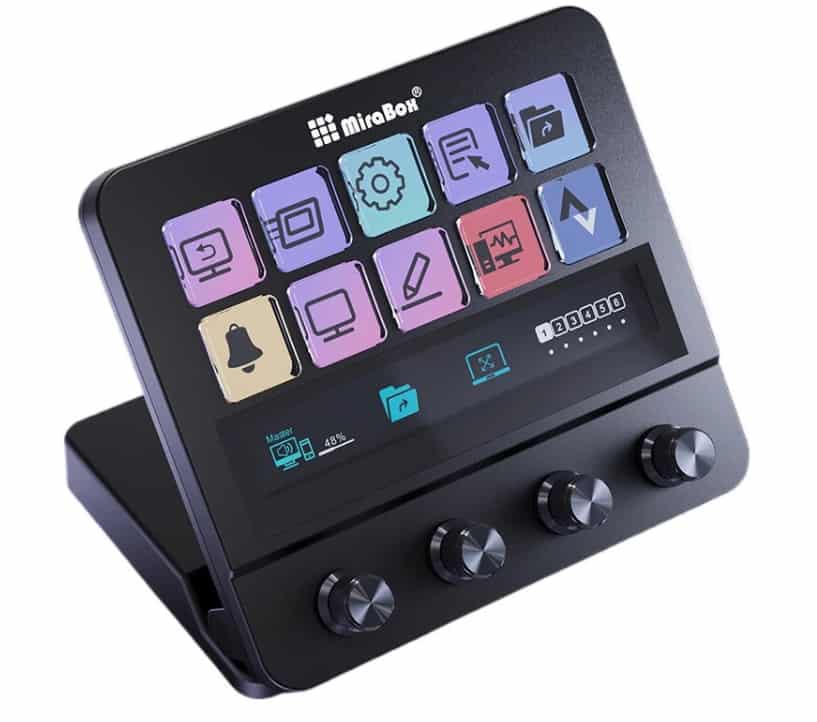
    Tired of juggling keyboard shortcuts, mouse clicks, and app switching mid-stream or during a complex edit? Feeling limited by basic stream decks? The MiraBox MBox N4 Stream Deck arrives as a revolutionary command center, merging the tactile precision of physical buttons and knobs with the dynamic flexibility of a touchscreen. This isn’t just another macro pad; it’s a hybrid powerhouse designed to supercharge your workflow, whether you’re a live streamer, podcaster, video editor, or digital creative.
    Hybrid Control: The Best of All Worlds

    The MBox N4’s genius lies in its unique combination of input methods:

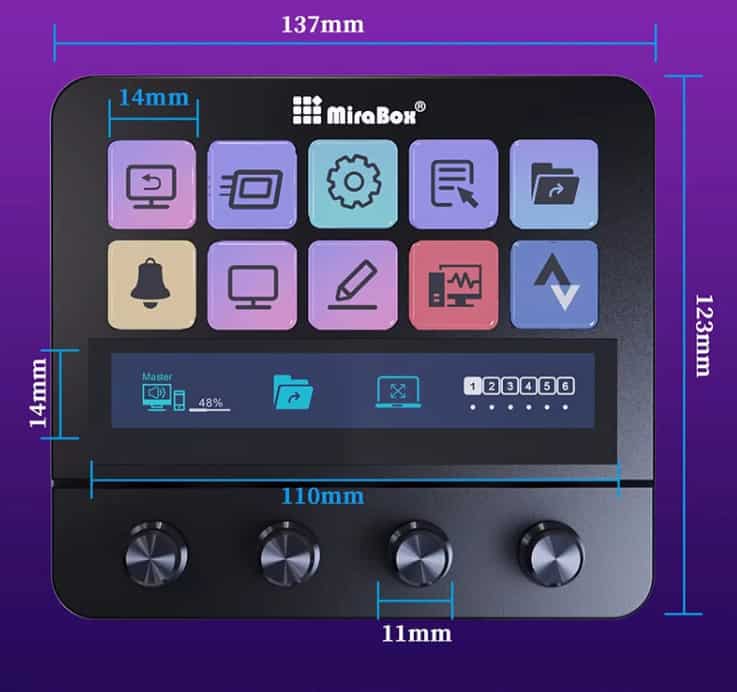
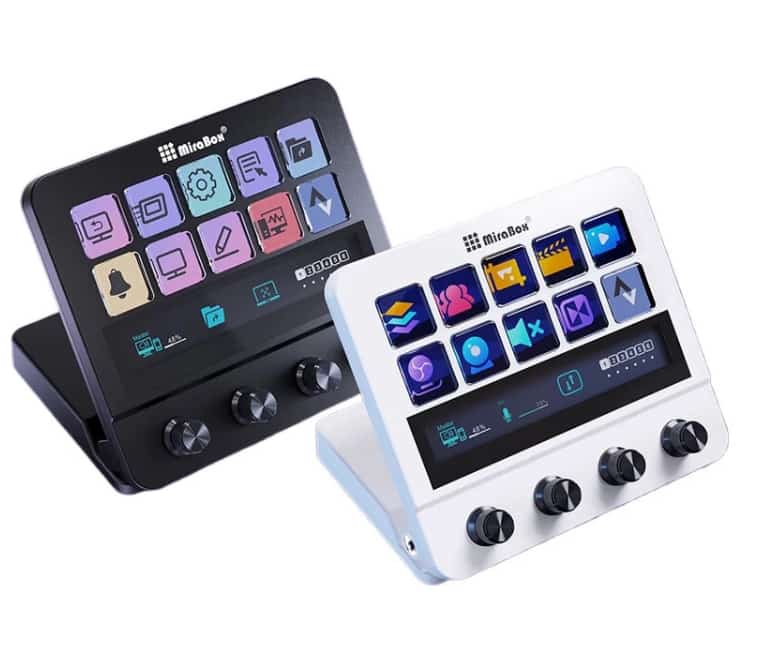
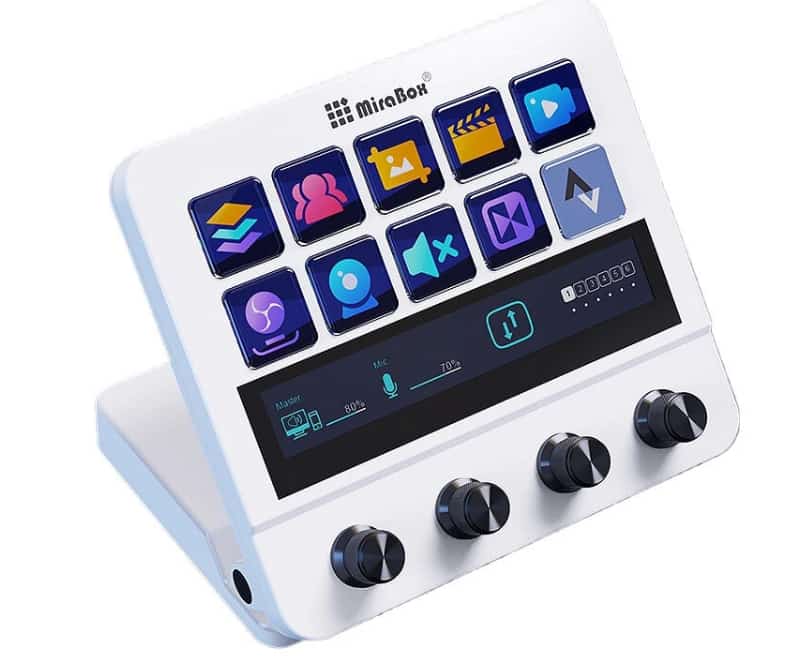
    1. 10 Customizable LCD Buttons:

      • Dynamic Displays: Each button features a vibrant LCD screen, allowing you to assign and visually see custom icons, text, or even mini animations for every function.

      • Instant Actions: Launch applications, switch scenes, play sounds, control media, send chat messages, trigger complex macros – all with a single, visually clear button press.

      • Multi-Layer Magic: Unlock virtually unlimited commands by programming different functions across multiple profiles or layers accessible via dedicated buttons.

    2. 4 Precision Rotary Encoders (Knobs):

      • Tactile Adjustments: Go beyond simple buttons. Assign continuous controls like audio faders (master volume, mic gain, game audio, discord), lighting brightness, transition speed, brush size in editing software, or camera zoom.

      • Press Functionality: Most knobs also feature a press-down function, adding another assignable action per knob (e.g., mute/unmute a source when pressed).

      • Visual Feedback: Surrounding LED rings provide immediate visual feedback on levels or states (e.g., volume level, mute status).

    3. Integrated Touchscreen Display:

      • Centralized Information & Control: The central display acts as a dashboard, showing vital info like CPU usage, chat previews, timer counts, or even mini views of your scenes.

      • Interactive Controls: Tap directly on the screen to access additional settings, switch between function sets, or control specific elements that benefit from touch.

      • Enhanced Context: Provides crucial context for your button and knob assignments, making complex setups more intuitive.
    Unleash Efficiency with the Nexus Software Ecosystem

    The MBox N4’s true power is unlocked through the robust Nexus software:

    • Deep Customization: Visually drag-and-drop to assign any action imaginable to buttons, knobs, and the touchscreen. Create intricate multi-step macros effortlessly.

    • Seamless Integration: Works flawlessly with popular platforms like OBS Studio, Streamlabs Desktop, Twitch, YouTube, Spotify, Discord, Philips Hue, Elgato Lights, Adobe Premiere Pro, Photoshop, and countless others via plugins and integrations.

    • Profile Management: Create and switch between dedicated profiles for different activities (e.g., “Streaming,” “Editing,” “Music Production,” “Zoom Meetings”).

    • Community & Sharing: Access and share custom profiles, icons, and macros with the growing MiraBox community.

    Why the MBox N4 Elevates Your Production:

    • Streamline Complex Workflows: Eliminate frantic alt-tabbing and forgotten shortcuts. Control your entire production from one central, intuitive device.

    • Enhance Professionalism: Execute scene transitions, audio adjustments, and effects smoothly and confidently, projecting a polished, professional image.

    • Boost Engagement: Trigger alerts, sound effects, and overlays instantly to react to chat and keep your audience entertained without breaking stride.

    • Reduce Cognitive Load: Free up mental bandwidth by offloading commands to muscle memory and visual cues on the MBox N4.

    • Creative Flexibility: Adapt the deck to your unique needs, whether it’s controlling DAWs, editing timelines, managing smart home devices, or navigating complex software.
    Who Needs the MiraBox MBox N4?

    • Live Streamers (Twitch, YouTube, Facebook): Essential for scene switching, source muting, triggering alerts, managing chat, and controlling lights.

    • Podcasters: Perfect for muting mics, playing intro/outro music, adjusting individual audio levels, and recording controls.

    • Video Editors & Motion Designers: Assign timeline navigation, tool selections, playback controls, and frequent effects/transitions.

    • Content Creators: Control recording, lighting setups, music playback, and social media functions during production.

    • Power Users & Multitaskers: Anyone who uses multiple complex applications and craves a more efficient, tactile control surface.
    The Verdict: Your Production Studio’s Central Nervous System

    The MiraBox MBox N4 Stream Deck transcends the limitations of traditional control surfaces. By masterfully blending dynamic LCD buttons, versatile rotary encoders, and an interactive touchscreen within an intuitive and deeply customizable software ecosystem (Nexus), it provides unparalleled control and workflow optimization. It’s not just about pressing buttons; it’s about orchestrating your entire creative process with speed, precision, and flair.

    If you’re serious about leveling up your production quality, saving time, and reducing on-air stress, the MBox N4 is a transformative investment. Ditch the keyboard chaos and command your content with the ultimate hybrid control hub. The future of efficient creation is tactile, visual, and at your fingertips.

    Share. Facebook Twitter Pinterest LinkedIn Tumblr Email

    Related Posts

    Srihome SH028 8MP 4K Outdoor Security Camera Review: High-Definition, Smart Security for Your Home

    SANAG Z9 TWS Earphones Review at $31.99: Sports Bluetooth Headphones with Deep Bass and 48H Battery

    BlitzHome® BG-D068K 20L/24H Smart Dehumidifier Review – Powerful Smart Moisture Control for Modern Homes

    Leave A Reply Cancel Reply

    You must be logged in to post a comment.

    voopoo Cyph NAVI kit
    oxva xlim 3 ultra
    sp2s sen x disposable vape
    jnr 100k
    • Popular
    • 3D Printer REVIEW
    • XIAOMI
    February 8, 2026

    VOOPOO VMATE i2 vs i3: Hands-On Comparison Review

    February 2, 2026

    Voopoo Drag X3 vs Drag X2: Hands-On Comparison Review

    January 21, 2026

    VOOPOO ARGUS P3 VS ARGUS P2: Which Square Pod Suits You?

    January 21, 2026

    VOOPOO Drag X3 vs VOOPOO Drag X2: Hands-On Comparison

    December 26, 2025

    ACMER ASCARVA 4S: Precision CNC Power for Makers, DIYers & Small Workshops

    June 23, 2024

    ACMER P2 20W Laser Engraver Fixed Focus Engraving: Hands on Review

    May 30, 2024

    xTool F1 Ultra Review: World’s First 20W Fiber & 20W Diode Laser Engraver

    May 30, 2024

    Anycubic Kobra 3 Combo Review: The Multicolor Masterpiece?

    February 9, 2026

    Xiaomi 18 is the world’s first! The cost of Qualcomm Snapdragon 8 Elite Gen 6 Pro is outrageously high

    February 6, 2026

    Xiaomi 17 Ultra will make its debut at MWC: The battery capacity of the international version has been reduced to 6000mAh.

    February 4, 2026

    Xiaomi Hyper OS 4 undergoes a major upgrade: Completely eliminates old code and boosts smoothness.

    February 2, 2026

    The new 6.59-inch mid-to-high-end model of a Certain factory is tentatively scheduled to be released in the first half of this year. It is expected to be under the brand of Xiaomi.

    fc 26 coins
    New Arrivals
    • Geek Bar CLR 50K Disposable Vape Geek Bar CLR 50K Disposable Vape
    • Redmi Turbo 5 Max Redmi Turbo 5 Max
    • OnePlus Turbo 7 OnePlus Turbo 7
    • Doogee S300 Ultra Doogee S300 Ultra
    • iQOO 15R iQOO 15R
    • VOOPOO NAVI X Cyph 80K Disposable Vape Kit VOOPOO NAVI X Cyph 80K Disposable Vape Kit
    • OXVA Slim Stick X Vape OXVA Slim Stick X Vape
    • Geek Bar Somax 80K Disposable Vape Geek Bar Somax 80K Disposable Vape
    • Geek Bar Clio Platinum 50K Disposable Vape Kit Geek Bar Clio Platinum 50K Disposable Vape Kit
    About
  • Igeekphone.com provides the first global tech news and reviews about smartphone, vapes, e-cigar, smart home, 3D printers, e-bike,tablets, RC drones, VR headset, and other accessories. It's the best platform to improve your brand and product.
  • Contact us: info@igeekphone.com
  • Check Our Privacy Policy Here.
  • Note: *Right now we have US editor and EU editors for review, especially for Amazon US and EU.
  • *Shop and Compare Price Here*
  • Facebook
  • Youtube
  • OUR BEST VAPE PARTNERS
  • VAPE ONLINE STORE
  • HAYATI PRO MAX PLUS
  • VAPORESSO
  • VOOPOO
  • OXVA
  • NEXA
  • MASKKING
  • LOSTVAPE ORIONBAR
  • MEMERS
  • TODOO
  • SP2S
  • JNR
  • VEIIK
  • OTHER BEST PARTNERS
  • SVBONY
  • Chuwi
  • Blackview
  • Fossibot
  • Unihertz
  • Flsun
  • Anycubic
  • Xtool
  • Oukitel
  • Mukkpet Ebike
  • Ugreen
  • Copyright © 2026 igeekphone

    Type above and press Enter to search. Press Esc to cancel.