









ONEXSUGAR Sugar 1 game console is the kind of handheld that makes a normal specification sheet feel incomplete. Yes, it has a Snapdragon G3 Gen 3 processor, 16GB of RAM and 512GB of storage. Yes, its main display is a 6.01-inch OLED panel. But none of those numbers explains why the Sugar 1 exists.
The real story is the second screen.
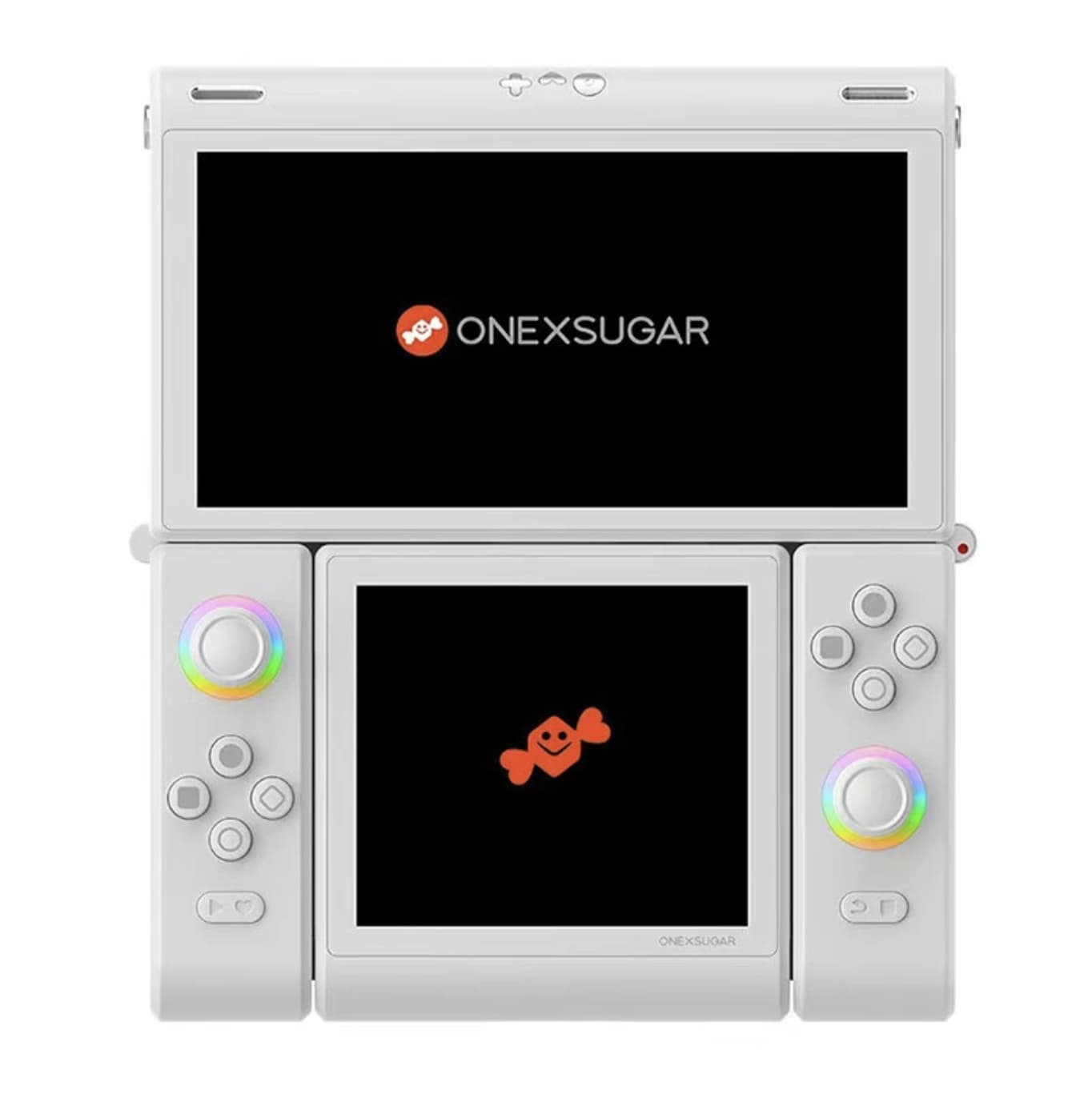
Instead of choosing between a traditional horizontal Android handheld and a Nintendo DS-style layout, the Sugar 1 attempts to do both. Its display and controls can transform into a dual-screen configuration, giving Android games and emulators a second touchscreen without requiring a completely separate device.
That makes the Sugar 1 less interesting as a conventional gaming handheld and far more interesting as an experiment in portable gaming design.
The important question is therefore not whether it is powerful enough. The Snapdragon G3 Gen 3 and 16GB of RAM already answer that. The real question is whether having two screens changes the way you actually play.
A Handheld Built Around Transformation
Most Android gaming handhelds are variations on the same formula: a screen in the middle, controls on either side, and enough processing power to run modern games and emulators.
The Sugar 1 starts there, but then breaks the formula.
Its main OLED display measures 6.01 inches, while the secondary OLED panel measures 3.92 inches. Both displays use touch input, and the device can transform from a conventional horizontal handheld into a vertically arranged dual-screen system. Independent testing has confirmed the two-display configuration and 60Hz refresh rate.
This immediately gives the Sugar 1 a different purpose.
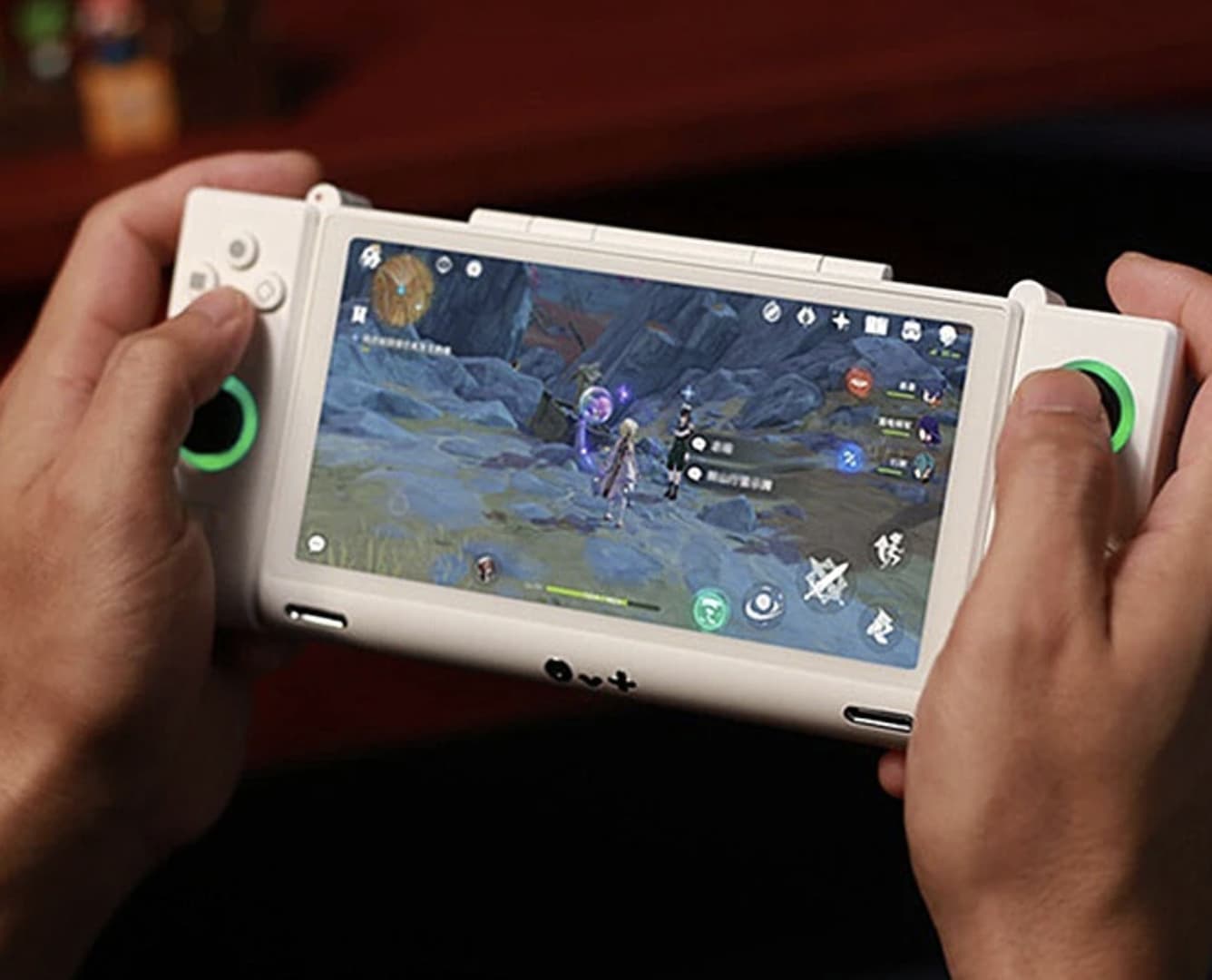
In single-screen mode, it behaves like a fairly conventional Android gaming device. You can play games on the main display without worrying about the second panel.
In dual-screen mode, however, the device starts to make sense for software that was designed around multiple displays.
That includes certain emulators, management-heavy games and applications where keeping controls or secondary information separate from the main action is useful.
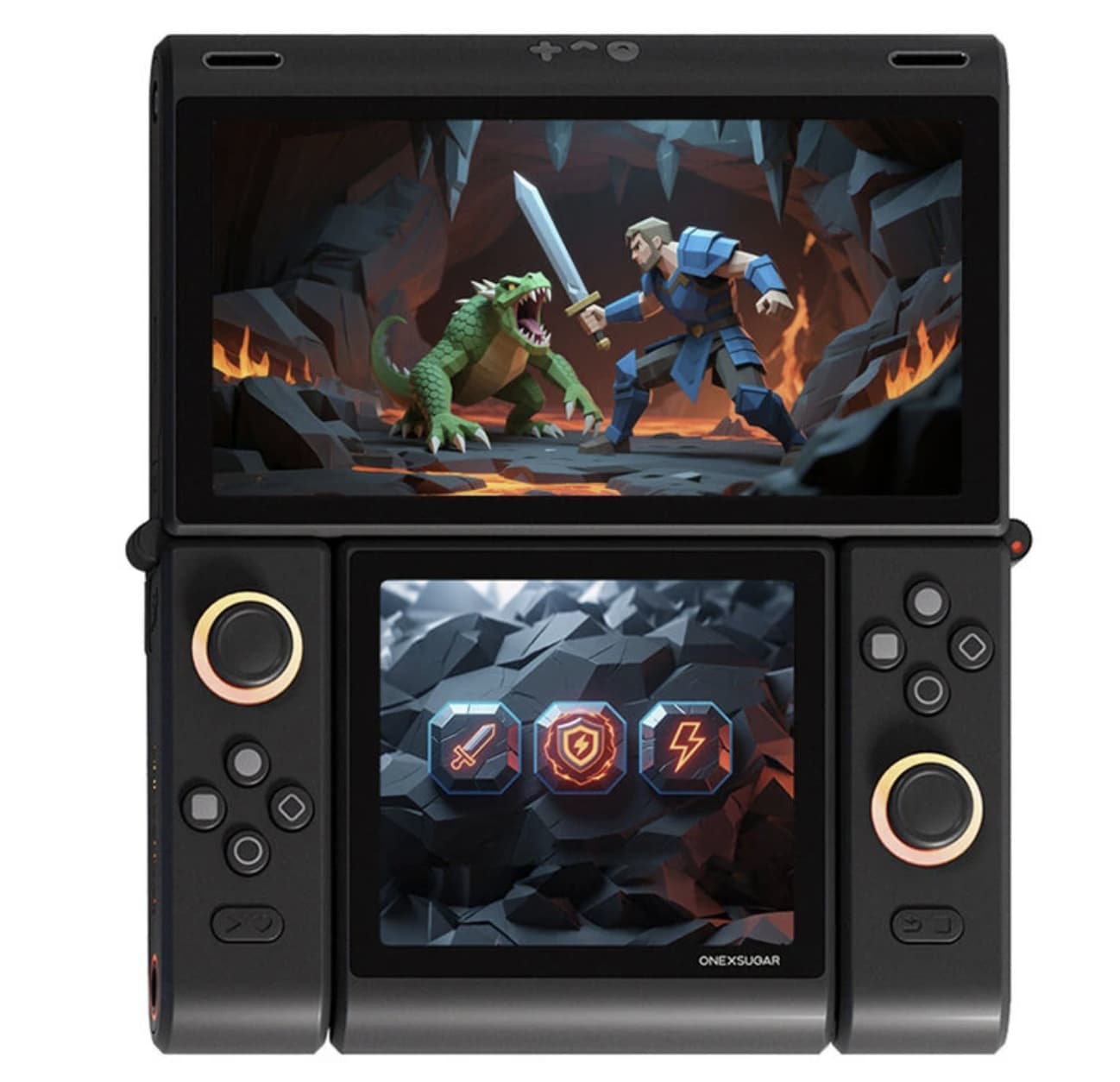
The hardware is essentially providing two different gaming layouts in one body.
The Second Screen Is the Reason to Buy It
It is tempting to treat the secondary display as a party trick.
That would be unfair, but there is also a reason people may initially see it that way.
If you mainly play standard Android games that were designed for a single display, the second panel doesn’t automatically improve the experience. A larger single screen may actually be simpler.
The value appears when software can take advantage of the extra space.
A second display can hold maps, inventory, menus, controls or supplementary information while the main screen remains dedicated to gameplay. For certain emulators, it also makes the Sugar 1 capable of recreating a dual-screen style that ordinary handhelds cannot reproduce naturally.
This is where the Sugar 1 becomes much more than an Android handheld with an unusual hinge.
It is trying to solve a software problem with hardware.
Instead of forcing a dual-screen game onto one display or relying on virtual controls, the device gives the application another physical screen.
That is a niche advantage, but it is a real one.
The 6.01-Inch OLED Is the Main Gaming Display
The primary 6.01-inch OLED screen uses a 2160 × 1080 resolution and supports a 60Hz refresh rate. The secondary panel measures 3.92 inches and uses a 1080 × 1240 resolution.
These aren’t numbers designed to win a specification race.
They are practical choices for a device whose main objective is flexibility.
The 6.01-inch screen gives Android games enough space for conventional controls and UI elements without making the handheld excessively wide. OLED also gives the device the contrast and color characteristics that suit games with dark environments and bright graphics.
The 60Hz refresh rate is less impressive on paper than the high-refresh displays found on some gaming phones. But the Sugar 1’s identity is not based on pushing every game toward extremely high frame rates.
Its advantage is the ability to change how the available screen space is used.
That distinction matters.
Snapdragon G3 Gen 3 Gives the Concept Enough Power
The Sugar 1 uses Qualcomm’s Snapdragon G3 Gen 3 platform and pairs it with 16GB of LPDDR5X RAM and 512GB of storage in the configuration listed by Banggood.
That puts it firmly in the high-performance Android handheld category.
The processor matters because the Sugar 1 isn’t limited to lightweight retro emulation. Independent testing has found it capable of handling demanding Android games and a broad range of emulators, with one review describing its emulation performance as high-end for an Android handheld.
The 16GB memory configuration is also useful for a device built around multitasking.
Running applications across two displays can create a different workload from simply rendering one game on one screen. Extra memory doesn’t guarantee better performance, but it gives Android more room to keep applications and system processes active.
This is one of those situations where a large RAM number makes more sense than it would on a basic Android phone.
The Sugar 1 Can Do Something Most Handhelds Cannot
The most interesting use case is simultaneous screen activity.
Independent testing has demonstrated the ability to run demanding Android applications across the two displays, including scenarios where different games were active on the primary and secondary screens.
That sounds excessive—and it is.
But it also demonstrates what the hardware is capable of.
The Sugar 1 isn’t simply mirroring the same image onto two panels. The secondary screen can operate as an additional Android display, allowing the user to treat the two panels as separate areas of the same system.
For gaming, this opens possibilities that traditional single-screen handhelds simply don’t have.
For ordinary users, however, this feature may remain something they occasionally experiment with rather than use every day.
That’s an important distinction when considering the device.
Emulation Is Where the Sugar 1 Becomes Most Interesting
Android handhelds have become increasingly capable at emulation, but the Sugar 1 adds something more unusual to that equation.
Its Snapdragon G3 Gen 3 platform has enough performance for a wide range of older systems and more demanding emulators. Independent testing has reported successful emulation across systems including PSP, GameCube, Wii, 3DS and PS2, while some more demanding platforms and individual titles can still require additional optimization.
The dual-screen design is arguably more important than raw emulation power, though.
Some games were designed around multiple displays or benefit naturally from separating gameplay from menus and secondary information. A conventional Android handheld can reproduce some of this through software, but a physical second display feels considerably closer to the original concept.
This makes the Sugar 1 particularly interesting to enthusiasts who care about unusual emulation experiences rather than simply maximizing benchmark scores.
Of course, users should only use game files they legally own and obtain through appropriate means.
Cooling Is Necessary Because the Hardware Is Serious
A powerful processor inside a relatively compact handheld inevitably creates a thermal challenge.
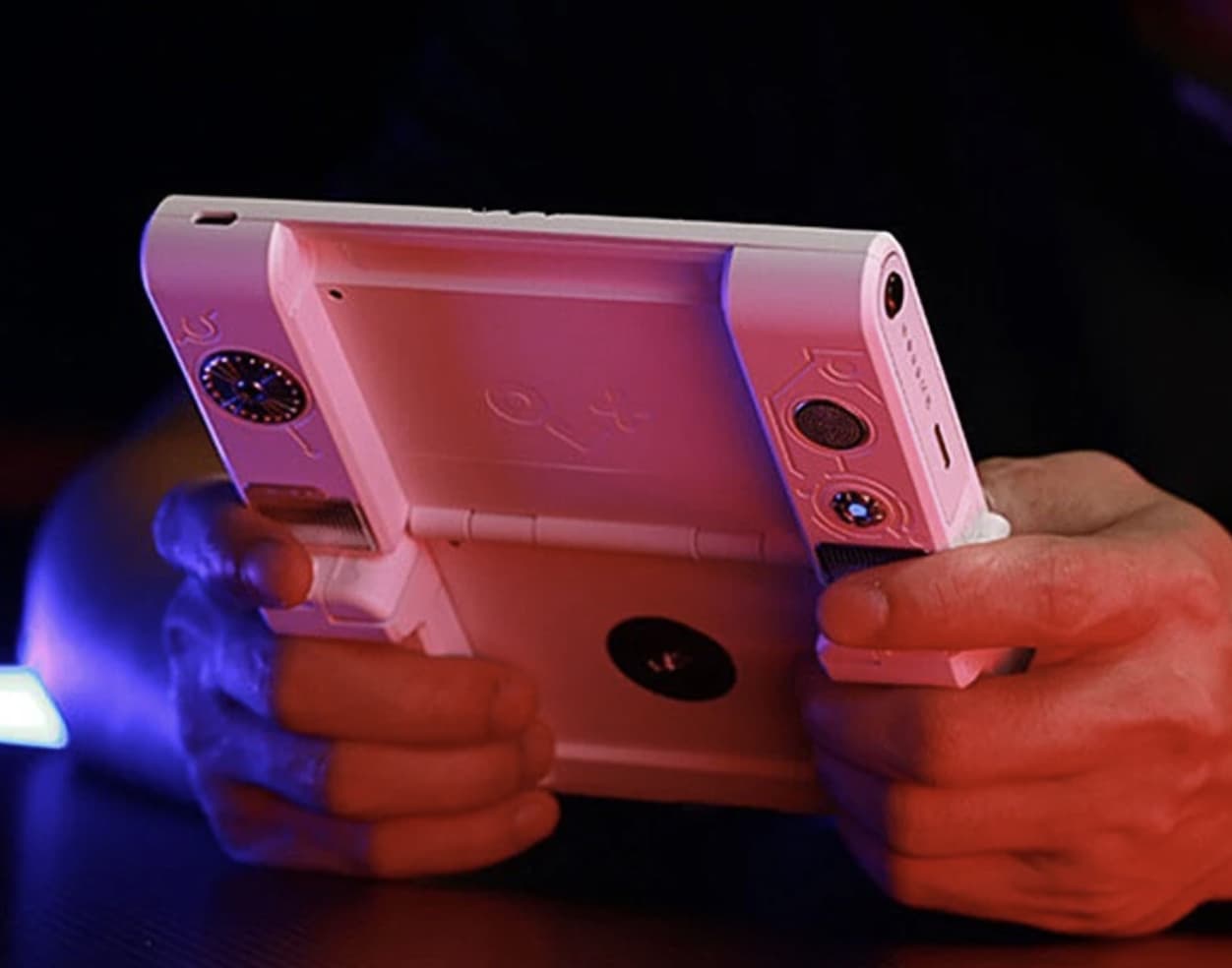
The Sugar 1 uses a dual-fan cooling system, which is reflected in the product specification and is intended to keep the Snapdragon G3 Gen 3 under control during sustained workloads.
That cooling hardware is not merely decorative.
Independent testing has reported noticeable heat when the device is pushed hard, particularly around the ventilation areas during dual-screen operation.
This creates an interesting trade-off.
The cooling system helps the processor maintain performance, but the vents and airflow become part of the physical experience. Where those vents are positioned matters because a handheld is held directly in the user’s hands.
In other words, better cooling does not automatically mean a cooler-feeling handheld.
The Sugar 1’s thermal design has to balance sustained performance with hand comfort.
The Biggest Problem May Be Ergonomics
This is where the Sugar 1 becomes much harder to judge purely from specifications.
The transformation mechanism is impressive, but adding hinges, a second screen and rotating controls inevitably affects the shape.
Independent hands-on testing has criticized the device’s thickness and ergonomics, particularly in certain configurations. Another review described the hardware as innovative but noted that its ambition sometimes exceeds its execution.
That doesn’t make the design unsuccessful.
It simply means the Sugar 1 is prioritizing functionality over conventional handheld comfort.
In single-screen mode, the device can feel like a large Android gaming handheld.
In dual-screen mode, it becomes a completely different object.
That flexibility comes at a physical cost, and buyers should understand that before treating the transformation mechanism as an unconditional advantage.
The 16GB + 512GB Configuration Makes More Sense Than It First Appears
The version listed by Banggood combines 16GB of RAM with 512GB of storage.
For a conventional Android phone, 16GB of RAM could easily be excessive for many buyers.
For an enthusiast gaming handheld, the calculation is different.
The Sugar 1 may be used for Android games, emulators, frontend applications, save files, screenshots, videos and a large local game library. Storage can therefore disappear surprisingly quickly.
The 512GB capacity provides considerably more breathing room than a basic 128GB or 256GB handheld.
The 16GB RAM configuration also fits the product’s more ambitious dual-screen concept.
It doesn’t mean every game will run faster simply because the device has more memory. Instead, it gives the hardware enough system resources to support the Sugar 1’s unusual multitasking capabilities without making RAM capacity an obvious limitation.
What the Sugar 1 Is Really Selling
If you remove the processor, RAM and storage from the discussion, the Sugar 1 still has a reason to exist.
That’s actually its strongest characteristic.
The product is selling flexibility.
You can use it as:
- A conventional Android gaming handheld
- A dual-screen gaming system
- An emulation machine
- A touchscreen Android device
- A portable multimedia system
- A platform for experimenting with unusual Android gaming layouts
Very few handhelds can offer that combination.
The downside is that not every use case is equally compelling.
If you never use the second screen, you’re carrying hardware that exists primarily for a feature you don’t need.
If you frequently use dual-screen applications or enjoy experimenting with emulators, the same hardware becomes the entire reason to own the device.
That makes the Sugar 1 unusually dependent on the buyer’s habits.
Who Should Buy the ONEXSUGAR Sugar 1?
The Sugar 1 makes the most sense for enthusiasts.
It is particularly interesting for people who:
- Want a dual-screen Android handheld rather than another conventional model
- Care about emulation and unusual gaming configurations
- Want strong Snapdragon-based performance
- Need substantial storage for a large game library
- Enjoy experimenting with Android applications
- Appreciate hardware that does something competitors don’t
It is less convincing for someone who simply wants the most comfortable Android handheld.
A conventional single-screen device can be lighter, simpler and easier to hold.
The Sugar 1 is therefore not necessarily the best handheld for everyone.
It is the more interesting handheld for a specific type of player.
Final Verdict
ONEXSUGAR Sugar 1 succeeds because it refuses to be another ordinary Android gaming handheld.
Its Snapdragon G3 Gen 3 processor, 16GB of RAM and 512GB of storage give it the performance expected from a high-end Android portable, while the 6.01-inch and 3.92-inch OLED screens create something genuinely different.
The dual-screen mechanism is the star of the show.
It can recreate experiences that a conventional handheld cannot, particularly for compatible games and emulators. At the same time, the transformation mechanism introduces compromises in weight, thickness and ergonomics, and the device’s cooling requirements become more noticeable during demanding workloads. Independent reviews have highlighted both its strong performance and these physical limitations.
So the Sugar 1 shouldn’t be judged by whether it is a better version of a normal handheld.
It isn’t.
It is a different idea.
If the second screen is something you’ll actually use, the Sugar 1 offers a genuinely unusual gaming experience that few competitors can replicate. If you only want a powerful single-screen Android console, its complicated design may be solving a problem you never had.
The Sugar 1 is at its best when its weirdness becomes useful—and that is exactly what makes it worth paying attention to.