







Facebook Twitter Instagram
    Trending
    • How Can I Restore My Photos That Were Completely Deleted from the iPhone?
    • When will Redmi K40 be Released?
    • Vivo X Fold6 has Officially been Announced to be equipped with Dimensity 9500 Ultra Edition: This SoC is Specifically Developed for Large-screen Foldable Devices.
    • Motorola launches Moto G Max phone: 6.8-inch 1.5K screen, 200 million-pixel main camera
    • QCY R50 Review: AI-Powered TWS Earbuds with Smart Translation and Advanced Call Clarity
    • BOBOVR S3 Pro Super Strap Review: The Ultimate Comfort Upgrade for Meta Quest 3 & Quest 3S
    • AWEI T71 TWS Earbuds Review: Affordable Wireless Audio with Powerful 13mm Drivers
    • DT NO.1 E06S AI Smart Glasses Review: Smart Vision Meets AI-Powered Convenience
    Facebook YouTube
    IGeeKphone China Phone, Tablet PC, VR, RC Drone News, Reviews
    • HOME
      • NEWS
        • DeepSeek
        • ChatGPT
        • Minecraft
    • Amazon
    • PHONE
      • Top Phones For Your First Choice
      • Phone Comparison
      • Xiaomi
      • Blackview
      • Doogee
      • Black Shark
      • Geekbuying
      • Banggood
      • TEMU
      • TikTok
      • Aliexpress
      • Walmart
      • MercadoLibre
      • Lazada
    • TOP VAPE Awards for 2026
    • VAPES
      • E-CIGAR Upcoming
      • Vape News
      • Vape Deals
      • Vape Comparison
      • Vape Guide
      • Giveaway
    • BEST VAPE
      • Best Vape Stores
      • Best Starter Vape Kits
      • Best Vapes for Beginners
      • Best Disposable Vapes
      • Best Pod Systems
      • Best Pod Mod Vapes
      • Best Mods
      • Best Nicotine Pouches
      • Best Clearomizers/Tanks
      • Best E-Liquid
      • Best EGO/Pens
      • Best Vapes for Nic Salt E-Juice
      • Best Vapes to Quit Smoking
      • RDA vs. RDTA vs. RTA
    • Best Vape Brand 2026
      • VAPORESSO
      • VOOPOO
      • OXVA
      • NEXA BAR
      • MASKKING VAPE
      • SP2S
      • IPLAY
      • TODOO
      • MRFOG
      • LOSTVAPE
      • VEIIK
    • REVIEW
      • E-cigar Review
      • Phones
      • Tablet PC
      • TV Box
      • RC Drone
      • Wearables
      • Camera
      • Accessories
      • VR Headset
    • MORE
      • TABLET
        • Chuwi
        • INNOCN
        • Teclast
        • Top Tablet for Your First Choice
        • Tablet/Laptop Comparison
      • RC DRONE
      • CAMERA
      • WEARABLES
        • OneOdio
        • BlitzWolf
        • Top Smartwatch for First Choice
      • 3D PRINTER
        • 3D Printer Review
        • Anycubic
        • FLSUN
        • Xtool
        • LONGER
        • Top 3D printer to Choose First
      • POWER STATION
        • Oukitel
        • FOSSIBOT
      • GAMING
        • Top Gaming Products
      • E-BIKE
        • Samebike
        • Happyrun
        • ENGWE
      • SMART HOME
      • TV BOX
      • ACCESSORIES
      • VR HEADSET
      • CLOTHES
      • AUTO CAR
    • DEAL
    • VAPE LAWS
    • Shop
    IGeeKphone China Phone, Tablet PC, VR, RC Drone News, Reviews
    You are at:Home»Guide»How Can I Restore My Photos That Were Completely Deleted from the iPhone?
    Guide

    How Can I Restore My Photos That Were Completely Deleted from the iPhone?

    Brady CottonBy Brady CottonJune 12, 2026
    Facebook Twitter Pinterest LinkedIn Tumblr Email

    Accidentally deleting precious photos from your iPhone can be a frustrating experience. Whether you’ve removed vacation pictures, family memories, work-related images, or important screenshots, losing them may seem permanent at first. Fortunately, depending on how and when the photos were deleted, there are several methods you can use to recover them.

    In this guide, we’ll explore the most effective ways to restore deleted photos on an iPhone, including recovery from the Recently Deleted album, iCloud backups, and other available options.

    Understanding How iPhone Photo Deletion Works

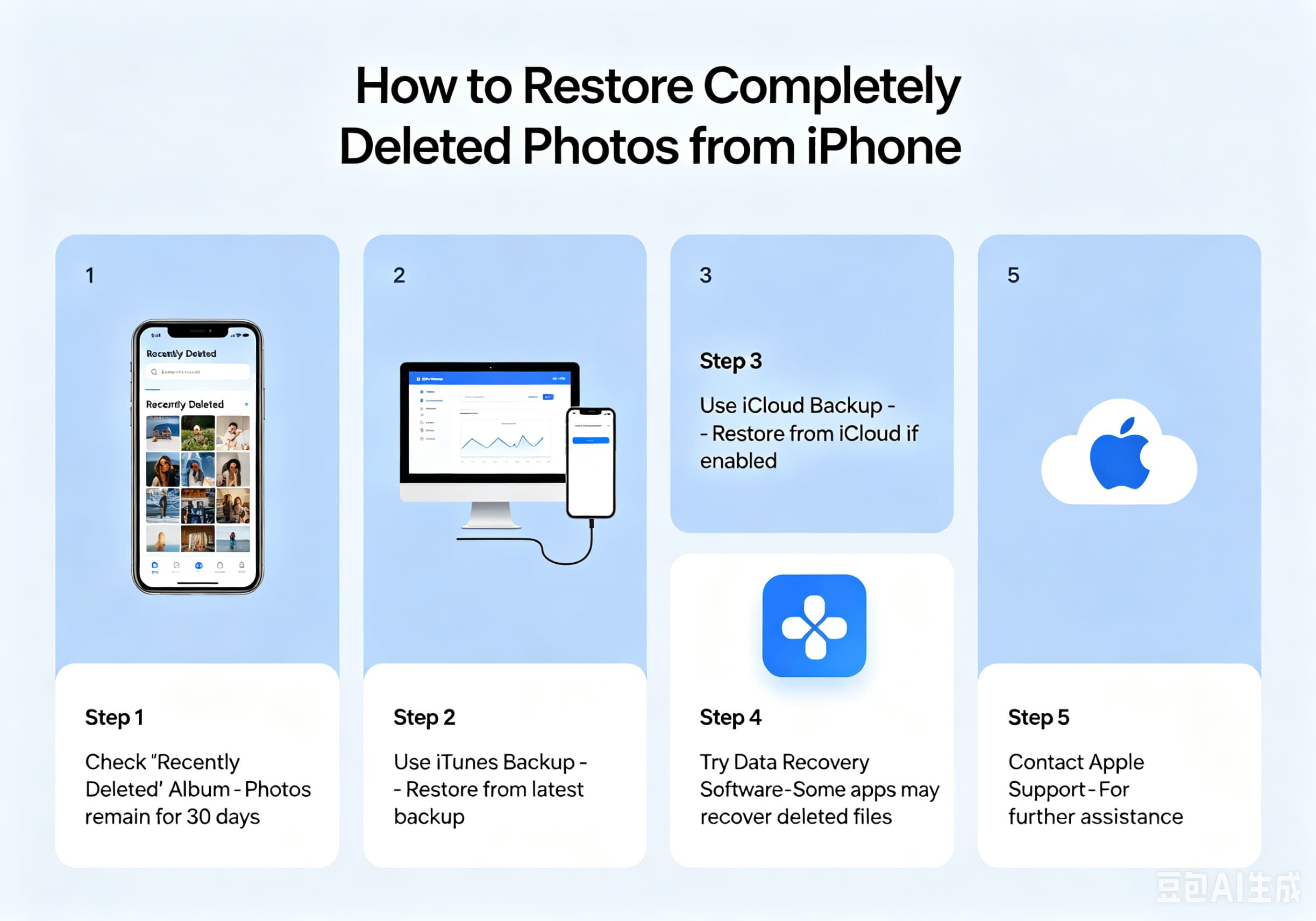
    When you delete a photo from the Photos app, it doesn’t disappear immediately. Instead, Apple moves it to the Recently Deleted album, where it remains for 30 days before being permanently removed.

    This safety feature allows users to recover photos they may have deleted accidentally. However, if the photo has already been removed from the Recently Deleted folder, recovery becomes more challenging—but not necessarily impossible.

    Method 1: Check the Recently Deleted Album

    This should always be your first step.

    How to Restore Photos from Recently Deleted

    1. Open the Photos app.
    2. Scroll down and tap Recently Deleted.
    3. Authenticate using Face ID, Touch ID, or your passcode if required.
    4. Select the photos you want to recover.
    5. Tap Recover.

    The photos will immediately return to their original albums and photo library.

    When This Method Works

    • Photos were deleted less than 30 days ago.
    • The Recently Deleted album has not been manually emptied.

    Method 2: Recover Photos from iCloud Photos

    If you use iCloud Photos, your images may still be available across your Apple devices.

    Check iCloud Photos

    1. Open Settings.
    2. Tap your Apple ID.
    3. Select iCloud.
    4. Tap Photos.
    5. Ensure Sync This iPhone is enabled.

    You can also visit iCloud.com from a browser and sign in with your Apple ID to check whether the missing photos are still stored in your cloud library.

    Possible Causes of Missing Photos

    • iCloud sync was disabled.
    • Photos were deleted on another synced device.
    • Network synchronization issues occurred.

    Sometimes simply reconnecting to Wi-Fi and allowing iCloud to sync can restore photos that appear to be missing.

    Method 3: Restore from an iCloud Backup

    If the photos were permanently deleted but existed when your last iCloud backup was created, you may be able to recover them by restoring your iPhone.

    Before You Begin

    Be aware that restoring an iCloud backup replaces your current data with the backup version.

    Steps to Restore

    1. Open Settings > General > Transfer or Reset iPhone.
    2. Tap Erase All Content and Settings.
    3. Follow the setup process.
    4. Choose Restore from iCloud Backup.
    5. Select a backup created before the photos were deleted.

    After restoration completes, the deleted photos may reappear in your library.

    Method 4: Recover from a Computer Backup

    If you regularly back up your iPhone to a Mac or Windows PC, your photos may still exist in those backups.

    Restore Using Finder (Mac)

    1. Connect your iPhone to your Mac.
    2. Open Finder.
    3. Select your device.
    4. Click Restore Backup.
    5. Choose a backup created before the photos were deleted.

    Restore Using iTunes (Windows or Older macOS)

    1. Connect the iPhone.
    2. Open iTunes.
    3. Select your device.
    4. Click Restore Backup.
    5. Choose the appropriate backup.

    As with iCloud backups, this process replaces current data with the selected backup version.

    Method 5: Check Shared Albums

    Sometimes photos are not truly lost because they were previously shared.

    Check Shared Albums

    1. Open the Photos app.
    2. Select Albums.
    3. Scroll to Shared Albums.

    You may find copies of photos that were removed from your main library.

    Method 6: Search Your Photo Library

    Many users accidentally think photos are deleted when they have simply become difficult to locate.

    Use the search function in the Photos app and search by:

    • Date
    • Location
    • Person
    • Object
    • Event

    Apple’s AI-powered photo recognition can often locate images quickly.

    Method 7: Use Third-Party Recovery Software

    If the photos are no longer available in Recently Deleted and no backup exists, some third-party recovery tools may help recover data from an iPhone or backup file.

    Popular options include:

    • Dr.Fone
    • iMobie PhoneRescue
    • Tenorshare UltData
    • EaseUS MobiSaver

    Keep in mind that success rates vary significantly depending on how much time has passed since deletion and whether the storage space has been overwritten by new data.

    What to Do Immediately After Losing Photos

    To maximize your chances of recovery:

    Stop Taking New Photos

    New data may overwrite storage sectors where deleted photos once existed.

    Avoid Installing Apps

    Additional data writes can reduce recovery success rates.

    Back Up Current Data

    Before attempting advanced recovery methods, create a backup of your current iPhone state.

    Act Quickly

    The sooner you attempt recovery, the higher the chance of success.

    How to Prevent Future Photo Loss

    Protecting your memories is easier than recovering them.

    Consider these best practices:

    • Enable iCloud Photos.
    • Turn on automatic iCloud backups.
    • Regularly back up your iPhone to a computer.
    • Use Google Photos or another cloud storage service as a secondary backup.
    • Avoid permanently deleting photos unless absolutely necessary.

    Multiple backups provide the best protection against accidental loss.

    Final Thoughts

    Losing photos from your iPhone can be stressful, but recovery is often possible if you act quickly. Start by checking the Recently Deleted album, then look for copies in iCloud Photos, shared albums, or existing backups. Even if the photos were permanently deleted, backup restoration or specialized recovery software may still help retrieve them.

    The best defense against future photo loss is maintaining regular backups through iCloud, a computer, or an additional cloud storage service. With proper backup habits, you’ll always have a safety net for your most important memories.

    Share. Facebook Twitter Pinterest LinkedIn Tumblr Email

    Related Posts

    The Rise of Gamification in Education: Making Learning Fun and Engaging

    What Should I Do if My Computer has No Sound?

    What to Do if Your Xiaomi Phone’s Storage is Full and It Won’t Boot Up

    Leave A Reply Cancel Reply

    You must be logged in to post a comment.

    voopoo G4 Mini
    oxva xlim go lite
    sp2s sen x disposable vape
    • Popular
    • 3D Printer REVIEW
    • XIAOMI
    June 6, 2026

    Vaporesso LUXE X3 & LUXE Q3 Review. Two Paths to Exceptional Flavor

    June 6, 2026

    VOOPOO ARGUS G4 & ARGUS G4 Mini Review – Smart Flavor Meets Everyday Simplicity

    June 6, 2026

    VOOPOO NAVI x CYPH Kit 80K Review. Is This The Future of Disposable Vaping?

    May 17, 2026

    iPlay Nova 45K Review – High Puff Performance with a Futuristic Twist

    December 26, 2025

    ACMER ASCARVA 4S: Precision CNC Power for Makers, DIYers & Small Workshops

    June 23, 2024

    ACMER P2 20W Laser Engraver Fixed Focus Engraving: Hands on Review

    May 30, 2024

    xTool F1 Ultra Review: World’s First 20W Fiber & 20W Diode Laser Engraver

    May 30, 2024

    Anycubic Kobra 3 Combo Review: The Multicolor Masterpiece?

    June 12, 2026

    When will Redmi K40 be Released?

    June 10, 2026

    Xiaomi Hyper OS 3 Second Batch Beta Version Begins Recruitment: Covering Five Models Including Redmi K80 and Xiaomi MIX Flip2

    June 9, 2026

    Xiaomi has released MiMo-V2.5-Pro-UltraSpeed: The generation speed has been increased by 10 times! It can process over 1,000 tokens per second.

    June 8, 2026

    Xiaomi MIX Fold 5 will be the first to feature the Xuanji O3

    fc 26 coins
    New Arrivals
    • Apple iPhone Fold 2 Apple iPhone Fold 2
    • Realme Narzo 100x Realme Narzo 100x
    • ZTE Nubia Flip 4 ZTE Nubia Flip 4
    • OnePlus 17R OnePlus 17R
    • YiHi SXmini MQ Class Box Mod 60W YiHi SXmini MQ Class Box Mod 60W
    • Cali Switch 50K Disposable Vape Kit Cali Switch 50K Disposable Vape Kit
    • Apple iPhone 19E Apple iPhone 19E
    • Honor Win RT 2 Honor Win RT 2
    • VAPGO OGGI Bar 75K Disposable Vape VAPGO OGGI Bar 75K Disposable Vape
    About
  • Igeekphone.com provides the first global tech news and reviews about smartphone, vapes, e-cigar, smart home, 3D printers, e-bike,tablets, RC drones, VR headset, and other accessories. It's the best platform to improve your brand and product.
  • Contact us: info@igeekphone.com
  • Check Our Privacy Policy Here.
  • Note: *Right now we have US editor and EU editors for review, especially for Amazon US and EU.
  • *Shop and Compare Price Here*
  • Facebook
  • Youtube
  • OUR BEST VAPE PARTNERS
  • VAPE ONLINE STORE
  • HAYATI PRO MAX PLUS
  • VAPORESSO
  • VOOPOO
  • OXVA
  • NEXA
  • MASKKING
  • SP2S
  • IPLAY
  • TODOO
  • OTHER BEST PARTNERS
  • SVBONY
  • Chuwi
  • Blackview
  • Fossibot
  • Unihertz
  • Flsun
  • Anycubic
  • Xtool
  • Oukitel
  • Mukkpet Ebike
  • Ugreen
  • Copyright © 2026 igeekphone

    Type above and press Enter to search. Press Esc to cancel.