









A desktop can accumulate charging adapters surprisingly quickly. A laptop needs one connection, a phone needs another, earbuds need another, and then there are tablets, handheld consoles, watches, cameras, power banks, and other USB-powered accessories.
The result is often a desk covered with adapters and cables.
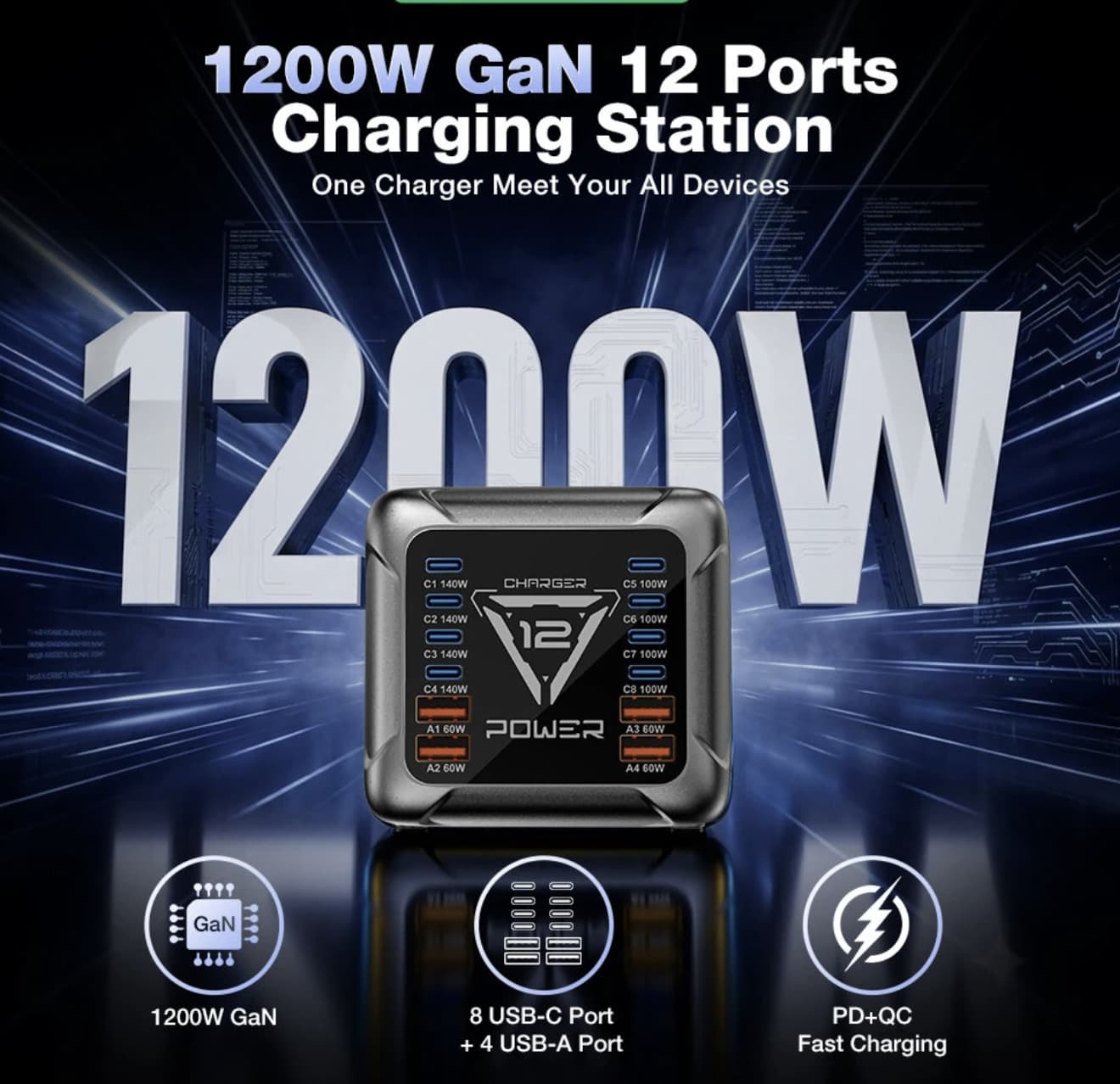
The BlitzWolf BW-S36 takes a different approach. Instead of giving each device its own charger, it places 12 charging ports into one desktop charging station, combining eight USB-C ports with four USB-A ports. The first four USB-C outputs are rated for USB Power Delivery 3.1 and can deliver up to 140W from a single compatible port, according to the product specifications currently published on iGeekPhone.
But there’s a more important question than the port count:
Does having 12 ports actually make charging easier, or is the number mainly a marketing advantage?
That’s what makes the BW-S36 worth examining.
The Real Reason to Buy a 12-Port Charger
The BW-S36 isn’t aimed at someone who only charges a phone and a pair of earbuds.
Its appeal starts to make sense when several devices need power in the same place.
Consider a typical workstation:
- Laptop
- Smartphone
- Tablet
- Wireless earbuds
- Smartwatch
- Power bank
- Handheld gaming console
- Camera
- USB accessories
Using individual adapters for all of these devices creates two problems: cable clutter and limited wall outlets.
The BW-S36 consolidates those connections into a single desktop unit.
That doesn’t necessarily make it the best charger for everyone. In fact, if you only have two or three devices, a smaller charger is likely more sensible.
The BW-S36 makes more sense when charging has become a genuine organizational problem.
Twelve Ports Are Only Useful If the Power Distribution Makes Sense
The most important thing to understand about a multi-port charger is that 12 ports doesn’t mean 12 devices can all receive maximum power simultaneously.
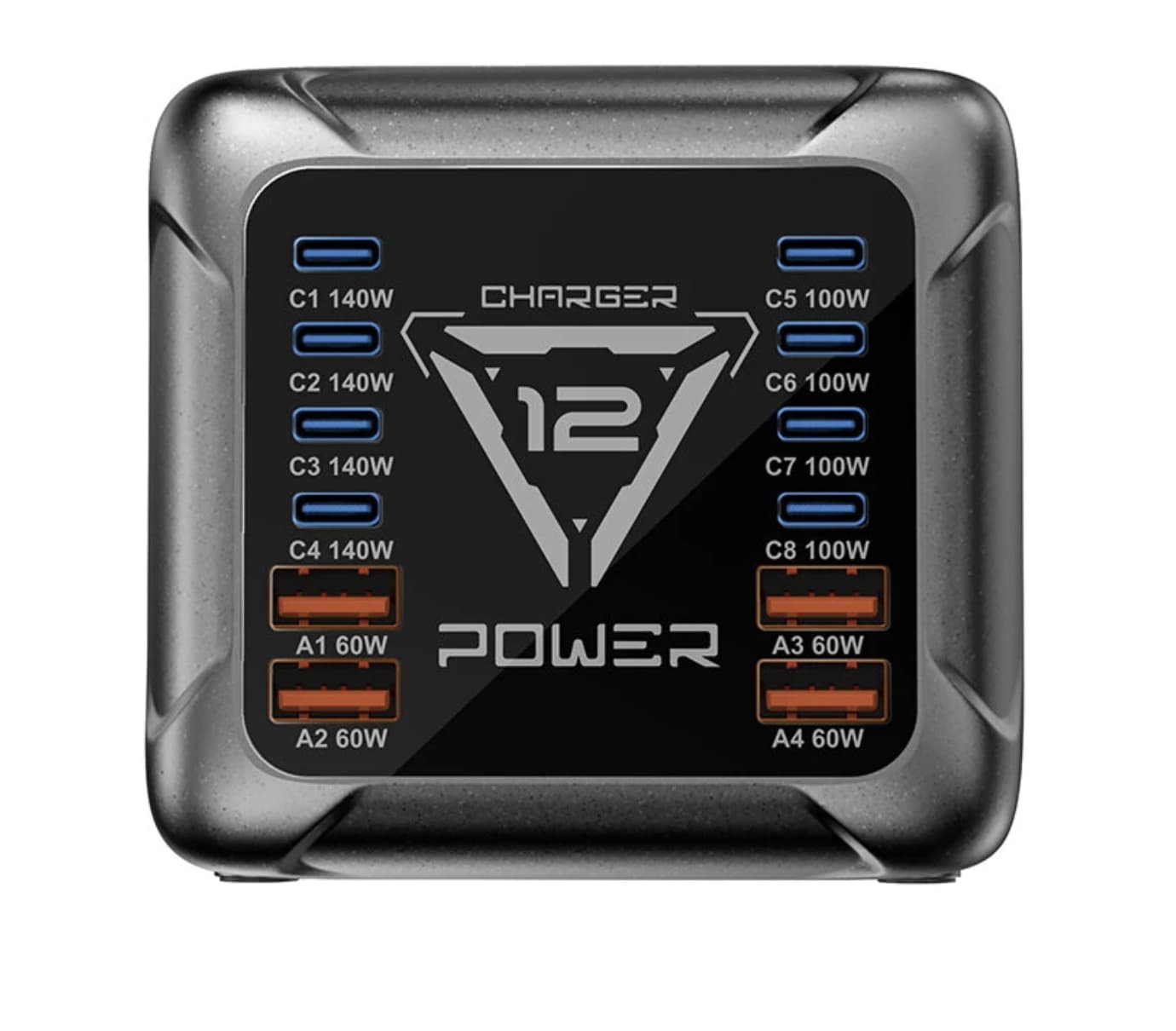
The BW-S36 lists eight USB-C ports and four USB-A ports. Its first four USB-C connections can reach up to 140W individually, while other USB-C and USB-A outputs have lower maximum ratings.
Those figures describe the capability of individual outputs under supported conditions.
They shouldn’t be interpreted as twelve independent high-power chargers operating at their maximum ratings at the same time.
This distinction is easy to miss in a product specification list.
For example, charging a laptop at high power while simultaneously charging several phones and accessories requires the station to distribute its available power according to demand.
That’s why the power-allocation system is arguably more important than simply counting ports.
Where the 140W USB-C Port Matters
A 140W USB-C output gives the BW-S36 a much more useful role than a basic multi-port USB hub.
A compatible laptop can potentially draw substantially more power than a smartphone or tablet, meaning the charging station can serve as a central power source for a desktop setup rather than merely an accessory charger.
The important word here is compatible.
Maximum charging output depends on the connected device, cable, charging protocol, and the power profile negotiated between the charger and the device.
So the 140W figure should be viewed as the station’s maximum supported output for a compatible connection—not a guarantee that every laptop will charge at 140W.
GaN Is Useful Here for a Practical Reason
The BW-S36 uses gallium nitride (GaN) charging technology rather than relying on older silicon-based power components. The product listing highlights GaN’s efficiency and compactness as part of the design. For readers comparing different high-power options, a GaN charger guide can help explain why this technology has become common in modern charging hardware.
For a charger with only one output, GaN is already useful.
For a device handling numerous charging connections, it becomes even more relevant.
A multi-output desktop charger has to manage substantial electrical power without becoming unnecessarily large or difficult to place.
GaN helps manufacturers build high-power charging hardware with greater power density.
That doesn’t mean GaN automatically makes every charger better.
The more useful takeaway is that the BW-S36’s high port count and relatively compact desktop format benefit from the technology.
USB-C Is Clearly the Priority
The port arrangement tells you something about where the BW-S36 fits into today’s device ecosystem.
It provides:
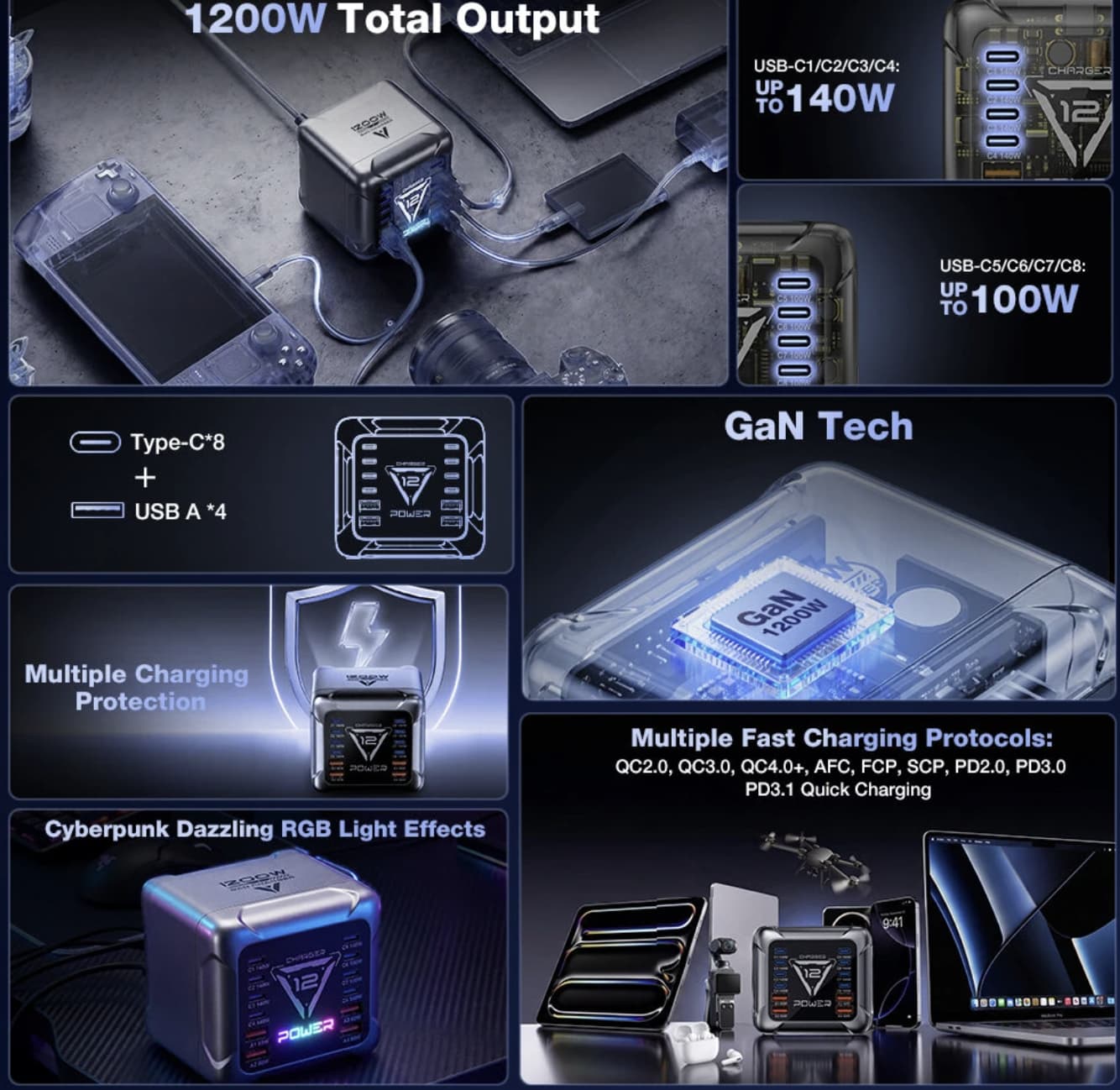
8 × USB-C
4 × USB-A
That is a sensible configuration for a modern workstation because USB-C is becoming the primary connection for phones, tablets, laptops, handheld gaming devices, and many accessories.
The four USB-A ports are still useful for older cables and peripherals, but the eight USB-C connections make the BW-S36 feel designed for a newer collection of devices.
This also makes it more future-oriented than a desktop charger dominated by USB-A.
Fast-Charging Protocol Support Adds Compatibility
The BW-S36 supports multiple charging standards, including USB PD, Qualcomm Quick Charge, PPS, AFC, FCP, and SCP, according to the listed specifications.
That’s useful because not every device uses the same charging protocol.
A charger that supports several standards has a better chance of providing appropriate charging behavior across a mixed collection of devices.
However, protocol support should not be confused with universal maximum-speed charging.
The connected device still determines what charging mode it can negotiate.
For USB Power Delivery terminology and standards information, readers can also consult the USB-IF official website.
The Desktop Form Factor Is Actually the Point
At approximately 95 × 88 × 88 mm and around 558 grams, the BW-S36 isn’t a pocket charger. It is designed to sit somewhere permanently on a desk, workstation, bedside table, or charging area.
That’s not a disadvantage.
It’s part of the product’s purpose.
A travel charger needs to minimize weight.
A desktop charging station needs to minimize the number of separate chargers occupying your workspace.
Those are two completely different priorities.
The BW-S36 therefore makes much more sense as a permanent charging hub than something you throw into a travel bag.
The 1.2-Meter Cable Helps With Placement
The included AC cable is approximately 1.2 meters, giving the charging station some flexibility in where it can sit relative to a wall outlet.
This is a small detail, but it matters for desktop equipment.
A charging station becomes less useful if the cable forces it into an awkward position.
With multiple cables connecting to the front or rear of the station, placement is important because poor positioning can turn the supposedly cleaner setup into another pile of cables.
The LED Is More Than Decoration
The integrated LED lighting is one of the less important features, but it does have a practical use.
A small amount of illumination can make the ports easier to locate when the charger is placed beside a bed or in a darker part of a workstation.
Still, I wouldn’t choose the BW-S36 because of the lighting.
The charging hardware is the reason to buy it.
The LED is simply a nice extra.
Safety Features Matter More With High-Power Charging
A desktop charger handling multiple connected devices needs more than fast charging.
The BW-S36 lists protections including:
- Over-voltage protection
- Over-current protection
- Short-circuit protection
- Over-temperature protection
- Intelligent power management
These protections are particularly relevant when multiple devices remain connected for long periods.
Of course, protection claims should ultimately be evaluated against applicable testing and certification information rather than treated as proof that a device is inherently risk-free.
Who Actually Needs the BW-S36?
The strongest candidates are people with many devices in one location. For users building a larger workstation, our guide to USB-C charging accessories provides additional options for organizing a multi-device setup.
It makes particular sense for:
Home-office users
A laptop, phone, tablet, earbuds, and other accessories can all share one charging station.
Content creators
Cameras, microphones, phones, tablets, power banks, and other USB-powered equipment can create a surprisingly demanding charging setup.
Gamers
A gaming handheld, controller, phone, earbuds, and other peripherals can all compete for charging space.
Families
A shared charging area can be much easier to manage with one multi-port station than a collection of individual adapters.
Who Probably Doesn’t Need It?
This is equally important.
If your daily setup consists of:
- One smartphone
- One pair of earbuds
- One smartwatch
then twelve ports are probably unnecessary.
A smaller GaN charger with two or four outputs would likely be easier to justify.
The BW-S36 is a specialist solution for high-device-count environments, not an automatically better charger for everyone.
BW-S36 vs. Several Individual Chargers
This is where the $46.99 price needs context.
The question shouldn’t simply be:
“Is $46.99 cheap for a charger?”
Instead ask:
How many separate chargers would you otherwise need to reproduce the same setup?
If you already own several quality chargers and have enough wall outlets, the BW-S36 may not dramatically change your routine. Users who don’t need twelve outputs may find a multi-port USB charger more appropriate for a smaller setup.
But if your desk has become a collection of power adapters, replacing several of them with one central station can provide a genuine organizational benefit.
That’s the product’s strongest value proposition.
The Biggest Advantage Isn’t Speed
The BW-S36’s headline specifications are impressive, particularly the 12 ports and 140W USB-C output.
But I don’t think those numbers are its most important feature.
Its biggest advantage is consolidation.
Instead of thinking:
Which charger should I use?
you can create one central charging point for most of the USB devices around your desk.
That changes the product from simply being a “fast charger” into something closer to desktop power infrastructure.
Final Verdict
The BlitzWolf BW-S36 charging station makes the most sense when charging multiple devices has become a daily inconvenience.
Its 12-port configuration, eight USB-C connections, four USB-A ports, GaN technology, USB PD 3.1 support, and high-power USB-C output give it considerably more flexibility than a conventional phone charger.
But the 12-port number shouldn’t be the reason you buy it.
The better reason is consolidation.
If you have a laptop, phones, tablets, gaming hardware, earbuds, watches, cameras, and other USB-powered devices competing for limited charging space, the BW-S36 can turn that messy collection into a single desktop charging point.
If you only need to charge a few devices, its size, price, and extra ports are harder to justify.
In short, the BW-S36 isn’t a charger for everyone. It’s a charging station for people who have finally accumulated enough devices to actually need one.