










MySQL is one of the most popular relational database management system (RDBMS) in the world. It’s used by tech giants such as Facebook, Google, and Amazon. And it’s powering some of the largest websites on the internet. it is produced by for MySQL AB, which was bought by Sun Microsystems in 2008. (Now owned by Oracle Corporation.)
One of the main advantages of MySQL is that it can be easily scaled down to support smaller websites or up to power big data applications. MySQL is also known for its reliability, uptime, and easy-to-use syntax. In addition to being available under the GPL, MySQL is also available under a number of proprietary licenses. Maybe you need to know where to puchase microsoft rds better?
What is IDE for MySQL?
IDE or Integrated Development Environment is a software application that provides users with a graphical interface for working with MySQL databases and comprehensive facilities for computer programmers; it consolidates a complete set of tools for database development, from database design to database administration. IDE is a suite of tools for software development, including a code editor, a debugger, a compiler, build automation tools, and often a database.
MySQL IDE for database development is one of the most popular choices amongst developers. A popular feature of some IDEs is the ability to generate documentation from source code comments automatically.
IDEs are designed to maximize developer productivity by integrating software and systems with which it interacts. This integration includes accessing data stored in the database, using the same tools to edit and compile code, and debugging both the code and the database.
Benefits of using IDE for MySQL
If you are a web developer, then you must know the importance of MySQL. And if you are not already using a graphical user interface (GUI) tool for MySQL, then you’re missing out on a lot of productivity benefits.
IDE for MySQL can increase productivity by reducing the need to switch between different tools. For example, by editing and compiling code in the same IDE, the developer can stay focused on the task at hand and avoid the mental context switch that would be required if they had to use separate tools. In addition, IDEs usually provide a more comprehensive set of tools than what is available in a standalone editor or debugger.
Type of IDs for MySQL
For example, some IDEs target specific languages such as Java or PHP, while others target particular platforms such as web development or mobile development.
There are a number of IDEs available for MySQL, including:
- MySQL Workbench: The official IDE from MySQL.
- dbForge Studio for MySQL – from Devart
- PHPMyAdmin: A popular web-based IDE for MySQL.
- SQLyog: A commercial IDE from Webyog.
The choice of IDE for MySQL is mostly a matter of personal preference and database requirements. Some developers prefer to use an IDEs such as dbForge Studio for MySQL, PHPMyAdmin and others.
MySQL Workbench
MySQL Workbench is a free, open-source IDE for MySQL. MySQL Workbench provides a graphical interface for working with MySQL databases. It is available for Windows, Macintosh, and Linux platforms. It includes tools for creating and modifying databases, running queries, designing database structures, a data modeling tool that lets you create and reverse-engineer entity relationship diagrams, and a window for viewing your database’s structure and data. It’s also a valuable tool for experienced developers who want a graphical interface for working with MySQL databases.
If you just started with MySQL, it is recommended that you use the official MySQL Workbench IDE. As you become more experienced with MySQL, you may want to experiment with other IDEs like dbForge Studio for MySQL to find the one that best suits your needs.
dbForge Studio for MySQL
dbForge Studio for MySQL is a powerful, cross-platform MySQL GUI tool for Windows, macOS, and Linux) that provides a comprehensive set of features and benefits for MySQL database administrators and developers. It offers integrated tools for data analytics and visualization.
dbForge Studio for MySQL provides a more intuitive interface for working with database objects and offers a range of features that can save time and improve productivity, such as the ability to design database schemas visually, generate SQL queries, and manage database connections. You can easily import/export, copy, compare, sync, and transfer data between servers. The high functionality of the product allows for streamlining MySQL database development and administration processes.
Some of the key features of dbForge Studio for MySQL include:
- Debuggers of MySQL
Debugger for MySQL is a debugging tool for MySQL databases. It allows you to debug stored procedures, functions, and triggers. It enables you to debug stored procedures and functions step-by-step. You can also monitor the execution of SQL statements and view the values of variables and parameters.
dbForge Studio for MySQL offers MySQL debugging tool for the MySQL database. Debugger for MySQL can help optimize your database performance and troubleshoot problems with your MySQL stored procedures.
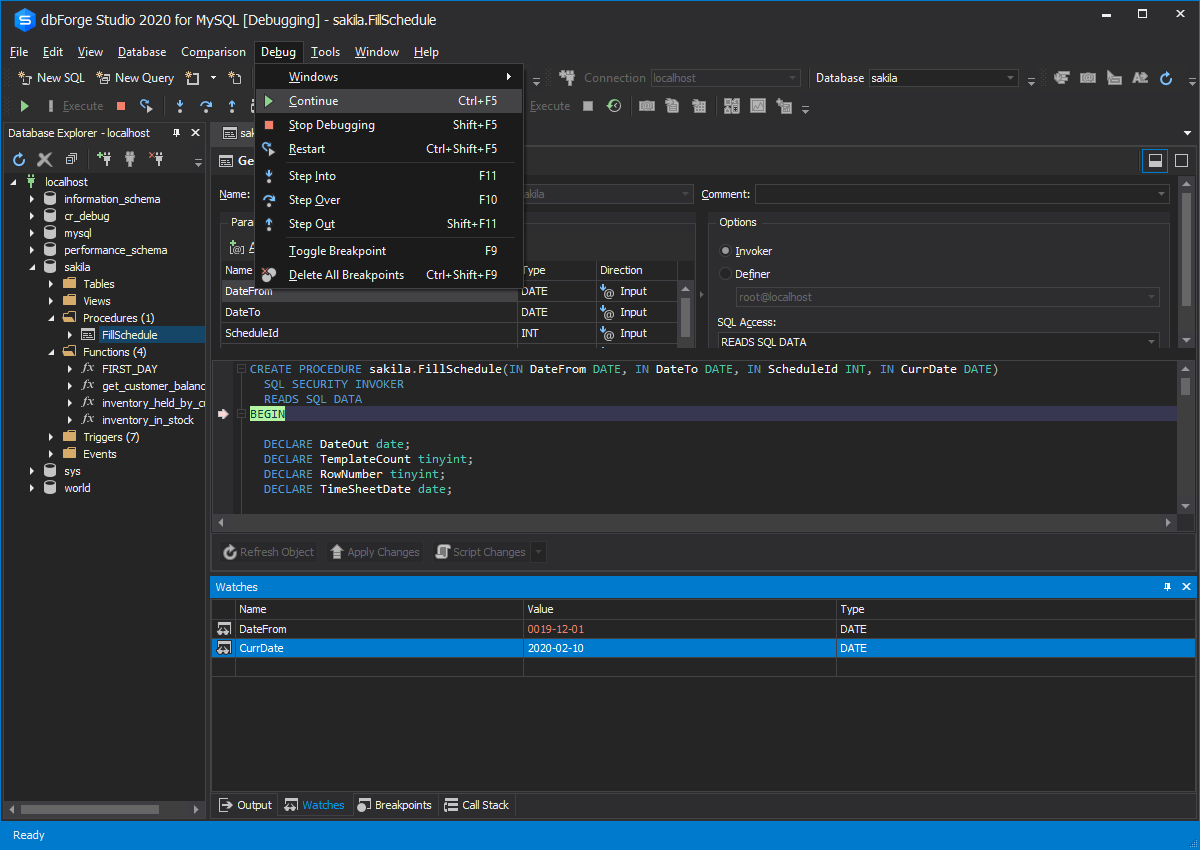
It enables you to step through each line of code, setting and evaluating breakpoints, evaluating and changing local variable values, adding watches, and evaluating and changing local variable values. This tool allows investigating the run-time behavior of your database objects, locating logic errors, and debugging the queries, functions, and triggers.
Debugger for MySQL shows you the call stack so that you can see the path that the code has taken to get to the current point of execution. You can also set breakpoints in your code so that execution will stop at that point. This enables you to examine the state of the code and the values of variables at that point.
- User-friendly interface:
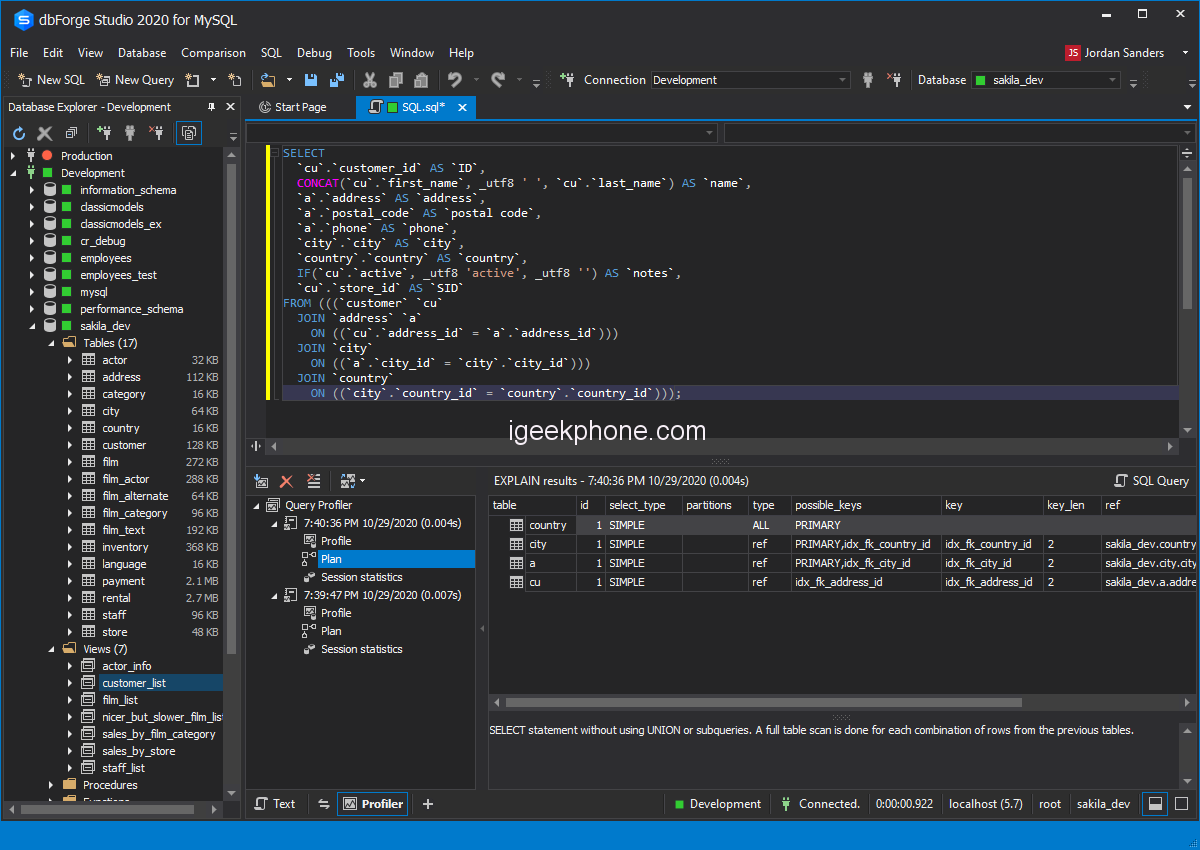
MySQL database management has never been easier, thanks to the well-designed user interface of dbForge Studio for MySQL. All database objects are organized in a tree-like structure, making it easy to find the necessary object and work with it.
- Advanced Database Management:
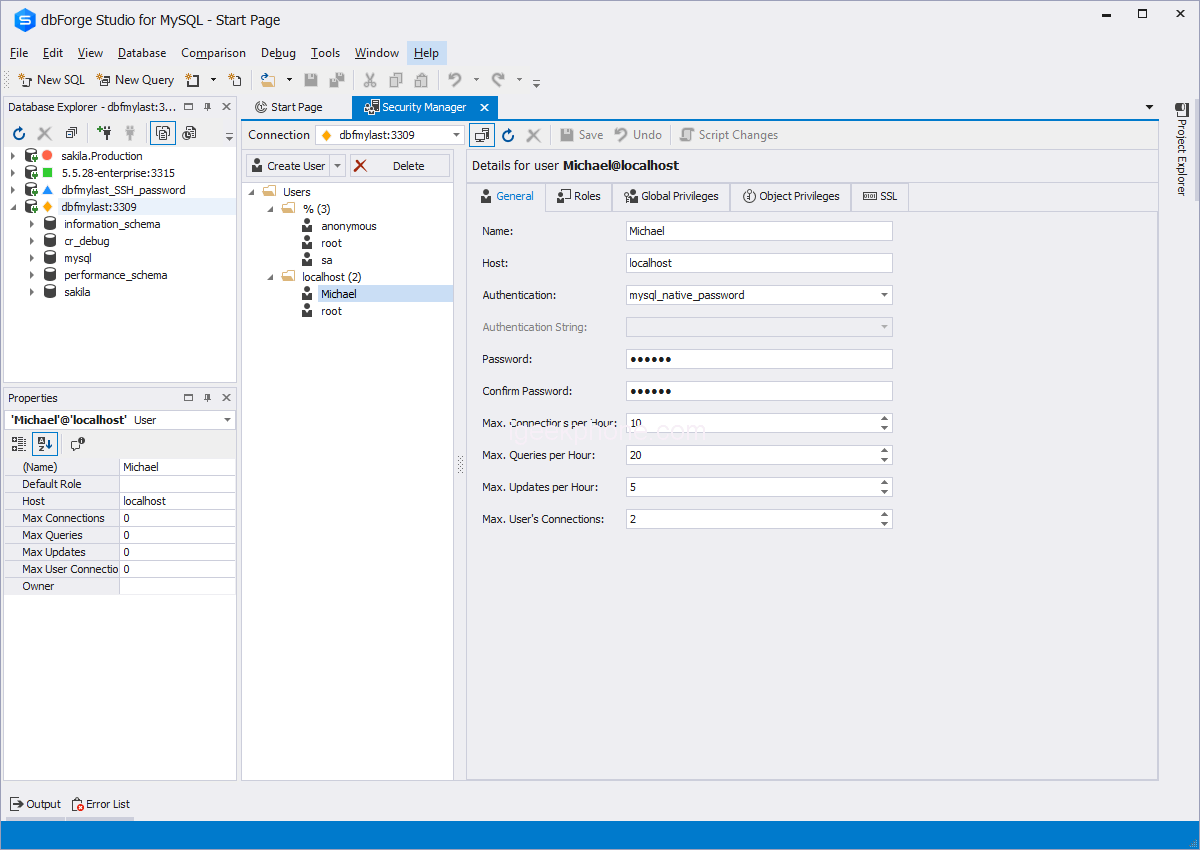
dbForge Studio for MySQL provides a robust set of tools for advanced database management and development. With the help of this tool, you can quickly develop and manage databases, design database structures, manage database security, tune database performance, productively write and execute SQL queries, rapidly create and modify database objects, database refactoring, backup and restore, etc. All database objects are organized in a tree-like structure, making it easy to find the necessary object and work with it.
- Data Generation:
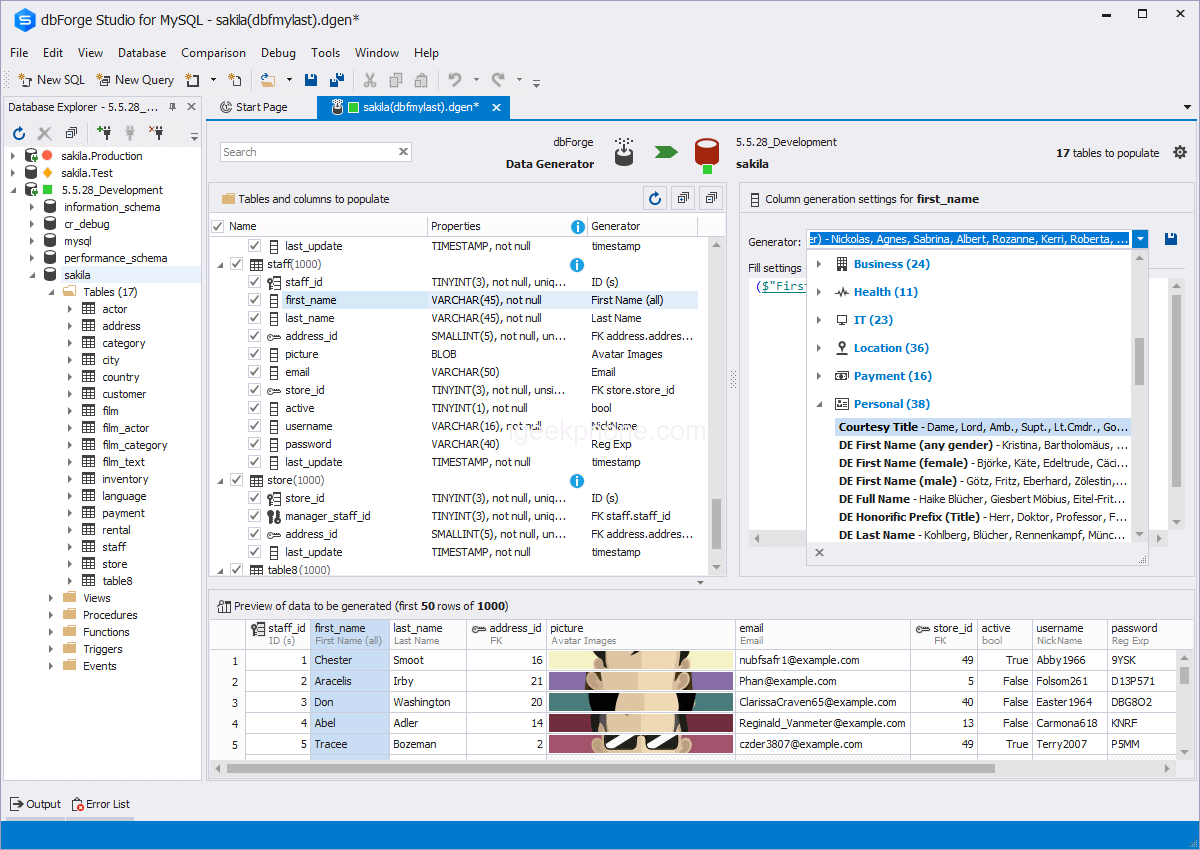
dbForge Studio for MySQL includes a data generator that can help you quickly generate large amounts of test data for all types of MySQL databases. It offers more than 200 generators with data customization.
- Database Compare and Sync:
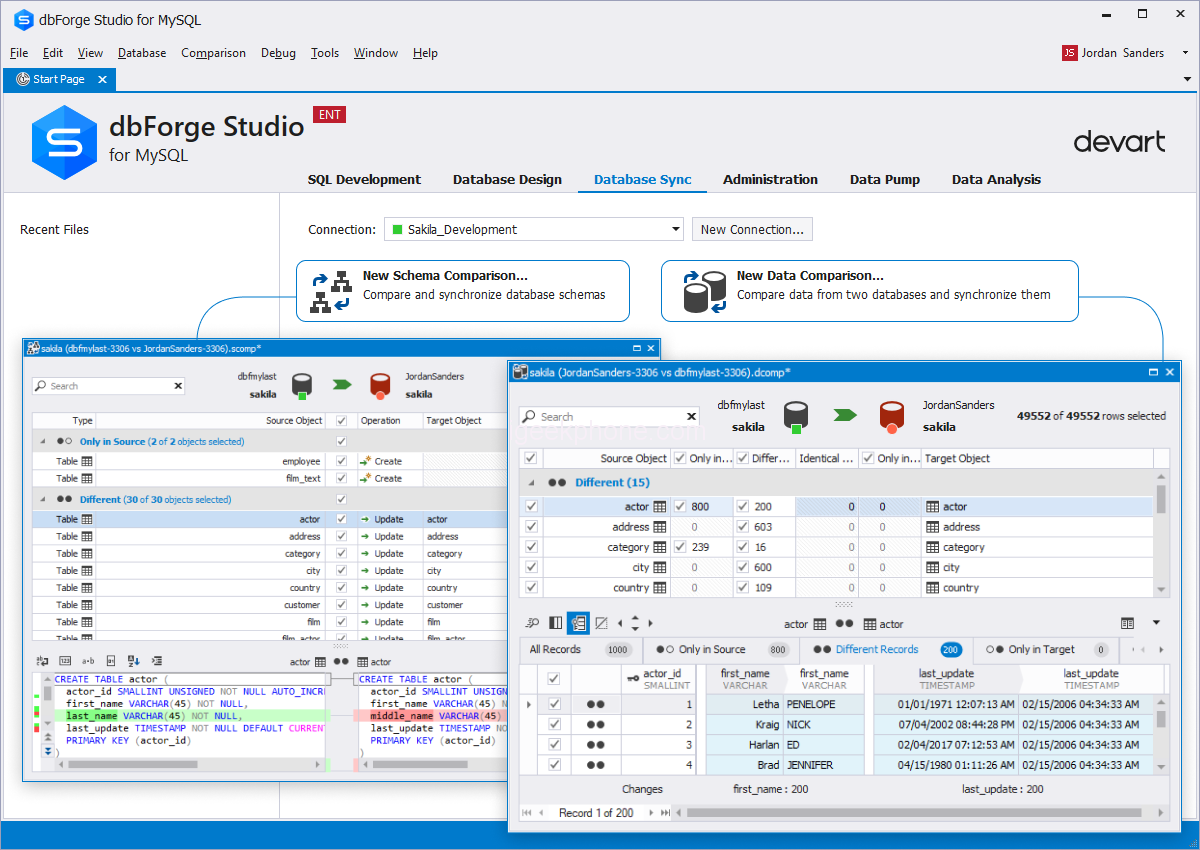
dbForge Studio for MySQL includes a data compare and sync tool to help you keep your MySQL databases in sync. This can be very helpful when you migrate data between MySQL servers or keep multiple MySQL servers in sync. You can generate comparison reports and schedule database sync tasks.
- Database Migration:
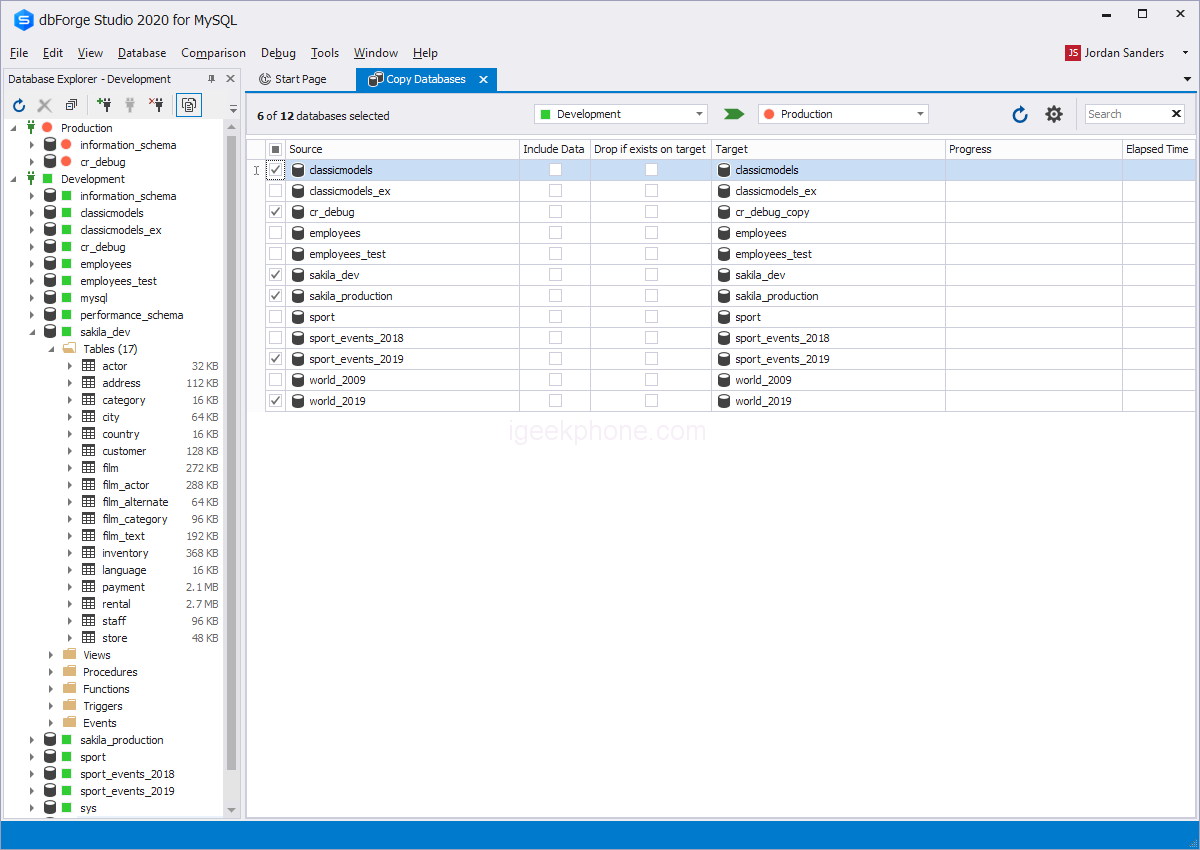
dbForge Studio for MySQL includes a data export and import tool that can help you easily transfer data between MySQL servers or migrate data between MySQL databases, as well as migrate your databases from one database engine to another. Export and import tools support more than 10 data formats and allow full customization in the whole process.
- Comprehensive Documentation:
dbForge Studio for MySQL provides comprehensive documentation that covers all aspects of the tool. With the help of this documentation, discover, learn how to use all features of the tool and get the most out of it.
- Free Updates and Technical Support:
dbForge Studio for MySQL comes with free updates and technical support for one year. With the help of this tool, you can easily keep your databases up-to-date and get the most out of it.
The latest version of dbForge Studio for MySQL v9.1 includes all the must-have tools for MySQL database management, development, administration and, maintenance.
TOP useful features of MySQL IDE
Some of the features of using GUI tool for MySQL:
- Increased Productivity
When you use a GUI tool for MySQL, you will be able to work faster and more efficiently. By using these GUI tools, you don’t have to waste time working with traditional text-based interfaces and trying to remember complex MySQL commands. You can also auto-complete SQL statements with most GUI tools. This can save you a lot of time and frustration, especially when working on large and complex database projects.
- Improved User Experience
GUI tools offer a much better user experience than working with MySQL from the command line. GUI tools can help you to visualize your data so you can to easily view and manage your database tables and data. You can also visually create and edit SQL queries. It will save a lot of time if you are working with complex and large data sets.
- Greater Flexibility
GUI tools offer a lot more flexibility than working with MySQL from the command line. For example, a GUI tool supports importing data from different sources and exporting your data to different formats (CSV, Excel, etc.). Additionally, most GUI tools come with a wide range of features and tools. You can customize those tools to suit your specific needs and workflow. If you’re not already using a GUI tool for MySQL, we highly recommend that you give one a try.