
|

|
- VOOPOO UFORCE-X Tank II Review: Next-Level Flavor and Airflow Performance
- Eachine Spitfire Brushless RC Airplane Review-Aerobatic Warbird Fun for All Skill Levels
- How Technology Can Help You Write Better Essays
- How to Transform Your Excel Spreadsheets Into PDF Using Gogopdf Tool
- SP2S Ocean vs Friobar IC18K: Comparison Review
- Pachamama 75K Disposable Vape Review: Long‑Lasting Performance Meets Premium Flavor
- Heycute G126 OWS Earbuds Review-Affordable Wireless Audio with Smart Features
- iGaming Marketing Trends for 2025: The Future of Innovation and Engagement

 |
 |
 |
 |
 |
 |
- Shop
- Accessories
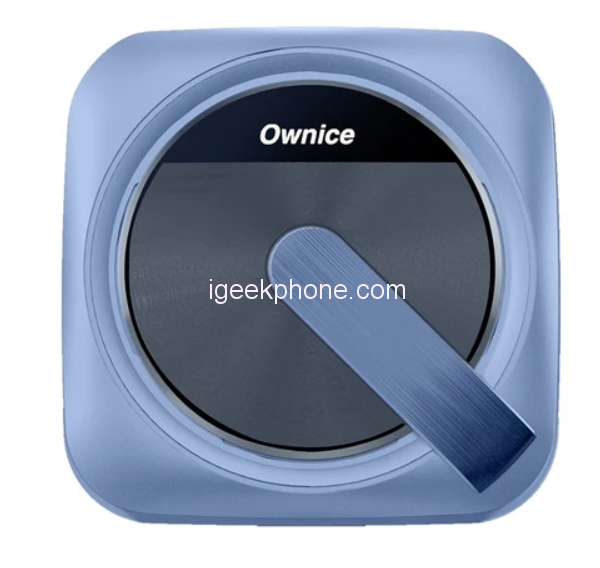
- Ownice T3 Wireless Auto Ai Box
Ownice T3 Wireless Auto Ai Box
Offers
-
 Ownice T3 Wireless Auto Ai Box
$ 104.99
Ownice T3 Wireless Auto Ai Box
$ 104.99
View Offer
Highlights
Special for Tesla Cars
T-Box is designed for Tesla to Ai-Link your iPhone or Android Phone to use Wireless CarPlay and AirPlay or Wireless Android Auto and MiraCast on Tesla’s Web Browser, giving you a better driving experience.
Easy to Use
Just plug into the original USB port, and it establishes the Wireless Link between the phone and the Tesla display.
Dual WiFi
One with 2.4G+5G for establishing Ai-link between mobile phones and Tesla.; one with 2.4G for access Internet via HotSpot from Other WiFi Devices (When using T-box, it cut off the Tesla’s 4G Network so we add another WiFi for internet access).
Navigation
It supports the use of mobile phones’ Online Map APPs, such as Waze, Google Maps, Apple map, etc.
Touch Control
This Ai Box keeps all functions of the original head unit including the original control ways, such as steering wheel control, and touch screen control.
Voice Control
Support using Siri or Google Voice control to send voice commands for making calls, playing music, etc.
More Functions
Ownice T-Box also supports OTA updates, changing wallpaper, split screen, hands-free calls, and downloading more supported Apps.
Reviews
Sorry, you have not permission to write review for this product.
Disclaimer Note
You can write your own disclaimer from APS Settings -> General -> Disclaimer Note.
More Products from Xiaomi
New Arrivals






ADVERTISE



