






Facebook Twitter Instagram
    Trending
    • Discover the Ultimate Vaping Experience with Geek Bar Pulse X
    • Finding Your Perfect Match in the World of Disposable Vapes
    • RELX Creator Pro 15K Disposable Vape Kit Review: High Puff Capacity Meets Smart Vaping Technology
    • OXVA Nexlim 2 Mini Pod System Kit Review: Compact Size, Powerful Flavor
    • Say Goodbye to Meeting Lag and Blind Spots! SVBONY SVN A1 360° Conference Camera Review – Efficient Collaboration Made Simple
    • Master the Art of Melting: A Complete Guide to Choosing the Best Wax Melter
    • You need to know most common mistakes rookies in gaming
    • What are some ways to enhance the amount of natural light in my home
    Facebook YouTube
    IGeeKphone China Phone, Tablet PC, VR, RC Drone News, Reviews
    • HOME
      • NEWS
        • DeepSeek
        • ChatGPT
        • Minecraft
    • Amazon
    • PHONE
      • Top Phones For Your First Choice
      • Phone Comparison
      • Xiaomi
      • Blackview
      • Doogee
      • Black Shark
      • Geekbuying
      • Banggood
      • TEMU
      • TikTok
      • Aliexpress
      • Walmart
      • MercadoLibre
      • Lazada
    • TOP VAPE Awards for 2026
    • VAPES
      • E-CIGAR Upcoming
      • Vape News
      • Vape Deals
      • Vape Comparison
      • Vape Guide
      • Giveaway
    • BEST VAPE
      • Best Vape Stores
      • Best Starter Vape Kits
      • Best Vapes for Beginners
      • Best Disposable Vapes
      • Best Pod Systems
      • Best Pod Mod Vapes
      • Best Mods
      • Best Nicotine Pouches
      • Best Clearomizers/Tanks
      • Best E-Liquid
      • Best EGO/Pens
      • Best Vapes for Nic Salt E-Juice
      • Best Vapes to Quit Smoking
      • RDA vs. RDTA vs. RTA
    • Best Vape Brand 2026
      • VAPORESSO
      • VOOPOO
      • OXVA
      • NEXA BAR
      • MASKKING VAPE
      • SP2S
      • IPLAY
      • TODOO
      • MRFOG
      • LOSTVAPE
      • VEIIK
    • REVIEW
      • E-cigar Review
      • Phones
      • Tablet PC
      • TV Box
      • RC Drone
      • Wearables
      • Camera
      • Accessories
      • VR Headset
    • MORE
      • TABLET
        • Chuwi
        • INNOCN
        • Teclast
        • Top Tablet for Your First Choice
        • Tablet/Laptop Comparison
      • RC DRONE
      • CAMERA
      • WEARABLES
        • OneOdio
        • BlitzWolf
        • Top Smartwatch for First Choice
      • 3D PRINTER
        • 3D Printer Review
        • Anycubic
        • FLSUN
        • Xtool
        • LONGER
        • Top 3D printer to Choose First
      • POWER STATION
        • Oukitel
        • FOSSIBOT
      • GAMING
        • Top Gaming Products
      • E-BIKE
        • Samebike
        • Happyrun
        • ENGWE
      • SMART HOME
      • TV BOX
      • ACCESSORIES
      • VR HEADSET
      • CLOTHES
      • AUTO CAR
    • DEAL
    • VAPE LAWS
    • Shop
    IGeeKphone China Phone, Tablet PC, VR, RC Drone News, Reviews
    You are at:Home»3D PRINTER»Anycubic App Officially Online for Smarter 3D printing Experience
    3D PRINTER

    Anycubic App Officially Online for Smarter 3D printing Experience

    Brady CottonBy Brady CottonJanuary 30, 2023
    Facebook Twitter Pinterest LinkedIn Tumblr Email

    January 31st, 2023, Anycubic officially launched its expected app, “Anycubic.” With the development of 3D printing technology and IoT, makers’ needs have been substantially fulfilled while new ones have emerged. As a leading brand in the desktop 3D printing realm, Anycubic has been marching on providing and enhancing the best 3D printing experience via their widely welcomed 3D printers and accessories and backing software.
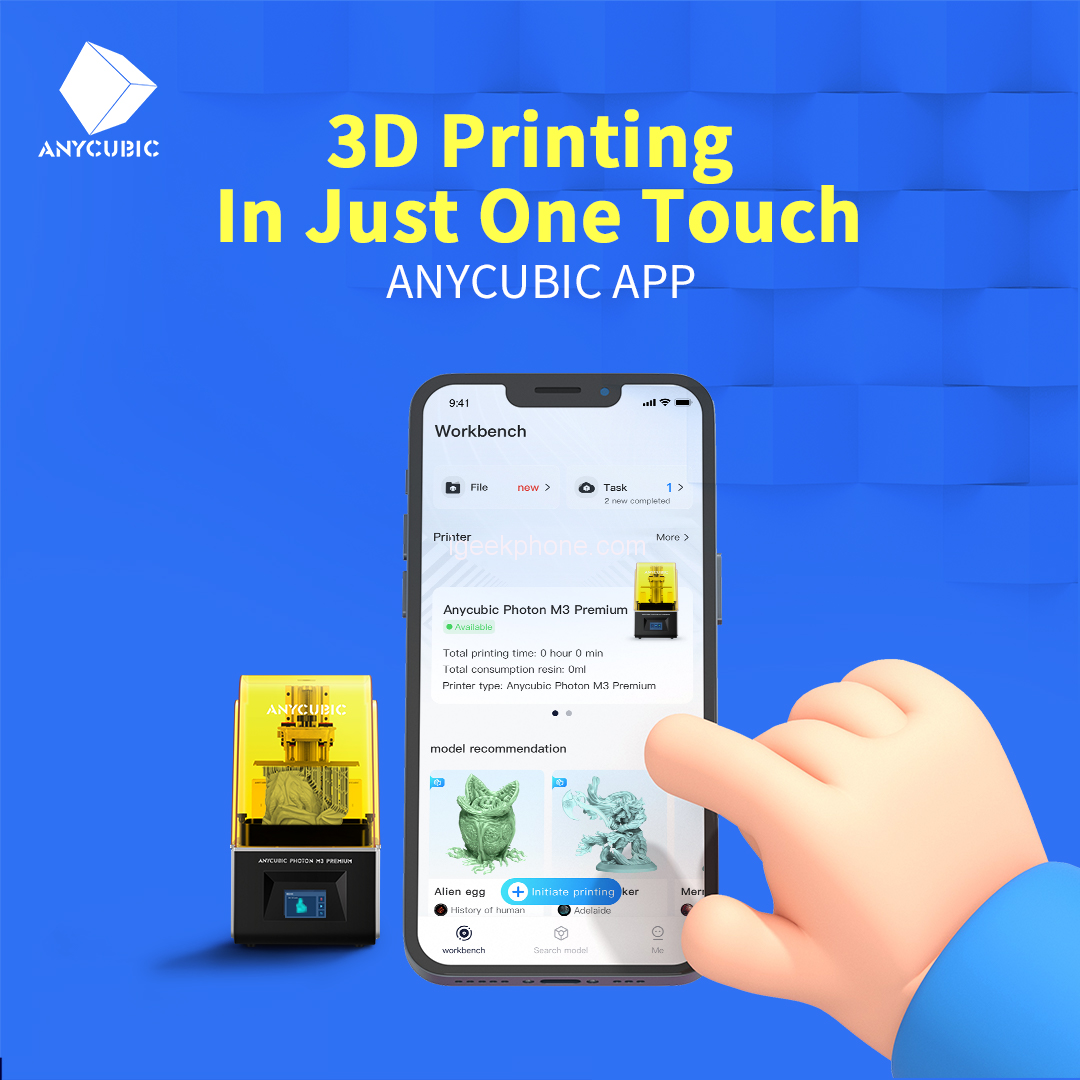
    Anycubic App

    “A 3D printer assisting app is a must-have for all makers. It should serve all the frequent and highly-requested needs for an even better and more convenient printing experience, from ideas to printing and sharing. It should be easy to use and integrate the mentioned above,” said James Ouyang, Vice President of Anycubic. “With years of market insights into the 3D printing industry period of technical precipitation and development, we finally bring you the Anycubic App.”

    A 3D Printing Model Bank

    When searching, users can easily be notified of the trendiest models.

    The Anycubic app allows users to access many of their favorite 3D model platforms, such as Thingiverse, MyMiniFactory, etc., finding millions of model resources for their printing needs. The Anycubic app integrates its resource bank well with makers’ favorite model sites and builds up a fast, smart, in-app search engine for the best convenience. The Anycubic app’s model bank will continue to involve the trendiest and quality models for makers’ consisting creation needs.

    A User-friendly Online Slicer

    Many novices may find it troublesome when it comes to slicing. Traditionally, users must go through several steps, such as downloading and installing the slicing software, importing the modeling files into the slicing software, and adjusting various parameters. The online slicer that the Anycubic app provides tackles all these fusses and makes 3D printing hassle-free, leaving an even lower threshold for beginners. The proven professional slicer allows users to choose from two settings, prioritizing accuracy or speed depending on their printing needs. In the sliced section, novices can find tons of trendy well-tested sliced model files for instantly printing even at their debuts. The system will automatically detect if a chosen model has a relevant sliced file and provide a quick match. For advanced makers, the customizing interface that the Anycubic app supports gives them the best freedom for their 3D printing exploration.

    A Real-time Task Monitor
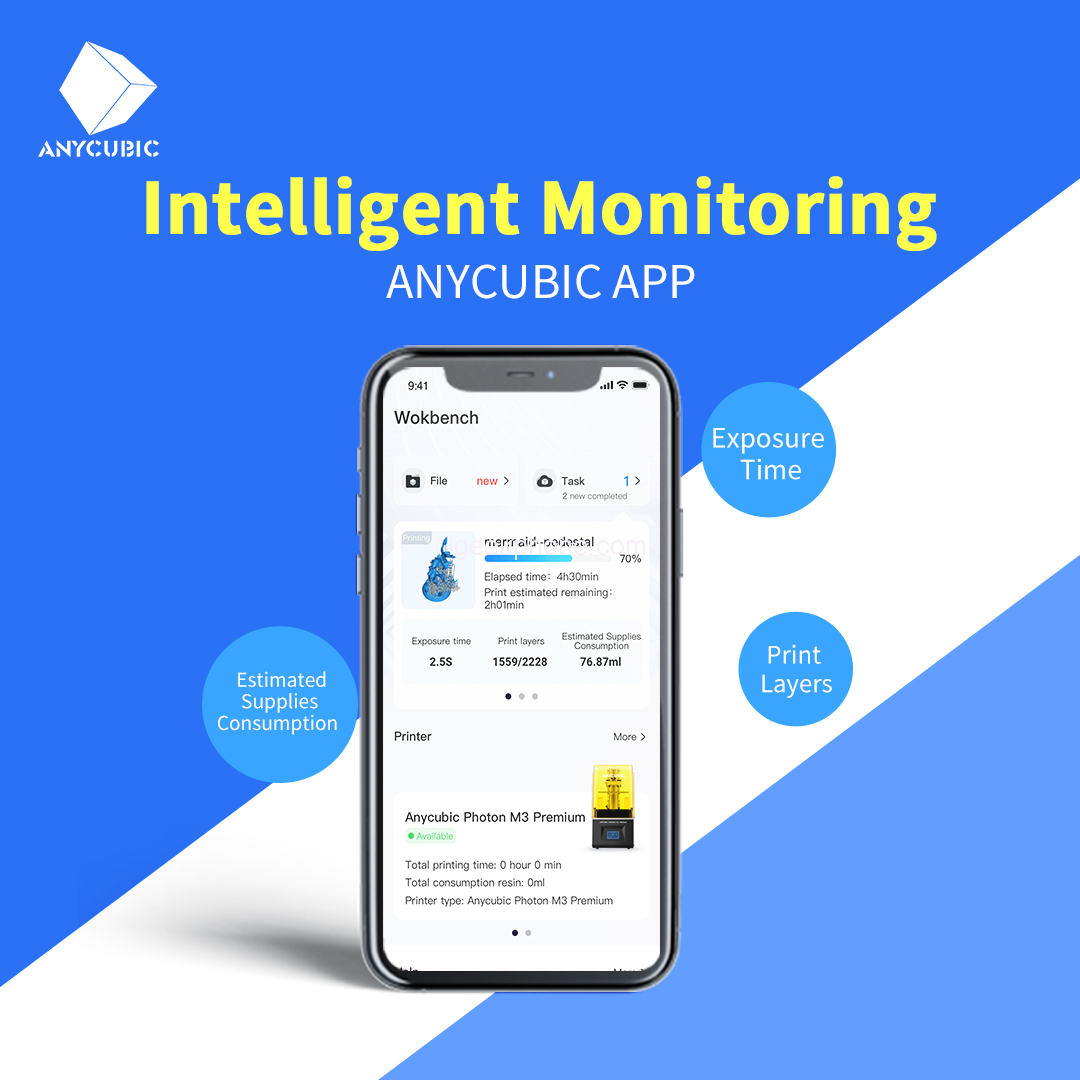
    Intelligent Monitoring

    With the Anycubic app, users can be off-site while rest assured. After binding the 3D printer, users can monitor it remotely with their smartphones. Users may receive notification of the print task’s progress, the printed layers, the estimated remaining elapsed time, the printing parameters, and other key information in real-time to ensure a well-prepared condition before every print, thus guaranteeing a greater printing success rate and boot the overall efficiency. Also, users can adjust printing parameters such as the exposure time, extinguishing time, and others during the printing process. A printing report will be automatically sent to the users once the printing is done so the users can have an entire grasp.

    A Useful Helping Center

    Anycubic app provides a considerate helping center that gathers many frequently encountered issues and problems over any corresponding 3D printers and software and gives useful solutions. Other than FAQs, the systematic guidance of techniques and hacks can lead even the newest beginners into professional veterans.

    As a leading company in the 3D printing industry, Anycubic has long focused on providing users with a premium printing experience and is consistently pushing the innovation limits with the latest technology. The Anycubic app is currently available in the App Store and Google Play. Please visit the Anycubic store for the latest firmware update.

    Share. Facebook Twitter Pinterest LinkedIn Tumblr Email

    Related Posts

    Discover the Ultimate Vaping Experience with Geek Bar Pulse X

    It is reported that OnePlus 16 and iQOO 16 might be released in September

    Xiaomi 17T Pro smartphone has been officially announced to be equipped with the flagship chip Dimensity 9500

    Comments are closed.

    voopoo G4 Mini
    oxva xlim 3 ultra
    sp2s sen x disposable vape
    • Popular
    • 3D Printer REVIEW
    • XIAOMI
    May 17, 2026

    iPlay Nova 45K Review – High Puff Performance with a Futuristic Twist

    May 17, 2026

    Vaporesso XROS 6 & XROS 6 Mini Review – The Evolution of Portable Vaping

    May 7, 2026

    OXVA Xlim Go Lite Review: Compact, Powerful, and Beginner-Friendly

    April 18, 2026

    VOOPOO DRAG 6 Hands on Review: Vape Beast with Smart Power & Premium Control

    December 26, 2025

    ACMER ASCARVA 4S: Precision CNC Power for Makers, DIYers & Small Workshops

    June 23, 2024

    ACMER P2 20W Laser Engraver Fixed Focus Engraving: Hands on Review

    May 30, 2024

    xTool F1 Ultra Review: World’s First 20W Fiber & 20W Diode Laser Engraver

    May 30, 2024

    Anycubic Kobra 3 Combo Review: The Multicolor Masterpiece?

    June 5, 2026

    Xiaomi 17T Pro smartphone has been officially announced to be equipped with the flagship chip Dimensity 9500

    June 5, 2026

    Xiaomi 17T Series is Equipped with a 7000mAh Jinshajiang Battery

    June 4, 2026

    The Imaging Specifications of Xiaomi 18 Pro Max have been Revealed

    June 2, 2026

    Xiaomi 17T Pro Smartphone has officially Announced Support for Cross-Platform Interoperability, and it is compatible with Apple’s AirDrop Feature

    fc 26 coins
    New Arrivals
    • RELX Creator Pro 15K Disposable Vape Kit RELX Creator Pro 15K Disposable Vape Kit
    • OXVA Nexlim 2 Mini Pod System Kit OXVA Nexlim 2 Mini Pod System Kit
    • OnePlus Nord CE7 OnePlus Nord CE7
    • Vivo S70 Vivo S70
    • Lenovo Idea Tab 2 Plus Lenovo Idea Tab 2 Plus
    • PARFFLO Hookah Blast 40K Nixodine Disposable Vape PARFFLO Hookah Blast 40K Nixodine Disposable Vape
    • OnePlus 16T OnePlus 16T
    • Xiaomi Poco M9 Xiaomi Poco M9
    • Motorola Moto X80 Air Motorola Moto X80 Air
    About
  • Igeekphone.com provides the first global tech news and reviews about smartphone, vapes, e-cigar, smart home, 3D printers, e-bike,tablets, RC drones, VR headset, and other accessories. It's the best platform to improve your brand and product.
  • Contact us: info@igeekphone.com
  • Check Our Privacy Policy Here.
  • Note: *Right now we have US editor and EU editors for review, especially for Amazon US and EU.
  • *Shop and Compare Price Here*
  • Facebook
  • Youtube
  • OUR BEST VAPE PARTNERS
  • VAPE ONLINE STORE
  • HAYATI PRO MAX PLUS
  • VAPORESSO
  • VOOPOO
  • OXVA
  • NEXA
  • MASKKING
  • SP2S
  • IPLAY
  • TODOO
  • OTHER BEST PARTNERS
  • SVBONY
  • Chuwi
  • Blackview
  • Fossibot
  • Unihertz
  • Flsun
  • Anycubic
  • Xtool
  • Oukitel
  • Mukkpet Ebike
  • Ugreen
  • Copyright © 2026 igeekphone

    Type above and press Enter to search. Press Esc to cancel.