
|

|
- VOOPOO UFORCE-X Tank II Review: Next-Level Flavor and Airflow Performance
- Eachine Spitfire Brushless RC Airplane Review-Aerobatic Warbird Fun for All Skill Levels
- How Technology Can Help You Write Better Essays
- How to Transform Your Excel Spreadsheets Into PDF Using Gogopdf Tool
- SP2S Ocean vs Friobar IC18K: Comparison Review
- Pachamama 75K Disposable Vape Review: Long‑Lasting Performance Meets Premium Flavor
- Heycute G126 OWS Earbuds Review-Affordable Wireless Audio with Smart Features
- iGaming Marketing Trends for 2025: The Future of Innovation and Engagement

 |
 |
 |
 |
 |
 |
- Shop
- Accessories
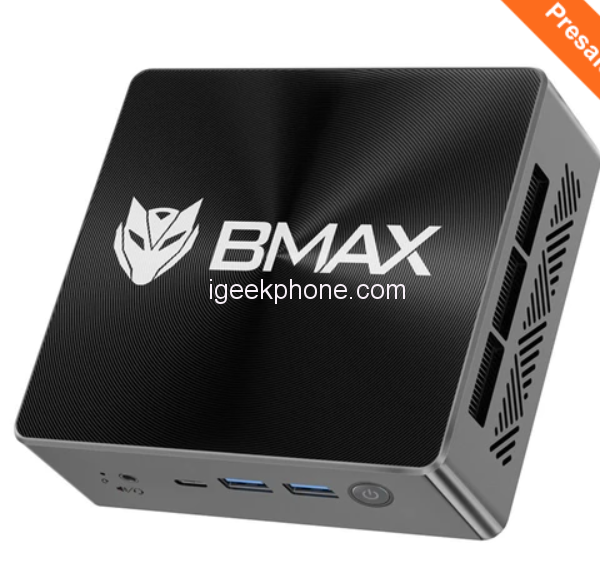
- BMAX B7 Pro Mini PC
BMAX B7 Pro Mini PC
-
Processor
Snapdragon 730 processor -
RAM
6GB/8GB -
Storage
64GB/128GB/256GB -
Display
6.39 inch AMOLED full screen -
Camera
20MP Front camera, Sony’s 48MP (IMX586) ultra-clear camera+8MP+13MP rear camera -
Operating System
MIUI 10 based on Android 9.0 OS
Offers
-
 BMAX B7 Pro Mini PC
$ 329
BMAX B7 Pro Mini PC
$ 329
View Offer
Highlights
Powered by Intel® Core™ i5-1145G7 Processor, 4 cores 8 threads, with base frequency to 2.6GHz and burst frequency up to 4.4GHz.
Easily switch back and forth between more applications with 16GB DDR4 and 1TB solid-state drive storage.
The mini computer was pre-installed Windows 11 64 bit, automatically activate online; with Intel® Iris® Xe Graphics and HDMI2.0b function, easy to enjoy web surfing and HD video.
Features an empty expansion bay to allow adding an M.2_SATA_2280 SSD or HDD. and you also can expand the storage with the Micro SD card. Get massive storage if you want to store your favorite videos, photos, or other data.
The mini PC has a cooling system smart fan + two copper heat pipes, which enables BMAX B7 Pro to have better heat dissipation and quiet performance.
With 2x USB 3.0, 2 x USB 2.0, 1 x Type-C (full features), 1x RJ45 port, 2 x HDMI2.0b ports, 1 x 3.5mm stereo headset jack, and Bluetooth 5.2, easily connect the device you need.
Reviews
Sorry, you have not permission to write review for this product.
Disclaimer Note
You can write your own disclaimer from APS Settings -> General -> Disclaimer Note.

New Arrivals






ADVERTISE



