
|

|
Trending
- Vivo X300 Ultra Review: Redefines Telephoto Photography!
- Redmi Book Pro 2026 officially announced to be Released this month: Core Ultra X7 358H + 99Wh super-large battery
- Honor MagicPad 3 Pro with a 12.3-inch screen is scheduled to be released on April 23rd
- REDMI Pad 2 SE is released this month: 9.7-inch 2K screen! 70-day super long battery life
- iJoy XP50000 0% Zero Nicotine Disposable Review: A Flavorful Experience Without the Nicotine
- When Tech Hits Hard: How Emerging Consumer Gadgets Are Shaping Personal Injury Cases
- People are purchasing more on mobiles than ever before
- To conduct business effectively, utilize a Genome business account

 |
 |
 |
 |
 |
 |
- Shop
- Accessories
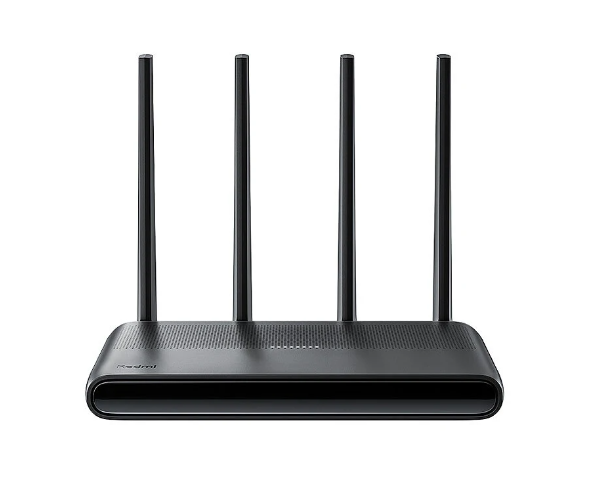
- Xiaomi Redmi AX6000 WiFi 6 Router
Xiaomi Redmi AX6000 WiFi 6 Router
-
Processor
-
RAM
-
Storage
-
Display
-
Camera
-
Operating System
Offers
-
 Redmi AX6000 WiFi 6 Router
$103.99
Redmi AX6000 WiFi 6 Router
$103.99
View Offer
Specifications:
| Brand | Xiaomi Redmi |
| Model | AX6000 |
| Processor | MT 7986A Quad-Core 2.0GHz CPU |
| Memory | 512MB |
| 2.4G Wi-Fi | 4×4 (supports up to IEEE 802.11ax protocol, maximum speed of 1148Mbps) |
| 5G Wi-Fi | 4×4 160MHz(supports up to IEEE 802.11ax protocol, maximum speed of 4804Mbps) |
| External Antenna | 4 |
| Interface | 4 auto MDI/MDIX adaptive 10/100/1000M WAN/LAN ports |
| Working Temperature | 0~ 40 °C, |
| Working Hudmidity | 10%~90% humidity (non-condensing) |
| Storage Temperature | -40~ 70 °C |
| Storage Humidity | 5% ~ 90% humidity (non-condensing) |
Features:
1. High-Performance CPU: Empowered by a Quad-Core 2.0GHz CPU for efficient processing.
2. Superior Speeds: With 2.4G and 5G dual bands, enjoy Wi-Fi speed up to 4804Mbps.
3. External antennas: 4 external antennas to provide a robust and reliable Wi-Fi connection.
4. Seamless Connection: Support for Mesh networking ensures a stable and seamless internet connection.
5. Multiple Interfaces: Comes with 4 autoadaptative WAN/LAN ports for versatile connectivity.
Package Include:
1x Xiaomi Redmi AX6000 router
1x Power Cable
1x Network Cable
1x Manual
Reviews
Sorry, you have not permission to write review for this product.
Disclaimer Note
You can write your own disclaimer from APS Settings -> General -> Disclaimer Note.
More Products from Xiaomi


New Arrivals






ADVERTISE



